Introduction
Server Management Tools are specialized software platforms designed to monitor, configure, and maintain server infrastructure. These tools provide a centralized interface for hardware health tracking, resource allocation (CPU, RAM, Storage), software updates, and security patching. In short, they take the complexity of high-level systems administration and boil it down into actionable insights and automated workflows.
In today’s fast-paced digital economy, these tools are important because they prevent downtime before it happens. Real-world use cases include automating the rollout of security patches across 500 nodes simultaneously, monitoring real-time traffic spikes for e-commerce sites, and identifying “zombie” processes that are wasting expensive cloud credits. When choosing a tool, you should look for multi-cloud support, automated remediation (self-healing), deep observability, and agentless vs. agent-based deployment options.
Best for: Systems Administrators, DevOps Engineers, IT Managers, and Managed Service Providers (MSPs). These tools are essential for companies of all sizes—from startups scaling their first cloud app to global enterprises managing petabytes of data across distributed data centers.
Not ideal for: Individual hobbyists running a single personal website or very small businesses using basic shared hosting where the hosting provider handles all backend maintenance. If you don’t have access to the root server or virtual machine level, these professional management tools may be overkill.
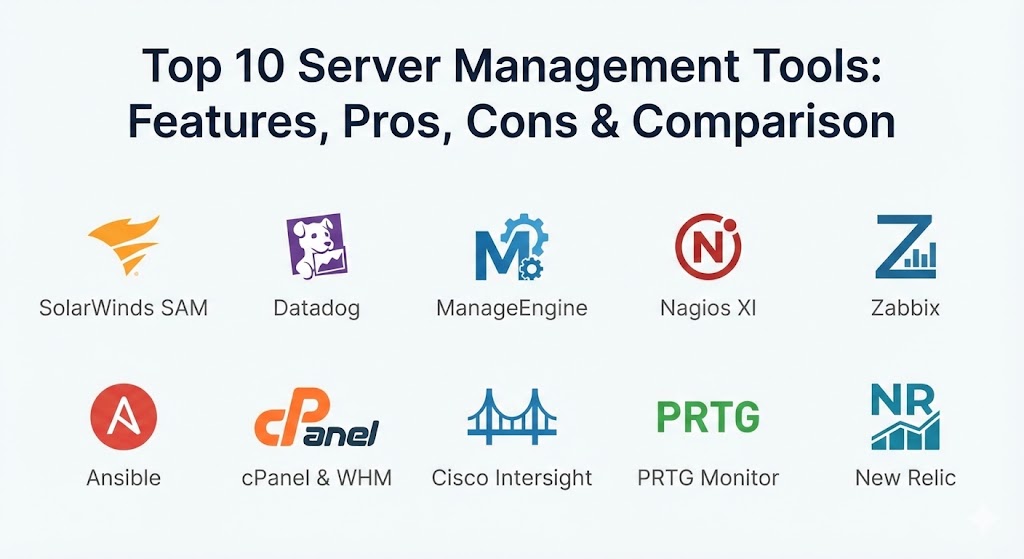
Top 10 Server Management Tools
1 — SolarWinds Server & Application Monitor (SAM)
SolarWinds SAM is a heavyweight in the enterprise space, designed to provide deep-level visibility into server health and the applications running on them. It is built for IT professionals who need to see how hardware performance impacts software delivery.
- Key Features:
- End-to-End Visibility: Monitor physical, virtual, and cloud servers (Azure/AWS) from a single pane of glass.
- AppStack Dashboard: Visualizes the relationship between applications, servers, and storage.
- Automated Asset Inventory: Keeps track of hardware and software versions across the entire fleet.
- Built-in Expert Templates: Over 1,200 templates for monitoring apps like SQL Server, Exchange, and IIS.
- Capacity Planning: Predicts when you will run out of resources based on historical trends.
- Cloud Infrastructure Monitoring: Specialized views for EC2 instances and Azure VMs.
- Pros:
- Incredible depth of data; it can identify a failing hard drive just as easily as a slow database query.
- High level of customization for alerts and reporting.
- Cons:
- The user interface can feel overwhelming due to the sheer volume of information.
- High cost makes it more suitable for large enterprises than small businesses.
- Security & Compliance: Supports SSO, FIPS 140-2, SOC 2, and provides comprehensive audit logs for compliance.
- Support & Community: Extensive technical documentation, a huge community (THWACK), and 24/7 global enterprise support.
2 — Datadog
Datadog is a modern, SaaS-based observability platform that has become a favorite for cloud-native companies. It excels at monitoring high-scale, dynamic environments like Kubernetes and serverless functions.
- Key Features:
- Unified Observability: Combines metrics, logs, and traces in one platform.
- Auto-Discovery: Automatically identifies and begins monitoring new servers as they spin up.
- Machine Learning Alerts: Uses AI to identify “anomalous” behavior rather than just static thresholds.
- Service Map: Automatically visualizes how different servers and services are talking to each other.
- Agent-Based Efficiency: Lightweight agents that have minimal impact on server performance.
- Integration Library: Over 600 built-in integrations for modern tech stacks.
- Pros:
- The best UI in the business; it is intuitive, fast, and visually stunning.
- Exceptional at handling “ephemeral” servers that only exist for a few minutes.
- Cons:
- Costs can escalate quickly because billing is based on the number of hosts and custom metrics.
- Being SaaS-only, it may not be ideal for “air-gapped” environments with no internet access.
- Security & Compliance: SOC 2 Type II, HIPAA, GDPR, ISO 27001, and FedRAMP compliant.
- Support & Community: Excellent online documentation, a proactive user community, and dedicated technical account managers for large clients.
3 — ManageEngine Applications Manager
ManageEngine provides a robust, balanced solution that sits between the complexity of SolarWinds and the agility of Datadog. It is a go-to for mid-market companies that need comprehensive monitoring without a six-month setup time.
- Key Features:
- Holistic Server Monitoring: Supports Windows, Linux, Unix, Solaris, and AIX.
- Virtualization Support: Deep monitoring for VMware, Hyper-V, and Nutanix.
- Synthetic Transaction Monitoring: Simulates user behavior to ensure servers are responding correctly.
- Fault Management: Automated root-cause analysis to find out exactly why a server crashed.
- Container Monitoring: Specialized dashboards for Docker and Kubernetes clusters.
- REST API Support: Allows for deep integration into custom internal tools.
- Pros:
- Very fast time-to-value; most users are up and running within a few hours.
- Highly competitive pricing compared to other enterprise-tier solutions.
- Cons:
- The interface, while functional, can feel a bit dated compared to modern cloud-native tools.
- Some advanced features require manual configuration that competitors automate.
- Security & Compliance: GDPR, HIPAA, and ISO compliant. Supports encryption-at-rest and SSO.
- Support & Community: Solid knowledge base, regular webinars, and global 24/5 technical support.
4 — Nagios XI
Nagios is the legendary “grandvather” of server monitoring. The XI version is the commercial, enterprise-ready evolution of the open-source Nagios Core, offering a GUI and advanced features while maintaining its core power.
- Key Features:
- Unmatched Flexibility: If a server has an IP address, Nagios can monitor it via custom scripts.
- Nagios Core Engine: Powered by the most battle-tested monitoring engine in IT history.
- Configuration Wizards: Simplifies the setup process for common server types and services.
- Infrastructure Snapshots: Allows you to “save” your configuration state and revert if changes fail.
- Multi-Tenant Support: Manage different departments or clients in isolated views.
- Historical Data Export: Excellent for long-term reporting and capacity planning.
- Pros:
- Total control; you can script and customize Nagios to do literally anything.
- Huge ecosystem of thousands of community-built plugins.
- Cons:
- Has a very steep learning curve for those not comfortable with a CLI (Command Line Interface).
- Initial configuration is more labor-intensive than “auto-discovery” tools.
- Security & Compliance: Role-based access control, encryption for remote agents, and SOC 2 compatibility.
- Support & Community: The largest community in the monitoring world and dedicated professional support for XI users.
5 — Zabbix (Open Source / Enterprise)
Zabbix is a world-class, open-source platform that proves you don’t always have to pay a fortune for enterprise features. It is a favorite for large-scale deployments that require total data ownership.
- Key Features:
- Infinite Scalability: Designed to monitor hundreds of thousands of servers across distributed locations.
- Auto-Remediation: Can automatically run scripts to restart services or fix issues when an alert triggers.
- Agentless Monitoring: Supports SNMP, IPMI, and SSH for servers that cannot have an agent installed.
- Flexible Thresholds: Very sophisticated “trigger” logic for alerting.
- Zabbix Proxy: Allows for monitoring of remote data centers with minimal bandwidth impact.
- Template Sharing: Easily import monitoring templates for any server hardware.
- Pros:
- Completely free software; you only pay for professional support if you want it.
- You own 100% of your data; nothing ever leaves your internal network.
- Cons:
- Requires a high level of Linux and database expertise to set up and tune.
- Lacks some of the “built-in” AI/ML intelligence found in modern SaaS tools.
- Security & Compliance: Encryption between all components, LDAP/AD support, and granular user permissions.
- Support & Community: Active global community and professional support tiers available from Zabbix SIA.
6 — Ansible (by Red Hat)
Ansible isn’t a “monitoring” tool in the traditional sense; it is a Configuration Management powerhouse. It is used to define how servers should look and behave, ensuring consistency across thousands of machines.
- Key Features:
- Agentless Architecture: Connects over standard SSH; no software needs to be installed on the target servers.
- Playbooks: Uses human-readable YAML to define server configurations as code.
- Idempotency: Ensures that running a script multiple times doesn’t break things—it only makes the necessary changes.
- Rolling Updates: Can update a fleet of servers one by one to ensure zero downtime.
- Vault: Securely manage passwords and secrets used in configurations.
- Ansible Automation Platform: The enterprise GUI (formerly Tower) for managing team workflows.
- Pros:
- The most popular tool for “Infrastructure as Code” (IaC).
- Extremely easy to learn compared to competitors like Puppet or Chef.
- Cons:
- Not designed for real-time performance monitoring or alerting.
- Performance can slow down when managing extremely large fleets (over 5,000 nodes) from a single controller.
- Security & Compliance: FIPS 140-2, SOC 2, and deep integration with enterprise identity providers.
- Support & Community: Massive ecosystem of “Ansible Galaxy” roles and world-class Red Hat support.
7 — cPanel & WHM
If you are managing web servers, cPanel is the industry standard. While WHM (Web Host Manager) handles the server administration, cPanel provides the user-facing interface for managing websites.
- Key Features:
- Simplified Web Admin: Manage DNS, Email, Databases, and FTP through a simple GUI.
- One-Click Security: Built-in tools for SSL installation and brute-force protection (IP Blocker).
- Automation: Automates server backups and software updates (EasyApache).
- Account Isolation: Ensures that one website’s issues don’t crash the entire server.
- API Access: Allows developers to automate account creation and management.
- Migration Tools: Very easy to move an entire server’s worth of sites to a new machine.
- Pros:
- The most user-friendly tool for managing Linux web servers.
- Practically every web developer in the world knows how to use it.
- Cons:
- Recent price changes have made it much more expensive for servers with high account counts.
- Not designed for general-purpose application servers or specialized cloud workloads.
- Security & compliance: ISO 27001, GDPR, and PCI DSS compliance features built-in.
- Support & community: 24/7 technical support and a massive ecosystem of plugins and themes.
8 — Cisco Intersight
Cisco Intersight is a cloud-based infrastructure management platform. It is designed for businesses using Cisco UCS and HyperFlex hardware, but it has expanded into a full hybrid-cloud management suite.
- Key Features:
- Cloud-Based SaaS: Manage your global physical hardware from any browser in the world.
- Workload Optimization: Uses AI to suggest where to move workloads to save money or increase speed.
- Connected Support: Automatically opens a support case with Cisco if it detects a hardware failure.
- Infrastructure as Code: Integrated support for Terraform and Ansible.
- Kubernetes Service: Simplifies the deployment and management of K8s clusters on-premise.
- Advisory Dashboard: Alerts you to security vulnerabilities (PSIRTs) and end-of-life hardware.
- Pros:
- The ultimate tool for companies heavily invested in Cisco hardware infrastructure.
- Exceptional at bridging the gap between physical “bare metal” and the cloud.
- Cons:
- Limited usefulness if you don’t use Cisco UCS or HyperFlex hardware.
- Can be expensive as it follows a per-device subscription model.
- Security & Compliance: SOC 2 Type II, ISO 27001, and FIPS 140-2.
- Support & Community: Direct integration with Cisco TAC (Technical Assistance Center).
9 — PRTG Network Monitor
PRTG (Paessler) is famous for its “sensor-based” approach. It is an all-in-one monitoring tool that covers servers, networks, and even IoT devices through a highly visual interface.
- Key Features:
- Sensor Model: You pay for the number of “things” you monitor (e.g., CPU load = 1 sensor).
- Auto-Discovery: Scans your network and automatically sets up appropriate sensors for your servers.
- Beautiful Dashboards: High-quality maps and charts that are great for NOC (Network Operations Center) displays.
- Mobile App: One of the best mobile apps in the business with real-time push notifications.
- Broad Protocol Support: SNMP, WMI, SSH, HTTP, and specialized hardware APIs (Dell, HP, Cisco).
- Distributed Monitoring: Remote probes allow you to monitor different branch offices from one core server.
- Pros:
- Very easy to set up; a non-expert can have a basic dashboard running in 15 minutes.
- Licensing is “all-inclusive”—you get every feature regardless of your tier.
- Cons:
- The sensor-based pricing can become expensive if you want to monitor everything on a server.
- Windows-based core server (though it can monitor Linux servers perfectly).
- Security & Compliance: GDPR, SOC 2 compatibility, and encrypted data transfer between probes.
- Support & Community: Quick response email support and a massive “Knowledge Base.”
10 — New Relic
New Relic is a leader in Application Performance Monitoring (APM) and Infrastructure Observability. It is designed for “Full-Stack” developers who need to know exactly how a server’s health is affecting the end-user’s experience.
- Key Features:
- Infrastructure Monitoring: Real-time visibility into CPU, RAM, and Disk health across all clouds.
- Log Management: High-speed log ingestion and analysis to find errors in milliseconds.
- Pixie Integration: Auto-telemetry for Kubernetes using eBPF technology (no code changes needed).
- AIOps: AI that automatically groups related alerts together to prevent “alert fatigue.”
- External Services Monitoring: Keeps track of third-party APIs your servers rely on.
- Query Language (NRQL): A powerful SQL-like language to create custom dashboards and alerts.
- Pros:
- Exceptional at “connecting the dots” between a server crash and a drop in sales revenue.
- Offers a very generous free tier (100GB/month and one full user).
- Cons:
- The pricing model (based on data ingestion) can be unpredictable if you have a sudden spike in logs.
- So feature-rich that it can take a long time to learn everything the platform can do.
- Security & Compliance: SOC 2, HIPAA, GDPR, FedRAMP, and ISO 27001.
- Support & Community: Active user forums, “New Relic University” for training, and global support.
Comparison Table
| Tool Name | Best For | Platform(s) Supported | Standout Feature | Rating (Gartner) |
| SolarWinds SAM | Deep Enterprise Visibility | Win, Linux, Cloud | AppStack Relationship Map | 4.6 / 5 |
| Datadog | Cloud-Native / K8s | Cloud, Linux, Win | Modern, AI-driven UX | 4.8 / 5 |
| ManageEngine | Mid-Market Balance | Win, Linux, Virtual | Synthetic Transactions | 4.5 / 5 |
| Nagios XI | Custom/Scripted Monitoring | All (Agent/SSH) | Total Scripting Flexibility | 4.3 / 5 |
| Zabbix | Open-Source / Scale | Linux (Server) / All | 100% Free / Self-Hosted | 4.7 / 5 |
| Ansible | Fleet Configuration | Win, Linux (SSH) | Agentless Config as Code | 4.6 / 5 |
| cPanel & WHM | Web Hosting Admin | Linux | GUI for Web/Email Admin | 4.5 / 5 |
| Cisco Intersight | Cisco Hardware Shops | Cisco UCS, Cloud | Cloud-Managed Bare Metal | 4.7 / 5 |
| PRTG Monitor | Visual Network/Server | All (Sensors) | Easy Setup / NOC Maps | 4.6 / 5 |
| New Relic | Full-Stack Devs | Cloud, Linux, Win | eBPF Kubernetes Tracking | 4.7 / 5 |
Evaluation & Scoring of Server Management Tools
To help you make an objective choice, we have evaluated these tools across a weighted scoring rubric that reflects the priorities of 2026 IT operations.
| Category | Weight | Score Factors |
| Core Features | 25% | Observability, automation, patch management, and auto-discovery. |
| Ease of Use | 15% | Dashboard intuitiveness, setup speed, and documentation quality. |
| Integrations | 15% | API access, cloud native support, and 3rd party tool ecosystem. |
| Security & Compliance | 10% | Encryption, SSO, audit logs, and regulatory certifications. |
| Performance & Reliability | 10% | Resource footprint of agents, uptime, and alerting accuracy. |
| Support & Community | 10% | Professional support response times and community forum health. |
| Price / Value | 15% | Licensing transparency and Total Cost of Ownership (TCO). |
Which Server Management Tool Is Right for You?
Choosing the right tool depends on your infrastructure’s size, your team’s technical skills, and your primary goal (Monitoring vs. Configuration).
Solo Users vs SMB vs Mid-Market vs Enterprise
If you are a solo user or small startup, cPanel (for web) or the free tier of New Relic are excellent starting points. SMBs generally find the best ROI with PRTG or ManageEngine because they are easy to maintain without a dedicated 10-person IT team. For Global Enterprises, the choice usually narrows down to SolarWinds SAM (for deep on-prem visibility) or Datadog (for massive cloud scale).
Budget-conscious vs Premium Solutions
If budget is your main constraint, Zabbix is the undisputed king—it is an enterprise-grade power tool for zero dollars. On the premium end, Datadog and New Relic command a high price but offer “AIOps” and observability features that can save your business thousands of dollars in hidden performance bottlenecks.
Feature Depth vs Ease of Use
If you want ease of use, PRTG and Datadog are the winners; you can have a dashboard running in minutes. If you need extreme depth and are willing to write scripts to get it, Nagios XI and Zabbix provide a level of granular control that simpler tools can’t match.
Integration and Scalability Needs
For those using Kubernetes and Containers, Datadog and New Relic have the best native integrations. If you are managing a hybrid environment with a lot of legacy Cisco hardware, Cisco Intersight is designed specifically to solve that physical-to-cloud management challenge.
Frequently Asked Questions (FAQs)
1. Is an “Agent” always necessary for server management?
No. Many modern tools offer “agentless” monitoring using protocols like SSH, WMI, or SNMP. Agentless is easier to deploy, but agent-based monitoring often provides deeper metrics and can still work if the network is partially down.
2. Can I manage both Windows and Linux servers from the same tool?
Yes. Every tool on this list (except for cPanel, which is Linux-only) supports cross-platform management. However, some tools like SolarWinds are traditionally stronger on Windows, while Zabbix is a favorite for Linux.
3. What is the difference between monitoring and management?
Monitoring is about observability (seeing that a disk is 90% full). Management is about action (running a script to clear old logs or resize the disk). Many modern tools now do both.
4. Why is “Auto-Discovery” important?
In a modern cloud environment, servers are created and destroyed automatically. Auto-discovery ensures that every new machine is protected and monitored the moment it is born, without an admin having to add it manually.
5. How much bandwidth does server monitoring use?
Very little. Most agents only send a few kilobytes of data every minute. However, if you are sending “full logs” (log management), bandwidth usage can increase significantly.
6. Is Open Source (Zabbix/Nagios) really as good as paid software?
In terms of features, yes. However, “free” software often has a higher “Total Cost of Ownership” because you need highly skilled (and expensive) engineers to set it up and maintain it.
7. Can I manage my cloud servers and my office servers in one tool?
Yes. This is called “Hybrid Monitoring.” Tools like Datadog, New Relic, and ManageEngine specialize in providing a single view of both AWS/Azure and your local physical racks.
8. What is “Self-Healing” in server management?
Self-healing is when a tool detects a problem (like a crashed web server) and automatically runs a command to fix it (restarting the service) before a human ever knows there was an issue.
9. Is it safe to give these tools root/admin access to my servers?
It is a security risk, which is why these tools prioritize encryption, SSO, and audit logs. You should always follow the “principle of least privilege” and only give the management tool the specific permissions it needs.
10. What happens if the management tool itself crashes?
For SaaS tools (Datadog/New Relic), the provider handles this. For self-hosted tools (Zabbix/SolarWinds), it is common to set up “High Availability” where two instances of the management tool monitor each other.
Conclusion
The “best” server management tool in 2026 is the one that allows you to stop fighting fires and start focusing on growth. If you are a cloud-native startup, the AI-driven insights of Datadog are hard to beat. If you are an enterprise with a mix of legacy and modern hardware, SolarWinds SAM and ManageEngine provide the depth you need. And if you are a privacy-focused firm with a strong engineering team, Zabbix is the ultimate power tool.
Remember that server management is not a “one and done” purchase. As your company grows, your needs will shift from simple uptime checks to complex automation and “Configuration as Code.” Start with a tool that solves your biggest current pain point—whether that’s slow troubleshooting or irregular security patching—and ensure it has the API flexibility to grow with you in the years to come.