Introduction
A Secure Web Gateway (SWG) is a comprehensive cybersecurity solution that protects an organization’s users and data by filtering and inspecting every byte of internet traffic. It acts as a sophisticated digital checkpoint sitting between your employees and the wild west of the public internet. By performing real-time inspection of encrypted traffic, blocking malicious URLs, and preventing unauthorized data exfiltration, an SWG ensures that “safe browsing” is a reality rather than a hope.
The importance of an SWG lies in its ability to address modern threats that traditional security stacks often miss. For example, over 90% of web traffic today is encrypted (HTTPS/SSL). Without a gateway capable of decrypting and inspecting this traffic, malware and ransomware can easily hitch a ride into your network completely undetected. Key real-world use cases include protecting remote workers without the latency of a VPN, preventing “shadow IT” by controlling which cloud apps can be accessed, and meeting strict regulatory compliance by auditing every web interaction.
When evaluating an SWG, look for high-performance SSL inspection, integrated Data Loss Prevention (DLP), and a global cloud footprint that ensures low latency for users everywhere. The transition toward SASE (Secure Access Service Edge) also means you should prioritize tools that integrate seamlessly with your wider network security strategy.
Best for: Large enterprises with distributed workforces, highly regulated industries (finance, healthcare, government), and any organization aggressively moving their infrastructure to the cloud. It is essential for IT security teams who need to consolidate visibility and control across hybrid work environments.
Not ideal for: Very small businesses with fewer than 10 employees and minimal sensitive data, or organizations that operate entirely within a strictly controlled, air-gapped environment. For these users, simpler endpoint protection or basic DNS filtering might suffice without the cost and complexity of a full-scale gateway.
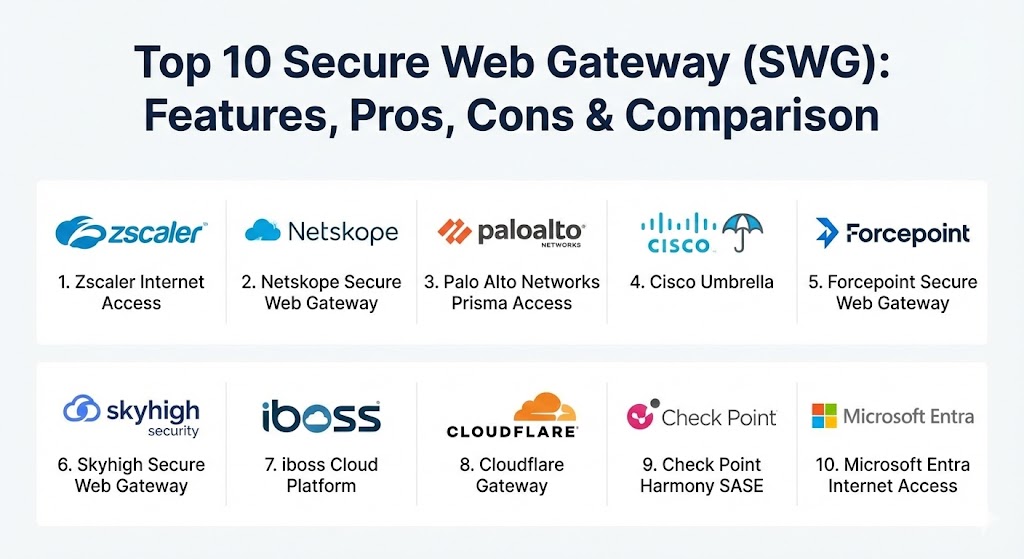
Top 10 Secure Web Gateway (SWG) Tools
1 — Zscaler Internet Access (ZIA)
Zscaler is widely considered the pioneer of the cloud-native SWG. As a multi-tenant, distributed cloud platform, ZIA provides a full security stack as a service, eliminating the need for expensive on-premises hardware.
- Key features:
- Cloud-Native Proxy: Scales automatically without physical limits or bandwidth bottlenecks.
- Full SSL/TLS Inspection: Inspects encrypted traffic at scale with minimal latency impact.
- Integrated DLP: Prevents sensitive data from leaving through web or cloud applications.
- Sandbox Integration: AI-driven detection of zero-day threats and ransomware.
- CASB & CSPM: Provides visibility and control over thousands of SaaS applications.
- Direct-to-Cloud Access: Optimizes user experience for Microsoft 365 and other cloud apps.
- Pros:
- Proven scalability; it is used by some of the world’s largest Fortune 500 companies.
- Massive global data center footprint ensures low-latency connections regardless of user location.
- Cons:
- Can be significantly more expensive than competitors for mid-market users.
- The initial configuration and policy tuning require a high level of technical expertise.
- Security & compliance: FIPS 140-2, SOC 2 Type II, ISO 27001, HIPAA, and GDPR compliant.
- Support & community: Offers tiered enterprise support, a robust online knowledge base (Zscaler Academy), and a highly active customer community.
2 — Netskope Secure Web Gateway
Netskope has built its reputation on being “data-centric.” Originally a leader in CASB, its SWG is deeply integrated with its cloud security platform, making it one of the best for organizations worried about SaaS data leaks.
- Key features:
- NewEdge Network: A private cloud network designed specifically for high-speed security inspection.
- Instance Awareness: Distinguishes between a corporate Google Drive account and a personal one.
- Advanced Analytics: Detailed visualizations of user behavior and application risk scores.
- Zero Trust Engine: Applies granular access controls based on user, device, and location context.
- Endpoint DLP: Extends protection beyond the browser to local files on the device.
- Pros:
- The best visibility in the industry for “Shadow IT” and unmanaged cloud app usage.
- Exceptionally accurate DLP that reduces the number of “false positive” alerts.
- Cons:
- Management console can feel overwhelming due to the sheer depth of features.
- Integration with legacy on-premises firewalls can be more complex than native cloud setups.
- Security & compliance: SOC 2, HIPAA, GDPR, ISO 27001, and FedRAMP High authorized.
- Support & community: High-touch enterprise support and a wealth of documentation; onboarding is generally praised for its thoroughness.
3 — Palo Alto Networks Prisma Access
Prisma Access takes the power of Palo Alto’s industry-leading Next-Generation Firewalls (NGFW) and delivers it through a global cloud architecture. It is the go-to for existing Palo Alto customers.
- Key features:
- Single-Pass Parallel Processing: Inspects traffic once for all security services to maximize performance.
- Global Footprint: Leverages both AWS and Google Cloud infrastructure for massive scale.
- Advanced Threat Prevention: Uses WildFire for advanced malware analysis and sandboxing.
- Autonomous DEM: Built-in Digital Experience Management to troubleshoot user connectivity issues.
- Consistent Policy: Uses the same Panorama management console for cloud and on-prem devices.
- Pros:
- Provides a truly unified security experience for organizations already in the Palo Alto ecosystem.
- Exceptional at protecting non-web protocols, making it more than just a standard web gateway.
- Cons:
- The complexity of the “Panorama” management system has a steep learning curve for new users.
- Licensing can be complex and expensive, especially as you add different modules.
- Security & compliance: FIPS 140-2, HIPAA, GDPR, PCI DSS, and ISO 27001.
- Support & community: World-class enterprise support and a massive community of certified security professionals (Live Community).
4 — Cisco Umbrella
Cisco Umbrella evolved from OpenDNS to become a full-featured Secure Internet Gateway (SIG). It is known for its incredible ease of deployment, often starting with just a simple DNS change.
- Key features:
- DNS-Layer Security: Blocks malicious domains before a connection is even established.
- Cloud-Delivered Firewall: Controls traffic across all ports and protocols for remote offices.
- Interactive Threat Intelligence: Powered by Cisco Talos, one of the world’s largest threat research teams.
- Secure Web Proxy: Full URL filtering and file inspection for high-risk web traffic.
- App Discovery: Automatically identifies and reports on cloud apps used within the network.
- Pros:
- One of the fastest SWGs to deploy; you can see value within minutes.
- Very lightweight on the endpoint, with a minimal impact on the user’s computer performance.
- Cons:
- Some of the more advanced proxy features require a higher tier of licensing.
- Reporting can occasionally lack the granular “drill-down” depth found in Zscaler or Netskope.
- Security & compliance: SOC 2, HIPAA, GDPR, and FedRAMP authorized.
- Support & community: Backed by Cisco’s global support organization; vast resources and local partner networks worldwide.
5 — Forcepoint Secure Web Gateway
Forcepoint (formerly Websense) focuses on “behavior-centric” security. Its gateway is designed to understand not just what a user is doing, but how they are doing it, helping to spot compromised accounts.
- Key features:
- Risk-Adaptive Protection: Automatically adjusts security levels based on an individual user’s risk score.
- Content Sandboxing: Analyzes suspicious code in a safe, isolated environment.
- Advanced DLP: Deep integration with Forcepoint’s market-leading Data Loss Prevention suite.
- Human-Centric Analytics: Identifies behavioral anomalies that suggest a malicious insider.
- Direct Connect: Allows endpoints to communicate directly with the cloud gateway without a VPN.
- Pros:
- Excellent at distinguishing between accidental policy violations and intentional data theft.
- Very strong for organizations that need heavy-duty data protection and auditing.
- Cons:
- The user interface can feel somewhat “last generation” compared to modern SaaS players.
- Integration between their different modules can sometimes feel fragmented.
- Security & compliance: ISO 27001, SOC 2, HIPAA, and GDPR compliant.
- Support & community: Strong documentation and formal training paths; 24/7 global support available for enterprise tiers.
6 — Skyhigh Secure Web Gateway
Skyhigh Security (the spin-off from McAfee Enterprise) offers a data-aware gateway that excels in high-performance hybrid environments where some traffic is local and some is cloud-bound.
- Key features:
- Hyper-Scale Private Cloud: Ensures consistent performance even during massive traffic spikes.
- Global Intelligence: Uses a massive sensor network to block emerging threats in real-time.
- Unified Data Protection: Consistent DLP policies across web, cloud, and email.
- Remote Browser Isolation (RBI): Executes risky web code in the cloud to prevent local infection.
- Advanced URL Filtering: Sophisticated categorization of billions of websites.
- Pros:
- Extremely fast and reliable; rarely suffers from the latency issues of smaller cloud vendors.
- The Unified Policy Engine makes it easy to maintain a consistent security posture.
- Cons:
- The transition from McAfee has led to some changes in support and account management structures.
- Configuration of the local appliances in a hybrid setup can be technically demanding.
- Security & compliance: FIPS 140-2, SOC 2, HIPAA, GDPR, and ISO 27001.
- Support & community: Extensive technical documentation and a revamped customer success portal.
7 — iboss Cloud Platform
iboss utilizes a unique containerized architecture that allows organizations to “reserve” their own dedicated cloud capacity, which is a major draw for organizations with strict compliance requirements.
- Key features:
- Containerized Gateway: Provides dedicated IP addresses that don’t change, unlike shared cloud pools.
- Network-as-a-Service: Replaces traditional MPLS and VPNs with a faster cloud alternative.
- Direct-to-Cloud Proxy: Reduces backhaul by connecting users directly to the nearest iboss node.
- Live Monitoring: Real-time visibility into every user’s internet activity.
- Automated Patching: The cloud platform is always updated with the latest threat signatures.
- Pros:
- The dedicated IP feature is a “must-have” for organizations that use IP whitelisting for access.
- Excellent performance for video conferencing and other latency-sensitive applications.
- Cons:
- Brand recognition is lower than giants like Cisco or Zscaler, which can make it a harder “sell” to boards.
- The management console has a learning curve for admins accustomed to traditional firewall UIs.
- Security & compliance: ISO 27001, SOC 2 Type II, HIPAA, and GDPR.
- Support & community: Responsive customer support and a dedicated onboarding team for new clients.
8 — Cloudflare Gateway
Cloudflare Gateway is part of their Zero Trust suite. It leverages one of the world’s most massive networks to provide an incredibly fast and resilient gateway for teams of all sizes.
- Key features:
- Global Anycast Network: Every Cloudflare data center (300+) can run every security service.
- HTTP/HTTPS Inspection: Fast decryption and filtering of web traffic at the edge.
- Identity Integration: Works with Okta, Azure AD, and others to apply user-specific policies.
- DNS Filtering: Built-in 1.1.1.1 technology for lightning-fast malicious domain blocking.
- Browser Isolation: “Pixel-pushing” technology that keeps web threats entirely off the device.
- Pros:
- Arguably the fastest performance in the industry due to its unique network architecture.
- Very generous free and low-cost tiers, making it accessible for startups and SMBs.
- Cons:
- The DLP and advanced enterprise features are still evolving compared to the legacy leaders.
- Some reporting features are only available on the more expensive enterprise plans.
- Security & compliance: SOC 2 Type II, HIPAA, GDPR, PCI DSS, and ISO 27001.
- Support & community: Excellent online community and Discord server; enterprise plans include a dedicated account manager.
10 — Check Point Harmony SASE
Check Point Harmony SASE (incorporating their SWG) focus on delivering “uncompromising security” with a focus on ease of use through a single, unified client.
- Key features:
- ML-Powered Security: Uses over 60 AI engines to stop unknown threats in real-time.
- Unified Client: One agent handles SWG, ZTNA, VPN, and endpoint security.
- Safe Browsing: Inspects all downloads for malware and prevents phishing attacks.
- Application Control: Blocks unauthorized apps while allowing safe ones.
- Zero-Downtime Deployment: Can be rolled out globally in just a few days.
- Pros:
- The integrated client reduces “agent fatigue” on the user’s laptop or mobile device.
- Excellent threat detection rates, as expected from a company with Check Point’s pedigree.
- Cons:
- Integration with non-Check Point security products can be less seamless.
- The pricing structure can be a bit rigid for smaller organizations.
- Security & compliance: FIPS 140-2, ISO 27001, SOC 2, and GDPR.
- Support & community: Extensive global support network and one of the largest certified professional communities in security.
10 — Microsoft Entra Internet Access
Microsoft’s relatively new entry into the SWG market is a game-changer for businesses that already rely on Azure AD (now Entra ID). It is built directly into the Microsoft ecosystem.
- Key features:
- Microsoft 365 Optimization: Provides the fastest possible path to Outlook, Teams, and SharePoint.
- Identity-Centric Policies: Leverages Entra ID conditional access for web security.
- Universal SWG: Protects any application or website from any location.
- Integrated Management: Managed through the same portal as your users and devices.
- Global Secure Access Agent: Transparently routes traffic to the Microsoft cloud for inspection.
- Pros:
- Seamless integration for Microsoft shops; it feels like just another “toggle” in the admin portal.
- Leverages Microsoft’s unparalleled global threat intelligence signals.
- Cons:
- Still a relatively “young” product compared to mature gateways like Zscaler.
- Feature parity for non-Windows devices is currently a work in progress.
- Security & compliance: Highest-level compliance, including FedRAMP High, HIPAA, and GDPR.
- Support & community: Backed by Microsoft’s massive support infrastructure and extensive documentation.
Comparison Table
| Tool Name | Best For | Platform(s) Supported | Standout Feature | Rating (Gartner) |
| Zscaler ZIA | Global Enterprises | Win, Mac, iOS, Android | Full Proxy SSL Inspection | 4.7 / 5 |
| Netskope SWG | Data & SaaS Security | Win, Mac, Linux, Mobile | Cloud Instance Awareness | 4.6 / 5 |
| Prisma Access | Palo Alto Customers | Win, Mac, Linux, Mobile | ADEM User Experience | 4.5 / 5 |
| Cisco Umbrella | Fast Deployment | Win, Mac, iOS, Android | DNS-Layer Protection | 4.3 / 5 |
| Forcepoint SWG | Regulated Industries | Win, Mac, Linux | Risk-Adaptive Behavior | 4.6 / 5 |
| Skyhigh SWG | Hybrid Architectures | Win, Mac, iOS, Android | Unified Policy Engine | 4.4 / 5 |
| iboss Cloud | Dedicated IP Needs | Win, Mac, Linux, Mobile | Containerized Gateways | 4.5 / 5 |
| Cloudflare Gateway | Performance & Speed | Win, Mac, Linux, Mobile | Global Anycast Network | 4.6 / 5 |
| Harmony SASE | Unified Agent Needs | Win, Mac, iOS, Android | 60+ AI Security Engines | 4.5 / 5 |
| Microsoft Entra | M365 Ecosystem | Win, Mac (Mobile soon) | Entra ID Integration | 4.3 / 5 |
Evaluation & Scoring of Secure Web Gateway (SWG)
Choosing an SWG is a multi-dimensional decision. The table below summarizes how the top products are typically evaluated based on industry standard weights.
| Category | Weight | Industry Average Score | Evaluation Rationale |
| Core Features | 25% | 9.2 / 10 | Most tools now offer excellent URL filtering and SSL inspection. |
| Ease of Use | 15% | 7.8 / 10 | Enterprise tools are still quite complex to set up initially. |
| Integrations | 15% | 8.5 / 10 | SASE and Identity integration (Okta/Entra) is now standard. |
| Security & Compliance | 10% | 9.7 / 10 | Security is the raison d’être; almost all meet global standards. |
| Performance | 10% | 8.8 / 10 | Cloud-native vendors have largely eliminated the “VPN lag.” |
| Support & Community | 10% | 8.2 / 10 | Major vendors have massive resources; smaller ones vary. |
| Price / Value | 15% | 7.5 / 10 | Premium security comes at a high price; bundle deals are key. |
Which Secure Web Gateway (SWG) Tool Is Right for You?
The “right” SWG depends more on your existing IT stack than on a universal list of features.
- Solo Users vs SMB: If you are a small business, Cloudflare Gateway or Cisco Umbrella are your best bets. They offer powerful protection without the need for a dedicated security engineer to manage them.
- Mid-Market: Organizations with 200–2,000 employees should look at Netskope or Check Point Harmony. These tools offer a balanced mix of “big enterprise” features with a management console that won’t require a six-month training course.
- Enterprise: For 5,000+ users, Zscaler remains the gold standard for pure cloud-native scale, while Palo Alto Prisma Access is the logical choice if your data centers are already running Palo Alto firewalls.
- Budget-Conscious vs Premium: Microsoft Entra Internet Access often provides the best value if you are already paying for Microsoft E5 licenses. On the premium end, Netskope and iboss justify their higher costs with advanced data protection features you won’t find elsewhere.
- Security vs Ease of Use: If speed is your priority, Cloudflare is unmatched. If deep forensics and “behavioral risk” are what you need for a government or bank setting, Forcepoint is the winner.
Frequently Asked Questions (FAQs)
1. Is an SWG the same as a VPN?
No. A VPN creates a secure tunnel into a specific network. An SWG is a security filter for all outgoing and incoming web traffic, regardless of where the user is. Modern SWGs often replace VPNs for internet access.
2. Why do I need SSL inspection?
Over 90% of the internet is encrypted. If your gateway doesn’t decrypt and inspect that traffic, it’s like a security guard looking at a sealed box—they can’t tell if there is a bomb inside.
3. Does an SWG slow down my internet?
Poorly designed legacy gateways did. However, modern cloud-native SWGs (like Cloudflare or Zscaler) often speed up your internet by using optimized global networks and local data centers.
4. How long does it take to implement?
A basic setup (like DNS filtering) takes 30 minutes. A full enterprise rollout with SSL inspection, custom policies, and agent deployment usually takes 4 to 8 weeks.
5. Can an SWG block personal use of social media?
Yes. You can create granular policies that allow social media viewing but block posting, or allow access only during certain hours of the day.
6. Is an SWG required for HIPAA compliance?
While not explicitly named, HIPAA requires the protection of patient data. An SWG’s Data Loss Prevention (DLP) features are the primary way many healthcare organizations ensure medical records don’t leak via the web.
7. Do I need an agent on every device?
It’s recommended for the best protection. While you can use “agentless” proxy settings, an agent (like the Zscaler app) ensures the security follows the user even when they change networks.
8. What is “Remote Browser Isolation” (RBI)?
RBI is an advanced feature where the website is “rendered” on a server in the cloud, and only a stream of pixels is sent to the user. This ensures that even if a site is malicious, the code never actually touches the user’s computer.
9. Can an SWG protect my mobile phone?
Yes, most top-tier vendors offer iOS and Android apps that route mobile traffic through the gateway, protecting users on public 5G and Wi-Fi networks.
10. What is the biggest mistake people make when buying an SWG?
Ignoring “performance impact.” If the security tool is too slow, users will find ways to bypass it. Always test the gateway’s speed from multiple global locations before signing a contract.
Conclusion
Choosing a Secure Web Gateway is no longer just about “blocking bad sites.” It’s about building a foundation for a Zero Trust future where the location of the user no longer dictates the level of their security. While Zscaler and Netskope continue to lead the pack in terms of pure cloud capability, the rise of Cloudflare and Microsoft has made high-end security more accessible than ever.
The best strategy is to start with your data: identify where it lives and who needs to access it. If your data is mostly in SaaS apps, go with a cloud-first leader. If you have complex hybrid needs, look toward the legacy giants. In 2026, the only truly “safe” internet is an inspected one.