Introduction
Secure DNS clients are software applications or configuration profiles that facilitate encrypted communication between your device and a DNS resolver. Instead of sending requests through the standard, unencrypted Port 53, these clients utilize modern protocols like DNS-over-HTTPS (DoH), DNS-over-TLS (DoT), or DNS-over-QUIC (DoQ). By wrapping your DNS queries in an encrypted tunnel, these tools prevent eavesdropping, “Man-in-the-Middle” (MitM) attacks, and DNS hijacking.
Beyond mere privacy, secure DNS clients are vital for organizational security. They serve as a “first line of defense,” blocking malicious domains at the resolution level before a connection is even established. Key real-world use cases include protecting employees on public Wi-Fi, enforcing parental controls at home, and bypassing ISP-level censorship or “transparent proxies.” When choosing a tool, users should evaluate the protocol support, filtering granularity, global latency, and whether the provider adheres to a no-logs policy.
Best for: Remote workers, privacy-conscious individuals, families requiring parental controls, and small-to-medium businesses (SMBs) looking for a cost-effective way to filter network traffic and block malware.
Not ideal for: Users on highly locked-down corporate networks where standard DNS is required for local resource discovery (unless the client supports split-DNS), or those who already use a full-tunnel VPN that handles all DNS traffic internally.
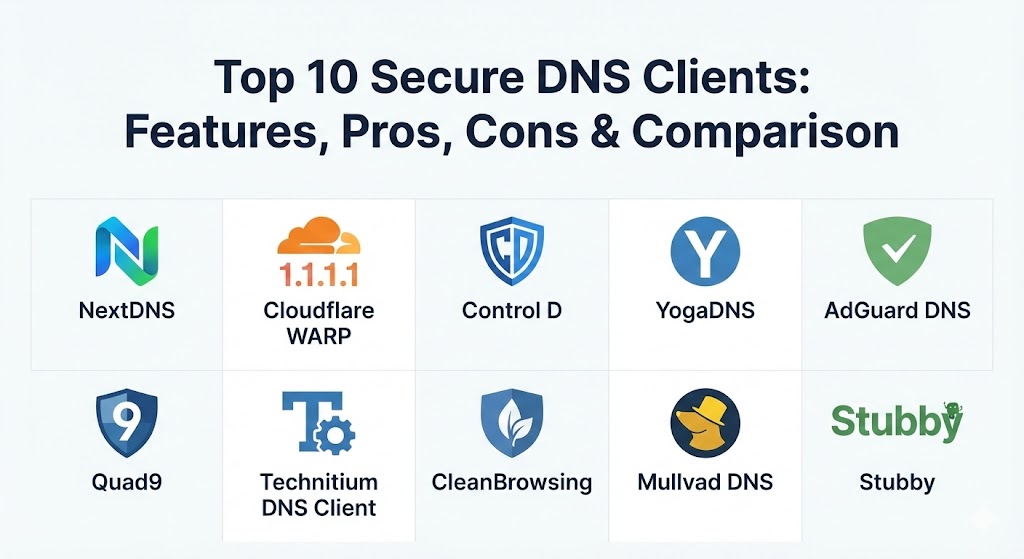
Top 10 Secure DNS Clients Tools
1 — NextDNS
NextDNS is often described as a “personal firewall for the entire internet.” It provides a powerful, cloud-based platform that allows users to customize their internet experience with surgical precision. Unlike traditional DNS, NextDNS gives you a full dashboard to toggle security lists, ad blockers, and parental controls.
- Key features:
- Support for DoH, DoT, and DoQ protocols.
- Over 50 different blocklists for ads, trackers, and malware.
- Granular parental controls with per-app blocking (e.g., TikTok, Fortnite).
- Analytics and real-time logs for monitoring network activity.
- “Native” integration for routers, mobile devices, and desktop OSs.
- Privacy settings to choose data storage locations (USA, EU, or Switzerland).
- Pros:
- The most intuitive and feature-rich web dashboard in the industry.
- Highly flexible; you can set different rules for different devices under one account.
- Cons:
- The free tier has a monthly query limit (300,000), which heavy users might exceed.
- Can sometimes lead to “analysis paralysis” due to the sheer number of settings.
- Security & compliance: GDPR compliant; supports FIPS-validated encryption; no logs by default unless enabled by the user for analytics.
- Support & community: Extensive documentation; active community forum; email support for paid tiers.
2 — Cloudflare WARP (1.1.1.1)
Cloudflare’s WARP is more than just a DNS client; it is a lightweight service built on a global backbone. It uses a modern WireGuard-based tunnel to optimize and encrypt the connection between your device and the 1.1.1.1 resolver, ensuring both speed and security.
- Key features:
- 1.1.1.1 resolver integration for industry-leading speed.
- WARP technology to replace the device-to-internet connection with an optimized protocol.
- Zero Trust integration for enterprise-level gateway protection.
- Family mode to block malware and adult content automatically.
- One-tap activation interface for mobile and desktop.
- Global network spanning 300+ cities for low latency.
- Pros:
- Exceptional performance; it often makes browsing feel faster than a standard connection.
- Completely free with unlimited data (WARP+ is available for even better routing).
- Cons:
- Lacks the granular “per-site” blocking customization found in NextDNS.
- Does not allow users to choose exit countries like a traditional VPN.
- Security & compliance: SOC 2, ISO 27001; GDPR compliant; audited no-logs policy on identifiable data.
- Support & community: Robust knowledge base; community forums; limited direct support for free users.
3 — Control D
Control D is a highly sophisticated DNS service that specializes in traffic redirection and advanced filtering. It is designed for users who want to manage their digital footprint across multiple devices without installing heavy software.
- Key features:
- Global traffic redirection (proxying) for specific services or regions.
- Over 300 pre-defined filters for apps, social media, and games.
- Support for ODoH (Oblivious DNS-over-HTTPS) for enhanced anonymity.
- Ability to create custom “profiles” for different network environments.
- Native support for all encrypted DNS protocols (DoH, DoT, DoQ).
- Integration with third-party tools via a comprehensive API.
- Pros:
- Best-in-class for users who need to unblock geo-restricted content via DNS.
- Unique “multi-profile” system allows for very complex household management.
- Cons:
- The advanced features (redirection) are behind a paid subscription.
- UI can be slightly more technical than Cloudflare’s simplified app.
- Security & compliance: GDPR compliant; private DNS logs; SSO integration for business accounts.
- Support & community: Detailed guides; Discord community; ticketing system for premium users.
4 — YogaDNS
YogaDNS is a specialized DNS client for Windows that intercepts DNS queries at the system level. It is the ultimate tool for power users who want to use multiple DNS providers simultaneously based on specific rules.
- Key features:
- Intercepts queries at the system level for total network coverage.
- Support for DoH, DoT, DNSCrypt, and Anonymized DNS.
- Rule-based routing (e.g., use NextDNS for work, Cloudflare for gaming).
- Integrated DNSSEC validation (local and remote).
- Visual query log for monitoring and troubleshooting.
- Ability to work behind firewalls and through proxies.
- Pros:
- Unmatched flexibility on the Windows platform; it “forces” encryption on apps that don’t support it.
- Does not require changing router settings or network adapter properties manually.
- Cons:
- Limited to the Windows operating system.
- Can be complex for non-technical users to configure initially.
- Security & compliance: Varies based on the resolver chosen; software itself is a local client.
- Support & community: High-quality documentation; direct developer support via email.
5 — AdGuard DNS
AdGuard is a household name in the ad-blocking world, and their DNS service provides a system-wide solution to eliminate trackers and ads at the source. Their client apps provide an easy way to switch between different protection modes.
- Key features:
- Powerful ad and tracker blocking engine.
- “Family Protection” mode for safe searching and adult content filtering.
- Support for encrypted protocols including DoH, DoT, and DoQ.
- Detailed query history and statistics in the dashboard.
- Dedicated apps for Android, iOS, Windows, and macOS.
- Built-in malware protection lists updated daily.
- Pros:
- Very effective at blocking non-browser ads (e.g., ads in mobile games or apps).
- Simple “set and forget” configuration for most users.
- Cons:
- The free tier has limits on query volume and management.
- DNS-level blocking can sometimes result in “blank spaces” where ads used to be.
- Security & compliance: GDPR compliant; private DNS logs; supports all modern encryption.
- Support & community: Massive user community; extensive blog and wiki; email support.
6 — Quad9 (Connect App)
Quad9 is a non-profit, security-focused resolver based in Switzerland. Their “Connect” app for Android (and various configuration guides) provides a simple way to access threat intelligence-backed DNS security.
- Key features:
- Aggregated threat intelligence from 20+ cybersecurity providers.
- No collection or storage of personal data or IP addresses.
- Focus on blocking malicious domains (malware, phishing, botnets).
- Support for DoH and DoT.
- Swiss jurisdiction for enhanced privacy legal protections.
- Free service with a global reach.
- Pros:
- One of the most privacy-respecting entities in the DNS space.
- Highly reliable; focuses on security without over-filtering legitimate content.
- Cons:
- No custom filtering options; it’s a “one size fits all” security list.
- The Android app interface is functional but dated.
- Security & compliance: GDPR compliant; Swiss Data Protection Act; audited for no-logging.
- Support & community: Documentation for all platforms; support ticketing; community forums.
7 — Technitium DNS Client
Technitium is an open-source tool for those who prefer local control. While primarily a server, its client functionality allows users to host their own encrypted DNS resolver locally, providing maximum privacy.
- Key features:
- Support for DoH, DoT, and DNS-over-QUIC (DoQ).
- Built-in caching to improve performance on frequent sites.
- Capability to run as a local recursive resolver.
- Advanced logging and statistics for network auditing.
- Support for plugins (Apps) to extend functionality.
- Web-based administration console.
- Pros:
- Total control over your data; no third-party logs because you are the resolver.
- Open-source transparency allows for independent auditing.
- Cons:
- Requires a dedicated device (like a Raspberry Pi or PC) to run effectively.
- Much higher learning curve than using a cloud-based service.
- Security & compliance: ISO, SOC 2 N/A (Self-hosted); supports all modern encryption.
- Support & community: Active GitHub repository; helpful wiki; community-driven development.
8 — CleanBrowsing
CleanBrowsing is a specialized DNS service focusing on safety and speed. It is widely used in schools and homes to ensure that children are protected from harmful content.
- Key features:
- Three distinct free filters: Security, Adult, and Family.
- Custom filters for blocking specific platforms (e.g., Reddit, YouTube).
- Support for all modern DNS encryption technologies.
- Native clients for Windows, macOS, and mobile.
- Advanced analytics for premium users.
- “Force Safe Search” on Google, Bing, and DuckDuckGo.
- Pros:
- Highly effective adult content filtering; very difficult to bypass.
- Extremely low latency; optimized for reliability in educational settings.
- Cons:
- Customization is heavily gated behind paid plans.
- UI is focused on utility rather than modern aesthetics.
- Security & compliance: GDPR, HIPAA (for health institutions); SOC 2 for enterprise.
- Support & community: Professional 24/7 support for paid users; community forums.
9 — Mullvad DNS
Mullvad, famous for its privacy-first VPN, offers a standalone secure DNS service. Their DNS client approach is built on the philosophy of radical transparency and zero data collection.
- Key features:
- Publicly available DoH and DoT endpoints.
- Choice of filtering tiers: Base (none), Ad-blocking, or Social Media.
- No accounts or personal data required to use the public service.
- Focus on privacy and security with no commercial tracking.
- High-performance servers located in privacy-friendly jurisdictions.
- Lightweight apps that focus purely on the DNS tunnel.
- Pros:
- The most anonymous way to use secure DNS; no email or signup needed.
- Backed by one of the most trusted names in the cybersecurity industry.
- Cons:
- Limited “custom” rules; you must choose from their predefined lists.
- Fewer global points of presence compared to Cloudflare.
- Security & compliance: GDPR compliant; audited no-logs infrastructure.
- Support & community: Transparent documentation; email support (often shared with VPN users).
10 — Stubby
Stubby is a lightweight “DNS Privacy Daemon” for users who want to run a background service to secure their queries. It is the preferred choice for Linux enthusiasts and those who want a “set it and forget it” local proxy.
- Key features:
- Primarily uses DNS-over-TLS (DoT) to secure queries.
- Highly efficient with minimal CPU and RAM overhead.
- Configurable via a simple YAML file.
- Supports “Strict” mode to prevent fallback to unencrypted DNS.
- Runs as a local listener (127.0.0.1).
- Compatible with Windows, macOS, and Linux.
- Pros:
- Extremely lightweight; it has zero impact on system performance.
- Excellent for creating a local “privacy proxy” that can be used by other devices.
- Cons:
- No graphical user interface (GUI); managed entirely via terminal/config files.
- Not suitable for users who aren’t comfortable editing text configurations.
- Security & compliance: Varies by resolver; software is open-source and local-only.
- Support & community: Managed by the DNS Privacy Project; technical mailing lists and GitHub issues.
Comparison Table
| Tool Name | Best For | Platform(s) Supported | Standout Feature | Rating (Gartner / TrueReview) |
| NextDNS | Custom Filtering | All (Apps + Profiles) | Granular Dashboard | 4.8 / 5 |
| Cloudflare WARP | Speed & Reliability | Windows, Mac, Mobile | WireGuard Tunneling | 4.7 / 5 |
| Control D | Traffic Redirection | All (DNS-based) | Geo-Proxying | 4.6 / 5 |
| YogaDNS | Windows Rules | Windows | Per-app Routing | N/A |
| AdGuard DNS | Ad-Blocking | All (Apps + Router) | System-wide Ad Block | 4.7 / 5 |
| Quad9 | Security Non-profit | All (Resolver-based) | Threat Intelligence | 4.5 / 5 |
| Technitium | Self-hosting | Win, Linux, Docker | Local Resolver | N/A |
| CleanBrowsing | Parental Controls | All (Apps + Profiles) | Adult Content Filter | 4.4 / 5 |
| Mullvad DNS | Radical Privacy | All (Apps + Manual) | Anonymous Access | 4.8 / 5 |
| Stubby | Linux / Privacy Proxy | Linux, Mac, Windows | Lightweight DoT Daemon | N/A |
Evaluation & Scoring of Secure DNS Clients
To help you decide, we have evaluated these tools using a weighted scoring rubric based on the primary needs of a modern internet user.
| Category | Weight | Content Evaluation Criteria |
| Core Features | 25% | Multi-protocol support (DoH/DoT/DoQ), advanced filtering, and logging options. |
| Ease of Use | 15% | Installation process, UI design, and dashboard intuitiveness. |
| Integrations | 15% | Availability across different OSs and ease of router-level deployment. |
| Security & Compliance | 10% | Jurisdictional safety, audited no-logs policies, and infrastructure hardening. |
| Performance | 10% | Average latency (ping) and reliability of global server networks. |
| Support & Community | 10% | Quality of help docs and responsiveness of the community or support team. |
| Price / Value | 15% | Free tier accessibility vs. cost of premium features. |
Which Secure DNS Client Tool Is Right for You?
Selecting the right tool depends on your technical comfort level and your specific objectives.
Solo Users vs SMB vs Enterprise
- Solo Users: If you want a simple mobile experience with high speed, Cloudflare WARP is the easiest “tap and go” solution.
- SMBs: NextDNS or Control D are excellent because they offer centralized management for multiple devices without the need for expensive hardware.
- Enterprise: Cloudflare Gateway (Zero Trust) or Control D for Business are better suited for managing hundreds of endpoints with single sign-on (SSO) and audit logs.
Budget-conscious vs Premium
- Budget: Quad9 and Mullvad DNS provide elite-level security for $0. Cloudflare’s free tier is also virtually unbeatable.
- Premium: If you are willing to pay, NextDNS Pro or Control D provide “quality of life” features like geo-unblocking and custom blocklists that free services cannot afford to offer.
Feature Depth vs Ease of Use
- Simplicity: Quad9 requires almost no interaction once set up.
- Depth: YogaDNS and Technitium are for those who want to “peek under the hood” and control exactly how every packet is handled.
Frequently Asked Questions (FAQs)
1. Does using a secure DNS client replace a VPN?
No. A secure DNS client only encrypts your DNS queries (where you are going). It does not encrypt your actual data traffic or change your IP address like a VPN does. However, it is a lighter and faster alternative if you only care about DNS privacy.
2. Will a secure DNS client slow down my internet?
Usually, the opposite happens. While encryption adds a tiny amount of overhead, top-tier providers like Cloudflare or NextDNS often have faster resolvers than your local ISP, resulting in quicker page load times.
3. What is the difference between DoH and DoT?
DNS-over-HTTPS (DoH) hides DNS queries inside standard web traffic, making it harder to block. DNS-over-TLS (DoT) uses a dedicated port (853) and is often considered slightly more efficient but easier for a network admin to identify and block.
4. Can I use these tools on my smart TV or game console?
Many smart devices don’t allow app installations. In these cases, you should use a service like NextDNS or Control D and configure their “IP Linking” or “Private DNS” settings directly on your router.
5. Are free DNS clients safe?
Reputable free services like Quad9 (non-profit) and Cloudflare are very safe. They make money through enterprise services or donations, not by selling your browsing history. Be wary of unknown “free” DNS providers with no clear business model.
6. Do secure DNS clients stop all ads?
They can stop most ads that are served via specific domains (e.g., banner ads, tracking scripts). However, they cannot stop ads that are part of the content itself, such as YouTube video ads or “sponsored posts” on social media.
7. Is DoQ better than DoH?
DNS-over-QUIC (DoQ) is the newest protocol. It combines the encryption of DoT/DoH with the speed of the QUIC protocol (UDP-based), which handles packet loss much better than traditional TCP connections.
8. Can my ISP still see what I’m doing if I use secure DNS?
If you don’t use a VPN, your ISP can still see the IP addresses of the servers you connect to via SNI (Server Name Indication) in the initial handshake. However, secure DNS prevents them from seeing the actual domain names and blocks them from hijacking your requests.
9. What is “DNS Hijacking”?
This is when an attacker (or your ISP) intercepts your DNS query and sends you to a fake version of a website. Secure DNS clients prevent this by validating the authenticity of the response using encryption and DNSSEC.
10. How do I know if my secure DNS is working?
Most providers have a “test” page (e.g., Cloudflare’s help page or NextDNS’s dashboard). Alternatively, you can use independent tools like “DNSLeakTest” to verify that your ISP’s name servers are no longer appearing.
Conclusion
The transition from plain-text DNS to encrypted protocols is one of the most significant shifts in internet security in recent years. Choosing a Secure DNS Client is no longer just about avoiding ads; it is about taking ownership of your digital privacy and building a resilient defense against an increasingly hostile web.
Whether you prioritize the raw speed of Cloudflare WARP, the granular customization of NextDNS, or the radical privacy of Mullvad, the most important step is simply to stop using your ISP’s default resolver. By implementing one of these top 10 tools, you ensure that your digital footprints remain your own, protected by modern encryption and global threat intelligence.