Introduction
Search relevance tuning tools are platforms and libraries that allow developers, product managers, and “relevance engineers” to measure, visualize, and improve the accuracy of search results. These tools sit on top of or alongside search engines like Elasticsearch, Solr, or OpenSearch, providing a workbench to adjust mathematical weights, manage synonyms, and deploy machine learning models like Learning to Rank (LTR). By analyzing clickstream data and user behavior, these tools help ensure that the most “correct” result is not just in the list, but at the very top.
The importance of these tools is amplified by the sheer volume of data organizations manage today. Without active tuning, search engines often default to simple “keyword matching,” which fails to account for typos, synonyms, or the semantic context of a query. Real-world use cases include e-commerce merchandising (boosting high-margin products), healthcare (connecting symptoms to diagnoses), and legal research (finding precedents without exact phrasing). When evaluating these tools, users should look for features like side-by-side result comparison, automated testing metrics (like NDCG or MAP), and the ability to manage business rules (synonyms and redirects) without a code deploy.
Best for: Search engineers, e-commerce merchandisers, and product managers at mid-to-large organizations where search is a primary driver of revenue or productivity. It is especially vital for industries with complex catalogs or technical vocabularies, such as retail, B2B manufacturing, and specialized research.
Not ideal for: Small businesses with limited data (less than a few hundred items) where a standard “out-of-the-box” search setup is sufficient. It is also not necessary for organizations where search is a secondary, rarely used feature and the cost of specialized tuning outweighs the potential conversion gains.
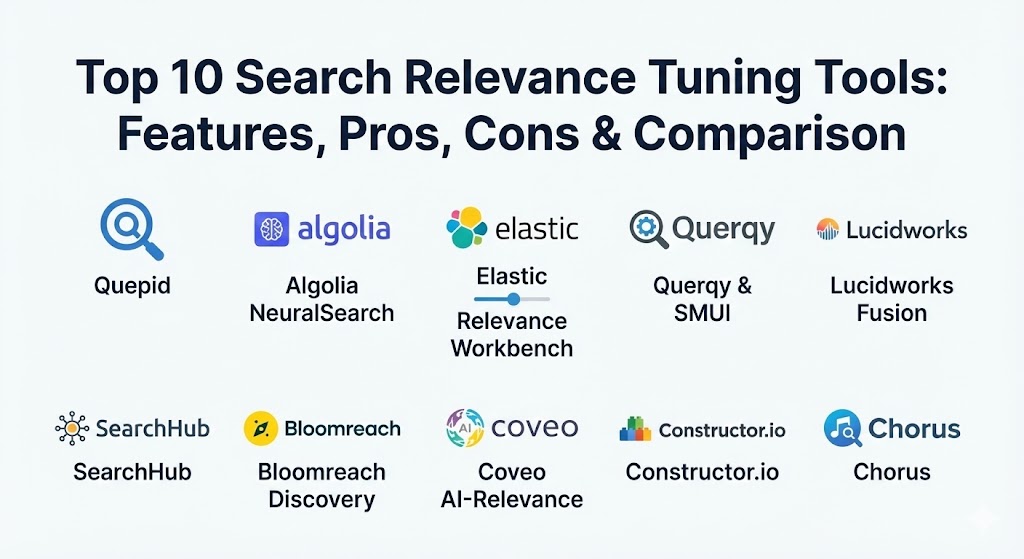
Top 10 Search Relevance Tuning Tools
1 — Quepid
Quepid is perhaps the most famous open-source “relevance workbench” in the industry. It provides a collaborative environment where teams can evaluate search results, rate them based on quality, and see how changes to query parameters impact performance metrics in real-time.
- Key features:
- Side-by-side comparison of results from different query configurations.
- Explicit rating system to gather human judgments on search quality.
- Automatic calculation of relevance metrics like NDCG, ERR, and MAP.
- Integration with Elasticsearch and Apache Solr.
- “Case” management to group and track progress on specific search problems.
- Snapshot capabilities to compare historical performance.
- Pros:
- Open-source and free to use, making it highly accessible for teams of all sizes.
- Bridges the gap between technical engineers and non-technical “subject matter experts” who provide the ratings.
- Cons:
- Requires a separate search engine to be already running; it is a management layer, not a search engine itself.
- Can have a learning curve for those unfamiliar with search quality metrics.
- Security & compliance: Supports SSO via integration; deployment security depends on the hosting environment. GDPR compliant when self-hosted.
- Support & community: Extremely active community backed by OpenSource Connections; extensive documentation and public training videos.
2 — Algolia NeuralSearch
Algolia has shifted from a simple “Search-as-a-Service” to an AI-first discovery engine. Its NeuralSearch technology combines traditional keyword indexing with vector-based semantic understanding, allowing for high relevance with minimal manual tuning.
- Key features:
- Hybrid search combining keyword matching with vector embeddings.
- AI-powered synonym suggestions based on user behavior signals.
- Visual “Rules” interface for boosting, burying, or pinning specific results.
- Dynamic Re-ranking based on individual user intent and conversion history.
- Built-in A/B testing for comparing different ranking strategies.
- Instant-search widgets that reduce time-to-value for developers.
- Pros:
- Incredibly fast and easy to set up compared to traditional enterprise search engines.
- The dashboard is highly intuitive for non-technical merchandising teams.
- Cons:
- Pricing can become expensive as usage and record counts scale.
- Proprietary “black box” nature means engineers have less control over the low-level math compared to Lucene-based tools.
- Security & compliance: SOC 2 Type II, ISO 27001, HIPAA, and GDPR compliant. Global data center options available.
- Support & community: World-class enterprise support; large library of “Algolia Academy” tutorials and an active developer hub.
3 — Elastic Search Relevance Workbench
As the dominant player in the search market, Elastic provides a comprehensive suite of tuning tools within the Elastic Stack (ELK). Their workbench is designed for deep technical control over the Elasticsearch scoring algorithms.
- Key features:
- Precision tuning sliders to adjust weights for specific fields (title vs. content).
- Integration with Eland for managing and deploying machine learning models.
- “Inference API” for integrating third-party models into the search pipeline.
- Support for k-Nearest Neighbors (k-NN) for semantic vector search.
- Query Profiler to identify performance bottlenecks in complex search logic.
- Synonym and analyzer management through the Kibana UI.
- Pros:
- Unmatched flexibility; if you can think of a ranking logic, you can build it in Elastic.
- Native integration with observability and security features within the same stack.
- Cons:
- High operational complexity; usually requires dedicated “Search Engineers.”
- The UI can be overwhelming for business users compared to e-commerce-specific tools.
- Security & compliance: FIPS 140-2, SOC 2, HIPAA, and GDPR compliant. Robust RBAC and encryption features.
- Support & community: Massive global community; professional training and 24/7 enterprise support from Elastic NV.
4 — Querqy & SMUI
Querqy is a powerful open-source library for query rewriting, typically used alongside the Search Management User Interface (SMUI). It focuses on the “Active Search Management” phase—fixing queries before they even hit the index.
- Key features:
- Rule-based query rewriting (e.g., “if user searches for ‘laptop’, boost ‘Apple'”).
- Synonym management including uni-directional and bi-directional rules.
- “Common word” filtering to remove non-useful terms from a query.
- SMUI provides a web-based interface for business users to manage rules.
- Multi-language support with specialized analyzers.
- Integration with Solr, Elasticsearch, and OpenSearch.
- Pros:
- Allows business users to fix “no-results” queries in seconds without developer help.
- Lightweight and performance-optimized for high-traffic environments.
- Cons:
- Requires technical integration of the library into the search engine’s request handler.
- Rule management can become chaotic if not governed by a clear strategy.
- Security & compliance: Varies; inherits the security of the host search engine. Open-source transparency.
- Support & community: Strong developer following; detailed documentation on GitHub and community support via Slack.
5 — Lucidworks Fusion
Lucidworks Fusion is a high-end enterprise search platform that emphasizes “Signal Processing.” It uses AI to ingest clickstream data and automatically improve relevance over time through a feedback loop.
- Key features:
- “Signals” capture and processing to drive behavioral boosting.
- Drag-and-drop query pipeline for building complex logic.
- Native support for Learning to Rank (LTR).
- Integrated “Predictive Merchandising” for e-commerce.
- Smart Task management for relevance workflows.
- Connectors for virtually every enterprise data source (SharePoint, Jira, Slack).
- Pros:
- Excellent at “Learning” from users; it automates much of the manual tuning.
- Very strong for internal enterprise search where data is siloed across many apps.
- Cons:
- One of the most expensive options on the market.
- Can be difficult to “unwind” or debug when the AI makes an unexpected ranking choice.
- Security & compliance: SOC 2 Type II, GDPR, and HIPAA compliant. High-level encryption and audit logs.
- Support & community: Premium enterprise support; professional services for custom architecture and tuning.
6 — SearchHub
SearchHub is a specialized optimization layer that sits in front of your search engine. Its primary goal is to “cluster” and “normalize” search queries to reduce the noise that search teams have to manage.
- Key features:
- Query Clustering: Groups thousands of variations of the same query into a single intent.
- Automated Synonym Discovery: Uses AI to detect when users use different words for the same thing.
- Zero-Result Analysis: Identifies and suggests fixes for queries that return nothing.
- Search Engine Agnostic: Works with Algolia, Bloomreach, Elastic, and more.
- Performance Dashboard: Tracks conversion and CTR per query cluster.
- Pros:
- Dramatically reduces the workload for search managers by cleaning up the data first.
- Provides an objective “ROI” view of search tuning efforts.
- Cons:
- It is an additional tool in the stack, which adds to the architectural footprint.
- Requires a data stream of search logs to be effective.
- Security & compliance: SOC 2 and GDPR compliant. Data is typically pseudonymized.
- Support & community: Dedicated account management and a focus on customer success for large retailers.
7 — Bloomreach Discovery
Bloomreach is a leader in e-commerce search, providing a “Discovery” platform that combines search, merchandising, and personalization into a single AI-powered engine.
- Key features:
- Semantic Vector Search for understanding product attributes.
- Merchandising Studio for visual “boost/bury” and “pin” actions.
- 1:1 Personalization that tailors results to the specific individual browsing.
- Automated A/B testing and “winner” selection for ranking rules.
- Insights into “Revenue per Search” (RPS) to justify tuning changes.
- Support for multilingual and multi-region storefronts.
- Pros:
- Built specifically for retailers; the terminology and tools match e-commerce workflows.
- Very high “Time-to-Value” due to pre-trained retail AI models.
- Cons:
- Can be a “walled garden”; hard to customize the underlying algorithms if the AI isn’t working as expected.
- Primarily focused on commerce, making it less suitable for generic enterprise search.
- Security & compliance: SOC 2 Type II, ISO 27001, GDPR, and HIPAA compliant.
- Support & community: Strong professional services team; active community of digital marketers and merchandisers.
8 — Coveo AI-Relevance Platform
Coveo is a high-performance “Insight Engine” that focuses on delivering personalized relevance across e-commerce, customer service, and workplace search.
- Key features:
- “Relevance Cloud” that uses ML to predict user intent.
- Multi-source indexing to create a unified search experience across silos.
- Automatic “case deflection” features for customer support search.
- Advanced analytics on content gaps and search effectiveness.
- Dynamic navigation and faceting that adjusts based on the query.
- Pros:
- Exceptional at personalization; it “knows” what the user wants based on context.
- Very strong documentation and a highly reliable cloud infrastructure.
- Cons:
- Higher pricing tier, reflecting its enterprise-grade status.
- Initial implementation can be lengthy due to the vast number of data connectors.
- Security & compliance: SOC 2 Type II, HIPAA, GDPR, ISO 27001, and FedRAMP authorized.
- Support & community: Highly rated support teams; “Coveo Academy” for certification and training.
9 — Constructor.io
Constructor.io is a “discovery engine” that ditches traditional keyword-based indexes in favor of a search model driven entirely by clickstream data and user behavior.
- Key features:
- Behavior-driven ranking that learns what users actually buy.
- Visual merchandising dashboard for manual overrides.
- “Discovery” focused features like browse and category page optimization.
- Automated A/B testing as a core part of the infrastructure.
- Real-time inventory and availability syncing.
- Pros:
- Minimizes the need for manual “rule-writing” by letting the user data drive the relevance.
- Great for high-traffic sites where there is enough data for the AI to learn quickly.
- Cons:
- Less effective for low-traffic sites where clickstream data is sparse.
- Radical departure from traditional search architecture may require a mindset shift.
- Security & compliance: SOC 2 Type II and GDPR compliant. Privacy-first data collection.
- Support & community: High-touch enterprise support; white-glove onboarding for major brands.
10 — Chorus
Chorus is an open-source “search ecosystem” that bundles together several best-in-class open-source tools (Solr, Querqy, SMUI, Quepid) into a pre-configured, optimized stack for e-commerce.
- Key features:
- Integrated SMUI for managing synonyms and ranking rules.
- Pre-configured Quepid for relevance measurement and rating.
- “Rated Ranking Evaluator” (RRE) for automated regression testing.
- Built-in Docker images for rapid local development and testing.
- “Blacklight” front-end for a clean reference UI.
- Pros:
- The best way to “quick-start” a high-end open-source search project.
- Prevents “reinventing the wheel” by providing a proven architectural blueprint.
- Cons:
- As a bundle of tools, you still have to manage multiple components.
- Requires a solid understanding of Docker and the underlying Java-based search engines.
- Security & compliance: N/A; depends on the deployment environment and the specific versions of tools included.
- Support & community: Open-source community supported by Chorus’s creators; professional support available through consultancy.
Comparison Table
| Tool Name | Best For | Platform(s) Supported | Standout Feature | Rating (Gartner / TrueReview) |
| Quepid | Collaborative Rating | Cloud / Self-hosted | Side-by-Side Ratings | 4.6 / 5 |
| Algolia Neural | Speed & SaaS UX | Cloud / API | Hybrid Vector Search | 4.2 / 5 |
| Elastic Workbench | Custom Enterprise | Cloud / On-prem | Query Profiling / ML | 4.5 / 5 |
| Querqy & SMUI | Query Rewriting | Solr / Elastic / OS | No-code Rule Mgmt | N/A |
| Lucidworks Fusion | AI Signal Learning | Cloud / On-prem | Behavioral Signal Logic | 4.3 / 5 |
| SearchHub | Query Optimization | Agnostic / API | Automated Clustering | N/A |
| Bloomreach | E-commerce Merch | Cloud / SaaS | Merchandising Studio | 4.5 / 5 |
| Coveo | Personalization | Cloud / SaaS | Cross-Channel Insights | 4.7 / 5 |
| Constructor.io | Clickstream Logic | Cloud / API | Pure Behavioral Ranking | 4.4 / 5 |
| Chorus | Open-source Stack | Docker / Self-hosted | Pre-built Stack | N/A |
Evaluation & Scoring of Search Relevance Tuning Tools
Evaluating a relevance tool requires looking beyond just the “Search Bar” and into how the system handles data, users, and business logic.
| Category | Weight | Score (Top Tier Avg) | Evaluation Notes |
| Core Features | 25% | 9.0 / 10 | Includes LTR, k-NN support, and A/B testing capabilities. |
| Ease of Use | 15% | 7.5 / 10 | Balancing technical depth with intuitive merchandising dashboards. |
| Integrations | 15% | 8.5 / 10 | Compatibility with existing search engines and data sources. |
| Security | 10% | 9.5 / 10 | Critical for enterprise search (HIPAA, SOC 2, SSO). |
| Reliability | 10% | 9.0 / 10 | Uptime SLAs for cloud-native vs. self-managed stability. |
| Community | 10% | 8.0 / 10 | Availability of pre-built models, connectors, and tutorials. |
| Price / Value | 15% | 7.0 / 10 | Managed SaaS is expensive; Open-source has hidden labor costs. |
Which Search Relevance Tuning Tool Is Right for You?
The “right” tool depends heavily on your team’s technical maturity and your specific business goals.
Solo Users vs SMB vs Mid-Market vs Enterprise
- Solo/Small Projects: Meilisearch (not on top 10 but a great alternative) or a lightweight setup of Algolia is usually enough. You don’t need a dedicated tuning workbench yet.
- SMBs: SearchHub or Algolia are ideal as they automate much of the work, allowing you to focus on selling rather than engineering.
- Mid-Market: Bloomreach or Managed OpenSearch with Quepid offer the right balance of sophistication and control.
- Enterprise: Lucidworks, Elastic, or Coveo are the primary choices, offering the scalability and security required for massive datasets and thousands of users.
Budget-Conscious vs Premium Solutions
If budget is the primary constraint, the Chorus or Quepid/Querqy stack is unbeatable. You get world-class technology for zero licensing fees. However, be prepared to invest in “human capital”—engineers who can manage these systems. For those with a healthy budget who want to outsource the headache, Algolia or Bloomreach are the premium “all-in-one” winners.
Feature Depth vs Ease of Use
If you want total control over every mathematical boost and filter, the Elasticsearch Workbench and Quepid are your best bets. If you want a “merchandising dashboard” where a non-technical manager can drag and drop products to the top, Algolia or Bloomreach are superior.
Integration and Scalability Needs
For those heavily invested in the AWS ecosystem, Amazon OpenSearch Service (paired with Quepid) is the path of least resistance. For those with data scattered across Salesforce, SharePoint, and Google Drive, Coveo or Lucidworks provide the best out-of-the-box connectors.
Frequently Asked Questions (FAQs)
1. What is the difference between “keyword search” and “semantic search”?
Keyword search looks for exact character matches (e.g., “blue shoes”). Semantic search (often using vector embeddings) understands intent and context, so it could find “azure footwear” even if the exact words don’t match.
2. What is Learning to Rank (LTR)?
LTR is a machine learning technique where a model is trained on historical data (clicks, buys, likes) to automatically predict the most relevant ranking for future queries.
3. Does search tuning impact SEO?
On-site search tuning doesn’t directly impact your ranking on Google, but it significantly impacts your “on-site” conversion rate and user experience, which are indirect signals of a high-quality site.
4. How do I know if my search relevance is actually improving?
You use metrics like NDCG (Normalized Discounted Cumulative Gain), which rewards the system for putting the “best” results in the top positions, and “Zero Result Rate” to track queries that fail.
5. Do I need a developer to tune search?
It depends on the tool. Tools like Algolia and Bloomreach are designed for business users to tune via a dashboard. Tools like Elastic or Solr almost always require a developer or search engineer.
6. What are “Synonyms” and “Stopwords”?
Synonyms allow “couch” to find “sofa.” Stopwords are words like “the,” “and,” or “a” that the search engine ignores to speed up processing and improve focus.
7. Can these tools handle multiple languages?
Yes, most top tools (especially Algolia and Coveo) have built-in language analyzers that handle the complexities of different grammars, plurals, and compounding words.
8. What is “A/B Testing” in search?
A/B testing involves showing 50% of users one ranking logic and 50% another, then measuring which group bought more products or spent more time on the site.
9. Why is “Signal Processing” important?
Signal processing allows the search engine to learn from behavior. If 100 people search for “tablet” and click on the “iPad” even though it’s the 10th result, the engine will automatically move it to the 1st position.
10. Is open-source search “free”?
The software license is free, but the “total cost of ownership” (TCO) includes the servers, the time spent by engineers to tune it, and the potential lost revenue if the system is configured poorly.
Conclusion
In 2026, a “good enough” search is no longer sufficient. As users become accustomed to the hyper-personalized experiences of TikTok and Amazon, their expectations for every search bar have skyrocketed. Choosing a Search Relevance Tuning Tool is a commitment to understanding your users better.
Whether you choose the high-speed SaaS convenience of Algolia, the deep technical flexibility of Elasticsearch, or the open-source community power of Quepid, the goal remains the same: ensuring that when a user asks a question, your system provides the answer—not just a list. The “best” tool is the one that fits your team’s skills today while providing a roadmap to the AI-driven personalization of tomorrow.