Introduction
School timetabling software is an advanced algorithmic tool designed to automate the allocation of teachers, students, subjects, and physical spaces into a conflict-free weekly or term-based schedule. At its core, it uses constraint-satisfaction engines to ensure that no teacher is in two places at once, every student has a complete curriculum path, and specialized resources like science labs are used at maximum efficiency.
The importance of these tools has skyrocketed as modern education shifts toward more flexible, student-centric learning. Real-world use cases include managing rotating “day cycles” (e.g., a 6-day cycle), handling elective subjects where student choices change every semester, and managing daily substitutions when staff are absent. When evaluating these tools, users should look for powerful automation logic, visual “drag-and-drop” manual overrides, and seamless integration with existing Student Information Systems (SIS).
Best for: Academic registrars, school principals, and administrative leads in K-12 schools, vocational colleges, and universities. It is essential for institutions with over 20 staff members or complex elective structures.
Not ideal for: Very small tutoring centers or single-classroom preschools where a simple spreadsheet or calendar app suffices. It may also be overkill for institutions where the schedule remains static year after year with zero changes in staff or curriculum.
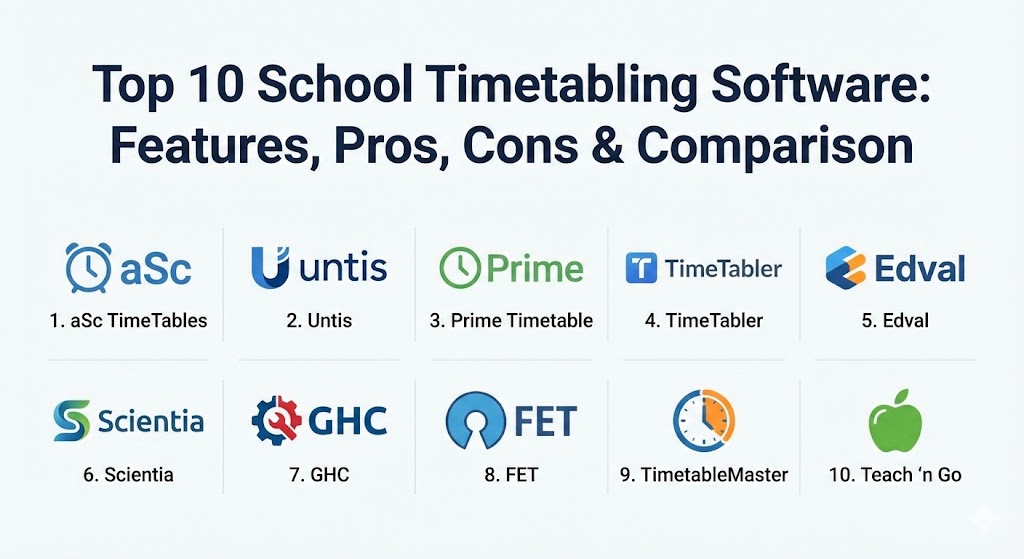
Top 10 School Timetabling Software Tools
1 — aSc TimeTables
aSc TimeTables is a globally recognized leader in the scheduling space, used in over 170 countries. It is designed to be a “set-and-forget” solution where the software does the heavy lifting of evaluating millions of possibilities to find the perfect balance.
- Key features:
- Automatic generator that creates a complete timetable in minutes.
- Mobile app integration for teachers and students to view schedules.
- Built-in “Substitution” module for managing daily teacher absences.
- Multi-user online collaboration via aSc EduPage.
- Advanced constraints for “split” lessons and shared classes.
- Support for multi-week cycles and irregular period durations.
- Customizable printouts and exports to PDF or Excel.
- Pros:
- The automated engine is arguably the fastest and most reliable in the industry.
- Highly versatile, handling anything from small primary schools to massive universities.
- Cons:
- The sheer number of settings can be overwhelming for a first-time user.
- Customer support response times can vary depending on the region.
- Security & compliance: SSO (Single Sign-On), data encryption at rest, GDPR compliant, and role-based access control.
- Support & community: Extensive video tutorials, a massive knowledge base, and a dedicated help desk for premium users.
2 — Untis
Based in Austria, Untis is the “powerhouse” of the scheduling world. It is a highly professional tool favored by large secondary schools and vocational colleges that require extreme precision and depth in their scheduling logic.
- Key features:
- Intelligent “Untis Multiuser” mode for team-based scheduling.
- Integration with WebUntis for real-time digital class registers.
- Specialized logic for vocational schools with alternating block schedules.
- Advanced room management, including equipment tracking.
- Comprehensive API for integration with diverse school MIS systems.
- Automatic optimization for teacher “gap hours” and student workload.
- Pros:
- Exceptionally powerful for handling niche constraints and “edge cases.”
- The ecosystem includes tools for communication and daily school management.
- Cons:
- One of the steepest learning curves in the software category.
- Higher pricing tier compared to more entry-level competitors.
- Security & compliance: ISO 27001 certified, GDPR compliant, and supports 2FA (Two-Factor Authentication).
- Support & community: Professional certification programs, live training webinars, and a global network of local partners.
3 — Prime Timetable
Prime Timetable is a modern, web-based solution that prioritizes user experience. It is designed for the “modern administrator” who wants to work from any device without installing heavy desktop software.
- Key features:
- Fully cloud-based with “instant save” and multi-device access.
- Interactive drag-and-drop interface with real-time conflict highlighting.
- 3D view of the timetable to visualize classroom usage across floors.
- Smart automatic generator that balances teacher preferences.
- Import/export capabilities for major SIS and Excel data.
- Support for “forbidden slots” and preferred teaching windows.
- Pros:
- Very intuitive; requires significantly less training than Untis or aSc.
- Visually superior, making it easy to identify patterns and bottlenecks.
- Cons:
- Lacks some of the ultra-complex “algorithmic depth” needed for 1,000+ student universities.
- Fewer built-in reporting templates than established desktop rivals.
- Security & compliance: HTTPS encryption, daily backups, SOC 2 (via hosting providers), and GDPR compliant.
- Support & community: High-quality online documentation and responsive email-based support.
4 — TimeTabler
TimeTabler is a British institution in the world of scheduling. It is known for its “step-by-step” approach, guiding the user through the process to ensure that the logic is sound before the generator even begins.
- Key features:
- Guided “Workflow” that prevents common scheduling mistakes early on.
- Comprehensive “Curriculum Planning” module (Options/Electives).
- Integration with major UK and international MIS (SIMS, Bromcom, iSAMS).
- Powerful “What-if” scenario testing to model staffing changes.
- Specialized handling of “part-time” staff availability.
- Detailed audit logs of all manual changes made to the schedule.
- Pros:
- Perfect for training new schedulers; the software teaches you how to timetable.
- Rock-solid stability with a focus on pedagogical correctness.
- Cons:
- The desktop-centric model can feel restrictive for collaborative teams.
- The user interface looks somewhat dated compared to SaaS competitors.
- Security & compliance: Local data storage (on-prem) or secure cloud hosting; GDPR compliant.
- Support & community: Renowned for their “Gold Standard” support and annual training workshops.
5 — Edval Timetabling
Edval, an Australian-born solution now part of the Tes family, is a cloud-native platform that uses proprietary algorithms to generate “fairer” schedules that improve staff retention and student outcomes.
- Key features:
- Automated “Daily Organiser” for substitutions and exam cover.
- Student Choice module to maximize elective preferences.
- Advanced analytics on room utilization and teacher load.
- Integrated “Edval Choice” for student subject selections.
- High-availability cloud infrastructure with real-time syncing.
- Pros:
- Focuses on optimization (making the timetable better, not just conflict-free).
- Excellent for schools wanting to reduce “split shifts” for teachers.
- Cons:
- Can be quite expensive for smaller private institutions.
- Requires a significant initial data setup to get the best results.
- Security & compliance: SOC 2 Type II, GDPR, and localized data residency options.
- Support & community: Highly professional onboarding and a dedicated client success manager for large schools.
6 — Scientia (Syllabus Plus)
Scientia, primarily used in the Higher Education sector, is a specialized tool for universities and colleges where scheduling revolves around massive student choice and decentralized campus locations.
- Key features:
- Enterprise-grade resource management for thousands of rooms.
- Student-centric scheduling that ensures no course overlaps for degree paths.
- Advanced modeling for “travel time” between different campus buildings.
- Seamless integration with Oracle, SAP, and other enterprise ERPs.
- Capacity planning tools to justify new building constructions.
- Pros:
- Scalability is unmatched; it can handle the most complex university campuses.
- Deeply analytical, providing insights into physical estate efficiency.
- Cons:
- Far too complex and expensive for a standard K-12 primary school.
- Requires dedicated “Timetabling Officers” to manage and maintain.
- Security & compliance: ISO 27001, SOC 2, and high-level enterprise security protocols.
- Support & community: Global user group conferences and enterprise-grade SLAs.
7 — GHC (Peñalara Software)
GHC is a highly automated tool from Spain that has gained a strong following in Europe and Latin America due to its high-performance engine and Windows-integrated experience.
- Key features:
- High-speed engine capable of finding solutions for extreme constraints.
- Built-in tools for managing teacher absences and on-the-fly changes.
- Easy export to PDF, Excel, and HTML for web publishing.
- Support for “multi-week” schedules with different patterns.
- Detailed validator that explains exactly why a conflict exists.
- Pros:
- Exceptional value for money; very high power-to-price ratio.
- The “Lite” version provides a great entry point for smaller schools.
- Cons:
- Windows-only desktop application (though web viewing is available).
- UI is functional but lacks the modern aesthetic of SaaS platforms.
- Security & compliance: Local installation ensures data stays on-site; GDPR compliant.
- Support & community: Strong documentation in multiple languages (Spanish, English, French).
8 — FET (Free Timetabling Software)
FET is the leading open-source school timetabling software. It is a labor of love by the community, offering professional-grade scheduling logic for absolutely no cost.
- Key features:
- Fully open-source and free for both personal and commercial use.
- Extremely lightweight; runs on almost any hardware (Windows, Mac, Linux).
- Multi-language support (over 30 languages).
- Highly flexible constraint system based on “Time” and “Space.”
- Active community that constantly updates the core algorithm.
- Pros:
- You cannot beat the price (Free).
- Surprisingly powerful; it can solve problems that some paid tools struggle with.
- Cons:
- The user interface is very basic and non-intuitive for beginners.
- No official “support” line; you rely on community forums and documentation.
- Security & compliance: Varies/Open Source (Security depends on your local hosting/environment).
- Support & community: Very active community forums where users help each other solve complex schedules.
9 — TimetableMaster
TimetableMaster is a newer, AI-driven SaaS platform that targets the SMB school market with a focus on simplicity and modern collaboration.
- Key features:
- AI-assisted scheduling that “learns” from previous years’ successes.
- Native mobile apps for real-time notification of schedule changes.
- Integration with Google Workspace and Microsoft 365 calendars.
- Simple, flat-design UI that requires zero technical skill.
- Collaborative “Draft” mode for shared planning sessions.
- Pros:
- The fastest “Time-to-Timetable” for simple and mid-complexity schools.
- Very affordable monthly subscription model.
- Cons:
- Lacks some of the “hardcore” constraints found in Untis or Scientia.
- Still a growing tool; feature depth is catching up to legacy rivals.
- Security & compliance: SOC 2, HIPAA (for student health data), and SSO.
- Support & community: 24/7 chat support and a library of “How-to” webinars.
10 — Teach ‘n Go (Scheduling Module)
Teach ‘n Go is a comprehensive School Management System (SMS) that includes a powerful, integrated scheduling module. It is best for schools looking for an all-in-one platform rather than a standalone scheduler.
- Key features:
- Unified database where schedules directly affect attendance and billing.
- Automated reminders for students and teachers regarding class changes.
- Online enrollment integration that feeds directly into the timetable.
- Multi-campus support with shared staff pools.
- Real-time conflict detection during manual editing.
- Pros:
- No data syncing required; the timetable is the “source of truth” for the whole school.
- Great for language schools and private academies with high student turnover.
- Cons:
- Not as algorithmically deep as standalone “generator” tools.
- You have to buy the whole suite to get the best scheduling experience.
- Security & compliance: GDPR, PCI DSS (for payments), and 256-bit encryption.
- Support & community: Excellent onboarding and personalized account management.
Comparison Table
| Tool Name | Best For | Platform(s) Supported | Standout Feature | Rating (User Reviews) |
| aSc TimeTables | Global K-12 Schools | Windows, Web, App | Speed of Auto-Generator | 4.8 / 5 |
| Untis | Complex Vocational | Windows, Web, App | Deep precise logic | 4.7 / 5 |
| Prime Timetable | Visual Schedulers | Web (Cloud) | 3D Timetable View | 4.6 / 5 |
| TimeTabler | UK & Step-by-Step | Windows | Guided pedagogical workflow | 4.7 / 5 |
| Edval | Fair Optimization | Web (Cloud) | Staff Wellbeing Logic | 4.5 / 5 |
| Scientia | Large Universities | Enterprise SaaS | Multi-Campus Logistics | 4.3 / 5 |
| GHC | Budget Power Users | Windows | High Power-to-Price ratio | 4.4 / 5 |
| FET | Free / Open Source | Win, Mac, Linux | Fully Free & Customizable | 4.5 / 5 |
| TimetableMaster | AI Simplicity | Web, App | AI-Assisted Scheduling | 4.6 / 5 |
| Teach ‘n Go | All-in-one Management | Web (Cloud) | Unified MIS Integration | 4.7 / 5 |
Evaluation & Scoring of School Timetabling Software
To determine the true value of a tool, we use a weighted rubric that balances raw power with the reality of daily administrative life.
| Criteria | Weight | Evaluation Focus |
| Core Features | 25% | Quality of auto-generator, conflict detection, and substitution management. |
| Ease of Use | 15% | Intuitiveness of UI, drag-and-drop capability, and training time. |
| Integrations | 15% | Ability to sync with SIS, LMS, and external calendars (Google/Outlook). |
| Security | 10% | GDPR compliance, 2FA, and data encryption standards. |
| Performance | 10% | Calculation speed and stability when handling large datasets. |
| Support | 10% | Documentation quality, community forums, and help desk response. |
| Price / Value | 15% | Licensing model (One-time vs SaaS) and overall ROI. |
Which School Timetabling Software Tool Is Right for You?
Choosing the right tool is a balance between your institution’s complexity and your team’s technical comfort.
- Solo & SMB Users: If you run a small private academy or a tutoring center, Prime Timetable or TimetableMaster are the best choices. They are web-based, easy to learn, and don’t require expensive server hardware.
- Mid-Market K-12 Schools: For standard secondary schools, aSc TimeTables remains the “gold standard” for its balance of ease of use and automated power. If you are in the UK, TimeTabler is often the preferred choice for its integration with the local MIS ecosystem.
- Enterprise & Large Universities: If you are managing a campus with 5,000 students and multi-site locations, you need the heavy-duty logic of Scientia or the advanced modularity of Untis. These tools are an investment in operational efficiency.
- Budget-Conscious Schools: For institutions with zero budget but a dedicated, technically proficient administrator, FET is an incredible gift. It is powerful enough to schedule any school in the world if you are willing to spend the time learning its interface.
- Security & Scalability: If your priority is data residency and strict IT governance, look for cloud-native tools like Edval or Untis that provide clear SOC 2 and GDPR certifications.
Frequently Asked Questions (FAQs)
1. How long does it take to generate a timetable automatically?
While the actual calculation usually takes between 2 and 15 minutes, the true “time” is spent entering data and setting constraints. A well-prepared school can go from data entry to a finished schedule in a few days.
2. Can these tools handle teacher “preferences” vs. “requirements”?
Yes. Advanced tools allow you to set “Hard” constraints (must be followed) and “Soft” constraints (try to follow). For example, a teacher must have Tuesday off, but would prefer no early morning starts on Monday.
3. Do these tools integrate with Google Calendar?
Most modern SaaS tools like TimetableMaster or aSc EduPage offer a direct sync. For older desktop tools, you typically export an iCal (.ics) file which can then be imported into Google or Outlook.
4. What happens if a teacher is absent?
Many premium tools (aSc, Untis, Edval) have a “Substitution” or “Cover” module. It identifies who is free at that time, who is best suited for the subject, and automatically notifies the substitute via a mobile app.
5. Is cloud-based better than desktop-based?
Cloud-based is better for collaboration and remote work. Desktop-based is often more powerful for calculation-heavy tasks and ensures that the school has full control over where the data is stored physically.
6. Can I import data from my existing Student Information System (SIS)?
Most professional tools support CSV, Excel, or direct API imports for students, teachers, and rooms. This is critical to avoid manual data entry errors.
7. How do I handle student elective choices?
Tools like Edval Choice or aSc Options are designed for this. Students submit their preferences online, and the software builds “blocks” of subjects that satisfy the highest percentage of student requests possible.
8. Is there a “free” school timetable software?
Yes, FET (Free Timetabling Software) is the most professional-grade free option. However, it lacks the user-friendly interface and support of paid versions.
9. Can the software schedule science labs and sports halls?
Yes. You can define “Room Categories.” For example, a Biology class can be assigned to “Any Science Lab,” and the software will ensure a lab is available and not overbooked.
10. What is the biggest mistake schools make when buying scheduling software?
Underestimating the learning curve. Buying the most powerful tool (like Untis) without dedicating time for staff training often leads to the software being underutilized or abandoned.
Conclusion
Selecting the right school timetabling software is an investment in your institution’s sanity. In 2026, the goal is no longer just to create a schedule that “works”—it is to create one that maximizes student potential and teacher well-being. Whether you prioritize the AI-driven simplicity of TimetableMaster, the legendary reliability of aSc TimeTables, or the surgical precision of Untis, the right tool will transform a month of administrative stress into a manageable, data-driven process.