Introduction
A Reverse Proxy Tool is an intermediary server that intercepts client requests and directs them to the appropriate backend server. Unlike a traditional forward proxy, which hides a user’s identity from the internet, a reverse proxy hides the backend servers’ identities from the user. It serves as a unified entry point, providing a layer of abstraction that allows IT teams to swap out hardware, update software, or scale resources without the end-user ever noticing a change.
The importance of these tools lies in their versatility. Beyond simple request forwarding, they provide essential services like load balancing, SSL termination, caching, and compression. These functions reduce the computational burden on application servers, allowing them to focus on processing business logic rather than managing network overhead. Real-world use cases include protecting origin servers from direct exposure, distributing traffic across a global server fleet to prevent outages, and implementing “Blue-Green” deployments to test new features safely.
When evaluating reverse proxy tools, users should look for high throughput, low latency, robust observability (logging and metrics), ease of configuration, and native support for modern protocols like HTTP/3 (QUIC) and gRPC.
Best for: Large-scale enterprises requiring high availability, DevOps teams managing containerized microservices in Kubernetes, and security-conscious organizations looking to implement a Zero Trust architecture.
Not ideal for: Simple, single-server hobbyist projects where a direct connection is sufficient, or organizations that lack the technical expertise to manage even a basic configuration file, as many of these tools require at least some command-line interaction.
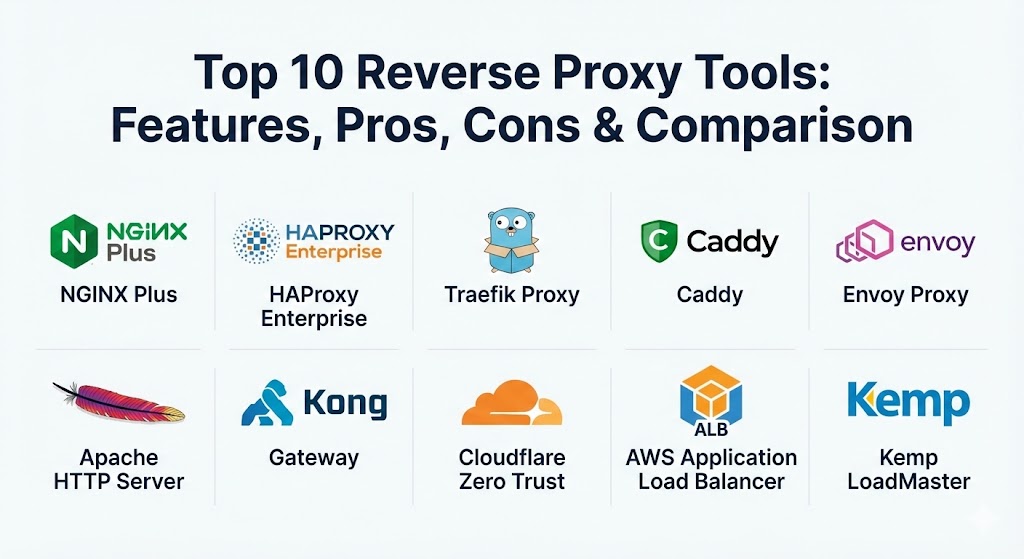
Top 10 Reverse Proxy Tools
1 — NGINX Plus (by F5)
NGINX Plus is the commercial version of the world’s most popular open-source web server. It is a comprehensive application delivery controller (ADC) that provides high-performance reverse proxying, load balancing, and content caching for enterprise environments.
- Key features:
- High-performance Layer 7 (HTTP) and Layer 4 (TCP/UDP) load balancing.
- Advanced health checks that proactively monitor the state of backend servers.
- Integrated NGINX App Protect WAF for deep security filtering.
- Real-time activity monitoring and over 100 distinct performance metrics.
- Session persistence using “sticky cookies” for stateful applications.
- Native Kubernetes Ingress Controller support for containerized traffic.
- Pros:
- Proven stability; powers over 400 million websites globally.
- Versatile enough to act as a web server, proxy, and API gateway simultaneously.
- Cons:
- The enterprise license carries a significant annual cost compared to open-source alternatives.
- Configuration syntax, while powerful, can be complex for beginners to master.
- Security & compliance: FIPS 140-2, SOC 2, HIPAA, and GDPR compliant. Supports TLS 1.3 and advanced JWT validation.
- Support & community: Offers 24/7 world-class enterprise support; backed by one of the largest documentation libraries and user communities in the industry.
2 — HAProxy Enterprise
HAProxy (High Availability Proxy) is widely regarded as the fastest and most reliable load balancer and reverse proxy. The “Enterprise” edition adds professional support, advanced security modules, and a simplified management interface.
- Key features:
- Industry-leading throughput for both Layer 4 and Layer 7 traffic management.
- Advanced Global Server Load Balancing (GSLB) for multi-region traffic.
- Real-time security filtering with a specialized, high-performance WAF.
- Comprehensive observability with deep logging and built-in stats pages.
- Advanced bot management and DDoS protection modules.
- Support for “Hitless Reloads,” allowing configuration updates without dropping connections.
- Pros:
- Unmatched speed and low resource consumption even under extreme concurrency.
- Highly granular Access Control Lists (ACLs) for sophisticated routing logic.
- Cons:
- Does not serve static content; strictly focused on proxying and load balancing.
- The text-based configuration file can become thousands of lines long in complex setups.
- Security & compliance: FIPS 140-2, Common Criteria, and GDPR compliant. Includes advanced rate limiting to prevent brute-force attacks.
- Support & community: Award-winning technical support with extremely fast response times; very strong open-source community support.
3 — Traefik Proxy
Traefik is a modern, cloud-native reverse proxy designed specifically for microservices. It is unique because it integrates directly with orchestrators like Docker and Kubernetes to configure itself automatically.
- Key features:
- Automatic service discovery; no need to write static configuration for new containers.
- Built-in support for Let’s Encrypt for automatic HTTPS certificate management.
- Native support for HTTP/3, gRPC, and WebSockets.
- Beautiful real-time web UI for visualizing routes and backend health.
- Middleware system for easy rate-limiting, authentication, and headers.
- Native integration with OpenTelemetry and Jaeger for distributed tracing.
- Pros:
- Dramatically reduces manual work for DevOps teams managing dynamic environments.
- Lightweight and written in Go, making it portable and efficient.
- Cons:
- Troubleshooting can be difficult if the “auto-discovery” logic fails.
- Lacks some of the “deep-packet” inspection features found in NGINX or HAProxy.
- Security & compliance: SOC 2, GDPR, and HIPAA ready. Supports mTLS and OIDC for secure inter-service communication.
- Support & community: Excellent documentation and a very active community on GitHub and Discourse; enterprise support is available.
4 — Caddy
Caddy is a powerful, enterprise-ready web server and reverse proxy that is famous for its “automatic everything” philosophy. It is the only major server that enables HTTPS by default using Let’s Encrypt or ZeroSSL.
- Key features:
- Automatic HTTPS via Let’s Encrypt and ZeroSSL out of the box.
- Written in Go, resulting in a single, portable binary with no dependencies.
- “Caddyfile” configuration syntax is highly human-readable and concise.
- Native support for HTTP/3 (QUIC) and gRPC.
- On-demand TLS for managing thousands of unique domains dynamically.
- Flexible plugin system for extending functionality via the Caddy website.
- Pros:
- The easiest tool to set up for simple, secure reverse proxying.
- Built-in security defaults prevent common misconfigurations that lead to vulnerabilities.
- Cons:
- Not as performant as HAProxy in high-concurrency enterprise benchmarks.
- A smaller corporate ecosystem compared to NGINX or F5.
- Security & compliance: Native TLS 1.3, HIPAA, and GDPR ready. Hardened against memory-safety issues thanks to Go.
- Support & community: Exceptional documentation and a very friendly community forum; commercial support is available via Stack Holdings.
5 — Envoy Proxy
Originally developed by Lyft, Envoy is a high-performance C++ distributed proxy designed for single services and applications. It is most commonly used as the data plane for “Service Meshes” like Istio.
- Key features:
- L3/L4 and L7 proxy with support for advanced protocols like gRPC and MongoDB.
- Designed for deep observability with extensive statistics for all subsystems.
- Dynamic configuration via an API (xDS), allowing updates without restarts.
- Advanced load balancing features like retries, circuit breaking, and rate limiting.
- Pluggable architecture with support for WebAssembly (Wasm) filters.
- Edge proxy capabilities for handling north-south traffic.
- Pros:
- Provides unparalleled visibility into service-to-service communication.
- Highly resilient; built specifically to handle the “chaos” of microservice environments.
- Cons:
- Extremely steep learning curve; not recommended for simple use cases.
- Configuration is typically done via JSON/YAML APIs rather than a simple config file.
- Security & compliance: GDPR, HIPAA, and SOC 2 compatible. Supports mTLS and advanced RBAC policies.
- Support & community: Part of the CNCF (Cloud Native Computing Foundation); supported by a massive ecosystem of cloud-native companies.
6 — Apache HTTP Server (mod_proxy)
The venerable Apache server remains a staple in the IT world. Through its mod_proxy module, it can act as a fully-featured, reliable reverse proxy for any application.
- Key features:
- Extensive module ecosystem for almost any imaginable networking task.
- Support for
.htaccessfiles allowing decentralized configuration. - Process-based and multi-threaded processing models (MPMs).
- Mature URL rewriting engine (
mod_rewrite) for complex redirection. - Reliable load balancing and caching modules.
- Broad compatibility with legacy systems and obscure protocols.
- Pros:
- Deeply documented with over two decades of community knowledge.
- Highly flexible; if you can imagine a configuration, Apache can likely do it.
- Cons:
- Generally slower and uses more memory than NGINX or HAProxy under load.
- The modular architecture can lead to “configuration bloat.”
- Security & compliance: FIPS 140-2 compatible, GDPR, and HIPAA ready. Robust security history and fast patching.
- Support & community: The Apache Software Foundation provides extensive resources; massive third-party support network.
7 — Kong Gateway
Kong is built on top of NGINX and focuses specifically on being an API Gateway. It is a favorite for organizations that need to manage thousands of internal and external APIs with a single reverse proxy.
- Key features:
- Centralized management for thousands of APIs and microservices.
- Huge plugin library for authentication, transformations, and logging.
- Native integration with Kubernetes via the Kong Ingress Controller.
- Developer portal for documenting and exposing internal services.
- Strong support for hybrid and multi-cloud deployments.
- High-performance core that leverages NGINX’s speed.
- Pros:
- Simplifies API management significantly for large dev teams.
- The plugin architecture makes it incredibly easy to add new features without code.
- Cons:
- Requires a database (PostgreSQL or Cassandra) unless using “DB-less” mode.
- Enterprise features are locked behind a high-priced subscription.
- Security & compliance: SOC 2 Type II, HIPAA, PCI DSS, and GDPR compliant. Includes advanced OIDC support.
- Support & community: Strong documentation and formal enterprise support tiers; large community of “Kongers.”
8 — Cloudflare Zero Trust (Cloudflared)
Cloudflare Tunnel (part of Zero Trust) provides a secure way to connect your resources to Cloudflare without a publicly routable IP address. It essentially acts as a managed reverse proxy that lives in the cloud.
- Key features:
- Tunnels traffic directly from your server to the Cloudflare edge.
- Built-in DDoS and WAF protection from Cloudflare’s global network.
- Identity-based access control (Zero Trust) for internal applications.
- No need for public IP addresses or opening ports on your firewall.
- Instant global propagation of configuration changes.
- Integrated with Cloudflare’s massive global CDN.
- Pros:
- Dramatically improves security by hiding your origin server from the public internet.
- Extremely easy to set up for remote access to private apps.
- Cons:
- Forces you into the Cloudflare ecosystem; limited flexibility.
- High-bandwidth usage can lead to unexpected costs on higher tiers.
- Security & compliance: ISO 27001, SOC 2, HIPAA, and GDPR compliant. Zero Trust authentication is built-in.
- Support & community: Massive community and extensive self-help documentation; premium support for enterprise users.
9 — AWS Application Load Balancer (ALB)
For organizations fully committed to the Amazon ecosystem, the Application Load Balancer is a managed reverse proxy that scales automatically to meet demand.
- Key features:
- Fully managed; AWS handles all scaling, patching, and maintenance.
- Native integration with AWS WAF, IAM, and Certificate Manager.
- Support for content-based, path-based, and host-based routing.
- Direct integration with Lambda, EC2, ECS, and EKS.
- Detailed monitoring via CloudWatch and X-Ray.
- Support for redirecting HTTP to HTTPS automatically.
- Pros:
- Zero maintenance; scales from a few requests to millions effortlessly.
- Cost-effective for users already running workloads in AWS.
- Cons:
- Proprietary to AWS; not suitable for on-premises or multi-cloud setups.
- Less granular control over low-level proxy settings compared to NGINX.
- Security & compliance: FedRAMP, HIPAA, PCI DSS, and GDPR compliant. Integrated with AWS Shield for DDoS.
- Support & community: Backed by AWS Support plans; integrated into the standard AWS documentation.
10 — Kemp LoadMaster
Kemp LoadMaster is a dedicated application delivery controller that offers an excellent balance of enterprise performance and affordable pricing. It is a popular alternative to high-priced F5 hardware.
- Key features:
- Comprehensive Layer 7 traffic management and content switching.
- Built-in Web Application Firewall (WAF) and Intrusion Prevention System (IPS).
- Pre-configured templates for common apps like Exchange and SAP.
- Global Server Load Balancing (GSLB) included in most versions.
- High-performance SSL/TLS offloading.
- Available as hardware, virtual appliance, or cloud instance.
- Pros:
- Excellent “value-for-money” compared to premium enterprise rivals.
- The user interface is one of the most intuitive for classic system admins.
- Cons:
- Lacks some of the “bleeding-edge” cloud-native features of Traefik or Envoy.
- The “Free” version has significant bandwidth limitations.
- Security & compliance: FIPS 140-2, Common Criteria, and GDPR compliant. Includes Edge Security Pack for ESP/SSO.
- Support & community: Award-winning technical support with fast response times; comprehensive online technical library.
Comparison Table
| Tool Name | Best For | Platform(s) Supported | Standout Feature | Rating (Gartner/TrueReview) |
| NGINX Plus | High-perf Web Apps | Linux, Docker, K8s | App Protect WAF | 4.7 / 5 |
| HAProxy Ent. | Critical Reliability | Linux, FreeBSD | Hitless Reloads | 4.8 / 5 |
| Traefik Proxy | Microservices | Docker, K8s, Cloud | Auto-Discovery | 4.6 / 5 |
| Caddy | Simple / SMB | Windows, Linux, Mac | Automatic HTTPS | 4.6 / 5 |
| Envoy Proxy | Service Mesh | K8s, Cloud-Native | xDS Dynamic API | 4.5 / 5 |
| Apache Server | Legacy / Flexibility | Cross-platform | mod_rewrite Engine | 4.4 / 5 |
| Kong Gateway | API Management | Cloud, K8s, Linux | Plugin Ecosystem | 4.5 / 5 |
| Cloudflare Tunnel | Security-First | Cloud (Global) | Zero Trust Identity | 4.8 / 5 |
| AWS ALB | AWS Ecosystem | AWS Cloud Only | Fully Managed Scaling | 4.6 / 5 |
| Kemp LoadMaster | Enterprise Value | Hardware, Virtual | App-Specific Templates | 4.7 / 5 |
Evaluation & Scoring of Reverse Proxy Tools
Using our weighted scoring rubric, we evaluated these tools based on the metrics most critical to modern IT infrastructure.
| Criteria | Weight | Evaluation Notes |
| Core Features | 25% | Load balancing, caching, SSL termination, and protocol support (HTTP/3). |
| Ease of Use | 15% | Configuration simplicity, UI quality, and the learning curve for new users. |
| Integrations | 15% | Support for Kubernetes, CI/CD pipelines, and cloud-native ecosystems. |
| Security | 10% | Encryption standards, WAF quality, and identity management (SSO). |
| Performance | 10% | Latency, throughput, and resource efficiency under heavy load. |
| Support | 10% | Documentation quality, community size, and enterprise support availability. |
| Price / Value | 15% | Total cost of ownership relative to the features and performance offered. |
Which Reverse Proxy Tool Is Right for You?
Selecting the right tool depends more on your architectural goals than on simple feature lists.
- Solo Users & Developers: If you need a secure entry point for a personal site or a dev environment, Caddy is the winner. Its automatic HTTPS and simple configuration mean you spend more time coding and less time managing certs.
- SMBs and Dynamic Environments: If you are running Docker or Kubernetes but aren’t yet at the “massive enterprise” scale, Traefik is the perfect fit. Its ability to “self-configure” as you spin up containers is a massive time-saver.
- High-Performance Enterprises: If your priority is absolute reliability and throughput, NGINX Plus or HAProxy Enterprise are the industry standards. Choose NGINX if you also need a web server/caching engine; choose HAProxy if you want a pure, ultra-fast traffic manager.
- Budget-Conscious Organizations: HAProxy Open Source or NGINX Open Source provide nearly the same performance as their paid counterparts. If you need hardware/virtual appliance features without the F5 price tag, Kemp LoadMaster is the best value.
- Security & Remote Access: If you want to move away from VPNs and hide your servers entirely, Cloudflare Tunnel is the way to go. It offers a Zero Trust approach that is incredibly difficult to replicate with traditional on-prem tools.
Frequently Asked Questions (FAQs)
1. What is the difference between a forward proxy and a reverse proxy?
A forward proxy sits in front of clients (users) to hide their identity from the web. A reverse proxy sits in front of servers to hide the servers’ identities and protect them from direct internet exposure.
2. Does NGINX open-source have the same performance as NGINX Plus?
Yes, the core engine is identical. However, NGINX Plus includes advanced features like proactive health checks, a WAF, and real-time metrics that are not in the open-source version.
3. Why is “SSL Termination” important in a reverse proxy?
It allows the proxy to handle the heavy math of encrypting and decrypting data. This frees up your backend application servers to process requests faster without worrying about TLS overhead.
4. Can I use a reverse proxy for load balancing?
Yes, almost all modern reverse proxies (like HAProxy and NGINX) are also high-performance load balancers that can distribute traffic based on various algorithms.
5. What is “Service Discovery” in Traefik?
Traefik listens to your container orchestrator (like Docker). When a new container starts, Traefik automatically sees it, creates a route, and starts sending traffic to it without you touching a config file.
6. Is Caddy fast enough for production?
Absolutely. While HAProxy might beat it in extreme benchmarks, Caddy is written in Go and is more than fast enough for 95% of production use cases, including high-traffic blogs and apps.
7. Does a reverse proxy add latency to my requests?
A reverse proxy adds a tiny amount of “network hop” latency (usually 1-5ms). However, the speed gained through caching and better load distribution often results in a faster overall user experience.
8. What is a “WAF” in a reverse proxy?
A Web Application Firewall (WAF) inspects incoming traffic for malicious patterns like SQL injections or Cross-Site Scripting (XSS), blocking them before they ever reach your server.
9. Can I run multiple reverse proxies?
Yes! A common pattern is “Edge” proxying (like Cloudflare) which then talks to an “Ingress” proxy (like NGINX or Traefik) inside your local network.
10. How do these tools help with “Zero Downtime” deployments?
A reverse proxy can slowly bleed traffic away from an old version of your app and redirect it to a new version. If the new version has bugs, you can instantly flip the traffic back to the old one.
Conclusion
The evolution of the reverse proxy from a simple “forwarder” to a sophisticated “traffic brain” has transformed how we build the internet. Whether you choose the automated simplicity of Caddy, the microservice-native power of Traefik, or the rock-solid reliability of NGINX, the goal remains the same: a faster, safer, and more scalable application. When making your choice, prioritize the tool that matches your team’s technical comfort level and your long-term infrastructure strategy.