Introduction
Research Data Management (RDM) Platforms are integrated software systems designed to oversee the entire lifecycle of research data—from initial planning and collection to analysis, sharing, and long-term preservation. Unlike generic cloud storage, these platforms are “science-aware,” providing specialized tools for metadata tagging, version control for datasets, and persistent identifiers (like DOIs) that make research outputs citable. They act as a central nervous system for laboratories and universities, ensuring that raw data is transformed into a structured, searchable, and secure asset.
The importance of these platforms cannot be overstressed. They prevent data loss, protect against accusations of scientific misconduct by providing immutable audit trails, and enable high-speed collaboration across borders. Key real-world use cases include managing longitudinal clinical trial data, archiving petabytes of climate sensor readings, and hosting public-facing repositories for open-access datasets. When evaluating a platform, users should look for strong FAIR alignment, seamless integration with existing Electronic Lab Notebooks (ELNs), robust security for sensitive information, and the ability to assign permanent identifiers.
Best for: Academic institutions, clinical research organizations (CROs), government labs, and R&D-heavy biotech or pharmaceutical companies that must maintain data integrity and comply with strict grant requirements.
Not ideal for: Hobbyist researchers with tiny datasets, short-term projects that don’t require a paper trail, or general users who only need a simple, temporary place to store non-technical documents.
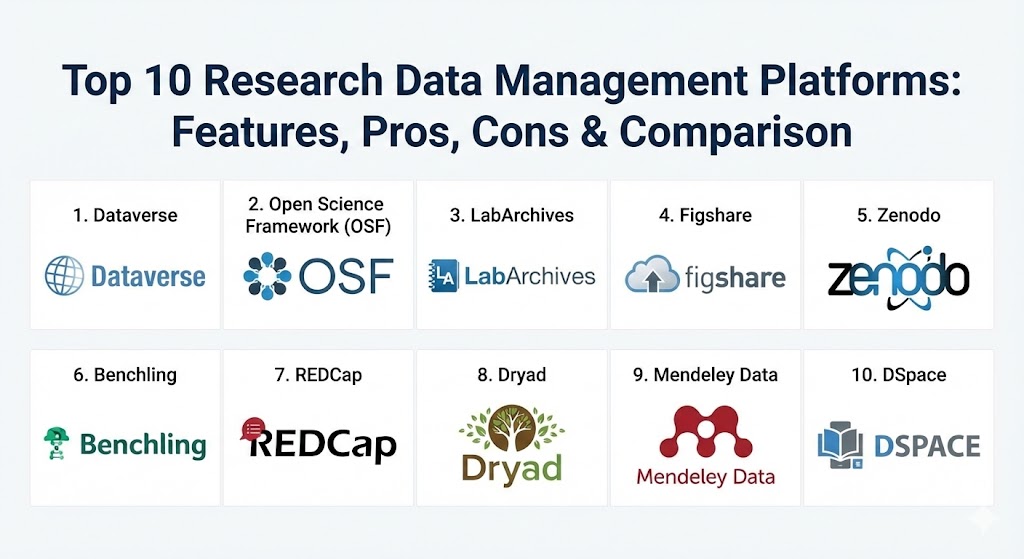
Top 10 Research Data Management Platforms
1 — Dataverse
Developed at Harvard University’s Institute for Quantitative Social Science (IQSS), Dataverse is a world-renowned open-source platform specifically designed for sharing, preserving, citing, and analyzing research data.
- Key features:
- Tiered “Dataverse” structure (sub-collections) for institutions, departments, or individual researchers.
- Automatic generation of data citations with persistent identifiers (DOIs).
- Robust metadata support based on industry standards like Dublin Core and DDI.
- “Guestbooks” to track who is downloading data and for what purpose.
- Integration with tools like RSpace, Open Science Framework, and GitHub.
- In-browser data exploration and visualization for tabular datasets.
- Pros:
- Unmatched academic credibility and a massive global community.
- Highly flexible; can be self-hosted for complete data sovereignty or used via a service provider.
- Cons:
- The user interface, while functional, can feel a bit academic and less “slick” than modern SaaS tools.
- Self-hosting requires significant technical expertise and server maintenance resources.
- Security & compliance: Supports SSO (Shibboleth), granular permissions, and can be configured to meet GDPR and HIPAA requirements depending on the hosting environment.
- Support & community: Extensive technical documentation, a very active GitHub community, and regular international user conferences.
2 — Open Science Framework (OSF)
Managed by the Center for Open Science, OSF is a free, open-source project management tool that acts as a “connective tissue” for a researcher’s entire workflow.
- Key features:
- Central project dashboard that unifies files, protocols, and code.
- Unique “Add-on” system that links external storage (Dropbox, Google Drive, Amazon S3, GitHub) into one view.
- Built-in version control that tracks every change made to a file.
- “Registrations” feature for pre-registering research designs to prevent p-hacking.
- Automated DOI assignment for public projects.
- Pros:
- Excellent for “Open Science” advocates who want to make their entire process transparent.
- Extremely easy to use; it doesn’t require moving your files if they are already in the cloud.
- Cons:
- Not designed for massive, multi-terabyte dataset hosting; it functions better as a management layer.
- Lacks some of the deep, discipline-specific metadata fields found in specialized repositories.
- Security & compliance: Provides private vs. public project settings; SOC 2 compliant infrastructure; GDPR compliant privacy policies.
- Support & community: Great onboarding guides, a helpful helpdesk, and a strong community of open science researchers.
3 — LabArchives
LabArchives is a leading Electronic Lab Notebook (ELN) and RDM platform that bridges the gap between daily lab work and long-term data management.
- Key features:
- Digital notebook interface that mimics the look and feel of a traditional lab book.
- Integrated “Inventory” and “Scheduler” modules to manage lab resources.
- Professional audit trails that meet FDA 21 CFR Part 11 requirements.
- Mobile app for data entry directly at the lab bench or in the field.
- Seamless integration with GraphPad Prism and various statistical tools.
- Pros:
- Very easy adoption for wet-lab scientists who are used to physical notebooks.
- Exceptional for ensuring data integrity and protecting intellectual property (IP).
- Cons:
- The “notebook” metaphor can be restrictive for data-heavy computational research.
- Full features require a paid institutional or individual subscription.
- Security & compliance: SSO, end-to-end encryption, audit logs, HIPAA, and GDPR compliant.
- Support & community: Offers dedicated onboarding, live webinars, and a very responsive professional support team.
4 — Figshare
Figshare is a cloud-based repository where researchers can preserve and share all of their research outputs, including figures, datasets, posters, and code.
- Key features:
- Quick and easy public sharing with instant DOI generation.
- “Altmetrics” tracking to see how often research is shared on social media or cited in the news.
- Support for over 1,000 file types with in-browser previewing.
- Institutional version (Figshare for Institutions) with administrative curation workflows.
- Integration with major publishers like Springer Nature and Taylor & Francis.
- Pros:
- Arguably the most user-friendly interface for public data sharing.
- High visibility for datasets, making it great for researchers wanting to boost their impact.
- Cons:
- The free version has storage limits that may be too low for large-scale data.
- Less focus on “active” data management during the research process; it’s primarily a repository.
- Security & compliance: ISO 27001 certified; GDPR compliant; supports private metadata and embargo periods.
- Support & community: Strong documentation, active blog, and a dedicated team for institutional partners.
5 — Zenodo
Developed by CERN and OpenAIRE, Zenodo is a catch-all repository designed to ensure that all research, regardless of size or discipline, can be shared and preserved.
- Key features:
- No cost for researchers; hosted on the reliable CERN infrastructure.
- Support for datasets up to 50GB per record (larger by request).
- Tightly integrated with GitHub for easy archiving of software and code versions.
- Allows for “Communities” where groups can curate their own collections of research.
- Compliant with all major open-access mandates.
- Pros:
- The “gold standard” for free, long-term preservation of small-to-medium datasets.
- Built on high-energy physics-grade infrastructure, offering extreme stability.
- Cons:
- Very few “active” management features; it is strictly a place to deposit finished work.
- Curation is community-driven, which can lead to varying metadata quality.
- Security & compliance: Hosted on CERN’s high-security servers; GDPR compliant; supports restricted access levels.
- Support & community: Documentation is technical; community-based support through GitHub and email.
6 — Benchling
Benchling is a cloud-native platform that unifies R&D life sciences, combining an ELN, molecular biology suite, and high-level data management.
- Key features:
- Specialized molecular biology tools (DNA/protein sequences, CRISPR design).
- Structured “Data Tables” that turn lab results into a searchable database.
- Registry and Inventory systems that link physical samples to their experimental data.
- Advanced collaboration features for large biotech teams.
- Workflow management to track the progress of experiments across a team.
- Pros:
- Unrivaled in the biotech and pharma space for its integrated, modern feel.
- Drastically reduces data silos by keeping sequences, results, and notes in one place.
- Cons:
- Extremely expensive for commercial entities; can be overkill for non-life science research.
- The complexity requires significant training for new users.
- Security & compliance: SOC 2 Type II, GDPR, and HIPAA compliant. Optimized for GxP environments.
- Support & community: High-touch enterprise support, dedicated success managers, and a growing biotech user community.
7 — REDCap
REDCap (Research Electronic Data Capture) is the dominant tool for managing surveys and databases in the clinical and health research world.
- Key features:
- Secure, web-based interface for building sophisticated data entry forms.
- Advanced logic features (branching logic, calculated fields) for complex surveys.
- Integrated “Scheduling” for longitudinal studies.
- Automated export to SAS, Stata, R, and SPSS.
- Mobile app for offline data collection in remote areas.
- Pros:
- The absolute gold standard for clinical research and human subjects data.
- Free for non-profit organizations that join the REDCap Consortium.
- Cons:
- Not suitable for high-volume raw “big data” files like genomics or imaging.
- Requires a local IT administrator to host and manage the software instance.
- Security & compliance: HIPAA, GDPR, and 21 CFR Part 11 capable when hosted correctly.
- Support & community: Supported by the massive REDCap Consortium with thousands of member institutions worldwide.
8 — Dryad
Dryad is a non-profit, curated repository for data underlying scientific and medical publications.
- Key features:
- Integrated with the submission systems of hundreds of journals.
- Professional data curation: every dataset is reviewed by a human for quality.
- Focused strictly on the “Data” part of the FAIR principles.
- Permanent DOIs and long-term preservation through CoreTrustSeal-certified practices.
- Pros:
- Human curation ensures that the metadata is high-quality and the data is actually usable.
- High level of trust from publishers and funding agencies.
- Cons:
- Charges a “Data Publication Charge” (DPC) unless your institution has a membership.
- Very narrow focus: strictly for “finished” data associated with a publication.
- Security & compliance: GDPR compliant; focuses on open-access data, so it is not for sensitive/private data.
- Support & community: Small, dedicated team; support is provided through a direct helpdesk.
9 — Mendeley Data
Part of the Elsevier ecosystem, Mendeley Data is a repository and management tool that links research data with the wider world of academic publishing.
- Key features:
- Integrated with Mendeley Reference Manager for a seamless research experience.
- One-click data submission for authors publishing in Elsevier journals.
- Advanced search that indexes datasets from over 30 different repositories.
- API access for institutional reporting and analytics.
- Pros:
- Great for researchers already embedded in the Elsevier/Mendeley ecosystem.
- Provides excellent visibility through the Scopus and ScienceDirect networks.
- Cons:
- Some researchers are wary of proprietary “lock-in” with a major commercial publisher.
- Less customizable than open-source alternatives like Dataverse.
- Security & compliance: ISO 27001, GDPR, and SOC 2 compliant infrastructure.
- Support & community: Supported by Elsevier’s global customer service team and technical helpdesk.
10 — DSpace
DSpace is the world’s most widely used open-source institutional repository software, often used by libraries to manage all digital assets, including research data.
- Key features:
- Highly customizable metadata schemas.
- Support for a vast array of file formats and digital objects.
- Sophisticated workflow for submission, review, and approval.
- Built-in search and discovery optimized for academic libraries.
- OAI-PMH support for metadata harvesting by global search engines.
- Pros:
- The “safe choice” for university libraries focused on long-term digital preservation.
- Complete control over the system; it is open-source and highly extensible.
- Cons:
- Requires significant IT effort to customize and maintain.
- Not as “researcher-friendly” for active, daily data work as OSF or Benchling.
- Security & compliance: Varies by institutional implementation; typically includes SSO and robust access controls.
- Support & community: Massive global user group, extensive documentation, and numerous service providers for hosting.
Comparison Table
| Tool Name | Best For | Platform(s) Supported | Standout Feature | Rating (Gartner/TrueReview) |
| Dataverse | Formal Academic Repositories | Web / Self-hosted | Tiered Dataverse structure | 4.6 / 5 |
| OSF | Collaborative Lifecycle Mgmt | Web / Cloud Connectors | Tool Integration Ecosystem | 4.7 / 5 |
| LabArchives | Wet-Lab Experiments & ELN | Web / Mobile | 21 CFR Part 11 Audit Trail | 4.5 / 5 |
| Figshare | High Visibility / Sharing | Web / SaaS | Altmetrics & Discovery | 4.4 / 5 |
| Zenodo | Free Long-Term Archiving | Web | GitHub Integration | 4.8 / 5 |
| Benchling | Biotech / Life Sciences | Web / SaaS | Molecular Biology Suite | 4.7 / 5 |
| REDCap | Clinical Trials / Surveys | Web / Mobile App | Complex Branching Logic | 4.6 / 5 |
| Dryad | Curated Data Publication | Web | Human Data Curation | 4.5 / 5 |
| Mendeley Data | Elsevier Users | Web / Integrated | Scopus Discovery Link | 4.3 / 5 |
| DSpace | Institutional Preservation | Web / Self-hosted | Library Asset Management | 4.2 / 5 |
Evaluation & Scoring of Research Data Management Platforms
We evaluated these platforms based on seven key pillars that determine their long-term viability for a research organization.
| Category | Weight | Evaluation Criteria |
| Core Features | 25% | Metadata support, DOI generation, versioning, and storage capacity. |
| Ease of Use | 15% | Intuitiveness for researchers, mobile access, and UI modernity. |
| Integrations | 15% | Ability to connect with LMS, SIS, GitHub, and external cloud storage. |
| Security & Compliance | 10% | HIPAA/GDPR readiness, SSO, encryption, and audit logs. |
| Performance | 10% | Upload/download speeds, uptime, and handling of large files. |
| Support & Community | 10% | Quality of documentation, responsiveness, and active user base. |
| Price / Value | 15% | Affordability for individual labs vs. ROI for large institutions. |
Which Research Data Management Platform Is Right for You?
Selecting an RDM platform is a high-stakes decision that depends on your specific research domain and organizational scale.
Solo Users vs SMB vs Mid-Market vs Enterprise
- Solo Researchers: If you just need to share a few files associated with a paper for free, Zenodo or Figshare (free version) are your best bets.
- Individual Labs (SMB): For active lab management, LabArchives (wet-lab) or OSF (computational/social science) offer the best daily workflow tools.
- Mid-Market / Small Biotech: Benchling provides an all-in-one suite that replaces multiple disparate tools, making it worth the premium price for life sciences.
- Large Universities (Enterprise): Dataverse or DSpace are the industry standards for building an institutional repository that lasts for decades.
Budget-Conscious vs Premium Solutions
If budget is your main constraint, focus on open-source or community-supported tools like Zenodo, OSF, or REDCap (if you have the IT staff to host them). Premium solutions like Benchling or LabArchives charge more but offer high-end governance, 24/7 support, and feature-rich environments that save time.
Feature Depth vs Ease of Use
If you need deep metadata customization and a formal “archival” workflow, you must sacrifice some ease of use for a powerful platform like Dataverse. However, if you want your researchers to actually use the platform daily without complaining, Figshare and Accredible style interfaces are much more inviting.
Integration and Scalability Needs
For those with petabytes of data, look for platforms that offer S3-compatible storage integration, such as OSF or the enterprise version of Dataverse. Always ensure the platform can grow with your team—migrating data between RDM platforms later is notoriously difficult.
Frequently Asked Questions (FAQs)
1. What is the difference between RDM and simple cloud storage like Google Drive?
RDM platforms are designed for the scientific method. They provide metadata tagging, version control that doesn’t overwrite data, persistent identifiers (DOIs) for citation, and audit trails for compliance—features that generic cloud storage lacks.
2. Is blockchain used in research data management?
Yes, some newer platforms are incorporating blockchain to create immutable timestamps and verifiable records of data provenance, though it is not yet the standard across the “Top 10” legacy platforms.
3. Do I have to make my data public if I use these tools?
No. Most platforms (like OSF, Dataverse, and Figshare) allow you to keep projects private indefinitely or set an “embargo” period where data remains private until a specific date.
4. How do these tools help with NIH or NSF grant compliance?
Most platforms have built-in templates for Data Management Plans (DMPs) and provide the secure, citable repository environment that major funders now mandate as a condition of receiving research dollars.
5. Can I use multiple platforms at once?
Yes. Many labs use OSF for day-to-day project management, LabArchives for their lab notes, and then deposit the final dataset into Zenodo or Dataverse for long-term preservation.
6. What is human data curation?
Human curation (found in platforms like Dryad) means that a professional archivist reviews your data to ensure the files open correctly, the metadata is accurate, and the data is actually “findable” by others.
7. Can these platforms handle “sensitive” data (HIPAA)?
Only specific platforms like REDCap, Benchling, and properly configured institutional instances of LabArchives or Dataverse are rated for HIPAA or sensitive human subjects data. Always check the specific SLA.
8. What happens to my data if a platform company shuts down?
This is why many researchers prefer non-profits (Zenodo, OSF, Dryad) or open-source solutions (Dataverse, DSpace). These organizations have “succession plans” to transfer data to another library or repository if they fail.
9. Do I need to be a coder to use these tools?
No. While some (like Dataverse or Zenodo) have powerful APIs for coders, all of the top 10 offer user-friendly web interfaces for non-technical researchers.
10. What are FAIR principles?
FAIR stands for Findable, Accessible, Interoperable, and Reusable. It is the international standard for data management, and all top RDM platforms are built to help you meet these goals.
Conclusion
The selection of a Research Data Management Platform is no longer an optional IT task; it is a fundamental strategic decision for any modern research entity. Whether you prioritize the “open science” transparency of OSF, the clinical-grade security of REDCap, or the specialized life-science tools of Benchling, the goal remains the same: ensuring that the data of today remains the discovery of tomorrow.
Ultimately, the best tool is the one that fits your specific discipline’s metadata needs while being user-friendly enough that your research team will actually use it. By investing in the right platform in 2026, you aren’t just managing files—you are safeguarding the future of scientific inquiry.