Introduction
A Requirements Management Tool is a specialized software solution designed to act as the “single source of truth” for a project’s needs, constraints, and goals. Unlike a simple document editor, these platforms enable teams to capture, analyze, prioritize, and track every requirement from its inception to its final validation. By establishing a digital thread—or traceability—these tools ensure that every line of code, every test case, and every design decision can be traced back to a specific business need or regulatory requirement.
In today’s fast-paced market, RM tools are critical for preventing “scope creep,” reducing expensive rework, and ensuring compliance in highly regulated industries like aerospace, automotive, and medical devices. Real-world use cases range from coordinating thousands of technical specifications for a satellite launch to managing the shifting user stories of a global financial application. When choosing a tool, evaluators should prioritize end-to-end traceability, version control, collaboration features, and the ability to integrate seamlessly with the broader ALM (Application Lifecycle Management) ecosystem.
Best for:
- Systems Engineers & Business Analysts: Who need to manage complex hierarchies of technical specifications.
- Project Managers: In mid-to-large enterprises seeking to reduce project risk and maintain alignment across departments.
- Regulated Industries: Specifically aerospace, defense, automotive, and life sciences where ISO, FDA, or DO-178C compliance is mandatory.
Not ideal for:
- Solo Developers or Tiny Startups: Where a simple Kanban board or a shared document is sufficient for the low volume of requirements.
- Basic Web Design Projects: Where the logic is straightforward and the cost of an RM tool outweighs the complexity of the work.
- Purely Creative Agencies: Who may find the rigid structure of formal requirements management stifling to their experimental workflow.
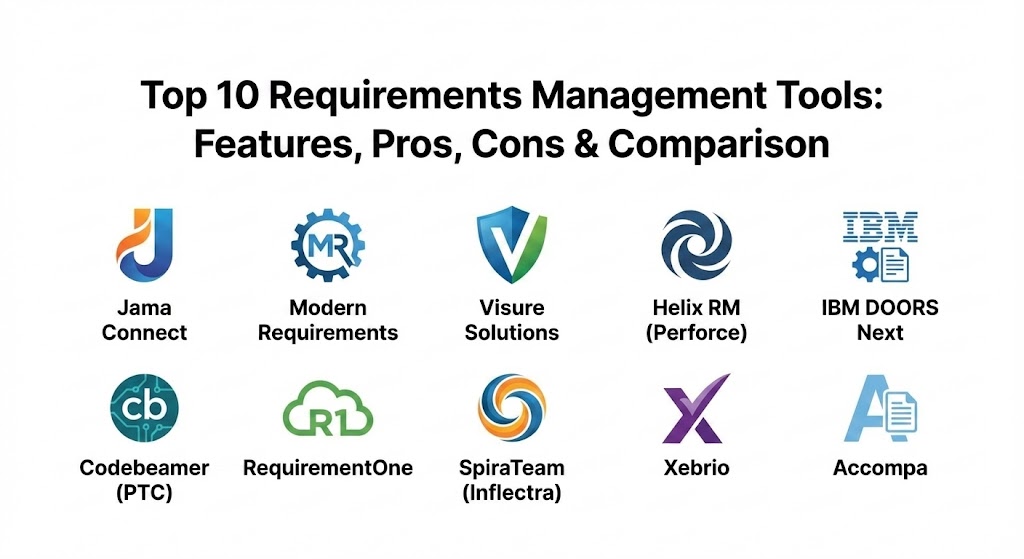
Top 10 Requirements Management Tools
1 — Jama Connect
Jama Connect is a market leader known for its ability to handle complex, high-stakes engineering projects. It is designed specifically for teams building sophisticated products where the cost of failure is high.
- Key features:
- Live Traceability: Real-time visibility into the relationship between requirements, risks, and tests.
- Review Center: A collaborative environment for stakeholders to provide feedback and formal approvals.
- Risk Management: Integrated FMEA (Failure Mode and Effects Analysis) and hazard analysis.
- Requirement Reuse: Ability to manage libraries of requirements across multiple product variants.
- Validation & Verification: Automated tracking to ensure all requirements are tested.
- Compliance Templates: Out-of-the-box support for standards like ISO 26262 and IEC 62304.
- Pros:
- Exceptional user interface that makes complex data structures easy to navigate.
- Powerful “impact analysis” tools that show exactly what will break if a requirement changes.
- Cons:
- High price point that may be prohibitive for smaller organizations.
- The initial configuration can be complex and often requires professional services.
- Security & compliance: SOC 2 Type II, HIPAA, and GDPR compliant; features SSO, end-to-end encryption, and comprehensive audit logs for regulatory submission.
- Support & community: Extensive documentation library, “Jama Software Community” for peer networking, and high-touch enterprise support available for large-scale deployments.
2 — Modern Requirements
Modern Requirements is unique because it is built directly into the Azure DevOps (ADO) interface. It is the go-to solution for teams that are already invested in the Microsoft ecosystem and want to “supercharge” their requirements process.
- Key features:
- Smart Docs: An authoring environment that feels like Word but functions like a database.
- Visual Modeler: Capability to create diagrams and flowcharts that automatically generate requirements.
- Baseline Management: Snapshotting requirements at specific points in time for comparison.
- Trace Analysis: Matrix and diagram views to visualize ADO work item relationships.
- Review Management: Formalized e-signature and approval workflows.
- Reporting: Automated document generation for compliance audits.
- Pros:
- No “context switching” for teams already using Azure DevOps; it feels like a native feature.
- Significantly improves the “Agile” requirements process by bridging the gap between user stories and formal specs.
- Cons:
- Totally dependent on Azure DevOps; it cannot be used as a standalone tool.
- Can feel cluttered within the ADO UI if not properly configured.
- Security & compliance: Inherits the robust security of the Azure cloud, including ISO 27001 and SOC 2; provides granular permissions and audit trails.
- Support & community: Strong technical support, frequent webinars, and a comprehensive “Help Center” with video tutorials.
3 — Visure Solutions
Visure is a specialized ALM platform that offers a highly flexible approach to requirements management, making it popular in industries like defense and automotive.
- Key features:
- Multi-Standard Compliance: Built-in support for DO-178B/C, ISO 26262, and GAMP.
- AI-Powered Analysis: Automatically checks requirement quality and clarity.
- Bi-Directional Traceability: Links requirements across different levels and tools.
- Advanced Reusability: Simplifies the management of product families and variants.
- Test Management Integration: Native connection between specs and verification steps.
- Report Builder: Highly customizable output for various regulatory bodies.
- Pros:
- One of the most customizable tools on the market; you can mold it to almost any process.
- The AI assistant helps identify vague or poorly written requirements before they reach development.
- Cons:
- The interface is functional but lacks the “modern” aesthetic of Jama or Xebrio.
- Steep learning curve due to the sheer depth of customization options.
- Security & compliance: SOC 2, GDPR, and ISO compliant; features robust RBAC (Role-Based Access Control) and secure cloud or on-premise hosting.
- Support & community: Highly rated customer support, dedicated onboarding training, and a growing library of “how-to” guides.
4 — Helix RM (Perforce)
Part of the Perforce family, Helix RM provides a robust, scalable environment for managing requirements in enterprise-scale hardware and software projects.
- Key features:
- Version Control Integration: Deep links with Helix Core for code-level traceability.
- Impact Analysis: Visualizes the ripple effects of proposed requirement changes.
- Automated Traceability Matrix: Real-time generation of compliance reports.
- Review Workflows: Configurable stages for drafting, reviewing, and approving.
- Global Scalability: Built to handle millions of requirements across global teams.
- Data Import/Export: Seamless transition from legacy Word and Excel files.
- Pros:
- The scalability is virtually unmatched; it doesn’t slow down as the database grows.
- Excellent choice for teams already using other Perforce tools for version control or testing.
- Cons:
- The user experience is quite “technical” and may be intimidating for non-engineering stakeholders.
- Customization often requires a high degree of technical expertise.
- Security & compliance: ISO 27001 and SOC 2 compliant; features advanced encryption and IP-based access restrictions.
- Support & community: Enterprise-grade support, a vast technical knowledge base, and a professional services team for complex migrations.
5 — IBM Engineering Requirements Management DOORS Next
Commonly known simply as “DOORS,” this IBM solution is the “grandfather” of the industry. It is the standard for massive-scale aerospace and defense programs.
- Key features:
- Global Configuration Management: Manages versions across complex product lines.
- Strategic Traceability: Links high-level mission goals to low-level engineering tasks.
- Jazz Platform Integration: Seamless data sharing across the IBM Engineering suite.
- Module-Based Authoring: Organizes requirements in a structured, hierarchical format.
- Lifecycle Query Engine: Powerful search across all project data.
- Audit Trails: Unbeatable historical record-keeping for regulatory scrutiny.
- Pros:
- If you are working on a 10-year government contract, DOORS is the safest and most compliant bet.
- The most powerful “Global Configuration” features in the industry for managing multi-variant products.
- Cons:
- Famous for being difficult to learn and “clunky” to use.
- Requires significant IT resources to maintain and configure correctly.
- Security & compliance: Meets the highest global standards, including FedRAMP, ISO, and SOC; designed for the most secure defense environments.
- Support & community: Massive global community of practitioners and extensive official IBM training and certification programs.
6 — Codebeamer (PTC)
Codebeamer is an ALM tool that has gained significant traction in the automotive and medical device sectors due to its modern approach to safety-critical development.
- Key features:
- End-to-End ALM: Integrates requirements, development, and testing in one tool.
- Regulatory Workflows: Pre-configured paths for FDA and ISO compliance.
- Intelligent Tracker: Highly customizable fields to capture any data type.
- Scalable Architecture: Designed for high-performance use across large teams.
- Review & Approval: Features electronic signatures and detailed history.
- Parametric Requirements: Allows for complex data-driven requirement definitions.
- Pros:
- A very modern and fast user interface that encourages team adoption.
- Excellent for “Hybrid” teams moving between Agile and Waterfall methodologies.
- Cons:
- As part of the PTC ecosystem, it is best utilized when buying into their full suite.
- The pricing can be complex depending on the modules selected.
- Security & compliance: SOC 2, GDPR, and ISO 26262 / 13485 compliant; features strong data isolation and encryption.
- Support & community: Strong European and North American support presence, active user groups, and comprehensive onboarding.
7 — RequirementOne
RequirementOne is a cloud-native platform that focuses on simplicity and “lightweight” management without sacrificing the core tenets of traceability.
- Key features:
- Visual Requirements Board: Uses a card-based system for prioritizing needs.
- Traceability Matrix: Simple, automated generation of link reports.
- Document Management: Integrated storage for related specs and files.
- Stakeholder Portals: Dedicated views for external clients or vendors.
- Custom Attributes: Tailor the data you capture for every requirement.
- Collaboration: Threaded discussions and mentions for real-time talk.
- Pros:
- One of the fastest “time-to-value” tools; you can be up and running in minutes.
- Much more affordable than the “heavyweight” enterprise platforms.
- Cons:
- Lacks the advanced “Risk Management” and “FMEA” tools required for some hardware engineering.
- Integration ecosystem is smaller than Jira or IBM.
- Security & compliance: SOC 2 Type II and GDPR compliant; uses AES-256 encryption and secure AWS hosting.
- Support & community: Responsive chat and email support, solid documentation, and easy-to-follow video guides.
8 — SpiraTeam (Inflectra)
SpiraTeam is a comprehensive ALM suite that provides requirements, test, and project management in a single, integrated package.
- Key features:
- Unified Dashboard: View requirements status alongside active test runs.
- Versioned Requirements: Track every change with an automated history.
- Integrated Bug Tracking: Link failed tests directly back to requirements.
- Workflow Engine: Customizable statuses for every requirement type.
- Electronic Signatures: Essential for FDA 21 CFR Part 11 compliance.
- Document Management: Version-controlled storage for all project artifacts.
- Pros:
- Offers an incredible “all-in-one” value for teams that don’t want to string together five different tools.
- Strong focus on QA and testing, ensuring requirements are actually met.
- Cons:
- The UI can feel a bit “functional” and dated compared to modern startups.
- If you only need requirements management, you may find the rest of the ALM features distracting.
- Security & compliance: SOC 2, HIPAA, and GDPR compliant; offers both SaaS and on-premise installation.
- Support & community: Excellent documentation, a large library of integration plugins, and a very active user forum.
9 — Xebrio
Xebrio is a modern, end-to-end project management and requirements tool that aims to eliminate the “silos” between stakeholders and developers.
- Key features:
- Requirement to Task: Directly convert approved requirements into developer tasks.
- Collaboration Hub: Built-in chat and document co-authoring.
- Test Coverage: Visualizes which requirements are covered by which test cases.
- Milestone Tracking: Links project progress to requirement completion.
- Feedback Management: Dedicated space to gather internal and external suggestions.
- Approval Workflows: Formalized voting and sign-off for specifications.
- Pros:
- Excellent for startups and mid-market companies that want a clean, modern experience.
- Strong emphasis on “Collaboration,” making it easy for non-technical stakeholders to stay involved.
- Cons:
- Relatively new to the market, so the enterprise feature set is still maturing.
- Fewer third-party integrations than established giants like Jira.
- Security & compliance: SOC 2 and GDPR compliant; features SSO and regular security audits.
- Support & community: High-quality email support, a helpful knowledge base, and proactive customer success onboarding.
10 — Accompa
Accompa is a cloud-based requirements management tool that prides itself on being “easy to use” while providing the power needed for enterprise-level traceability.
- Key features:
- Customizable Views: Tailor your dashboard to show only what matters to you.
- Automated Traceability: Simple interface to create and manage links.
- Data Import Wizard: High-quality tool for moving data from Excel.
- Requirement Change Alerts: Automatic notifications when a spec is modified.
- Search and Filter: Powerful engine to find requirements across large datasets.
- Discussion Forums: Threaded conversations for every individual requirement.
- Pros:
- Widely praised for its simplicity; users often require zero training.
- Very flexible pricing that scales well with smaller teams.
- Cons:
- Lacks the “visual diagramming” tools found in Modern Requirements or Visure.
- Reporting is functional but not as visually impressive as Jama Connect.
- Security & compliance: SOC 2 and HIPAA compliant; features daily backups and 128-bit SSL encryption.
- Support & community: Reliable email/phone support and a straightforward “Getting Started” guide.
Comparison Table
| Tool Name | Best For | Platform(s) Supported | Standout Feature | Rating (Gartner/Peer) |
| Jama Connect | Complex Engineering | Web / Cloud | Impact Analysis Engine | 4.6 / 5.0 |
| Modern Req. | Azure DevOps Teams | Web / Cloud (Inside ADO) | Smart Docs Authoring | 4.5 / 5.0 |
| Visure Solutions | Safety-Critical Sys. | Windows / Web / Cloud | AI Quality Assistant | 4.7 / 5.0 |
| Helix RM | Perforce Ecosystem | Windows / Web / Cloud | Scale & Perforce Sync | 4.3 / 5.0 |
| IBM DOORS Next | Aerospace & Defense | Windows / Web / On-Prem | Global Config Management | 4.2 / 5.0 |
| Codebeamer | Automotive / Med-Tech | Web / Cloud / On-Prem | Regulatory Workflows | 4.6 / 5.0 |
| RequirementOne | Agile/Lightweight | Web / Cloud | Visual Requirements Board | 4.4 / 5.0 |
| SpiraTeam | Integrated ALM/QA | Web / Cloud / On-Prem | Requirement-Test Sync | 4.5 / 5.0 |
| Xebrio | Modern Startups | Web / Cloud | Req-to-Task Conversion | 4.6 / 5.0 |
| Accompa | Ease of Use | Web / Cloud | Zero-Training Interface | 4.4 / 5.0 |
Evaluation & Scoring of Requirements Management Tools
To provide a neutral comparison, we have evaluated the leading tool types against a weighted scoring rubric that reflects the priorities of modern engineering organizations.
| Criteria | Weight | Enterprise (Jama/DOORS) | ADO-Native (Modern Req.) | Agile-Light (Xebrio/Req1) |
| Core Features | 25% | 10/10 | 8/10 | 7/10 |
| Ease of Use | 15% | 6/10 | 9/10 | 10/10 |
| Integrations | 15% | 9/10 | 10/10 | 7/10 |
| Security & Compliance | 10% | 10/10 | 10/10 | 8/10 |
| Performance & Reliability | 10% | 10/10 | 9/10 | 9/10 |
| Support & Community | 10% | 9/10 | 8/10 | 8/10 |
| Price / Value | 15% | 6/10 | 8/10 | 10/10 |
| TOTAL SCORE | 100% | 8.60 | 8.85 | 8.15 |
Which Requirements Management Tool Is Right for You?
Selecting an RM tool is not a one-size-fits-all decision. The “best” tool is the one that aligns with your industry constraints, team size, and existing tech stack.
Solo Users vs SMB vs Mid-market vs Enterprise
- Solo Users/Small Teams: If you are a small team of under 10, RequirementOne or Accompa offer the best balance of price and features. You don’t need the massive overhead of IBM DOORS.
- SMBs & Mid-market: Xebrio and SpiraTeam are excellent choices for companies that need formal structure but want a modern, web-first experience.
- Enterprises: If you are building cars, planes, or medical hardware, you need the heavy lifting of Jama Connect, Codebeamer, or IBM DOORS Next.
Budget-conscious vs Premium Solutions
- Budget-conscious: RequirementOne provides a lower entry cost for those moving away from Excel.
- Premium: Jama Connect is a high-end investment. You aren’t just paying for software; you are paying for risk mitigation and standardized compliance that can save millions in potential legal or rework costs.
Feature Depth vs Ease of Use
If your team is non-technical (Business Analysts, Product Owners), Accompa or Modern Requirements (if using ADO) will ensure the highest adoption rates. If your team consists of “Hardcore” Systems Engineers who need to manage 50,000 line items, they will find the “Ease of Use” tools too shallow and will prefer Helix RM or Visure.
Integration and Scalability Needs
- Microsoft Shops: If you use Azure DevOps, Modern Requirements is almost a mandatory evaluation.
- Perforce Shops: If you use Helix Core for version control, Helix RM offers a “single source of truth” that is hard to beat.
- Data-heavy Scales: For projects with massive datasets, IBM DOORS Next remains the industry king of scalability.
Frequently Asked Questions (FAQs)
1. Why shouldn’t I just use Microsoft Word or Excel for requirements?
Excel lacks “Traceability.” If a requirement changes in a spreadsheet, you have no automated way to know which tests or code modules are affected. Excel also lacks an audit trail, multi-user versioning, and the ability to manage complex relationships between data points.
2. What is “Traceability” in the context of RM tools?
Traceability is the ability to follow a requirement through its entire life. This includes “upstream” to the business goal that created it and “downstream” to the code that implemented it and the test that verified it.
3. Do RM tools support Agile workflows?
Yes. Modern tools like Modern Requirements and Xebrio are designed specifically to turn high-level user stories into detailed requirements that can be managed across Sprints.
4. How long does it take to implement a new RM tool?
For a lightweight tool like RequirementOne, you can be productive in a few days. For an enterprise suite like DOORS or Jama, implementation (including training and configuration) can take 3 to 6 months.
5. Are these tools cloud-based or on-premise?
In 2026, most leaders offer a “Cloud-First” SaaS model. However, many (like IBM, Helix, and Visure) still offer “On-Premise” versions for government and defense contractors who cannot store data on public servers.
6. Can these tools help with FDA or ISO audits?
Absolutely. This is their primary value proposition for many. They generate “Traceability Matrices” and “History Logs” at the click of a button, which are essential for passing regulatory audits.
7. What is an “Impact Analysis”?
It is a feature that tells you: “If we change this one requirement, here are the 15 other requirements, 3 risks, and 10 test cases that will be affected and need to be reviewed.”
8. Do I need an RM tool for a small web app?
Probably not. If you have fewer than 100 requirements and no strict compliance needs, a project management tool like Jira or Trello is likely sufficient.
9. Can these tools import my existing Excel requirements?
Yes, almost all of them have an “Import Wizard.” However, the quality of the import depends on how well-structured your spreadsheet was to begin with.
10. What is the difference between ALM and RM?
RM is a subset of ALM (Application Lifecycle Management). RM focuses purely on the requirements, while ALM covers requirements, development, testing, and deployment in one unified system.
Conclusion
Requirements Management is the “anchor” of the engineering process. As we have seen in 2026, the market is split between Agile-Native tools that prioritize speed and Compliance-Heavy platforms that prioritize rigor and risk mitigation.
Whether you choose the Azure-integrated ease of Modern Requirements, the enterprise power of Jama Connect, or the “all-in-one” value of SpiraTeam, the key is to move away from fragmented documents and toward a structured, traceable data environment. The “best” tool isn’t the one with the most features, but the one that your team will actually use to ensure that what you build is exactly what was intended.