Introduction
Process Mining is a specialized analytical discipline that discovers, monitors, and improves real-world processes by extracting knowledge from event logs readily available in today’s information systems (ERP, CRM, HRM). While traditional Business Process Management (BPM) relies on manual interviews and “gut feeling” workshops, process mining uses objective data to visualize exactly where bottlenecks occur, where steps are skipped, and where automation could deliver the highest return on investment (ROI).
The importance of these tools lies in their ability to deliver continuous operational intelligence. Instead of a static one-time audit, modern process mining provides a real-time “Digital Twin” of the organization. Key real-world use cases include Order-to-Cash (O2C) optimization, compliance auditing in highly regulated finance sectors, and automation pipeline prioritization for Robotic Process Automation (RPA) teams. When evaluating these tools, users should look for connectivity (how easily it plugs into SAP or Oracle), analytical depth (support for Object-Centric Process Mining), scalability, and AI-driven root cause analysis.
Best for: Operational Excellence (OpEx) leaders, COOs, and Digital Transformation heads in mid-to-large enterprises. It is particularly valuable in industries with high transaction volumes, such as Banking, Manufacturing, Logistics, and Healthcare.
Not ideal for: Early-stage startups with unstructured “wild west” processes or very small teams that lack consistent digital event logs. If your processes are mostly manual (phone calls and physical handshakes) without a digital trail, traditional process mapping is a better starting point.
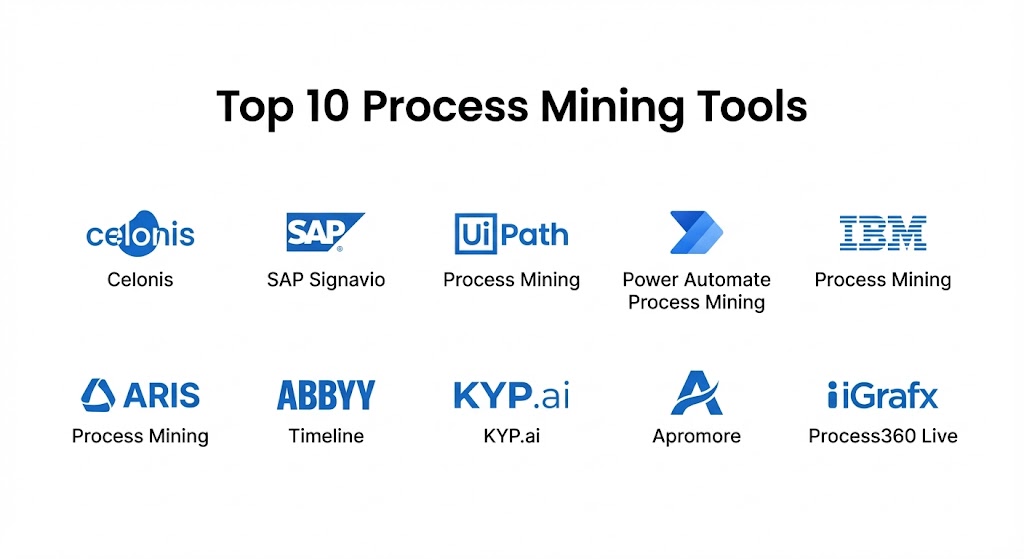
Top 10 Process Mining Tools
1 — Celonis
Celonis is the undisputed category leader and pioneer of the “Execution Management System” (EMS). In 2026, it remains the benchmark for enterprise-wide process intelligence, known for its massive ecosystem and the powerful “Celocore” engine.
- Key features:
- Process Intelligence Graph: A living digital twin that connects data across the entire organization.
- Object-Centric Process Mining (OCPM): Allows analysis of complex, interrelated entities like orders and invoices simultaneously.
- Action Engine: AI-powered triggers that notify employees or execute automations when inefficiencies are detected.
- Transformation Hub: Quantifies the financial impact of process improvements in real-time.
- App Store: Hundreds of pre-built connectors and process-specific apps (Accounts Payable, Procurement).
- Pros:
- Unmatched analytical depth and ability to handle petabyte-scale data.
- Extensive library of pre-built content significantly reduces “time-to-value.”
- Cons:
- Extremely high cost; often requires six-figure investments.
- Complex implementation that usually necessitates specialized consultants or a dedicated Center of Excellence (CoE).
- Security & compliance: SOC 2 Type II, ISO 27001, GDPR, and HIPAA compliant. Includes advanced SSO and audit logging.
- Support & community: World-class “Celonis Academy,” a massive global partner network, and 24/7 enterprise-grade support.
2 — SAP Signavio
Since its acquisition by SAP, Signavio has evolved into the “SAP Process Transformation Suite.” It is the natural choice for any organization running an SAP-centric landscape looking to migrate to S/4HANA or optimize existing workflows.
- Key features:
- Process Intelligence: Native, deep-level connectivity to SAP ERP data structures.
- Collaboration Hub: A “social” layer where business users can comment on and share process models.
- Process Insights: Plug-and-play connectivity that delivers instant KPIs for common SAP processes.
- Journey Modeler: Connects internal process data with external customer experience (CX) journeys.
- Simulation Engine: Test “what-if” scenarios before changing real-world configurations.
- Pros:
- The most seamless fit for SAP environments; minimal data engineering required for SAP data.
- Strong focus on “Business-IT alignment,” making the insights accessible to non-technical managers.
- Cons:
- While it supports non-SAP data, the experience is noticeably less “plug-and-play.”
- Some users find the reporting features less customizable than standalone competitors.
- Security & compliance: Fully aligned with SAP’s global trust standards (ISO, SOC, GDPR).
- Support & community: Integrated into the SAP support ecosystem; large global user base.
3 — UiPath Process Mining
Formerly known as ProcessGold, UiPath has fully integrated process mining into its “Agentic Automation” platform. It is designed to create a “closed-loop” system where mining discovers the automation opportunities that RPA bots then execute.
- Key features:
- Continuous Discovery: Monitors processes in real-time to find new automation candidates.
- Automation Hub Integration: One-click transfer of discovery insights into the automation pipeline.
- Actionable Insights: Detects deviations and can automatically trigger a UiPath bot to fix the error.
- Custom Tags: Allows users to mark specific process variants for detailed financial analysis.
- Low-Code Editor: A visual environment for building custom process dashboards.
- Pros:
- Best-in-class integration for organizations already using UiPath for RPA.
- Fastest path from “insight to action” via automated bot triggers.
- Cons:
- Less powerful than Celonis for deep “Object-Centric” analysis in non-RPA use cases.
- Requires the broader UiPath platform to unlock its full strategic value.
- Security & compliance: SOC 2, GDPR, and ISO-aligned controls.
- Support & community: Massive global community of RPA developers and a highly active forum.
4 — Microsoft Power Automate Process Mining
Formerly Minit, Microsoft’s entry into the space has disrupted the market by making process mining accessible to any organization with an Azure or Microsoft 365 subscription.
- Key features:
- Power BI Integration: Native ability to export process maps directly into Power BI for executive reporting.
- Root Cause Analysis: AI-powered breakdown of which factors (region, vendor, time) contribute to delays.
- Desktop Recorder: Combines task mining (user actions) with process mining (system logs).
- Pre-built Templates: Quick-start models for Finance and Supply Chain.
- Azure Scalability: Leverages the global cloud infrastructure of Azure for data processing.
- Pros:
- The most familiar interface for business analysts already comfortable with Microsoft tools.
- Significantly lower entry price point compared to specialized enterprise competitors.
- Cons:
- Advanced “Object-Centric” features are still maturing compared to Celonis.
- Primarily focused on the Microsoft ecosystem; third-party ERP connectors can require more effort.
- Security & compliance: Backed by Microsoft Azure’s industry-leading compliance stack (HIPAA, FedRAMP, GDPR).
- Support & community: Extensive documentation and the massive Microsoft Power Platform community.
5 — IBM Process Mining
IBM entered the fray via the acquisition of myInvenio. It is a core component of the IBM Cloud Pak for Business Automation, focusing heavily on predictive simulation and AI-driven ROI calculation.
- Key features:
- Digital Twin of an Organization (DTO): Creates a comprehensive virtual model to test operational changes.
- Automated Process Discovery: Rapidly generates BPMN models from raw event logs.
- Simulation & ROI Prediction: Quantifies the exactly how much time and money a change will save.
- Task Mining Integration: Captures manual desktop work to fill the gaps in system logs.
- Multi-Level Process Mining: Analyzes processes that cross multiple legacy systems.
- Pros:
- Excellent for regulated industries (Banking, Government) due to IBM’s focus on governance.
- Strong prescriptive AI that tells you how to fix a process, not just what is wrong.
- Cons:
- Can feel “technical” and developer-heavy compared to “business-first” tools like Signavio.
- The licensing structure can be complex when bundled with other IBM automation tools.
- Security & compliance: FIPS 140-2, SOC 2, HIPAA, and GDPR compliant.
- Support & community: Enterprise-grade support from IBM and a vast network of global consultants.
6 — ARIS Process Mining (Software AG)
ARIS has been a name in the BPM space for decades. Its process mining tool is designed for organizations that want to integrate mining with deep business process modeling and GRC (Governance, Risk, and Compliance).
- Key features:
- Live Strategy-to-Execution: Connects high-level strategic goals directly to operational process data.
- Conformance Checking: Automatically compares “as-is” data against the “should-be” models defined in ARIS.
- Contextual Process Intelligence: Blends process data with risk and control information.
- Sustainability Mining: Specialized KPIs for tracking ESG (Environmental, Social, and Governance) impact.
- Pros:
- Unrivaled for Governance, Risk, and Compliance (GRC) use cases.
- Perfect for organizations that already use ARIS for process documentation and modeling.
- Cons:
- The interface can feel “traditional” and less agile than modern SaaS-first startups.
- High learning curve for users who are not already familiar with the ARIS ecosystem.
- Security & compliance: ISO 27001, SOC 2, and GDPR compliant.
- Support & community: Strong corporate support and a mature network of professional service partners.
7 — ABBYY Timeline
ABBYY Timeline differentiates itself by focusing on “Document-Centric” processes and utilizing advanced AI to analyze timelines where the sequence of events is highly variable, such as in Healthcare or Insurance claims.
- Key features:
- Process Schema Mapping: Visualizes the “DNA” of a process to find patterns across thousands of cases.
- Predictive Alerting: Uses machine learning to predict when a case is likely to miss an SLA before it happens.
- Query Tool: A powerful engine to ask specific questions of your process data without writing code.
- OCR Integration: Leverages ABBYY’s world-leading OCR to turn paper documents into process data.
- Pros:
- The best choice for processes that are heavily reliant on unstructured data or documents.
- Very fast deployment for specific use cases like Insurance and Healthcare.
- Cons:
- Less focus on the “Execution Management” (triggering actions) found in Celonis.
- Visualization options are specialized for timelines and may feel less familiar to general BI users.
- Security & compliance: SOC 2 Type II, GDPR, and HIPAA compliant.
- Support & community: High-quality documentation and a growing partner ecosystem in the IDP space.
8 — KYP.ai
A rising star in the 2026 market, KYP.ai focuses on “Productivity Intelligence.” It is a modern, agile platform that combines process, task, and performance mining to give a holistic view of hybrid work.
- Key features:
- 360-Degree Work View: Correlates system logs with desktop activity and employee performance data.
- Agentic AI Enabler: Generates production-ready agent code based on discovered work patterns.
- Instant ROI Calculator: Real-time visibility into the savings generated by process changes.
- Conversational Insights: Users can ask the tool questions in plain English to generate reports.
- Pros:
- Extremely fast “time-to-insight” (often within 2 weeks).
- Ideal for modern, hybrid work environments where manual desktop work is significant.
- Cons:
- Smaller brand presence and partner ecosystem compared to the legacy “Big Three.”
- Focused more on “Work Intelligence” than deep, multi-system ERP mining.
- Security & compliance: SOC 2, GDPR, and ISO-standard data centers.
- Support & community: Responsive, engineering-led support and a focused user group.
9 — Apromore
Apromore is the open-source alternative that has matured into a powerful enterprise contender. It is founded by leading academics in the process mining field and prioritizes algorithmic transparency and flexibility.
- Key features:
- Open-Core Architecture: Provides high transparency into the algorithms used for process discovery.
- Predictive Monitoring: Real-time dashboards that forecast process completion times.
- Advanced Simulation: One of the most sophisticated simulation engines for testing process redesigns.
- Interactive Filtering: Allows for extremely granular “slicing and dicing” of event logs.
- Pros:
- Significantly lower licensing costs than proprietary enterprise platforms.
- Highest degree of academic and algorithmic credibility.
- Cons:
- Requires more “hands-on” configuration than the “packaged” apps of Celonis or Signavio.
- Smaller library of out-of-the-box ERP connectors.
- Security & compliance: GDPR compliant; supports standard enterprise security (SSO, Encryption).
- Support & community: Active open-source community and professional support via Apromore Pty Ltd.
10 — iGrafx Process360 Live
iGrafx has long been a leader in process modeling, and its Process360 Live platform provides a comprehensive, end-to-end environment for the entire BPM lifecycle.
- Key features:
- Process Design & Simulation: Seamlessly moves from mining discovery to visual redesign.
- Predictive Analytics: AI-based forecasting for operational planning.
- Automation Prioritization: Scores processes based on ease of automation and potential ROI.
- Compliance Framework: Links process maps directly to internal controls and external regulations.
- Pros:
- Excellent for organizations that want a “one-stop-shop” for mining, modeling, and management.
- Strong focus on “Digital Twin of the Organization” (DTO) capabilities.
- Cons:
- The mining engine, while capable, is sometimes viewed as less “standalone powerful” than Celonis.
- Can be complex to navigate for teams only looking for simple process discovery.
- Security & compliance: SOC 2, GDPR, and HIPAA compliant.
- Support & community: Long-standing, professional customer support and a global user base.
Comparison Table
| Tool Name | Best For | Platform(s) Supported | Standout Feature | Rating (Gartner/Peer) |
| Celonis | Global Enterprises | Cloud / On-Prem | Process Intelligence Graph | 4.8 / 5 |
| SAP Signavio | SAP Environments | Cloud (SaaS) | Deep SAP Native Connectors | 4.6 / 5 |
| UiPath PM | RPA/Automation Teams | Cloud / Desktop | Closed-loop Bot Integration | 4.5 / 5 |
| Microsoft PM | Microsoft Ecosystem | Azure / Cloud | Power BI Integration | 4.6 / 5 |
| IBM PM | Regulated Industries | Hybrid Cloud | Prescriptive AI Simulations | 4.7 / 5 |
| ARIS PM | GRC & Strategy | Cloud / On-Prem | Strategy-to-Execution Link | 4.4 / 5 |
| ABBYY Timeline | Document-Centric | Cloud (SaaS) | DNA-style Process Schema | 4.4 / 5 |
| KYP.ai | Hybrid Work / Speed | Cloud (SaaS) | Agentic AI Code Gen | 4.8 / 5 |
| Apromore | Academic Precision | Cloud / Self-host | Open-Core Transparency | 4.5 / 5 |
| iGrafx | BPM Lifecycle | Cloud (SaaS) | Unified Discovery & Design | 4.4 / 5 |
Evaluation & Scoring of Process Mining Tools
To assist in the selection process, we have developed a weighted scoring rubric based on the primary requirements of modern digital transformation teams.
| Criteria | Weight | Evaluation Rationale |
| Core Features | 25% | Discovery, conformance checking, and multi-object mining. |
| Ease of Use | 15% | Intuitive UI, natural language queries, and onboarding. |
| Integrations | 15% | Breadth of pre-built ERP/CRM connectors (SAP, Oracle, etc). |
| Security & Compliance | 10% | Adherence to GDPR, HIPAA, and enterprise data encryption. |
| Performance | 10% | Processing speed of large datasets and real-time capability. |
| Support & Community | 10% | Quality of documentation, forums, and partner services. |
| Price / Value | 15% | Total cost of ownership versus expected ROI and time-to-value. |
Which Process Mining Tool Is Right for You?
Solo Users vs SMB vs Mid-market vs Enterprise
If you are a solo consultant or part of a very small business, Microsoft Power Automate Process Mining is the most logical entry point due to its low cost and integration with Excel. For SMBs and Mid-market firms looking for rapid results, KYP.ai or Apromore provide excellent agility. Global Enterprises requiring high-end governance and complex cross-system mining must choose between the “Heavy Hitters”: Celonis, SAP Signavio, or IBM.
Budget-conscious vs Premium Solutions
If you are budget-conscious, Apromore (Open Core) and Microsoft provide the most power per dollar. However, if your goal is an organization-wide transformation with millions in potential savings, the Premium pricing of Celonis or Signavio is often justified by the pre-built content and high-end support that accelerates the project by months.
Feature Depth vs Ease of Use
If you prioritize Ease of Use and want business analysts to handle the tool, Signavio and KYP.ai are designed with a “business-first” philosophy. If you need Feature Depth (e.g., you are building a custom Process Digital Twin or need to write custom mining algorithms), Apromore or Celonis provide the technical depth required for experts.
Integration and Scalability Needs
If your primary concern is Integration with a specific vendor, always go “Native” where possible: Signavio for SAP, UiPath for RPA, and ServiceNow (not on the list but relevant) for ITSM. For Scalability across dozens of heterogeneous systems (Oracle, Salesforce, and custom SQL databases), Celonis remains the gold standard for multi-system orchestration.
Frequently Asked Questions (FAQs)
1. Is process mining the same as process mapping?
No. Process mapping is a manual exercise where people draw how they think a process works. Process mining is an automated exercise where software discovers how the process actually works using digital data logs.
2. Does process mining require high-quality data?
Yes. “Garbage in, garbage out” applies here. However, modern tools like Celonis and IBM include advanced data cleansing features to help handle imperfect system logs.
3. Is process mining a one-time project?
It shouldn’t be. While it can be used for a one-time audit, the highest value is found in “Continuous Improvement,” where the tool monitors processes 24/7 to catch new inefficiencies as they arise.
4. How long does a process mining implementation take?
For a specific use case (like Accounts Payable), it can take 2-4 weeks. An enterprise-wide rollout can take 6 months to a year.
5. What is “Object-Centric Process Mining” (OCPM)?
Standard mining looks at one “case” at a time. OCPM looks at multiple interacting objects (e.g., how an order, a shipment, and a payment interact), which is much more accurate for complex real-world supply chains.
6. Can process mining help with compliance?
Absolutely. It provides an immutable audit trail of every single transaction, making it easy to identify “maverick buying” or unauthorized deviations from standard procedures.
7. Do I need a data scientist to use these tools?
Not anymore. In 2026, most tools feature “Natural Language” interfaces (like KYP.ai and Celonis) that allow business analysts to ask questions and get answers without writing code.
8. What is the difference between process mining and task mining?
Process mining analyzes system-level logs (ERP data). Task mining captures what people do on their desktops (clicks, copy-pastes) to understand the manual steps between system events.
9. Can process mining reduce costs?
Yes. By identifying “rework” loops and bottlenecks, organizations typically see 10-30% operational cost reductions in optimized processes.
10. Is my data secure in the cloud?
Top vendors use bank-level encryption and comply with all major regulations. However, for highly sensitive sectors, IBM and Apromore offer robust on-premises or “private cloud” hosting options.
Conclusion
The selection of a Process Mining tool in 2026 is no longer a search for a software product; it is a search for a Strategic Transformation Partner. The “best” tool depends entirely on your existing technology stack and your specific business goals.
If you are an SAP shop, SAP Signavio is your strongest ally. If you are focused on hyper-automation, UiPath is the clear winner. And if you are a global enterprise looking to build a comprehensive digital twin, Celonis remains the platform to beat. Ultimately, the power of process mining is not in the maps it draws, but in the clarity it provides—allowing you to stop guessing and start executing based on the hard facts of your data.