Introduction
Policy as Code is the practice of managing and enforcing rules, security guardrails, and compliance requirements through machine-readable code rather than manual checklists or static documents. By codifying policies, organizations can integrate governance directly into their CI/CD pipelines, ensuring that every piece of infrastructure is validated before it is ever deployed.
At its core, a Policy as Code tool consists of a policy engine that evaluates structured data (like JSON or YAML) against a set of predefined rules written in a declarative language. This automation eliminates human error, provides an immutable audit trail, and allows security teams to move at the speed of development. Key real-world use cases include preventing the deployment of publicly accessible S3 buckets, enforcing resource limits in Kubernetes pods, and ensuring that all Terraform-managed infrastructure follows corporate security standards.
When evaluating PaC tools, users should prioritize language flexibility (e.g., Rego vs. YAML), integration depth with existing DevOps toolchains, the breadth of pre-built policy libraries, and the performance of the evaluation engine during high-frequency deployment cycles.
Best for: DevOps engineers, security architects, and compliance officers in mid-sized to large enterprises. It is particularly beneficial for organizations utilizing Kubernetes, multi-cloud environments, or high-frequency CI/CD pipelines where manual oversight is a bottleneck.
Not ideal for: Small teams with static, low-complexity infrastructure or companies that lack version control processes. For these users, basic cloud-native dashboards or manual reviews may be sufficient without the overhead of learning a new policy language.
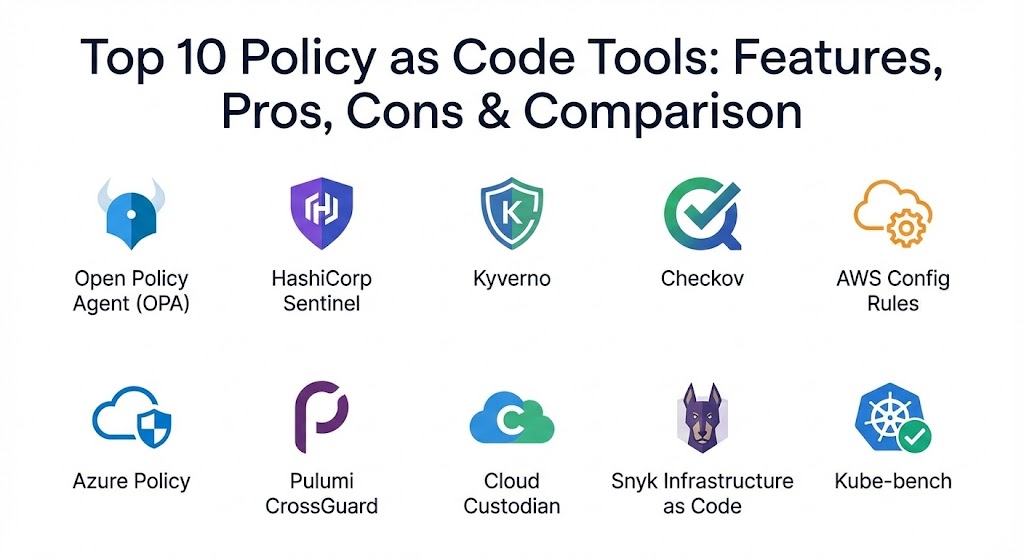
Top 10 Policy as Code Tools
1 — Open Policy Agent (OPA)
Open Policy Agent (OPA) is the industry-leading, general-purpose policy engine that has unified policy enforcement across the entire cloud-native stack. It uses a high-level declarative language called Rego.
- Key features:
- General-purpose engine that works with Kubernetes, Terraform, APIs, and microservices.
- Uses Rego, a powerful and expressive declarative policy language.
- Decouples policy decision-making from application and infrastructure logic.
- Supports sidecar, daemon, and library deployment models.
- Extensive ecosystem with hundreds of integrations (Envoy, Istio, Kafka, etc.).
- Integrated testing framework to validate policies before deployment.
- Pros:
- Unmatched flexibility; once you learn Rego, you can apply it to any layer of the stack.
- Massive community support and a wide range of open-source policy libraries.
- Cons:
- Rego has a steep learning curve for those not familiar with Datalog-inspired languages.
- Troubleshooting complex nested policies can be difficult without advanced tooling.
- Security & compliance: SOC 2, HIPAA, GDPR, and ISO compliant when integrated with management platforms like Styra. Supports full audit logging and fine-grained RBAC.
- Support & community: Exceptional documentation, active CNCF community, and enterprise support available through vendors like Styra.
2 — HashiCorp Sentinel
Sentinel is an embedded policy-as-code framework integrated into the HashiCorp enterprise stack. it provides “policy-at-plan” capabilities for Terraform, Vault, and Consul.
- Key features:
- Deeply embedded in Terraform Cloud, Terraform Enterprise, Vault, and Consul.
- Fine-grained policy enforcement at the “plan” and “apply” stages.
- Multiple enforcement levels: Advisory, Soft-mandatory, and Hard-mandatory.
- Integration with external information sources via Sentinel Runtimes.
- Version control integration for policy-set management.
- Built-in policy testing and simulation framework.
- Pros:
- Seamless experience for teams already invested in the HashiCorp ecosystem.
- The enforcement levels allow for a graceful transition to strict compliance.
- Cons:
- Proprietary and locked into HashiCorp Enterprise/Cloud products.
- Not a general-purpose engine; it cannot easily be used for application-level logic outside the stack.
- Security & compliance: FIPS 140-2, SOC 2, and GDPR compliant. Includes detailed audit logs and policy-override tracking.
- Support & community: Robust enterprise support from HashiCorp; documentation is high-quality, though the community is smaller than OPA’s.
3 — Kyverno
Kyverno is a Kubernetes-native policy engine that allows users to manage policies without learning a new language. It uses familiar YAML syntax for policy definitions.
- Key features:
- Policies are defined as Kubernetes resources (CRDs) in YAML.
- Supports validation, mutation, and generation of Kubernetes resources.
- Native integration with
kubectl, Helm, and GitOps tools like ArgoCD. - Ability to verify container image signatures using Cosign.
- Background scanning for existing resources that drift from policy.
- No sidecar or external service required; it runs as a standard admission controller.
- Pros:
- Zero learning curve for Kubernetes admins already comfortable with YAML.
- Powerful “generation” feature can automatically create resources (like NetworkPolicies) for new namespaces.
- Cons:
- Limited to Kubernetes; cannot be used to manage Terraform or application-level APIs.
- YAML logic can become verbose and difficult to manage for extremely complex conditions.
- Security & compliance: Native support for admission control audit logs; supports GDPR and HIPAA guardrails within clusters.
- Support & community: Active CNCF incubating project; excellent documentation and a growing library of pre-built policies.
4 — Checkov
Checkov is a popular static code analysis tool for infrastructure as code (IaC). It scans configurations to find security and compliance misconfigurations before they reach production.
- Key features:
- Scans Terraform, CloudFormation, Kubernetes, Dockerfile, and Serverless frameworks.
- Over 1,000+ built-in policies covering industry benchmarks (CIS, AWS Foundational).
- Integrated with Bridgecrew (Prisma Cloud) for centralized management.
- Supports custom policies written in Python or YAML.
- Easy integration into CI/CD pipelines (GitHub Actions, GitLab CI).
- Output includes actionable remediation advice.
- Pros:
- Extremely fast and easy to run locally or in a pipeline.
- Built-in support for “suppressions” allows teams to manage false positives effectively.
- Cons:
- Primarily a “static” scanner; it does not evaluate the state of running resources.
- Advanced governance features require a Bridgecrew/Prisma Cloud subscription.
- Security & compliance: SOC 2, HIPAA, and PCI DSS benchmarks built-in.
- Support & community: Strong open-source community; enterprise support provided by Palo Alto Networks (Prisma Cloud).
5 — AWS Config Rules
AWS Config is a fully managed service that provides a resource inventory, configuration history, and configuration change notifications to enable security and governance.
- Key features:
- Continuous monitoring and recording of AWS resource configurations.
- Predefined “Managed Rules” for common compliance scenarios.
- Support for “Custom Rules” authored in Lambda (using Java, Python, etc.).
- Automated remediation using AWS Systems Manager documents.
- Multi-account, multi-region data aggregation.
- Visual timeline of resource changes for auditing.
- Pros:
- Agentless and native to AWS; no infrastructure to manage.
- Excellent for retroactive auditing and understanding the “history” of a resource.
- Cons:
- Locked to the AWS platform.
- Costs can scale quickly if monitoring a high volume of frequent resource changes.
- Security & compliance: Fully compliant with FedRAMP, HIPAA, and GDPR. Integrated with AWS IAM for access control.
- Support & community: Standard AWS enterprise support; extensive AWS documentation and blueprints.
6 — Azure Policy
Azure Policy is a service in Microsoft Azure used to create, assign, and manage policies that enforce different rules over your resource configurations.
- Key features:
- Built-in policy definitions and initiatives (groups of policies).
- Real-time enforcement and compliance assessment.
- Remediates existing resources that are non-compliant.
- Integrated with Azure Blueprints and Azure Landing Zones.
- Support for Kubernetes clusters via Azure Policy Add-on (Gatekeeper).
- Comprehensive compliance dashboard.
- Pros:
- Deeply integrated into the Azure Resource Manager (ARM) layer.
- No additional cost for Azure resources (included in the platform).
- Cons:
- Specific to Azure and Azure Arc-managed environments.
- Authoring custom policies in JSON can be cumbersome and error-prone.
- Security & compliance: SOC 1/2/3, ISO 27001, and HIPAA compliant.
- Support & community: Microsoft enterprise support; extensive documentation and Azure community support.
7 — Pulumi CrossGuard
Pulumi CrossGuard is a Policy as Code framework that allows you to write policies in general-purpose programming languages like TypeScript, Python, and Go.
- Key features:
- Policies are written in real programming languages (not DSLs).
- Enforces policies during
pulumi previewandpulumi up. - Supports both “Advisory” and “Mandatory” enforcement levels.
- Built-in support for common cloud benchmarks.
- Integrated with the Pulumi Cloud for central policy management.
- Reusable policy packs that can be shared across organizations.
- Pros:
- Ideal for developers who prefer the power of a full programming language.
- Allows for complex logic, loops, and external API calls within policy checks.
- Cons:
- Requires the use of Pulumi for infrastructure management; not compatible with Terraform.
- Testing and debugging require knowledge of the underlying language stack.
- Security & compliance: SOC 2 Type II, audit logs, and enterprise identity integration (SSO).
- Support & community: Growing community; direct support available for Pulumi Enterprise and Business customers.
8 — Cloud Custodian
Cloud Custodian is an open-source “rules engine” for cloud security and governance. It allows users to define policies in a human-readable YAML format.
- Key features:
- Supports AWS, Azure, and Google Cloud Platform.
- Uses a DSL based on YAML to filter and act on resources.
- Policy actions include tagging, stopping, encrypting, or deleting resources.
- Highly efficient execution using serverless (AWS Lambda) or CLI.
- Real-time enforcement via CloudWatch Events/EventBridge.
- Extensive documentation on resource filters and actions.
- Pros:
- One of the best tools for automated remediation (e.g., “kill any unencrypted RDS”).
- Multi-cloud support from a single engine.
- Cons:
- The YAML DSL, while readable, has its own learning curve for specific resource filters.
- Primarily focused on “post-deployment” remediation rather than “pre-deployment” blocking.
- Security & compliance: Varies by deployment; supports SOC 2 and HIPAA compliance frameworks.
- Support & community: Strong community-driven development; no formal enterprise support (primarily community/StackOverflow).
9 — Snyk Infrastructure as Code
Snyk IaC is a developer-friendly tool designed to find and fix security issues in IaC templates early in the development lifecycle.
- Key features:
- Scans Terraform, Kubernetes, CloudFormation, and Azure ARM.
- Direct integration with IDEs (VS Code, IntelliJ) and Git providers.
- Provides specific remediation snippets for developers.
- Drift detection between IaC templates and running cloud environments.
- Unified policy engine shared across the Snyk security platform.
- Rich reporting on security posture and compliance.
- Pros:
- Excellent developer experience; treats IaC security like a standard linting error.
- High-quality vulnerability database with detailed explanations.
- Cons:
- Focused on security misconfigurations; less flexible for custom operational “guardrails.”
- Advanced features are part of a paid platform subscription.
- Security & compliance: SOC 2, GDPR, and ISO 27001 compliant.
- Support & community: Premium support for enterprise customers; very active security research community.
10 — Kube-bench
Kube-bench is a specialized tool that checks whether Kubernetes is deployed securely by running the checks documented in the CIS Kubernetes Benchmark.
- Key features:
- Automated checks against CIS Kubernetes Benchmarks.
- Supports multiple versions of Kubernetes (GKE, EKS, AKS, OpenShift).
- Provides clear pass/fail results with remediation steps.
- Runs as a container or as a standalone binary on nodes.
- Configurable via YAML files to include/exclude specific tests.
- Lightweight and easy to integrate into security audits.
- Pros:
- The definitive tool for validating the security of the Kubernetes control plane.
- Fast, focused, and produces industry-standard compliance reports.
- Cons:
- Limited scope; only checks the cluster configuration, not the workloads or network policies.
- Does not provide real-time enforcement; it is an auditing tool.
- Security & compliance: Directly maps to CIS Benchmarks, which are used for PCI DSS and HIPAA audits.
- Support & community: Maintained by Aqua Security; very active community and industry-wide adoption.
Comparison Table
| Tool Name | Best For | Platform(s) Supported | Standout Feature | Rating (Gartner/TrueReview) |
| Open Policy Agent | Universal Governance | K8s, Terraform, APIs, App | Rego (General Purpose) | 4.7 / 5 |
| HashiCorp Sentinel | HashiCorp Ecosystem | Terraform, Vault, Consul | Policy-at-Plan | 4.5 / 5 |
| Kyverno | K8s Native Teams | Kubernetes | YAML-Native Policies | 4.8 / 5 |
| Checkov | Static IaC Scanning | Terraform, K8s, Cloud | 1,000+ Built-in Rules | 4.6 / 5 |
| AWS Config Rules | AWS Compliance | AWS Only | Native Auto-Remediation | 4.4 / 5 |
| Azure Policy | Azure Governance | Azure, Azure Arc | Platform Integration | 4.5 / 5 |
| Pulumi CrossGuard | Developer-Led Teams | Pulumi (IaC) | General Purpose Languages | 4.6 / 5 |
| Cloud Custodian | Automated Remediation | Multi-Cloud (AWS/AZ/GCP) | YAML Action Engine | 4.3 / 5 |
| Snyk IaC | DevSecOps / Shift-Left | Terraform, K8s, Cloud | Remediation Snippets | 4.8 / 5 |
| Kube-bench | K8s Security Audit | Kubernetes Clusters | CIS Benchmark Mapping | N/A |
Evaluation & Scoring of Policy as Code Tools
We evaluated these tools based on a weighted rubric reflecting the needs of a modern enterprise in 2026.
| Criterion | Weight | Evaluation Highlights |
| Core Features | 25% | Presence of declarative languages, mutation/validation support, and remediation. |
| Ease of Use | 15% | Complexity of the language (YAML vs Rego) and quality of the authoring tools. |
| Integrations | 15% | Breadth of ecosystem, CI/CD support, and cloud-native hooks. |
| Security & Compliance | 10% | Pre-built benchmarks (CIS, HIPAA), audit logging, and encryption. |
| Performance | 10% | Latency during admission control and speed of large-scale IaC scanning. |
| Support & Community | 10% | GitHub activity, documentation depth, and availability of enterprise SLAs. |
| Price / Value | 15% | Open-source availability vs. cost of managed enterprise governance. |
Which Policy as Code Tool Is Right for You?
Solo Users vs. SMB vs. Enterprise
- Solo Users: Start with Checkov or Kube-bench. They are free, fast, and provide immediate value by pointing out common mistakes in your templates or clusters.
- SMBs: Focus on tools with low maintenance. DNSFilter or Cloudflare Gateway are ideal for web filtering, but for PaC, Kyverno (if on K8s) or Snyk IaC (if using standard IaC) offer the best effort-to-reward ratio.
- Enterprise: You need a unified control plane. Open Policy Agent (OPA) is the industry standard for a reason—it scales across the whole organization. If you are deeply invested in a single provider, Sentinel (HashiCorp) or AWS Config are often the “path of least resistance.”
Budget-Conscious vs. Premium
If budget is the primary constraint, the CNCF-backed open-source projects (OPA, Kyverno, Cloud Custodian) provide world-class power for free. Premium solutions like Bridgecrew, Styra, or Pulumi Business are worth the cost when the value of central visibility and technical support outweighs the price tag.
Feature Depth vs. Ease of Use
If you want the most power, OPA is unbeatable, but you must invest in learning Rego. If you want ease of use and are working strictly within Kubernetes, Kyverno wins every time because of its YAML-native design.
Frequently Asked Questions (FAQs)
1. What is the difference between Policy as Code and Infrastructure as Code? IaC (Infrastructure as Code) like Terraform defines what resources should be created. PaC (Policy as Code) defines the rules and guardrails that those resources must follow (e.g., “all servers must be encrypted”).
2. Can Policy as Code slow down development? Initially, it might, but it actually speeds up development in the long run. By shifting security “left” into the CI/CD pipeline, developers find out about errors immediately rather than waiting for a security audit weeks later.
3. Is Rego the only language used for Policy as Code? No. While OPA uses Rego, other tools use YAML (Kyverno), JSON (Azure Policy), Python (Checkov/Cloud Custodian), or even general-purpose languages like TypeScript (Pulumi).
4. Can I use these tools for compliance audits (SOC 2, HIPAA)? Yes. PaC tools provide an immutable record of policy enforcement, which is exactly what auditors look for to prove that technical controls are consistently applied.
5. Do I need Kubernetes to use Policy as Code? No. While PaC is very popular in Kubernetes (via OPA Gatekeeper or Kyverno), it is equally important for cloud infrastructure (Terraform/Sentinel) and application authorization.
6. Can I automatically fix misconfigurations? Yes. Tools like Cloud Custodian and Kyverno have “remediation” or “mutation” features that can automatically correct a resource (e.g., adding a missing tag or setting an S3 bucket to private).
7. How do I test my policies? Most mature PaC tools, such as OPA and Sentinel, include integrated testing frameworks that allow you to write unit tests for your policies before you apply them to production environments.
8. What is “Admission Control” in the context of PaC? In Kubernetes, an Admission Controller is a piece of code that intercepts requests to the Kubernetes API server. OPA and Kyverno act as admission controllers to permit or deny a resource creation request based on policy.
9. Is it better to block deployments or just alert on violations? It depends on the severity. Most tools allow for “Advisory” (alert only) and “Mandatory” (block) settings. It is best practice to start with alerts and move to blocking once the policy is tuned.
10. What are the common mistakes when starting with PaC? The biggest mistake is trying to codify everything at once. Start with the “Top 5” security risks (e.g., public data, unencrypted disks) and build from there as your team becomes comfortable with the language.
Conclusion
Policy as Code is no longer a “nice-to-have” for high-performing teams; it is the cornerstone of scalable governance. The “best” tool for your organization depends on your existing ecosystem. If you are a Kubernetes-pure shop, Kyverno is the logical choice. If you need a universal standard that works across every layer of your architecture, Open Policy Agent is the gold standard. Regardless of the tool, the shift from manual checklists to automated, version-controlled policy is a massive step forward for security and reliability.
Policy as Code now uses automated, version-controlled guardrails to catch misconfigurations early. The contrast between OPA’s universal reach and Pulumi’s developer-focused approach highlights the “shift left” security trend. This guide is a solid resource for maintaining compliance without slowing down your CI/CD pipeline.