Introduction
Platform-as-a-Service (PaaS) is a category of cloud computing services that provides a platform allowing customers to develop, run, and manage applications without the complexity of building and maintaining the infrastructure typically associated with the process. Think of it as a “sandbox” that comes equipped with all the tools, middleware, and operating systems necessary to bring an idea to life. By abstracting the hardware layer, PaaS allows teams to focus entirely on code and user experience.
The importance of PaaS lies in its ability to dramatically shorten the software development lifecycle (SDLC). Key real-world use cases include building and deploying web applications, hosting APIs, managing microservices, and facilitating collaborative development across global teams. When evaluating PaaS tools, users should look for multi-language support (polyglot runtimes), automatic scaling capabilities, integrated CI/CD pipelines, and robust security protocols. As we move further into 2026, the integration of AI-assisted coding and serverless architectures has become a standard expectation in this category.
Best for: Software developers, DevOps teams, and startups that need to launch products quickly. It is also ideal for large enterprises looking to modernize legacy applications or build internal tools without expanding their infrastructure management teams.
Not ideal for: Organizations with highly specialized hardware requirements, businesses that require deep kernel-level OS access, or extremely cost-sensitive projects where the overhead of a managed platform outweighs the time-saving benefits of IaaS (Infrastructure-as-a-Service).
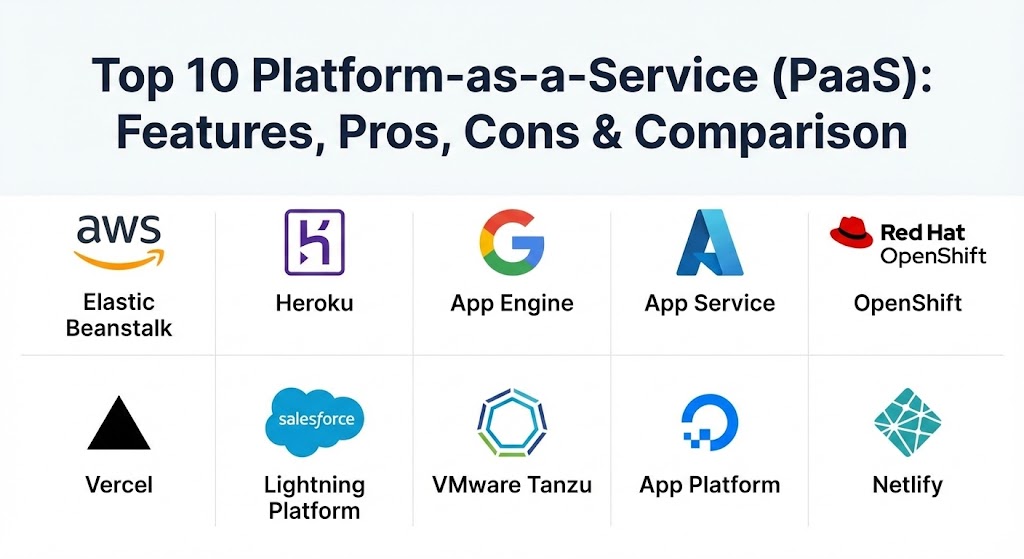
Top 10 Platform-as-a-Service (PaaS) Tools
1 — AWS Elastic Beanstalk
AWS Elastic Beanstalk is an easy-to-use service for deploying and scaling web applications and services developed with Java, .NET, PHP, Node.js, Python, Ruby, Go, and Docker. It leverages the power of the Amazon Web Services ecosystem while providing a simplified management layer.
- Key features:
- Automatic resource provisioning and load balancing.
- Support for a wide range of platforms and languages.
- Integrated health monitoring and logging via CloudWatch.
- Multiple deployment policies (Blue/Green, Rolling, Immutable).
- Seamless integration with RDS, S3, and other AWS services.
- Managed platform updates and security patching.
- Pros:
- Provides the fastest way to get an app running on the AWS infrastructure.
- Offers “full control” mode where you can still tweak the underlying EC2 instances.
- Cons:
- The UI can feel cluttered due to the massive scale of the AWS Console.
- Fine-tuning complex network configurations still requires some AWS expertise.
- Security & compliance: ISO, PCI, SOC 1/2/3, HIPAA eligible, and FIPS 140-2 compliant.
- Support & community: Backed by the world’s largest cloud community; extensive documentation and premium enterprise support options.
2 — Heroku (by Salesforce)
Heroku is a pioneer in the PaaS space, famous for its “git push heroku main” simplicity. It is designed to give developers the smoothest experience possible, removing almost all operational friction.
- Key features:
- “Dynos” (isolated containers) that scale with a simple slider.
- Heroku Add-ons marketplace for one-click database and tool integration.
- Review Apps that spin up unique environments for every pull request.
- Heroku Pipelines for integrated CI/CD workflows.
- Support for Ruby, Java, Node.js, Python, Go, and PHP.
- Built-in logging and metrics dashboards.
- Pros:
- Unrivaled developer experience; focuses purely on the “code-to-URL” path.
- The Add-ons ecosystem is the most mature and extensive in the market.
- Cons:
- Can become significantly more expensive than competitors as you scale.
- Lacks some of the granular infrastructure control found in AWS or Azure.
- Security & compliance: SOC 2 Type II, ISO 27001, HIPAA (Enterprise plans), and GDPR.
- Support & community: Strong documentation and a massive library of community-built buildpacks and tutorials.
3 — Google App Engine (GAE)
Google App Engine is a fully managed, serverless platform for developing and hosting web applications at scale. It allows developers to build highly scalable apps using Google’s world-class infrastructure.
- Key features:
- Automatic scaling from zero to thousands of instances.
- Support for popular languages and custom Docker runtimes.
- Integrated Google Cloud logging and monitoring.
- Traffic splitting for A/B testing and canary releases.
- Managed SSL certificates and firewall rules.
- Tight integration with Google’s AI and Big Data tools (BigQuery, Vertex AI).
- Pros:
- Extremely reliable and fast global edge network.
- The “Standard Environment” offers a generous free tier for small projects.
- Cons:
- Potential for vendor lock-in due to proprietary APIs in the standard environment.
- Cold start times can be an issue for infrequently accessed apps.
- Security & compliance: SOC 2, HIPAA, PCI DSS, ISO 27001, and FedRAMP.
- Support & community: Global 24/7 support and integration with the wider Google Cloud community.
4 — Microsoft Azure App Service
Azure App Service is a fully managed service for building, deploying, and scaling web apps and APIs. It is the go-to PaaS for enterprises heavily invested in the Microsoft ecosystem.
- Key features:
- First-class support for ASP.NET, Java, Node.js, Python, and PHP.
- Deployment slots for staging and production “swapping.”
- Integrated authentication and authorization (Entra ID/Active Directory).
- High availability and automatic patching.
- Hybrid connectivity to on-premises data centers via Virtual Networks.
- AI-assisted monitoring and troubleshooting features.
- Pros:
- Seamless integration with Visual Studio, GitHub, and DevOps.
- Best-in-class security for enterprise and government workloads.
- Cons:
- Navigating the Azure portal can be overwhelming for beginners.
- Pricing plans can be complex to calculate for multi-region deployments.
- Security & compliance: Over 90 compliance offerings, including HIPAA, GDPR, FedRAMP, and ISO.
- Support & community: Extensive enterprise support and a large community of .NET and Java developers.
5 — Red Hat OpenShift
OpenShift is a hybrid cloud, enterprise-grade Kubernetes platform. It provides a consistent PaaS experience across on-premises, public cloud, and edge environments.
- Key features:
- Built on Kubernetes with advanced orchestration and management.
- Source-to-Image (S2I) technology to turn code into containers automatically.
- Integrated CI/CD pipelines based on Tekton.
- Multicluster management for global deployments.
- Self-service provisioning for development teams.
- Robust operator framework for automating application lifecycles.
- Pros:
- Ideal for organizations that want the power of Kubernetes without the manual toil.
- Prevents cloud vendor lock-in by running identically on any provider.
- Cons:
- Requires significantly more “ops” knowledge than Heroku or App Engine.
- Higher resource overhead for the control plane.
- Security & compliance: FIPS 140-2, Common Criteria, and industry-specific certifications.
- Support & community: Enterprise-grade support from Red Hat and a vibrant open-source ecosystem.
6 — Vercel
Vercel is a front-end cloud platform specifically optimized for React, Next.js, and modern JavaScript frameworks. It has redefined the developer experience for the “Jamstack” and modern web.
- Key features:
- Zero-config deployment for Next.js and other popular frameworks.
- Global Edge Network for ultra-low latency.
- Automatic Preview Deployments for every Git branch.
- Integrated “v0” AI for generative UI and development.
- Serverless Functions for backend logic without server management.
- Visual editing and real-time collaboration tools.
- Pros:
- The fastest possible workflow for modern front-end engineers.
- Remarkable performance out of the box with edge caching.
- Cons:
- Primarily focused on the front end; not a general-purpose PaaS for heavy backend tasks.
- Pricing can scale quickly for high-bandwidth media sites.
- Security & compliance: SOC 2 Type II, ISO 27001, HIPAA (Enterprise), and GDPR.
- Support & community: Excellent documentation and a rapidly growing community of web developers.
7 — Salesforce Lightning Platform
Salesforce Lightning is a low-code/no-code PaaS that allows business users and developers to build applications on top of the Salesforce CRM data.
- Key features:
- Visual App Builder for dragging and dropping components.
- Integrated database (Salesforce Data Cloud) and identity.
- Native mobile app generation for all built applications.
- Process Automation with Flow and Apex code for advanced logic.
- Built-in AI capabilities with Einstein.
- Massive AppExchange marketplace for third-party components.
- Pros:
- Allows non-technical staff to build functional business apps.
- Deeply integrated with customer data, making it the king of B2B apps.
- Cons:
- Limited to the Salesforce ecosystem; not for generic web hosting.
- The UI can feel rigid compared to custom-built web applications.
- Security & compliance: High-level enterprise certifications including SOC 2, ISO, and HIPAA.
- Support & community: One of the largest business developer communities (Trailhead) in the world.
8 — VMware Tanzu
VMware Tanzu is a suite of products designed to help enterprises build, run, and manage modern apps on Kubernetes across any cloud or data center.
- Key features:
- Tanzu Mission Control for centralized Kubernetes fleet management.
- Tanzu Application Service for a simplified developer experience.
- Integrated observability and service mesh features.
- Support for private, public, and hybrid cloud deployments.
- Strong focus on IT governance and policy enforcement.
- Automated platform maintenance and upgrades.
- Pros:
- Excellent for large enterprises modernizing from traditional VMs to containers.
- Provides a unified management layer for diverse cloud footprints.
- Cons:
- High cost and complexity; not suitable for small teams.
- Integration with non-VMware stacks can be a hurdle.
- Security & compliance: Zero Trust security model, ISO, and SOC 2 compliant.
- Support & community: Robust enterprise support from Broadcom/VMware.
9 — DigitalOcean App Platform
DigitalOcean’s PaaS offering is designed for developers and startups who want the simplicity of Heroku at a more predictable and affordable price point.
- Key features:
- Simple “point-and-click” deployment from GitHub/GitLab.
- Automatic scaling and zero-downtime deployments.
- Managed databases (Postgres, MySQL, MongoDB) with easy integration.
- Support for static sites, web apps, and background workers.
- Built-in monitoring and alerting tools.
- Free SSL certificates and CDN integration.
- Pros:
- Extremely straightforward pricing with no “surprise” bandwidth bills.
- One of the most intuitive interfaces for developers who are new to the cloud.
- Cons:
- Fewer advanced enterprise features compared to AWS or Azure.
- Limited global regions compared to the “Big Three” providers.
- Security & compliance: SOC 2 Type II, GDPR, and basic cloud security standards.
- Support & community: Renowned for its high-quality community tutorials and documentation.
10 — Netlify
Netlify is a powerful platform for modern web development, focusing on automating the workflow from Git to a globally distributed web application.
- Key features:
- Automated builds and continuous deployment from Git.
- Global Edge Network (CDN) with instant cache invalidation.
- Serverless Functions and “Edge Functions” for dynamic logic.
- Netlify Forms and Identity for simplified backend services.
- A/B testing and branch-based split testing.
- Deploy Previews with collaborative commenting for QA.
- Pros:
- Ideal for Jamstack and static-first architectures.
- The “Collaborative UI” makes it easy for non-developers to review changes.
- Cons:
- Not suitable for traditional, long-running server-side applications (e.g., legacy Java/C#).
- Enterprise tiers can be significantly more expensive than the free starter tier.
- Security & compliance: SOC 2 Type II, HIPAA (Enterprise), and GDPR compliant.
- Support & community: Excellent developer documentation and a friendly, active community.
Comparison Table
| Tool Name | Best For | Platform(s) Supported | Standout Feature | Rating (Gartner / TrueReview) |
| AWS Elastic Beanstalk | AWS Power Users | AWS (Multi-OS) | Full Infra Control | 4.6 / 5 |
| Heroku | Rapid Prototyping | Multi-Cloud | Add-ons Marketplace | 4.7 / 5 |
| Google App Engine | Global Scalability | GCP | Zero-to-Inf Scale | 4.5 / 5 |
| Azure App Service | Enterprise .NET | Azure (Win/Lin) | Entra ID Integration | 4.7 / 5 |
| OpenShift | Hybrid Kubernetes | Any Cloud/On-Prem | S2I (Source-to-Image) | 4.5 / 5 |
| Vercel | Next.js / Front-end | Global Edge | Preview Deployments | 4.8 / 5 |
| Salesforce Lightning | Low-Code B2B | Salesforce | Visual App Builder | 4.4 / 5 |
| VMware Tanzu | Legacy Modernization | Hybrid Cloud | Mission Control | 4.4 / 5 |
| DigitalOcean App Platform | Startups / SMBs | DigitalOcean | Simple Pricing | 4.6 / 5 |
| Netlify | Jamstack / Static | Global Edge | Branch Split Testing | 4.5 / 5 |
Evaluation & Scoring of Platform-as-a-Service (PaaS)
Selecting a PaaS is a long-term commitment. Our scoring rubric weights the factors that impact daily productivity and long-term costs.
| Category | Weight | Evaluation Criteria |
| Core Features | 25% | Multi-language support, auto-scaling, and environment management. |
| Ease of Use | 15% | CLI quality, dashboard intuitiveness, and onboarding speed. |
| Integrations | 15% | Marketplace depth and ease of connecting third-party databases/APIs. |
| Security & Compliance | 10% | Certifications (SOC 2, HIPAA) and built-in identity management. |
| Performance | 10% | Edge network speed, cold start times, and deployment speed. |
| Support & Community | 10% | Documentation quality and availability of 24/7 enterprise support. |
| Price / Value | 15% | Predictability of billing and ROI for developer time saved. |
Which Platform-as-a-Service (PaaS) Tool Is Right for You?
The “right” PaaS depends on your team’s existing skill set and your application’s architecture.
- Solo Developers & Prototypers: If you just want a URL for your code in 5 minutes, Heroku remains the gold standard. If you are building a modern front-end app, Vercel or Netlify are the best choices.
- Startups & SMBs: If budget predictability is your main concern, DigitalOcean App Platform is hard to beat. It provides enterprise-like features without the “Big Three” complexity.
- Mid-Market Companies: If you are already using a major cloud provider (AWS, GCP, or Azure), stick to their native PaaS offerings (Elastic Beanstalk, App Engine, or Azure App Service) to keep your billing and security centralized.
- Large Enterprises: If you have strict compliance needs and a hybrid cloud strategy, Red Hat OpenShift or VMware Tanzu provide the necessary governance and portability.
- Business Units: If you need to build a customer portal or an internal tool quickly and your data is already in Salesforce, don’t build from scratch—use the Salesforce Lightning Platform.
Frequently Asked Questions (FAQs)
1. What is the difference between PaaS and IaaS?
IaaS (Infrastructure-as-a-Service) gives you the raw servers and storage; you manage the OS and patches. PaaS (Platform-as-a-Service) manages the OS, middleware, and runtime for you, so you only manage the application code.
2. Can I migrate away from a PaaS later?
It depends. Some PaaS tools (like OpenShift) use standard Kubernetes, making migration easy. Others (like Google App Engine Standard) use proprietary APIs that may require code changes to migrate to another provider.
3. Is PaaS more expensive than running my own servers?
Strictly speaking, PaaS resource costs are higher than raw IaaS. However, when you factor in the cost of hiring DevOps engineers and the time saved on maintenance, PaaS is almost always more cost-effective for growth-stage companies.
4. Does PaaS support databases?
Most PaaS providers offer “Managed Databases” as an add-on. For example, Heroku has Heroku Postgres, and AWS Elastic Beanstalk integrates directly with Amazon RDS.
5. How does auto-scaling work in a PaaS?
The platform monitors metrics like CPU usage or request count. When thresholds are hit, it automatically spins up additional “dynos” or instances to handle the load and scales back down when traffic subsides.
6. Can I use my own custom domain with a PaaS?
Yes. All the tools listed above allow you to point your own domain to the platform and provide managed SSL/TLS certificates to secure the traffic.
7. Is PaaS secure for healthcare or financial data?
Yes, but you must choose an “Enterprise” or “Isolated” plan. Providers like Azure and AWS offer environments that are specifically certified for HIPAA and PCI compliance.
8. What are “Cold Starts” in PaaS?
In some serverless or low-tier PaaS plans, the platform “sleeps” your app if it hasn’t been used. The “cold start” is the delay (usually a few seconds) it takes to wake the app back up when the next request arrives.
9. Can I run Docker containers on a PaaS?
Yes. Almost all modern PaaS tools, including DigitalOcean, AWS, and Google Cloud, now support deploying custom Docker images if their standard language runtimes don’t fit your needs.
10. What is a “Buildpack”?
A buildpack is a script that the PaaS uses to detect your language (e.g., Python), install dependencies (e.g., from requirements.txt), and compile your app for the cloud environment.
Conclusion
PaaS has evolved from a luxury for small teams into a strategic necessity for modern enterprises. As we look at the landscape in 2026, the choice is no longer about whether to use a platform, but which platform aligns best with your architectural goals. Whether you prioritize the “magical” simplicity of Heroku, the enterprise rigor of Azure, or the front-end excellence of Vercel, the end goal remains the same: spending less time managing servers and more time creating value for your users.