Introduction
A Pharmacy Management System (PMS) is a comprehensive software platform designed to automate and streamline the entire lifecycle of a prescription. At its core, it handles prescription processing, inventory management, and insurance adjudication. However, modern systems go much further, integrating point-of-sale (POS), clinical documentation, patient communication, and regulatory reporting into a single interface.
The importance of a robust PMS cannot be overstated. In an environment with shrinking reimbursements and increasing audit scrutiny, a system that catches drug interactions, manages 340B compliance, and automates reordering can mean the difference between profitability and closure. Key real-world use cases include automating “Med Sync” programs to increase adherence, managing complex compounding formulas, and providing real-time data for “Star Ratings” and other quality metrics. When evaluating tools, users should look for ease of integration with e-prescribing networks, a responsive support team, and an interface that minimizes the number of clicks required to fill a script.
Best for: Independent community pharmacies, large retail chains, hospital outpatient departments, and long-term care (LTC) facilities. It is essential for pharmacists, pharmacy technicians, and owners who need to ensure patient safety while maximizing operational efficiency.
Not ideal for: General retail shops that do not handle prescription medications or tiny “over-the-counter-only” health stores. While some medical clinics have on-site dispensing, if they handle very low volumes, a simpler “physician dispensing” module might be better than a full-scale PMS.
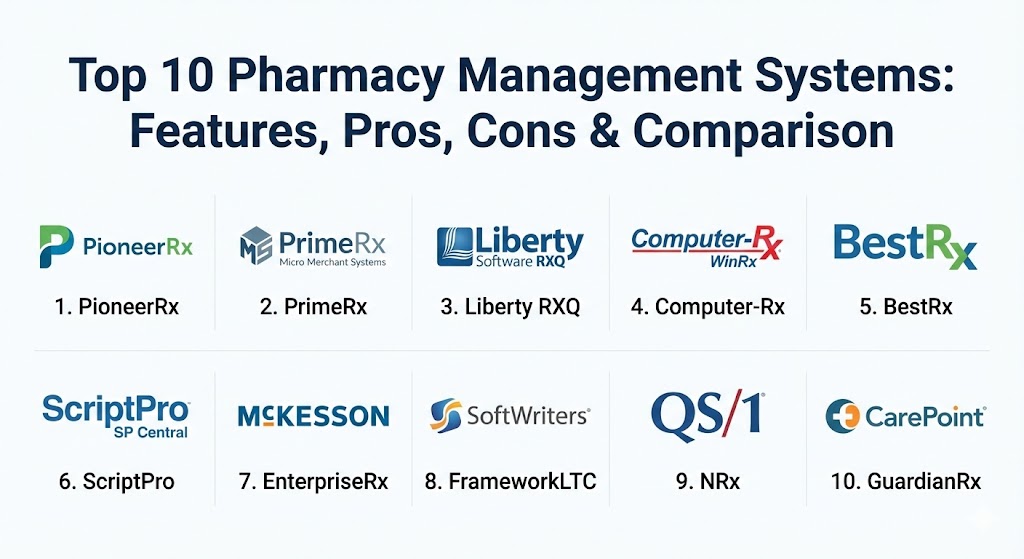
Top 10 Pharmacy Management Systems
1 — PioneerRx
Widely considered the “gold standard” for independent pharmacies in North America, PioneerRx is known for its aggressive innovation cycle and community-driven feature set. It is built specifically to help independents compete with massive national chains.
- Key features:
- Integrated Med Sync and MTM (Medication Therapy Management) tools.
- Highly customizable workflow with “To-Do” lists for staff.
- Native mobile app for patient refills and communication.
- Real-time financial analytics and audit-ready reporting.
- Automated inventory management with multi-vendor support.
- Integrated POS system with pill imaging and signature capture.
- Pros:
- Exceptionally high rate of innovation; the software is updated weekly with user-suggested features.
- The clinical suite allows pharmacies to document and bill for services beyond dispensing.
- Cons:
- High initial cost and monthly support fees compared to “budget” alternatives.
- The sheer depth of features creates a steep learning curve for new staff.
- Security & compliance: HIPAA compliant, SOC 2 Type II adherence, end-to-end encryption, and robust user-level permissions.
- Support & community: Famous for its “PioneerRx University” and high-touch customer support; has a massive, active user community that shares best practices.
2 — Micro Merchant Systems (PrimeRx)
PrimeRx by Micro Merchant Systems is a highly adaptable, all-in-one platform. It is particularly popular in the Northeast United States and is known for its ability to handle diverse pharmacy types, including retail, specialty, and mail-order.
- Key features:
- Comprehensive patient profiles with integrated clinical alerts.
- Built-in 340B management and reporting modules.
- Automated “Price Inquiry” feature to check reimbursements instantly.
- Web-based portal for patient refills and physician communication.
- Integrated document management for scanning prescriptions and IDs.
- Pros:
- Highly modular; you only pay for the specific features (like LTC or Specialty) that you need.
- Excellent at handling complex insurance adjudication scenarios.
- Cons:
- The user interface can feel slightly cluttered compared to more “modern” designs.
- Some advanced modules require separate training sessions to master.
- Security & compliance: HIPAA compliant, encrypted backups, and regular security patches to meet EPCS requirements.
- Support & community: Strong technical support with regional expertise; regular webinars and an online client portal for troubleshooting.
3 — Liberty Software (RXQ)
Liberty Software’s RXQ is designed with a focus on speed and a “clean” design philosophy. It aims to make the pharmacist’s workflow as frictionless as possible, reducing the time spent clicking through screens.
- Key features:
- “One-screen” workflow that minimizes switching between windows.
- Integrated pill imaging and barcode scanning for high accuracy.
- Automated patient texting and emailing for refill reminders.
- Robust compounding module with formula management.
- Real-time dashboard for store performance metrics.
- Pros:
- One of the most intuitive user interfaces in the industry; staff can be trained in hours.
- Very fast processing speed, even during peak hours with heavy traffic.
- Cons:
- Limited third-party app ecosystem compared to PioneerRx.
- Customization options are slightly more restricted to maintain the “clean” interface.
- Security & compliance: HIPAA compliant, BAA provided, and high-level data encryption at rest and in transit.
- Support & community: 100% US-based support team with a reputation for answering calls within seconds.
4 — Computer-Rx (WinRx)
Part of the Outcomes® ecosystem, Computer-Rx (WinRx) is a staple for independent pharmacies that value stability and a family-owned feel. It focuses on providing a reliable “workhorse” system.
- Key features:
- Integrated clinical platform for patient engagement and MTM.
- Automated central fill and robotics integration.
- Comprehensive accounts receivable (A/R) and nursing home modules.
- Tablet-based “delivery app” for off-site signature capture.
- Inventory optimization tools to prevent overstocking.
- Pros:
- Extremely stable and reliable; rarely experiences downtime or “bugs” during peak hours.
- Deeply integrated with the Outcomes clinical network, making it easy to earn performance incentives.
- Cons:
- Innovation speed is slower than some of the newer market entrants.
- The reporting engine, while powerful, can be complex to navigate.
- Security & compliance: HIPAA compliant, SOC 2, and secure EPCS (Electronic Prescribing of Controlled Substances) support.
- Support & community: Very strong user community and regional user group meetings.
5 — BestRx
BestRx is a family-owned company that focuses on providing an affordable yet powerful solution for independent and community pharmacies. It is often the first choice for startups and pharmacies on a budget.
- Key features:
- Intuitive e-prescribing and Surescripts certification.
- Integrated POS and inventory management with wholesale EDI.
- Patient messaging via email and SMS built-in.
- Electronic signature capture for HIPAA and insurance compliance.
- Multi-store management capabilities for growing owners.
- Pros:
- Highly competitive pricing with a transparent fee structure (no “hidden” costs).
- Very lightweight software that runs well on standard hardware.
- Cons:
- Lacks some of the ultra-advanced clinical documentation features of PioneerRx.
- Reporting is streamlined but may lack the depth required by large multi-site enterprises.
- Security & compliance: HIPAA compliant, secure data encryption, and frequent security patches.
- Support & community: Personal, responsive support; often cited as having some of the friendliest technicians in the business.
6 — ScriptPro (SP Central)
ScriptPro is the leader in pharmacy automation and robotics. Their SP Central management system is designed for high-volume settings like hospital outpatient pharmacies and large retail centers that utilize robotic dispensing.
- Key features:
- Seamless integration with ScriptPro’s world-class robotics.
- Advanced workflow tracking from intake to final check.
- Integrated telepharmacy capabilities for remote site management.
- Case management tools for specialty and high-touch medications.
- Inventory management that tracks medication at the “vial” level.
- Pros:
- Unmatched for safety and accuracy in high-volume environments.
- Built to handle the rigorous demands of 340B and health-system audits.
- Cons:
- Significant capital investment required for both software and hardware.
- Overkill for a small independent pharmacy that doesn’t use automation.
- Security & compliance: ISO 27001, SOC 2, HIPAA, and military-grade encryption for sensitive health data.
- Support & community: 24/7/365 global support; highly specialized engineers available for on-site maintenance.
7 — McKesson (EnterpriseRx)
EnterpriseRx is a cloud-based pharmacy management system designed specifically for large-scale operations, health systems, and chains. It focuses on centralizing data to provide a “single source of truth.”
- Key features:
- 100% cloud-based architecture—no local servers required.
- Centralized prescription processing and fulfillment (Central Fill).
- Advanced analytics for multi-site labor and inventory optimization.
- Integrated MTM and adherence programs.
- Automated workflow that balances tasks across different pharmacy locations.
- Pros:
- Eliminates the need for expensive on-site server maintenance and backups.
- Allows large organizations to implement standardized clinical protocols across all stores.
- Cons:
- Dependent on high-speed internet; performance can lag if the network is unstable.
- Can feel less “personal” and harder to customize than independent-focused systems.
- Security & compliance: Enterprise-grade cloud security, HIPAA compliant, and SOC 2 Type II audited.
- Support & community: Enterprise-level support with dedicated account managers and large-scale training programs.
8 — FrameworkLTC (SoftWriters)
FrameworkLTC is a specialized system built from the ground up for Long-Term Care (LTC) pharmacies. It is not a retail system with “LTC features” tacked on; it is a dedicated platform for institutional pharmacy.
- Key features:
- Native support for complex LTC billing cycles and facility-specific rules.
- Integrated “FrameworkPOD” for efficient delivery and route tracking.
- Seamless integration with facility eMAR (Electronic Medication Administration Record) systems.
- Advanced order intake for physician orders and nursing home requests.
- Inventory tracking for cycle filling and unit-dose packaging.
- Pros:
- The undisputed leader for pharmacies serving nursing homes and assisted living.
- Drastically reduces billing errors associated with complex LTC insurance.
- Cons:
- Not suitable for standard retail/walk-in pharmacies.
- High cost reflecting its specialized nature and complex implementation.
- Security & compliance: HIPAA compliant, SOC 2, and rigorous audit trails for controlled substance tracking.
- Support & community: Highly specialized support team that understands LTC regulations and facility needs.
9 — QS/1 (NRx)
QS/1’s NRx is one of the most established names in the industry. It offers a comprehensive suite that covers retail, LTC, and HME (Home Medical Equipment) under one umbrella.
- Key features:
- Robust Health-System modules for 340B and clinical services.
- Integrated Point-of-Sale with mobile signature capture.
- Accounts Receivable and full general ledger integration.
- Comprehensive inventory management with multi-site visibility.
- Integrated IVR (Interactive Voice Response) for automated phone refills.
- Pros:
- A “one-stop shop” for pharmacies that also handle durable medical equipment (DME).
- Massive feature depth accumulated over decades of industry presence.
- Cons:
- The legacy interface can feel “clunky” and “windows-heavy” compared to newer apps.
- Some users find the transition to their newer platforms (like SharpRx) to be a major adjustment.
- Security & compliance: HIPAA compliant, secure EPCS, and detailed user audit logs.
- Support & community: Strong network of regional user groups and a long-standing reputation for reliability.
10 — CarePoint (GuardianRx)
GuardianRx is a comprehensive system focused on providing high levels of integration for specialty, mail-order, and retail pharmacies. It is known for its flexible and powerful database architecture.
- Key features:
- Integrated mail-order shipping and tracking modules.
- Advanced clinical documentation for specialty drug management.
- Real-time insurance adjudication and secondary billing features.
- Customizable patient portals for online refill management.
- Integrated compounding and batch-processing features.
- Pros:
- Excellent for mail-order pharmacies that need to track packages across different carriers.
- Very strong specialty pharmacy features without the enterprise price tag.
- Cons:
- The interface has a steeper learning curve than simple retail systems.
- Onboarding can take longer due to the depth of the configuration options.
- Security & compliance: HIPAA compliant, secure data hosting, and PCI-DSS compliance for payment processing.
- Support & community: Experienced technical support and regular training webinars for new modules.
Comparison Table
| Tool Name | Best For | Platform(s) Supported | Standout Feature | Rating (Gartner/TrueReview) |
| PioneerRx | Independent Pharmacies | Windows / Cloud Hybrid | Med Sync & Innovation | 4.8 / 5 |
| PrimeRx | Specialty & Multi-Type | Windows / Web | Modular 340B Tools | 4.6 / 5 |
| Liberty RXQ | Speed & Simplicity | Windows / Linux | One-Screen Workflow | 4.7 / 5 |
| Computer-Rx | Outcomes Network Users | Windows / Cloud | Outcomes Clinical Integration | 4.5 / 5 |
| BestRx | Budget & Startups | Windows | Pricing & Friendly Support | 4.4 / 5 |
| ScriptPro | Hospital / Robotics | Windows / Proprietary | Native Robotics Integration | 4.7 / 5 |
| EnterpriseRx | Large Chains / Health Sys | 100% Cloud / SaaS | Multi-Site Centralization | 4.3 / 5 |
| FrameworkLTC | Long-Term Care (LTC) | Windows / Cloud | LTC Billing & eMAR Sync | 4.6 / 5 |
| QS/1 NRx | Retail + DME/HME | Windows / Cloud | DME/HME Integration | 4.2 / 5 |
| GuardianRx | Mail Order / Specialty | Windows / Web | Shipping & Specialty Logs | 4.5 / 5 |
Evaluation & Scoring of Pharmacy Management Systems
To help you make an objective choice, we have evaluated these systems based on seven critical factors. The following table shows how a typical high-performing system (like our top choices) would score across these dimensions.
| Category | Weight | Evaluation Criteria |
| Core Features | 25% | Prescription processing, adjudication, inventory, and POS. |
| Ease of Use | 15% | Training time, UI clarity, and click-count per fill. |
| Integrations | 15% | Surescripts, eMAR, robotics, and wholesaler EDI connectivity. |
| Security | 10% | HIPAA compliance, encryption, EPCS, and SOC 2 audits. |
| Reliability | 10% | System uptime, database stability, and backup recovery. |
| Support | 10% | Response time, technical expertise, and user forums. |
| Price / Value | 15% | ROI based on time savings and clinical revenue generation. |
Which Pharmacy Management System Tool Is Right for You?
Selecting the right system requires balancing your current volume against your future clinical goals.
- Solo Independent / New Startup: If budget is your primary concern, BestRx offers the best value-to-feature ratio. If you want the most “advanced” system from day one to differentiate yourself clinically, PioneerRx is the choice.
- SMB / Multi-Store Owner: You need central visibility. PrimeRx or Computer-Rx are built to handle the reporting needs of an owner who isn’t behind the counter every day.
- Enterprise / Health System: For massive scale, McKesson EnterpriseRx (Cloud) or ScriptPro (Automation) are the industry standards for managing thousands of scripts a day across multiple sites.
- Feature Depth vs. Ease of Use: Liberty RXQ is the winner for speed and simple UI, whereas PioneerRx wins for depth. If your staff is tech-averse, choose the simpler UI; if your staff is tech-savvy, choose the feature depth.
- Security and Compliance: All systems listed are HIPAA compliant. However, if you are doing heavy controlled substance dispensing, ensure the system’s EPCS implementation is intuitive to avoid regulatory headaches.
Frequently Asked Questions (FAQs)
1. How long does it take to switch pharmacy systems?
Typically, the transition takes 4–8 weeks. This includes data conversion (moving patient and drug history), staff training, and hardware installation. Expect a “slow week” during the actual go-live as staff gets used to the new UI.
2. Is a cloud-based system better than an on-site server?
Cloud systems (like EnterpriseRx) eliminate server maintenance and allow for easy remote access. However, they require 100% reliable internet. On-site servers (like PioneerRx) work even if the internet goes down, but require you to manage hardware and backups.
3. What are “DIR fees” and can a PMS help manage them?
DIR fees are “clawbacks” from PBMs. High-end systems like PioneerRx and PrimeRx provide reports that track your performance metrics, helping you minimize these fees and protect your margins.
4. Can my system help me with a Board of Pharmacy audit?
Yes. A good PMS maintains a “tamper-evident” log of every action taken on a prescription. Most systems have a specific “Audit Report” that can be generated for inspectors in minutes.
5. Do these systems handle “specialty” medications?
Systems like GuardianRx and PrimeRx have specific modules for specialty drugs, which require more clinical documentation, prior authorization tracking, and patient follow-up than standard retail drugs.
6. Is robotics integration difficult?
If you choose a system like ScriptPro, the integration is native. For other systems (like BestRx or PioneerRx), you must ensure they support standard interfaces to communicate with third-party robots like Parata or Innovation.
7. Can I manage multiple stores from one login?
Yes, most enterprise and “multi-site” modules allow an owner to see real-time inventory, sales, and labor data across all locations from a single dashboard.
8. Do these systems work for veterinary pharmacies?
Most can be configured for veterinary use, though some (like PioneerRx) have specific fields for “species” and “owner” to handle the nuances of animal prescriptions.
9. What is “Med Sync” and why is it built-in?
Med Sync aligns all of a patient’s refills to a single day each month. It increases adherence (and thus pharmacy revenue) and is now a standard feature in high-end systems.
10. How much does a pharmacy management system cost?
Costs vary widely from $300/month for basic systems to over $2,000/month for enterprise suites, plus initial setup fees ranging from $5,000 to $20,000+.
Conclusion
The “best” pharmacy management system is ultimately the one that aligns with your business’s identity. If you are a high-speed retail shop, speed and UI (Liberty RXQ) should be your priority. If you are a clinical powerhouse, feature depth (PioneerRx) is non-negotiable. As we move through 2026, the ability to automate routine tasks and focus on patient care will be the primary driver of pharmacy success. Choose a partner that is as committed to innovation as you are.
