Introduction
Performance testing tools are specialized software applications designed to simulate user load on a system to measure its responsiveness, stability, and scalability under various conditions. Unlike functional testing, which asks “Does this button work?”, performance testing asks “How fast does this button work when 50,000 people click it at the exact same time?” These tools help identify bottlenecks—such as database locking, memory leaks, or network latency—long before a single real user encounters them.
The importance of these tools lies in risk mitigation. A single minute of downtime for a global enterprise can result in millions of dollars in lost revenue and lasting brand damage. Key real-world use cases include load testing (measuring performance under expected traffic), stress testing (finding the breaking point), and soak testing (checking for memory leaks over long periods). When choosing a tool, users should evaluate protocol support (HTTP, WebSocket, SQL), ease of scripting (code vs. low-code), cloud scalability, and the depth of the diagnostic reports generated.
Best for: Quality Assurance (QA) engineers, DevOps teams, Site Reliability Engineers (SREs), and performance architects. It is essential for medium-to-large enterprises in industries like Fintech, E-commerce, Gaming, and Healthcare where high availability and low latency are non-negotiable.
Not ideal for: Small startups with static websites or internal tools used by a handful of people. If your user base is predictable and small, manual monitoring or simple “ping” tests may suffice, as the overhead of setting up a full performance testing suite might outweigh the benefits.
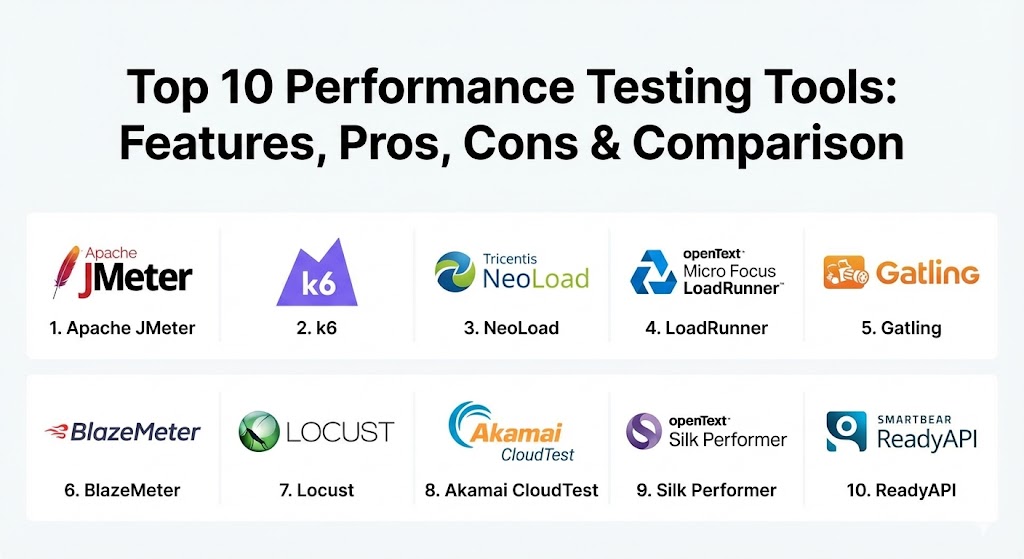
Top 10 Performance Testing Tools
1 — Apache JMeter
Apache JMeter is the undisputed heavyweight of the open-source world. Developed in Java, it is a versatile tool used for load testing functional behavior and measuring performance across a wide range of services.
- Key features:
- Support for multiple protocols including HTTP, HTTPS, FTP, SOAP, and JDBC.
- Full-featured IDE for test recording, building, and debugging.
- Highly extensible with a vast library of third-party plugins.
- Ability to perform distributed testing using multiple load generators.
- Dynamic HTML reporting for post-test analysis.
- Scriptable via Groovy or JavaScript for complex logic.
- Integration with CI/CD tools like Jenkins and GitLab.
- Pros:
- Completely free and open-source with one of the largest communities in the world.
- Massive flexibility; if JMeter doesn’t do it out of the box, there is likely a plugin that does.
- Cons:
- The heavy Java-based GUI can consume significant local resources.
- Steep learning curve for beginners due to its complex interface and non-intuitive UI.
- Security & compliance: Supports SSL/TLS encryption, SSO via Kerberos, and detailed execution logs. GDPR/HIPAA compliance depends on your specific data handling.
- Support & community: Exceptional documentation; virtually every problem has a solution on Stack Overflow. Enterprise support is available through third-party vendors like BlazeMeter.
2 — k6 (by Grafana Labs)
k6 is the “developer’s performance tool.” It is an open-source, high-performance tool written in Go, but scripted in JavaScript, making it a favorite for modern engineering teams who want to “test as code.”
- Key features:
- Scripting in JavaScript (ES6) for familiar, developer-friendly test creation.
- High-performance engine capable of generating massive load with low resource usage.
- Native integration with the Grafana observability stack.
- CLI-first approach designed for automation and CI/CD pipelines.
- Support for WebSockets, gRPC, and HTTP/2.
- “Cloud Execution” mode for scaling tests globally without managing servers.
- Thresholds API to automatically pass/fail builds based on performance SLOs.
- Pros:
- Minimalist and fast; it feels like a modern tool rather than a legacy enterprise suite.
- Perfect for developers who want to include performance tests in their actual code repositories.
- Cons:
- Not a GUI-based tool; users who aren’t comfortable with coding will struggle.
- Doesn’t support non-web protocols like Citrix or legacy mainframe protocols.
- Security & compliance: SOC 2 Type II, GDPR compliant (Cloud version), and support for secret management (Environment variables).
- Support & community: Growing rapidly; excellent documentation and a modern forum-based community. Premium support is available for k6 Cloud customers.
3 — NeoLoad (by Tricentis)
NeoLoad is an enterprise-grade performance testing platform designed specifically for automated testing in Agile and DevOps environments. It focuses on being “continuous” and “low-code.”
- Key features:
- Graphical test designer that requires minimal coding.
- Automated API testing with Swagger/OpenAPI support.
- Real-time monitoring of infrastructure (AWS, Azure, Docker, VMware).
- Dynamic infrastructure provisioning for cloud-based load generators.
- Advanced collaboration features for shared test assets across teams.
- Automated analysis that compares current results with historical baselines.
- Integration with SAP, Salesforce, and Guidewire protocols.
- Pros:
- Drastically reduces test creation time compared to manual scripting tools.
- Excellent for large enterprises managing a mix of modern and legacy applications.
- Cons:
- High cost of licensing makes it inaccessible for many smaller teams.
- Proprietary nature means you are locked into the Tricentis ecosystem.
- Security & compliance: SSO, RBAC (Role-Based Access Control), encryption at rest, and SOC 2 compliance.
- Support & community: Professional onboarding, 24/7 global enterprise support, and a structured certification program.
4 — LoadRunner (by OpenText/Micro Focus)
LoadRunner is the legacy giant of the industry. It has been the standard for decades, supporting the widest array of protocols of any tool on the market, from web to legacy SAP and Citrix.
- Key features:
- Support for over 50 protocols, including many legacy and industry-specific ones.
- “TruClient” technology for recording and replaying complex AJAX-heavy applications.
- Powerful analysis engine with deep-dive bottleneck identification.
- Integrated “Network Virtualization” to simulate different carrier speeds and latencies.
- Cloud, Professional, and Enterprise deployment models.
- Advanced scheduling and workload modeling for realistic scenarios.
- Integration with ALM (Application Lifecycle Management) tools.
- Pros:
- Unrivaled protocol support; if it’s a computer system, LoadRunner can probably test it.
- The most powerful diagnostic engine for finding the “why” behind a slowdown.
- Cons:
- Extremely expensive; the licensing model is often per-Virtual User (VUser).
- Can feel bloated and overly complex for simple web or API tests.
- Security & compliance: FIPS 140-2, SOC 2, ISO 27001, HIPAA, and GDPR compliant.
- Support & community: World-class enterprise support; decades of documentation and a large pool of certified consultants.
5 — Gatling
Gatling is a high-performance load testing tool built on Akka and Netty. It uses a Scala-based Domain Specific Language (DSL) or Java/Kotlin, focusing on asynchronous computing and low overhead.
- Key features:
- Asynchronous, non-blocking engine that generates high load on minimal hardware.
- Code-based scripting with a very expressive and readable DSL.
- Built-in support for HTTP, WebSockets, and JMS.
- Real-time metrics and beautiful, interactive HTML reports.
- Gatling Enterprise for distributed testing and team collaboration.
- “Recorder” tool to convert browser actions into Gatling scripts.
- Native Jenkins and Maven integration.
- Pros:
- Extremely efficient; a single Gatling machine can often do the work of five JMeter machines.
- Scripts are easy to maintain and version control because they are pure code.
- Cons:
- Requires knowledge of Scala, Java, or Kotlin, which can be a barrier for pure QA teams.
- Limited support for non-web protocols.
- Security & compliance: SOC 2 Type II (Enterprise version), GDPR, and SSO integration.
- Support & community: Very helpful documentation; Gatling Enterprise offers 24/7 support and training.
6 — BlazeMeter (by Perforce)
BlazeMeter is essentially “JMeter in the Cloud,” but it has evolved into a multi-tool performance testing platform that supports JMeter, Locust, k6, and Gatling.
- Key features:
- 100% compatibility with open-source tools (upload your JMeter .jmx files).
- Massive cloud scalability—spin up millions of users across 50+ global locations.
- Real-time reporting with comparative analytics and “fail-on” thresholds.
- Integrated Mock Services (API virtualization) for testing in isolation.
- Test Data Management to generate synthetic data for tests.
- Private Cloud options for testing behind the firewall.
- Continuous Testing capabilities with 360-degree observability.
- Pros:
- The easiest way to scale open-source tests without managing servers.
- Provides a unified dashboard for teams using different testing tools.
- Cons:
- Cost can scale quickly based on the number of test runs and virtual users.
- Reliant on a stable internet connection for cloud-based execution.
- Security & compliance: SOC 2 Type II, GDPR, ISO 27001, and HIPAA compliant.
- Support & community: 24/7 support for paid tiers; extensive “BlazeMeter University” for training.
7 — Locust
Locust is a Python-based performance testing tool. It is unique because it allows you to define user behavior in plain Python code, making it incredibly flexible and infinitely customizable.
- Key features:
- Scripts are written in standard Python (no XML or complex DSLs).
- Event-based architecture that supports thousands of concurrent users per machine.
- Simple, web-based UI for monitoring tests in real-time.
- Ability to test any system (not just HTTP) by writing a simple Python wrapper.
- Distributed testing support for scaling across multiple worker nodes.
- Lightweight and easy to install via pip.
- Open-source and developer-focused.
- Pros:
- If you know Python, you have unlimited power to create complex, logic-heavy tests.
- Very easy to read and understand scripts compared to JMeter’s XML structure.
- Cons:
- The UI is very basic and lacks the advanced reporting features of paid tools.
- Requires coding; not suitable for non-technical QA members.
- Security & compliance: Varies / N/A (Standard Python security practices apply).
- Support & community: Strong community on GitHub and Slack; documentation is concise but effective.
8 — Akamai CloudTest (formerly SOASTA)
Akamai CloudTest is built for “The Big Day.” It is a massive-scale performance testing tool used by the world’s largest brands to prepare for global events like the Super Bowl or Black Friday.
- Key features:
- Visual Test Creation environment for rapid script building.
- Ability to generate load from over 100 global cloud locations.
- Real-time, sub-second analytics even at million-user scales.
- “Global Control” for shifting load between regions during a live test.
- Integrated performance monitoring for servers and databases.
- Support for mobile app testing and real-device simulation.
- Professional services for “event readiness” planning.
- Pros:
- The undisputed leader for hyper-scale testing (millions of concurrent users).
- Real-time adjustments; you can change the load mid-test without stopping.
- Cons:
- Pricing is enterprise-only and can be very high.
- Overkill for standard, day-to-day application testing.
- Security & compliance: SOC 2, PCI DSS, GDPR, and HIPAA. Leverages Akamai’s global security infrastructure.
- Support & community: Premium white-glove support; expert services for high-stakes test events.
9 — Silk Performer (by OpenText)
Silk Performer is another veteran of the performance space. It is known for its ability to simulate complex environments and its high-fidelity reporting.
- Key features:
- Support for cloud-based and on-premise load generation.
- Advanced script recording for web, mobile, and thick-client apps.
- Integrated diagnostics that pinpoint the exact line of code causing a delay.
- “Visual Scripting” for users who prefer a GUI-based approach.
- Support for SAP, Oracle, and Citrix protocols.
- Built-in resource monitoring for Windows and Linux servers.
- Tight integration with the OpenText ALM ecosystem.
- Pros:
- Very reliable and consistent results for complex, multi-protocol systems.
- Excellent reporting that is easy for management to understand.
- Cons:
- Smaller community compared to JMeter or LoadRunner.
- Updates can feel slower as it is a legacy product.
- Security & compliance: SOC 2, ISO 27001, and HIPAA compliant.
- Support & community: Dedicated enterprise support; structured training and professional services.
10 — ReadyAPI / LoadUI (by SmartBear)
SmartBear’s ReadyAPI (specifically the LoadUI module) is the premier tool for teams whose performance concerns are centered almost entirely on APIs (REST, SOAP, GraphQL).
- Key features:
- Native support for importing Swagger, RAML, and OpenAPI definitions.
- “One-click” conversion of functional API tests into load tests.
- Cloud-based load generation from Amazon and Azure.
- Real-time monitoring of API response codes and latency.
- Advanced data-driven testing for large datasets.
- Integration with API monitoring tools for 24/7 visibility.
- Support for JMS and JDBC for backend API testing.
- Pros:
- The best user experience for API-centric performance testing.
- Seamless transition from functional testing to load testing within one UI.
- Cons:
- Not designed for UI-based load testing or web-page rendering.
- Licensing is per-module and can become expensive as you add features.
- Security & compliance: SOC 2 Type II, GDPR, and ISO 27001.
- Support & community: Excellent documentation and “SmartBear Academy” for free training.
Comparison Table
| Tool Name | Best For | Platform(s) Supported | Standout Feature | Rating (Gartner) |
| Apache JMeter | Open-source versatility | Windows, Linux, Mac | Massive Plugin Library | 4.4 / 5 |
| k6 | Developer-centric testing | CLI, Cloud, Win/Lin/Mac | JavaScript Scripting | 4.8 / 5 |
| NeoLoad | Continuous DevOps | Cloud, On-premise | Low-code Automation | 4.6 / 5 |
| LoadRunner | Legacy & Enterprise | Windows, Linux, Cloud | 50+ Protocol Support | 4.5 / 5 |
| Gatling | High-efficiency code | Java, Scala, Cloud | Akka/Netty Performance | 4.5 / 5 |
| BlazeMeter | Cloud Scaling | SaaS / Cloud | Cloud JMeter Scaling | 4.5 / 5 |
| Locust | Python Devs | Python / CLI | Pure Python Scripting | 4.3 / 5 |
| Akamai CloudTest | Global Hyper-scale | Cloud / SaaS | Million-user Real-time | N/A |
| Silk Performer | High-fidelity Enterprise | Windows, Cloud | Line-of-code Diagnostics | 4.2 / 5 |
| ReadyAPI | API Performance | Windows, Linux, Mac | Functional to Load Sync | 4.4 / 5 |
Evaluation & Scoring of Performance Testing Tools
To choose the right tool, it is important to understand the weight of different factors. In a modern environment, “Core Features” are no longer enough; a tool must fit into your existing “Ecosystem” and “Budget” to be successful.
| Category | Weight | Evaluation Criteria |
| Core Features | 25% | Protocol support, load generation capacity, and reporting depth. |
| Ease of Use | 15% | Scripting time, GUI vs. Code, and learning curve for new hires. |
| Integrations | 15% | Compatibility with Jenkins, GitHub, Docker, and monitoring tools. |
| Security & Compliance | 10% | Encryption, SSO, and adherence to industry data standards. |
| Performance | 10% | Resource overhead on the generator and result accuracy. |
| Support & Community | 10% | Quality of documentation and availability of expert help. |
| Price / Value | 15% | Total cost of ownership vs. the risk reduction provided. |
Which Performance Testing Tools Tool Is Right for You?
Selecting a tool depends on your team’s skill set, your budget, and the specific architecture of the app you are testing.
- Solo Users & SMBs: If you have zero budget, Apache JMeter is your starting point. If you have a small budget and know JavaScript, k6 Cloud offers the best modern experience with minimal setup.
- Mid-Market Companies: If you need to move fast and have developers involved in testing, k6 or Gatling are excellent. If your team is primarily QA-led with less coding experience, BlazeMeter allows you to use JMeter with a much easier cloud-based management layer.
- Enterprise Organizations: Large companies with a mix of modern and legacy (SAP, Mainframe, Oracle) systems should look at LoadRunner or NeoLoad. These tools provide the “guardrails” and reporting that large organizations require for compliance.
- Performance Architects for High-Stakes Events: If you are preparing for a massive global launch that cannot fail, Akamai CloudTest is the specialist choice.
- API-First Companies: If your product is a collection of microservices and APIs, ReadyAPI provides the most streamlined experience specifically for that niche.
Frequently Asked Questions (FAQs)
1. What is the difference between Load testing and Stress testing?
Load testing checks if the system can handle the expected number of users. Stress testing pushes the system beyond its limits until it breaks to see how it fails and how it recovers.
2. Can I use JMeter for mobile app testing?
Yes. You can use JMeter as a proxy to record traffic from a mobile device and then replay that traffic to simulate thousands of mobile users hitting your backend servers.
3. Is cloud-based performance testing better than on-premise?
Cloud is better for simulating external traffic from different countries and for scaling to high numbers of users without buying hardware. On-premise is better for testing internal systems behind a firewall or for sensitive data.
4. Do I need to know how to code to perform performance testing?
Not necessarily. Tools like NeoLoad and BlazeMeter offer “low-code” visual recorders. However, knowing basic scripting (JavaScript, Python, or Groovy) significantly increases your ability to handle complex scenarios.
5. How many virtual users can I run on one machine?
It depends on the tool and the complexity of the script. High-efficiency tools like k6 or Gatling can often run 1,000+ users on a standard laptop, while JMeter might only handle 200-500 before the GUI starts to lag.
6. Why is “Network Virtualization” important?
Real users aren’t all on 1Gbps fiber. Some are on 3G in a moving train. Tools like LoadRunner can simulate high latency and packet loss to see how your app behaves for those users.
7. Can I integrate performance tests into my CI/CD pipeline?
Yes. Modern tools like k6, Gatling, and JMeter (via plugins) allow you to run tests automatically every time code is pushed, failing the build if response times exceed a certain threshold.
8. What is a “Think Time”?
Think time is the delay you add between actions in a script to simulate a real human reading a page or filling out a form, preventing the test from being unrealistically fast.
9. Is there a free version of LoadRunner?
Yes, OpenText offers LoadRunner Community Edition, which is free and includes up to 50 virtual users for most protocols, making it great for learning or small-scale tests.
10. What is the biggest mistake in performance testing?
Testing too late in the development cycle. If you find a major architectural bottleneck the day before launch, it is often too late to fix. “Shift-left” and test early!
Conclusion
The “best” performance testing tool is the one that fits into your current workflow rather than creating a new one. In 2026, the trend is clearly shifting toward performance-as-code, with tools like k6 and Gatling leading the way for developer-led teams. However, for the complex, multi-protocol needs of the modern enterprise, giants like LoadRunner and NeoLoad remain indispensable.
Ultimately, performance is a feature. Choosing the right tool ensures that your application doesn’t just work—it excels, providing the fast, fluid experience that today’s users demand. Whether you choose the open-source freedom of JMeter or the high-scale precision of CloudTest, the goal is the same: absolute confidence in your system’s ability to perform.