Introduction
Passwordless login clients are software or hardware-integrated solutions that allow users to authenticate their identity without entering a traditional password. Instead of a shared secret (the password) that can be stolen or guessed, these clients rely on “something you have” (a device or security key) or “something you are” (a fingerprint or facial scan). The underlying technology often uses the FIDO2/WebAuthn standard, which creates a unique cryptographic pair for every login, making phishing nearly impossible.
In the real world, this technology is a game-changer. Imagine an employee opening their laptop and instantly being logged into their workstation and all cloud apps via a simple Windows Hello face scan or a tap on a YubiKey. There is no password to type, no 2FA code to copy from an SMS, and no “forgot password” link to click. When choosing a client, users should evaluate the phishing resistance, platform compatibility (Windows, macOS, Mobile), ease of enrollment, and fallback mechanisms for when a primary device is lost.
Best for: Enterprises looking to eliminate credential-based breaches, remote-heavy workforces where IT cannot physically reset passwords, and high-security industries like finance and healthcare that must meet strict regulatory standards (SOC 2, HIPAA).
Not ideal for: Very small businesses with legacy systems that do not support modern protocols (like SAML or OIDC), or organizations with a workforce that lacks access to smartphones or modern hardware with biometric sensors.
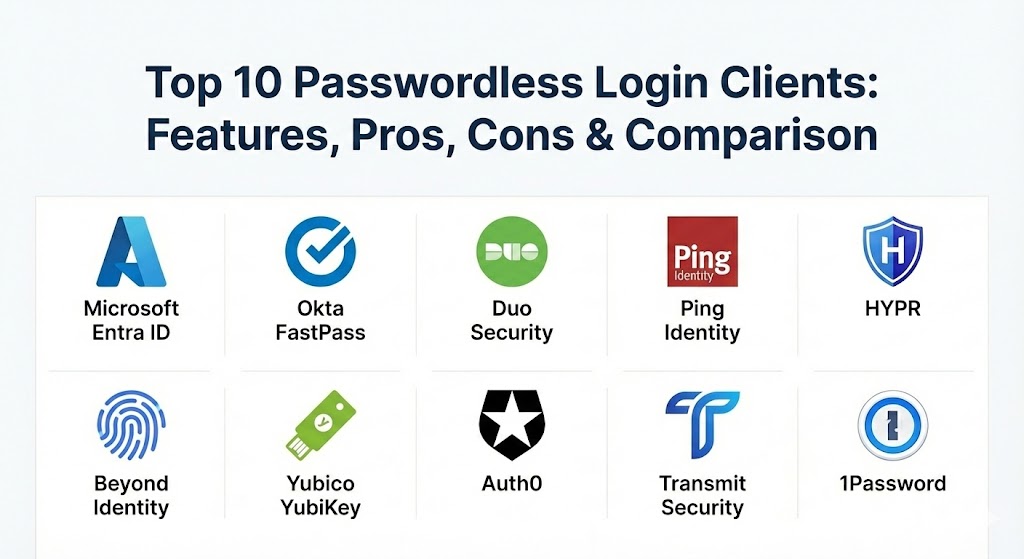
Top 10 Passwordless Login Clients
1 — Microsoft Entra ID (Passwordless)
Formerly Azure AD, Microsoft Entra ID is the dominant force in enterprise identity. Its passwordless suite leverages Windows Hello for Business, the Microsoft Authenticator app, and FIDO2 security keys to provide a seamless “one-tap” or “one-look” entry into the Microsoft 365 ecosystem.
- Key features:
- Native integration with Windows 10/11 through Windows Hello.
- Microsoft Authenticator “Phone Sign-In” for iOS and Android.
- Support for FIDO2-compliant hardware keys (e.g., YubiKey).
- Risk-based Conditional Access policies to trigger MFA only when needed.
- Temporary Access Passes for secure, passwordless onboarding.
- Integrated dashboard for managing user credentials and device health.
- Pros:
- Deepest possible integration for organizations already on the Microsoft stack.
- Zero additional cost if you already have Entra ID P1 or P2 licenses.
- Cons:
- Can be complex to configure for hybrid (on-prem + cloud) environments.
- The full “passwordless” experience is heavily optimized for Windows users.
- Security & compliance: SOC 2, ISO 27001, HIPAA, GDPR, FIPS 140-2, and FedRAMP compliant.
- Support & community: Premier enterprise support, exhaustive documentation, and a massive global community of certified experts.
2 — Okta FastPass
Okta FastPass is a device-agnostic, passwordless authenticator that provides a consistent login experience across Windows, macOS, iOS, and Android. It is part of the Okta Workforce Identity Cloud and focuses on delivering “phishing-resistant” authentication.
- Key features:
- Device-specific cryptographic keys that cannot be moved to other devices.
- Silent authentication that checks device posture before allowing access.
- Support for biometrics (TouchID, FaceID) across all platforms.
- One-click enrollment through the Okta Verify app.
- Integration with over 7,000 pre-built app integrations in the Okta OIN.
- End-to-end visibility into who is logging in from which device.
- Pros:
- Exceptional user experience—it feels “invisible” to the end user.
- Strong cross-platform support, making it ideal for “Bring Your Own Device” (BYOD) cultures.
- Cons:
- Requires the Okta Verify app to be installed on every device.
- Pricing is on the higher end, typically bundled with Okta MFA or SSO.
- Security & compliance: SOC 2 Type II, HIPAA, ISO 27001, and FIPS 140-2 validated.
- Support & community: 24/7 technical support, dedicated customer success managers for enterprise, and active user groups.
3 — Duo Security (by Cisco)
Duo is famous for its simplicity and the “Duo Push.” Its passwordless client expands this by supporting Passkeys and platform authenticators (like TouchID/FaceID) to eliminate the need for any manual input during login.
- Key features:
- Duo Central: A unified portal for all passwordless-enabled apps.
- Support for Passkeys (WebAuthn) for high-assurance security.
- Trusted Endpoints: Verification that the device is managed and secure.
- Verified Duo Push: Protects against “Push Fatigue” by requiring a code entry.
- Self-service device management for users to register their own biometrics.
- Broad support for legacy VPNs and local logins.
- Pros:
- The most user-friendly “Self-Enrollment” process in the industry.
- Very reliable mobile app that works even with poor internet connectivity.
- Cons:
- Advanced device posture features require the higher-priced “Duo Advantage” tier.
- Some legacy hardware might struggle with the latest Duo Universal Prompt.
- Security & compliance: SOC 2, HIPAA, PCI DSS, GDPR, and FedRAMP authorized.
- Support & community: Excellent documentation and a very helpful “Duo Community” forum.
4 — Ping Identity
Ping Identity caters to complex, large-scale enterprises that require high degrees of customization. Their passwordless client focuses on “Journey Orchestration,” allowing admins to design unique login flows for different user groups.
- Key features:
- DaVinci: A visual orchestration tool for designing passwordless flows.
- PingID mobile client for biometric and swipe-based authentication.
- Integration with specialized hardware like HID and security keys.
- Robust support for on-premises, hybrid, and multi-cloud environments.
- Smart sensitive-action triggers (step-up authentication).
- Centralized policy management for global workforces.
- Pros:
- Unmatched flexibility for “edge cases” that standard tools can’t handle.
- High performance and low latency for massive user bases (millions of users).
- Cons:
- High complexity; usually requires a dedicated IAM team to manage.
- Documentation can be overwhelming due to the sheer number of features.
- Security & compliance: SOC 2, ISO 27001, HIPAA, and GDPR compliant.
- Support & community: Enterprise-grade SLAs and global professional services for implementation.
5 — HYPR (The Identity Assurance Company)
HYPR is a specialist in “True Passwordless” authentication. Their focus is on eliminating the “shared secret” entirely at the workstation level, ensuring that your computer and your cloud apps are locked behind a mobile-tier biometric check.
- Key features:
- Desktop MFA: Passwordless login for Windows, macOS, and Linux workstations.
- Decentralized PIN/Biometric: Secrets are stored on the user’s device, not a server.
- Offline login support for traveling employees.
- Automated identity verification during account recovery.
- Compliance with FIDO Alliance standards (FIDO2/L2).
- Phishing-resistant architecture by design.
- Pros:
- One of the few clients that solves the “Offline Workstation” login problem.
- Significantly reduces Help Desk costs related to password resets.
- Cons:
- It is a specialized tool that might feel redundant if you already have a full IAM suite.
- Smaller third-party integration library compared to Okta or Microsoft.
- Security & compliance: FIDO Certified, SOC 2, HIPAA, and GDPR.
- Support & community: High-touch customer support with a focus on successful enterprise rollouts.
6 — Beyond Identity
Beyond Identity takes a “Zero Trust” approach by cryptographically binding the user’s identity to their specific device. Their client is virtually invisible, checking hundreds of risk signals in the background without bothering the user.
- Key features:
- Invisible MFA: No codes, no push notifications, just instant login.
- Continuous risk assessment (checks if firewall is on, disk is encrypted, etc.).
- Secure Work-from-Home: Ensures personal devices meet corporate standards.
- Integration with MDM tools like Jamf and Intune.
- Tamper-proof audit logs for every authentication event.
- Native clients for all major desktop and mobile operating systems.
- Pros:
- The most “frictionless” experience for employees—login takes milliseconds.
- Automatically blocks “Risky” devices from even reaching the login page.
- Cons:
- Requires a small client agent to be installed on the hardware.
- Organizations with many unmanaged/personal devices may find implementation difficult.
- Security & compliance: SOC 2 Type II, HIPAA, GDPR, and ISO 27001.
- Support & community: Responsive technical support and modern, searchable documentation.
7 — Yubico YubiKey (Hardware Client)
While most entries are software, the YubiKey is the definitive hardware client for passwordless login. It acts as a physical “root of trust” that users tap to log into workstations, servers, and cloud accounts.
- Key features:
- Support for FIDO2, WebAuthn, U2F, Smart Card (PIV), and OTP.
- Near Field Communication (NFC) for tap-to-login on mobile phones.
- Durable, battery-free, and waterproof hardware.
- YubiKey Bio: Fingerprint-based hardware authentication.
- Compatibility with thousands of services (Google, AWS, GitHub, etc.).
- Centralized “YubiEnterprise” delivery for shipping keys to employees.
- Pros:
- The highest possible level of phishing resistance (hardware-bound keys).
- Works where phones are prohibited (e.g., secure government facilities).
- Cons:
- High initial cost per employee and the logistical challenge of physical distribution.
- If a user loses their key, they are locked out until a backup is provided.
- Security & compliance: FIPS 140-2 (certain models), SOC 2, and FIDO L3 certified.
- Support & community: Extensive developer documentation and a massive technical following.
8 — Auth0 (by Okta)
Auth0 is the go-to platform for developers. Their passwordless client is built into their SDKs, allowing companies to quickly add “Magic Links” or biometric login to their own consumer-facing or internal applications.
- Key features:
- Magic Links: One-time login links sent via email or SMS.
- WebAuthn support for biometric logins on web apps.
- Customizable “Universal Login” pages.
- Developer-friendly APIs and SDKs for over 65 platforms.
- Breached password detection (during the transition to passwordless).
- Social login integration (Login with Google/Apple) with passwordless options.
- Pros:
- Extremely fast implementation for developers (hours instead of weeks).
- Very flexible pricing, including a generous free tier for startups.
- Cons:
- Can become very expensive as “Monthly Active Users” (MAU) scale up.
- Primary focus is on app developers rather than internal corporate IT.
- Security & compliance: SOC 2 Type II, HIPAA, ISO 27001, and GDPR.
- Support & community: Vibrant developer community, extensive tutorials, and tiered support plans.
9 — Transmit Security
Transmit Security provides a “Customer Identity” focused passwordless solution that specializes in massive scale and fraud prevention. It uses a cloud-native approach to verify identities across mobile and web.
- Key features:
- BindID: A specialized service that turns any smartphone into a FIDO authenticator.
- Orchestration of complex user journeys (onboarding, login, recovery).
- Integrated fraud detection and behavioral biometrics.
- Zero-install client: Works within the mobile browser.
- Support for omnichannel experiences (web, mobile, call center).
- Real-time risk scoring for every transaction.
- Pros:
- Perfect for consumer apps (banking, retail) where you can’t ask users to install an app.
- Highly resilient and designed for massive, fluctuating traffic volumes.
- Cons:
- Interface and setup are geared toward large b2c enterprises.
- Licensing can be opaque and tailored to specific high-volume contracts.
- Security & compliance: SOC 2, HIPAA, GDPR, and PCI DSS compliant.
- Support & community: Strong focus on implementation partnerships and enterprise account management.
10 — 1Password (Passkeys for Business)
While traditionally a password manager, 1Password has pivoted to become a leader in Passkey management. Their client allows businesses to save and sync cryptographic passkeys across a team, offering a bridge between the old and new worlds.
- Key features:
- Secure Passkey storage and sharing within vaults.
- Browser extension that detects and offers to create passkeys for sites.
- Watchtower: Alerts for sites that have recently enabled passwordless options.
- “Unlock with SSO”: Use Okta or Azure AD to unlock the 1Password vault.
- Administrative controls for vault access and employee offboarding.
- Integrated “Travel Mode” to protect keys at border crossings.
- Pros:
- The lowest learning curve for employees—if they can use a password manager, they can use this.
- Excellent for managing the “Long Tail” of apps that don’t yet support enterprise SSO.
- Cons:
- Not a standalone IAM solution; it acts as a manager for credentials.
- Does not provide the “Zero Trust” device posture checks of Okta or Beyond Identity.
- Security & compliance: SOC 2 Type II, HIPAA, ISO 27001, and GDPR.
- Support & community: World-class customer support and a very popular user blog/community.
Comparison Table
| Tool Name | Best For | Platform(s) Supported | Standout Feature | Rating (Gartner Peer Insights) |
| Microsoft Entra ID | Microsoft-centric Orgs | Windows, Mobile, Web | Windows Hello Integration | 4.5 / 5 |
| Okta FastPass | Hybrid/Cloud Workforce | All major Desktop/Mobile | Silent Device Posture | 4.6 / 5 |
| Duo Security | Ease of Enrollment | All major Desktop/Mobile | Verified Duo Push | 4.6 / 5 |
| Ping Identity | High Customization | On-prem, Cloud, Hybrid | DaVinci Orchestration | 4.4 / 5 |
| HYPR | Workstation Security | Windows, macOS, Linux | Desktop MFA / Offline Login | 4.7 / 5 |
| Beyond Identity | Frictionless UX | Windows, macOS, Mobile | Invisible MFA | 4.8 / 5 |
| Yubico YubiKey | Maximum Security | USB-A, USB-C, Lightning | Physical Root of Trust | 4.7 / 5 |
| Auth0 | Web Developers | 65+ SDKs / Web | Developer-first API | 4.5 / 5 |
| Transmit Security | Consumer/Scale | Web-based (No App) | BindID Fraud Detection | 4.4 / 5 |
| 1Password | SMBs / Passkeys | Desktop, Mobile, Web | Shared Passkey Vaults | 4.7 / 5 |
Evaluation & Scoring of Passwordless Login Clients
The following rubric provides a weighted look at how these tools are scored in professional environments.
| Category | Weight | Key Evaluation Points |
| Core Features | 25% | Protocol support (FIDO2), biometrics, hardware key support, offline login. |
| Ease of Use | 15% | Time to login, user enrollment friction, and interface clarity. |
| Integrations | 15% | Breadth of the app ecosystem (SAML/OIDC) and MDM/EDR connectivity. |
| Security & Compliance | 10% | Encryption standards, Phishing resistance, and SOC 2/HIPAA certifications. |
| Performance | 10% | Latency during auth, uptime SLAs, and mobile app stability. |
| Support & Community | 10% | Documentation quality, support response times, and community forums. |
| Price / Value | 15% | Bundled pricing vs standalone, and ROI in reducing help desk tickets. |
Which Passwordless Login Client Is Right for You?
Selecting a passwordless client is a strategic decision that affects every employee in your company. Use this guide to narrow your search:
- Solo Users vs SMB: If you are a team of 1 to 50, 1Password or Duo Security offer the fastest path to security without needing a full-time IT admin. They are cost-effective and easy for non-technical users to adopt.
- Mid-Market & Rapid Growth: Companies that need to scale quickly across different device types (BYOD) should look at Okta FastPass or Beyond Identity. Their focus on device posture ensures you stay secure as your “perimeter” disappears.
- The Global Enterprise: If you have 5,000+ employees and a mix of cloud and legacy on-prem hardware, Ping Identity or Microsoft Entra ID provide the heavy-duty infrastructure and granular policy controls required for high-volume compliance.
- Budget-Conscious vs Premium: If budget is the primary driver, Microsoft Entra ID is often “already paid for” in your M365 license. For a premium, “security-first” experience where cost is secondary to preventing every possible breach, HYPR and Yubico are the top choices.
- Specific Security Needs: For government or high-security lab environments where smartphones are not allowed on the floor, the Yubico YubiKey is the only viable passwordless solution.
Frequently Asked Questions (FAQs)
1. What happens if a user loses their phone or security key?
Most clients provide a “Fallback” or “Account Recovery” flow. This typically involves a one-time Temporary Access Pass (TAP) or identity verification through a video call or manager approval to register a new device.
2. Can passwordless login work without an internet connection?
Yes, tools like HYPR and Yubico support offline authentication. They store the cryptographic secret locally on the device’s “Secure Enclave” or hardware chip, allowing you to log into your laptop on an airplane.
3. Is biometric data stored on the vendor’s servers?
No. Modern passwordless clients use the FIDO2 standard, which keeps biometrics (fingerprints/face scans) locally on the device. Only a “Public Key” is sent to the server, meaning your face scan never leaves your phone.
4. How long does it take to implement passwordless login?
For a small team using a tool like Duo, it can take less than a day. For a large enterprise transitioning from traditional passwords, the rollout is usually phased over 3 to 6 months to ensure user training is complete.
5. Does passwordless authentication stop all phishing?
It stops traditional “Credential Phishing” (where a user types a password into a fake site). However, users must still be wary of “Session Hijacking,” though many premium clients (like Okta and Beyond Identity) include protections for this as well.
6. Are Passkeys the same as Passwordless?
Passkeys are a specific type of passwordless credential based on FIDO standards. Most “Passwordless Login Clients” use Passkeys as their primary method of authentication.
7. Can I still use passwords for some apps?
Yes. Most clients support a “Hybrid” model where you can enforce passwordless for high-security apps while allowing passwords (with MFA) for older, legacy systems that don’t support modern protocols.
8. What is “Push Fatigue”?
This happens when an attacker spams a user with 2FA push notifications until the user accidentally clicks “Approve.” Passwordless clients solve this by requiring a biometric check (fingerprint) before the approval is granted.
9. Do these tools work on older laptops?
If the laptop lacks a biometric sensor (like a fingerprint reader), you can still use a hardware key (YubiKey) or a mobile app client (Duo/Okta) to provide the passwordless experience.
10. Why is passwordless login better for IT teams?
Up to 40% of all IT Help Desk calls are for password resets. Eliminating passwords removes this massive administrative burden, allowing IT teams to focus on more strategic security projects.
Conclusion
The transition to passwordless authentication is no longer a luxury for the tech-savvy; it is a necessity for the modern enterprise. While Microsoft Entra ID and Okta lead the pack in terms of ecosystem size, specialists like HYPR and Beyond Identity are pushing the boundaries of what it means to have a truly invisible and secure login. Ultimately, the best tool is the one that your employees will actually use. By removing the friction of the password, you aren’t just making your company more secure—you’re making it a better place to work.