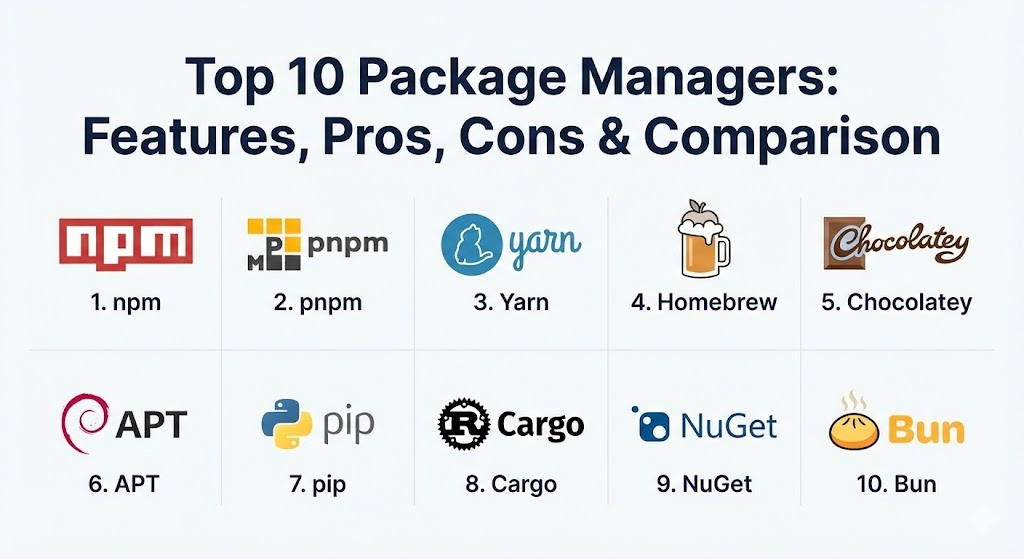
Introduction
At its core, a package manager serves as a bridge between a central repository of software (the “registry”) and the local environment. Whether you are a JavaScript developer pulling in a utility library like Lodash, a Python data scientist installing NumPy, or a Linux administrator updating system-wide security patches, you are relying on a package manager. Without these tools, “dependency hell”—a situation where conflicting versions of libraries break an application—would be a daily occurrence for every IT professional.
Key real-world use cases for package managers include standardizing development environments across a global team, automating CI/CD pipelines to ensure consistent builds in production, and securing the software supply chain by auditing third-party code for known vulnerabilities. When choosing a package manager, evaluation criteria typically include installation speed, disk space efficiency (deduplication), the size and health of the ecosystem, and robust security features like checksum verification and “lockfiles” that guarantee reproducible environments.
Best for: Developers, DevOps engineers, and system administrators working in collaborative environments. These tools are essential for teams of all sizes, from two-person startups to global enterprises like Google or Microsoft, where consistent environments are non-negotiable.
Not ideal for: Simple, “monolithic” legacy projects with zero external dependencies, or hobbyists manually building software from source for educational purposes where automation adds unnecessary complexity.
Top 10 Package Managers Tools
1 — npm (Node Package Manager)
As the default package manager for Node.js, npm is the undisputed heavyweight of the JavaScript world. It manages the largest software registry in existence, powering everything from simple frontend websites to massive backend microservices.
- Key features:
- Default integration with the Node.js runtime.
- Access to the npm Registry, hosting over 2 million packages.
- Robust “workspaces” support for managing monorepos.
- Built-in security auditing tool (
npm audit) to find vulnerabilities. - Comprehensive
package-lock.jsonfor deterministic installs. - Automated script execution via
npm run. - Semantic versioning (SemVer) enforcement.
- Pros:
- The most extensive ecosystem in the world; if a JS library exists, it’s on npm.
- Virtually every CI/CD tool and IDE has native, first-class support for npm.
- Cons:
- Historical performance issues with deep dependency trees (though significantly improved in v10+).
- Massive
node_modulesfolders can lead to significant disk space consumption.
- Security & compliance: SSO support for enterprise accounts, 2FA, scoped packages for private code, and automated vulnerability scanning.
- Support & community: Backed by GitHub/Microsoft; massive community support with millions of StackOverflow threads and exhaustive official documentation.
2 — pnpm (Performant npm)
pnpm has emerged as the favorite for developers frustrated by disk usage and slow installation speeds. It uses a unique content-addressable storage system to ensure that each version of a package is stored only once on your machine.
- Key features:
- Content-addressable store that saves up to 80% of disk space.
- Fast installation speeds via hard links and symlinks.
- Strict dependency management that prevents “phantom dependencies.”
- Excellent native support for large-scale monorepos.
- Automatic “shamefully-hoist” options for legacy compatibility.
- Built-in “catalogs” for centralized version management in workspaces.
- Compatible with existing
package.jsonfiles.
- Pros:
- Dramatically reduces “disk bloat” by sharing packages across multiple projects.
- Installation speed is consistently among the fastest in the Node.js ecosystem.
- Cons:
- The symlink-based
node_modulesstructure can occasionally break poorly written libraries that expect a flat structure. - Smaller (though rapidly growing) community compared to npm.
- The symlink-based
- Security & compliance: Inherits npm registry security; provides stricter dependency isolation which prevents many common supply-chain attacks.
- Support & community: High-quality documentation; strong presence on Discord and GitHub; increasingly adopted by major open-source projects like Vue.js.
3 — Yarn (v4 Berry)
Originally created by Facebook to solve npm’s consistency issues, Yarn has evolved into a highly sophisticated tool with the “Berry” (v2, v3, v4) release, focusing on stability, developer experience, and “Zero Installs.”
- Key features:
- Plug’n’Play (PnP) mode that eliminates
node_modulesentirely. - “Zero Installs” allowing you to commit dependencies to Git for instant environment setup.
- Advanced “Constraints” engine to enforce project-wide rules (e.g., preventing specific versions).
- Integrated plugin architecture for extending functionality.
- Interactive upgrade terminal for managing dependency updates.
- Powerful workspace management with flexible protocol support (
workspace:,patch:).
- Plug’n’Play (PnP) mode that eliminates
- Pros:
- Unmatched for large, complex enterprise monorepos requiring strict governance.
- PnP mode offers the fastest “cold start” for CI/CD pipelines.
- Cons:
- PnP mode requires ecosystem compatibility (some libraries still struggle without a traditional
node_modules). - Significant learning curve compared to the simplicity of npm.
- PnP mode requires ecosystem compatibility (some libraries still struggle without a traditional
- Security & compliance: Checksum-based verification of every package; support for secure offline mirrors.
- Support & community: Strong corporate backing and a dedicated maintainer team; excellent modern documentation.
4 — Homebrew
Homebrew is the “missing package manager” for macOS (and now Linux). It allows users to install system-level utilities, applications, and developer tools using a simple command-line interface.
- Key features:
- Simple
brew installsyntax for thousands of software packages. - “Cask” support for GUI applications like Google Chrome or VS Code.
- Handles complex system dependencies and paths automatically.
- “Brewfile” support for backing up and restoring an entire machine’s software list.
- Managed sandboxing for building packages from source.
- Easy cleanup of old versions and orphaned dependencies.
- Simple
- Pros:
- The standard for macOS developers; makes setting up a new machine take minutes instead of hours.
- Very fast updates; new versions of tools usually appear on Brew within hours of release.
- Cons:
- Can occasionally conflict with system-provided libraries on macOS.
- Not designed for managing application-level code dependencies (like npm or pip).
- Security & compliance: GPG-signed commits and SHA-256 verification of all downloaded binaries.
- Support & community: Massive open-source community; thousands of “taps” (third-party repositories) available.
5 — Chocolatey
For Windows users, Chocolatey provides a Linux-like package management experience. It automates the installation, update, and configuration of Windows software, making it a favorite for DevOps and IT departments.
- Key features:
- Power-shell based installation for over 9,000 Windows packages.
- Handles complex Windows installers (.msi, .exe) silently in the background.
- “Package Builder” for creating internal enterprise packages easily.
- Integration with configuration management tools like Ansible, Puppet, and Chef.
- Centralized auditing of all installed software on a Windows fleet.
- Pros:
- Transforms Windows from a manual “click-to-install” OS into an automation-friendly platform.
- Enterprise version offers a “Package Internalizer” to host binaries locally for offline security.
- Cons:
- The community repository can sometimes contain outdated or broken scripts.
- Significant features (like self-service portals) are locked behind the paid Business edition.
- Security & compliance: FIPS compliance, VirusTotal integration for all packages, and support for internal private repositories.
- Support & community: Excellent documentation; professional support available for enterprise customers; very active community of maintainers.
6 — APT (Advanced Package Tool)
APT is the backbone of Debian-based Linux distributions, including Ubuntu and Linux Mint. It is a system-level manager that handles everything from the Linux kernel itself to the smallest command-line utility.
- Key features:
- Sophisticated dependency resolution that prevents “broken” systems.
- Support for “PPA” (Personal Package Archives) to access cutting-edge software.
- Secure GPG-signed repository system.
- Unattended upgrades for automatic security patching.
- Powerful search and inspection tools (
apt-cache,apt-show-versions).
- Pros:
- Incredible stability; the software in the main repositories is rigorously tested for compatibility.
- Extremely fast and lightweight, requiring very few system resources.
- Cons:
- Software in the official “stable” repositories can be significantly older than the latest releases.
- PPAs can sometimes lead to “version fragmentation” if not managed carefully.
- Security & compliance: Mandatory GPG signature verification; highly granular audit logs; compliant with rigorous government security standards.
- Support & community: Decades of community knowledge; supported by Canonical (Ubuntu) and the global Debian Project.
7 — pip (Python Package Installer)
If you are working with Python, pip is your primary tool. It connects to the Python Package Index (PyPI) to install libraries ranging from web frameworks like Django to AI models from TensorFlow.
- Key features:
- Standardized
requirements.txtfor defining project dependencies. - Support for “Wheel” binary distributions for faster installations.
- Integration with virtual environments (
venv) to prevent system-wide conflicts. - Ability to install directly from Git, SVN, or local file paths.
- Dependency resolution engine that handles version constraints.
- Standardized
- Pros:
- Simple, straightforward, and included with almost every Python installation.
- Access to the massive PyPI ecosystem, which is essential for data science and AI.
- Cons:
- By default, pip does not provide a “lockfile” (users often need extra tools like
pip-compileor Poetry for this). - Can lead to messy system-level environments if used without virtual environments.
- By default, pip does not provide a “lockfile” (users often need extra tools like
- Security & compliance: Hash-checking mode for verifying download integrity; support for private PyPI mirrors.
- Support & community: Managed by the Python Packaging Authority (PyPA); extensive documentation and universal industry support.
8 — Cargo (Rust Package Manager)
Cargo is widely regarded as the “gold standard” of package managers. It handles not only dependency management but also compilation, documentation generation, and testing for the Rust programming language.
- Key features:
- Unified “all-in-one” tool for building, testing, and managing Rust code.
- Accurate
Cargo.lockfile that ensures identical builds every time. - Integrated “Crates.io” registry for sharing code.
- Native support for “Workspaces” to manage multiple related packages.
- Built-in benchmarking and unit testing frameworks.
- Semantic versioning enforced by default.
- Pros:
- Eliminates almost all “toolchain fatigue”; one command (
cargo build) does everything. - The most reliable dependency resolution in the industry.
- Eliminates almost all “toolchain fatigue”; one command (
- Cons:
- Compilation times in Rust can be slow, which Cargo can only partially mitigate through caching.
- Strictness of the tool can be intimidating for beginners coming from “looser” languages.
- Security & compliance: Integrated vulnerability checking (
cargo audit); cryptographically signed packages; supports reproducible builds. - Support & community: Supported by the Rust Foundation; excellent, “book-style” documentation; helpful and welcoming community.
9 — NuGet (.NET Package Manager)
NuGet is the essential package manager for the Microsoft .NET ecosystem. It is deeply integrated into Visual Studio and enables developers to share code across C#, F#, and VB.NET projects.
- Key features:
- Seamless integration with Visual Studio and VS Code.
- Support for “Package References” directly within project files (.csproj).
- Centralized package management for multiple projects in a solution.
- Sophisticated versioning and conflict resolution logic.
- Native support for symbols and source linking for easier debugging.
- Pros:
- The easiest “out-of-the-box” experience for enterprise C# developers.
- Strong support for internal private feeds via Azure Artifacts or ProGet.
- Cons:
- Visual Studio integration can sometimes make the underlying logic feel “hidden” from the developer.
- Historically complex to manage from the command line on non-Windows systems (though improved with the
.NETCLI).
- Security & compliance: Package signing, vulnerability alerts in Visual Studio, and full integration with Microsoft Entra ID (SSO).
- Support & community: Backed by Microsoft; extensive enterprise-grade support and documentation.
10 — Bun (Package Manager)
Bun is the “new kid on the block” that is disrupting the Node.js ecosystem in 2026. While it is a full JavaScript runtime, its built-in package manager is gaining fame for being significantly faster than npm, Yarn, or pnpm.
- Key features:
- Native-speed performance (written in Zig).
- Zero-config compatibility with existing
npmprojects. - Binary lockfile (
bun.lockb) for lightning-fast resolution. - Built-in support for TypeScript and JSX without external transpilers.
- Global cache that rivals pnpm for disk efficiency.
- Integrated “Bun Shell” for cross-platform script execution.
- Pros:
- The absolute fastest installation speeds recorded in 2026—often 10x to 30x faster than npm.
- Simplifies the stack by replacing a dozen separate tools (npm, jest, tsc, nodemon) with one.
- Cons:
- Still relatively new; minor compatibility issues with some native Node.js modules may persist.
- Binary lockfiles are harder to inspect manually in Git compared to text-based ones.
- Security & compliance: Rapidly evolving; currently supports basic checksums and secure registry access.
- Support & community: Backed by venture capital and a highly active development team; rapidly growing community on Discord and X (Twitter).
Comparison Table
| Tool Name | Best For | Platform(s) Supported | Standout Feature | Rating (G2/TrueReview) |
| npm | General JS Dev | Cross-platform | World’s largest registry | 4.5 / 5 |
| pnpm | Disk Efficiency | Cross-platform | Content-addressable store | 4.8 / 5 |
| Yarn (v4) | Large Monorepos | Cross-platform | Zero-installs (PnP) | 4.6 / 5 |
| Homebrew | macOS Tooling | macOS, Linux | “The Missing Mac Manager” | 4.9 / 5 |
| Chocolatey | Windows Automation | Windows | Silent Windows installers | 4.4 / 5 |
| APT | Linux Server Mgmt | Debian/Ubuntu | System-level stability | 4.9 / 5 |
| pip | Python / AI | Cross-platform | PyPI ecosystem access | 4.3 / 5 |
| Cargo | Rust Development | Cross-platform | All-in-one toolchain | 5.0 / 5 |
| NuGet | .NET / C# | Windows, Linux | Visual Studio integration | 4.7 / 5 |
| Bun | Ultra-fast JS | Cross-platform | Native Zig-based speed | 4.5 / 5 |
Evaluation & Scoring of Package Managers
To help you decide which tool fits your specific needs, we have evaluated these managers using a weighted scoring system.
| Category | Weight | Score (1-100) – Industry Average |
| Core Features | 25% | 92 – Most modern tools handle dependency resolution near-perfectly. |
| Ease of Use | 15% | 85 – Varies; npm is easiest, Yarn/pnpm require more learning. |
| Integrations | 15% | 95 – Universal support for CI/CD and Cloud providers. |
| Security | 10% | 88 – Strong focus on SBOMs and vulnerability scanning in 2026. |
| Performance | 10% | 82 – Bun and pnpm lead the pack; npm/NuGet are mid-tier. |
| Support | 10% | 90 – Strong community presence for almost every tool. |
| Price / Value | 15% | 98 – Most are free/open-source, providing immense value. |
Which Package Manager Tool Is Right for You?
Selecting a package manager is less about finding the “best” tool and more about finding the “best fit” for your tech stack and team size.
Solo Users vs. SMB vs. Enterprise
- Solo Users: Stick to the defaults. If you’re on a Mac, use Homebrew. If you’re doing JavaScript, npm or Bun are perfect. You don’t need the complexity of enterprise governance yet.
- Small to Medium Businesses (SMBs): Efficiency matters here. pnpm is an excellent choice for SMBs as it saves disk space on shared build servers and speeds up development cycles without the steep learning curve of Yarn Berry.
- Enterprises: You need control and security. Yarn (v4) or NuGet (for .NET shops) offer the “constraints” and private feed support required to manage hundreds of developers while maintaining compliance.
Budget-conscious vs. Premium Solutions
Almost all package managers are open-source and free. However, “premium” refers to the ecosystem around them. If you need enterprise-grade security, you might pay for private registries like npm Enterprise or JFrog Artifactory to host your packages securely.
Feature Depth vs. Ease of Use
If you want a tool that “does it all” and don’t mind a weekend of learning, Cargo (for Rust) or Yarn Berry are unmatched. If you want to start coding in five minutes, npm, pip, or Homebrew are the way to go.
Integration and Scalability
For massive monorepos (codebases with multiple projects), pnpm and Yarn are the industry standards. They are designed to scale to thousands of packages without breaking.
Security and Compliance Requirements
If you work in a regulated industry (Finance, Healthcare), prioritize tools with built-in auditing. APT, Maven (for Java), and Cargo have some of the most rigorous security checks and support for reproducible builds.
Frequently Asked Questions (FAQs)
1. What is a “Lockfile” and why is it important?
A lockfile (like package-lock.json or Cargo.lock) records the exact version of every dependency installed. This ensures that every developer on your team and every server in your production environment is running the same code.
2. Is it safe to use a new package manager like Bun in production?
In 2026, Bun has reached a high level of maturity. However, for mission-critical enterprise apps, it is often safer to wait or test extensively. For startups and internal tools, the speed gains of Bun often outweigh the risks.
3. Can I use multiple package managers in the same project?
It is strongly discouraged. Using both npm and yarn in one project can lead to conflicting lockfiles and “duplicate” dependency issues. Pick one and stick to it.
4. What is “Dependency Confusion”?
This is a security vulnerability where a package manager is tricked into downloading a malicious “public” package instead of your “private” internal one. Modern managers now have features to prevent this by defining “scoped” repositories.
5. How do I clear my package manager’s cache?
Every tool has a clean command (e.g., npm cache clean –force or pnpm store prune). This is useful if you run into strange installation errors or need to free up disk space.
6. Does pnpm really save that much space?
Yes. If you have 10 Node.js projects all using the same version of React, npm will store 10 copies. pnpm will store one copy and link the other 9 to it.
7. Why does Homebrew require a “Sudo” or Password?
Homebrew generally avoids sudo for its own files, but it may need your password to write to system directories (like /usr/local) or to install system-level software via Cask.
8. What is an “Orphaned Dependency”?
This happens when you uninstall a package but the sub-libraries it required are left behind. Good managers like APT or Cargo have commands to “autoremove” these leftovers.
9. Can I manage my Windows updates with Chocolatey?
Chocolatey is mainly for third-party software (Chrome, Zoom, etc.). While it can handle some Windows features, it is not a replacement for Windows Update.
10. What is an SBOM?
A Software Bill of Materials (SBOM) is a complete list of all components in your software. Modern package managers are increasingly being used to generate these for security compliance.
Conclusion
The landscape of package management in 2026 is defined by two major trends: Performance and Security. While npm remains the comfortable default for many, specialized tools like pnpm for efficiency, Cargo for reliability, and Bun for raw speed are pushing the boundaries of what developers expect.
The “best” package manager is the one that disappears into your workflow. If you are constantly fighting with installation errors or disk space warnings, it may be time to migrate. However, for most users, the standard tool for your specific language or operating system will provide the most stability and the largest community of support. Choose based on your tech stack first, and your performance needs second.