Introduction
Molecular modeling software refers to a category of computational tools used to represent the three-dimensional structures of chemical systems and simulate their physical and chemical properties. These systems range from small organic molecules to vast biological complexes like proteins and DNA. By applying the laws of physics—specifically quantum mechanics and classical mechanics—these tools allow researchers to study molecular interactions that are often too fast, too small, or too dangerous to observe in a traditional laboratory setting.
The importance of MMS cannot be overstated. In the pharmaceutical industry, for example, it can take over a decade and billions of dollars to bring a drug to market; molecular modeling can reduce this timeline by identifying promising candidates early through virtual screening. Key use cases include protein-ligand docking, molecular dynamics (MD) simulations, and thermodynamic calculations. When evaluating these tools, users should look for accuracy in force fields, GPU acceleration capabilities, ease of integration with experimental data, and the strength of the underlying algorithms.
Best for: Computational chemists, medicinal chemists, structural biologists, and materials scientists. It is essential for R&D departments in pharmaceutical companies, biotech startups, and academic research institutions seeking to optimize molecular design.
Not ideal for: General graphic designers or high school students looking for basic 2D drawings. These tools require a significant background in chemistry and physics. Additionally, experimentalists who do not have access to high-performance computing (HPC) resources may find the more advanced simulation tools inaccessible.
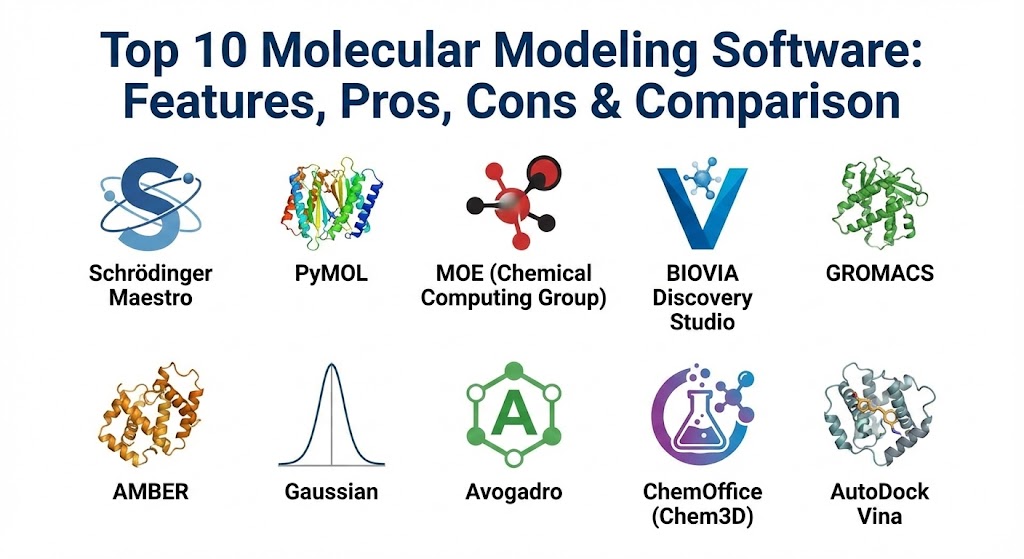
Top 10 Molecular Modeling Software Tools
1 — Schrödinger (Maestro)
Schrödinger’s suite, centered around the Maestro interface, is widely considered the gold standard in the pharmaceutical industry. It offers a comprehensive ecosystem for drug discovery, covering everything from basic visualization to advanced free-energy calculations.
- Key features:
- FEP+ (Free Energy Perturbation): Industry-leading accuracy for predicting binding affinities.
- Glide: A high-performance ligand-protein docking engine.
- Jaguar: Rapid and accurate quantum mechanics (QM) calculations.
- Desmond: High-speed molecular dynamics simulations with GPU optimization.
- LiveDesign: A collaborative platform for real-time team-based drug design.
- Maestro UI: A sophisticated, highly organized 3D visualization environment.
- Machine Learning Integration: Incorporates predictive models into the design loop.
- Pros:
- Unmatched integration; all tools communicate seamlessly within a single ecosystem.
- Highly validated algorithms that are frequently cited in peer-reviewed literature.
- Cons:
- Extremely high cost, often putting it out of reach for small academic labs or solo researchers.
- Resource-intensive; requires robust hardware and often dedicated IT support for cluster management.
- Security & compliance: SOC 2 compliant, supports SSO integration, enterprise-grade encryption for cloud-based calculations, and detailed audit logs.
- Support & community: Exceptional professional support, extensive training webinars, a dedicated “Schrödinger Online Learning” platform, and a vast global community of industrial users.
2 — PyMOL
PyMOL is the premier tool for high-quality molecular visualization. While it has limited simulation capabilities compared to Schrödinger, it is the industry standard for producing publication-quality images and animations of biological macromolecules.
- Key features:
- High-Resolution Rendering: Built-in ray tracing for stunning visual output.
- Python Integration: Fully scriptable using the Python language.
- Command Line Interface: Offers deep control for advanced users alongside the GUI.
- Molecular Animations: Easy-to-use tools for creating “movies” of molecular movement.
- Large Plugin Library: Community-developed extensions for various scientific tasks.
- Volume Rendering: Support for electron density maps and medical imaging data.
- Pros:
- Incredible flexibility; if you can script it in Python, PyMOL can display it.
- Relatively affordable for academics, with a functional open-source version available.
- Cons:
- Limited capability for actual chemical simulations or docking without third-party plugins.
- The learning curve for the command line interface can be steep for non-coders.
- Security & compliance: Varies; the commercial version (Schrödinger-maintained) offers standard enterprise licensing and basic encryption.
- Support & community: Massively popular; an enormous Wiki, countless YouTube tutorials, and a very active mailing list/Slack community.
3 — MOE (Molecular Operating Environment)
Developed by Chemical Computing Group (CCG), MOE is a highly integrated platform that balances medicinal chemistry with biologics and protein modeling. It is known for its “all-in-one” approach.
- Key features:
- Structure-Based Design: Advanced tools for active site analysis and docking.
- Fragment-Based Design: Specialized workflows for building molecules from small pieces.
- Biologics Tools: Extensive capabilities for antibody modeling and protein engineering.
- SVL (Scientific Vector Language): A proprietary language for customizing and extending MOE.
- Pharmacophore Modeling: Rapid identification of essential molecular features for binding.
- H-Bond Analysis: Sophisticated tools for analyzing water networks and hydrogen bonding.
- Pros:
- Everything is included in one license; no need to buy separate “modules” for different tasks.
- Exceptional customer support that often includes direct access to the developers.
- Cons:
- The UI can feel cluttered due to the sheer density of available features.
- Dependence on SVL means that porting scripts to other platforms is difficult.
- Security & compliance: Supports SSO, standard encryption, and is widely used in GDPR-compliant environments.
- Support & community: Renowned for “high-touch” support; CCG holds regular hands-on workshops globally.
4 — BIOVIA Discovery Studio
Part of the Dassault Systèmes ecosystem, Discovery Studio is an enterprise-level platform that excels in biologics modeling and predictive toxicology.
- Key features:
- Pipeline Pilot Integration: Allows for automated data workflows and large-scale screening.
- CHARMm Force Field: Access to the legendary simulation engine for molecular dynamics.
- Antibody Modeling: Comprehensive suite for predicting antibody-antigen interactions.
- QSAR Modeling: Robust tools for quantitative structure-activity relationship analysis.
- X-Ray Crystallography Tools: Features for refining and validating structures from experimental data.
- Virtual Screening: High-throughput screening capabilities for millions of compounds.
- Pros:
- Excellent for large organizations that need to integrate modeling with experimental lab data.
- Strong focus on biologics and therapeutic protein design.
- Cons:
- Very high cost and complex installation process.
- The interface can feel slower than more streamlined, dedicated modeling apps.
- Security & compliance: ISO 27001, SOC 2, HIPAA, and GDPR compliant. Deep integration with enterprise security protocols.
- Support & community: Enterprise-grade support with dedicated account managers and global training centers.
5 — GROMACS
GROMACS is the “speed demon” of molecular dynamics. It is a free, open-source engine primarily designed for simulating the movements of proteins, lipids, and nucleic acids.
- Key features:
- Extreme GPU Acceleration: One of the fastest MD engines in the world.
- Highly Parallelized: Scales efficiently from a single laptop to massive supercomputers.
- Versatile Force Field Support: Works with AMBER, CHARMM, and GROMOS force fields.
- Free Energy Calculations: Built-in tools for calculating solvation and binding energy.
- Active Development: Constantly updated by a global team of researchers.
- Pros:
- Completely free and open-source, making it the bedrock of academic research.
- Performance is unmatched for long-timescale simulations of large systems.
- Cons:
- No native GUI; it is almost entirely command-line driven, which is intimidating for beginners.
- Visualization must be handled by external tools like VMD or PyMOL.
- Security & compliance: N/A (Open-source; security depends on the hosting environment).
- Support & community: Incredible community support through mailing lists and GitHub; however, there is no “help desk” to call.
6 — AMBER (Assisted Model Building with Energy Refinement)
AMBER is both a suite of programs and a set of force fields. It is a staple in the computational biology community for studying the dynamics of biomolecules.
- Key features:
- AmberForceFields: Some of the most widely used and validated force fields in the world.
- PMEMD: A highly optimized engine for MD simulations on CPUs and GPUs.
- CPPTRAJ: A powerful tool for analyzing MD trajectories.
- PBSA/GBSA: Efficient methods for calculating implicit solvent energies.
- Hydrogen Mass Repartitioning: Allows for longer time steps in simulations.
- Pros:
- The force fields are industry standards, ensuring results are comparable to other studies.
- Strong documentation and a very reliable codebase.
- Cons:
- Not free for commercial/industrial use (though reasonably priced for academics).
- Like GROMACS, the learning curve is steep due to the reliance on scripts.
- Security & compliance: Varies; primarily used in secure academic HPC environments.
- Support & community: Very strong community support; the “Amber Mailing List” is a treasure trove of information.
7 — Gaussian
Gaussian is the world leader in quantum mechanics software. While tools like Schrödinger handle the “big” movements (classical mechanics), Gaussian looks at the electrons themselves.
- Key features:
- Electronic Structure Modeling: Predicts energies, molecular orbitals, and vibrational frequencies.
- ONIOM Method: Allows for multi-layered modeling (QM on the active site, MM on the rest).
- Excited State Calculations: Essential for studying photochemistry and spectroscopy.
- Solvent Effects: Advanced models for molecules in liquid environments.
- GaussianView: A dedicated GUI for building inputs and visualizing results.
- Pros:
- The absolute authority on precision for small-to-medium-sized chemical systems.
- Vast array of spectroscopic prediction tools (NMR, IR, UV-Vis).
- Cons:
- Computational cost is exponential; simulating large proteins is impossible with pure QM.
- Strict licensing terms that have historically been controversial in the academic community.
- Security & compliance: Standard software licensing; typically deployed on-premises.
- Support & community: Comprehensive technical manuals and a dedicated support team at Gaussian, Inc.
8 — Avogadro
Avogadro is an advanced molecular editor and visualizer designed for cross-platform use in computational chemistry, molecular modeling, and bioinformatics.
- Key features:
- Open Babel Integration: Supports over 100 chemical file formats.
- Auto-Optimization: Real-time force-field-based geometry optimization.
- Extensible Plugin Architecture: Users can write scripts to add new features easily.
- Surface Rendering: Quick generation of Van der Waals and solvent-accessible surfaces.
- Crystal Builder: Tools for creating periodic unit cells for materials science.
- Pros:
- Free, open-source, and extremely easy to install on Windows, Mac, or Linux.
- The best “first tool” for students and researchers new to modeling.
- Cons:
- Lacks the advanced simulation depth (MD/QM) found in specialized suites.
- Can crash when handling extremely large biological complexes (e.g., ribosomes).
- Security & compliance: N/A (Open source).
- Support & community: Excellent documentation and an active forum; widely used in educational settings.
9 — ChemOffice (Chem3D)
While primarily known for its 2D sketching (ChemDraw), the ChemOffice suite includes Chem3D, a tool that brings modeling capabilities to the desktop of the average organic chemist.
- Key features:
- ChemDraw Integration: Instantly turn 2D drawings into 3D models.
- GAMESS/MOPAC Support: Interfaces with standard QM engines for calculations.
- AutoDock Integration: Provides a simple GUI for basic docking studies.
- Conformational Searching: Quickly finds the most stable shapes of a molecule.
- Property Prediction: Estimates boiling points, logP, and solubility.
- Pros:
- Essential for the “everyday” chemist who needs quick answers without learning complex CLI tools.
- The interface is familiar to anyone who has used standard Microsoft Office products.
- Cons:
- Not suitable for high-end research like long-timescale MD or protein folding.
- Proprietary and requires an annual subscription.
- Security & compliance: SOC 2, HIPAA, and GDPR compliant through the Revvity (formerly PerkinElmer) cloud.
- Support & community: Professional corporate support and a massive user base in the chemical industry.
10 — AutoDock Vina
AutoDock Vina is one of the most cited open-source programs for molecular docking. It is the workhorse of virtual screening, used to predict how small molecules bind to a receptor.
- Key features:
- Fast Docking Algorithm: Significantly faster than its predecessor (AutoDock 4).
- Multicore Support: Efficiently uses all available CPU threads.
- High Reliability: consistently ranks among the top docking programs in comparative studies.
- Scriptable: Easy to integrate into large-scale automated screening pipelines.
- Open Source: Full transparency of the scoring function and algorithms.
- Pros:
- Completely free and has become the de facto standard for academic docking studies.
- Extremely stable and well-documented.
- Cons:
- Does not include its own GUI; requires tools like AutoDockTools or PyMOL plugins.
- Scoring functions can sometimes struggle with highly charged or flexible ligands.
- Security & compliance: N/A (Open source).
- Support & community: Vast academic community; thousands of forum posts and tutorials are available online.
Comparison Table
| Tool Name | Best For | Platform(s) Supported | Standout Feature | Rating (TrueReview/Gartner) |
| Schrödinger | Pharma R&D | Linux, Windows, Cloud | FEP+ Accuracy | 4.8 / 5 |
| PyMOL | Visualization | Windows, Mac, Linux | Ray-traced Graphics | 4.7 / 5 |
| MOE | Med-Chem All-in-One | Windows, Linux, Mac | SVL Customization | 4.5 / 5 |
| Discovery Studio | Biologics Enterprise | Windows, Linux | Pipeline Pilot Integration | 4.3 / 5 |
| GROMACS | Fast MD Simulation | Linux, HPC Clusters | GPU Performance | 4.9 / 5 |
| AMBER | Biomolecular MD | Linux, Mac | AMBER Force Fields | 4.6 / 5 |
| Gaussian | Quantum Chemistry | Linux, Windows | Precision QM | 4.7 / 5 |
| Avogadro | Beginners/Teaching | Windows, Mac, Linux | Ease of Use | 4.4 / 5 |
| ChemOffice | Desktop Modeling | Windows, Mac | ChemDraw Integration | 4.5 / 5 |
| AutoDock Vina | Virtual Screening | Windows, Linux, Mac | Docking Speed | 4.8 / 5 |
Evaluation & Scoring of Molecular Modeling Software
The following rubric represents how these tools are weighted and scored by research leads and procurement departments in the biotech and pharmaceutical sectors.
| Category | Weight | Evaluation Criteria |
| Core Features | 25% | Accuracy of docking, simulation speed, and force field validity. |
| Ease of Use | 15% | GUI quality, documentation, and the speed of the onboarding process. |
| Integrations | 15% | Compatibility with other scripts (Python), HPC clusters, and cloud resources. |
| Security & Compliance | 10% | Data encryption, SSO support, and adherence to industry regulations (GDPR). |
| Performance | 10% | Stability under heavy load and effective use of GPU/CPU resources. |
| Support & Community | 10% | Availability of training, professional help desks, and community forums. |
| Price / Value | 15% | Return on investment, especially regarding saved lab costs. |
Which Molecular Modeling Software Tool Is Right for You?
Selecting the right tool depends heavily on your specific goals, your budget, and your technical proficiency.
Solo Users vs. SMB vs. Enterprise
- Solo Users/Academics: If you are working alone on a limited budget, the open-source stack is your best friend. Combining Avogadro (for building), AutoDock Vina (for docking), and GROMACS (for dynamics) provides a professional-level pipeline for zero dollars in licensing fees.
- Mid-Market/Biotech Startups: Efficiency is key here. MOE is often a favorite because its “all-in-one” license covers almost everything a small medicinal chemistry team needs without the complex modular pricing of larger competitors.
- Enterprise/Big Pharma: If the budget allows, Schrödinger is the definitive choice. The time saved by using FEP+ to predict binding affinities can save millions in failed lab syntheses, easily justifying its premium price.
Budget-Conscious vs. Premium Solutions
If you have no budget, you must be willing to learn the command line. GROMACS and AMBER are incredibly powerful but require a DIY attitude. If you have a significant budget, you are paying for the “GUI tax”—the ability to do complex science with a few clicks in Maestro or Discovery Studio.
Feature Depth vs. Ease of Use
For those who primarily want to communicate their science, PyMOL is non-negotiable. For those who need to understand the fundamental electronics of a new catalyst, Gaussian is essential. If you are an organic chemist who occasionally wants to see a molecule in 3D, Chem3D within the ChemOffice suite is the most painless entry point.
Frequently Asked Questions (FAQs)
1. Do I need a powerful computer to run molecular modeling software?
For visualization (PyMOL), a modern laptop is fine. For simulations (GROMACS, Schrödinger), you need high-end NVIDIA GPUs and multiple CPU cores. Most professional research is done on Linux-based High-Performance Computing (HPC) clusters or in the cloud.
2. What is the difference between Molecular Mechanics (MM) and Quantum Mechanics (QM)?
MM treats atoms like balls and bonds like springs; it is fast and can simulate large proteins. QM treats atoms as nuclei and electrons; it is incredibly accurate for small molecules but very slow and computationally expensive.
3. Is there a free version of Schrödinger?
Schrödinger offers a free version of “Maestro” for academic visualization only. However, the simulation engines (Glide, FEP+, etc.) require a paid license.
4. Can I use these tools for COVID-19 or viral research?
Yes. Most of the early research on the SARS-CoV-2 spike protein and the development of Paxlovid utilized many of the tools on this list, specifically Schrödinger, AMBER, and GROMACS.
5. How accurate are these simulations?
They are very reliable for trends (e.g., “Molecule A binds better than Molecule B”). However, they are not perfect. In silico results should always be validated by “in vitro” (wet lab) experiments.
6. Which software is best for protein folding?
While the tools on this list (like GROMACS) can simulate folding, AI-based tools like AlphaFold and Rosetta are currently the leaders in predicting 3D structures from 1D sequences.
7. Is coding required for molecular modeling?
For the top-tier free tools (GROMACS, AMBER, AutoDock), basic knowledge of Linux and Python is highly recommended. For the premium tools (Schrödinger, MOE), you can do almost everything through a graphical interface.
8. Can these tools simulate materials like batteries or polymers?
Yes. Discovery Studio and Schrödinger both have specialized modules for materials science. Avogadro is also excellent for building crystal lattices used in battery research.
9. What is “Molecular Docking”?
It is a simulation that predicts the preferred orientation of one molecule (a drug) when bound to a second (a protein) to form a stable complex. It is like finding the right key for a specific lock.
10. How do I choose between GROMACS and AMBER?
GROMACS is generally faster and free for everyone. AMBER has a more established history in the academic community for specific force fields. Many researchers use both depending on the project.
Conclusion
The landscape of molecular modeling software is a diverse ecosystem ranging from free, community-driven scripts to multi-million dollar enterprise platforms. Choosing the right one is a balance of scientific necessity and operational reality. If your goal is high-throughput industrial drug discovery, the investment in Schrödinger or MOE is likely to pay dividends. If you are exploring the fundamental beauties of structural biology on a budget, the combination of PyMOL and GROMACS remains an unbeatable academic standard. Regardless of the tool, the goal remains the same: to gain insights into the molecular world that help us build a healthier, more advanced future.