Introduction
Mocking and Service Virtualization tools are software solutions that simulate the behavior of specific components within a heterogeneous application environment. While “mocking” generally refers to lightweight, code-based simulations of specific functions or classes (often used in unit testing), “service virtualization” involves creating a “digital twin” of a complete service, such as a REST API, a database, or a messaging queue. These tools capture the request-response patterns of real systems and replicate them in a controlled, virtual environment.
These tools are important because they remove the “dependency bottleneck.” Instead of being blocked by an unstable or unavailable third-party service, teams can use a virtual version that behaves exactly like the real thing. Key real-world use cases include testing e-commerce checkout flows when the payment gateway is down, simulating high-latency network conditions for mobile apps, and performing chaos engineering by forcing virtual services to return specific error codes ($500$ Internal Server Error, etc.).
When choosing a tool in this category, you should evaluate it based on protocol support (REST, SOAP, gRPC, MQ, etc.), ease of creation (record-and-playback vs. manual scripting), stateful behavior simulation, and CI/CD integration capabilities.
Best for: DevOps engineers, QA automation specialists, and backend developers working in complex microservices or legacy-heavy environments. It is a must-have for industries like Banking, Healthcare, and E-commerce where third-party stability is variable.
Not ideal for: Simple, monolithic applications with zero external dependencies or small projects where manual stubs are sufficient. If your application doesn’t interact with outside APIs or databases, the overhead of a virtualization platform may exceed its benefits.
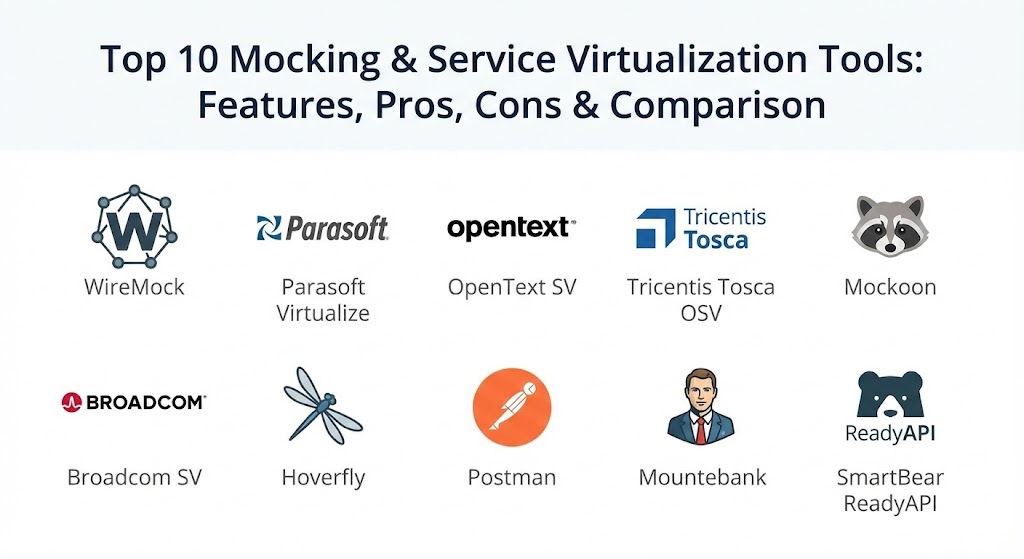
Top 10 Mocking & Service Virtualization Tools
1 — WireMock
WireMock is arguably the industry-standard open-source tool for mocking HTTP-based APIs. It is highly flexible and can run as a standalone server, a library within a Java application, or a managed cloud service (WireMock Cloud).
- Key features:
- High-Fidelity Matching: Matches requests based on URL, headers, and body content using regex and JSONPath.
- Stateful Behavior: Allows stubs to change their behavior based on the sequence of calls (State Machines).
- Response Templating: Dynamically injects data from the request into the response.
- Proxy & Record: Can record real traffic and turn it into stubs automatically.
- Fault Injection: Simulates connection resets, slow responses, and malformed data.
- Extensive API: Allows for programmatic control of stubs via a REST interface.
- Pros:
- Incredible flexibility for developers who prefer “testing as code.”
- Lightweight enough to run in a Docker container or as a local library.
- Cons:
- Primarily focused on HTTP; lacks native support for legacy protocols like mainframe or MQ.
- Requires a degree of coding knowledge to utilize advanced features.
- Security & compliance: SOC 2 Type II compliant (Cloud version); supports HTTPS, mTLS, and basic authentication.
- Support & community: Massive open-source community; well-documented with thousands of community-contributed plugins.
2 — Parasoft Virtualize
Parasoft Virtualize is an enterprise-grade service virtualization solution designed for complex, heterogeneous environments. It excels at managing diverse protocols and massive test data sets across global teams.
- Key features:
- Wide Protocol Support: Supports over 120 protocols, including REST, SOAP, MQ, EDI, and Mainframe.
- Data Modeling: Generates realistic, dynamic test data from existing databases or traffic logs.
- Record & Replay: Captures live system behavior to create virtual services in seconds.
- Change Management: Automatically detects when a real API changes and updates the virtual service.
- Environment Management: Provides a visual dashboard to swap between “real” and “virtual” endpoints.
- Pros:
- The most robust choice for legacy systems and specialized enterprise protocols.
- Reduces the manual effort of test data management through AI-driven modeling.
- Cons:
- Steep learning curve due to the complexity and depth of the platform.
- High licensing cost targeted at large-scale enterprise budgets.
- Security & compliance: SOC 2, HIPAA, and GDPR compliant; features SSO, audit logs, and enterprise-grade encryption.
- Support & community: High-tier professional support, extensive training “Academy,” and a dedicated customer success ecosystem.
3 — OpenText Service Virtualization
Formerly a part of Micro Focus (and HP), OpenText Service Virtualization is a powerful platform known for its deep integration with the LoadRunner and ALM ecosystems. It is built for performance and high-scale simulation.
- Key features:
- Performance Simulation: Specifically designed to simulate service behavior under heavy load.
- Network Emulation: Simulates network conditions like latency, jitter, and packet loss.
- Wizard-Driven Creation: Simplifies the process of creating virtual services without extensive coding.
- LoadRunner Integration: Seamlessly works with performance testing tools to remove environment bottlenecks.
- Multi-Protocol Gateways: Handles complex messaging systems and ERP protocols (SAP, etc.).
- Pros:
- Exceptional performance—virtual services can handle thousands of hits per second.
- Essential for teams already utilizing the OpenText/Micro Focus testing suite.
- Cons:
- User interface can feel dated compared to modern, browser-based tools.
- Primarily focused on the “Performance Tester” persona rather than the developer.
- Security & compliance: FIPS 140-2, SOC 2, and GDPR compliant; robust audit trails.
- Support & community: Solid enterprise support with a long-standing user base and global technical assistance.
4 — Tricentis Tosca OSV (Orchestrated Service Virtualization)
Tricentis OSV takes a “model-based” approach to service virtualization. It is designed to allow non-technical testers to create complex, stateful virtual services without writing a single line of code.
- Key features:
- Model-Based Creation: Uses a visual interface to define request-response logic.
- Stateful Message Processing: Simulates multi-step business transactions (e.g., Order -> Process -> Complete).
- Tosca Integration: Directly connects with the Tricentis Tosca automation platform.
- Dynamic Data Steering: Uses data from Excel or external files to drive virtual responses.
- Recording Proxy: Records traffic between components and auto-generates models.
- Pros:
- Excellent for “No-code” or “Low-code” teams where testers are not developers.
- High maintainability; changing a model is faster than updating hundreds of scripts.
- Cons:
- Requires the broader Tricentis ecosystem to realize the full ROI.
- Less flexible for developers who want to integrate mocks directly into their IDE.
- Security & compliance: SOC 2 and GDPR compliant; supports standard enterprise authentication protocols.
- Support & community: Highly professional support and a specialized certification program for users.
5 — Mockoon
Mockoon is a modern, open-source desktop application that provides one of the fastest ways to design and run mock APIs locally. It is the favorite for frontend developers who need a quick, local backend.
- Key features:
- Desktop GUI: An intuitive, clean interface for Windows, macOS, and Linux.
- Response Rules: Create complex matching rules based on headers, cookies, or body content.
- Proxy Mode: Forwards unknown requests to a real API while mocking specific endpoints.
- Local-First: All data is stored locally, ensuring privacy and speed.
- CLI Runner: A headless version to run your mocks in CI/CD pipelines (GitHub Actions, etc.).
- Templating: Supports Handlebars for dynamic response generation.
- Pros:
- Zero setup time; download the app and have a mock running in 30 seconds.
- Completely free and open-source with no cloud-dependency.
- Cons:
- Lacks multi-user collaboration features in the standalone desktop app.
- Limited support for non-HTTP protocols.
- Security & compliance: Varies / N/A (Security is dependent on your local machine and network).
- Support & community: Very active GitHub community and transparent roadmap; growing documentation.
6 — Broadcom Service Virtualization (DevTest)
Formerly known as CA Service Virtualization (or LISA), this is one of the most established tools in the market. It is a massive, enterprise-scale platform often found in the world’s largest banks and telecom companies.
- Key features:
- VSE (Virtual Service Environment): A centralized server for hosting thousands of virtual services.
- Deep Protocol Analysis: Exceptional at decoding complex, proprietary binary protocols.
- Continuous Testing Integration: Part of the broader Broadcom DevTest suite.
- Enterprise Governance: Centralized management of who can create and deploy virtual assets.
- Automatic Learning: Uses AI to learn and adapt response patterns over time.
- Pros:
- Unmatched stability for global, large-scale deployments.
- Handles the most obscure “legacy” protocols that other tools simply cannot touch.
- Cons:
- Significant infrastructure requirements to host the VSE and management server.
- Licensing and maintenance are at the highest end of the market.
- Security & compliance: SOC 2, GDPR, and HIPAA compliant; enterprise-grade encryption and audit trails.
- Support & community: Comprehensive professional services and 24/7 global enterprise support.
7 — Hoverfly
Hoverfly is a lightweight, open-source service virtualization tool written in Go. It is specifically tailored for high-speed automation and microservices testing.
- Key features:
- Middleware Support: Allows you to use any language (Python, Ruby, JS) to manipulate requests/responses.
- Capture & Simulate: Two main modes that allow for quick recording and immediate playback.
- High Performance: Being written in Go, it can handle massive throughput with low latency.
- CLI & API First: Designed for developers who live in the terminal.
- Destination Filtering: Control exactly which external domains should be virtualized.
- Pros:
- The best choice for Go developers and teams using Kubernetes.
- Highly extensible through its unique “middleware” architecture.
- Cons:
- Lacks a robust GUI for those who prefer visual configuration.
- Documentation for complex stateful scenarios can be thin.
- Security & compliance: Supports TLS/SSL; compliance is dependent on the hosting environment.
- Support & community: Solid open-source community; professional support available via SpectoLabs.
8 — Postman (Mock Servers)
While Postman is primarily known as an API client, its integrated Mock Servers allow teams to quickly simulate endpoints directly from their API collections.
- Key features:
- Collection-Based: Turn any Postman collection into a mock server with one click.
- Environment Variables: Use dynamic variables to simulate different environments.
- Cloud-Hosted: Mock servers are hosted by Postman, requiring no local infrastructure.
- API Design Integration: Ideal for “API Design First” workflows where you mock the spec before coding.
- Faker Integration: Uses Faker.js to generate random names, addresses, and dates in responses.
- Pros:
- Zero extra tool installation if you are already one of the millions of Postman users.
- Extremely simple for frontend-backend collaboration.
- Cons:
- Limited stateful logic; difficult to simulate complex, multi-step business transactions.
- Performance is rate-limited, making it unsuitable for load testing.
- Security & compliance: SOC 2, GDPR, and ISO 27001 compliant; features secret management and SSO.
- Support & community: Massive user base; extensive online documentation and “Postman University.”
9 — Mountebank
Mountebank is a cross-platform, multi-protocol open-source tool. It describes itself as “the first open source tool to provide multi-protocol, non-modal service virtualization.”
- Key Features:
- Multi-Protocol: Supports HTTP, HTTPS, TCP (binary), and SMTP out of the box.
- JSON Configuration: Simple, human-readable configuration files.
- Imposters: Uses a “modular” system called Imposters to handle different services.
- Scriptability: Allows for advanced logic via JavaScript “predicates” and “responses.”
- Performance: Lightweight runtime that works well on local laptops or CI agents.
- Pros:
- One of the few open-source tools that handles non-HTTP (TCP/SMTP) traffic well.
- No cost and no vendor lock-in.
- Cons:
- No official GUI; management is done via JSON or the REST API.
- Community updates have slowed down recently compared to WireMock.
- Security & compliance: Varies / N/A (Security is dependent on the deployment environment).
- Support & community: Solid community support on GitHub and forums; well-regarded by the Thoughtworks community.
10 — SmartBear ReadyAPI (ServiceV)
ReadyAPI Virtualization (ServiceV) is a comprehensive API simulation platform. It is designed for teams that need full-stack API testing, including functional, security, and load testing.
- Key features:
- Pro API Virtualization: Supports advanced REST and SOAP simulation.
- Data Masking: Automatically masks sensitive production data when creating virtual services.
- JDBC Virtualization: Simulates database responses, removing the need for real test DBs.
- JMS & MQ Support: Handles enterprise messaging queues out of the box.
- ReadyAPI Integration: Works as part of the broader ReadyAPI testing suite.
- Pros:
- Very user-friendly for teams that want a professional, supported GUI.
- Excellent for creating “virtually identical” environments for performance testing.
- Cons:
- Significant cost for the full ReadyAPI license.
- Can feel “heavy” for simple, single-endpoint mocks.
- Security & compliance: SOC 2 and GDPR compliant; features secure data masking and encryption.
- Support & community: Professional support; active “SmartBear Community” forums; extensive onboarding resources.
Comparison Table
| Tool Name | Best For | Platform(s) Supported | Standout Feature | Rating (G2/Gartner) |
| WireMock | Java/Web Developers | All (Java/Docker) | High-fidelity HTTP Matching | 4.8 / 5 |
| Parasoft | Legacy/Enterprise | Windows, Linux | 120+ Protocol Support | 4.6 / 5 |
| OpenText SV | Performance Testing | Windows, Linux | LoadRunner Integration | 4.4 / 5 |
| Tosca OSV | Non-technical QA1 | Windows, Cloud2 | Model-based (No-code)3 | 4.5 / 54 |
| Mockoon5 | Local Dev / Frontend6 | Win, Mac, Linux7 | Easiest Desktop GUI8 | 4.7 / 59 |
| Broadcom SV10 | Global Scale / Bank11 | Windows, Linux12 | Enterprise Governance13 | 4.3 / 514 |
| Hover15fly | Microservices / Go | Win, Mac, Linux | Middleware Extensibility | 4.5 / 5 |
| Postman | API Design Teams | Cloud, Desktop | Zero-config for Postman users | 4.7 / 5 |
| Mountebank | Multi-protocol (TCP) | Win, Mac, Linux | Non-modal Architecture | 4.4 / 5 |
| ReadyAPI | Pro API Teams | Windows, Linux | Database & MQ Mocking | 4.5 / 5 |
Evaluation & Scoring of Mocking & Service Virtualization Tools
We have evaluated these tools using a weighted scoring rubric that reflects the priorities of 2026 DevOps and QA teams.
| Criteria | Weight | What We Evaluate |
| Core Features | 25% | Protocol support, record & replay, stateful logic, and data generation. |
| Ease of Use | 15% | GUI quality, setup speed, and learning curve for non-coders. |
| Integrations | 15% | Native connectivity with CI/CD, JIRA, Slack, and test automation tools. |
| Security & Compliance | 10% | Encryption, SSO, audit logs, and regulatory certifications. |
| Performance | 10% | Latency of virtual responses and stability under high concurrency. |
| Support & Community | 10% | Documentation quality and accessibility of technical assistance. |
| Price / Value | 15% | Licensing transparency and Total Cost of Ownership (TCO). |
Which Mocking & Service Virtualization Tool Is Right for You?
Solo Users vs SMB vs Mid-Market vs Enterprise
If you are a solo user or a freelancer, Mockoon or Postman are the clear winners. They are free, easy to use, and run locally without complex server setups. Small to Mid-Market (SMB) companies should look toward WireMock or ReadyAPI, as they provide professional collaboration features without the “Big Enterprise” overhead. For Global Enterprises, especially those with legacy mainframe or MQ systems, Parasoft Virtualize or Broadcom Service Virtualization are the only tools with the governance and protocol depth required.
Budget-conscious vs Premium Solutions
If budget is your primary concern, open-source is your path. WireMock, Mountebank, and Hoverfly provide world-class power for zero licensing cost. If you have the budget for a Premium Solution, Tricentis Tosca OSV is a massive time-saver for teams that want to avoid writing thousands of lines of code.
Feature Depth vs Ease of Use
If you want ease of use, Mockoon and Postman are the industry leaders; you can have a mock server running in minutes. If you need feature depth—the ability to simulate a bank’s SWIFT protocol or a complex IBM MQ transaction—Parasoft and Broadcom provide the specialized depth that lightweight tools cannot match.
Frequently Asked Questions (FAQs)
1. Is mocking the same as service virtualization?
Not quite. Mocking is usually done by developers for unit testing (simulating a single class or function). Service Virtualization is broader—it simulates entire services or environments over the network (simulating an API or database).
2. Can these tools simulate network failures?
Yes, most enterprise and advanced open-source tools (like WireMock and OpenText) can inject latency, simulate connection timeouts, or force specific HTTP error codes to test your application’s resilience.
3. Do I need to be a developer to use these tools?
It depends on the tool. Mockoon and Tosca OSV are designed for non-technical users. WireMock and Mountebank generally require some technical knowledge of JSON or code to set up.
4. Can I use these tools in my CI/CD pipeline?
Absolutely. In 2026, most teams run virtual services inside Docker containers as part of their Jenkins, GitLab, or GitHub Actions pipelines to ensure consistent testing environments.
5. Why not just use a real test database?
Real test databases are hard to maintain, often get out of sync, and can be slow. Service Virtualization allows you to have a “perfect” database state for every test run without the overhead of a real server.
6. Is open-source as good as enterprise?
For HTTP/REST, open-source tools like WireMock are often better because they are more developer-friendly. However, for legacy protocols (Mainframe, SAP, MQ), enterprise tools are much more capable.
7. Can virtual services handle load testing?
Enterprise tools like OpenText and Parasoft are designed for it. Lightweight tools like Postman mock servers are often rate-limited and will fail under high load.
8. How do I keep my mocks in sync with real APIs?
Some tools (like Parasoft and WireMock Cloud) have “change detection” features that notify you if the real API’s contract (OpenAPI/Swagger) has changed so you can update your mocks.
9. Is it hard to set up a mock for a legacy system?
Yes, it can be. This usually requires a tool that supports “recording traffic.” You place the tool between your app and the legacy system, record the data, and then play it back.
10. What is “Stateful” mocking?
It means the mock “remembers” what happened before. For example, if you call POST /orders, a stateful mock will return “success,” and then when you call GET /orders/123, it will actually return the order you just “created.”
Conclusion
The “best” mocking and service virtualization tool for 2026 is the one that removes your biggest dependency with the least amount of effort. If you are a startup building a React app, the simplicity of Mockoon is perfect. If you are a DevOps engineer in a Java shop, WireMock is your reliable workhorse. And if you are an IT leader in a global bank, the protocol depth of Parasoft or Broadcom is essential.
Ultimately, virtualization is about autonomy. By choosing a tool that allows your teams to work independently of external systems, you aren’t just improving your testing; you are accelerating your entire software delivery lifecycle. Start small, virtualize your most problematic dependency first, and watch your team’s velocity increase as the waiting finally stops.