Introduction
Load Testing Tools are specialized software applications designed to simulate real-world user traffic on a website, application, or server. By “stressing” a system with varying levels of concurrent users, these tools help developers and QA engineers identify bottlenecks, measure response times, and ensure stability before a product ever reaches a live customer.
The importance of these tools lies in their ability to provide “insurance” against system crashes. Real-world use cases include validating that a banking app can handle thousands of simultaneous transactions during a paycheck Friday, or ensuring a streaming service doesn’t buckle during a major live sports broadcast. When evaluating tools in this category, experts look for scalability (how many users can it simulate?), protocol support (HTTP, WebSocket, gRPC?), cloud integration, and reporting depth.
Best for: DevOps engineers, Performance Testers, QA Professionals, and Site Reliability Engineers (SREs) at companies ranging from agile startups to massive enterprises. It is essential for industries like E-commerce, Fintech, and SaaS.
Not ideal for: Simple, static websites with negligible traffic or small internal tools with a predictable, low-volume user base. For these, basic benchmarking or simple monitoring may be more cost-effective.
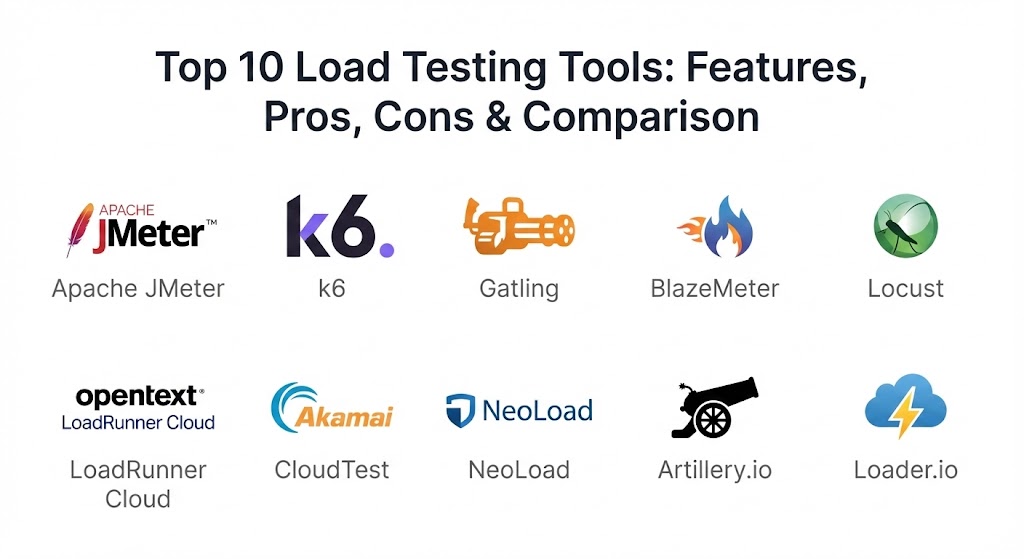
Top 10 Load Testing Tools
1 — Apache JMeter
The “industry veteran” of load testing, Apache JMeter is an open-source Java application designed to load test functional behavior and measure performance. It remains the most widely used tool due to its massive plugin ecosystem and broad protocol support.
- Key Features:
- Multi-Protocol Support: Tests everything from HTTP/HTTPS and SOAP/REST to FTP, JDBC, and LDAP.
- Dynamic Scripting: Allows the use of Groovy and BeanShell for complex logic.
- Plugin Manager: Access to hundreds of community-developed plugins for visualization and functions.
- GUI & CLI Modes: A friendly GUI for script creation and a non-GUI mode for high-load execution.
- Distributed Testing: Can use multiple machines to generate massive load.
- Pros:
- Completely free and open-source with no licensing fees.
- Unrivaled community support and documentation.
- Cons:
- High resource consumption (CPU/Memory) compared to modern code-based tools.
- Learning curve for advanced parameterization and correlation is steep.
- Security & Compliance: Supports SSO and standard encryption; compliance depends on hosting/infrastructure.
- Support & Community: Massive community via forums, mailing lists, and third-party vendors.
2 — k6 (by Grafana)
k6 is a modern, developer-centric load testing tool designed for the engineering teams of 2026. Built in Go with JavaScript scripting, it is lightweight, high-performance, and built for CI/CD pipelines.
- Key Features:
- JavaScript Scripting: Use modern JS to write test scenarios, making it highly accessible to developers.
- Performance-First: Written in Go, k6 is much more efficient than Java-based tools.
- Cloud-Native: Native integration with Prometheus, Grafana, and Datadog.
- CLI-First: Designed to be run from the command line and integrated into automated pipelines.
- Browser Testing: Native support for testing real browser interactions alongside API load.
- Pros:
- Extremely low resource overhead; one instance can handle thousands of users.
- Excellent developer experience with modern tooling.
- Cons:
- Limited support for legacy protocols (like Citrix or SAP).
- Some advanced visual reporting requires the paid Grafana k6 Cloud version.
- Security & Compliance: SOC 2, GDPR, and HIPAA compliant (Cloud version).
- Support & Community: Strong community and professional enterprise support from Grafana Labs.
3 — Gatling
Gatling is a high-performance load testing framework based on Scala, Akka, and Netty. It is favored by technical teams for its “Testing as Code” approach and highly readable Domain Specific Language (DSL).
- Key Features:
- Asynchronous Architecture: Uses a non-blocking engine to simulate high loads with minimal threads.
- Testing as Code: Store your tests in version control alongside your application code.
- Interactive HTML Reports: Generates beautiful, detailed reports out of the box.
- Multi-Language Support: In 2026, Gatling supports Java and Kotlin in addition to Scala.
- Jenkins/CI Integration: Built specifically for continuous integration workflows.
- Pros:
- Handles extreme concurrency better than almost any other tool.
- Highly maintainable test scripts thanks to the DSL.
- Cons:
- Requires some programming knowledge; not beginner-friendly for non-coders.
- Smaller community compared to JMeter.
- Security & Compliance: SSO support and SOC 2 (Enterprise version).
- Support & Community: Robust open-source community and dedicated enterprise support.
4 — BlazeMeter
BlazeMeter is a cloud-based platform that acts as a powerful “wrapper” for open-source tools like JMeter and k6. It democratizes enterprise-scale load testing by providing massive infrastructure on demand.
- Key Features:
- Scalability on Demand: Simulate millions of users from global cloud locations.
- Scriptless Testing: Create tests via a Chrome extension or visual editor without coding.
- AI-Driven Analytics: Uses ML to identify anomalies and performance trends automatically.
- Service Virtualization: Test your app even when backend dependencies aren’t ready.
- Continuous Testing: Seamlessly integrates with Jenkins, Bamboo, and Azure DevOps.
- Pros:
- Zero infrastructure management; just upload a script and run.
- Aggregated reporting that combines open-source results with cloud metrics.
- Cons:
- Can be very expensive for high-volume, frequent testing.
- Dependency on cloud connectivity for execution.
- Security & Compliance: SOC 2 Type II, ISO 27001, and HIPAA compliant.
- Support & Community: Professional 24/7 support and extensive technical resources.
5 — Locust
Locust is a Python-based load testing tool that is highly popular for its “swarming” behavior. It allows for extremely flexible, code-based test definitions.
- Key Features:
- Python-Based: Write test scenarios in pure Python, leveraging any Python library.
- Distributed & Scalable: Easily run tests distributed across multiple machines.
- Web-Based UI: Monitor test progress and results in real-time through a simple web dashboard.
- Event-Driven: Uses gevent to support thousands of concurrent users on a single machine.
- Hatch & Attack: Unique terminology for ramping up and stressing applications.
- Pros:
- Incredible flexibility for testing complex, non-standard user journeys.
- Very easy to set up for anyone with basic Python knowledge.
- Cons:
- Lacks built-in reporting depth; usually requires external tools for detailed analysis.
- No native “capture and replay” recorder.
- Security & Compliance: Varies based on implementation; open-source core.
- Support & Community: Active and growing Python developer community.
6 — LoadRunner Cloud (OpenText)
Formerly by HP/Micro Focus, LoadRunner is the quintessential enterprise load testing suite. The Cloud version offers modern scalability while retaining the tool’s legendary deep technology support.
- Key Features:
- Massive Protocol Support: Supports over 50 protocols, including SAP, Oracle, and Citrix.
- Extreme Scalability: Can simulate over 5 million virtual users.
- VuGen (Virtual User Generator): Advanced recording and scripting for complex enterprise apps.
- AI Insights: Uses machine learning to isolate root causes of performance degradation.
- TruClient Technology: Tests the actual browser rendering performance under load.
- Pros:
- The only choice for complex, legacy enterprise environments.
- Unmatched depth in diagnostics and back-end server monitoring.
- Cons:
- Extremely high licensing costs compared to modern open-source alternatives.
- Very steep learning curve for advanced scenario modeling.
- Security & Compliance: Top-tier; SOC 2, HIPAA, FedRAMP, and ISO compliant.
- Support & Community: Professional enterprise support and a large network of certified experts.
7 — Akamai CloudTest
Originally SOASTA, Akamai CloudTest is designed for the largest websites on the planet. It is built to handle the massive traffic spikes associated with events like the Super Bowl or Black Friday.
- Key Features:
- Global Load Generation: Launch tests from hundreds of geographic locations simultaneously.
- Real-Time Visual Control: Adjust load levels and scenarios while the test is running.
- Visual Dashboard: Drag-and-drop dashboards for real-time analysis across the stack.
- Integrated Analytics: Combines load test data with real user monitoring (RUM) data.
- Private Cloud Support: Can be deployed behind firewalls for internal testing.
- Pros:
- Built for “unlimited” scale; handles millions of requests per second with ease.
- Real-time control allows for much more efficient debugging during a test.
- Cons:
- Primarily a high-end enterprise tool; pricing is prohibitive for SMBs.
- Reporting can feel a bit overwhelming for smaller projects.
- Security & Compliance: SOC 2 Type II and GDPR compliant.
- Support & Community: Professional services-heavy model with expert technical support.
8 — NeoLoad (by Tricentis)
NeoLoad is designed for automated performance testing in DevOps. It focuses on accelerating test design and analysis through AI and automation.
- Key Features:
- AI-Powered Test Design: Automates the creation of test scripts from browser sessions or APIs.
- Model Context Protocol (MCP): Standardized way to use LLMs for test configuration and result analysis.
- Cloud Load Generators: High-capacity cloud instances (up to 64GB RAM) for massive tests.
- SAP Integration: Specialized support for end-to-end SAP performance validation.
- Shift-Left Ready: Optimized for early-stage testing within the CI/CD pipeline.
- Pros:
- significantly reduces the time spent on “manual” scripting and correlation.
- Excellent balance between power and ease of use.
- Cons:
- Licensing is on the expensive side for smaller teams.
- community presence is smaller than open-source giants.
- Security & Compliance: SAML 2.0 SSO, SOC 2, and GDPR compliant.
- Support & Community: Professional enterprise support and extensive certification programs.
9 — Artillery.io
Artillery is a modern, cloud-native load testing platform that is a favorite for developers working with serverless architectures, APIs, and WebSockets.
- Key Features:
- Serverless Load Generators: Run tests from your own AWS or Azure account using serverless infra.
- Playwright Integration: Reuse your existing Playwright functional tests for load testing.
- Core Web Vitals: Automatically monitors LCP, CLS, and INP during load tests.
- OpenTelemetry Support: Native integration for full-stack observability.
- Turbo Runner: High-performance engine that parallelizes tests for 10x speed.
- Pros:
- Zero infrastructure management and cost-effective pay-per-use model.
- Excellent JavaScript/TypeScript developer experience.
- Cons:
- Requires JS/Node.js knowledge for custom scenarios.
- Not suitable for testing legacy, non-web protocols.
- Security & Compliance: SOC 2 and GDPR compliant.
- Support & Community: Active GitHub community and professional cloud support.
10 — Loader.io
Loader.io (by SendGrid/Twilio) is the “simplest” load testing service on the market. It is designed for developers who need to quickly stress test a URL or API with minimal setup.
- Key Features:
- 3-Step Setup: Register, verify, and run—tests can be started in minutes.
- Web-Based Interface: No software to install; manage everything from a browser.
- API Integration: Automate tests via a simple REST API.
- Concurrent Scaling: Simulate up to 50,000 connections even on the free/freemium tier.
- Real-Time Monitoring: Simple graphs and histograms of response times and bandwidth.
- Pros:
- The fastest way to get basic performance feedback.
- Very affordable (and often free) for small-scale testing.
- Cons:
- Limited to HTTP/HTTPS only.
- Lacks the scenario depth needed for complex, multi-step user journeys.
- Security & Compliance: Standard cloud security; limited enterprise compliance details.
- Support & Community: Email support and basic knowledge base.
Comparison Table
| Tool Name | Best For | Platform(s) Supported | Standout Feature | Rating (Gartner/True) |
| Apache JMeter | Open-source versatility | All (Java) | Massive Plugin Ecosystem | 4.4 / 5.0 |
| k6 | Modern DevOps teams | Cloud, Linux, Mac, Win | JS Scripting & Browser Load | 4.8 / 5.0 |
| Gatling | High-performance code | Cloud, Linux, Mac, Win | DSL & Akka Architecture | 4.6 / 5.0 |
| BlazeMeter | Scaling open-source | Cloud-based | Multi-protocol SaaS wrapper | 4.3 / 5.0 |
| Locust | Python developers | Cloud, Linux, Mac, Win | Swarming behavior in Python | 4.5 / 5.0 |
| LoadRunner Cloud | Enterprise / Legacy | Cloud-based | 50+ Protocol Support | 4.2 / 5.0 |
| Akamai CloudTest | Massive global events | Cloud-based | Real-time visual test control | 4.7 / 5.0 |
| NeoLoad | SAP & Automated QA | Cloud, Linux, Mac, Win | AI-powered script generation | 4.5 / 5.0 |
| Artillery.io | Serverless / JS teams | Cloud-native | Playwright & Serverless infra | 4.6 / 5.0 |
| Loader.io | Quick API stress tests | Cloud-based | 3-Step Instant Setup | 4.0 / 5.0 |
Evaluation & Scoring of Load Testing Tools
To provide an objective perspective, we have evaluated the market using a weighted scoring rubric that prioritizes the needs of modern, high-velocity engineering teams.
| Category | Weight | What We Evaluate |
| Core Features | 25% | Protocol support, scenario flexibility, and scalability. |
| Ease of Use | 15% | Scripting complexity, UI/UX, and onboarding speed. |
| Integrations | 15% | CI/CD native support, APM (monitoring) connectivity. |
| Security & Compliance | 10% | Data privacy, SOC2/GDPR status, and SSO support. |
| Performance & Reliability | 10% | Resource footprint and accuracy of load generation. |
| Support & Community | 10% | Documentation quality and active user forums. |
| Price / Value | 15% | Total cost of ownership and “bang for your buck.” |
Which Load Testing Tool Is Right for You?
Solo Users vs SMB vs Mid-Market vs Enterprise
If you are a solo user or a student, Apache JMeter or Locust are unbeatable due to their zero-cost entry and massive learning resources. Small to Mid-Market (SMB) companies should look at k6 or Artillery.io for their high efficiency and low maintenance. For Global Enterprises with complex legacy systems, LoadRunner Cloud or NeoLoad are the standard, as they handle the “uncommon” protocols that modern tools skip.
Budget-conscious vs Premium Solutions
If you are on a strict budget, open-source is your king. JMeter, Locust, and the open-source version of k6 offer world-class power for free. If you have the budget for a Premium Solution, BlazeMeter or Akamai CloudTest are worth every penny because they save your team hundreds of hours in infrastructure setup and management.
Feature Depth vs Ease of Use
For ease of use, Loader.io is the fastest, but NeoLoad offers the best “smart” features that simplify complex scripting. If you need feature depth and have a technical team that can code, Gatling and k6 provide the most granular control over test scenarios.
Security and Compliance Requirements
For highly regulated industries like banking or government, LoadRunner Cloud and NeoLoad offer the most robust compliance certifications (SOC 2, HIPAA, FedRAMP). If you are running tests on-premises behind a strict firewall, the open-source versions of k6 or JMeter allow you to keep all data within your network.
Frequently Asked Questions (FAQs)
1. Is Load Testing the same as Stress Testing?
Not quite. Load Testing determines how a system behaves under expected “normal” or “peak” conditions. Stress Testing goes beyond the limits to see at what point the system crashes and how it recovers.
2. Can I use these tools for mobile apps?
Yes. Most modern tools like BlazeMeter and Gatling can test the APIs that power mobile apps. Some, like k6, can even simulate mobile network conditions (3G/4G/5G) to see how latency affects the app.
3. Do I need to know how to code to use these?
It depends on the tool. Loader.io and BlazeMeter offer scriptless options. However, for complex, realistic enterprise scenarios, some level of coding (JavaScript, Python, or Scala) is almost always required for the best results.
4. Why is JMeter so popular if it’s “old”?
It’s free, it supports almost every protocol imaginable, and the community has built a plugin for everything. It is the “Swiss Army Knife” of load testing.
5. How many “virtual users” do I need for a test?
This depends on your real-world traffic. A good rule of thumb is to test for 1.5x to 2x your expected peak traffic. If you expect 1,000 users at once, test with 2,000.
6. Can I run these tools in my Jenkins pipeline?
Yes, almost all tools on this list have native plugins or CLI wrappers for Jenkins, GitLab CI, GitHub Actions, and Azure DevOps.
7. Does load testing cost a lot of money?
The software can be free (open-source), but the “infrastructure” (the servers that generate the traffic) costs money. Cloud tools like Loader.io make this predictable, while self-hosted tools require you to pay for the VMs you use.
8. What is “Shift-Left” testing?
It’s the practice of testing earlier in the development cycle. Instead of waiting until the app is “finished” to test performance, teams use tools like k6 or Artillery to test every time code is committed.
9. What is “Correlation” in load testing?
It’s the process of capturing dynamic values (like session IDs or CSRF tokens) from a server response and passing them into the next request. This is the hardest part of load testing and where tools like NeoLoad excel.
10. Can I test a site that is behind a login?
Yes. You can script the login process using cookies or tokens. This is why “Scenario-based” tools like Gatling or k6 are so valuable compared to simple URL hit tools.
Conclusion
The “best” load testing tool for 2026 isn’t the one with the most checkboxes; it’s the one that your team will actually use. If you have a team of Python enthusiasts, Locust will feel like home. If you are a JavaScript shop pushing for maximum DevOps speed, k6 is your champion. And if you are an enterprise giant with 30 years of legacy software, LoadRunner remains your reliable fortress.
Ultimately, load testing is about confidence. By choosing a tool that fits your technical skill set and your application’s architecture, you ensure that when the “big traffic day” arrives, your system won’t just survive—it will shine.