Introduction
Kubernetes Management Platforms (KMP) are comprehensive software suites designed to simplify the deployment, scaling, and lifecycle management of Kubernetes clusters. While “vanilla” Kubernetes provides the orchestration primitives, a management platform adds the necessary “enterprise wrapper.” This includes multi-cluster visibility, centralized security policies, automated backups, and integrated monitoring. Essentially, if Kubernetes is the engine, the management platform is the entire dashboard and navigation system of the vehicle.
The importance of these platforms lies in their ability to reduce operational overhead. Without a KMP, Platform Engineers spend 80% of their time just “keeping the lights on”—patching nodes, rotating certificates, and managing access. A KMP automates these “Day 2” operations, allowing teams to focus on shipping code. Key use cases include multi-cloud disaster recovery, edge computing management, and automated compliance enforcement. When evaluating these tools, users should look for multi-cluster orchestration, GitOps integration, security hardening, and ease of use (GUI vs. CLI).
Best for: Platform Engineers, DevOps leads, and CTOs in mid-to-large enterprises who manage multi-cluster or hybrid-cloud environments. It is a must-have for industries like finance, healthcare, and software-as-a-service (SaaS) where uptime and compliance are critical.
Not ideal for: Solo developers or tiny startups running a single, simple cluster on a managed provider. If your infrastructure is 100% static and fits on one small cluster, the added cost and complexity of a management platform may outweigh the benefits.
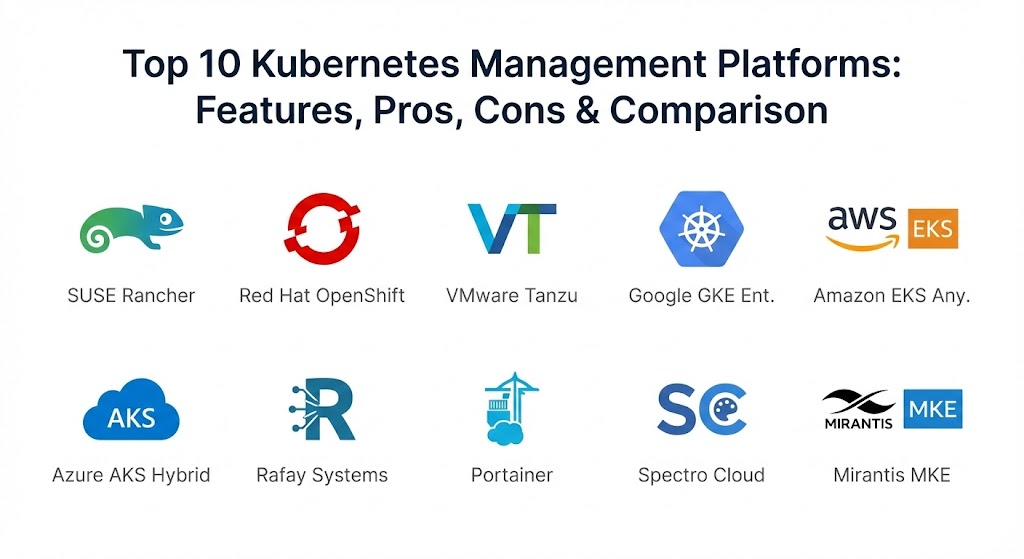
Top 10 Kubernetes Management Platforms Tools
1 — SUSE Rancher
SUSE Rancher is widely considered the most versatile and user-friendly multi-cluster management platform. It is famous for its “open” approach, allowing you to manage any Kubernetes cluster—whether it’s running in the cloud (EKS, GKE, AKS), on-premise, or even at the edge.
- Key Features:
- Unified Cluster Management: A single pane of glass to manage disparate Kubernetes distributions.
- Fleet (GitOps): Built-in GitOps engine designed to manage millions of clusters at the edge.
- Centralized RBAC: Define user permissions once and have them enforced across every cluster.
- Multi-Cloud Provisioning: Directly spin up clusters in AWS, Azure, and Google Cloud from the Rancher UI.
- App Catalog: A Helm-based marketplace for one-click deployment of enterprise tools.
- Security Scanning: Integrated CIS benchmarking to ensure your clusters meet security standards.
- Pros:
- Exceptional UI that makes Kubernetes accessible to non-experts.
- No “vendor lock-in”—it supports virtually any K8s distribution.
- Cons:
- Can be resource-heavy to run the management plane itself.
- Advanced troubleshooting sometimes requires digging into the Rancher-specific logs.
- Security & Compliance: SOC 2, GDPR, HIPAA, and FIPS 140-2. Includes integrated CIS scanning and OPA Gatekeeper.
- Support & Community: One of the largest open-source communities in the K8s world; professional enterprise support available through SUSE.
2 — Red Hat OpenShift
OpenShift is the “heavyweight” of the enterprise world. It isn’t just a management tool; it’s a full Platform-as-a-Service (PaaS) built on top of Kubernetes, designed for organizations that want a “batteries-included” experience with strict security.
- Key Features:
- Source-to-Image (S2I): Automatically builds container images from your source code without a Dockerfile.
- Integrated CI/CD: Built-in Tekton-based pipelines for automated software delivery.
- Operator Hub: A massive library of automated operations for complex apps like databases.
- Advanced Cluster Management (ACM): A powerful tool for managing fleet-wide policy and compliance.
- Virtualization: Run traditional Virtual Machines alongside containers in the same cluster.
- Developer Console: A specialized UI that hides the complexity of YAML for app developers.
- Pros:
- The most “enterprise-hardened” security posture out of the box.
- Provides a highly consistent experience across on-premise and public clouds.
- Cons:
- Very expensive compared to open-source alternatives.
- Highly opinionated, which can make it difficult to deviate from the “Red Hat way.”
- Security & Compliance: FedRAMP High, PCI DSS, HIPAA, and GDPR. Built on Red Hat Enterprise Linux (RHEL).
- Support & Community: Industry-standard support from Red Hat and a massive ecosystem of certified partners.
3 — VMware Tanzu
Tanzu is the bridge for organizations that grew up on vSphere. It allows IT teams to manage containers and virtual machines using the same tools and workflows they have used for decades.
- Key Features:
- Tanzu Mission Control: Centralized management for any K8s cluster across hybrid clouds.
- vSphere Integration: Run Kubernetes directly on top of the hypervisor for maximum efficiency.
- Tanzu Service Mesh: Integrated networking based on Istio for secure microservices communication.
- Build Service: Automates the creation and maintenance of secure container images.
- Observability: Deep integration with Aria (formerly vRealize) for full-stack monitoring.
- Standard/Advanced Editions: Tiered plans based on how much automation you need.
- Pros:
- The best choice for companies with massive existing VMware investments.
- Simplifies the transition from VMs to containers for legacy IT teams.
- Cons:
- Can feel overly complex if you aren’t already using the VMware stack.
- Licensing transitions have caused some confusion in the market recently.
- Security & Compliance: SOC 2, HIPAA, GDPR, and ISO 27001 compliant.
- Support & Community: High-tier global support and a specialized certification path for engineers.
4 — Google Kubernetes Engine (GKE) Enterprise
GKE was the first managed K8s service, and the Enterprise edition (formerly Anthos) is Google’s answer to multi-cluster and hybrid-cloud management. It brings the “Google-scale” automation to your own data center.
- Key Features:
- Config Management: Automatically syncs K8s configurations from Git to all your clusters.
- Service Mesh: A fully managed Istio-based mesh for traffic control and security.
- Binary Authorization: Ensures only trusted, signed images are deployed to production.
- Multi-Cluster Ingress: Simplifies load balancing across different geographical regions.
- On-Prem/Multi-Cloud: Run GKE on your own hardware or in AWS/Azure.
- Cloud Run for Anthos: Enables serverless container execution on top of your clusters.
- Pros:
- The most advanced automation features, especially regarding auto-scaling.
- Incredibly stable and backed by Google’s massive infrastructure.
- Cons:
- Steep pricing for the Enterprise tier.
- Multi-cloud features can be complex to set up compared to Rancher.
- Security & Compliance: FedRAMP, HIPAA, PCI DSS, and SOC 1/2/3.
- Support & Community: Excellent technical documentation and direct access to Google Cloud support.
5 — Amazon EKS Anywhere
EKS Anywhere allows you to run the exact same Amazon EKS software in your own data center. It is designed for AWS-heavy organizations that need to keep certain workloads on-premise for latency or compliance reasons.
- Key Features:
- Operational Consistency: Use the same CLI and APIs on-prem as you do in AWS.
- Curated Packages: Amazon-vetted software for networking, storage, and observability.
- Bare Metal Support: Run K8s directly on your own physical servers without a hypervisor.
- EKS Connector: View your on-prem clusters directly in the AWS Management Console.
- IAM Integration: Use AWS Identity and Access Management for your on-prem K8s users.
- Pros:
- Drastically simplifies hybrid-cloud operations for AWS teams.
- Benefit from the security hardening that Amazon does for its own cloud.
- Cons:
- Highly focused on the AWS ecosystem; less ideal for “Azure-first” companies.
- On-prem support requires an AWS Enterprise Support agreement.
- Security & Compliance: FedRAMP, HIPAA, and GDPR. Leverages AWS security best practices.
- Support & Community: Supported by the massive AWS ecosystem and Premium Support plans.
6 — Azure Kubernetes Service (AKS) Hybrid
Microsoft’s answer to hybrid K8s management is AKS enabled by Azure Arc. It allows you to extend Azure’s management and security capabilities to any cluster, anywhere.
- Key Features:
- Azure Arc Integration: Manage any cluster (even GKE or EKS) through the Azure Portal.
- GitOps with Flux: Native integration for automated configuration management.
- Azure Policy: Enforce organizational standards across all your clusters globally.
- Defender for Containers: Real-time threat detection and vulnerability scanning.
- Windows Container Support: The industry leader for running legacy .NET applications in containers.
- Pros:
- The best choice for organizations that live in the Microsoft/Azure ecosystem.
- Excellent pricing value for existing Azure customers.
- Cons:
- The management interface can be slow when managing thousands of Arc-enabled nodes.
- Windows containers, while supported, still have higher overhead than Linux.
- Security & Compliance: ISO, SOC, HIPAA, and GDPR. Deep integration with Microsoft Entra ID (SSO).
- Support & Community: Integrated with Azure support and a growing ecosystem of Microsoft-centric DevOps tools.
7 — Rafay Systems
Rafay is a cloud-native platform that focuses on “Kubernetes Operations” (K8sOps). It is designed to be a “Zero-Trust” management layer that sits on top of your existing cloud-managed clusters.
- Key Features:
- Zero-Trust Access: Secure, audited access for developers without needing a VPN.
- Fleet Management: Automate the upgrade and patching of hundreds of clusters at once.
- Multi-Cluster Backup: Integrated disaster recovery and backup for app data.
- Cost Management: Granular visibility into how much each team is spending on K8s resources.
- Environment Manager: Self-service “Namespaces-as-a-Service” for developer teams.
- Pros:
- Extremely fast to set up (SaaS-based management).
- Very strong focus on security and developer self-service.
- Cons:
- A newer player compared to giants like Red Hat or VMware.
- SaaS-only control plane may not suit “air-gapped” government environments.
- Security & Compliance: SOC 2 Type II, GDPR, and HIPAA. Focuses on Zero-Trust architecture.
- Support & Community: High-touch customer success and a growing technical documentation library.
8 — Portainer
Portainer started as a simple UI for Docker, but it has evolved into a highly capable, lightweight management platform for Kubernetes. It is the best choice for teams that find the K8s CLI intimidating.
- Key Features:
- Low-Code Interface: Manage K8s resources (Pods, Services, Ingress) via a simple GUI.
- Environment Discovery: Automatically finds and imports existing clusters.
- RBAC Management: Simplified user and team management for small-to-medium teams.
- GitOps Integration: Pull app configurations directly from Git repositories.
- Helm Chart Support: One-click deployment of common applications.
- Pros:
- The lowest barrier to entry for managing Kubernetes.
- Extremely lightweight and can run on almost any hardware.
- Cons:
- Lacks the deep “automation” and “policy” features of OpenShift or Tanzu.
- Not designed for massive fleets of thousands of clusters.
- Security & Compliance: SSO support (LDAP/OAuth), audit logs, and SOC 2.
- Support & Community: Huge open-source following and specialized “Business Edition” support.
9 — Spectro Cloud Palette
Spectro Cloud is a specialized platform that uses the Cluster API (CAPI) to provide a “Declarative” way to manage the entire lifecycle of Kubernetes, including the OS and the underlying hardware.
- Key Features:
- Full-Stack Profiles: Define the OS, K8s version, and all add-ons (monitoring, etc.) in one reusable profile.
- Declarative Lifecycle: Palette ensures the cluster always matches the defined profile (self-healing).
- Edge Optimized: Specialized features for running K8s on low-power, remote edge devices.
- Multi-Cloud/Bare Metal: Manage clusters across any environment from one dashboard.
- Cost Optimization: Built-in tools to identify wasted resources and downsize clusters.
- Pros:
- Solves the “Image Drift” problem by ensuring every cluster is identical to its profile.
- Excellent for managing highly distributed edge computing networks.
- Cons:
- Smaller brand awareness compared to the cloud giants.
- Requires a mindset shift toward “Declarative Infrastructure.”
- Security & Compliance: FIPS 140-2, SOC 2, HIPAA, and GDPR.
- Support & Community: Expert-level support and a focused, technical community of users.
10 — Mirantis Kubernetes Engine (MKE)
Formerly known as Docker Enterprise, Mirantis has evolved this platform into a high-security, high-reliability choice for mission-critical applications.
- Key Features:
- Swarm and K8s: Supports both Docker Swarm and Kubernetes in the same management plane.
- Secure Registry: Includes Mirantis Secure Registry for image scanning and signing.
- FIPS-Validated: One of the few platforms that meets strict US government crypto standards.
- Drift Detection: Alerts admins if the cluster configuration deviates from the desired state.
- Lens Integration: Deep integration with the Lens IDE for developer productivity.
- Pros:
- The best choice for organizations that still need to support Docker Swarm alongside K8s.
- Very strong security and compliance credentials for government/military use.
- Cons:
- The interface can feel a bit dated compared to Rancher or Portainer.
- Higher price point targeted at the enterprise market.
- Security & Compliance: FIPS 140-2, DISA STIG, GDPR, and SOC 2.
- Support & Community: Solid 24/7 enterprise support and a veteran team of container experts.
Comparison Table
| Tool Name | Best For | Platform(s) Supported | Standout Feature | Rating (G2/Gartner) |
| SUSE Rancher | Multi-Cloud Fleet | Any (Cloud, Edge, On-prem) | Fleet (GitOps) for Edge | 4.7 / 5 |
| OpenShift | Enterprise Security | Hybrid / Multi-Cloud | Source-to-Image (S2I) | 4.5 / 5 |
| VMware Tanzu | vSphere Environments | Hybrid / Multi-Cloud | Native vSphere Integration | 4.4 / 5 |
| Google GKE Ent. | Advanced Automation | GCP, On-prem, AWS | Autopilot & Config Mgmt | 4.6 / 5 |
| Amazon EKS Any. | AWS-Centric Hybrid | On-prem (Bare Metal/VM) | Operational Consistency | 4.5 / 5 |
| Azure AKS Hybrid | Microsoft Ecosystem | Azure, On-prem, Edge | Azure Arc Integration | 4.5 / 5 |
| Rafay Systems | K8sOps & Zero-Trust | Cloud-Native (Any) | Zero-Trust Access Layer | 4.8 / 5 |
| Portainer | Beginners / SMB | Any (Lightweight) | Low-Code Visual UI | 4.8 / 5 |
| Spectro Cloud | Edge & Declarative | Multi-Cloud, Edge | Full-Stack Profiles | 4.7 / 5 |
| Mirantis MKE | Govt / High Security | Hybrid / On-prem | Swarm & K8s Dual Support | 4.3 / 5 |
Evaluation & Scoring of Kubernetes Management Platforms
To help you objectively compare these tools, we have utilized a weighted scoring rubric that reflects the priorities of 2026 Platform Engineering teams.
| Category | Weight | What We Evaluate |
| Core Features | 25% | Multi-cluster management, GitOps, backup, and lifecycle automation. |
| Ease of Use | 15% | GUI quality, CLI intuitiveness, and learning curve for new teams. |
| Integrations | 15% | Support for 3rd party storage, networking, and cloud APIs. |
| Security & Compliance | 10% | Encryption, RBAC, SSO, and regulatory certs (SOC2/GDPR). |
| Performance | 10% | Overhead of the management plane and connection stability. |
| Support & Community | 10% | Quality of documentation and accessibility of technical help. |
| Price / Value | 15% | Transparency of pricing and Total Cost of Ownership (TCO). |
Which Kubernetes Management Platforms Tool Is Right for You?
Solo Users vs SMB vs Mid-Market vs Enterprise
If you are a solo user or student, Portainer (Open Source) is your best friend—it gives you a visual handle on K8s without the complexity. Small-to-Medium Businesses (SMBs) generally find the best balance in Smarsh or Rancher. For Global Enterprises, the choice usually narrows down to OpenShift (for security) or VMware Tanzu (for vSphere integration).
Budget-conscious vs Premium Solutions
If budget is your primary driver, the open-source version of Rancher or Portainer provides enterprise-grade power for free. On the other hand, if you require a Premium Solution, GKE Enterprise and OpenShift justify their high cost by reducing the number of engineers you need to hire to “babysit” the clusters.
Feature Depth vs Ease of Use
If you want ease of use, Portainer and Rafay are designed to be “invisible” tools. If you need feature depth—such as the ability to manage legacy Windows mainframes, complex service meshes, and air-gapped security—OpenShift and Mirantis remain the heavyweights.
Frequently Asked Questions (FAQs)
1. Is a management platform the same as Kubernetes?
No. Kubernetes is the “engine.” A management platform (like Rancher or OpenShift) is the “car” that includes the seats, the dashboard, the GPS, and the safety features.
2. Can I manage EKS and GKE clusters from a single tool?
Yes. Tools like SUSE Rancher, Rafay, and Spectro Cloud are designed specifically to manage clusters across different cloud providers from one screen.
3. Do these platforms support “Edge” computing?
Yes, Spectro Cloud and SUSE Rancher (via K3s and Fleet) are the industry leaders for running Kubernetes on small devices in remote locations.
4. What is GitOps integration?
It is a feature that allows the management platform to “sync” with a Git repository. When you change a configuration in Git, the platform automatically updates the clusters to match.
5. Are these tools secure enough for banking?
Yes. Red Hat OpenShift and Mirantis are specifically hardened to meet the strict security requirements of the finance and defense industries.
6. Can I move my cluster from one platform to another?
It is difficult. While the applications (containers) are portable, the management policies and “logic” (like OpenShift’s S2I) are specific to the platform.
7. Does a KMP slow down my applications?
Generally, no. The “management plane” runs separately from your actual applications. However, the management plane itself requires some CPU and RAM to operate.
8. What is “Zero-Trust” access in K8s?
It means that every single person or machine trying to access the cluster must be verified every time, rather than just relying on being “inside the network.”
9. Why should I use a KMP if my cloud provider gives me a dashboard?
Cloud dashboards (like the AWS Console) are great for one cluster, but they become a nightmare when you have 50 clusters. A KMP gives you a single view of all 50 at once.
10. Do I need specialized training to use these?
For the “Big Three” (OpenShift, Tanzu, GKE), yes. For tools like Portainer, a basic understanding of containers is usually enough to get started.
Conclusion
The “best” Kubernetes management platform for 2026 is ultimately the one that reduces your “To-Do” list the most. If you are already 100% in on AWS or Azure, their respective hybrid tools (EKS Anywhere or Azure Arc) are the path of least resistance. However, if you value flexibility and multi-cloud freedom, SUSE Rancher and Rafay are the clear winners.
The goal of a KMP is to make Kubernetes “boring”—meaning it just works, it’s secure, and it doesn’t wake you up at 3 AM. By centralizing your operations, you move from managing “individual clusters” to managing an “infrastructure fleet,” which is the only way to stay competitive in today’s cloud-native world.