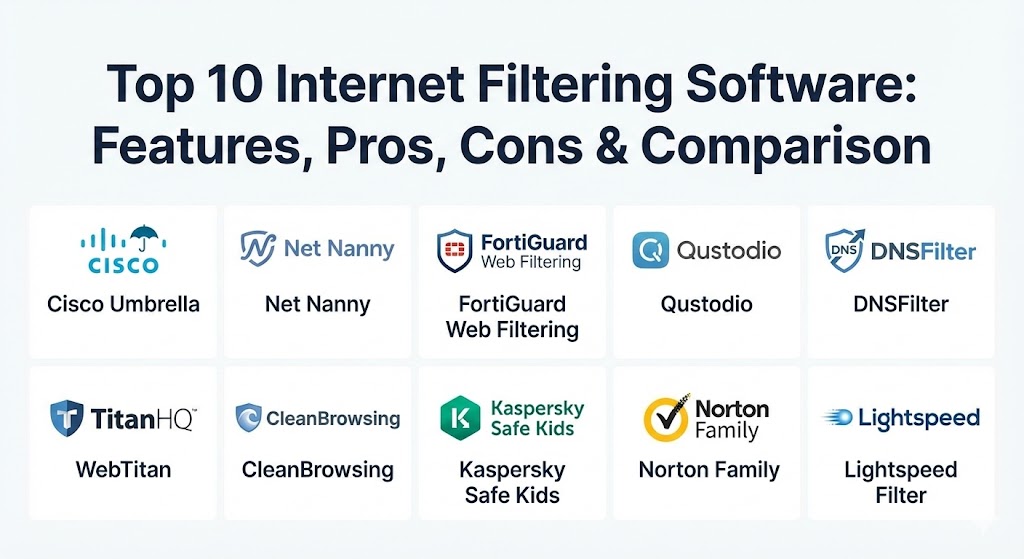
Introduction
Internet filtering software is a category of cybersecurity tools designed to monitor, restrict, and control access to specific web content. Unlike basic firewalls that look at packet headers, these solutions inspect the content itself—URLs, domain names, keywords, and even the context of images—to determine if a site is safe or appropriate. In 2026, these tools leverage advanced machine learning to categorize millions of new websites every hour, ensuring that users are protected from malware, adult content, and productivity-draining distractions.
The importance of internet filtering cannot be overstated. For parents, it provides a safety net for children exploring the web. For businesses, it is a front-line defense against ransomware and a means to ensure employees remain focused. Key real-world use cases include schools maintaining CIPA compliance, corporations blocking “shadow IT” applications, and homes enforcing “safe search” globally. When evaluating these tools, users should prioritize real-time analysis over static lists, multi-device compatibility, and the granularity of reporting.
Best for: Parents looking to protect children from age-inappropriate content, educational institutions (K-12 and universities) required to meet legal compliance standards, and businesses ranging from SMBs to Fortune 500 enterprises seeking to boost cybersecurity and productivity.
Not ideal for: Advanced cybersecurity researchers or ethical hackers who require unfiltered access to “dark web” or risky sites for analysis, and highly technical individuals who prefer building custom, open-source DNS sinks like Pi-hole without needing commercial support.
Top 10 Internet Filtering Software Tools
1 — Cisco Umbrella
Cisco Umbrella is a cloud-native security platform that provides the first line of defense against threats on the internet. Built on the foundation of OpenDNS, it uses the internet’s infrastructure to block malicious and unwanted domains, IPs, and URLs before a connection is ever established.
- Key features:
- DNS-layer security that blocks requests to malicious sites.
- Real-time threat intelligence from Cisco Talos.
- Category-based web filtering for over 80 content types.
- Cloud-delivered firewall and secure web gateway capabilities.
- Shadow IT discovery and app-blocking features.
- Detailed logging and visualization of network activity.
- Integration with Cisco SD-WAN for seamless enterprise deployment.
- Pros:
- Incredibly fast deployment; you can secure an entire network in minutes.
- Minimal latency due to its global anycast network.
- Cons:
- Can be overly complex for non-technical small business owners.
- High cost compared to consumer-focused filtering options.
- Security & compliance: SOC 2 Type II, ISO 27001, GDPR, HIPAA, and FIPS 140-2 compliant.
- Support & community: 24/7 enterprise-grade support, extensive knowledge base, and a dedicated community forum for network engineers.
2 — Net Nanny
Net Nanny is widely regarded as the most advanced parental control software for families. It distinguishes itself by using AI-driven content analysis rather than just relying on pre-defined lists of “bad” websites.
- Key features:
- Real-time AI content filtering that scans web pages as they load.
- Screen time management with schedules and daily limits.
- App blocking for both mobile and desktop platforms.
- YouTube monitoring and filtering for inappropriate videos.
- Instant alerts for parents when “concerning” content is accessed.
- Social media protection and monitoring.
- Remote management dashboard via the parent app.
- Pros:
- The most accurate real-time filtering in the consumer market.
- Very intuitive interface that requires zero technical skill to master.
- Cons:
- Its geofencing and location tracking features are less robust than competitors.
- It can be expensive for families with a large number of devices.
- Security & compliance: GDPR and COPPA compliant; data is encrypted and not sold to third parties.
- Support & community: Strong documentation, responsive email and chat support, and helpful guides for digital parenting.
3 — FortiGuard Web Filtering
Part of the Fortinet security ecosystem, FortiGuard provides enterprise-level web filtering that is often integrated directly into FortiGate hardware or delivered via the cloud. It is designed for high-throughput environments where security efficacy is the top priority.
- Key features:
- AI-powered behavioral analysis for unknown URL detection.
- Granular policy control based on user identity or group.
- SSL/TLS inspection to filter encrypted web traffic.
- Integration with FortiSandbox for zero-day threat protection.
- CIPA, HIPAA, and PCI-compliant reporting templates.
- Local caching of URL categories to reduce latency.
- Application control to block specific features within sites (e.g., blocking Facebook Games but allowing Facebook).
- Pros:
- Seamless integration for users already within the Fortinet “Security Fabric.”
- Superior performance in high-bandwidth enterprise environments.
- Cons:
- Requires specific hardware (FortiGate) or a sophisticated cloud setup.
- The learning curve is steep for those not familiar with networking CLI or GUI.
- Security & compliance: ISO 27001, SOC 2, and numerous government-level cybersecurity certifications.
- Support & community: Robust enterprise support tiers and a massive global community of certified professionals.
4 — Qustodio
Qustodio is a versatile internet filtering and monitoring tool that caters to both families and schools. It offers a cross-platform solution that allows for a “set it and forget it” approach to internet safety.
- Key features:
- Comprehensive web filtering that blocks porn and other harmful content.
- Monitoring for calls and SMS (on Android devices).
- Social media tracking for platforms like Facebook and YouTube.
- Advanced screen time scheduling and “Panic Button” for kids.
- Detailed activity reports delivered via email.
- Geofencing and location history tracking.
- Game and app-specific time limits.
- Pros:
- Excellent visibility into what children are actually doing online, not just what is blocked.
- Supports a wide range of platforms including Windows, macOS, Android, iOS, and Kindle.
- Cons:
- More expensive than some basic DNS-level filters.
- Some features require “sideloading” on Android, which can be tricky for some.
- Security & compliance: GDPR and COPPA compliant; features end-to-end data encryption.
- Support & community: Extensive self-help portal, email support, and a helpful onboarding flow for new users.
5 — DNSFilter
DNSFilter is an AI-driven DNS security and content filtering service that is highly popular among MSPs (Managed Service Providers) and small-to-medium businesses. It prides itself on speed and being “hardware-free.”
- Key features:
- WebSentry AI for real-time categorization of new domains.
- Protection against malware, phishing, and botnets at the DNS layer.
- Custom block/allow lists and policy scheduling.
- Global Anycast network for lightning-fast DNS resolution.
- Multi-tenant dashboard designed for MSPs to manage multiple clients.
- Detailed analytics and reporting on network traffic.
- Roaming clients to protect laptops and mobile devices off-network.
- Pros:
- Extremely cost-effective for businesses compared to traditional gateway solutions.
- The AI categorization is notably faster than traditional database-driven methods.
- Cons:
- Lacks deep packet inspection (cannot see what is happening inside a web page, only the domain).
- Not designed for complex parental control needs like social media monitoring.
- Security & compliance: SOC 2, GDPR, HIPAA, and CIPA compliance support.
- Support & community: 24/7 technical support, thorough API documentation, and a strong presence in the MSP community.
6 — WebTitan
WebTitan, by TitanHQ, is a cloud-based web filtering solution that offers a powerful and easy-to-use platform for businesses and schools. It is particularly known for its reliability and excellent value for the money.
- Key features:
- 53 pre-defined content categories for easy filtering setup.
- Malware and ransomware protection by blocking known infected domains.
- Integration with Active Directory and Azure AD for user-based policies.
- Support for dynamic IP addresses and multiple locations.
- Custom “Block Pages” that can be white-labeled with company logos.
- Extensive reporting with scheduled delivery.
- API-driven architecture for custom integrations.
- Pros:
- Very simple administrative interface that is easy to manage on a daily basis.
- Highly accurate URL database with over 500 million categorized sites.
- Cons:
- The UI can feel slightly dated compared to modern “SaaS-native” competitors.
- Higher-tier features require some technical knowledge of DNS configuration.
- Security & compliance: GDPR, HIPAA, and CIPA compliant.
- Support & community: Award-winning customer support (chat/phone) and a robust set of video tutorials.
7 — CleanBrowsing
CleanBrowsing is a specialized DNS-based filtering service that focuses on privacy and performance. It is a top choice for homes and schools that want a lightweight way to enforce safe search and block adult content without slowing down the network.
- Key features:
- Three main free filters: Security, Adult, and Family.
- Paid “Custom” plans for granular control over individual devices.
- Native enforcement of SafeSearch on Google, Bing, and DuckDuckGo.
- Force-YouTube-Restricted-Mode feature.
- Protection against malicious phishing and malware domains.
- No software installation required; works at the router level.
- Logs and reports available for premium users.
- Pros:
- One of the most privacy-respecting options on the market.
- Extremely lightweight; there is virtually zero impact on browsing speed.
- Cons:
- The free version is quite limited in terms of customization.
- No advanced “parental” features like screen time or app management.
- Security & compliance: GDPR-friendly; does not track or sell user browsing history.
- Support & community: Responsive email support and a clear, concise knowledge base.
8 — Kaspersky Safe Kids
Kaspersky Safe Kids provides a comprehensive parental control suite that integrates with the broader Kaspersky security ecosystem. It is an excellent choice for parents who want a tool that handles both web safety and physical safety (GPS).
- Key features:
- Categorized web filtering and safe search for YouTube.
- App usage management with daily time limits.
- GPS child locator and geofencing with real-time alerts.
- Battery tracker that notifies parents when a child’s phone is low.
- Social media monitoring for mentions of sensitive topics.
- Detailed activity reports accessible via a cloud dashboard.
- Child-side app that gamifies screen time management.
- Pros:
- Offers a unique “low battery” notification that parents find very useful.
- The free version is surprisingly robust compared to other premium tools.
- Cons:
- The setup process can be complex due to the depth of features.
- Historically, the brand has faced geopolitical scrutiny in certain western markets.
- Security & compliance: GDPR compliant; uses high-level encryption for location data.
- Support & community: 24/7 technical support and an extensive forum for users of Kaspersky products.
9 — Norton Family
Norton Family is the digital safety component of the Norton 360 suite. It is built for the modern family that has multiple devices and needs a reliable, “set-it-and-forget-it” way to manage internet usage.
- Key features:
- Web supervision that alerts parents to what sites children are visiting.
- “School Time” feature to limit internet access to educational sites during class.
- Search supervision to see the words and phrases children are searching for.
- Video supervision to monitor YouTube videos watched.
- Instant lock feature to pause all devices for family time.
- Weekly/Monthly reports on internet usage trends.
- Location tracking for mobile devices.
- Pros:
- Excellent value if you already use Norton for antivirus/malware protection.
- The “School Time” feature is perfect for remote learning environments.
- Cons:
- Does not support macOS for all filtering features.
- Some web filters can be easily bypassed by savvy children using VPNs.
- Security & compliance: GDPR compliant; backed by one of the oldest names in cybersecurity.
- Support & community: 24/7 live chat and a massive knowledge base for Norton users.
10 — Lightspeed Filter
Lightspeed Filter (formerly Relay) is the industry leader for K-12 educational filtering. It is specifically designed to meet the unique needs of school IT administrators managing thousands of devices both on and off campus.
- Key features:
- Patented AI that analyzes and categorizes the web in real-time.
- Device-level filtering that works regardless of the network connection (off-campus).
- Student safety monitoring (detecting signs of self-harm or violence).
- Parent Portal for shared management of school-issued devices.
- YouTube filtering that allows educational content while blocking distractions.
- Compliance-ready reporting for CIPA and local regulations.
- Integration with Google Classroom and other EdTech tools.
- Pros:
- The only tool on this list specifically built from the ground up for schools.
- Its student safety alerts (SmartPlay and Safety Check) can literally be life-saving.
- Cons:
- Not available for individual purchase (enterprise/institutional only).
- Higher complexity in initial deployment compared to home-use tools.
- Security & compliance: CIPA, COPPA, FERPA, and GDPR compliant.
- Support & community: Expert-level support for school IT teams and a dedicated educator community.
Comparison Table
| Tool Name | Best For | Platform(s) Supported | Standout Feature | Rating (Gartner / TrueReview) |
| Cisco Umbrella | Enterprises | Cloud / Network-level | DNS-Layer Early Blocking | 4.6 / 5 |
| Net Nanny | Families | Win, Mac, iOS, Android | Real-time AI Content Scans | 4.7 / 5 |
| FortiGuard | Network Security | Hardware (FortiGate) | Security Fabric Integration | 4.5 / 5 |
| Qustodio | Families & Schools | Cross-platform | Call/SMS Monitoring | 4.4 / 5 |
| DNSFilter | SMBs & MSPs | Cloud / Agentless | AI Domain Categorization | 4.8 / 5 |
| WebTitan | SMBs / Schools | Cloud-based | High-Accuracy Database | 4.3 / 5 |
| CleanBrowsing | Privacy-Conscious | DNS-level | Zero-Latency Filtering | 4.5 / 5 |
| Kaspersky Safe Kids | Child GPS Safety | Mobile & Desktop | Battery Level Tracking | 4.2 / 5 |
| Norton Family | Existing Norton Users | Win, iOS, Android | “School Time” Mode | 4.1 / 5 |
| Lightspeed Filter | K-12 Schools | Managed Devices | Student Safety Monitoring | 4.7 / 5 |
Evaluation & Scoring of Internet Filtering Software
To help you decide which tool fits your specific needs, we have evaluated these solutions using a weighted rubric. This score reflects the overall effectiveness and usability of the platform.
| Tool Name | Core Features (25%) | Ease of Use (15%) | Integrations (15%) | Security (10%) | Performance (10%) | Support (10%) | Price/Value (15%) | Total Score |
| Cisco Umbrella | 24 | 10 | 14 | 10 | 10 | 9 | 11 | 88 |
| Net Nanny | 23 | 14 | 10 | 9 | 9 | 8 | 13 | 86 |
| FortiGuard | 25 | 8 | 15 | 10 | 10 | 9 | 10 | 87 |
| DNSFilter | 22 | 14 | 13 | 9 | 10 | 9 | 14 | 91 |
| Qustodio | 23 | 13 | 12 | 9 | 8 | 8 | 12 | 85 |
Which Internet Filtering Software Tool Is Right for You?
Choosing the right tool is a matter of balancing your technical expertise with the specific “threats” you are trying to mitigate.
Solo Users vs SMB vs Enterprise
- Solo Users/Families: You should prioritize Net Nanny or Qustodio. These tools offer the “soft” features you need, like screen time and location tracking, which enterprise tools lack.
- SMBs: Look at DNSFilter or WebTitan. They are affordable, require no hardware, and provide the malware protection businesses need without the complexity of an enterprise firewall.
- Enterprises: Cisco Umbrella or FortiGuard are the standards. They scale to thousands of users and integrate with your existing SIEM and network infrastructure.
Budget-Conscious vs Premium Solutions
If budget is the primary driver, CleanBrowsing and the free tier of Kaspersky Safe Kids are excellent starting points. For those willing to pay a premium, Net Nanny (for families) and Cisco Umbrella (for businesses) offer the most robust “proactive” security.
Feature Depth vs Ease of Use
- Depth: FortiGuard offers deep packet inspection and SSL decryption, but it requires a full-time IT admin to manage.
- Ease of Use: Norton Family and CleanBrowsing are virtually “one-click” setups that require very little ongoing maintenance.
Security and Compliance Requirements
If your organization must comply with CIPA (schools) or HIPAA (healthcare), you should stick with Lightspeed Filter or WebTitan, as they provide pre-built reporting modules specifically for these regulations.
Frequently Asked Questions (FAQs)
1. Can internet filters be bypassed by a VPN?
Yes, most basic internet filters can be bypassed if a user installs a VPN on their device. However, premium tools like Cisco Umbrella and DNSFilter can actually block known VPN domains to prevent this from happening.
2. Does filtering software slow down my internet speed?
DNS-based filters (like CleanBrowsing or DNSFilter) have virtually zero impact on speed. However, “gateway” solutions that perform deep packet inspection (like FortiGuard) can introduce slight latency if the hardware isn’t powerful enough.
3. What is the difference between URL filtering and DNS filtering?
DNS filtering happens at the “phonebook” level of the internet, blocking a site before the connection is made. URL filtering happens after the connection, allowing you to block specific pages (e.g., blocking /movies but allowing /news on the same domain).
4. Is it legal for employers to filter internet usage?
In almost all jurisdictions, it is legal for an employer to filter and monitor internet usage on company-owned devices and networks, provided it is documented in an acceptable use policy.
5. How does AI-driven filtering work?
Instead of checking a list, the software uses a machine learning model to scan the text, images, and code on a webpage. This allows it to categorize a site created 5 minutes ago that hasn’t made it onto a blacklist yet.
6. Do I need to install software on every single device?
Not necessarily. Many of these tools can be configured at the Router level, which automatically filters every device connected to your Wi-Fi without needing individual apps.
7. Can these tools block specific apps, like TikTok or YouTube?
Yes, most premium filtering tools allow for “Application Control,” enabling you to block the entire app or specific functions within it, regardless of the browser being used.
8. What is CIPA compliance?
CIPA (Children’s Internet Protection Act) is a US law that requires schools and libraries to use internet filters to protect children from harmful content to be eligible for E-rate funding.
9. Is there a free internet filtering software?
Yes, CleanBrowsing and OpenDNS FamilyShield offer excellent free DNS-based filtering. They are highly effective at blocking adult content but lack custom reporting.
10. What happens if a safe site is accidentally blocked?
This is called a “false positive.” Most tools provide a simple way for an administrator to “whitelist” a site, and some even allow users to “request access” directly from the block page.
Conclusion
The “best” internet filtering software is not the one with the most features, but the one that aligns most closely with your environment. For families, the real-time AI of Net Nanny is the current 2026 benchmark. For businesses seeking a cloud-first security posture, Cisco Umbrella and DNSFilter offer the best combination of speed and protection. As the web becomes increasingly complex, these tools act as the essential lens through which we can ensure a safe, productive, and secure digital experience.