Introduction
Home Health Care Management Software is an all-in-one digital solution designed to streamline the clinical, administrative, and financial operations of home health agencies, hospice providers, and private duty organizations. These platforms go beyond simple record-keeping; they integrate Electronic Health Records (EHR) with specialized tools like Electronic Visit Verification (EVV), automated scheduling, OASIS documentation (for Medicare compliance), and complex billing engines. In an industry where documentation errors can lead to immediate reimbursement denials, these tools are no longer a luxury—they are a survival requirement.
The importance of these tools lies in their ability to centralize fragmented data. Real-world use cases include a nurse documenting a wound care visit in an offline mobile app, a scheduler using AI to optimize driving routes for fifty different aides, and a billing specialist automatically generating claims that comply with the latest PDGM (Patient-Driven Groupings Model) requirements. When evaluating these tools, users should prioritize ease of use for field staff, robust mobile functionality, the depth of their reporting analytics, and their ability to handle the specific regulatory quirks of their geographic region.
Best for: Home health agencies (skilled nursing), hospice and palliative care providers, private duty/personal care agencies, and pediatric home care organizations ranging from mid-market to enterprise level. It is essential for agencies that need to comply with federal EVV and Medicare/Medicaid documentation mandates.
Not ideal for: Solo practitioners or small boutique therapy clinics that do not have field staff or complex billing needs. Large-scale inpatient hospitals or standard outpatient clinics would likely find these tools too niche, as they lack the specific inpatient management modules found in broader Hospital Information Systems (HIS).
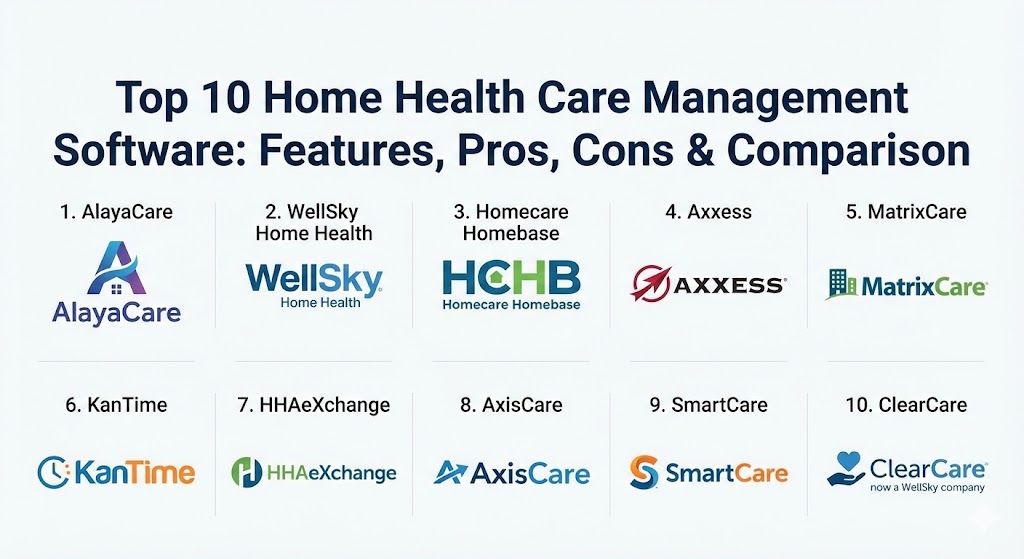
Top 10 Home Health Care Management Software Tools
1 — AlayaCare
AlayaCare is a modern, cloud-based platform that has quickly gained a reputation for its sophisticated use of data and AI. It is designed to support the entire lifecycle of home-based care, from intake to billing, with a heavy emphasis on optimizing the “middle office” through machine learning.
- Key features:
- AI-based scheduling optimization to reduce travel time and “churn.”
- Robust mobile app with offline documentation capabilities for remote areas.
- Integrated Electronic Visit Verification (EVV) using GPS and timestamps.
- Virtual Care suite including remote patient monitoring (RPM) and video visits.
- Real-time dashboarding and advanced business intelligence (BI) reports.
- Flexible form builder to customize clinical documentation workflows.
- Family and Client portals for transparent communication and coordination.
- Pros:
- The most modern UI in the industry, making it easy to train new staff.
- Powerful automation features that significantly reduce manual scheduling effort.
- Cons:
- Some of the most advanced AI features come at a premium cost.
- Smaller agencies may find the initial configuration and “learning curve” steep.
- Security & compliance: HIPAA compliant, SOC 2 Type II, GDPR, and ISO 27001. Features include role-based access control and end-to-end encryption.
- Support & community: Offers AlayaCare University for self-paced learning, a dedicated customer success manager for larger accounts, and 24/7 technical support.
2 — WellSky Home Health (formerly Kinnser)
WellSky is an industry titan, and its home health module remains one of the most widely used platforms in North America. It is built to handle the complexities of Medicare-certified agencies, focusing heavily on clinical compliance and high-volume billing.
- Key features:
- Streamlined OASIS documentation with built-in “scrubbing” for accuracy.
- Comprehensive billing engine for Medicare, Medicaid, and private insurance.
- Integrated “WellSky CareInsights” to predict patient hospitalization risk.
- Offline mobile clinical notes for nurses and therapists.
- Built-in communication tools for physician signature tracking (e-signatures).
- Advanced analytics for tracking clinical outcomes and productivity.
- Pros:
- Extremely reliable and stable; it is the “safe choice” for large agencies.
- The Medicare billing workflow is arguably the most mature in the market.
- Cons:
- The user interface feels a bit traditional and dated compared to newer SaaS tools.
- Customization can be limited; you often have to follow the “WellSky way” of doing things.
- Security & compliance: HIPAA, HITRUST CSF certified, and SOC 1/2.
- Support & community: Massive user community and a long history of successful enterprise implementations. Global support centers are available.
3 — Homecare Homebase (HCHB)
Homecare Homebase is the enterprise standard for the largest home health and hospice organizations. It is known for its rigorous, “workflow-driven” approach that ensures every clinician follows a standardized path to maintain compliance.
- Key features:
- Exceptionally deep integration with RCM (Revenue Cycle Management).
- Tablet-based clinical documentation that enforces compliance at the point of care.
- Automated workflow engine that guides staff through daily tasks.
- Advanced hospice-specific modules including bereavement and volunteer tracking.
- Interoperability via CommonWell and Carequality for data exchange.
- Robust scheduling for hundreds or thousands of field employees.
- Pros:
- Unmatched at scaling; it can handle the largest multi-state agencies with ease.
- The rigid workflows act as a safety net against compliance audit failures.
- Cons:
- High cost of entry and long implementation times.
- The “rigidity” that ensures compliance can sometimes frustrate fast-moving clinicians.
- Security & compliance: HIPAA compliant, SOC 2, and rigorous internal audit logging.
- Support & community: Professional services for large-scale deployments; a strong network of “HCHB experts” in the consulting space.
4 — Axxess
Axxess has become a favorite among small-to-mid-sized agencies due to its user-friendly design and its comprehensive ecosystem, which includes staffing and consultation services. It is one of the most accessible “full-stack” solutions.
- Key features:
- Mobile-first design for nurses, including an intuitive charting interface.
- Axxess CARE integration—a marketplace to find and hire temporary clinicians.
- Built-in EVV and OASIS documentation with real-time validation.
- Quality management tools to review notes before they are finalized.
- Comprehensive patient and family portal for engagement.
- Integrated billing for all major payers and clearinghouses.
- Pros:
- Very easy to learn; many clinicians are already familiar with it from other agencies.
- The staffing marketplace integration is a unique and highly valuable differentiator.
- Cons:
- Reporting capabilities aren’t as deep as the enterprise-focused rivals.
- Occasional performance lag in the mobile app during high-volume periods.
- Security & compliance: HIPAA compliant, SOC 2, and data encryption.
- Support & community: Strong online community and frequent educational webinars on regulatory changes.
5 — MatrixCare Home Health
MatrixCare provides a solution that bridges the gap between post-acute facilities and home health. It is particularly strong for organizations that manage a “continuum of care” across different settings.
- Key features:
- Longitudinal patient records that follow the patient across care settings.
- Clinical documentation focused on “exception-based” charting (faster for nurses).
- Integrated telehealth and video conferencing for remote assessments.
- Advanced scheduling with geo-location tracking for aides.
- Automated claims processing and secondary billing features.
- Robust OASIS/HIS (Hospice Item Set) compliance tools.
- Pros:
- Excellent for multi-service organizations (Home Health + Hospice + Facility).
- The “exception-based” charting helps reduce documentation time for field staff.
- Cons:
- Can feel overly complex if you only provide a single line of service.
- Integration with third-party software outside their ecosystem can be challenging.
- Security & compliance: HIPAA, SOC 2, and ISO 27001.
- Support & community: Extensive training through the MatrixCare Knowledge Base and a dedicated support team.
6 — KanTime
KanTime is highly praised for its flexibility. It allows agencies to manage multiple lines of business—skilled, non-medical, hospice, and pediatric—within a single, unified database.
- Key features:
- “One-stop shop” for medical and non-medical home care.
- Advanced referral management system to track patient pipelines.
- Real-time validation of OASIS data against clinical guidelines.
- Robust pediatric modules, including shift care and hourly nursing.
- Integrated payroll and HR management tools.
- Extensive reporting engine with customizable KPIs.
- Pros:
- Very flexible; can be configured to match the specific workflows of your agency.
- One of the few platforms that handles pediatric home health exceptionally well.
- Cons:
- The UI is a bit utilitarian and lacks the modern “polish” of AlayaCare.
- Requires a significant amount of “training time” due to the high level of customization.
- Security & compliance: HIPAA compliant and SOC 2 Type II.
- Support & community: Known for responsive technical support and a “partner-based” approach to client relationships.
7 — HHAeXchange
HHAeXchange is the dominant force in the Medicaid and personal care space. It is often the mandated platform for several state-wide Medicaid programs, making it essential for agencies that focus on long-term home-based care.
- Key features:
- Deep integration with state aggregators for Medicaid billing.
- Market-leading EVV solution (Electronic Visit Verification).
- Caregiver mobile app available in multiple languages.
- Real-time compliance tracking for caregiver certifications and training.
- Automated billing for “managed care” organizations (MCOs).
- Communication tools for broadcasting open shifts to available caregivers.
- Pros:
- The best choice for agencies where Medicaid compliance and EVV are the #1 priority.
- Simplifies the complex task of managing thousands of caregivers across different state programs.
- Cons:
- Not as strong for “skilled nursing” or OASIS-heavy Medicare agencies.
- The interface can be cluttered and difficult for non-technical users to navigate.
- Security & compliance: HIPAA, HITRUST certified, and SOC 2.
- Support & community: Extensive documentation for state-specific regulatory mandates.
8 — AxisCare
AxisCare specializes in the non-medical, private-duty side of home care. It is built for agencies that prioritize scheduling, marketing, and the caregiver-patient matching experience.
- Key features:
- Sophisticated “matching” algorithm based on caregiver skills and client needs.
- Integrated marketing and lead tracking tools (CRM).
- Robust mobile app for clocking in/out and ADL (Activities of Daily Living) tracking.
- Built-in billing and payroll integration (QuickBooks, etc.).
- Custom report builder to track agency growth and profitability.
- GPS-fenced EVV to ensure caregivers are on-site.
- Pros:
- Highly intuitive; office staff and caregivers can pick it up in hours, not weeks.
- Exceptional customer support that feels more personal than the “giant” vendors.
- Cons:
- Lacks the deep clinical EMR features needed for skilled nursing/medical care.
- Not designed for high-acuity hospice or Medicare-certified environments.
- Security & compliance: HIPAA compliant and SOC 2.
- Support & community: Regularly wins awards for “best support” in the industry; very accessible team.
9 — SmartCare
SmartCare is a relative newcomer that brings modern SaaS principles (like high automation and mobile-first design) to the home care market. It focuses on the “caregiver experience” to improve retention.
- Key features:
- “Caregiver Rewards” system to gamify performance and improve retention.
- AI-driven “SmartConnect” for optimized client-caregiver matching.
- High-definition mobile app with offline and voice-to-text notes.
- Real-time family portal with photo and status updates.
- End-to-end automated billing and integrated payment processing.
- Cloud-based architecture with zero installation required.
- Pros:
- Beautiful, modern interface that caregivers actually enjoy using.
- Very strong tools for combatting the industry-wide caregiver shortage.
- Cons:
- Still building out some of the deep clinical “skilled nursing” modules.
- The user community is smaller compared to legacy players like WellSky.
- Security & compliance: HIPAA compliant, SOC 2, and advanced data encryption.
- Support & community: Known for very fast onboarding and a modern, ticket-based support system.
10 — ClearCare (now part of WellSky)
Now officially rebranded under WellSky, ClearCare remains the dominant platform for the “Personal Care” and franchise home care market. It is the backbone for many of the world’s largest home care franchises.
- Key features:
- Robust franchise management tools (multi-unit dashboards).
- Integrated background checks and caregiver screening tools.
- “WorkSafe” modules to track caregiver health and safety.
- Family-facing “Caregiver Match” profiles.
- Automatic overtime alerts and scheduling safeguards.
- Integrated payment collection (credit card/ACH) for private-pay clients.
- Pros:
- The undisputed leader for private-pay agencies and franchises.
- Extremely powerful billing and administrative tools for high-volume non-medical care.
- Cons:
- Now that it’s part of WellSky, some users worry about it becoming “too big.”
- Like AxisCare, it is not a medical EMR and shouldn’t be used for skilled nursing.
- Security & compliance: HIPAA compliant, SOC 1/2, and PCI DSS (for payments).
- Support & community: Access to the broader WellSky ecosystem of support and professional services.
Comparison Table
| Tool Name | Best For | Platform(s) Supported | Standout Feature | Rating (Gartner/TrueReview) |
| AlayaCare | Modern Automation | Web, iOS, Android | AI Schedule Optimization | 4.6 / 5 |
| WellSky Home Health | Medicare Compliance | Web, iOS, Android | OASIS Scrubbing | 4.4 / 5 |
| Homecare Homebase | Large Enterprises | Web, Tablet/Mobile | Workflow Enforcement | 4.1 / 5 |
| Axxess | Staffing Flexibility | Web, iOS, Android | Axxess CARE Staffing | 4.5 / 5 |
| MatrixCare | Post-Acute Continuum | Web, iOS, Android | Cross-Setting Records | 4.2 / 5 |
| KanTime | Multiple Business Lines | Web, iOS, Android | Pediatric/Skilled/Non-Med | 4.4 / 5 |
| HHAeXchange | Medicaid Agencies | Web, iOS, Android | State-Mandated EVV | 4.0 / 5 |
| AxisCare | Private-Duty Care | Web, iOS, Android | Matching Algorithms | 4.7 / 5 |
| SmartCare | Caregiver Retention | Web, iOS, Android | Rewards & Gamification | 4.8 / 5 |
| ClearCare | Franchises / Private Pay | Web, iOS, Android | Franchise Dashboard | 4.5 / 5 |
Evaluation & Scoring of Home Health Care Management Software
Selecting a platform requires looking beyond the sales deck. We evaluate these tools based on seven key pillars that impact daily agency operations.
| Category | Weight | Evaluation Criteria |
| Core Features | 25% | Scheduling, clinical documentation, billing, EVV, and OASIS compliance. |
| Ease of Use | 15% | The intuitiveness of the mobile app for field staff and the office dashboard. |
| Integrations | 15% | Compatibility with HIEs, payroll providers, and third-party RCM services. |
| Security | 10% | HIPAA compliance, data encryption, and audit-ready reporting. |
| Reliability | 10% | App uptime and robust “offline mode” functionality for rural care. |
| Support | 10% | Quality of training, speed of help desk, and regulatory updates. |
| Price / Value | 15% | Transparency of pricing and the actual efficiency gains per clinician. |
Which Home Health Care Management Software Tool Is Right for You?
The “right” tool depends heavily on your care model and your scale.
- Solo or Tiny Startups: If you are just starting a non-medical agency, look at AxisCare or SmartCare. They are affordable, easy to set up, and will help you grow your client base without the heavy “clinical overhead” of a medical EMR.
- Medicare-Certified Agencies (Skilled Nursing): If your primary payer is Medicare, WellSky or Axxess are your best bets. They have built-in “guards” for OASIS and PDGM that prevent expensive billing mistakes.
- State Medicaid Providers: If you are in a state where HHAeXchange is the aggregator or if you handle high volumes of Medicaid personal care, that platform is virtually essential for smooth billing.
- The “Multi-Line” Agency: If you do everything from hospice and skilled nursing to non-medical personal care, KanTime or AlayaCare offer the best flexibility to manage different rules under one roof.
- Enterprise/Multi-State Giants: If you have over 500 field staff, Homecare Homebase or MatrixCare provide the industrial-strength governance and RCM features required at that level.
- Private Duty & Franchises: ClearCare remains the gold standard for franchise owners who need to see “the big picture” across multiple territories.
Frequently Asked Questions (FAQs)
1. What is EVV and why do I need it?
Electronic Visit Verification (EVV) is a federal requirement for Medicaid-funded home care. It proves that the caregiver was actually at the client’s home using GPS, timestamps, and service documentation.
2. Can these tools work without an internet connection?
Most top-tier tools (like AlayaCare and WellSky) have an “offline mode.” Clinicians can chart in the home, and the data will automatically sync once they reach a Wi-Fi or cellular signal.
3. Is there a difference between Home Health and Home Care software?
Yes. “Home Health” software is for medical/skilled nursing and includes clinical EMR features. “Home Care” software is usually for non-medical/private duty and focuses on scheduling and ADLs.
4. How long does implementation usually take?
For a small agency, it can take 2-4 weeks. For a large enterprise organization using HCHB or WellSky, it can take 3-6 months to fully migrate data and train all staff.
5. How does the software handle PDGM?
The Patient-Driven Groupings Model (PDGM) is the Medicare payment system. The software automatically calculates the “grouping” based on OASIS data to ensure you are reimbursed correctly.
6. Can patients and families see the schedules?
Yes, most modern platforms include a “Family Portal” where authorized family members can see who is coming to the house, check visit notes, and sometimes pay invoices.
7. Do these tools handle payroll?
Most do not run the actual payroll checks but they do “calculate” it. They export perfectly formatted data to providers like ADP, Paychex, or QuickBooks.
8. Is my data secure in the cloud?
Yes. Modern healthcare SaaS providers use enterprise-level encryption and are audited for HIPAA and SOC 2 compliance, often making them more secure than local “on-prem” servers.
9. Can I switch from one software to another easily?
“Easy” is relative. Most vendors offer data migration services, but you should expect a transition period where you maintain access to your old system for auditing purposes.
10. What is the typical pricing model?
Most vendors charge a “Per-Active-Patient-Per-Month” (PPPM) fee or a “Per-Visit” fee. Some non-medical tools charge a flat monthly fee based on the number of caregivers.
Conclusion
Managing a home health agency in 2026 is a balancing act between human compassion and technological precision. The software you choose will define your agency’s culture—either empowering your field staff to focus on patients or burying them in “click-heavy” administrative tasks. When making your choice, remember that the most expensive software is the one your staff refuses to use. Prioritize mobile usability and clinical compliance, and you will find that the right technology doesn’t just manage your agency; it helps it thrive.