Introduction
Digital forensics tools are sophisticated applications designed to extract and interpret data from various digital sources, including hard drives, mobile phones, cloud storage, and even volatile memory (RAM). The primary objective of these tools is to find “the smoking gun”—be it a deleted message, a hidden file, or a registry entry—without altering the original evidence. Accuracy and integrity are the dual pillars of this category; if a tool inadvertently changes a single bit on a source drive, the entire investigation could be thrown out of court.
The importance of these tools has skyrocketed alongside the proliferation of encrypted devices and cloud-based services. In the real world, these tools are used for everything from solving high-profile homicides and tracking financial fraud to performing “post-mortem” analysis after a massive ransomware attack. When choosing a tool in this category, investigators should look for multi-platform support (Android, iOS, Windows, Linux), the ability to handle encrypted volumes, the speed of data indexing, and the robustness of the reporting module.
Best for: Law enforcement agencies, high-tier cybersecurity firms performing incident response, corporate legal departments, and private forensic consultants. It is essential for roles like Digital Forensic Examiners, Cyber Incident Responders, and eDiscovery Specialists in mid-to-large organizations.
Not ideal for: Small businesses looking for simple “data recovery” (like getting back a deleted vacation photo) or IT generalists who do not have the legal training to maintain a chain of custody. For those users, standard file recovery utilities or built-in OS auditing tools are usually sufficient and far less expensive.
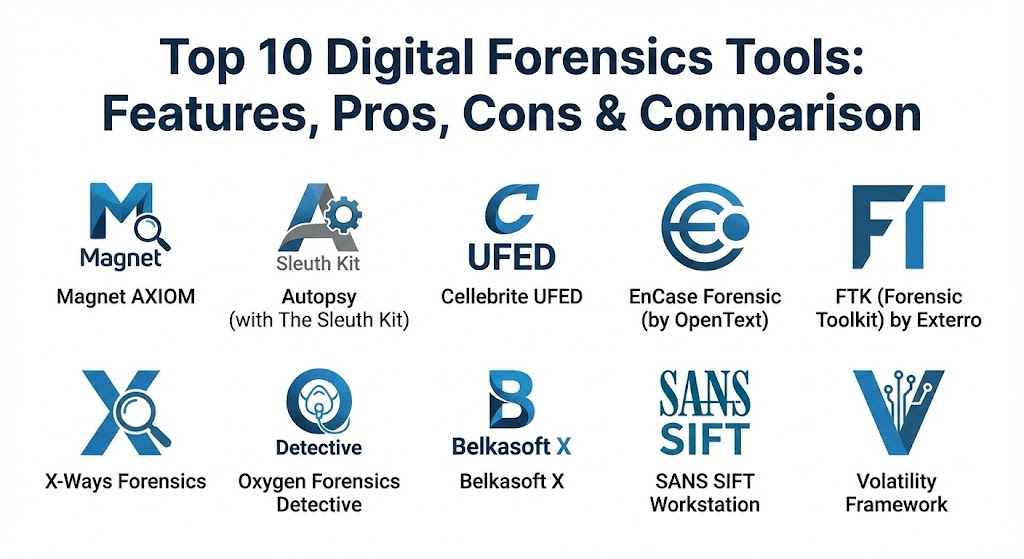
Top 10 Digital Forensics Tools
1 — Magnet AXIOM
Magnet AXIOM has rapidly become the industry favorite because of its “artifact-first” approach. While older tools focused on file systems, AXIOM focuses on the data that matters most to modern investigators: chat logs, social media activity, and cloud artifacts.
- Key features:
- Unified analysis of mobile, computer, and cloud evidence in one case file.
- Advanced “Artifact Explorer” that automatically parses data from 1,000+ sources.
- Connection Map technology that visually links people, devices, and files.
- Robust OCR (Optical Character Recognition) for finding text within images and PDFs.
- “Magnet.AI” module for automated detection of specific content like child abuse material or weapons.
- Integrated memory forensics through the Volatility framework.
- Comprehensive carving of deleted data from unallocated space.
- Pros:
- The most intuitive user interface in the industry, significantly reducing the “time to evidence.”
- Superior ability to reconstruct modern communication apps (WhatsApp, Telegram, Signal).
- Cons:
- High system resource requirements; requires a powerful workstation to run smoothly.
- Higher price point compared to open-source or legacy alternatives.
- Security & compliance: SOC 2 Type II compliant, supports AES-256 encryption for case files, and maintains detailed audit logs for every user action.
- Support & community: Exceptional; provides “Magnet Academy” for certifications, 24/7 technical support, and a highly active community forum.
2 — Autopsy (with The Sleuth Kit)
Autopsy is the premier open-source digital forensics platform. It serves as a graphical interface for the powerful “Sleuth Kit” command-line tools, making it accessible to those who need professional results without an enterprise budget.
- Key features:
- Multi-user support allowing teams to work on the same large case simultaneously.
- Keyword search modules that run in the background during ingest.
- Timeline analysis to visualize a chronological list of system events.
- Registry analysis to find recently accessed files or connected USB devices.
- Video triage module that allows for quick browsing of video files without full playback.
- Extensible via a large library of community-developed Python and Java plugins.
- Pros:
- Completely free to use, making it the gold standard for students and non-profits.
- Highly transparent; being open-source allows investigators to verify how the code handles evidence.
- Cons:
- Lacks the polished, automated “one-click” parsing found in paid tools like Magnet.
- Mobile device support is limited compared to specialized mobile forensic suites.
- Security & compliance: Varies; being open-source, it relies on community audits. No built-in SSO, but supports standard file-level encryption.
- Support & community: Massive community support; extensive documentation and free training videos are widely available online.
3 — Cellebrite UFED
If the investigation involves a mobile phone, Cellebrite is the name you will hear most often. Cellebrite UFED (Universal Forensic Extraction Device) is the market leader for mobile device data acquisition, capable of bypassing locks on thousands of device models.
- Key features:
- Logical, physical, and file-system extractions from Android and iOS devices.
- Exclusive technology to bypass pattern, PIN, and password locks on flagship devices.
- Extraction of data from SIM cards, SD cards, and legacy GPS devices.
- Integration with “Cellebrite Physical Analyzer” for deep-dive data interpretation.
- Targeted extraction of specific cloud tokens stored on mobile devices.
- Ability to recover deleted health data, location history, and call logs.
- Pros:
- Unmatched hardware support; if a phone can be cracked, Cellebrite is usually the one to do it.
- Ruggedized hardware versions are available for “in-the-field” military or police use.
- Cons:
- Extremely expensive, often requiring annual subscriptions that cost thousands.
- Sales are strictly controlled and generally limited to authorized law enforcement and government entities.
- Security & compliance: FIPS 140-2 validated, supports secure boot, and provides cryptographically signed reports.
- Support & community: Comprehensive “Cellebrite Academy” certifications and a high-touch enterprise support model.
4 — EnCase Forensic (by OpenText)
EnCase is the “old guard” of digital forensics. It was the first tool to be widely accepted in courts globally and remains a staple for large-scale enterprise investigations and corporate litigation.
- Key features:
- Deep-dive file system analysis for nearly every known OS (Windows, Mac, Linux, Solaris).
- Logical and physical imaging of local and remote drives.
- Powerful “EnScript” language for automating repetitive forensic tasks.
- Integration with OpenText’s eDiscovery and endpoint security platforms.
- Ability to process massive data volumes (multi-terabyte drives) without crashing.
- Robust reporting that is specifically formatted for legal submission.
- Pros:
- Incredible legal weight; there is a massive library of case law supporting EnCase findings.
- Excellent for “remote forensics” where an investigator needs to pull data from a live laptop over the corporate network.
- Cons:
- A steep learning curve; the interface is complex and can be intimidating for new users.
- Slower to innovate on “new-age” artifacts (like mobile chat) compared to Magnet AXIOM.
- Security & compliance: ISO 27001, SOC 2, and FIPS 140-2 compliant.
- Support & community: High-end enterprise support; formal training is expensive but highly regarded in the industry.
5 — FTK (Forensic Toolkit) by Exterro
FTK is known for its speed and scalability. It uses a unique “distributed processing” architecture that allows investigators to use multiple computers to process a single large evidence set simultaneously.
- Key features:
- Centralized database (PostgreSQL or Oracle) for managing case data, preventing data corruption.
- Industry-leading indexing speed, allowing for near-instant keyword searches.
- Integrated “facial recognition” and “explicit image detection” modules.
- Ability to decrypt over 100 different types of encrypted files and volumes.
- Native processing of cloud-based data from Google, O365, and Box.
- Advanced email analysis for mapping communication chains between suspects.
- Pros:
- The best tool for large-scale “big data” forensics where speed is the primary constraint.
- Highly stable database-driven architecture means you rarely lose work due to a crash.
- Cons:
- The database requirement makes the initial installation and setup quite complex.
- User interface can feel “clunky” compared to more modern web-style UIs.
- Security & compliance: SOC 2, HIPAA, and GDPR compliant. Supports multi-factor authentication for investigators.
- Support & community: Strong professional support; Exterro offers regular webinars and a formal certification path (ACE).
6 — X-Ways Forensics
X-Ways is the “special forces” tool of digital forensics. It is a German-engineered, highly efficient, and lightweight application that is preferred by expert-level examiners who want total control over the binary data.
- Key features:
- Portable execution—runs from a USB stick without needing a full installation.
- Extremely low memory and CPU footprint compared to EnCase or AXIOM.
- High-speed disk imaging and cloning capabilities.
- Advanced hex editor with templates for parsing specific file headers.
- Ability to handle “RAID” reconstructions with ease.
- Support for nearly every file system, including niche industrial formats.
- Pros:
- Unbelievably fast; it can parse a drive in minutes that would take other tools hours.
- Very affordable compared to other enterprise-tier forensic suites.
- Cons:
- A notoriously difficult learning curve; the interface looks like Windows 95 and is text-heavy.
- Requires a high level of manual knowledge—it doesn’t “hold your hand” like Magnet AXIOM.
- Security & compliance: GDPR compliant; supports strong encryption for all generated images and logs.
- Support & community: Very active but strict community; the developer is known for providing direct, technical support via email.
7 — Oxygen Forensics Detective
Oxygen is a direct competitor to Cellebrite, focusing heavily on mobile devices, cloud data, and the growing world of Internet of Things (IoT) forensics.
- Key features:
- Support for 37,000+ mobile device models and 600+ unique app versions.
- Built-in “Cloud Extractor” to pull data from Google, Apple, and social media accounts.
- Unique “Drone Forensics” module for analyzing data from DJI and other UAVs.
- Facial categorization and image recognition powered by AI.
- JetEngine for high-speed data parsing of large SQLite databases.
- Ability to extract data from smartwatches and IoT home assistants.
- Pros:
- Often includes cloud and IoT modules in the base price, whereas others charge extra.
- Excellent at finding “linked” data between a user’s phone and their cloud backups.
- Cons:
- Mobile extraction success rate is slightly lower than Cellebrite for certain locked Android models.
- Interface can be a bit sluggish when dealing with extremely large datasets.
- Security & compliance: ISO 27001 and GDPR compliant. Case data is protected via AES-256.
- Support & community: High-quality documentation and a very responsive support team.
8 — Belkasoft X
Belkasoft X is designed for automation. It is aimed at investigators who need to get results quickly and reliably, using a workflow that guides the user from acquisition to reporting.
- Key features:
- “All-in-one” acquisition of mobile, computer, cloud, and RAM.
- Native support for Checkm8 and other modern mobile exploits.
- Advanced carving for 1,500+ file types and system artifacts.
- Remote forensics module for collecting data over a network.
- Built-in SQLite viewer and hex editor for manual validation.
- Automatic detection of encryption and virtual machine images.
- Pros:
- Very easy to use; the automated “check-box” workflow prevents examiners from missing steps.
- Excellent price-to-performance ratio for mid-sized labs.
- Cons:
- The reporting module can be less customizable than EnCase or AXIOM.
- Community presence is smaller than the “Big Three” (Magnet, Cellebrite, EnCase).
- Security & compliance: GDPR and HIPAA compliant; provides secure audit trails for every case.
- Support & community: Offers the “Belkasoft Academy” and a very helpful technical support channel.
9 — SANS SIFT Workstation
SIFT (SANS Investigative Forensic Toolkit) is a collection of the world’s best open-source forensic tools bundled into a single Ubuntu-based virtual machine. It is curated by the SANS Institute, the global leader in cybersecurity training.
- Key features:
- Includes hundreds of tools like Volatility, Sleuth Kit, and Plaso.
- Pre-configured environment ready for immediate incident response.
- Support for “Live” forensics on active systems.
- Ability to mount nearly any disk image format (E01, RAW, AFF).
- Integration with “Log2Timeline” for massive scale timeline creation.
- Advanced memory forensics and network traffic analysis tools.
- Pros:
- Completely free and maintained by world-class forensic experts.
- An essential tool for learning the “under-the-hood” mechanics of forensics.
- Cons:
- Command-line heavy; requires significant Linux knowledge to be effective.
- No professional “support” line—you rely on community knowledge and SANS training.
- Security & compliance: N/A (Self-managed). Security depends on how the investigator configures the VM.
- Support & community: Massive community of SANS alumni; documentation is mostly available through SANS posters and whitepapers.
10 — Volatility Framework
While other tools are generalists, Volatility is the undisputed specialist for Memory Forensics. It allows investigators to analyze the RAM of a computer to find evidence that never touches the hard drive.
- Key features:
- Analysis of RAM dumps from Windows, Linux, Mac, and Android.
- Ability to find hidden malware, rootkits, and injected code.
- Extraction of running processes, open network connections, and loaded DLLs.
- Recovery of passwords and encryption keys stored in memory.
- Reconstruction of open documents or chat windows that were never saved.
- Extensive plugin architecture for custom malware hunting.
- Pros:
- The only way to catch “fileless” malware that exists only in memory.
- A mandatory tool for high-level malware analysis and advanced incident response.
- Cons:
- Strictly command-line; there is no official GUI (though some third-party ones exist).
- Very difficult for beginners; requires deep knowledge of operating system internals.
- Security & compliance: Open-source. Security is managed at the user/OS level.
- Support & community: The Volatility Foundation provides a massive amount of research and a very active GitHub community.
Comparison Table
| Tool Name | Best For | Platform(s) Supported | Standout Feature | Rating (Gartner/TrueReview) |
| Magnet AXIOM | Modern Artifacts | Win, Mac, Mobile, Cloud | Artifact-First Approach | 4.8 / 5 |
| Autopsy | Beginners/Budget | Win, Linux, Mac | Open-Source GUI | 4.5 / 5 |
| Cellebrite UFED | Mobile Unlocking | Mobile (Android/iOS) | Pattern/PIN Bypassing | 4.9 / 5 |
| EnCase Forensic | Enterprise/Court | All Desktop OS | Court-Proven Reliability | 4.4 / 5 |
| FTK | Large Datasets | Win, Cloud | Distributed Processing | 4.5 / 5 |
| X-Ways Forensics | Experts | Win | High-Efficiency Binary Engine | 4.7 / 5 |
| Oxygen Detective | Mobile & Cloud | Mobile, Cloud, Drone | Drone/IoT Forensics | 4.6 / 5 |
| Belkasoft X | Automation | Win, Mac, Mobile, Cloud | Check-box Workflow | 4.6 / 5 |
| SANS SIFT | Incident Response | Linux (Ubuntu) | Pro-Grade Open Source Bundle | N/A |
| Volatility | RAM Forensics | Windows, Mac, Linux | Fileless Malware Detection | 4.9 / 5 |
Evaluation & Scoring of Digital Forensics Tools
To determine the true value of a forensic tool, we evaluate it against a weighted rubric that reflects the reality of a modern forensic laboratory.
| Category | Weight | Evaluation Criteria |
| Core Features | 25% | Artifact parsing depth, mobile unlocking, and deleted data recovery. |
| Ease of Use | 15% | Intuitive UI, automated workflows, and quality of reporting modules. |
| Integrations | 15% | Compatibility with other tools (e.g., importing Volatility dumps into AXIOM). |
| Security & Compliance | 10% | Encryption, audit logs, and adherence to “Chain of Custody” standards. |
| Performance | 10% | Indexing speed, CPU/RAM efficiency, and stability during large ingest. |
| Support & Community | 10% | Training availability, certification paths, and responsive technical help. |
| Price / Value | 15% | Licensing cost vs. the breadth of investigative power provided. |
Which Digital Forensics Tool Is Right for You?
Solo Users vs SMB vs Mid-Market vs Enterprise
- Solo/Freelance Examiners: If you are just starting, Autopsy and X-Ways are your best bets. Autopsy handles the budget, while X-Ways provides professional-grade speed for a fraction of the enterprise cost.
- SMB Law Firms/Consultants: Belkasoft X is the sweet spot. It offers an easy, automated workflow that doesn’t require a dedicated “Forensic IT” team to maintain.
- Enterprise/Government: You will likely need a “suite” of tools. Magnet AXIOM for everyday artifacts, EnCase for remote corporate forensics, and Cellebrite for mobile.
Budget-Conscious vs Premium Solutions
- Budget: Use SANS SIFT and Autopsy. You sacrifice convenience and “fancy” reports, but the underlying data analysis is just as accurate as the paid tools.
- Premium: Magnet AXIOM and Cellebrite. These tools pay for themselves in the time they save your investigators.
Feature Depth vs Ease of Use
- Ease of Use: Magnet AXIOM and Belkasoft X are the clear winners.
- Feature Depth: X-Ways and Volatility allow you to go deeper into the binary data than any other tools, but you have to work much harder for it.
Frequently Asked Questions (FAQs)
1. Is digital forensic evidence always admissible in court?
Only if the “Chain of Custody” is maintained. This means using write-blockers and tools like EnCase or Magnet that provide a detailed audit log proving the evidence was never altered.
2. Can these tools recover data from a factory-reset phone?
Usually no. On modern encrypted devices (Android 10+ and iOS), a factory reset wipes the encryption keys, making the remaining data “binary noise” that even Cellebrite cannot recover.
3. What is a “Write Blocker”?
It is a piece of hardware that sits between the evidence drive and the forensic computer. It physically prevents any “write” commands from reaching the evidence drive, ensuring 100% data integrity.
4. Can I use these tools for remote investigations?
Yes. Tools like EnCase and FTK have specialized agents that can be deployed to a laptop over the company network to image the drive without the employee even knowing.
5. How long does a typical forensic investigation take?
It varies wildly. Triaging a drive for specific keywords might take an hour, while a full, deep-dive analysis of a 2TB drive and a mobile phone can take weeks of processing and manual review.
6. Do I need a certification to use these tools?
Technically no, but if you plan to testify in court, having a certification (like MCFE for Magnet or GCFE from SANS) is vital to establish your “Expert Witness” status.
7. Can these tools see “Incognito Mode” history?
Often yes. While the browser doesn’t save history, artifacts are often left behind in the computer’s DNS cache, pagefile, or RAM (which is where Volatility comes in).
8. Is there one “best” tool for everything?
No. Most professional labs use a “secondary tool” strategy. If Magnet AXIOM finds something, they use X-Ways to “validate” that the data is really there to ensure there was no software glitch.
9. What is “Cloud Forensics”?
It involves using a user’s credentials or “tokens” found on their computer to pull data from their Google Drive, iCloud, or Facebook account directly into the forensic tool.
10. Why is RAM forensics so important?
Because many advanced hackers and malware now run entirely in the computer’s memory to avoid leaving files on the hard drive. If you turn the computer off, that evidence is gone forever.
Conclusion
Digital forensics is a high-stakes game of “Digital Hide and Seek.” As technology becomes more integrated into our lives, the tools we use to investigate it must become more sophisticated. There is no single “universal winner” in this market because different cases require different specialties.
The industry consensus is clear: if you need a modern, artifact-centric view, go with Magnet AXIOM. If you are dealing with mobile phones, Cellebrite is non-negotiable. And if you are an expert who wants to pick apart binary data with surgical precision, X-Ways is your scalpel. Ultimately, the best forensic tool is the one that gives you the most accurate results while standing up to the scrutiny of the courtroom.