Introduction
A Device Testing Cloud is a cloud-hosted infrastructure that allows developers and Quality Assurance (QA) engineers to remotely interact with, debug, and run automated tests on hundreds of physical devices and browser environments. By shifting testing to the cloud, organizations eliminate the capital expenditure of purchasing hardware and the operational overhead of maintaining it—such as managing battery health, OS updates, and network configurations.
The importance of these tools lies in their ability to provide “real-world” validation. While emulators and simulators are useful for early-stage development, they cannot perfectly replicate hardware-specific issues like thermal throttling, sensor inaccuracies, or manufacturer-specific UI skins. Key use cases include cross-browser compatibility testing, geolocation-based functional verification, and performance benchmarking under varying network conditions (3G, 4G, 5G). When choosing a platform, evaluation criteria should include the size of the device fleet, execution speed (parallelism), integration with CI/CD pipelines, and the depth of debugging logs provided.
Best for: Quality Assurance (QA) teams, DevOps engineers, and full-stack developers in mid-to-large enterprises or fast-scaling startups. It is essential for industries like e-commerce, banking, and streaming media, where even a minor device-specific bug can lead to significant revenue loss.
Not ideal for: Solo developers working on simple web projects with limited browser requirements, or small teams that primarily target a single platform (e.g., a “iOS-only” internal utility) where local simulators may suffice.
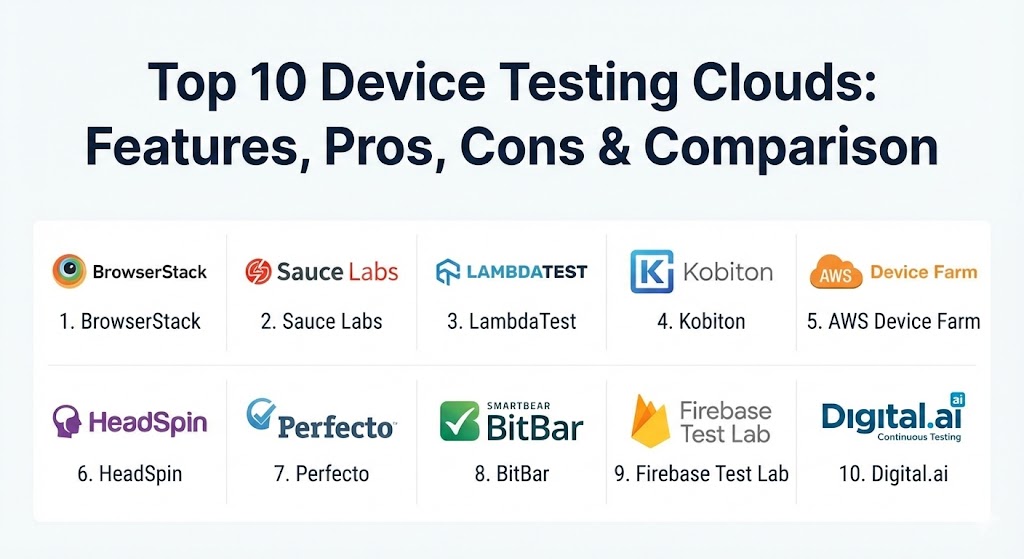
Top 10 Device Testing Clouds Tools
1 — BrowserStack
BrowserStack is widely considered the industry benchmark, providing instant access to a massive fleet of over 3,000 real mobile devices and desktop browsers. It is designed for teams that require a “zero-setup” environment for both manual and automated testing.
- Key features:
- Instant access to physical Android and iOS devices without virtualization.
- Support for Selenium, Cypress, Playwright, and Appium automation.
- Real-time debugging with integrated dev tools and video logs.
- Geolocation testing across 100+ countries with GPS simulation.
- Visual regression testing via Percy for UI consistency.
- High-speed parallel execution for shorter CI/CD pipelines.
- Pros:
- The most intuitive user interface in the industry, requiring almost zero learning curve.
- Exceptional stability and uptime, even during high-concurrency peak loads.
- Cons:
- Higher price point compared to newer entrants in the market.
- Parallel execution limits are strictly capped based on subscription tiers.
- Security & compliance: SOC 2 Type II, ISO 27001, GDPR, and HIPAA compliant. Offers secure data deletion after every session.
- Support & community: Extensive documentation, 24/7 enterprise support, and a massive community of developers.
2 — Sauce Labs
Sauce Labs is an enterprise-grade platform that emphasizes a “continuous testing” philosophy. It provides a unique mix of real physical devices and highly optimized virtual machines to balance cost and accuracy.
- Key features:
- Hybrid cloud offering real devices, emulators, and simulators.
- Sauce Orchestrate for running tests in containers near the device cloud.
- Extensive analytics and failure analysis driven by machine learning.
- Support for mobile app testing from development to post-release.
- Integrated accessibility testing to ensure compliance with WCAG.
- Sauce Connect Proxy for testing apps behind local firewalls.
- Pros:
- Deep focus on analytics helps teams identify the root cause of “flaky” tests.
- Highly scalable for enterprise-level automation suites.
- Cons:
- The interface can be slightly more complex and “utilitarian” than competitors.
- Real device access occasionally experiences longer wait times than virtual machines.
- Security & compliance: SOC 2 Type II, ISO 27001, HIPAA, and GDPR. Data is encrypted in transit and at rest.
- Support & community: “Sauce School” provides excellent free training; strong involvement in open-source projects like Appium.
3 — LambdaTest
LambdaTest is a fast-growing challenger known for its high-performance execution engine and aggressive pricing models. It is particularly popular among startups and performance-focused teams.
- Key features:
- HyperExecute: A next-gen test orchestration platform for ultra-fast execution.
- Real device testing for mobile apps and mobile browsers.
- AI-powered visual UI testing for pixel-perfect designs.
- Support for nearly all modern frameworks (Playwright, Puppeteer, TestCafe).
- Integrated “Smart UI” to detect layout shifts automatically.
- One-click bug logging to Jira, Trello, and Slack.
- Pros:
- Significantly faster test execution times thanks to the HyperExecute architecture.
- More affordable entry-level plans compared to legacy leaders.
- Cons:
- Real device inventory is smaller than BrowserStack’s.
- Documentation for advanced edge cases can sometimes lack depth.
- Security & compliance: SOC 2 Type II, GDPR, and ISO compliant. Single Sign-On (SSO) and audit logs available.
- Support & community: 24/7 live chat support with very fast response times; active blog and webinar series.
4 — Kobiton
Kobiton is a mobile-first testing cloud that provides a bridge between public device clouds and private/on-premise hardware. It is the go-to choice for teams with specific hardware security requirements.
- Key features:
- Real-device testing with a focus on high-fidelity user gestures.
- Scriptless test automation that turns manual sessions into automated scripts.
- Ability to “plug in” your own physical devices to create a private cloud.
- Deep performance metrics including battery and memory usage.
- Visual validation and crash reporting for mobile apps.
- Native support for Maestro and Appium.
- Pros:
- The best user experience for manual testing (swipe, pinch, and zoom gestures).
- Highly flexible deployment models (Public, Private, or Local cloud).
- Cons:
- Less focus on traditional desktop browser testing.
- The pricing structure for private clouds can be complex for newcomers.
- Security & compliance: SOC 2, HIPAA, and GDPR. Offers dedicated, isolated hardware for high-security projects.
- Support & community: Responsive technical support; high-touch onboarding for enterprise customers.
5 — AWS Device Farm
AWS Device Farm is Amazon’s dedicated service for testing mobile and web apps on real devices. It is built to integrate seamlessly with the broader AWS ecosystem.
- Key features:
- Extensive fleet of physical Android and iOS devices.
- Remote access for interactive manual testing through a web browser.
- Built-in “Fuzz” testing to identify crashes without writing scripts.
- Integration with AWS CodePipeline and other DevOps services.
- Detailed logs, screenshots, and video recordings for every test run.
- Private Device Fleets for exclusive access to specific hardware.
- Pros:
- Pay-as-you-go pricing is ideal for teams with intermittent testing needs.
- Unmatched reliability and global infrastructure scale.
- Cons:
- Steeper learning curve for users who are not already familiar with AWS.
- The UI is less polished and more “technical” than specialized QA platforms.
- Security & compliance: Inherits all AWS security standards (FedRAMP, SOC, ISO, HIPAA, PCI DSS).
- Support & community: Backed by AWS enterprise support plans and a massive global developer ecosystem.
6 — HeadSpin
HeadSpin is a data-driven platform that goes beyond simple functional testing. It focuses on digital experience monitoring and performance analytics from real devices located globally.
- Key features:
- Global device infrastructure across 90+ locations on real carrier networks.
- AI-driven insights into UX, network performance, and app health.
- Audio and video quality testing (critical for streaming and VoIP).
- Regression analysis for performance metrics over time.
- Deep integration with Appium and Selenium.
- Packet-level network analysis and visibility.
- Pros:
- Provides unique insights into how local networks (like a 5G network in Tokyo) affect app performance.
- Excellent for identifying audio/video lag and synchronization issues.
- Cons:
- Significant premium pricing reflects its advanced analytical capabilities.
- May be overkill for teams that only need basic functional testing.
- Security & compliance: SOC 2, GDPR, and ISO; offers secure dedicated and on-premise device options.
- Support & community: Highly specialized support engineers; comprehensive training for performance analysis.
7 — Perfecto (by Perforce)
Perfecto is an enterprise-grade cloud that prides itself on “test stability.” It is designed for large-scale organizations that require 24/7 availability and sophisticated test orchestration.
- Key features:
- Enterprise-scale manual and automated testing.
- Smart test orchestration that automatically retries failed tests.
- Advanced analytics with heatmaps for identifying common failure points.
- Support for “complex” device features like biometrics and camera injection.
- Cloud-based desktop browser and mobile device testing.
- Virtual device and real device combinations.
- Pros:
- High availability and reliability for mission-critical testing pipelines.
- Robust support for advanced mobile features that other clouds often struggle with.
- Cons:
- Higher total cost of ownership (TCO) compared to budget-friendly alternatives.
- Setup and initial configuration can be more technical and time-consuming.
- Security & compliance: SOC 2, HIPAA, ISO, and high-level government certifications.
- Support & community: High-touch support model; dedicated customer success managers for large accounts.
8 — BitBar (by SmartBear)
BitBar offers one of the most flexible and open device clouds in the market. It is built on a “flex-licensing” model that allows for unlimited users and unlimited parallel testing.
- Key features:
- No-limit parallel testing (run as many tests as your plan allows simultaneously).
- Support for any test automation framework written in any language.
- Real Android and iOS devices and desktop browsers.
- Integration with SmartBear’s larger ecosystem (TestComplete, Zephyr).
- Cloud-based manual testing for quick bug reproduction.
- Secure tunnels for testing internal-only applications.
- Pros:
- The “unlimited users” model is a huge cost-saver for large, distributed QA teams.
- Extremely flexible; doesn’t force users into a specific proprietary framework.
- Cons:
- The user interface is functional but feels a bit dated compared to LambdaTest.
- Advanced AI/ML analytics features are not as prominent as in Sauce Labs.
- Security & compliance: SOC 2 and GDPR compliant; uses enterprise-grade encryption.
- Support & community: Strong documentation; backed by the extensive SmartBear support network.
9 — Firebase Test Lab
Firebase Test Lab is Google’s testing infrastructure, primarily tailored for mobile app developers within the Firebase/Android ecosystem.
- Key features:
- Robo Test: An intelligent crawler that explores your app and finds crashes automatically.
- Real and virtual device testing for Android and iOS.
- Direct integration with the Play Store Console.
- High-quality crash and performance reports with screenshots and video.
- Scalable execution through the Google Cloud Platform (GCP).
- Integration with CI/CD tools via the gcloud CLI.
- Pros:
- The “Robo Test” is a powerful way to find “low-hanging fruit” bugs without writing a single line of code.
- Excellent free tier (Spark Plan) for small apps and side projects.
- Cons:
- iOS device availability is notably more limited than Android.
- Lacks a dedicated, unified UI for cross-browser web testing.
- Security & compliance: Google Cloud Platform security standards (ISO, SOC, HIPAA, GDPR).
- Support & community: Vast documentation; community support via StackOverflow and Google Groups.
10 — Digital.ai Continuous Testing
Formerly known as Experitest, Digital.ai focuses on high-performance manual and automated testing for global enterprises with complex security needs.
- Key features:
- Enterprise-scale real device cloud with global data centers.
- Highly responsive manual testing sessions with near-zero latency.
- Visual testing and accessibility testing integrations.
- Support for mocking sensors like GPS, biometrics, and cameras.
- Advanced reporting with root-cause analysis.
- On-premise, hosted, and hybrid deployment models.
- Pros:
- Superior responsiveness for manual testing—feels almost like holding the device.
- Strongest focus on “governance” for large, regulated global teams.
- Cons:
- Can be prohibitively expensive for startups or small agencies.
- Integration with non-Digital.ai DevOps tools can require more effort.
- Security & compliance: SOC 2 Type II, HIPAA, ISO, and FIPS compliance available.
- Support & community: Professional services for complex migrations; dedicated support tiers.
Comparison Table
| Tool Name | Best For | Platform(s) Supported | Standout Feature | Rating (Gartner Peer Insights) |
| BrowserStack | Overall Ease of Use | Web, Android, iOS | Largest Real Device Fleet | 4.6 / 5 |
| Sauce Labs | Enterprise Automation | Web, Android, iOS | Sauce Orchestrate | 4.4 / 5 |
| LambdaTest | Performance / Startups | Web, Android, iOS | HyperExecute Speed | 4.7 / 5 |
| Kobiton | Mobile Gestures | Android, iOS | Scriptless Automation | 4.6 / 5 |
| AWS Device Farm | AWS-Native Teams | Android, iOS, Web | Pay-As-You-Go Pricing | 4.5 / 5 |
| HeadSpin | Performance Analytics | Android, iOS, Audio/Video | Real-World Carrier Testing | 4.7 / 5 |
| Perfecto | Mission-Critical QA | Web, Android, iOS | Smart Test Orchestration | 4.3 / 5 |
| BitBar | Distributed Teams | Web, Android, iOS | Unlimited User Licensing | 4.4 / 5 |
| Firebase Test Lab | Android Developers | Android, iOS | Intelligent Robo Crawler | 4.6 / 5 |
| Digital.ai | Regulated Enterprises | Web, Android, iOS | Latency-Free Manual Test | 4.3 / 5 |
Evaluation & Scoring of Device Testing Clouds
The following table evaluates the category as a whole based on weighted industry standards. Use this rubric to score individual vendors during your internal RFP process.
| Category | Weight | Score (Avg) | Evaluation Criteria |
| Core Features | 25% | 9.2/10 | Device fleet size, framework support (Selenium/Appium), and automation depth. |
| Ease of Use | 15% | 8.5/10 | UI intuitiveness, setup speed, and dashboard clarity. |
| Integrations | 15% | 8.8/10 | Seamless connections with Jira, Jenkins, GitHub Actions, and Slack. |
| Security | 10% | 9.5/10 | SOC 2, GDPR, data isolation, and secure tunnel technologies. |
| Performance | 10% | 8.7/10 | Parallel execution speed, device availability, and network latency. |
| Support | 10% | 8.4/10 | Documentation quality, support response time, and community health. |
| Price / Value | 15% | 7.9/10 | Flexibility of plans and transparency of parallel execution costs. |
Which Device Testing Clouds Tool Is Right for You?
The “right” choice depends heavily on your team’s maturity and specific infrastructure needs.
- Solo Users vs SMBs: If you are a small team, LambdaTest and BrowserStack are the clear winners due to their low barrier to entry and intuitive interfaces. LambdaTest, in particular, offers the best “bang for your buck” for early-stage startups.
- Mid-Market: Teams that have moved past basic manual testing into heavy automation should consider BitBar for its flexible licensing or Sauce Labs for its robust analytics that help clean up “flaky” test suites.
- Enterprise-Level: Large, global organizations often need more than just a public cloud. Kobiton and Digital.ai are ideal because they allow you to mix public devices with private or on-premise hardware for maximum security.
- Performance & Media: If your app relies on audio/video streaming or requires testing in specific global cities on real 5G networks, HeadSpin is the only tool that provides that level of granular network data.
- Budget vs. Premium: Firebase Test Lab and AWS Device Farm are excellent for budget-conscious teams who want to pay only for what they use. Conversely, Perfecto and BrowserStack represent premium solutions where you pay for convenience and comprehensive features.
Frequently Asked Questions (FAQs)
1. Is testing on a real device cloud better than using local emulators?
Yes, for final production sign-off. While emulators are fast and free, they cannot simulate physical hardware issues like battery drain, sensor behavior (GPS/Accelerometer), or real-world network fluctuations.
2. How do these clouds handle sensitive data during testing?
Top-tier providers like BrowserStack and Sauce Labs use “pristine” environments. After every session, the device is wiped, and all data/apps are uninstalled to ensure the next user starts with a clean slate.
3. What is “Parallel Testing” and why do I need it?
Parallel testing allows you to run multiple tests at the same time on different devices. This is crucial for CI/CD; instead of waiting 10 hours for 100 tests to run one by one, you can run them in 10 minutes on 60 devices.
4. Can I test physical features like the camera or biometrics?
Yes, but support varies. Advanced clouds like Perfecto and Digital.ai allow “image injection” for the camera and biometric simulation for FaceID or fingerprint authentication.
5. Do these tools support audio testing?
Specialized tools like HeadSpin offer full audio capture and quality analysis. Other platforms may provide basic audio support, but it is often limited to hearing if sound is playing.
6. Do I need to learn a new language to use these tools?
No. Most device clouds support industry-standard frameworks like Selenium (Java/Python/JS), Appium, and Playwright. You use your existing scripts and simply point the execution to the cloud URL.
7. Can I test my app behind a corporate firewall?
Yes. Most platforms provide a “secure tunnel” feature (e.g., Sauce Connect or BrowserStack Local) that establishes a secure, encrypted link between the cloud devices and your internal network.
8. What is the difference between a real device and a simulator?
A simulator is a software program that mimics the OS (like an iPhone on a Mac). A real device is the actual physical hardware. Real devices are more accurate but can be slightly slower to load than simulators.
9. How many devices should I test on?
It depends on your user base. Most experts recommend the “Top 10” rule: identify the 10 most common device/OS combinations used by your actual customers and ensure 100% coverage on those.
10. Do these tools help with accessibility testing?
Yes. Many now include “accessibility scanners” (like Sauce Labs or BrowserStack) that automatically check your app for WCAG compliance, such as screen reader labels and color contrast.
Conclusion
Selecting a Device Testing Cloud is a strategic decision that directly impacts your release velocity and software quality. While BrowserStack remains the leader for general-purpose testing, challengers like LambdaTest and HeadSpin have carved out niches in speed and performance analytics. Ultimately, the “best” tool is the one that integrates most smoothly into your current developer workflow. Prioritize platforms that offer real device access, robust security certifications, and clear debugging logs to ensure your team spends less time maintaining hardware and more time shipping code.