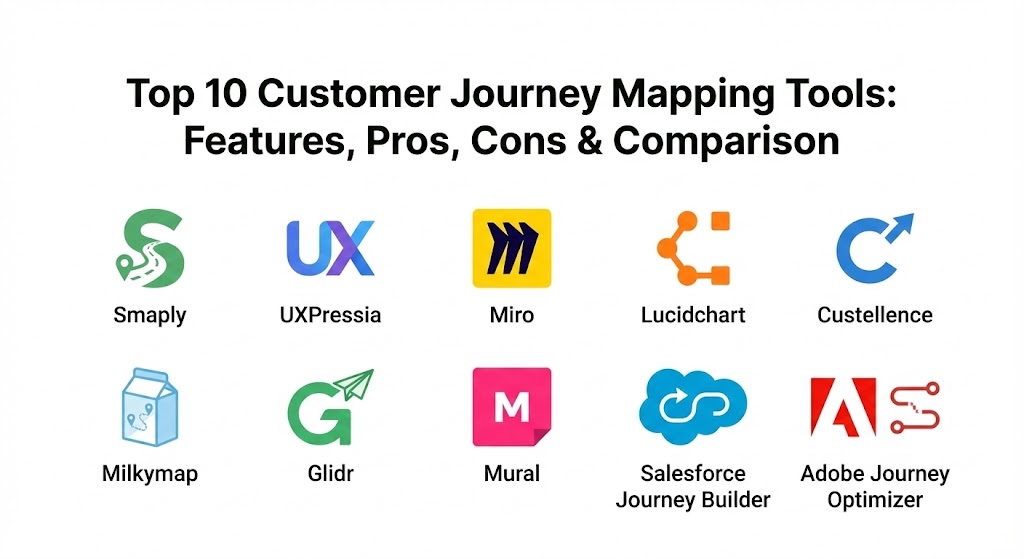
Introduction
A Customer Journey Mapping Tool is a specialized software designed to create a visual representation of every touchpoint a customer has with a company. Unlike traditional flowcharts, these maps focus on the customer’s emotions, pain points, and motivations. In today’s market, these tools are essential because they break down organizational silos. When Marketing, Sales, and Support all look at the same journey map, they can finally align their strategies to provide a frictionless experience.
Key real-world use cases include identifying where users drop off during an onboarding process, redesigning service blueprints for retail environments, and optimizing multi-channel marketing campaigns. When evaluating tools in this category, users should look for collaborative capabilities, data integration (the ability to pull in real-time customer data), persona management, and template depth. A tool is only as good as the insights it helps you generate; therefore, the ability to transition from a “static” map to a “living” document is a primary evaluation criterion in 2026.
Best for:
- CX Managers and UX Designers: Those responsible for the end-to-end quality of a user’s experience.
- Mid-to-Large Enterprises: Organizations with complex customer paths involving multiple departments and digital/physical touchpoints.
- Agencies: Professional service firms that need to present clear, actionable research to clients across industries like SaaS, Healthcare, and Finance.
Not ideal for:
- Solo Entrepreneurs with Simple Models: If your business consists of a single landing page and an email list, a full CJM tool is likely overkill.
- Purely Internal Process Mapping: If you are mapping how a document moves through an office, standard BPMN (Business Process Model and Notation) tools are more appropriate.
- Low-Data Environments: If you don’t have access to customer feedback or behavioral data, the maps will remain speculative rather than actionable.
Top 10 Customer Journey Mapping Tools
1 — Smaply
Smaply is a dedicated customer experience platform that focuses on the “holy trinity” of CJM: personas, journey maps, and stakeholder maps. It is designed for researchers and CX professionals who want a structured environment.
- Key features:
- Visual Persona Editor: Create detailed, relatable customer archetypes with ease.
- Dynamic Journey Maps: Links specific steps in a journey to personas and emotional curves.
- Stakeholder Maps: Visualize the internal and external actors influencing the customer experience.
- Live Collaboration: Real-time editing for distributed teams.
- Export Options: Professional-grade PDF and Excel exports for boardroom presentations.
- Integrated Feedback: Annotate maps with direct quotes from customer interviews.
- Pros:
- Highly specialized for CX, preventing the “blank canvas” paralysis of general diagramming tools.
- Excellent for maintaining consistency across a large library of maps.
- Cons:
- The UI can feel slightly rigid for those used to free-form whiteboarding.
- Limited automation compared to AI-driven enterprise competitors.
- Security & compliance: SOC 2 Type II compliant, GDPR ready, SSO available for enterprise plans, and full data encryption at rest.
- Support & community: High-quality documentation, a specialized “CJM Academy,” active webinars, and dedicated enterprise support managers.
2 — UXPressia
UXPressia is a visually-driven, all-in-one platform for customer, employee, and buyer journey mapping. It is known for its “Impact Maps” and highly customizable persona builders.
- Key features:
- Impact Mapping: Helps link business goals to specific customer actions.
- Real-time Collaboration: Multiple users can edit personas and maps simultaneously.
- Multi-channel Journeys: Visualize touchpoints across web, mobile, and physical locations.
- Custom Branding: Ability to apply your own design system to maps.
- Present Mode: Turns maps into interactive slide decks for stakeholder meetings.
- CJM Templates: Over 100 industry-specific templates (Healthcare, Banking, etc.).
- Pros:
- One of the most intuitive and “beautiful” user interfaces in the category.
- Very fast onboarding; teams can produce their first map in under an hour.
- Cons:
- Can become sluggish with extremely large, data-heavy maps.
- Advanced analytics integration is not as deep as some “platform” players like Salesforce.
- Security & compliance: GDPR and HIPAA compliant options, SSO, regular penetration testing, and ISO 27001 certified data centers.
- Support & community: Excellent chat support, a vibrant user community, and extensive video tutorials.
3 — Miro
Miro is a digital whiteboarding giant that has become a staple for customer journey mapping due to its total flexibility and massive library of community-generated templates.
- Key features:
- Infinite Canvas: Map a journey as wide and deep as necessary without constraints.
- Collaborative Cursors: See exactly where your teammates are working in real-time.
- Sticky Notes & Clustering: Group pain points and ideas using AI-powered clustering.
- Vast Template Library: Access thousands of user-shared journey map structures.
- Integration Ecosystem: Links with Jira, Slack, Trello, and Zoom.
- Interactive Presentation: Specialized tools for workshop facilitation.
- Pros:
- Unrivaled for “brainstorming” and messy, early-stage journey discovery.
- Virtually zero learning curve for users already familiar with digital tools.
- Cons:
- Lacks “data structure”; it is easy to make a pretty map that doesn’t “know” what a persona is.
- Harder to manage a library of 100+ standardized maps compared to Smaply.
- Security & compliance: Enterprise-grade security including SSO, SCIM, and SOC 2/3. Data residency options available for EU/US.
- Support & community: Massive global community, extensive help center, and “Miro University” for advanced training.
4 — Lucidchart
Lucidchart is an intelligent diagramming application that brings data-linking and technical precision to the world of customer journey mapping.
- Key features:
- Data Linking: Connect journey steps to live data in Google Sheets or Salesforce.
- Conditional Formatting: Automatically change colors or icons based on data values.
- Layering: Toggle different journey paths (e.g., “Mobile” vs “Desktop”) on a single map.
- Hotspots: Link journey steps to external mockups or documents.
- Collaborative Comments: Threaded discussions directly on the map.
- Shape Libraries: Specialized CX and UX shape sets.
- Pros:
- Best-in-class for technical journey flows that require precise data accuracy.
- Integrates seamlessly into the Microsoft and Google productivity suites.
- Cons:
- Can feel a bit “clinical” or “dry” compared to the creative vibe of UXPressia.
- Not specifically built for personas, requiring manual work to set them up.
- Security & compliance: PCI, SOC 2, ISO 27001, and HIPAA compliant. Features robust admin controls for data governance.
- Support & community: Comprehensive online training, responsive support tickets, and a large enterprise user base.
5 — Custellence
Custellence is built for large organizations that need to manage “journeys of journeys.” It excels at showing the big picture while allowing users to drill down into the granular details.
- Key features:
- Sub-mapping: Link small, specific journeys to a high-level “master map.”
- Lane-based Design: Keep stages, touchpoints, and emotions organized in rows.
- Impact Scoring: Quantify the importance of specific pain points.
- Drafting Mode: Brainstorm in a private view before publishing to the team.
- Global Changes: Update a persona once and have it reflect across all maps.
- Custom Statuses: Track which parts of the map are “validated” by research.
- Pros:
- The “gold standard” for managing high complexity without losing clarity.
- Prevents “version hell” by keeping all sub-maps in a single ecosystem.
- Cons:
- The UI is functional but lacks the modern “slickness” of competitors like Miro.
- Higher price point makes it less accessible for small startups.
- Security & compliance: GDPR compliant, encryption at rest/transit, and SOC 2 Type I certification.
- Support & community: Personal onboarding for enterprise clients, solid documentation, and a focus on “Service Design” methodology.
6 — Milkymap
Milkymap is a data-driven customer journey management platform that prioritizes analytics and service blueprinting. It is built for those who want their maps to be “measurable.”
- Key features:
- Data Import: Pull customer satisfaction scores (NPS/CSAT) directly into the map.
- Service Blueprinting: Map internal processes alongside customer touchpoints.
- Standardized Icons: High-quality visual language for consistency.
- Collaboration Hub: Centralized place for teams to discuss journey improvements.
- Mapping Projects: Group related maps together by product or department.
- Customer Life Cycle View: High-level visualization of the entire relationship.
- Pros:
- Very strong for “Service Design” where internal ops are as important as external CX.
- Great for teams that want to move beyond “guessing” and start using data.
- Cons:
- Steep learning curve for those who just want to draw a simple flow.
- Export options are somewhat more limited than Smaply.
- Security & compliance: ISO 27001, GDPR compliant, and secure cloud hosting based in the EU.
- Support & community: Strong presence in the European CX community, training workshops, and expert consulting.
7 — Glidr
Glidr is unique because it connects journey mapping to product discovery. It is designed specifically for product teams that want to validate their ideas with real customer evidence.
- Key features:
- Evidence Management: Link journey steps to specific interview transcripts or survey results.
- Experiment Tracking: Run A/B tests on specific touchpoints and log the results.
- Idea Prioritization: Use customer journey data to decide what to build next.
- Unified Product Roadmap: Seamlessly move from a journey map to a feature plan.
- Stakeholder Transparency: Show exactly why a decision was made based on journey data.
- Pros:
- The best tool for bridging the gap between “Research” and “Product Development.”
- Highly focused on validating assumptions rather than just documenting them.
- Cons:
- Not a general CX tool; it is very “Product-led Growth” (PLG) focused.
- Less emphasis on visual customization compared to UXPressia.
- Security & compliance: SOC 2 compliant, GDPR ready, and robust user permission levels.
- Support & community: Active blog on product management, direct customer support, and a community of product leaders.
8 — Mural
Mural is Miro’s primary competitor, focusing heavily on guided collaboration and high-energy workshops for enterprise teams.
- Key features:
- Facilitation Superpowers: Time-boxing, private voting, and “summoning” users.
- Templates for Everything: Thousands of pre-built workshop frameworks.
- Content Library: Store and reuse specific journey components across boards.
- Safe Spaces: Private mode allows individuals to think before sharing.
- Framework Snap-to-Grid: Keeps maps looking professional and organized automatically.
- Integrations: Deep connections with Microsoft Teams and Slack.
- Pros:
- The absolute best tool for running a 3-hour journey mapping workshop remotely.
- Very strong security features that appeal to IT departments in the Fortune 500.
- Cons:
- Like Miro, it lacks a structured “database” for personas and touchpoint data.
- Can feel cluttered if you aren’t using the “Facilitator” features.
- Security & compliance: SOC 2, ISO 27001, GDPR, and HIPAA compliant. Offers advanced audit logs.
- Support & community: World-class support, “Mural Learning” portal, and a massive library of creative resources.
9 — Salesforce Journey Builder
For companies already within the Salesforce ecosystem, Journey Builder (part of Marketing Cloud) allows you to map journeys that actually execute in real-time.
- Key features:
- Omni-channel Execution: Trigger emails, SMS, or ads based on journey steps.
- Einstein AI: Predict which path a customer is likely to take using machine learning.
- Real-time Event Triggers: Change the journey the moment a customer buys something.
- A/B Testing within Journeys: Test different touchpoints to see which converts better.
- Unified Customer Data: Access every Salesforce record directly in the mapper.
- Pros:
- It is a “living” map; it doesn’t just show the journey, it is the journey.
- Unrivaled for data-driven, personalized marketing at scale.
- Cons:
- Extremely high complexity; requires a certified Salesforce administrator.
- Not a “brainstorming” tool; it is for executing proven strategies.
- Security & compliance: Industry-leading compliance (FedRAMP, HIPAA, SOC 2, etc.).
- Support & community: The “Trailblazer” community is the largest in software; massive documentation.
10 — Adobe Journey Optimizer
Adobe’s entry into the space is designed for the high-end enterprise that wants to orchestrate personalized experiences across every digital touchpoint in real-time.
- Key features:
- Real-time Individual Profiles: Maps the journey of a specific person, not just a segment.
- Offer Decisioning: Automatically chooses the best offer for a customer at any stage.
- Omni-channel Orchestration: Coordinates web, app, email, and social instantly.
- Simulation Mode: Test how a journey will perform before you launch it.
- Adobe Sensei AI: Predictive insights into customer bottlenecks.
- Pros:
- The most powerful tool for high-volume, real-time personalization.
- Part of the Adobe Experience Cloud ecosystem (Analytics, Target, etc.).
- Cons:
- Prohibitively expensive for anyone outside of the Global 2000.
- Requires a significant engineering and data science effort to implement.
- Security & compliance: Full enterprise compliance suite (ISO, SOC, HIPAA, GDPR).
- Support & community: Premium enterprise support, Adobe community forums, and global training events.
Comparison Table
| Tool Name | Best For | Platform(s) Supported | Standout Feature | Rating (TrueReviewnow) |
| Smaply | CX Researchers | Web / SaaS | Stakeholder Mapping | 4.7 / 5.0 |
| UXPressia | Visual CX Design | Web / SaaS | Interactive Present Mode | 4.8 / 5.0 |
| Miro | Creative Brainstorming | Web, App, Tablet | Infinite Infinite Canvas | 4.9 / 5.0 |
| Lucidchart | Data-Driven Flows | Web / SaaS | Data-Linking & Layers | 4.6 / 5.0 |
| Custellence | Enterprise Hierarchy | Web / SaaS | Master-Map & Sub-Maps | 4.5 / 5.0 |
| Milkymap | Service Blueprinting | Web / SaaS | Direct NPS/CSAT Import | 4.4 / 5.0 |
| Glidr | Product Discovery | Web / SaaS | Evidence-to-Step Linking | 4.5 / 5.0 |
| Mural | Remote Workshops | Web, App, Tablet | Facilitation Controls | 4.7 / 5.0 |
| Salesforce JB | Executing Journeys | Web / Cloud | Real-time Automation | 4.3 / 5.0 |
| Adobe Optimizer | Real-time Personalization | Web / Cloud | Individual Profile Mapping | 4.2 / 5.0 |
Evaluation & Scoring of Customer Journey Mapping Tools
The following table evaluates the top categories of tools based on the rigorous weighted rubric required for modern CX decision-making.
| Category | Core Features (25%) | Ease of Use (15%) | Integrations (15%) | Security (10%) | Performance (10%) | Support (10%) | Price/Value (15%) |
| CX Specialized | 10/10 | 8/10 | 7/10 | 9/10 | 9/10 | 10/10 | 8/10 |
| Whiteboard-based | 6/10 | 10/10 | 9/10 | 10/10 | 10/10 | 9/10 | 10/10 |
| Data-Integrated | 9/10 | 6/10 | 10/10 | 10/10 | 8/10 | 9/10 | 7/10 |
| Marketing Auto. | 10/10 | 4/10 | 10/10 | 10/10 | 9/10 | 10/10 | 5/10 |
Which Customer Journey Mapping Tools Tool Is Right for You?
Choosing a tool is less about the software and more about your team’s maturity and your organization’s goals.
Solo Users vs SMB vs Mid-Market vs Enterprise
- Solo Users/SMB: Focus on Miro or UXPressia. You need a tool that lets you move fast and create visual assets without needing a Ph.D. in data science.
- Mid-Market: Smaply or Lucidchart are the sweet spots. They provide enough structure to keep teams aligned while remaining affordable and relatively easy to set up.
- Enterprise: Custellence for mapping complex ecosystems or Salesforce/Adobe for executing automated journeys. You have the resources to handle the complexity and need the governance these tools offer.
Budget-Conscious vs Premium Solutions
- Budget-Conscious: Miro and UXPressia both offer excellent free tiers. You can map several journeys before ever seeing a bill.
- Premium: Salesforce Journey Builder and Adobe Journey Optimizer are high-investment, high-return tools. They are not just for “drawing”; they are for driving revenue through automation.
Feature Depth vs Ease of Use
If you prioritize Ease of Use, Miro is the undisputed champion. If you prioritize Feature Depth (e.g., impact scoring, sub-mapping, and persona management), Custellence or Smaply will serve you better in the long run.
Integration and Scalability Needs
If your maps need to live in Jira tickets for developers to see, Miro or Lucidchart are your best bets. If your maps need to trigger Marketing Automation, you must stay within the Salesforce or Adobe ecosystems.
Frequently Asked Questions (FAQs)
1. Do I really need a tool, or can I use a spreadsheet?
While spreadsheets can store touchpoint data, they fail to visualize the emotional highs and lows of a journey. CJM tools make the experience “real” for stakeholders, which is essential for getting buy-in.
2. What is the difference between a Journey Map and a User Flow?
A user flow is technical (e.g., “click button A, go to page B”). A journey map is holistic, including what the customer is feeling, what they are doing outside the app, and what their ultimate goal is.
3. How long does it take to create a journey map?
A basic map can be drafted in a 2-hour workshop. However, a “validated” map backed by customer research typically takes 2–4 weeks to refine and finalize.
4. Can these tools import data from Google Analytics?
Advanced tools like Lucidchart and Milkymap can, but most “drawing” tools (like Miro) require you to manually input data or attach screenshots of your analytics.
5. Are these tools GDPR compliant for sensitive customer research?
Yes, most enterprise-tier tools (Smaply, UXPressia, Miro) are GDPR compliant. However, always ensure you are not storing PII (Personally Identifiable Information) directly in the maps unless necessary.
6. Which tool is best for remote workshops?
Mural and Miro are the clear winners here. Their facilitation features (timers, voting, and “follow me” modes) are designed specifically for high-engagement remote sessions.
7. Can journey mapping help with B2B sales?
Absolutely. B2B journeys often involve multiple personas (the buyer, the user, the legal team). Mapping this “Stakeholder Journey” is critical for identifying bottlenecks in long sales cycles.
8. Do I need design skills to use UXPressia or Smaply?
No. These tools provide pre-built icons, emotional curves, and layouts. They are designed so that a business analyst can create something that looks like it was made by a graphic designer.
9. What is “Service Blueprinting,” and do I need it?
A Service Blueprint is a journey map that includes the “behind the scenes” internal processes. If your customer experience is failing because of internal lag, you need a tool that supports blueprinting (like Milkymap).
10. What is the biggest mistake people make in journey mapping?
Mapping the “Ideal” journey instead of the “Real” journey. Always use tools that allow you to link evidence (transcripts, survey data) to steps to ensure you are mapping reality, not fantasy.
Conclusion
The “best” customer journey mapping tool is the one that your team will actually open and use. In 2026, the market has split into two camps: the Creative Enablers (like Miro and Mural) that are perfect for workshops, and the Structured CX Platforms (like Smaply, Custellence, and UXPressia) that act as a long-term repository for customer insights.
When making your choice, remember that the journey map is a means to an end. Whether you need a simple visual to align your small team or a massive data-integrated ecosystem for a global enterprise, the goal remains the same: to see the world through your customer’s eyes. Choose a tool that doesn’t just draw lines but helps you tell a story that leads to action.