Introduction
Crash reporting tools are specialized software libraries and platforms designed to automatically capture, log, and analyze application failures in real-time. When a “crash” occurs—whether it is a hard segment fault on a mobile device or an unhandled promise rejection in a web browser—these tools capture the state of the application at that exact moment. They provide developers with a detailed “stack trace,” showing the specific line of code that failed, along with environmental metadata like device model, OS version, and the “breadcrumbs” (user actions) that led up to the event.
The importance of these tools lies in their ability to turn invisible bugs into actionable tickets. Instead of waiting for a user to submit a vague support request saying “the app doesn’t work,” developers receive a notification the second a crash happens, often with enough data to fix the bug before the user even reports it. Key real-world use cases include identifying regressions after a new deployment, monitoring the stability of mobile apps across fragmented Android versions, and prioritizing bug fixes based on their actual impact on the user base. When choosing a tool, evaluators should prioritize “symbolication” accuracy (the ability to turn machine code back into readable code), performance overhead, and the quality of the “contextual data” provided.
Best for: Software engineers, mobile app developers, QA teams, and Product Managers in organizations of all sizes—from solo indie developers to massive enterprises like Netflix or Uber—who need to maintain high application stability scores.
Not ideal for: Simple, static websites that contain no logic or scripts, or internal-use tools where uptime is not critical and manual debugging is easily accessible.
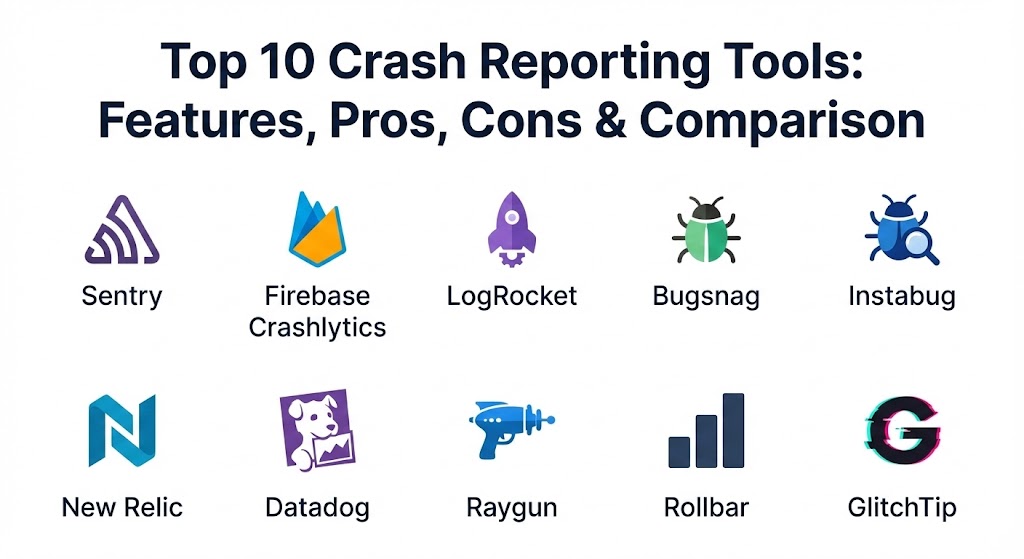
Top 10 Crash Reporting Tools
1 — Sentry
Sentry is widely regarded as the industry standard for error tracking and crash reporting. It evolved from a simple open-source project into a comprehensive observability platform that supports almost every programming language and framework in existence.
- Key features:
- Deep stack trace analysis with source code mapping.
- “Breadcrumbs” that show user actions leading up to a crash.
- Distributed tracing to follow errors from the frontend to the backend.
- Issue grouping that uses AI to merge similar errors into one ticket.
- Release tracking to see which specific deployment introduced a bug.
- Support for “Session Replay” to watch a video-like reproduction of the crash.
- Native integration with Jira, GitHub, Slack, and Microsoft Teams.
- Pros:
- Unrivaled breadth of language support; it works on everything from Python to Rust.
- Excellent balance between high-level stability metrics and deep-dive technical data.
- Cons:
- The pricing can escalate quickly as your event volume grows.
- The user interface has become increasingly complex as more features are added.
- Security & compliance: SOC 2 Type II, HIPAA, GDPR, and ISO 27001 compliant. Includes SSO and PII scrubbing.
- Support & community: Massive open-source community, extensive documentation, and dedicated enterprise support tiers.
2 — Firebase Crashlytics (by Google)
Crashlytics is the gold standard for mobile crash reporting. Originally an independent company, it was acquired by Twitter and then Google, becoming the primary crash reporting engine for the Firebase platform.
- Key features:
- Lightweight SDK designed specifically for mobile performance.
- “Velocity Alerts” that notify you when a crash type spikes suddenly.
- Integration with Google Analytics to see how crashes affect revenue.
- Crash-free user metrics to track overall app health.
- Custom keys and logs to add application-specific context to reports.
- Seamless integration with other Firebase services like Remote Config.
- Pros:
- Completely free to use, making it the top choice for startups and indie devs.
- The best-in-class symbolication for iOS and Android native apps.
- Cons:
- Limited support for web applications compared to dedicated web tools.
- Being part of the Google ecosystem, it may raise data privacy concerns for some.
- Security & compliance: ISO 27001, SOC 1/2/3, GDPR, and HIPAA (via BAA).
- Support & community: Backed by Google’s massive documentation and the global Firebase developer community.
3 — LogRocket
LogRocket combines traditional crash reporting with session replay and product analytics. It is designed for frontend developers who need to understand the “why” behind an error by seeing exactly what the user saw.
- Key features:
- Pixel-perfect session replay of every user interaction.
- Automatic capturing of console logs, network requests, and Redux state.
- “Impact Analysis” to see how many users are affected by a specific bug.
- Performance monitoring including Core Web Vitals and load times.
- Error aggregation and alerting integrated with dev tools.
- Advanced filtering based on user demographics or behavior.
- Pros:
- Session replays make reproducing “hard-to-find” bugs nearly effortless.
- Bridges the gap between technical debugging and product management.
- Cons:
- Higher performance overhead due to the constant recording of user sessions.
- Can be expensive for high-traffic applications.
- Security & compliance: SOC 2 Type II, HIPAA, and GDPR. Offers PII masking and data redaction.
- Support & community: High-quality documentation and responsive customer success teams for enterprise clients.
4 — Bugsnag (by SmartBear)
Bugsnag focuses on precision and prioritization. It is designed for high-velocity development teams that need to cut through the noise of thousands of errors to find the ones that truly matter.
- Key features:
- Sophisticated error grouping and filtering by “Stage” or “Release.”
- Stability scores that provide a clear KPI for engineering health.
- Automatic capturing of device, OS, and browser-specific metadata.
- Support for over 50 platforms, including web, mobile, and server-side.
- Integration with major deployment tools to see errors in real-time.
- Customizable “Search and Segment” features for deep-dive analysis.
- Pros:
- The interface is remarkably clean and developer-centric.
- Excellent “Stability Management” features help teams decide when to stop building features and start fixing bugs.
- Cons:
- Some of the more advanced filtering features are locked behind higher tiers.
- Integration with some niche frameworks can be less polished than Sentry.
- Security & compliance: SOC 2 Type II, GDPR, HIPAA, and ISO 27001.
- Support & community: Strong documentation and a very reliable technical support team.
5 — Instabug
Instabug is unique because it blends crash reporting with bug reporting and user feedback. It is most famous for its “shake-to-report” feature used during mobile beta testing.
- Key features:
- In-app feedback and bug reporting via a shake or screenshot.
- Comprehensive crash reports with full stack traces and logs.
- User session “Reproduction Steps” shown in an automated timeline.
- Real-time in-app chat to talk to users who experienced a crash.
- App performance monitoring (APM) for network and UI hangs.
- Survey tools to ask users about their experience post-fix.
- Pros:
- The best tool for mobile beta testing and gathering qualitative user data.
- Extremely helpful for support teams to communicate directly with users.
- Cons:
- Primarily focused on mobile; web support is a secondary feature.
- The SDK is heavier than some “crash-only” competitors.
- Security & compliance: GDPR, HIPAA, and SOC 2 Type II.
- Support & community: Excellent onboarding and a highly praised customer support experience.
6 — New Relic
New Relic is an enterprise Observability giant. Its crash reporting is part of its much larger Application Performance Monitoring (APM) suite, making it ideal for organizations that want everything in one place.
- Key features:
- Errors Inbox: A centralized place to manage errors from every service.
- Deep integration with infrastructure and backend monitoring.
- AI-powered “Applied Intelligence” to find the root cause of issues.
- Real User Monitoring (RUM) integrated with crash data.
- Powerful querying language (NRQL) to build custom error dashboards.
- Distributed tracing across microservices.
- Pros:
- Unrivaled visibility for complex, multi-service enterprise architectures.
- Consolidates crash reporting with server, database, and network logs.
- Cons:
- The pricing model is famously complex and can be very expensive.
- Massive “overkill” for simple mobile apps or solo developers.
- Security & compliance: FedRAMP, HIPAA, SOC 2, ISO 27001, and GDPR.
- Support & community: Full enterprise support, global training programs, and a massive user base.
7 — Datadog
Similar to New Relic, Datadog offers crash reporting as a component of its Real User Monitoring (RUM) and APM platform. It is a cloud-native tool designed for the modern DevOps era.
- Key features:
- Seamless correlation between frontend crashes and backend logs.
- Error tracking for web, iOS, and Android within a single dashboard.
- Session replays that link directly to specific crash events.
- Custom “Service Maps” to see how errors flow through your system.
- Automated “Watchdog” AI that alerts on abnormal error rates.
- Extensive support for containerized environments (Kubernetes/Docker).
- Pros:
- The best option for teams that already use Datadog for infrastructure monitoring.
- Highly customizable dashboards and reporting capabilities.
- Cons:
- Steep learning curve to master the platform’s vast array of features.
- Can become one of the most expensive items in an IT budget.
- Security & compliance: SOC 2, HIPAA, PCI DSS, GDPR, and FedRAMP.
- Support & community: Comprehensive documentation, webinars, and high-tier enterprise support.
8 — Raygun
Raygun is an all-in-one suite that focuses on Error Monitoring, Real User Monitoring, and APM. It is known for its high-performance SDKs and “uncluttered” approach to crash data.
- Key features:
- Real-time crash reporting with deep-link stack traces.
- Full support for mobile, web, and desktop (Windows/macOS) apps.
- “Customer Insights” to see the specific users affected by a crash.
- Deployment tracking to monitor the health of every release.
- Automatic gathering of environment data (OS, browser, hardware).
- Integration with Trello, Slack, and Jira for workflow management.
- Pros:
- Provides a very clear, concise view of error impacts.
- One of the few tools with excellent support for desktop applications.
- Cons:
- Lacks some of the AI-driven grouping found in Sentry or Datadog.
- The session replay feature is not as advanced as LogRocket.
- Security & compliance: GDPR, HIPAA, and SOC 2.
- Support & community: Responsive support and a very straightforward setup process.
9 — Rollbar
Rollbar focuses on the concept of “Continuous Code Improvement.” It uses a powerful rules engine and AI to help developers automate the triage process for every error.
- Key features:
- Automated grouping based on machine learning.
- “Rollbar Resolve”: AI-suggested fixes for common errors.
- Real-time alerting with a powerful rules engine for custom triggers.
- Support for major languages including JavaScript, Ruby, Python, and PHP.
- Integration with version control to link errors to specific Git commits.
- High-precision “Telemetery” (the breadcrumbs of user actions).
- Pros:
- The AI-assisted debugging is a significant time-saver for small teams.
- Very strong for web-based development and CI/CD pipelines.
- Cons:
- Mobile support is good, but not as deep as Firebase or Instabug.
- The interface can feel a bit technical for non-developer stakeholders.
- Security & compliance: SOC 2 Type II, HIPAA, ISO 27001, and GDPR.
- Support & community: Excellent documentation and a very helpful support team.
10 — GlitchTip
GlitchTip is the “underdog” in this list—it is an open-source, Sentry-compatible error tracking platform. It is designed for those who want the power of Sentry but prefer a simpler, more affordable, or self-hosted experience.
- Key features:
- Compatible with all Sentry SDKs (you can literally just change the URL).
- Core features including error grouping, stack traces, and breadcrumbs.
- Uptime monitoring and simple performance tracking.
- Open-source codebase that can be audited by anyone.
- Simplified UI that removes the clutter of “enterprise” tools.
- Support for team management and multi-project environments.
- Pros:
- Can be self-hosted for free, providing absolute control over data privacy.
- Offers a much more affordable SaaS version for those who want simplicity.
- Cons:
- Lacks the advanced AI and session replay features of paid tools.
- The development team is smaller, meaning slower feature releases.
- Security & compliance: Varies based on self-hosting; SaaS version is GDPR compliant.
- Support & community: Community-driven via GitLab and Discord; lacks 24/7 enterprise phone support.
Comparison Table
| Tool Name | Best For | Platform(s) Supported | Standout Feature | Rating (Gartner / TrueReview) |
| Sentry | Comprehensive Ops | Almost all (Web, Mobile, Desktop) | Issue Grouping & Breadcrumbs | 4.6 / 5 |
| Firebase Crashlytics | Mobile Apps | iOS, Android, Unity, Flutter | Best-in-class Mobile Free tier | 4.7 / 5 |
| LogRocket | Frontend Debugging | Web, Mobile (Hybrid) | Pixel-Perfect Session Replay | 4.5 / 5 |
| Bugsnag | Feature Velocity | Web, Mobile, Server | Stability Scores | 4.4 / 5 |
| Instabug | Beta Testing | iOS, Android | In-app “Shake to Report” | 4.8 / 5 |
| New Relic | Enterprise APM | Full Stack | Infrastructure Correlation | 4.2 / 5 |
| Datadog | Cloud Observability | Full Stack / K8s | Real-time RUM Integration | 4.3 / 5 |
| Raygun | Windows/Desktop Apps | Web, Mobile, Desktop | High-Performance SDKs | 4.4 / 5 |
| Rollbar | AI-Driven Triage | Web, Mobile, Server | AI-Suggested Fixes | 4.4 / 5 |
| GlitchTip | Open Source / Budget | Sentry SDKs | Self-Hosting & Privacy | 4.1 / 5 |
Evaluation & Scoring of Crash Reporting Tools
When choosing a crash reporting tool, organizations must weigh the technical depth of the data against the operational cost and user privacy. The following scoring rubric reflects the priorities of a modern software team.
| Category | Weight | Evaluation Criteria |
| Core Features | 25% | Stack trace depth, symbolication accuracy, grouping logic, and breadcrumbs. |
| Ease of Use | 15% | SDK installation simplicity, UI intuitiveness, and alert configuration. |
| Integrations | 15% | Compatibility with Jira, GitHub, Slack, and existing CI/CD pipelines. |
| Security & Compliance | 10% | Encryption, PII scrubbing, SOC 2 compliance, and data residency options. |
| Performance | 10% | SDK footprint (size) and impact on application latency/battery life. |
| Support & Community | 10% | Documentation quality, speed of support response, and community size. |
| Price / Value | 15% | Generousness of the free tier and scalability of the paid plans. |
Which Crash Reporting Tool Is Right for You?
The “right” tool depends heavily on your platform, your team’s size, and your budget.
- Solo Users & Startups: If you are building a mobile app, Firebase Crashlytics is unbeatable because it is free and deeply integrated with the Android/iOS ecosystem. If you are building for the web, Sentry’s free tier or GlitchTip are excellent starting points.
- SMBs and High-Growth Teams: Bugsnag or Raygun are ideal for teams that need to stay focused on building features. Their clean interfaces prevent developers from getting “alert fatigue.” If your app is highly visual or complex, LogRocket is worth the investment for its session replays.
- Large Enterprises: Organizations with hundreds of microservices should look at New Relic or Datadog. While expensive, the ability to trace a frontend crash all the way back to a specific database query on a backend server is invaluable for reducing Mean Time to Resolution (MTTR).
- Mobile Beta Testing: If you are in the phase of gathering feedback from external testers, Instabug is the clear winner. It makes it incredibly easy for non-technical users to provide high-quality bug reports.
- Data Privacy & Compliance: For government or healthcare projects where data cannot leave your own servers, GlitchTip (self-hosted) or Sentry (on-premise/single-tenant) are the most viable paths.
Frequently Asked Questions (FAQs)
1. Will a crash reporting SDK slow down my application?
Most modern SDKs (like Sentry or Crashlytics) are designed to be “non-blocking.” They run on a background thread and only send data in small batches, so the user experience is virtually unaffected.
2. What is “Symbolication”?
Computers run machine code (zeros and ones). Symbolication is the process of mapping that machine code back to your original source code (functions and line numbers) using “dSYM” or “Source Map” files.
3. Do these tools collect user PII (Personally Identifiable Information)?
By default, most collect device IDs and IP addresses. However, all top-tier tools offer “PII Scrubbing” features that allow you to automatically hide sensitive data like emails or credit card numbers before they are uploaded.
4. Can I use these tools for backend errors as well?
Yes. Tools like Sentry, Rollbar, and Bugsnag are “full-stack,” meaning they can track errors in Node.js, Python, Ruby, and Java just as well as they track browser or mobile crashes.
5. How do crash reporting tools help with “hard-to-repro” bugs?
Through “Breadcrumbs” and “Session Replay.” They show you exactly which buttons the user clicked and which network calls were made in the 60 seconds before the crash.
6. What is a “Stability Score”?
It is a metric (usually a percentage) representing the number of user sessions or unique users that did not experience a crash. A common target for enterprise apps is 99.9% crash-free.
7. Is Firebase Crashlytics truly free?
Yes, Google currently provides Crashlytics at no cost, regardless of volume. This is because it encourages developers to use the wider (paid) Firebase and Google Cloud ecosystems.
8. Can I host a crash reporting tool on my own servers?
Yes. GlitchTip is fully open-source and easy to host via Docker. Sentry also offers a self-hosted version, though it requires significant resources to manage.
9. Do I need crash reporting if I have logging?
Logging tells you what the app did; crash reporting tells you where it died. Crash reporting tools are much better at grouping similar errors and providing the specific “state” of the device at the moment of failure.
10. How do these tools integrate with my workflow?
They typically connect to Jira or GitHub to automatically create tickets, and to Slack or Teams to alert the “on-call” engineer the moment a high-priority crash occurs.
Conclusion
The market for crash reporting has matured significantly, moving away from simple text logs to sophisticated platforms that use AI to suggest fixes and session replays to show the user’s perspective. Choosing the right tool isn’t about finding the one with the most features, but finding the one that integrates seamlessly into your existing developer workflow. Whether you choose the massive ecosystem of Sentry, the mobile-first simplicity of Crashlytics, or the open-source freedom of GlitchTip, the goal remains the same: ensuring that when things go wrong, you have the data you need to make them right.