Introduction
Corporate Performance Management (CPM) is a specialized category of software designed to monitor and manage an organization’s financial health and operational performance. Unlike standard accounting software, which focuses on historical transactions, CPM tools look forward. They integrate data from ERPs, CRMs, and HR systems to provide a unified environment for budgeting, forecasting, financial consolidation, and strategic reporting. Essentially, CPM is the “brain” that translates high-level corporate strategy into actionable financial plans.
In the current 2026 environment, CPM tools are vital for navigating supply chain volatility, fluctuating interest rates, and the rapid integration of AI-driven market shifts. Real-world use cases include “what-if” scenario modeling to test a company’s resilience against inflation, automated month-end closing to reduce manual labor, and rolling forecasts that adapt to weekly sales data. When evaluating tools in this category, users should prioritize computational speed, multi-dimensional modeling capabilities, ease of integration, and the sophistication of predictive AI engines.
Best for: CFOs, FP&A (Financial Planning and Analysis) teams, and controllers in mid-market to enterprise-level organizations. It is indispensable for companies with multiple entities, complex global footprints, or high-growth trajectories that require tight coordination between departments.
Not ideal for: Early-stage startups or small businesses with a single revenue stream and low complexity. For these users, the high cost of implementation and the technical overhead of a CPM tool often outweigh the benefits; a robust instance of Excel or a simple budgeting app is usually sufficient.
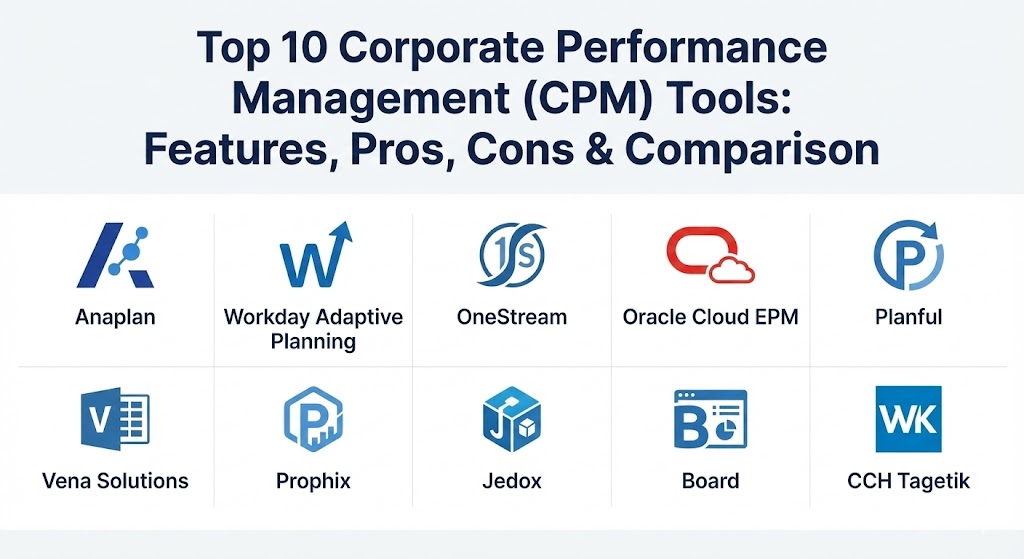
Top 10 Corporate Performance Management (CPM) Tools
1 — Anaplan
Anaplan is widely regarded as the “Honeybee” of CPM tools, known for its patented Hyperblock technology. It is a cloud-native platform designed for connected planning across the entire enterprise, extending far beyond the finance department.
- Key features:
- Hyperblock Engine: Allows for massive, multi-dimensional models with near-instant calculation speeds.
- Connected Planning: Synchronizes plans across finance, sales, supply chain, and HR in real-time.
- Predictive Insights: Uses embedded AI to identify trends and anomalies in historical data.
- App Hub: A library of pre-built models and templates for various industries.
- What-If Scenario Modeling: Test thousands of variables to see the immediate impact on the bottom line.
- Flexible UI: Highly customizable dashboards that cater to both executives and analysts.
- Pros:
- Unmatched scalability for global enterprises with extremely complex data structures.
- Eliminates silos by allowing every department to work off a single source of truth.
- Cons:
- Requires a specialized skill set (Anaplanners) for configuration and maintenance.
- Pricing is at the highest end of the market, reflecting its enterprise status.
- Security & compliance: SOC 1/2/3, ISO 27001, GDPR, HIPAA, and FedRAMP compliant. Features SSO and end-to-end encryption.
- Support & community: Extensive documentation; a robust “Anaplan Community” with forums and user groups; world-class enterprise support.
2 — Workday Adaptive Planning
Adaptive Planning (formerly Adaptive Insights) is praised for its balance between enterprise power and an intuitive, user-friendly interface. It is the preferred choice for organizations that want a cloud-first approach without a massive technical learning curve.
- Key features:
- Elastic Hypercube Technology: Scales automatically to handle growing data volumes without performance lag.
- Excel-Like Interface: Familiar environment that reduces training time for finance teams.
- Automated Data Integration: Native connectors for Workday ERP, NetSuite, Salesforce, and Sage Intacct.
- Self-Service Reporting: Drag-and-drop report builder for non-technical users.
- Machine Learning Forecaster: Automatically generates baseline forecasts based on historical patterns.
- Collaborative Planning: Allows managers across the company to input data directly into the budget.
- Pros:
- Exceptionally fast time-to-value; implementations are often quicker than competitors.
- Very high user adoption rates due to the intuitive design and familiar logic.
- Cons:
- Some advanced multi-dimensional modeling is less flexible than Anaplan.
- Best utilized within the Workday ecosystem; third-party ERP integrations can occasionally be finicky.
- Security & compliance: SOC 2 Type II, ISO 27001, GDPR, and PCI DSS compliant.
- Support & community: High-quality customer success program; extensive online training via Workday Adaptive University.
3 — OneStream
OneStream is a unified platform designed to replace multiple legacy CPM applications. It focuses on simplifying complex financial consolidation and reporting for the world’s largest organizations.
- Key features:
- Unified Platform: One application handles consolidation, planning, and data quality.
- Extensible Dimensionality: Allows different business units to have their own detailed plans while still reporting to a corporate core.
- MarketPlace: A library of “productivity apps” (like People Planning or Capital Planning) that can be downloaded into the platform.
- Financial Signaling: Real-time data monitoring to catch trends daily or weekly rather than monthly.
- Guided Workflows: Step-by-step instructions for end-users to ensure data integrity during month-end close.
- Direct Integration: Deep connectivity with SAP, Oracle, and Microsoft Dynamics.
- Pros:
- Eliminates the “patchwork” problem of having different tools for budgeting vs. consolidation.
- Extremely strong in handling complex global tax, currency, and intercompany eliminations.
- Cons:
- Significant administrative overhead to manage the depth of the platform.
- User interface is functional but lacks the modern “gloss” of newer SaaS startups.
- Security & compliance: FedRAMP authorized, SOC 1/2, ISO 27001, and HIPAA compliant.
- Support & community: Strong partner network; dedicated customer success managers; comprehensive technical documentation.
4 — Oracle Cloud EPM
Oracle is a veteran in the space (formerly Hyperion). Their cloud-based EPM suite offers perhaps the most comprehensive set of features in the industry, covering everything from narrative reporting to tax reporting.
- Key features:
- Predictive Planning: Uses AI to generate statistical forecasts that act as a check against human bias.
- Strategic Modeling: High-level treasury and M&A modeling tools.
- Narrative Reporting: Combines financial data with descriptive text for polished executive presentations.
- Tax Reporting: Specialized module for managing global tax provision and country-by-country reporting.
- Account Reconciliation: Automates the verification of balance sheet accounts.
- Profitability and Cost Management: Identifies the hidden drivers of profit across products and customers.
- Pros:
- The most “complete” suite—there is a module for almost every conceivable finance task.
- Deeply integrated with Oracle ERP Cloud, making it the natural choice for Oracle customers.
- Cons:
- The interface can be cluttered and confusing due to the sheer number of modules.
- Higher total cost of ownership when considering the need for specialized administrators.
- Security & compliance: FedRAMP, SOC 1/2, HIPAA, ISO 27001, and GDPR compliant.
- Support & community: Global 24/7 support; a massive community of legacy Hyperion experts available for hire.
5 — Planful
Planful (formerly Host Analytics) is a cloud-native platform that targets the mid-market and enterprise with a focus on speed and agility. It is designed to be owned and managed entirely by the finance team.
- Key features:
- Structured Planning: A formalized environment for budgeting and annual planning.
- Dynamic Planning: A sandbox environment for ad-hoc modeling and analysis.
- AI-Driven Anomaly Detection: Flags data entries that deviate significantly from historical norms.
- Workforce Planning: Detailed modeling for headcount, salaries, and benefits.
- Consolidation Engine: Automated intercompany eliminations and currency conversions.
- Native Excel Integration: Allows users to work in Excel while syncing data to the secure cloud.
- Pros:
- Excellent balance of features for companies that have outgrown Excel but aren’t ready for OneStream’s complexity.
- Finance-owned—requires very little intervention from the IT department.
- Cons:
- Not as robust as Anaplan for non-finance use cases (like complex supply chain logistics).
- Some reporting layouts are less flexible than top-tier rivals.
- Security & compliance: SOC 1/2 Type II, GDPR, and HIPAA compliant.
- Support & community: Proactive customer success team; “Planful Academy” offers self-paced certification.
6 — Vena Solutions
Vena is unique because it uses Microsoft Excel as its primary user interface. It provides a centralized database and workflow engine that sits underneath the Excel spreadsheets everyone already knows.
- Key features:
- Excel Interface: Users work in the desktop version of Excel, but data is saved to a secure SQL database.
- Version Control: Tracks every change made to a spreadsheet, preventing the “Final_Final_v2” file name nightmare.
- Audit Trails: See exactly who changed a cell and when.
- Workflow Management: Visual designer to manage the budget approval process.
- Vena Insights: Embedded Power BI dashboards for advanced data visualization.
- Pre-built Templates: Industry-specific logic for SaaS, Manufacturing, and Non-profits.
- Pros:
- Zero “user interface” learning curve—if your team knows Excel, they know Vena.
- Offers the lowest friction for moving a company off of manual spreadsheets.
- Cons:
- Inherits some of Excel’s limitations in terms of high-end computational complexity.
- Performance can degrade if models become excessively large or complex.
- Security & compliance: SOC 1/2 Type II, ISO 27001, and GDPR compliant.
- Support & community: High customer satisfaction scores; very active community and responsive chat support.
7 — Prophix
Prophix is a leading CPM solution for the mid-market. It focuses on automating repetitive financial tasks and providing a clear path to “Financial Performance Management.”
- Key features:
- Prophix One: A unified portal for all financial planning and reporting.
- AI Insights: Automatically generates natural language summaries of financial performance.
- Cash Flow Forecasting: Specialized tools for monitoring liquidity in real-time.
- Automated Data Integration: Connectors for dozens of SMB and mid-market ERPs.
- Operational Planning: Links financial targets to granular operational metrics (like units sold).
- Cloud-Native Deployment: Secure, scalable, and easy to maintain.
- Pros:
- Very affordable compared to enterprise platforms like Oracle or SAP.
- The AI narrative features make it easy to communicate financial results to non-finance managers.
- Cons:
- Lacks the deep “extensibility” of enterprise-level dimensionality.
- May struggle with the most extreme data volumes of Fortune 100 companies.
- Security & compliance: SOC 2 Type II, ISO 27001, and GDPR compliant.
- Support & community: Solid documentation; known for having a very helpful onboarding team.
8 — Jedox
Jedox is a German-engineered CPM tool that prioritizes flexibility and speed. It is popular globally for its ability to handle both financial and operational planning in a single, high-performance environment.
- Key features:
- Excel Add-in: Similar to Vena, Jedox offers a deep Excel integration for ease of use.
- AI SSOT (Single Source of Truth): Automatically consolidates data from fragmented sources.
- Predictive Forecasting: One-click AI forecasts based on historical seasonality.
- Mobile Accessibility: Fully functional mobile dashboards for executive review.
- Global Support: Handles multi-language and multi-currency reporting natively.
- Scalable In-Memory Database: Designed for speed and large-scale data sets.
- Pros:
- Extremely fast calculation engine, even with high-dimensional data.
- Highly flexible; can be used for sales, HR, and marketing planning as easily as finance.
- Cons:
- The English-language documentation is sometimes less extensive than the German version.
- Requires a bit more technical “tuning” than Adaptive Planning.
- Security & compliance: ISO 27001, SOC 2, and GDPR compliant.
- Support & community: Strong European presence; growing global partner network and “Jedox Academy.”
9 — Board
Board is an “All-in-One” platform that combines Business Intelligence (BI) with CPM. This makes it an excellent choice for organizations that want deep data visualization alongside their financial planning.
- Key features:
- Unified BI & CPM: See your “actuals” and your “forecasts” in the same visual environment.
- No-Code Configuration: Allows users to build complex models and dashboards without programming.
- Simulation Capabilities: Advanced visual modeling for supply chain and retail scenarios.
- Drill-Through: Click on a high-level number to see the underlying transactional data.
- Multi-User Collaboration: Chat and notification features for the budget process.
- High-Performance Engine: Optimized for fast data retrieval and analysis.
- Pros:
- The best visualization and BI capabilities of any tool on this list.
- Great for companies that want to move beyond “finance-only” planning into full “Business Decision-Making.”
- Cons:
- The consolidation engine is not as sophisticated as specialized tools like OneStream.
- Can be resource-heavy for older computer hardware.
- Security & compliance: ISO 27001, SOC 1/2, and GDPR compliant.
- Support & community: Dedicated support portals; very active user conferences in Europe and North America.
10 — Wolters Kluwer CCH Tagetik
CCH Tagetik is a comprehensive CPM solution that is particularly strong in financial consolidation and regulatory reporting (like ESG and Lease Accounting).
- Key features:
- Analytical Information Hub: Handles massive volumes of granular, non-financial data (e.g., ESG metrics).
- Automated Consolidation: Best-in-class tools for intercompany eliminations and equity pickups.
- Regulatory Reporting: Specialized modules for Solvency II, IFRS 16, and ESG disclosures.
- AI-Powered Predictive Planning: Integrated statistical forecasting.
- Financial Close Cockpit: A visual dashboard to manage the entire month-end process.
- SAP HANA Support: Optimized for companies running on SAP’s high-performance database.
- Pros:
- Unrivaled in industries with heavy regulatory requirements (Insurance, Banking, Global Retail).
- Strong integration with SAP environments.
- Cons:
- The learning curve is steep due to the complexity of the consolidation logic.
- The user interface can feel more like an accounting system than a modern web app.
- Security & compliance: SOC 1/2, ISO 27001, GDPR, and HIPAA compliant.
- Support & community: Excellent technical support; professional services team with deep accounting expertise.
Comparison Table
| Tool Name | Best For | Platform(s) Supported | Standout Feature | Rating (Gartner) |
| Anaplan | Connected Planning | Cloud-Native | Hyperblock Engine | 4.6 / 5 |
| Workday Adaptive | User Adoption / SMB | Cloud-Native | Intuitive UI/UX | 4.7 / 5 |
| OneStream | Large-Scale Consolidation | Cloud / Hybrid | Unified Platform | 4.8 / 5 |
| Oracle Cloud EPM | Full-Suite Finance | Cloud-Native | Predictive Forecasting | 4.5 / 5 |
| Planful | FP&A Agility | Cloud-Native | Finance-Owned Logic | 4.5 / 5 |
| Vena Solutions | Excel Lovers | Web / Excel App | Native Excel Interface | 4.7 / 5 |
| Prophix | Mid-Market SMB | Cloud-Native | AI Narrative Summaries | 4.4 / 5 |
| Jedox | Speed / Flexibility | Web / Excel App | In-Memory Database | 4.3 / 5 |
| Board | CPM + BI Combined | Cloud / On-Prem | All-in-One Viz/Planning | 4.4 / 5 |
| CCH Tagetik | Regulated Industries | Cloud / SAP HANA | ESG/Consolidation | 4.6 / 5 |
Evaluation & Scoring of Corporate Performance Management (CPM)
Selecting a CPM tool is a multi-million dollar decision for most companies. To help you evaluate, we have used the following weighted scoring rubric.
| Category | Weight | Evaluation Criteria |
| Core Features | 25% | Multi-dimensional modeling, consolidation logic, and AI forecasting depth. |
| Ease of Use | 15% | UI design, training time, and self-service reporting capabilities. |
| Integrations | 15% | Native connectors for ERP/CRM and API robustness. |
| Security | 10% | SOC 2 certifications, data encryption, and audit trail quality. |
| Reliability | 10% | Calculation speed, system uptime, and stability under load. |
| Support | 10% | Quality of documentation, 24/7 support, and expert community. |
| Price / Value | 15% | TCO vs. time saved and strategic insights delivered. |
Which Corporate Performance Management (CPM) Tool Is Right for You?
The “best” tool is the one that fits your company’s technical DNA and growth stage.
- Solo Users vs. SMBs: Avoid enterprise CPMs. If you are a small business, Vena Solutions or Prophix provide the best value without overwhelming your team.
- Mid-Market Companies: If you want a tool that finance can manage without IT, Workday Adaptive Planning or Planful are the clear winners.
- Large Enterprises: For organizations with billions in revenue and thousands of departments, Anaplan (for planning) or OneStream (for consolidation) are the only platforms with the necessary horsepower.
- Budget-Conscious vs. Premium: Prophix offers the most “bang for your buck.” If budget is no object and you want the absolute best, Anaplan is the premium choice.
- Technical vs. Simple: If your team lives in Excel and refuses to leave, Vena is your only choice. If your team is tech-savvy and wants a web-only experience, Anaplan or Adaptive are better.
- Regulatory Focus: If you are a global insurance company or a bank, the consolidation and ESG features of CCH Tagetik or Oracle are non-negotiable.
Frequently Asked Questions (FAQs)
1. What is the difference between CPM and ERP?
An ERP (Enterprise Resource Planning) tracks daily transactions (buying and selling). A CPM (Corporate Performance Management) sits on top of the ERP to analyze that data for long-term planning, budgeting, and forecasting.
2. How long does a typical CPM implementation take?
For mid-market tools like Vena or Prophix, it can take 3 to 4 months. For enterprise tools like Anaplan or OneStream, it can take 6 to 12 months depending on complexity.
3. Do these tools eliminate the need for Excel?
Not entirely. Many tools integrate with Excel. However, they eliminate “Excel Hell”—the mess of disconnected spreadsheets with broken formulas and manual data entry.
4. How does AI help in a CPM tool?
In 2026, AI is used for predictive forecasting (calculating future sales based on trends), anomaly detection (flagging suspicious entries), and natural language reporting.
5. Are CPM tools secure?
Yes. Top-tier tools use bank-level encryption, multi-factor authentication, and are audited against SOC 2 and ISO 27001 standards.
6. Can I use a CPM for Sales and HR planning?
Yes. Modern CPMs are designed for “Connected Planning,” allowing sales teams to plan quotas and HR to plan headcount within the same system.
7. What is “Multi-Dimensional Modeling”?
It’s the ability to look at data from different angles—by time, by department, by product, and by geography—all at once. This is something Excel struggles to do.
8. What is “Financial Consolidation”?
It is the process of combining financial results from different subsidiaries into a single “parent company” report, including currency conversions and intercompany eliminations.
9. Why are CPM tools so expensive?
The price reflects the strategic value they provide. A single good forecast can save a company millions in inventory costs or interest expenses.
10. Do I need a full-time administrator for these tools?
For enterprise tools like Anaplan or Oracle, yes. For mid-market tools like Prophix or Vena, a finance manager can typically handle the administration part-time.
Conclusion
Choosing a Corporate Performance Management tool is a strategic decision that defines how your company will navigate the next decade. In 2026, the gap between the “leaders” and “laggards” is determined by how quickly they can turn data into insight. Whether you choose the user-friendly embrace of Workday Adaptive, the Excel-native flexibility of Vena, or the massive computational power of Anaplan, the goal remains the same: clarity through data.
The “best” tool is ultimately the one your finance team will actually use every day to make better decisions. Prioritize user adoption and integration, and your CPM will become the most valuable asset in your corporate toolkit.