Introduction
At its core, a Container Platform is a suite of tools designed to create, deploy, and manage containers. While many people use the term “Docker” interchangeably with containers, the ecosystem has expanded far beyond a single tool. Today’s platforms encompass container engines (which run the code), orchestrators (which manage thousands of containers at scale), and registries (where container images are stored). They provide the “connective tissue” that allows microservices to communicate, scale automatically based on traffic, and recover instantly from hardware failures.
The importance of containerization lies in its efficiency and consistency. Unlike traditional virtual machines, containers share the host operating system’s kernel, making them incredibly lightweight and fast to start. Real-world use cases are everywhere: from financial institutions running high-frequency trading algorithms in isolated environments to streaming giants like Netflix managing millions of simultaneous user sessions via microservices. When evaluating these tools, you should look for orchestration capabilities, security hardening, ease of developer experience, and multi-cloud compatibility.
Best for: DevOps engineers, software architects, and CTOs at organizations ranging from high-growth startups to Fortune 500 enterprises. They are essential for any company building cloud-native applications, migrating to microservices, or implementing a robust CI/CD pipeline.
Not ideal for: Small, static websites with low traffic, legacy monolithic applications that require deep hooks into specific hardware, or solo developers who only need a simple shared hosting environment. In these cases, the complexity of a container platform may outweigh the operational benefits.
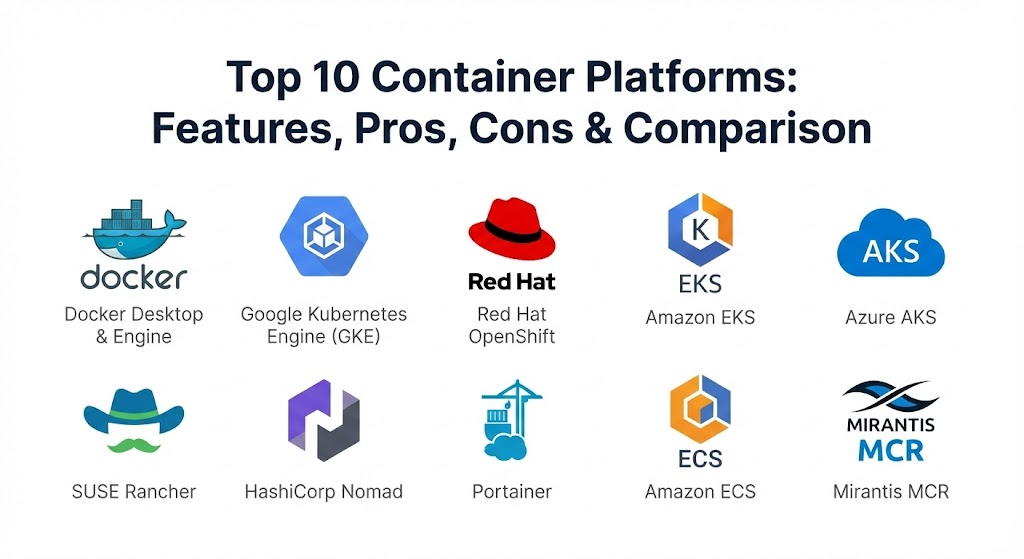
Top 10 Container Platforms Tools
1 — Docker Desktop & Engine
Docker is the name that started the revolution. While the ecosystem has grown, Docker remains the primary tool for individual developers to build and package their applications. It is designed to bridge the gap between development and production.
- Key Features:
- Docker Desktop: A user-friendly GUI for Windows, Mac, and Linux that handles all the back-end complexity of running containers locally.
- Docker Hub Integration: Seamless access to the world’s largest library of pre-built container images.
- BuildKit: A modern build engine that speeds up the creation of container images through parallelization.
- Docker Compose: A tool for defining and running multi-container applications using a simple YAML file.
- Extension Marketplace: Allows users to add security scanning, debugging, and cloud integration tools directly to the interface.
- Pros:
- Unrivaled developer experience and the largest community support in the industry.
- Extremely fast iteration cycles; changing code and seeing it in a container takes seconds.
- Cons:
- The licensing for Docker Desktop has become a significant cost factor for large enterprises.
- Native orchestration (Docker Swarm) has largely lost the market to Kubernetes.
- Security & Compliance: Supports SSO, image signing (Docker Content Trust), and vulnerability scanning via Snyk.
- Support & Community: Industry-leading documentation, a massive user community, and dedicated enterprise support for paid tiers.
2 — Google Kubernetes Engine (GKE)
GKE is the gold standard for managed Kubernetes. As the birthplace of Kubernetes, Google’s platform offers the most automated and “intelligent” version of the orchestrator, taking the burden of infrastructure management off the developer.
- Key Features:
- Autopilot Mode: A fully managed operation mode where Google manages the nodes, scaling, and security entirely.
- Binary Authorization: A deploy-time security control that ensures only trusted container images are deployed.
- Four-Way Auto-Scaling: Automatically scales the number of containers and the size of the underlying hardware based on demand.
- Native Cloud Run Integration: Allows for serverless container execution for intermittent workloads.
- Multi-Cluster Support: Manage clusters across different regions and even other clouds through Anthos.
- Pros:
- The most mature managed Kubernetes service with the fastest “time-to-cluster.”
- Superior automation features that reduce the manual labor of “day 2” operations.
- Cons:
- Heavily tied to the Google Cloud Platform ecosystem.
- Costs can escalate quickly if auto-scaling is not strictly monitored.
- Security & Compliance: SOC 2, ISO 27001, HIPAA, GDPR, and FedRAMP compliant.
- Support & Community: Exceptional documentation and access to Google’s high-tier cloud support.
3 — Red Hat OpenShift
OpenShift is the enterprise-hardened version of Kubernetes. It is designed for large organizations that need strict security, integrated CI/CD pipelines, and a consistent experience across on-premise and cloud environments.
- Key Features:
- Source-to-Image (S2I): Automatically builds container images from your source code without requiring a Dockerfile.
- Integrated Service Mesh: Provides advanced traffic management, security, and observability out of the box.
- Advanced Cluster Management: A single pane of glass to manage Kubernetes clusters across hybrid clouds.
- Operator Hub: A library of automated “Operators” that handle the installation and lifecycle of complex apps like databases.
- Developer Console: A specialized UI that simplifies the complexity of Kubernetes for application developers.
- Pros:
- The “gold standard” for security-conscious enterprises like banks and government agencies.
- Includes everything you need (registry, CI/CD, monitoring) in a single, cohesive platform.
- Cons:
- Much more resource-heavy and expensive than “vanilla” Kubernetes.
- Steep learning curve for teams not familiar with the Red Hat ecosystem.
- Security & Compliance: FIPS 140-2, PCI DSS, HIPAA, and GDPR. Built on RHEL for a highly secure foundation.
- Support & Community: Renowned Red Hat global support and a very large enterprise user base.
4 — Amazon Elastic Kubernetes Service (EKS)
EKS is the most popular container platform for organizations already invested in AWS. It provides a highly reliable, managed Kubernetes experience that integrates deeply with the vast AWS service library.
- Key Features:
- Fargate Integration: Run Kubernetes containers without having to manage the underlying EC2 servers (serverless).
- IAM for Service Accounts: Uses AWS Identity and Access Management to provide granular security at the container level.
- Global Footprint: Deploy clusters across AWS’s massive global network of data centers.
- EKS Anywhere: Allows you to run the exact same EKS software on your own on-premise hardware.
- Managed Node Groups: Automated updates and patching for the servers running your containers.
- Pros:
- The obvious choice for AWS-heavy environments; integrates perfectly with RDS, S3, and VPCs.
- High availability and reliability with an enterprise-grade SLA.
- Cons:
- The management console is less intuitive than Google’s GKE.
- Configuring networking and security can be complex for those new to the AWS ecosystem.
- Security & Compliance: FedRAMP, HIPAA, SOC, and PCI compliant.
- Support & Community: Access to AWS premium support and a massive community of AWS-certified professionals.
5 — Azure Kubernetes Service (AKS)
AKS is Microsoft’s managed Kubernetes offering, designed specifically for organizations that rely on the Microsoft stack and Azure’s global infrastructure.
- Key Features:
- Azure Active Directory Integration: Use your existing corporate identities to manage access to the cluster.
- Virtual Nodes: Burst from your cluster into Azure Container Instances for rapid scaling.
- Visual Studio Code Extension: Deploy and debug containers directly from your favorite code editor.
- Azure Policy: Enforce organizational standards and assess compliance across your clusters at scale.
- KEDA Integration: Event-driven auto-scaling that can scale containers based on things like message queue depth.
- Pros:
- Deepest integration with Windows containers and .NET applications.
- Frequently offers the most competitive pricing among the “Big Three” cloud providers.
- Cons:
- Support for Linux-specific features sometimes lags slightly behind GKE.
- Some users report that the Azure CLI can be less consistent than the competition.
- Security & Compliance: ISO, SOC, HIPAA, and GDPR compliant. Includes Azure Defender for Containers.
- Support & Community: Integrated with Microsoft Azure support and a growing ecosystem of Microsoft-centric developers.
6 — SUSE Rancher
Rancher is a specialized platform for “multi-cluster” management. It doesn’t just run its own Kubernetes distribution (RKE); it allows you to manage GKE, EKS, and AKS clusters from a single dashboard.
- Key Features:
- Unified Management: A single UI to manage any Kubernetes cluster, regardless of where it is running.
- Centralized Security: Apply security policies and access controls across different cloud providers simultaneously.
- App Catalog: A Helm-based catalog that makes it easy to deploy complex software with one click.
- Fleet: A tool for managing thousands of Kubernetes clusters at the “edge” or in remote locations.
- RKE2: A highly secure, government-ready Kubernetes distribution that is easy to install.
- Pros:
- The best tool for organizations that want to avoid “cloud lock-in” and manage a hybrid-cloud fleet.
- Very user-friendly UI that makes Kubernetes much more approachable for new teams.
- Cons:
- Adding another management layer can increase operational complexity if you only have one cluster.
- Support quality can vary depending on your specific contract with SUSE.
- Security & Compliance: FIPS 140-2, GDPR, and HIPAA. Focuses on “Full Lifecycle” security.
- Support & Community: Open-source core with a very active community and professional support from SUSE.
7 — HashiCorp Nomad
Nomad is the “simplest” alternative to Kubernetes. It is a flexible orchestrator that can manage containers, but also legacy applications (binaries and VMs), making it a favorite for hybrid environments.
- Key Features:
- Single Binary: The entire orchestrator is a single file, making it incredibly easy to install and run.
- Non-Container Support: Can manage standard Windows and Linux binaries alongside Docker containers.
- Multi-Region Federation: Built-in ability to manage applications across different data centers out of the box.
- HashiCorp Ecosystem: Seamless integration with Vault (for secrets) and Consul (for networking).
- GPU Support: Excellent handling of high-performance workloads like AI and machine learning.
- Pros:
- Far less complex than Kubernetes; a small team can manage a large Nomad cluster.
- Perfect for companies that are only partially containerized and still need to manage legacy apps.
- Cons:
- A much smaller ecosystem of third-party tools compared to the Kubernetes world.
- Harder to find talent with specific Nomad expertise compared to K8s.
- Security & compliance: SSO, mTLS, and deep integration with HashiCorp Vault.
- Support & Community: Professional support from HashiCorp and a dedicated, highly technical community.
8 — Portainer
Portainer is the “bridge” for teams that find the command line intimidating. It provides a beautiful, functional GUI for managing Docker, Kubernetes, and Nomad environments.
- Key Features:
- Universal Dashboard: Manage local Docker environments and remote Kubernetes clusters in one place.
- Low-Code Management: Deploy complex applications using templates without writing YAML.
- RBAC (Role-Based Access Control): Granular control over who can see and manage specific containers.
- Environment Discovery: Automatically finds and displays all running containers on a host.
- GitOps Integration: Automatically update your containers whenever you push code to a Git repository.
- Pros:
- Drastically lowers the barrier to entry for container management.
- Excellent for internal developer platforms where you want to give teams self-service access.
- Cons:
- Not an orchestrator itself; it is a management layer that sits on top of others.
- Some advanced Kubernetes features are difficult to access via a GUI.
- Security & Compliance: SSO (LDAP/AD/OAuth), audit logs, and SOC 2.
- Support & Community: Large open-source community and specialized “Business Edition” support.
9 — Amazon ECS (Elastic Container Service)
ECS is the AWS-native alternative to Kubernetes. It is designed for users who want the power of container orchestration but find the complexity of Kubernetes to be too high.
- Key Features:
- AWS Native Design: Built from the ground up to use AWS concepts like Security Groups and IAM roles natively.
- Simplicity: No “master nodes” or “etcd” to manage; AWS handles the entire control plane for you.
- Fargate Support: The primary home for serverless containers on AWS.
- Service Connect: Simplified service-to-service communication and observability.
- Task Definitions: A simpler way to define container groups compared to Kubernetes pods.
- Pros:
- significantly easier to learn and manage than Kubernetes.
- Performance is rock-solid because it is deeply integrated into the AWS hypervisor.
- Cons:
- Total vendor lock-in; you cannot move an ECS configuration to another cloud provider easily.
- The ecosystem of community “charts” and plugins is smaller than Kubernetes.
- Security & Compliance: Highly secure, meeting almost all global standards (FedRAMP, HIPAA, etc.).
- Support & Community: Supported by the vast AWS ecosystem.
10 — Mirantis Container Runtime (MCR)
Formerly known as Docker Enterprise, MCR is a high-security, high-reliability container engine designed for mission-critical applications that cannot afford a single second of downtime.
- Key Features:
- FIPS-Validated: One of the few engines that meets the strict cryptographic standards required by the US government.
- Swarms and Kubernetes: Supports both orchestration models in the same environment.
- Content Trust: Hardened image verification to ensure no malicious code is ever executed.
- Air-Gapped Support: Designed to run in high-security environments with no internet access.
- Integrated Registry: Includes a secure, private registry for storing and scanning images.
- Pros:
- The most secure choice for government, defense, and high-finance sectors.
- Offers a “legacy path” for companies that still rely on Docker Swarm.
- Cons:
- Very high cost compared to community-supported engines.
- Can feel overly restrictive for fast-moving startup environments.
- Security & Compliance: FIPS 140-2, SOC 2, and DISA STIG compliant.
- Support & Community: High-touch, 24/7 enterprise support for critical environments.
Comparison Table
| Tool Name | Best For | Platform(s) Supported | Standout Feature | Rating (Gartner) |
| Docker Desktop | Local Development | Win, Mac, Linux | Developer Experience | 4.7 / 5 |
| Google GKE | Scalable Automation | Google Cloud | Autopilot Mode | 4.8 / 5 |
| Red Hat OpenShift | Enterprise Security | Hybrid / Multi-Cloud | Source-to-Image (S2I) | 4.6 / 5 |
| Amazon EKS | AWS-Heavy Teams | AWS, On-prem | Deep IAM Integration | 4.5 / 5 |
| Azure AKS | Microsoft/DotNet Shops | Azure | Windows Container Native | 4.4 / 5 |
| SUSE Rancher | Multi-Cloud Fleet | Any Cloud / Edge | Global Cluster Dashboard | 4.7 / 5 |
| HashiCorp Nomad | Simplicity / Legacy | Cloud / On-prem | Manage Binaries + Containers | 4.5 / 5 |
| Portainer | GUI / Low-Code | Docker, K8s, Nomad | Visual Environment Mgmt | 4.8 / 5 |
| Amazon ECS | Simple AWS Apps | AWS | Serverless Fargate Focus | 4.5 / 5 |
| Mirantis MCR | Govt / High Security | Air-gapped / Cloud | FIPS-Validated Engine | 4.3 / 5 |
Evaluation & Scoring of Container Platforms
To help you choose the right platform, we have evaluated these tools against a weighted scoring rubric that reflects the real-world priorities of DevOps teams.
| Category | Weight | Evaluation Criteria |
| Core Features | 25% | Orchestration quality, auto-scaling, and image management. |
| Ease of Use | 15% | GUI quality, CLI intuitiveness, and learning curve. |
| Integrations | 15% | Ecosystem of plugins, CI/CD tools, and cloud services. |
| Security & Compliance | 10% | Encryption, SSO, vulnerability scanning, and certs (SOC2/GDPR). |
| Performance & Reliability | 10% | Start times, resource overhead, and uptime SLAs. |
| Support & Community | 10% | Documentation, forum activity, and enterprise help availability. |
| Price / Value | 15% | Transparency of billing and total cost of ownership (TCO). |
Which Container Platform Tool Is Right for You?
Solo Users vs SMB vs Mid-Market vs Enterprise
If you are a solo developer, Docker Desktop combined with a simple VPS is all you need. For Small to Mid-Market (SMB) companies, Portainer or Amazon ECS provide a great balance of power without the need for a dedicated “Kubernetes Expert.” For Global Enterprises, the choice usually narrows down to GKE (for automation), EKS (for AWS integration), or OpenShift (for strict on-premise security).
Budget-conscious vs Premium Solutions
If budget is your primary concern, managing your own “vanilla” Kubernetes on a provider like DigitalOcean or using Azure AKS often provides the best value. If you are looking for a Premium Solution, OpenShift and Mirantis are the most expensive but provide the highest level of “white-glove” support and security hardening.
Feature Depth vs Ease of Use
If you need ease of use, Portainer and Nutanix Karbon (not listed, but an honorable mention) are fantastic. If you need feature depth—the ability to control every bit of the networking and storage stack—Google GKE and vanilla Kubernetes are the only way to go.
Frequently Asked Questions (FAQs)
1. Is Docker the same as Kubernetes?
No. Docker is a Container Engine (it builds and runs a single container). Kubernetes is an Orchestrator (it manages thousands of Docker containers across multiple servers). You usually use them together.
2. Can I run containers on my own servers without the cloud?
Yes. Platforms like SUSE Rancher, Red Hat OpenShift, and Nextcloud (for storage) are designed specifically for on-premise or “Bare Metal” environments.
3. What is a “Serverless Container”?
Tools like AWS Fargate or Google Cloud Run allow you to run containers without managing the underlying servers. You just upload the image, and the cloud provider handles the scaling and hardware.
4. Are containers more secure than Virtual Machines?
By default, VMs are more isolated because they have their own kernel. However, modern container platforms use “Hardened Runtimes” (like gVisor) to provide security that is almost equal to a VM.
5. How much does a container platform cost?
The software is often open-source (Free), but managed services like EKS or GKE usually charge around $0.10 per hour per cluster, plus the cost of the virtual machines you use.
6. Can I run Windows applications in containers?
Yes, but you must use a Windows host. Azure AKS is the industry leader for running Windows-native containers.
7. Do I need to be a coding expert to use these?
For local development, no. But for production orchestration, you will need a strong understanding of networking, YAML, and command-line tools.
8. What is “Cloud Lock-in”?
This happens when you use services like Amazon ECS that only work on one cloud. Using Kubernetes (EKS/GKE/AKS) makes it easier to move your apps between different cloud providers.
9. What is an “Image Registry”?
It is like an “App Store” for your company’s containers. Docker Hub and GitHub Container Registry are common places to store your private container images.
10. Why are containers better than standard code deployment?
Consistency. A container includes the exact version of the OS, libraries, and code. This ensures that the code that worked in “Testing” will work exactly the same way in “Production.”
Conclusion
The “best” container platform in 2026 isn’t the one with the most features, but the one that aligns with your team’s skills and your existing infrastructure. Summarizing the landscape: if you want maximum automation, choose Google GKE. If you are a security-first enterprise, Red Hat OpenShift is your fortress. And if you are a developer-focused startup, Docker Desktop and Portainer will give you the speed you need.
Ultimately, containers are about freedom. They free you from hardware limitations, free you from “dependency hell,” and free your team to focus on building great software. Start small, pick one tool that solves your immediate problem, and remember that the most successful architectures are built one container at a time.