Introduction
Code Review Tools are specialized software platforms designed to facilitate the systematic examination of computer source code. They act as a digital “second pair of eyes,” allowing peers to leave comments, suggest improvements, and approve or reject changes before they are merged into the main project. While the core functionality revolves around “Pull Requests” or “Merge Requests,” modern tools have evolved to include deep integrations with CI/CD pipelines, automated static analysis (SAST), and even AI-powered suggestions that can predict where a bug might hide based on historical patterns.
The importance of these tools lies in risk mitigation and knowledge transfer. In a real-world scenario, a code review tool can prevent a catastrophic security vulnerability from reaching production by flagging an insecure API call. It also serves as a training ground for junior developers, who learn by receiving feedback from seniors. When choosing a tool, you should evaluate integration capabilities, ease of use, customization of workflows, and automated analysis features.
Best for: Software engineers, DevOps teams, and QA specialists in organizations ranging from agile startups to massive global enterprises. They are essential for any team that values code quality, security, and long-term maintainability.
Not ideal for: Solo developers working on personal, non-commercial projects where the overhead of a formal review process outweighs the benefits. It may also be overkill for very small, non-technical teams managing simple script repositories where manual oversight is already 100% effective.
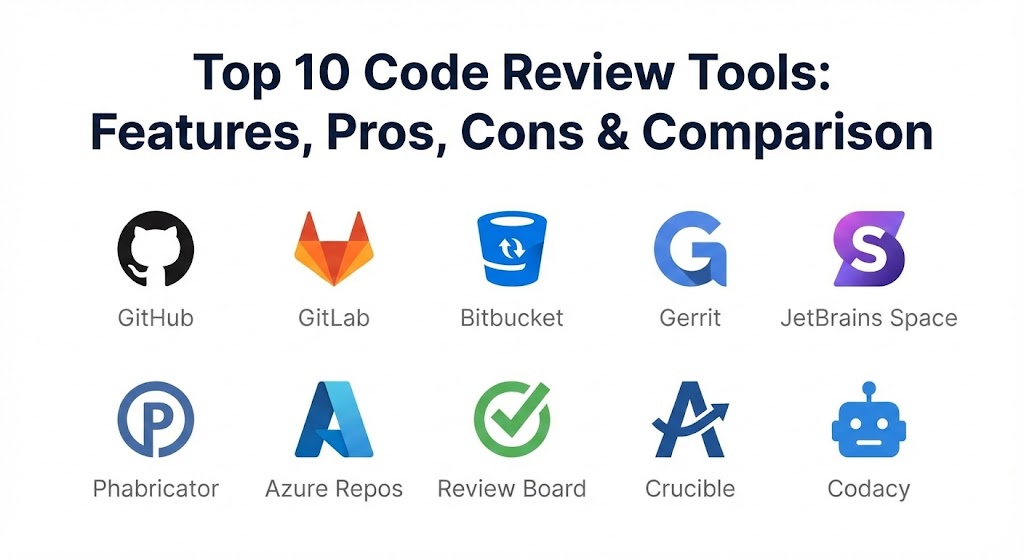
Top 10 Code Review Tools
1 — GitHub
GitHub is the most recognized name in the world of version control and code review. As of 2026, it has deepened its integration with AI via Copilot, making the review process faster and more predictive.
- Key features:
- Pull Request Reviews: Streamlined interface for line-by-line comments and approvals.
- GitHub Actions: Native CI/CD that runs automated tests and linters on every PR.
- Copilot Reviewer: AI-powered suggestions to explain code changes and find potential flaws.
- Code Owners: Automatically assign the right reviewers based on the file path.
- Branch Protection: Rules to prevent merging without specific approvals or passing tests.
- Draft PRs: Allow developers to share work-in-progress without triggering formal reviews.
- Pros:
- The most intuitive UI in the industry, which minimizes the learning curve for new hires.
- Unmatched ecosystem; virtually every third-party tool integrates with GitHub.
- Cons:
- The enterprise features can become quite expensive as you add seats.
- Occasional “feature bloat” can make the interface feel overwhelming for simple projects.
- Security & compliance: SOC 1/2, ISO 27001, GDPR, HIPAA, and FedRAMP compliant. Features SSO and advanced secret scanning.
- Support & community: World-class documentation, a massive global community, and 24/7 enterprise-grade support.
2 — GitLab
GitLab offers a “complete DevOps platform,” meaning the code review tool is tightly woven into the fabric of planning, security, and deployment.
- Key features:
- Merge Requests (MR): Advanced version of the PR with integrated conflict resolution.
- Review Apps: Automatically deploy a live preview of the changes for non-technical stakeholders.
- Security Dashboards: High-level view of vulnerabilities found during the review.
- Multi-Project Pipelines: Review changes that span across multiple repositories.
- Suggested Changes: Reviewers can apply fixes directly from the comment box.
- Compliance Pipelines: Enforce mandatory review steps for regulated industries.
- Pros:
- Ideal for organizations that want one single application for the entire lifecycle.
- Superior “Self-Managed” options for companies that need total data sovereignty.
- Cons:
- The UI can be more complex and “busy” compared to GitHub’s more focused approach.
- Significant system resources are required to run a self-hosted instance.
- Security & compliance: SOC 2 Type II, GDPR, HIPAA, and ISO 27001 compliant. Strong focus on “Shift Left” security.
- Support & community: Comprehensive documentation, a large open-core community, and tiered support levels.
3 — Bitbucket
Owned by Atlassian, Bitbucket is the go-to choice for teams already standardized on Jira and Confluence. It focuses heavily on enterprise security and workflow automation.
- Key features:
- Jira Integration: Deep linking between code reviews and project management tickets.
- Smart Mirroring: Speeds up cloning and fetching for globally distributed teams.
- Checklists: Ensure reviewers follow a standardized set of criteria before approving.
- Bitbucket Pipelines: Integrated CI/CD that shares a common UI with the review screen.
- Granular Permissions: Control access at the project, repository, or branch level.
- Merge Checks: Hard requirements (e.g., “Must have 2 approvals and 0 failed tests”).
- Pros:
- The best tool for traceability; you can follow a feature from an idea to a line of code.
- Very cost-effective when bundled with other Atlassian products.
- Cons:
- The search functionality and UI are often cited as being slower than GitHub.
- Fewer community-built extensions compared to its competitors.
- Security & compliance: SOC 2, ISO 27001, HIPAA, and GDPR compliant. Features SSO via Atlassian Access.
- Support & community: Strong professional support and a well-established user base within the Atlassian ecosystem.
4 — Gerrit
Gerrit is an open-source, web-based code review tool primarily used for projects using Git. It is unique because it forces a review for every commit before it can become part of the codebase.
- Key features:
- Change-Centric Workflow: Every commit is reviewed individually, ensuring granular quality control.
- Voting System: Reviewers give a score (e.g., +1, +2, -2) to determine if code can be merged.
- Fine-Grained ACLs: High-level control over who can see and modify what.
- Web-Based Side-by-Side Diff: Fast, low-latency comparison of code versions.
- Extensible via Plugins: Hundreds of community plugins for CI, bug tracking, and more.
- Pros:
- Extremely powerful for massive projects (like Android or Chromium) with thousands of contributors.
- Prevents “messy” merge histories by enforcing a linear, reviewed path.
- Cons:
- The user interface looks and feels like it belongs in the early 2010s.
- A very steep learning curve that can frustrate developers used to modern PR workflows.
- Security & compliance: Varies (depends on hosting/configuration). Generally considered secure due to its rigid process.
- Support & community: Driven by a dedicated open-source community; documentation is technical but thorough.
5 — JetBrains Space
Space is the newest contender on this list, offering an integrated environment that combines Git hosting, code reviews, and project management in a sleek, IntelliJ-like interface.
- Key features:
- Turn-Based Reviews: A clear “it’s your turn” indicator to prevent PRs from stalling.
- IDE Integration: Perform code reviews directly inside JetBrains IDEs like IntelliJ or PyCharm.
- Safe Merge: Ensures that the merge result is actually tested before the master branch is updated.
- Quality Gates: Customizable rules that must be met for a merge to proceed.
- Automations: Scriptable workflows using Kotlin for highly custom review logic.
- Pros:
- Best-in-class experience for developers who live in JetBrains IDEs.
- A modern, unified UI that reduces “context switching” between tools.
- Cons:
- Relatively new, so the third-party ecosystem is still growing.
- Pricing can be high for large teams not already in the JetBrains ecosystem.
- Security & compliance: SOC 2, GDPR, and ISO 27001 compliant. Data is hosted on encrypted AWS servers.
- Support & community: High-quality support from the JetBrains team and a growing community of enthusiasts.
6 — Phabricator (Phorge)
While the original Phabricator has ceased development, its successor, Phorge, continues to provide a powerful, unified suite for high-performance development teams.
- Key features:
- Differential: A code review tool that emphasizes fast, pre-commit reviews.
- Diffusion: A repository browser that makes it easy to explore large codebases.
- Herald: A powerful rule engine to automate actions (e.g., “If file is CSS, add Designer to review”).
- Maniphest: An integrated bug tracker that links directly to code changes.
- Audit: Allows for post-commit reviews, useful for security audits.
- Pros:
- Built for performance; used historically by companies like Facebook and Uber.
- Highly customizable for teams that want a “non-standard” workflow.
- Cons:
- Can be a nightmare to install and configure compared to modern SaaS.
- The UI is functional but lacks the modern aesthetic of GitHub or Space.
- Security & compliance: Varies / N/A (Self-hosted only).
- Support & community: Community-led via Phorge; excellent documentation but no formal enterprise support.
7 — Azure DevOps (Repos)
Azure Repos is Microsoft’s enterprise-grade solution for Git and TFVC repositories. It is the natural choice for organizations deeply invested in the Azure cloud and .NET ecosystem.
- Key features:
- Policy-Driven Reviews: Mandatory reviewers, build success, and work item linking.
- Live Comments: Real-time updates as reviewers leave feedback.
- Integrated CI/CD: Native connection to Azure Pipelines for automated testing.
- Search across Repos: Powerful cross-project search to find code patterns.
- Extensibility: Large marketplace for adding static analysis and security tools.
- Pros:
- Exceptional security and compliance features for enterprise-level projects.
- Seamless integration with Active Directory for user management.
- Cons:
- The interface can feel corporate and less “fun” than GitHub.
- Some features are buried deep in settings menus, making them hard to find.
- Security & compliance: ISO 27001, SOC 1/2, HIPAA, and GDPR compliant. High-tier Azure security.
- Support & community: Enterprise Microsoft support and a massive corporate user base.
8 — Review Board
Review Board is a dedicated code review tool that supports a wide range of version control systems, including Git, SVN, Mercurial, and Perforce.
- Key features:
- Diff Viewer: High-quality diffs with syntax highlighting and “inter-diff” views.
- Screenshot Reviews: Review UI/UX designs alongside the code that implements them.
- RBTools: A powerful command-line suite for developers who prefer the terminal.
- Multi-VCS Support: Perfect for companies transitioning from SVN to Git.
- Extensible API: Easily build custom bots to participate in the review process.
- Pros:
- One of the best diff-viewing experiences in the industry.
- Extremely flexible; it doesn’t care which repository host you use.
- Cons:
- Lacks the integrated “all-in-one” feel of GitHub or GitLab.
- Requires separate hosting and maintenance, which adds to the IT overhead.
- Security & compliance: Varies (depends on hosting). Supports SSO and basic encryption.
- Support & community: Responsive community support and paid professional support options available.
9 — Crucible (Atlassian)
Crucible is Atlassian’s on-premise dedicated code review tool. While it is older, it remains a powerhouse for teams with massive legacy codebases in SVN or Perforce.
- Key features:
- Inline Commenting: Standard review features that sync with Jira.
- Review Workflows: Formalize the steps code must take before completion.
- Activity Streams: A social-style feed of all comments and approvals across the team.
- Code Intelligence: Integrated cross-referencing for variables and methods.
- Iterative Reviews: Track exactly what changed between different versions of the review.
- Pros:
- Best-in-class support for older version control systems like SVN.
- Very reliable and stable for large-scale enterprise use.
- Cons:
- Atlassian is focusing heavily on cloud (Bitbucket), leaving Crucible with fewer updates.
- The UI is quite dated compared to modern web apps.
- Security & compliance: GDPR and SOC 2 compliant (when hosted correctly).
- Support & community: Backed by Atlassian’s enterprise support ecosystem.
10 — Codacy
Codacy is a “Static Analysis + Code Review” platform. It differs from the others by automating the review process itself, using a battery of linters and security scanners to “review” code before a human even sees it.
- Key features:
- Automated Code Quality: Checks for duplication, complexity, and style violations automatically.
- Security Scanning: Integrated SAST tools to find vulnerabilities in the PR.
- Code Coverage: Tracks how much of the new code is covered by tests.
- Organization-Wide Standards: Enforce the same rules across hundreds of repositories.
- AI Insights: Predicts the impact of a change on the overall system stability.
- Pros:
- Saves hours of human time by filtering out “trivial” issues like formatting or obvious bugs.
- Provides a clear “Quality Score” for every commit, making it easy to track progress.
- Cons:
- It is not a Git host; it sits on top of GitHub, GitLab, or Bitbucket.
- Can produce “false positives” that need to be manually ignored.
- Security & compliance: SOC 2 Type II and GDPR compliant. Features data encryption and SSO.
- Support & community: High-quality chat support and a detailed technical knowledge base.
Comparison Table
| Tool Name | Best For | Platform(s) Supported | Standout Feature | Rating (Gartner) |
| GitHub | General Purpose / AI | Web, Desktop, Mobile | Copilot Code Reviewer | 4.8 / 5 |
| GitLab | All-in-one DevOps | Web, Self-Hosted | Security Compliance Dashboards | 4.7 / 5 |
| Bitbucket | Jira Users | Web, Self-Hosted | Seamless Jira Traceability | 4.5 / 5 |
| Gerrit | Massive Scale / Android | Web, Self-Hosted | Forced Commit Review | 4.4 / 5 |
| JetBrains Space | JetBrains IDE Users | Web, Desktop | Native IDE Review Experience | 4.6 / 5 |
| Phabricator | High-Performance Teams | Self-Hosted | “Herald” Rule Engine | N/A |
| Azure Repos | Microsoft / Enterprise | Web, Azure | AD Integration & Policies | 4.5 / 5 |
| Review Board | UI / Multi-VCS | Web, Self-Hosted | Inter-diff & Screenshot Review | 4.4 / 5 |
| Crucible | Legacy SVN / Perforce | Self-Hosted | Deep SVN Support | 4.3 / 5 |
| Codacy | Automated Review | Web | Automated Quality Scoring | 4.6 / 5 |
Evaluation & Scoring of Code Review Tools
To help you navigate these choices, we have evaluated the tools based on a weighted rubric. In 2026, Core Features and Integrations are the heaviest weights, as code reviews no longer exist in a vacuum—they are part of a massive automation pipeline.
| Category | Weight | Evaluation Rationale |
| Core Features | 25% | Diff quality, commenting system, and approval workflows. |
| Ease of Use | 15% | UI speed, onboarding time, and mobile accessibility. |
| Integrations | 15% | Connectivity with CI/CD, Jira, Slack, and IDEs. |
| Security & Compliance | 10% | Encryption, SSO, and audit logging capabilities. |
| Performance | 10% | Handling of large repositories and massive PRs. |
| Support & Community | 10% | Quality of documentation and community-led plugins. |
| Price / Value | 15% | ROI based on time saved and bug reduction. |
Which Code Review Tool Is Right for You?
Solo Users vs SMB vs Mid-market vs Enterprise
- Solo Users: You should stick with the free tier of GitHub. It offers everything you need with zero maintenance.
- SMBs (10–50 developers): GitHub or GitLab are the standard choices. They provide a “batteries included” experience that lets you focus on building your product.
- Mid-market (50–500 developers): Bitbucket (if using Jira) or JetBrains Space (if using IntelliJ) offer the organization and unified UI needed to manage multiple teams.
- Enterprise (500+ developers): Azure DevOps or GitLab (Self-Managed) provide the governance, audit logs, and compliance features required at scale.
Budget-conscious vs Premium Solutions
If you are strictly focused on budget, Gerrit and Phorge are free (open source), but they require significant time investment for hosting and maintenance. For Premium solutions, Codacy and GitHub Enterprise offer the most advanced automation and security, which often justifies their higher cost by preventing expensive production bugs.
Feature Depth vs Ease of Use
If you prioritize Ease of Use, GitHub and Aircall (for non-technical integration) are unbeatable. If you need Feature Depth—specifically for tracking deep architectural dependencies or enforcing hyper-complex review rules—Gerrit and Phabricator are the heavyweights.
Integration and Scalability Needs
If your team “lives” in the Microsoft ecosystem, Azure Repos is a no-brainer. For organizations that need to scale their security practices automatically, Codacy provides an “invisible” layer of protection that scales effortlessly across thousands of repos.
Frequently Asked Questions (FAQs)
1. What is the difference between a Pull Request and a Code Review?
A Pull Request (PR) is the mechanism used to propose changes. A Code Review is the process of examining those changes within the PR.
2. How long should a typical code review take?
Most experts suggest that reviews should not exceed 60 minutes or 400 lines of code at a time to maintain high attention and catch bugs effectively.
3. Do I need an AI code reviewer in 2026?
While not “mandatory,” AI tools like GitHub Copilot or Codacy significantly speed up the process by catching “silly” mistakes (formatting, typos) before a human even opens the PR.
4. Can I perform code reviews in my IDE?
Yes. Tools like JetBrains Space and various GitHub extensions allow you to review and comment on code without ever leaving your editor.
5. Is Gerrit better than GitHub?
Gerrit is better for massive, open-source projects that require a rigid, commit-by-commit review. GitHub is better for agile teams that prefer a more fluid, collaborative “social” review style.
6. What is “Static Analysis”?
Static analysis is the automated process of scanning code for bugs or security flaws without running the program. Most code review tools integrate this as a mandatory check.
7. Is self-hosting a code review tool worth it?
Only if you are in a highly regulated industry (like Finance or Defense) where data cannot leave your internal network. For most companies, the maintenance cost of self-hosting is higher than a SaaS subscription.
8. How many reviewers should look at a PR?
Usually, two is the “sweet spot.” One for the technical implementation and one for the broader architectural impact.
9. Can code review tools prevent all bugs?
No. They are excellent for logic errors, style issues, and security flaws, but “runtime” bugs (like database deadlocks) are usually caught by automated tests and staging environments.
10. Do these tools support languages other than Java/C++?
Yes. Modern tools are language-agnostic; as long as your code is text-based and managed by Git (or SVN), these tools can review it.
Conclusion
The “best” code review tool in 2026 is no longer just about seeing the difference between two files; it’s about context and automation. If your tool isn’t telling you why a change might break a dependency or how it impacts your overall security score, it’s already falling behind.
For the vast majority of teams, GitHub and GitLab remain the undisputed leaders due to their balance of features and ease of use. However, for those with specialized needs—whether it’s the Atlassian-heavy enterprise (Bitbucket) or the performance-obsessed engineering house (Phorge) —there has never been a better time to find a tool that fits your specific culture. The goal remains the same: shipping better code, faster, with more confidence.