Introduction
Cloud Policy as Code (PaC) is the practice of defining, managing, and enforcing infrastructure and security rules using machine-readable definition files. Just as Infrastructure as Code (IaC) allows you to provision servers with a script, Policy as Code allows you to write “guardrails” in code to ensure those servers are encrypted, tagged, and private by default. These tools act as automated gatekeepers that evaluate your configurations against a set of logic-based rules before any resource is deployed or while it is running in production.
The importance of PaC tools cannot be overstated. According to industry reports, over 95% of cloud security failures are the result of customer misconfigurations. By codifying policies, organizations can achieve “Shift-Left” security, catching errors in the CI/CD pipeline rather than discovering them after a breach. Real-world use cases include preventing the deployment of public S3 buckets, enforcing cost-control limits on expensive GPU instances, and ensuring that all Kubernetes clusters follow CIS Benchmarks automatically. When evaluating these tools, users should look for a clear policy language (like Rego or YAML), deep integration with popular IaC frameworks (Terraform, Pulumi), and the ability to provide developer-friendly feedback loops.
Best for: DevSecOps engineers, platform teams, and compliance officers in mid-to-large enterprises. It is essential for organizations in highly regulated sectors—such as finance, healthcare, and government—where manual audits are insufficient to maintain continuous compliance across thousands of cloud resources.
Not ideal for: Small startups with very simple, single-cloud environments where the overhead of learning a policy language might outweigh the risks. Organizations that do not yet use Infrastructure as Code (IaC) will also find these tools difficult to implement, as they are designed to plug into automated workflows.
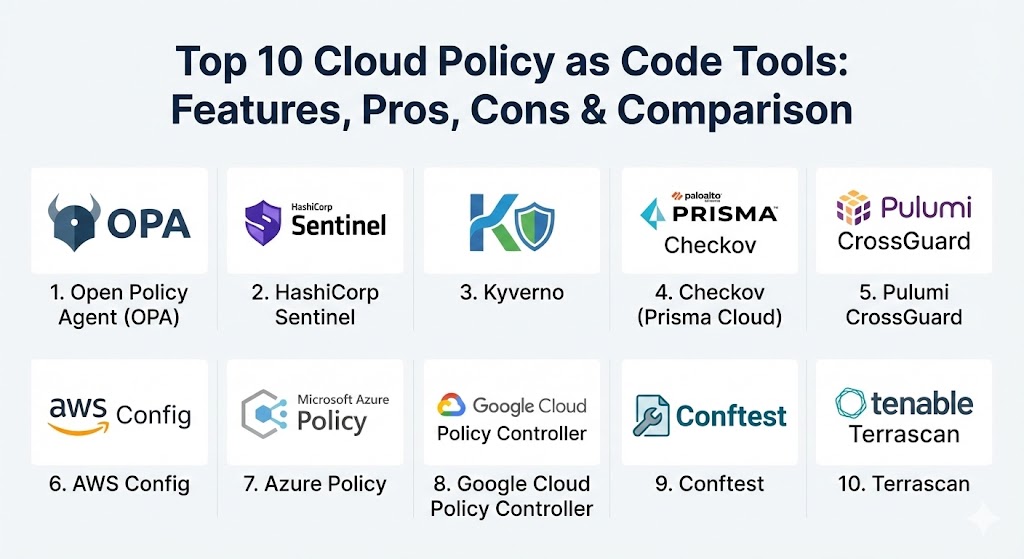
Top 10 Cloud Policy as Code Tools
1 — Open Policy Agent (OPA)
Open Policy Agent is the industry standard for general-purpose policy enforcement. It is a CNCF-graduated project that uses a specialized declarative language called Rego to define policies across the entire cloud-native stack.
- Key features:
- General-purpose engine that works for Kubernetes, Terraform, APIs, and microservices.
- Uses Rego, a powerful and expressive language for complex logic.
- Decouples policy decision-making from application and infrastructure logic.
- Integrated with Kubernetes via Gatekeeper for admission control.
- High-performance evaluation with a lightweight footprint.
- Extensible ecosystem with hundreds of community-contributed policies.
- Supports unit testing for policies to ensure correctness.
- Pros:
- Total vendor neutrality and massive community support.
- Can be used as a single source of truth for policy across different clouds and tools.
- Cons:
- Rego has a steep learning curve and can be difficult for beginners to master.
- Managing OPA at scale across multiple clusters requires additional tooling like Styra.
- Security & compliance: Supports SSO, detailed audit logs of every decision, and is SOC 2 compliant.
- Support & community: Exceptional documentation; huge community on Slack and GitHub; enterprise support available via Styra.
2 — HashiCorp Sentinel
Sentinel is a proprietary policy-as-code framework integrated into the HashiCorp enterprise stack. It is designed specifically to work with Terraform, Vault, and Nomad.
- Key features:
- Deep integration with Terraform Cloud and Terraform Enterprise.
- Supports multiple enforcement levels: Advisory, Soft Mandatory, and Hard Mandatory.
- Policies can access information not available in standard IaC files, such as historical data.
- Integrated testing framework to simulate policy outcomes.
- Built-in functions for common cloud governance tasks.
- Role-based access control for policy management.
- Pros:
- Native integration with the HashiCorp ecosystem provides a seamless “plan-policy-apply” workflow.
- Enforcement levels allow for “grace periods” where developers are warned before being blocked.
- Cons:
- Proprietary and locked into the HashiCorp ecosystem; requires a paid license for most features.
- Uses its own language, which is distinct from Rego or standard programming languages.
- Security & compliance: High-grade audit trails, SSO integration, and ISO/SOC 2 compliant.
- Support & community: World-class enterprise support; extensive HashiCorp Learn documentation; smaller community than OPA.
3 — Kyverno
Kyverno is a Kubernetes-native policy engine that allows users to manage policies without learning a new language. Policies are written entirely in YAML.
- Key features:
- Kubernetes-native design: policies are managed as standard K8s resources.
- No new domain-specific language (DSL) is required for DevOps teams.
- Can validate, mutate, and generate Kubernetes resources.
- Integrated with standard Kubernetes tools like
kubectland GitOps workflows. - High-visibility reporting on non-compliant resources.
- Background scanning to detect drift in existing clusters.
- Pros:
- Low barrier to entry for teams already comfortable with Kubernetes YAML.
- Unique ability to automatically generate resources (like default NetworkPolicies) when a namespace is created.
- Cons:
- Strictly limited to Kubernetes; cannot be used for Terraform or cloud-level API policies.
- Less expressive than OPA/Rego for extremely complex, nested logical checks.
- Security & compliance: Uses Kubernetes RBAC for security; supports audit logging and CIS compliance.
- Support & community: Very active CNCF project; excellent documentation and Slack community.
4 — Checkov (Prisma Cloud)
Checkov is an open-source static code analysis tool for Infrastructure as Code. It is a “developer-first” tool that scans IaC files for misconfigurations before they are even committed.
- Key features:
- Supports Terraform, CloudFormation, Kubernetes, ARM Templates, and Serverless framework.
- Over 1,000 built-in policies based on compliance frameworks like HIPAA and PCI-DSS.
- Graph-based analysis to identify complex, multi-resource vulnerabilities.
- Integrated with VS Code and JetBrains IDEs for real-time feedback.
- Automated remediation suggestions for identified issues.
- Seamless integration with CI/CD pipelines (GitHub Actions, Jenkins).
- Pros:
- Incredibly easy to start; provides immediate value with pre-built policies.
- “Shift-Left” focus catches errors in the IDE before they ever reach the cloud.
- Cons:
- Primarily a static analysis tool; does not enforce policies at runtime (unless using Prisma Cloud).
- Large number of rules can lead to “alert fatigue” without proper tuning.
- Security & compliance: SOC 2 compliant; policies are mapped directly to compliance frameworks.
- Support & community: Strong backing by Palo Alto Networks; large open-source contributor base.
5 — Pulumi CrossGuard
CrossGuard is the policy-as-code framework for Pulumi. It allows you to write policies using general-purpose programming languages like TypeScript, Python, and Go.
- Key features:
- Policies are written in the same languages developers use for their applications.
- Works across all Pulumi-supported cloud providers (AWS, Azure, GCP).
- Enforces policies during the
pulumi previewandpulumi upstages. - Includes a set of pre-built “Compliance-Ready” policies.
- Fine-grained control over which resources are targeted.
- Highly extensible through standard library imports.
- Pros:
- Developers love it because they don’t have to learn a proprietary DSL or YAML syntax.
- Full power of a programming language allows for complex API lookups and external data integration.
- Cons:
- Only works for infrastructure managed by Pulumi.
- The flexibility of a programming language can lead to overly complex policy code if not governed.
- Security & compliance: Integrated with Pulumi Cloud’s audit logs and identity management.
- Support & community: Good documentation; responsive Slack community; enterprise support for Pulumi customers.
6 — AWS Config
AWS Config is a managed service that provides a detailed view of the configuration of AWS resources. It uses “Rules” to enforce desired configurations.
- Key features:
- Fully managed by AWS; requires no infrastructure to run.
- Extensive library of AWS-managed rules (e.g., “S3-Bucket-Public-Read-Prohibited”).
- Support for Custom Rules written in AWS Lambda (using Python, Java, etc.).
- Continuous monitoring and automated remediation via AWS Systems Manager.
- Integrated with AWS Organizations for multi-account governance.
- Visual timeline of resource changes for forensic analysis.
- Pros:
- The easiest way to achieve baseline compliance for AWS-only environments.
- “Recording” feature provides an invaluable audit trail for compliance officers.
- Cons:
- AWS-specific; does not provide a unified view if you also use Azure or GCP.
- Costs can scale quickly if you have a high volume of resource changes.
- Security & compliance: HIPAA, PCI DSS, GDPR, ISO, and SOC compliant.
- Support & community: Standard AWS enterprise support; massive ecosystem of AWS partners.
7 — Azure Policy
Azure Policy is a service in Azure that you use to create, assign, and manage policies. These policies enforce different rules and effects over your resources.
- Key features:
- Built directly into the Azure Resource Manager (ARM).
- Enforces policies at the management group, subscription, and resource group levels.
- Supports “Deny” (block creation), “Audit” (log only), and “Modify” (fix during deployment).
- Integrated compliance dashboard for a high-level view of your posture.
- Support for “Guest Configuration” to audit settings inside VMs.
- Native integration with Azure DevOps and GitHub.
- Pros:
- Zero extra cost for basic Azure resource governance.
- Powerful “remediation tasks” can fix thousands of non-compliant resources automatically.
- Cons:
- Limited to the Microsoft Azure ecosystem.
- The JSON-based policy structure can be verbose and difficult to debug.
- Security & compliance: Deeply integrated with Microsoft Defender for Cloud; fully compliant with global standards.
- Support & community: Azure enterprise support; extensive Microsoft Learn documentation.
8 — Google Cloud Policy Controller
Policy Controller is part of Google Cloud’s Anthos Config Management. It is built on the Open Policy Agent (OPA) Gatekeeper project.
- Key features:
- Enforces fully programmable policies for your Google Cloud resources.
- Includes a library of pre-built “constraints” for common security needs.
- Audits resources in real-time to detect drift.
- Works across on-premises, hybrid, and multi-cloud Kubernetes clusters.
- Tight integration with the Google Cloud Console for monitoring.
- Allows for “dry-run” mode to test impact before enforcement.
- Pros:
- Combines the power of OPA with the ease of a managed Google service.
- Ideal for organizations running Google Kubernetes Engine (GKE) or Anthos.
- Cons:
- Requires Anthos, which can be an expensive entry point for some users.
- Primarily focused on Kubernetes and resources managed via Config Connector.
- Security & compliance: Google Cloud standard compliance (SOC, ISO, HIPAA).
- Support & community: Managed by Google; inherits the large OPA community knowledge base.
9 — Conftest
Conftest is a utility that helps you write tests against structured configuration data. It is a key part of the OPA ecosystem, often used in CI/CD pipelines.
- Key features:
- Uses Rego to test configuration files (Terraform, Dockerfiles, YAML).
- Extremely lightweight; designed to be run as a CLI tool.
- Can pull policy files from remote sources (OCI registries, Git).
- Excellent for “pre-flight” checks during development.
- Provides clear, colored output for pass/fail results.
- Easy to integrate into existing Makefile or Bash scripts.
- Pros:
- The fastest way to add OPA-based policy checks to a CI/CD pipeline.
- Versatile—if it’s a structured file (JSON/YAML/HCL), Conftest can test it.
- Cons:
- No native “runtime” enforcement; it is strictly a testing/validation tool.
- Requires users to learn Rego, which is OPA’s core challenge.
- Security & compliance: Varies; it is an open-source tool with no central SOC 2.
- Support & community: Part of the OPA project; high-quality GitHub documentation.
10 — Terrascan (by Tenable)
Terrascan is a powerful static code analyzer for Infrastructure as Code, focusing heavily on security and compliance benchmarks.
- Key features:
- Scans Terraform, Kubernetes (JSON/YAML), Helm, Kustomize, and Dockerfiles.
- Over 500 out-of-the-box policies based on CIS Benchmarks.
- Integration with Tenable Cloud Security for a full lifecycle view.
- Extensible through Rego (OPA) for custom policy creation.
- Admission controller support for Kubernetes.
- CI/CD friendly with plugins for major orchestration tools.
- Pros:
- Exceptional focus on security benchmarks (CIS); very trusted by security teams.
- Supports a wide variety of IaC languages beyond just Terraform.
- Cons:
- UI for the open-source version is non-existent (it’s a CLI tool).
- The “Shift-Left” feedback loop isn’t as polished as Checkov’s IDE plugins.
- Security & compliance: Backed by Tenable’s extensive security expertise; SOC 2 and GDPR focused.
- Support & community: Strong backing by Tenable; good documentation for open-source users.
Comparison Table
| Tool Name | Best For | Platform(s) Supported | Standout Feature | Rating (Gartner/TrueReview) |
| Open Policy Agent | Multi-Cloud Governance | Kubernetes, Terraform, APIs | Rego Flexibility | 4.8 / 5 |
| HashiCorp Sentinel | Terraform Enterprise | HashiCorp Stack | Enforcement Levels | 4.5 / 5 |
| Kyverno | Kubernetes Teams | Kubernetes Only | YAML-Native Design | 4.7 / 5 |
| Checkov | Static IaC Scanning | Terraform, K8s, CloudFormation | 1,000+ Pre-built Rules | 4.6 / 5 |
| Pulumi CrossGuard | Developers | Pulumi Supported Clouds | Policy in Python/TS | 4.4 / 5 |
| AWS Config | AWS-only Shops | AWS | Automated Remediation | 4.6 / 5 |
| Azure Policy | Azure-only Shops | Azure | Built-in Remediation | 4.5 / 5 |
| GCP Policy Controller | Anthos / GKE Users | GCP, Anthos | Managed OPA/Gatekeeper | 4.4 / 5 |
| Conftest | CI/CD Testing | Any Structured Config | Lightweight CLI | 4.3 / 5 |
| Terrascan | Security Benchmarking | Multi-IaC, K8s | Deep CIS Benchmark Focus | 4.5 / 5 |
Evaluation & Scoring of Cloud Policy as Code Tools
We evaluated these tools based on a weighted rubric to reflect the needs of modern DevSecOps teams.
| Category | Weight | Description |
| Core Features | 25% | Ability to block deployments, audit resources, and mutate/fix configurations. |
| Ease of Use | 15% | Complexity of the policy language and administrative overhead. |
| Integrations | 15% | Support for CI/CD, IDEs, and major cloud providers. |
| Security & Compliance | 10% | Mapping to frameworks (PCI, HIPAA) and internal tool security. |
| Performance | 10% | Evaluation speed and scalability for high-volume environments. |
| Support & Community | 10% | Quality of documentation and availability of help. |
| Price / Value | 15% | Free tier availability vs. enterprise licensing costs. |
Which Cloud Policy as Code Tool Is Right for You?
Choosing a tool depends on where you are in your cloud journey and what specific problems you are trying to solve.
- Solo Users and Small Teams: Start with Checkov or Terrascan. These are free, open-source, and provide immediate value by scanning your code for obvious security holes before you deploy. You don’t need a complex server setup—just a CLI run in your local environment.
- Kubernetes-Only Environments: If your entire world is Kubernetes, Kyverno is the clear winner. You won’t have to hire OPA specialists or learn Rego. You can manage everything using the same YAML skills your team already has.
- Multi-Cloud Enterprises: If you are managing AWS, Azure, and on-premises resources, Open Policy Agent (OPA) is the industry standard for a reason. It provides a unified language that can bridge every part of your infrastructure.
- HashiCorp or Pulumi Shops: If you have already committed heavily to a specific IaC vendor, stick with their native tools (Sentinel or CrossGuard). The integration benefits—like checking policies against “Plan” data—are worth the vendor lock-in.
- Compliance-Heavy Industries: Organizations that need deep auditing and a “record of everything” should lean toward cloud-native managed services like AWS Config or Azure Policy. These tools are often preferred by auditors because they are built directly into the cloud fabric.
Frequently Asked Questions (FAQs)
1. Is Policy as Code the same as Infrastructure as Code? No. Infrastructure as Code (IaC) defines what to build (e.g., a server). Policy as Code (PaC) defines how it should be built (e.g., that server must be encrypted and tagged). PaC sits on top of IaC to provide guardrails.
2. Does implementing PaC slow down developer velocity? Initially, it can. However, long-term velocity increases because security issues are caught automatically in seconds during the coding phase, rather than causing weeks of delay during a security review at the end of a project.
3. Do I need to learn a new programming language? It depends on the tool. OPA requires Rego, and Sentinel has its own language. Kyverno uses YAML, and Pulumi uses standard languages like Python.
4. Can these tools automatically fix security issues? Yes. Tools like Azure Policy, AWS Config, and Kyverno can “mutate” or “remediate” resources, automatically adding missing tags or turning on encryption if it was forgotten.
5. Is open-source OPA enough for an enterprise? OPA is robust, but for a large enterprise, you will likely need a “management plane” like Styra or Spacelift to handle policy distribution, versioning, and unified reporting across thousands of endpoints.
6. Can PaC help with cloud cost management? Absolutely. You can write policies that block the creation of “over-provisioned” instances (like a $20/hour GPU instance for a test site) or require a “Termination Date” tag on all sandbox resources.
7. Is static analysis (scanning code) enough? No. Static analysis catches errors before deployment, but it cannot see “runtime” changes (drift) or manual changes made in the Cloud Console. A complete strategy requires both static scanning and runtime enforcement.
8. What are “CIS Benchmarks”? The Center for Internet Security (CIS) provides industry-standard security guidelines for various clouds and tools. Most PaC tools come with pre-built policies to enforce these benchmarks.
9. Can I use these tools with old, existing infrastructure? Yes. Most tools have an “Audit” or “Detection” mode that identifies existing non-compliant resources without breaking them, allowing you to fix them gradually.
10. How do I handle “exceptions” to a policy? Modern PaC tools allow you to “exempt” or “waive” specific resources from a policy for a set amount of time, ensuring that critical business operations aren’t blocked by a minor compliance rule.
Conclusion
Cloud Policy as Code is no longer a luxury—it is a foundational requirement for any organization serious about operating in the cloud securely and at scale. By treating governance as a software engineering problem, teams can automate away the friction between security and development. Whether you choose the vendor-neutral power of Open Policy Agent, the simplicity of Kyverno, or the deep integration of Azure Policy, the most important step is to start codifying your guardrails today. The “best” tool is simply the one that your developers will actually use.