Introduction
Cloud migration tools are specialized software solutions designed to automate and streamline the process of moving digital assets—including data, applications, and IT workloads—from an on-premises data center or one cloud environment to another. These tools handle the heavy lifting of discovery (mapping your current environment), assessment (determining readiness and cost), and the actual replication and cutover of data with minimal downtime.
The importance of these tools lies in risk mitigation. A manual migration is prone to human error, data corruption, and extended outages that can cost businesses millions. By using dedicated migration software, organizations can ensure data integrity, maintain security compliance throughout the transit, and significantly accelerate the timeline to “Go Live.” Real-world use cases range from “lift-and-shift” projects for rapid data center exit to complex refactoring of legacy monolithic applications into cloud-native microservices. When evaluating these tools, look for deep automation, wide protocol support, and robust pre-migration testing capabilities.
Best for: Enterprise IT architects, DevOps engineers, and CTOs managing large-scale infrastructure moves. It is ideal for companies in finance, healthcare, and retail looking to reduce capital expenditure (CapEx) and gain the agility of the cloud.
Not ideal for: Small businesses with only a handful of static websites or simple SaaS-based workflows. In such cases, the native export/import features of the target cloud provider or manual transfers are often more cost-effective and less complex.
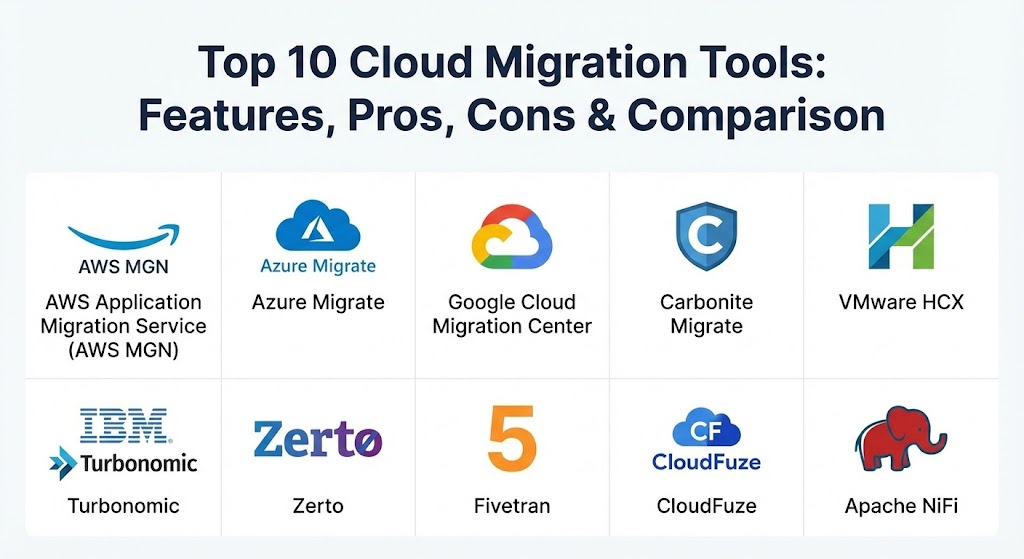
Top 10 Cloud Migration Tools
1 — AWS Application Migration Service (AWS MGN)
AWS MGN is the primary tool for organizations moving workloads into Amazon Web Services. It simplifies and accelerates migrations by automatically converting your source servers from physical, virtual, or cloud infrastructure to run natively on AWS.
- Key features:
- Continuous, block-level data replication without performance impact.
- Automated server conversion (P2V or V2V) for AWS compatibility.
- Support for non-disruptive testing prior to final cutover.
- Centralized management console within the AWS Migration Hub.
- Wide platform support: Windows, Linux, VMware, Hyper-V, and other clouds.
- Integrated “Post-launch” automation for installing drivers or agents.
- Pros:
- Minimizes downtime during cutover to just a few minutes.
- Highly cost-effective as it is largely free for the first 90 days per server.
- Cons:
- Strictly a target-side tool; it only migrates into AWS.
- Limited capabilities for deep application refactoring.
- Security & compliance: HIPAA, PCI DSS, SOC 1/2/3, and ISO compliant. Uses AES-256 encryption in transit.
- Support & community: Extensive AWS documentation, community forums, and premium enterprise support options.
2 — Azure Migrate
Azure Migrate provides a centralized hub to discover, assess, and migrate on-premises machines, databases, and applications to the Microsoft Azure cloud. It is the go-to choice for Microsoft-heavy environments.
- Key features:
- Unified migration portal to track the progress of multiple projects.
- Agentless discovery for VMware and Hyper-V environments.
- Integrated “Azure SQL Migration extension” for seamless database moves.
- Dependency mapping to visualize connections between applications.
- Cost estimation tools to forecast post-migration spending.
- “App Service Migration Assistant” for web application readiness.
- Pros:
- Unrivaled integration with Windows Server and SQL Server ecosystems.
- Powerful assessment tools that suggest the right-sized Azure VMs to save money.
- Cons:
- Can be overwhelming for non-Azure users due to the breadth of the portal.
- Less effective for migrations targeting non-Microsoft cloud platforms.
- Security & compliance: ISO 27001, HIPAA, FedRAMP, and GDPR compliant. Integrated with Azure RBAC.
- Support & community: Microsoft Learn, extensive partner ecosystem, and dedicated Azure support plans.
3 — Google Cloud Migration Center
Google’s Migration Center is a unified platform that combines discovery, assessment, and migration tools to help organizations move to Google Cloud Platform (GCP). It emphasizes data-driven decision-making and AI-led planning.
- Key features:
- Automated asset discovery and technical interest profiling.
- TCO (Total Cost of Ownership) reports comparing on-prem vs. GCP.
- “Migrate to Virtual Machines” for rapid, low-downtime server moves.
- “Migrate to Containers” to modernize apps directly into GKE.
- Deep integration with BigQuery for data warehouse migrations.
- Built-in workload optimization recommendations.
- Pros:
- Strongest tools for modernizing applications into containers during the move.
- Google’s global network makes high-volume data transfers incredibly fast.
- Cons:
- Still trailing AWS and Azure in terms of the sheer number of legacy connectors.
- The emphasis on “modernization” can add complexity to simple lift-and-shift tasks.
- Security & compliance: FIPS 140-2, SOC 2, HIPAA, and Google’s “BeyondCorp” security model.
- Support & community: Google Cloud documentation, “GCP Community” forums, and professional services.
4 — Carbonite Migrate
Formerly known as DoubleTake, Carbonite Migrate (by OpenText) is a high-availability migration tool that focuses on near-zero downtime for critical systems. It is hardware-agnostic and supports moves between any combination of physical, virtual, and cloud platforms.
- Key features:
- Real-time, byte-level replication with minimal bandwidth usage.
- Fully automated cutover process with scriptable pre- and post-steps.
- Support for heterogeneous migrations (e.g., move from AWS to Azure).
- Infinite distance migration without latency impacting the source system.
- Built-in compression and encryption for data in transit.
- Simplified testing that doesn’t affect production workloads.
- Pros:
- Extremely reliable for “mission-critical” servers that cannot go offline.
- One of the few tools that excels at cross-cloud (multi-cloud) moves.
- Cons:
- Per-server licensing can be expensive for massive scale migrations.
- Requires an agent to be installed on every source machine.
- Security & compliance: AES-256 encryption, SOC 2, and support for GDPR-compliant workflows.
- Support & community: 24/7 technical support and a mature partner network.
5 — VMware HCX
VMware HCX (Hybrid Cloud Extension) is an application mobility platform designed to simplify application migration, workload rebalancing, and business continuity across data centers and clouds.
- Key features:
- Large-scale “Bulk Migration” using scheduled, low-downtime replication.
- “Cold Migration” and “vMotion” for live, zero-downtime moves.
- Integrated WAN optimization and data compression.
- Network extension capabilities to keep IP addresses during the move.
- Disaster recovery integration with site pairing.
- Support for non-VMware to VMware migrations (OS Assisted Migration).
- Pros:
- Allows “Live Migration” where the app stays running while it moves to the cloud.
- Essential for organizations with massive VMware footprints moving to AWS or Azure.
- Cons:
- High cost; usually requires VMware’s top-tier licensing (Advanced/Enterprise).
- Complex networking requirements to set up the HCX interconnect.
- Security & compliance: Suite B encryption, FIPS 140-2, and deep integration with NSX security.
- Support & community: World-class enterprise support and a massive “VMTN” community.
6 — Turbonomic (IBM)
Turbonomic, now part of IBM, is an AI-driven platform that focuses on workload automation and optimization. While often used for management, its migration planning features are among the most advanced for complex multi-cloud environments.
- Key features:
- AI-powered “What-if” scenario planning for cloud migration.
- Automated resource rightsizing to ensure performance post-migration.
- Continuous optimization of workloads across hybrid environments.
- Mapping of application dependencies to avoid “broken” links.
- Integration with ServiceNow for automated change management.
- Full-stack visibility from application to the physical hardware.
- Pros:
- Best-in-class at preventing “Cloud Bill Shock” by optimizing resources before you move.
- Automates the decision-making process of where a workload should live.
- Cons:
- Not a “transfer” tool; you usually need a separate tool to move the actual bits.
- Steep learning curve to master the AI’s policy-driven engine.
- Security & compliance: ISO 27001, SOC 2, and FedRAMP authorized.
- Support & community: IBM’s global support network and extensive online training modules.
7 — Zerto
Zerto (by Hewlett Packard Enterprise) is widely known for disaster recovery, but its continuous data protection (CDP) technology makes it a powerhouse for migration, especially when RTOs (Recovery Time Objectives) must be near zero.
- Key features:
- Journal-based recovery that allows you to “rewind” to a point in time.
- Continuous data replication with zero impact on application performance.
- Support for multi-cloud mobility (on-prem to cloud, or cloud to cloud).
- Non-disruptive migration testing in isolated “bubble” environments.
- Automated orchestration of the entire failover/cutover process.
- Built-in analytics to track migration health in real-time.
- Pros:
- Offers the lowest possible RPOs (Recovery Point Objectives) in the industry.
- Simplifies complex multi-VM application moves by grouping them into “VPGs.”
- Cons:
- Requires a significant amount of “staging” storage at the target site.
- Licensing is geared toward large enterprises with deep pockets.
- Security & compliance: Encryption at rest and in transit, SOC 2, and HIPAA compliant.
- Support & community: Strong technical support and an active user community (Zerto MyZerto).
8 — Fivetran
While most of the tools on this list move servers and VMs, Fivetran is the industry leader for moving data. It is an automated data integration platform that is essential for migrating legacy databases to cloud data warehouses like Snowflake or BigQuery.
- Key features:
- 500+ pre-built connectors for databases, SaaS, and APIs.
- Fully managed pipelines that automatically handle schema changes.
- Change Data Capture (CDC) for low-impact, real-time data sync.
- Built-in data transformation (via dbt integration).
- Centralized monitoring and alerting for all data flows.
- Idempotent recovery to ensure no data is lost during network drops.
- Pros:
- “Zero-maintenance” approach; you set the connector and forget it.
- Incredibly fast time-to-value for data-centric migrations.
- Cons:
- Limited to data; it cannot move application code or virtual machines.
- Volume-based pricing can become unpredictable with high-velocity data.
- Security & compliance: SOC 2 Type II, ISO 27001, PCI DSS, GDPR, and HIPAA.
- Support & community: 24/7 technical support and a very large developer community.
9 — CloudFuze
CloudFuze is a specialized migration tool designed specifically for unstructured data—files, folders, and shared drives. It is the gold standard for migrating from legacy systems like Box, Dropbox, or on-prem file shares to Google Drive or OneDrive.
- Key features:
- Support for 40+ cloud storage providers.
- Migration of file permissions, metadata, and version history.
- Multi-user and multi-tenant migration capabilities.
- Real-time migration tracking with granular reporting.
- Support for large-scale “tenant-to-tenant” consolidations.
- Automated conflict resolution for duplicate files.
- Pros:
- One of the few tools that preserves complex NTFS and sharing permissions.
- Excellent for M&A (Mergers and Acquisitions) scenarios.
- Cons:
- Narrow focus on “content”; not suitable for server or DB migration.
- User interface can be technical and less “polished” than some SaaS rivals.
- Security & compliance: SOC 2 Type II, GDPR, and HIPAA compliant. Data is never stored on CloudFuze servers.
- Support & community: Dedicated migration managers for large projects and responsive helpdesk support.
10 — Apache NiFi
For organizations that prefer open-source flexibility and have the engineering talent to support it, Apache NiFi is a powerful data-routing and transformation tool that excels at hybrid cloud data movement.
- Key features:
- Visual interface for designing data flows between systems.
- Support for massive-scale data ingestion and transformation.
- Dynamic prioritization and back-pressure management.
- Extensible through a rich library of custom processors.
- End-to-end data lineage and tracking.
- Built-in security with multi-tenant authorization.
- Pros:
- Completely free to use (no licensing fees), saving massive costs on large projects.
- Unmatched flexibility for “weird” or custom legacy data formats.
- Cons:
- Extremely steep learning curve; requires dedicated data engineers.
- No “commercial” support unless purchased through a vendor like Cloudera.
- Security & compliance: Supports SSL/TLS, Kerberos, and internal RBAC. Compliance depends on implementation.
- Support & community: Massive global open-source community and extensive documentation.
Comparison Table
| Tool Name | Best For | Platform(s) Supported | Standout Feature | Rating (Gartner / TrueReview) |
| AWS MGN | AWS Targets | Physical, Virtual, Multi-Cloud | Automated AWS Conversion | 4.6 / 5 |
| Azure Migrate | Azure / Microsoft Shops | Hyper-V, VMware, Physical | Unified Assessment Hub | 4.5 / 5 |
| Google Cloud Center | Modernizing to GCP | VMware, K8s, Physical | Migrate to Containers | 4.6 / 5 |
| Carbonite Migrate | Cross-Cloud / HA | Any-to-Any | Byte-level Replication | 4.4 / 5 |
| VMware HCX | VMware to Cloud | vSphere to AWS/Azure | Live Zero-Downtime Move | 4.7 / 5 |
| Turbonomic | Cloud Optimization | Hybrid Multi-Cloud | AI Cost Rightsizing | 4.4 / 5 |
| Zerto | Zero-Downtime DR | VMware, Hyper-V, Cloud | Journal-based “Rewind” | 4.6 / 5 |
| Fivetran | Data Warehousing | 500+ DBs/SaaS/APIs | Automated Schema Drift | 4.8 / 5 |
| CloudFuze | Content / Permissions | 40+ Cloud Storages | Permission Preservation | 4.5 / 5 |
| Apache NiFi | Open-Source / Custom | Platform Agnostic | Visual Data Flow Design | 4.4 / 5 |
Evaluation & Scoring of Cloud Migration Tools
To determine which tool offers the most value, we have applied a weighted scoring rubric based on industry requirements for 2026.
| Category | Weight | Evaluation Criteria |
| Core Features | 25% | Capacity for discovery, assessment, replication, and automated cutover. |
| Ease of Use | 15% | Intuitive UI, dashboard clarity, and minimal training requirements. |
| Integrations | 15% | Support for major clouds (AWS/Azure/GCP) and legacy systems (VMware/SQL). |
| Security | 10% | Encryption levels, SSO support, and compliance certifications (HIPAA/SOC). |
| Performance | 10% | Transfer speed, bandwidth optimization, and impact on source systems. |
| Support | 10% | Documentation quality, professional services, and community forums. |
| Price / Value | 15% | Transparent pricing model vs. efficiency gains and downtime reduction. |
Which Cloud Migration Tool Is Right for You?
Selecting a tool requires balancing technical requirements with budgetary constraints and team expertise.
- Solo Users vs SMB vs Mid-Market vs Enterprise:
- Solo/Small Business: Native tools from cloud providers (e.g., AWS Migration Hub) are usually sufficient and often free for basic needs.
- Mid-Market: Look for tools like Fivetran or CloudFuze that solve specific data/content problems with minimal setup time.
- Enterprise: Tools like VMware HCX, Zerto, or Turbonomic are necessary to handle the scale and complex dependency chains of thousands of VMs.
- Budget-Conscious vs Premium Solutions:
- If you have no budget, Apache NiFi is powerful but “costly” in terms of engineering hours.
- If budget is not an issue but downtime is a firing offense, Zerto or Carbonite provide the security of near-zero RTOs.
- Feature Depth vs Ease of Use:
- AWS MGN is simple but deep. Turbonomic is deep but complex. If your team is new to the cloud, prioritize the first-party tools (AWS/Azure/Google) as they have the best “wizard-based” workflows.
- Integration and Scalability Needs:
- If you are a “VMware house,” HCX is the obvious choice. If you are moving a massive data warehouse, Fivetran is the standout. Always check if the tool supports your specific legacy OS (e.g., Solaris or AIX), as many modern tools only support Windows and Linux.
- Security and Compliance Requirements:
- In regulated sectors like healthcare, ensure your tool is HIPAA BAA compliant. Financial sectors should prioritize tools with FIPS 140-2 encryption and robust audit logs for the transit phase.
Frequently Asked Questions (FAQs)
1. What is the difference between “Lift and Shift” and “Refactoring”?
Lift and shift (Rehosting) moves your app exactly as it is. Refactoring (Rearchitecting) involves changing the code to take advantage of cloud features like auto-scaling. Tools like AWS MGN are for rehosting, while Google Cloud Center helps with refactoring into containers.
2. Will my applications be offline during the migration?
It depends on the tool. “Cold” migrations involve a few hours of downtime. “Hot” or “Live” migrations (using tools like Zerto or VMware HCX) keep the application running by continuously syncing changes up until the very moment of cutover.
3. Are cloud migration tools free?
Most cloud-native tools (AWS, Azure, Google) are free to use for a limited time (e.g., the first 90 days), though you still pay for the target cloud storage and compute. Third-party tools like Carbonite or Zerto charge per-server or per-TB.
4. How long does a typical migration take?
A single server can move in minutes. An enterprise migration of 500+ servers typically takes 6 to 18 months, including the planning and testing phases. Tools like Turbonomic help reduce the planning time by 30-50%.
5. Can I move from one cloud to another (e.g., AWS to Azure)?
Yes. This is called “Cloud-to-Cloud” migration. Tools like Carbonite Migrate and Zerto are excellent for this, as they are platform-agnostic and don’t care where the source or target lives.
6. Do I need an “Agent” installed on my servers?
Some tools are “Agentless” (Azure Migrate), meaning they talk to the hypervisor (VMware). Others are “Agent-based” (AWS MGN), meaning you must install software on every server. Agentless is easier to deploy, but Agent-based often provides deeper data replication.
7. How do I handle large databases?
Databases are tricky because data changes every second. Use tools with “Change Data Capture” (CDC) like Fivetran or AWS DMS. They keep a live sync of the database so you don’t lose any transactions during the move.
8. What is “Cloud Bill Shock”?
This happens when you move inefficient on-prem servers to the cloud and get a massive bill. Use an optimization tool like Turbonomic to “rightsize” your servers before you move them to ensure you only pay for what you need.
9. Is my data safe while it’s moving?
Yes, provided you use enterprise tools. They use AES-256 bit encryption for data in transit and often integrate with private dedicated lines (like AWS Direct Connect) to keep the data off the public internet.
10. What is a “Post-Migration Audit”?
This is the final step where you use tools to verify that all data arrived correctly and the app is performing as expected. Most MFT and Cloud tools provide “validation reports” to prove the migration was successful.
Conclusion
Migrating to the cloud in 2026 is no longer a leap of faith; it is a calculated, tool-driven evolution. The key to a successful move lies not in the speed of the transfer, but in the quality of the discovery and planning phase. Whether you choose the deep ecosystem integration of Azure Migrate, the specialized speed of Zerto, or the automated data pipelines of Fivetran, the goal remains the same: reducing risk and maximizing the value of your new cloud environment. The “best” tool is ultimately the one that aligns with your internal team’s skills and your long-term infrastructure roadmap.
