Introduction
A Cloud Access Security Broker (CASB) is a security policy enforcement point placed between cloud service users and cloud service providers. It combines several security functions, including visibility into “Shadow IT,” data loss prevention (DLP), threat protection, and compliance monitoring. In essence, a CASB allows organizations to extend their on-premises security policies to the cloud. By the year 2026, the CASB market has matured into a core pillar of the Security Service Edge (SSE) framework, often integrating deeply with Zero Trust Network Access (ZTNA) and Secure Web Gateways (SWG).
The importance of a CASB lies in its ability to address the “visibility gap.” Most enterprises use hundreds of unsanctioned apps—from AI chatbots to personal file-sharing tools—that IT teams aren’t even aware of. Key real-world use cases include preventing sensitive data uploads to unmanaged personal storage, enforcing multi-factor authentication for high-risk cloud activities, and detecting account compromises through behavioral analytics. When evaluating a CASB, users should look for multi-mode deployment options (API and proxy), the granularity of their DLP engines, the speed of their global points of presence (PoPs), and their ability to govern generative AI (GenAI) prompts and data flows.
Best for: Large enterprises with hybrid workforces, organizations in highly regulated sectors (finance, healthcare, government), and “cloud-first” companies that rely heavily on collaborative tools like Microsoft 365, Salesforce, and Slack. It is a critical tool for CISOs and security architects aiming for a Zero Trust architecture.
Not ideal for: Small businesses with very limited cloud usage or those that strictly use one single cloud provider where native security controls might suffice. It may also be overkill for solo practitioners or micro-businesses where the complexity of managing policies outweighs the risk mitigation.
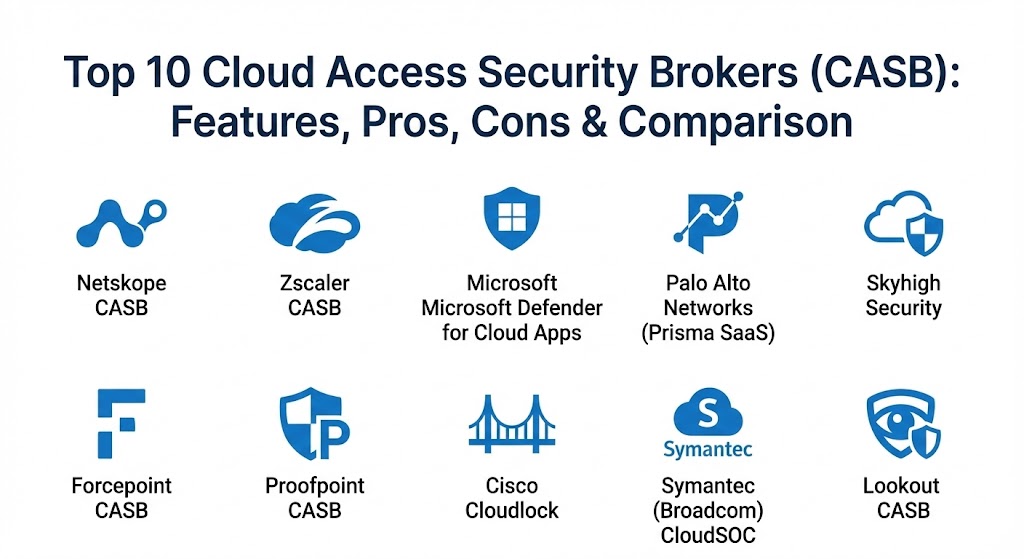
Top 10 Cloud Access Security Brokers (CASB) Tools
1 — Netskope CASB
Netskope is widely considered a market leader in the CASB space, recognized for its “cloud-native” DNA and its massive global network, NewEdge. It provides granular visibility and real-time data and threat protection for any cloud service, including sanctioned and unsanctioned applications.
- Key features:
- Next-Gen SWG Integration: Seamlessly combines CASB with web security.
- Granular Activity Control: Can differentiate between “personal” and “corporate” instances of an app (e.g., personal vs. work OneDrive).
- Advanced DLP: Features exact data matching (EDM) and optical character recognition (OCR) to find sensitive data in images.
- Shadow IT Discovery: Database of over 75,000 apps with detailed risk ratings.
- Zero Trust Engine: Real-time adaptive access based on user, device, and context.
- GenAI Governance: Specific controls for monitoring and blocking sensitive data sent to LLMs like ChatGPT.
- Pros:
- Market-leading visibility into thousands of unsanctioned applications.
- Exceptionally fast performance with minimal latency due to its private NewEdge network.
- Cons:
- Can be complex to configure for teams without deep security expertise.
- Pricing is generally at the premium end of the market.
- Security & compliance: SOC 2, ISO 27001, GDPR, HIPAA, FIPS 140-2, and FedRAMP High.
- Support & community: Excellent documentation and training via the Netskope Academy; 24/7 global enterprise support and a highly active user community.
2 — Zscaler CASB
Part of the broader Zscaler Zero Trust Exchange, Zscaler CASB offers a high-performance, proxy-based approach to cloud security. It is designed to work in tandem with Zscaler Internet Access (ZIA) to provide a unified platform for internet and cloud security.
- Key features:
- Direct-to-Cloud Architecture: Eliminates the need for hair-pinning traffic through a central data center.
- Automated Data Discovery: Scans SaaS and IaaS (S3 buckets, etc.) to find exposed sensitive data.
- In-Line Threat Protection: Real-time sandboxing and antivirus for cloud-bound traffic.
- UEBA Integration: Uses User and Entity Behavior Analytics to detect compromised accounts.
- Shadow IT Visibility: Comprehensive logging of all web and cloud traffic.
- Consistent Policy Enforcement: Identical policies for users whether they are on-network or remote.
- Pros:
- Seamless integration for organizations already using Zscaler for web security.
- Massive scalability, easily supporting hundreds of thousands of users.
- Cons:
- Some users find the interface for complex policy building to be less intuitive than competitors.
- Historically focused on inline proxy; its API-based “at-rest” scanning was added later and continues to evolve.
- Security & compliance: ISO 27001, SOC 2, HIPAA, GDPR, and FedRAMP.
- Support & community: Extensive partner network; robust support portal with a global reach and dedicated technical account managers for large accounts.
3 — Microsoft Defender for Cloud Apps
Formerly known as MCAS, this tool is the go-to choice for organizations heavily invested in the Microsoft ecosystem. It offers deep integration with Azure AD (Entra ID) and Microsoft 365.
- Key features:
- Native Microsoft 365 Integration: Seamlessly monitors and protects Outlook, SharePoint, and Teams.
- Conditional Access App Control: Real-time control of user sessions based on Entra ID policies.
- SSPM (SaaS Security Posture Management): Identifies misconfigurations in SaaS apps.
- App Governance: Analyzes OAuth-enabled apps that connect to your Microsoft environment.
- Cloud Discovery: Uses logs from firewalls and endpoints to map Shadow IT.
- Pros:
- Often “free” or lower cost as part of Microsoft 365 E5 licensing.
- One of the best tools for organizations that primarily use Microsoft services.
- Cons:
- Integration with non-Microsoft applications (like Salesforce or Google Workspace) is not as “deep” as specialized vendors.
- Managing it can be confusing as features are often split across multiple Microsoft portals.
- Security & compliance: FedRAMP, HIPAA, GDPR, SOC 2, and extensive Microsoft trust center certifications.
- Support & community: Massive online documentation; community forums (Tech Community); standard Microsoft enterprise support tiers.
4 — Palo Alto Networks (Prisma SaaS)
Prisma SaaS is part of the Prisma Access/SSE suite, providing a highly integrated security approach for organizations that already trust Palo Alto for their network security.
- Key features:
- ML-Powered Discovery: Uses machine learning to identify new and unknown cloud applications.
- DLP Consistency: Shared DLP engines across firewalls, SASE, and CASB.
- Automated Remediation: Can automatically revoke public sharing links if sensitive data is detected.
- WildFire Integration: Leverages Palo Alto’s world-class sandbox for cloud malware.
- Cloud-Native Architecture: Designed to scale without performance degradation.
- Pros:
- Unified management console for teams already using Palo Alto firewalls.
- Strong emphasis on automated threat prevention over simple detection.
- Cons:
- Can be one of the most expensive solutions once all modules are added.
- Setup and implementation often require professional services due to complexity.
- Security & compliance: SOC 2, ISO 27001, HIPAA, and GDPR.
- Support & community: High-quality professional support; very active “Live Community” forums and technical certifications.
5 — Skyhigh Security (formerly McAfee)
Skyhigh Security is a veteran in the CASB market, often credited with inventing the category. It remains a powerful contender for large enterprises requiring complex data protection rules.
- Key features:
- Multi-Mode Coverage: Supports forward proxy, reverse proxy, and API-based deployment.
- Unified DLP: One of the most mature DLP engines in the market, capable of handling very complex patterns.
- Cloud Registry: A massive database of cloud services with 50+ attributes each to assess risk.
- Structured Data Encryption: Can encrypt specific fields within cloud apps (e.g., encrypting the “SSN” field in Salesforce).
- Device-Based Control: Granular policies based on whether a device is managed or unmanaged.
- Pros:
- Exceptional depth in data encryption and tokenization features.
- Mature analytics that provide high-fidelity alerts with low false positives.
- Cons:
- The UI can feel dated compared to newer “start-up” style interfaces.
- Customer support responsiveness has been a common point of feedback during vendor transitions.
- Security & compliance: SOC 2, ISO 27001, HIPAA, GDPR, and FedRAMP.
- Support & community: Comprehensive documentation; standard enterprise support and a long-standing user base.
6 — Forcepoint CASB
Forcepoint CASB focuses on “risk-adaptive” security, meaning its policies change based on the behavior of the user in real-time.
- Key features:
- Risk-Adaptive Protection: Automatically increases security if a user starts exhibiting “risky” behaviors.
- Fingerprinting: Can protect highly specific documents via fingerprinting techniques.
- Zero-Day Discovery: Uses real-time traffic analysis to find new apps.
- Unified Console: Manages CASB alongside Forcepoint’s market-leading DLP on-prem.
- Mobile App Support: Extends security to mobile devices via specific connectors.
- Pros:
- Behavioral focus helps prevent insider threats before data is exfiltrated.
- Great for companies that already use Forcepoint for on-prem data security.
- Cons:
- Smaller application database compared to Netskope or Zscaler.
- Integration with third-party IDPs can sometimes be tricky.
- Security & compliance: SOC 2, ISO 27001, GDPR, and HIPAA.
- Support & community: Good technical documentation; standard enterprise support via phone and web.
7 — Proofpoint CASB
Proofpoint takes a “people-centric” approach to CASB, focusing on protecting Very Attacked People (VAPs) within the organization.
- Key features:
- Identity Integration: Correlates email threats with cloud activity to find compromised accounts.
- Browser Isolation: Can render risky cloud apps in an isolated environment to prevent malware.
- Sensitive Data Discovery: Scans cloud repositories for PII, PCI, and PHI.
- O365 Hardening: Specific tools for securing Microsoft 365 against account takeovers.
- Visual Timelines: Shows an analyst exactly what a user did before and after an alert.
- Pros:
- Excellent for organizations where email and cloud threats are deeply linked.
- The user-friendly interface is built for SOC analysts, making investigations fast.
- Cons:
- Not as “all-purpose” for Shadow IT discovery as some web-centric CASBs.
- Cloud app coverage is smaller than the top-tier competitors.
- Security & compliance: SOC 2, ISO 27001, HIPAA, and GDPR.
- Support & community: Strong customer success program; active user community and regular threat reports.
8 — Cisco Cloudlock
Cloudlock is Cisco’s API-based CASB solution, known for being incredibly lightweight and easy to deploy.
- Key features:
- API-Only Approach: No proxies needed, meaning no impact on user experience or latency.
- Community-Based Risk Scores: Uses data from millions of users to rank app risk.
- DLP and Compliance: Out-of-the-box policies for major regulations.
- Shadow IT Visibility: Connects to Cisco Umbrella or firewalls for log data.
- App Discovery: Identifies third-party apps connected to your main SaaS platforms via OAuth.
- Pros:
- Simplest deployment in this list; can be “up and running” in minutes.
- No latency issues since it doesn’t sit in the traffic path.
- Cons:
- Because it is API-only, it cannot do “real-time” blocking of activities (only after-the-fact remediation).
- Feature depth is significantly lower than multi-mode tools like Netskope.
- Security & compliance: SOC 2, ISO 27001, HIPAA, and GDPR.
- Support & community: Backed by Cisco’s global support infrastructure; vast online knowledge base.
9 — Symantec (Broadcom) CloudSOC
Symantec’s CASB is a mature enterprise solution that integrates deeply with the rest of the Broadcom security portfolio.
- Key features:
- Deep DLP Integration: Leverages Symantec’s industry-leading on-prem DLP policies.
- Visual Audit Trails: High-definition logs for every user action in the cloud.
- ThreatScore: Assigns a risk level to every user based on their behavior.
- Gatelet Architecture: Provides real-time control for specific sanctioned apps.
- Multi-Cloud Support: Strong visibility across AWS, Azure, and Google Cloud.
- Pros:
- The premier choice for long-time Symantec customers who want a single DLP policy across everything.
- Very powerful reporting for compliance audits.
- Cons:
- Can feel very cumbersome and “heavy” compared to modern, cloud-native tools.
- Future innovation concerns have been raised since the Broadcom acquisition.
- Security & compliance: SOC 2, ISO 27001, HIPAA, and GDPR.
- Support & community: Vast partner network; broad technical documentation, though support response can be tiered.
10 — Lookout CASB (formerly Bitglass)
Lookout acquired Bitglass to provide a total “endpoint-to-cloud” security solution, specializing in protecting data on unmanaged devices (BYOD).
- Key features:
- Agentless AJAX Proxy: Provides real-time protection for BYOD without needing an app on the phone.
- Zero-Day Shadow IT: Automatically categorizes apps as they are accessed.
- Data Redaction: Can redact sensitive data (like credit card numbers) from a screen in real-time.
- Watermarking: Automatically adds invisible watermarks to downloaded documents.
- Identity Integration: Works seamlessly with Okta, Ping, and other IDPs.
- Pros:
- The undisputed leader for securing unmanaged personal devices (BYOD).
- Very strong privacy features for global organizations.
- Cons:
- The interface can be technically demanding for new admins.
- Threat intelligence database is not as large as Zscaler or Palo Alto.
- Security & compliance: SOC 2, ISO 27001, HIPAA, and GDPR.
- Support & community: Responsive customer support; good documentation for technical users.
Comparison Table
| Tool Name | Best For | Platform(s) Supported | Standout Feature | Rating (Gartner) |
| Netskope | Multi-cloud Enterprises | Web, SaaS, IaaS, iOS/Android | Granular Activity Control | 4.7 / 5 |
| Zscaler | High-performance SSE | Web, SaaS, PaaS | Inline Threat Prevention | 4.6 / 5 |
| MS Defender | Microsoft 365 Users | M365, Azure, limited 3rd party | Native Entra ID Integration | 4.4 / 5 |
| Palo Alto | Network-heavy security | SaaS, IaaS, Firewall integration | ML-powered App Discovery | 4.5 / 5 |
| Skyhigh Security | Complex Data Protection | SaaS, IaaS, BYOD | Field-level Encryption | 4.4 / 5 |
| Forcepoint | Behavior-based security | SaaS, Web | Risk-Adaptive Policies | 4.3 / 5 |
| Proofpoint | Identity-centric security | M365, Google, Slack | People-Centric Risk Scoring | 4.5 / 5 |
| Cisco Cloudlock | Quick API Deployment | SaaS | 100% API-Based (No Latency) | 4.2 / 5 |
| Symantec | Symantec DLP Users | SaaS, IaaS | Unified On-prem/Cloud DLP | 4.1 / 5 |
| Lookout | BYOD & Unmanaged Devices | SaaS, IaaS, BYOD | Agentless Real-time Proxy | 4.5 / 5 |
Evaluation & Scoring of CASB Tools
The following table breaks down how the leading CASB tools are generally scored based on 2026 industry requirements.
| Category | Weight | Evaluation Criteria |
| Core Features | 25% | Multi-mode (API/Proxy), DLP depth, Shadow IT database size, GenAI controls. |
| Ease of Use | 15% | Administrative UI intuitive, deployment speed, and “Policy-as-Code” capabilities. |
| Integrations | 15% | Strength of API ecosystem, native IDP support (Okta/Azure), and SIEM integration. |
| Security & Compliance | 10% | Number of compliance certifications, forensic log detail, and audit readiness. |
| Performance | 10% | Global PoP latency (SLA), impact on user experience, and tunneling stability. |
| Support | 10% | Quality of documentation, speed of support, and community engagement. |
| Price / Value | 15% | Licensing transparency, bundled value (SASE), and long-term TCO. |
Which CASB Tool Is Right for You?
Solo Users vs SMB vs Mid-Market vs Enterprise
- Solo Users: Generally do not need a CASB. Use native MFA and built-in cloud security settings.
- SMBs: Prioritize ease of use. Cisco Cloudlock or Microsoft Defender (if already paying for M365) are excellent choices that don’t require a full-time security engineer.
- Mid-Market: Look for a balance of visibility and cost. Lookout or Forcepoint offer great feature sets without the extreme price tag of the top tier.
- Enterprise: You need the “full stack.” Netskope, Zscaler, or Palo Alto are the only tools capable of governing global, multi-cloud data flows at scale.
Budget-Conscious vs Premium Solutions
- Budget-Conscious: If you already have a Microsoft 365 license, maximizing Microsoft Defender for Cloud Apps is the smartest move.
- Premium: If data protection is your #1 priority, Netskope and Skyhigh Security offer the most advanced DLP engines that are well worth the investment.
Feature Depth vs Ease of Use
- Ease of Use: Cisco Cloudlock is the clear winner for its API-only simplicity.
- Feature Depth: Netskope and Symantec offer the most “knobs and dials” for teams that want to customize every single aspect of their cloud security.
Security and Compliance Requirements
- Regulatory Focus: Organizations in finance or healthcare should look at Skyhigh Security or Proofpoint, which offer the best out-of-the-box templates for HIPAA, PCI DSS, and GDPR.
Frequently Asked Questions (FAQs)
1. What is the difference between CASB and a Secure Web Gateway (SWG)?
An SWG protects a user’s web browsing activity (stopping them from visiting malicious sites), whereas a CASB protects the data inside cloud applications (stopping a user from uploading sensitive files to a personal Slack).
2. Can a CASB see what I’m doing in my personal Gmail?
Only if you are on a corporate device or using a corporate network. A CASB is designed to distinguish between corporate and personal cloud “instances” to maintain privacy while ensuring data security.
3. Does a CASB slow down my internet connection?
A proxy-based CASB can add a small amount of latency (typically 15-50ms). However, market leaders like Netskope and Zscaler have optimized global networks that often make the connection feel faster by routing traffic more efficiently.
4. What is Shadow IT?
Shadow IT refers to any cloud application or service used by an employee without the knowledge or approval of the IT department (e.g., an employee using a free PDF converter website).
5. Do I need a CASB if I use Microsoft 365?
While Microsoft has good native security, a CASB provides much deeper visibility into what happens after the user logs in, and it can protect your data as it moves between Microsoft and non-Microsoft apps.
6. Can a CASB protect against ransomware?
Yes. Modern CASBs can detect the rapid encryption of files in a cloud folder and automatically isolate the account to stop the spread of ransomware.
7. Is an API-based CASB better than a Proxy-based one?
Neither is “better.” API is great for scanning data “at rest” and has zero latency. Proxy is essential for “real-time” blocking of data “in motion.” Most top tools now offer “multi-mode” (both).
8. How does a CASB handle Generative AI (GenAI)?
By 2026, top CASBs can inspect prompts sent to tools like ChatGPT in real-time. They can redact sensitive information (like API keys or customer names) before the prompt ever reaches the AI service.
9. Can a CASB manage BYOD (Bring Your Own Device)?
Yes, solutions like Lookout use a “reverse proxy” to secure corporate cloud apps when accessed from a personal phone, without needing to install any software on the phone itself.
10. How much does a CASB cost?
Pricing is usually “per user, per year.” For mid-to-large enterprises, expect to pay between $20 and $60 per user per year depending on the number of features and the volume of traffic.
Conclusion
As cloud adoption reaches its peak in 2026, the CASB has transformed from a “nice-to-have” visibility tool into an essential “must-have” security gatekeeper. Whether you are aiming to shut down Shadow IT, protect sensitive customer data, or secure the use of Generative AI, there is a solution on this list tailored to your needs.
When choosing, remember that the “best” tool isn’t necessarily the one with the most features, but the one that fits seamlessly into your existing workflow without hindering the productivity of your employees. Start with a clear assessment of your high-risk data and your most used apps, and the right choice will become clear.