Introduction
CI/CD stands for Continuous Integration and Continuous Delivery (or Deployment). Essentially, these tools act as an automated assembly line for software. Continuous Integration ensures that code changes from multiple developers are frequently merged and tested to catch bugs early. Continuous Delivery takes it a step further, automating the release process so that software can be deployed to production at any time with the click of a button.
The importance of CI/CD tools lies in their ability to reduce “deployment anxiety” and human error. Instead of huge, risky monthly releases, teams can push small, verified updates multiple times a day. Key real-world use cases include automated mobile app updates, scaling microservices on Kubernetes, and ensuring security compliance through automated vulnerability scanning before code even reaches a server. When choosing a tool in 2026, you should look for cloud-native scalability, GitOps compatibility, AI-driven anomaly detection, and ease of integration with your existing tech stack.
Best for: DevOps engineers, site reliability engineers (SREs), and software development teams in mid-to-large enterprises or high-growth startups. Industries like Fintech, E-commerce, and SaaS benefit most from the high-velocity deployments these tools enable.
Not ideal for: Solo hobbyists working on small, static websites or legacy organizations where software changes occur only once or twice a year. In these cases, the overhead of setting up and maintaining a complex CI/CD pipeline may outweigh the time-saving benefits.
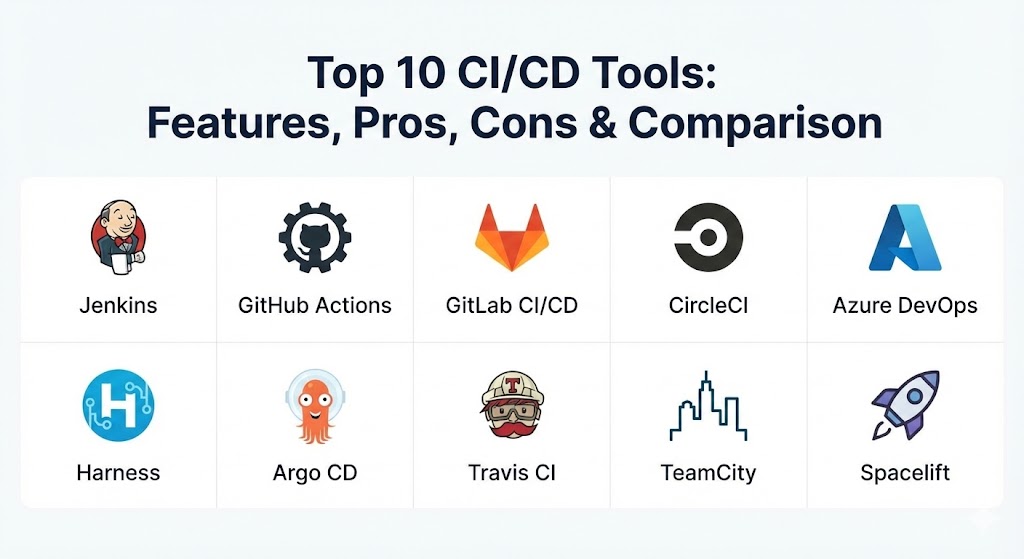
Top 10 CI/CD Tools
1 — Jenkins
Jenkins remains the venerable “grandfather” of the CI/CD world. As an open-source automation server, it offers nearly infinite flexibility through a massive ecosystem of over 1,800 plugins. It is the go-to choice for organizations that need absolute control over their build environment.
- Key features:
- Over 1,800 plugins for integrating with almost any tool in the DevOps lifecycle.
- Pipeline-as-Code support using Groovy-based “Jenkinsfiles.”
- Distributed build architecture using a master-agent model.
- Support for both declarative and scripted pipeline syntaxes.
- Deep integration with Docker and Kubernetes via specialized plugins.
- Extensive automation and scheduling capabilities.
- Pros:
- Completely free and open-source with no licensing fees.
- The most customizable tool on the market; if you can imagine it, Jenkins can do it.
- Cons:
- High “maintenance tax”—requires dedicated staff to manage updates and plugin dependencies.
- The UI feels dated compared to modern, cloud-native alternatives.
- Security & compliance: Supports SSO, RBAC (Role-Based Access Control), and detailed audit logs. Compliance is highly dependent on how the administrator configures the server and its plugins.
- Support & community: Boasts the largest community in the CI/CD space; however, official enterprise support is only available through third-party vendors like CloudBees.
2 — GitHub Actions
GitHub Actions has rapidly become a market leader by bringing CI/CD directly into the world’s most popular version control platform. It allows teams to automate workflows based on any GitHub event, such as a pull request or an issue creation.
- Key features:
- Native integration within GitHub repositories, requiring zero external setup.
- YAML-based workflow definitions that are easy to read and version control.
- Community marketplace with thousands of pre-built “Actions” for common tasks.
- Matrix builds for testing across multiple operating systems and versions simultaneously.
- Support for both GitHub-hosted and self-hosted runners.
- Integrated secrets management for secure deployment credentials.
- Pros:
- Seamless developer experience; no need to jump between different web consoles.
- Extremely fast setup for projects already hosted on GitHub.
- Cons:
- Can become expensive at scale due to per-minute pricing models.
- Less flexible for complex, multi-repo orchestration compared to Jenkins.
- Security & compliance: SOC 2, GDPR, and HIPAA compliant. Includes “Secret Scanning” and “Push Protection” to prevent credential leaks.
- Support & community: High-quality documentation and a massive community of developers sharing reusable workflows.
3 — GitLab CI/CD
GitLab provides an all-in-one DevSecOps platform that eliminates “tool sprawl.” Its built-in CI/CD is tightly integrated with its repository management, issue tracking, and security scanning features.
- Key features:
- “Auto DevOps” which automatically configures pipelines based on best practices.
- Built-in Container Registry and Kubernetes integration.
- Integrated SAST (Static Analysis) and DAST (Dynamic Analysis) security testing.
- Support for GitOps-style deployments and environment management.
- Visual pipeline graph for monitoring complex multi-stage workflows.
- Review Apps which provide a live preview of changes in a temporary environment.
- Pros:
- Single “pane of glass” for the entire software development lifecycle.
- Excellent for organizations that want a unified platform for code, CI, and security.
- Cons:
- The sheer breadth of features can make the interface feel cluttered and overwhelming.
- Self-hosted instances require significant server resources to run smoothly.
- Security & compliance: ISO 27001, SOC 2, and HIPAA compliant. Features robust compliance frameworks and audit events.
- Support & community: Strong enterprise support and a very active community; documentation is considered some of the best in the industry.
4 — CircleCI
CircleCI is built for speed and performance. It is a cloud-native platform that focuses on providing the fastest possible feedback loops for developers through intelligent caching and massive parallelism.
- Key features:
- Advanced Docker layer caching to speed up container builds.
- “Orbs”—reusable snippets of configuration to simplify pipeline setup.
- Native support for parallel execution to slash testing times.
- GPU support for specialized AI/ML build workloads.
- Insights dashboard to track pipeline health, duration, and success rates.
- Support for Linux, macOS, Windows, and ARM architectures.
- Pros:
- Known for being one of the fastest cloud CI/CD platforms available.
- Clean, developer-focused user interface that is easy to navigate.
- Cons:
- Pricing scales quickly with the number of parallel jobs and build minutes used.
- Limited options for purely on-premise deployments compared to cloud.
- Security & compliance: SOC 2 Type II and FedRAMP certified. Includes OIDC for secure cloud provider authentication.
- Support & community: Offers excellent documentation and responsive premium support for enterprise customers.
5 — Azure DevOps
Microsoft’s Azure DevOps is an end-to-end suite that is particularly powerful for enterprises standardized on the Microsoft ecosystem. Azure Pipelines, the CI/CD component, works across any cloud or platform.
- Key features:
- Seamless integration with Azure Repos, Boards, and Artifacts.
- Support for both YAML and a visual “Classic” pipeline designer.
- Deep integration with Azure Kubernetes Service (AKS) and App Service.
- Multi-stage release pipelines with manual approval gates.
- Hosted agents for Windows, macOS, and Linux.
- Support for hybrid cloud and on-premise build environments.
- Pros:
- The logical choice for enterprises already invested in Azure and Active Directory.
- Very robust and reliable with strong enterprise-grade governance.
- Cons:
- The interface can be complex and “heavy” for smaller, agile teams.
- Outside of the Microsoft stack, it can feel less intuitive than GitHub Actions.
- Security & compliance: ISO 27001, SOC 2, and GDPR compliant. Integrates natively with Azure Active Directory (Entra ID).
- Support & community: Backed by Microsoft’s global support network; extensive enterprise-focused documentation.
6 — Harness
Harness is an AI-native CI/CD platform that focuses on “Continuous Delivery as a Service.” It uses machine learning to automate the most difficult parts of deployment, such as canary releases and rollbacks.
- Key features:
- AI-driven “Continuous Verification” to detect anomalies after a deployment.
- Automated rollbacks if the AI detects performance degradation or errors.
- Built-in Cloud Cost Management to track and reduce wasted cloud spend.
- Integrated Feature Flags for controlled feature rollouts.
- Chaos Engineering module to test the resilience of your systems.
- Policy-as-Code using Open Policy Agent (OPA) for governance.
- Pros:
- Drastically reduces the manual effort required for safe, complex deployments.
- The AI features provide a unique safety net that other tools lack.
- Cons:
- Higher price point targeted at enterprises; might be overkill for simple apps.
- Steeper learning curve to master the AI-driven automation logic.
- Security & compliance: SOC 2 Type II and ISO 27001 compliant. Features “Secret Management” and fine-grained RBAC.
- Support & community: High-touch enterprise support with dedicated customer success managers.
7 — Argo CD
Argo CD is the leading GitOps tool for Kubernetes. Unlike traditional CI/CD tools, it focuses specifically on the CD (Continuous Delivery) part, ensuring that the state of your Kubernetes cluster always matches what is in your Git repository.
- Key features:
- Declarative, GitOps-based deployment for Kubernetes manifests.
- Automated “Drift Detection” and remediation to keep environments in sync.
- Multi-cluster management from a single web UI.
- Support for Helm, Kustomize, and raw YAML manifests.
- Built-in “Health Checks” to monitor the status of deployed applications.
- Integration with SSO providers for secure cluster access.
- Pros:
- The gold standard for teams practicing GitOps on Kubernetes.
- Provides incredible visibility into the “actual” state of your cloud infrastructure.
- Cons:
- Not a full CI tool; you still need another tool (like Jenkins or GitHub Actions) for builds.
- Requires a solid understanding of Kubernetes to be used effectively.
- Security & compliance: SOC 2 and GDPR compliant. Leverages Kubernetes’ native security and RBAC.
- Support & community: Rapidly growing community as a CNCF graduated project; excellent open-source documentation.
8 — Travis CI
Travis CI was one of the first “CI as a Service” platforms. While it has faced stiff competition, it remains a popular choice for open-source projects due to its simplicity and long-standing reputation.
- Key features:
- Simple
.travis.ymlconfiguration file for defining builds. - Automated build triggers for every commit and pull request.
- Support for over 30 programming languages out of the box.
- Multi-environment testing across Linux, macOS, and Windows.
- Seamless integration with GitHub, GitLab, and Bitbucket.
- Clean, minimalist web interface for tracking build status.
- Simple
- Pros:
- Very straightforward and easy to set up for smaller projects.
- A “classic” choice with a proven track record in the open-source community.
- Cons:
- Lacks the advanced “Enterprise” features found in tools like Harness or GitLab.
- Scaling for very large, complex pipelines can be more difficult.
- Security & compliance: Varies by plan; supports private repo testing and secure environment variables.
- Support & community: Good documentation and a helpful community forum; email-based support for paid users.
9 — TeamCity
Developed by JetBrains, TeamCity is a powerful “intelligent” CI/CD server. It is known for its deep integration with IDEs and its ability to provide very detailed feedback on test failures and code quality.
- Key features:
- “Pre-tested commits” to prevent broken code from ever entering the main branch.
- Visual “Build Chain” editor for managing complex dependencies between jobs.
- Detailed reporting on test trends, durations, and “flaky” tests.
- On-the-fly build progress reporting.
- Integrated “VCS Root” management for handling multiple repositories.
- Native support for JetBrains IDEs like IntelliJ IDEA.
- Pros:
- The most “polished” and feature-rich self-hosted CI/CD server available.
- Excellent for large teams that need high-quality reporting and build management.
- Cons:
- The licensing can be complex and expensive for large-scale deployments.
- Not as “cloud-native” in its core architecture as newer tools like CircleCI.
- Security & compliance: SOC 2 compliant. Features extensive audit logs and per-project security settings.
- Support & community: Professional enterprise support from JetBrains; highly technical community.
10 — Spacelift
Spacelift is a specialized CI/CD platform built specifically for Infrastructure as Code (IaC). It manages Terraform, CloudFormation, Pulumi, and Kubernetes workflows with a focus on governance and security.
- Key features:
- Policy-as-Code using Open Policy Agent (OPA) for granular cloud permissions.
- Automated drift detection to catch manual changes in your cloud accounts.
- “Stack Dependencies” for passing outputs between different infra components.
- Blueprints for creating self-service infrastructure for developers.
- Integrated secrets management and private worker support.
- Visual visualization of all deployed cloud resources.
- Pros:
- The absolute best tool for managing complex cloud infrastructure at scale.
- Bridges the gap between “DevOps” and “Platform Engineering.”
- Cons:
- Highly specialized for IaC; not intended for building application code.
- Pricing is based on “active stacks,” which requires careful management.
- Security & compliance: SOC 2 Type II and ISO 27001 compliant. Features a full audit trail of every infra change.
- Support & community: Growing community of IaC experts; responsive technical support team.
Comparison Table
| Tool Name | Best For | Platform(s) Supported | Standout Feature | Rating (Gartner) |
| Jenkins | Customization | Win, Linux, Mac | 1,800+ Plugins | 4.4 / 5 |
| GitHub Actions | GitHub Users | SaaS, Self-hosted | Native Integration | 4.5 / 5 |
| GitLab CI/CD | All-in-one platform | SaaS, Self-hosted | Auto DevOps | 4.5 / 5 |
| CircleCI | Cloud Speed | SaaS, Hybrid | Parallelization | 4.4 / 5 |
| Azure DevOps | Microsoft Stack | SaaS, On-prem | Enterprise Governance | 4.4 / 5 |
| Harness | AI-Driven CD | SaaS, On-prem | AI Verification | 4.6 / 5 |
| Argo CD | GitOps / K8s | Kubernetes | Sync & Drift Remediation | N/A |
| Travis CI | Open Source | SaaS | Simplicity | 4.2 / 5 |
| TeamCity | Build Management | On-prem, Cloud | Pre-tested Commits | 4.3 / 5 |
| Spacelift | Infrastructure IaC | SaaS, Hybrid | Policy-as-Code (OPA) | N/A |
Evaluation & Scoring of CI/CD Tools
When selecting a tool, it’s important to look at more than just a list of features. We’ve evaluated these tools using a weighted rubric that considers the real-world priorities of modern DevOps teams.
| Criteria | Weight | Evaluation Focus |
| Core Features | 25% | Pipeline orchestration, build triggers, and deployment logic. |
| Ease of Use | 15% | UX/UI clarity, YAML readability, and configuration speed. |
| Integrations | 15% | Marketplace depth and compatibility with cloud/test tools. |
| Security | 10% | Secrets management, RBAC, and compliance certifications. |
| Reliability | 10% | Uptime of hosted services and stability of build agents. |
| Support | 10% | Documentation quality and community/enterprise help. |
| Value / Price | 15% | Cost-to-feature ratio and free tier availability. |
Which CI/CD Tool Is Right for You?
Choosing the right tool is a strategic decision that depends on your company’s size, budget, and existing technology.
- Solo Users: If you just want to automate a side project, GitHub Actions or Travis CI are the best starting points due to their simplicity and generous free tiers.
- SMBs: GitLab CI/CD or GitHub Actions are perfect for small-to-medium teams. They provide “everything in one place,” which reduces the time spent managing different logins and integrations.
- Mid-Market: If you are a fast-growing company deploying containerized microservices, CircleCI offers the speed and performance insights you need to keep your developers productive.
- Enterprise: Large organizations with complex legacy and cloud workloads should look at Azure DevOps, Jenkins, or Harness. These tools offer the “guardrails” and governance required for compliance at scale.
- Infrastructure-First Teams: If your primary job is managing cloud resources via Terraform or Pulumi, Spacelift is the specialized engine you need.
Frequently Asked Questions (FAQs)
1. What is the difference between CI and CD?
CI (Continuous Integration) is the practice of merging and testing code frequently. CD can mean Continuous Delivery (keeping code deployable at all times) or Continuous Deployment (automatically pushing code to production as soon as it passes tests).
2. Is Jenkins still relevant in 2026?
Yes. While newer tools are easier to use, Jenkins is still the only tool that offers 100% control and customization. It is widely used in large enterprises with complex, non-standard build requirements.
3. Do I need a CI/CD tool for a small team?
Absolutely. Even a team of two benefits from automated testing. It prevents “it works on my machine” syndrome and ensures that the main branch is always healthy.
4. Are cloud-based CI/CD tools secure?
Yes, most top-tier tools like GitHub Actions and CircleCI are SOC 2 and ISO 27001 certified. They use isolated “runners” for every build and offer advanced secrets management to keep your credentials safe.
5. What is GitOps?
GitOps is a practice where your Git repository is the “source of truth” for your infrastructure. Tools like Argo CD watch your Git repo and automatically update your cloud environment to match what is written in the code.
6. Can CI/CD tools help reduce bugs?
Indirectly, yes. By running automated tests on every single code change, CI/CD tools catch errors immediately before they can accumulate and become much harder (and more expensive) to fix later.
7. Is CI/CD expensive?
It can be, but most tools offer a free tier. The cost is usually a trade-off: you pay for build minutes or parallel jobs to save your developers’ time. For many companies, the productivity gain far outweighs the software cost.
8. Can I use multiple CI/CD tools together?
Yes, this is very common. For example, a team might use GitHub Actions for their CI (building and testing) and Argo CD or Harness for their CD (complex deployment and verification).
9. What is YAML and why is it used in CI/CD?
YAML is a human-readable data format used to configure pipelines. It is popular because it allows you to store your “pipeline-as-code” alongside your actual software in a Git repository.
10. How do I start implementing CI/CD?
Start small. Automate your unit tests first. Once that is working, add automated builds. Finally, look into automated deployments to a staging environment before moving to production.
Conclusion
In 2026, the CI/CD market is more diverse than ever. If you want a platform that does everything for you, GitLab is a powerhouse. If you want the fastest feedback loops possible, CircleCI is your speed demon. And if you are navigating a complex enterprise landscape with legacy systems, Jenkins and Harness remain the standard-bearers.
The “best” tool is the one that fits your team’s current skills and your future goals. Don’t choose a tool just because it’s popular; choose the one that removes the most friction from your developers’ lives. When your assembly line is automated and reliable, your team can stop worrying about “the build” and start focusing on innovation.