Introduction
Child safety monitoring apps are comprehensive software solutions that allow parents to track location, monitor social media activity, filter web content, and manage screen time across various devices. These tools are no longer just about “blocking” websites; modern versions use sophisticated Artificial Intelligence (AI) to detect signs of depression, self-harm, or predatory behavior in text messages and images.
The importance of these tools lies in their ability to facilitate open conversations between parents and children. By providing data-driven insights, parents can address specific issues—like an uptick in late-night browsing or a suspicious contact—rather than resorting to vague prohibitions. Key real-world use cases include tracking a child’s location as they walk home from school, preventing access to adult content on a shared family tablet, and setting “bedtime” locks on apps to ensure a healthy sleep schedule. When evaluating these tools, users should look for cross-platform compatibility, the accuracy of AI-driven alerts, ease of installation, and—most importantly—how the app handles the child’s data privacy.
Best for: Parents and legal guardians of children aged 5 to 17, particularly those in the “pre-teen” and early teen stages where independent device use increases. It is also beneficial for schools or organizations managing student devices to ensure a focused learning environment.
Not ideal for: Parents who prefer a completely “tech-free” household or those who believe in zero digital intervention. These tools are also not designed for monitoring adults, as doing so without consent may violate privacy laws and ethical standards.
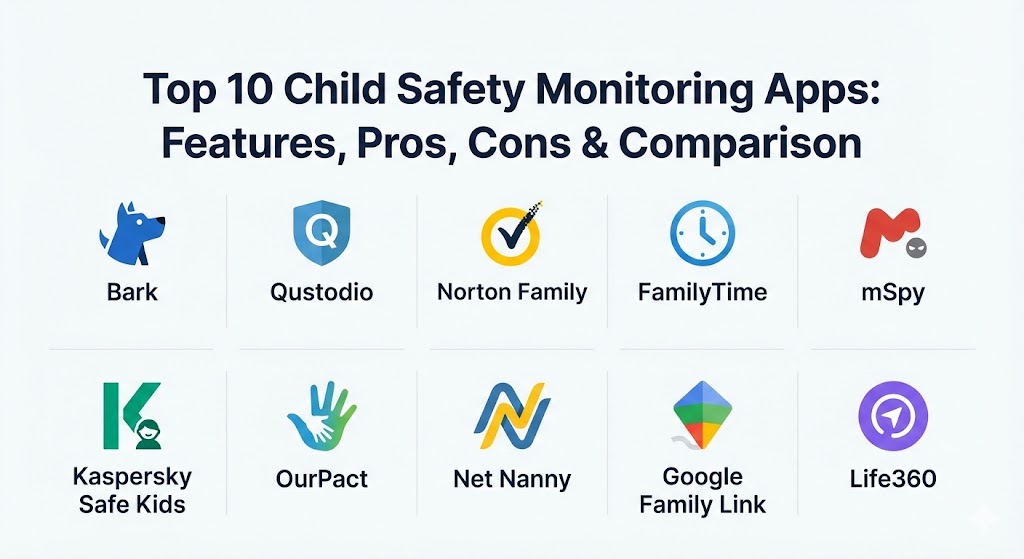
Top 10 Child Safety Monitoring Apps
1 — Bark
Bark is widely recognized as the gold standard for AI-based monitoring. Unlike tools that show parents every single message, Bark works in the background and only alerts parents when it detects potential issues like cyberbullying, online predators, or suicidal ideation.
- Key features:
- AI-driven monitoring of 30+ social media platforms and email providers.
- Detection of self-harm, violence, and predatory language in texts.
- Screen time management and website filtering.
- Location sharing and “check-in” notifications.
- Parental alerts sent via text and email.
- Detailed insights into a child’s digital “mood” and activity trends.
- Pros:
- Respects child privacy by only showing problematic content rather than every conversation.
- Monitors a vast range of social media platforms compared to competitors.
- Cons:
- Installation can be complex on iOS devices compared to Android.
- Does not offer real-time “live” screen viewing.
- Security & compliance: Uses SSL encryption for all data transfers; SOC 2 compliant; follows GDPR and COPPA (Children’s Online Privacy Protection Act) guidelines.
- Support & community: High-quality documentation; responsive email support; active “Parenting in a Tech World” Facebook community.
2 — Qustodio
Qustodio is a comprehensive parental control app that provides deep visibility and granular control over almost every aspect of a child’s device usage, from app blocking to call and SMS monitoring.
- Key features:
- Daily time limits and “restricted times” for specific apps.
- Real-time web filtering that works even in “Incognito” mode.
- Monitoring of YouTube searches and viewed videos.
- Call and SMS tracking (on Android devices).
- Panic Button (SOS) for children to send their location to parents.
- Cross-platform support for Windows, Mac, iOS, Android, and Kindle.
- Pros:
- The most intuitive and detailed dashboard for viewing daily usage statistics.
- Extremely reliable web filtering across different browsers.
- Cons:
- SMS and call monitoring are not available for iOS due to Apple’s restrictions.
- Can be one of the more expensive options for families with many devices.
- Security & compliance: GDPR compliant; uses AES-256 encryption; strict data retention policies to protect minor information.
- Support & community: Priority support for “Premium” users; extensive library of “Help Center” articles and setup guides.
3 — Norton Family
Norton Family leverages the security expertise of the Norton brand to offer a robust monitoring solution that focuses on helping children explore the web safely while maintaining a healthy balance with screen time.
- Key features:
- “School Time” mode to allow only educational sites during class hours.
- Detailed search supervision across major search engines.
- Video supervision to track what children are watching on YouTube and Hulu.
- Instant lock feature for parents to freeze all devices immediately.
- Weekly and monthly email reports for parents.
- Location tracking and geofencing (Favorite Locations).
- Pros:
- Excellent value as it supports an unlimited number of devices on most plans.
- Very effective at preventing kids from bypassing web filters.
- Cons:
- No social media monitoring features beyond basic web filtering.
- Mac computers are not supported.
- Security & compliance: ISO 27001 certified; GDPR and HIPAA compliant (where applicable); enterprise-grade security infrastructure.
- Support & community: 24/7 live chat support; large community forum; detailed video tutorials for onboarding.
4 — FamilyTime
FamilyTime is known for its speed and its specialized features for mobile-first families, including unique tools like speed limit alerts for teenage drivers and detailed app-level blocking.
- Key features:
- “Bedtime,” “Homework Time,” and “Dinner Time” pre-set locks.
- Geofencing with instant alerts for arrivals and departures.
- Teen speed limit alerts for vehicle safety.
- Watchlist for specific contacts to monitor suspicious communication.
- App usage limits and blocking for social media and games.
- Remote device lock and data wipe in case of theft.
- Pros:
- One of the few apps that effectively addresses teen driving safety alongside digital safety.
- Extremely fast real-time location updates.
- Cons:
- The interface can feel a bit cluttered for new users.
- Requires a separate subscription for each “child” profile on certain tiers.
- Security & compliance: SOC 2 compliant; end-to-end encryption for location data; GDPR and COPPA compliant.
- Support & community: 24/7 technical support; extensive FAQ; helpful blog with parenting advice.
5 — mSpy
mSpy is a “stealth-oriented” monitoring tool designed for parents who believe their child is in immediate danger and requires deep, non-intrusive visibility into their communications.
- Key features:
- Keylogger to see every stroke typed on the device.
- Viewing of deleted messages on WhatsApp, Snapchat, and Instagram.
- Access to the device’s photo and video gallery.
- Stealth mode (the app icon is hidden from the child).
- Screen recorder to capture live activity.
- Monitoring of browser history and bookmarks.
- Pros:
- Provides the deepest level of data access of any tool on this list.
- Can see content within “disappearing” message apps like Snapchat.
- Cons:
- Some features require “Rooting” (Android) or “Jailbreaking” (iOS), which voids warranties.
- Can be viewed as intrusive, potentially damaging trust between parent and child.
- Security & compliance: Varies / Uses high-level encryption for data storage; however, its stealth nature makes it subject to varying local legal regulations.
- Support & community: Dedicated installation assistance (mAssistance); 24/7 live chat; multilingual support.
6 — Kaspersky Safe Kids
Kaspersky Safe Kids is a budget-friendly but powerful tool that focuses heavily on web safety and healthy digital habits, offering one of the best free versions available.
- Key features:
- YouTube search history monitoring on both web and the official app.
- Battery tracker to alert parents when a child’s phone is about to die.
- Real-time GPS tracking and safe area alerts.
- Advice from top child psychologists built directly into the app.
- App usage limits and category-based web filtering.
- Management of YouTube and social media via a single dashboard.
- Pros:
- The battery monitoring feature is a simple but highly practical “peace of mind” tool.
- Very affordable compared to other premium AI-based tools.
- Cons:
- iOS functionality is significantly more limited than Android.
- The interface can be slightly slow to sync changes.
- Security & compliance: ISO 27001; GDPR compliant; utilizes Kaspersky’s global threat intelligence network.
- Support & community: Extensive knowledge base; forum support; email and ticket-based technical assistance.
7 — OurPact
OurPact is often cited as the best app for screen time management, featuring a clean, modern design and a focus on “schedules” and “allowances” rather than just constant monitoring.
- Key features:
- “App Rules” to set different permissions for different times of day.
- Screen Time Allowance that lets kids “spend” their allotted time.
- View screenshots of the child’s device in real-time (OurPact Premium+).
- One-tap manual block to pause all device activity instantly.
- Web filtering with a custom “Always Allowed” or “Always Blocked” list.
- Family locator with “Places” alerts.
- Pros:
- The “Allowance” feature teaches children time management and responsibility.
- Very easy-to-use interface for both parents and children.
- Cons:
- Does not monitor specific text message content or social media chats.
- Setting up the iOS management profile requires a computer connection.
- Security & compliance: GDPR and COPPA compliant; encrypted data transit; regular security audits.
- Support & community: Email support; comprehensive user guides; active blog focusing on digital wellness.
8 — Net Nanny
Net Nanny is a pioneer in the industry, focusing on world-class web filtering technology that uses real-time context analysis to categorize websites rather than just relying on pre-built lists.
- Key features:
- Real-time content filtering that can “mask” profanity on web pages.
- Detailed alerts for pornography, weapons, suicide, and drugs.
- App blocking and screen time scheduling.
- Search engine supervision (Safe Search).
- Location tracking with historical data.
- A “Family Feed” that gives a chronological view of digital activity.
- Pros:
- The context-based filtering is the best in the market, preventing kids from finding “loopholes.”
- Alerts are very descriptive, helping parents understand the severity of the issue.
- Cons:
- Lacks deep social media monitoring (it only filters the web versions).
- Can be more expensive for families with fewer than 5 devices.
- Security & compliance: GDPR compliant; SSL/TLS encryption for all traffic; no data sold to third parties.
- Support & community: Live chat support during business hours; extensive educational resources for parents.
9 — Google Family Link
Google Family Link is the go-to free option for families primarily using Android devices and Google services. It integrates directly into the operating system for a seamless experience.
- Key features:
- Approve or block app downloads from the Google Play Store.
- Set daily limits and “Bedtime” for Android and ChromeOS devices.
- Monitor “Teacher-recommended” apps for educational use.
- View the child’s device location on a map.
- Remotely lock the device or ring it if it’s lost.
- Manage Google Account settings (Search, YouTube, Chrome filters).
- Pros:
- Completely free with no subscription fees.
- Being native to Android, it is very difficult for children to “hack” or disable.
- Cons:
- Extremely limited functionality for monitoring iPhones.
- No advanced AI monitoring for social media chats or text messages.
- Security & compliance: Built on Google’s secure infrastructure; GDPR and COPPA compliant; advanced multi-factor authentication.
- Support & community: Standard Google Support help articles; community-led forums; no dedicated live support.
10 — Life360
Life360 is unique on this list because it focuses almost entirely on physical safety and location coordination, making it essential for families with active teenagers and new drivers.
- Key features:
- Real-time location sharing with a highly accurate family map.
- Driving safety reports (speeding, rapid acceleration, phone usage while driving).
- Crash detection with emergency dispatch (Gold/Platinum tiers).
- “Bubbles” feature that allows for privacy while still sharing general location.
- Digital safety features like data breach monitoring (via Tile integration).
- SOS alerts with 24/7 emergency dispatch.
- Pros:
- The absolute best tool for physical safety and location tracking.
- Provides 24/7 roadside assistance on higher-tier plans.
- Cons:
- No web filtering or app-blocking capabilities.
- Can be heavy on the child’s phone battery due to constant GPS usage.
- Security & compliance: GDPR compliant; SOC 2 Type II; uses obfuscation for location history after a set period.
- Support & community: 24/7 emergency support for higher tiers; large user base with high ratings; active social media presence.
Comparison Table
| Tool Name | Best For | Platform(s) Supported | Standout Feature | Rating (TrueReviewnow) |
| Bark | AI Social Monitoring | iOS, Android, Web | AI Issue Detection | 4.7 / 5 |
| Qustodio | Total Device Control | iOS, Android, Win, Mac | Detailed Usage Dashboard | 4.6 / 5 |
| Norton Family | Budget Large Families | Windows, iOS, Android | Unlimited Devices | 4.4 / 5 |
| FamilyTime | Teen Driver Safety | iOS, Android | Speed Limit Alerts | 4.3 / 5 |
| mSpy | High-Risk Monitoring | iOS, Android | Keylogger & Stealth Mode | 4.5 / 5 |
| Kaspersky Safe Kids | Web Safety / Budget | iOS, Android, Win, Mac | Battery Tracker | 4.2 / 5 |
| OurPact | Screen Time Habits | iOS, Android | Screen Time Allowance | 4.6 / 5 |
| Net Nanny | Contextual Web Filter | iOS, Android, Win, Mac | Real-time Profanity Masking | 4.5 / 5 |
| Google Family Link | Android Families | Android, ChromeOS | Native OS Integration | 4.1 / 5 |
| Life360 | Location & Driving | iOS, Android | Emergency Crash Detection | 4.8 / 5 |
Evaluation & Scoring of Child Safety Monitoring Apps
To provide a fair assessment, we have evaluated these tools using a weighted scoring system that reflects the priorities of a modern parent.
| Category | Weight | Description |
| Core Features | 25% | Ability to monitor social media, filter web content, and track location. |
| Ease of Use | 15% | Intuitiveness of the dashboard and simplicity of the setup process. |
| Integrations | 15% | Compatibility with various devices and external apps (e.g., YouTube, TikTok). |
| Security & Compliance | 10% | Adherence to COPPA/GDPR and the use of robust data encryption. |
| Performance | 10% | Impact on battery life, sync speed, and overall app stability. |
| Support & Community | 10% | Quality of the knowledge base and the availability of live technical help. |
| Price / Value | 15% | Fairness of the pricing tiers relative to the features provided. |
Which Child Safety Monitoring App Is Right for You?
Choosing the right tool is a personal decision that depends on your child’s age, your specific concerns, and your budget.
- Solo Parents & Small Families: If you are monitoring 1-2 children on Android, Google Family Link is an unbeatable free starting point. For deeper insights without a huge cost, Kaspersky Safe Kids is a great next step.
- Large Families (5+ Devices): Norton Family offers the best value here, as it doesn’t penalize you for having many devices across the household.
- Parents of Teenagers: Teens need a balance of privacy and safety. Bark is ideal because it doesn’t show you every message—only the dangerous ones. Additionally, Life360 is essential for monitoring their safety behind the wheel.
- Parents of Young Children: For kids using tablets for games and YouTube, OurPact or Qustodio are excellent because they focus on app limits and stopping “screen time battles” before they start.
- High-Security Needs: If you have legitimate reasons to believe your child is being targeted or is in crisis, the deep data insights of mSpy or Net Nanny‘s aggressive filtering might be necessary.
- Platform Considerations: If your house is full of iPhones and Macs, Qustodio or Bark provide the most consistent experience across the Apple ecosystem, though setup may require an initial connection to a desktop computer.
Frequently Asked Questions (FAQs)
1. Is it legal to monitor my child’s phone?
Yes, as a legal guardian, you have the right to monitor the devices of your minor children. However, once a child turns 18, monitoring them without their explicit consent is illegal in most jurisdictions.
2. Can my child delete these apps?
Most premium apps (like Qustodio or Family Link) have “Uninstall Protection.” This requires a parent’s password to remove the app, and parents are instantly notified if the management profile is tampered with.
3. Do monitoring apps work on social media like Snapchat and TikTok?
Bark is the leader in this area, using AI to scan content. Most other apps can only block the social media apps entirely or monitor the time spent on them, rather than the internal messages.
4. Will these apps drain my child’s phone battery?
Apps that use constant GPS tracking (like Life360) will have a noticeable impact on battery life. However, most modern apps are optimized to minimize background battery drain.
5. Do I have to tell my child I am monitoring them?
Experts generally recommend being transparent. Explain that the app is a safety tool—like a seatbelt—rather than a sign of distrust. This helps maintain a healthy relationship.
6. Can kids bypass web filters using a VPN?
Top-tier tools like Net Nanny and Qustodio are designed to detect and block many VPNs. If a child manages to install one, the parent usually receives a notification that a “suspicious app” is in use.
7. Is my child’s data safe with these companies?
Reputable companies (Bark, Norton, etc.) use high-level encryption and follow strict privacy laws like COPPA. Avoid “free” apps from unknown developers, as they may sell data to advertisers.
8. Can I monitor messages on an iPhone?
Monitoring iPhone iMessages is difficult due to Apple’s privacy settings. Bark handles this by syncing via a computer, while mSpy requires a more technical setup to access iCloud backups.
9. What is the difference between “filtering” and “monitoring”?
Filtering prevents a child from seeing specific content (like blocking adult sites). Monitoring allows a parent to see what the child is doing (like seeing who they are talking to).
10. Do these apps work on school Wi-Fi?
Yes. Since the software is installed directly on the device, the filters and monitoring will remain active regardless of whether the child is on home Wi-Fi, school Wi-Fi, or cellular data.
Conclusion
The goal of child safety monitoring apps isn’t to eliminate independence, but to provide a safety net as children learn to navigate a complex digital world. Whether you choose the AI-powered alerts of Bark, the comprehensive controls of Qustodio, or the location-focused safety of Life360, the key is consistency.
No software can replace active parenting and open communication. These tools are most effective when used as a starting point for discussions about online ethics, privacy, and safety. By choosing a tool that fits your family’s specific needs and values, you can give your children the freedom to explore the digital world while ensuring you are always there to catch them if they stumble.