Introduction
BYOD Management Tools are specialized software solutions—often existing as modules within Unified Endpoint Management (UEM) or Mobile Application Management (MAM) suites—that allow an organization to secure corporate data on an employee’s personal hardware. Unlike traditional management where the company owns the phone, BYOD management focuses on containerization. This creates a secure, encrypted “work bubble” on a personal device, ensuring that work emails and documents stay separate from personal photos and social media.
The importance of these tools has surged as companies look to reduce hardware overhead while maintaining a high security posture. In 2026, with the rise of AI-driven mobile threats, having a “lightweight” yet powerful way to govern data access is critical. Key real-world use cases include securing a contractor’s access to internal databases, allowing sales teams to check CRM data on the move, and ensuring that a departing employee’s access to company apps can be revoked instantly without wiping their personal family photos.
When choosing a tool in this category, users must look for privacy-first architectures, ease of self-service enrollment, the ability to enforce “conditional access” (denying access if the device is rooted or unpatched), and seamless integration with existing identity providers.
Best for: Organizations with a large hybrid or remote workforce, companies that utilize gig-economy contractors, and tech-forward SMBs looking to reduce CAPEX on hardware. It is particularly vital for sectors like sales, real estate, and professional consulting where mobility is a core requirement.
Not ideal for: Industries requiring the highest possible “air-gapped” security, such as nuclear energy research or classified government intelligence, where the physical hardware must be strictly controlled and audited. It is also less effective for businesses where employees perform high-intensity manual labor that might physically damage personal devices.
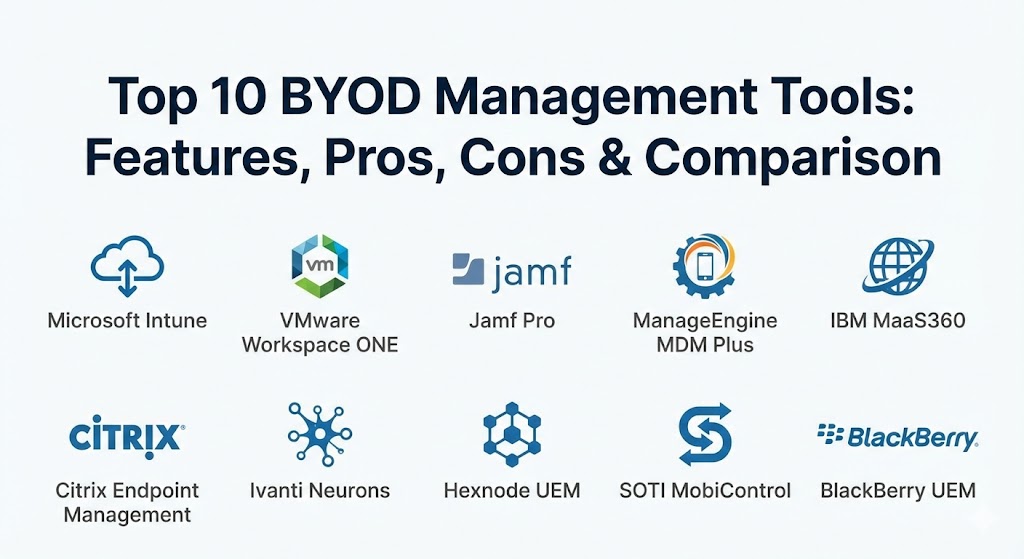
Top 10 BYOD Management Tools
1 — Microsoft Intune
Microsoft Intune remains the dominant force in BYOD management due to its “MAM-without-enrollment” (MAM-WE) capability. It allows IT to manage corporate apps (like Outlook and Teams) on a personal device without requiring the user to hand over control of their entire phone to the company.
Key features:
- App Protection Policies: Enforce PIN requirements and prevent “copy-paste” from work apps to personal apps.
- Conditional Access: Integration with Microsoft Entra ID to check device health before granting access to data.
- Selective Wipe: Remove only corporate data and apps while leaving personal content completely untouched.
- Multi-Identity Support: Allows users to have both personal and work accounts in the same app (like Outlook) with separate policies.
- Zero-Touch for iOS/Android: Seamless setup for users who choose to enroll their devices for deeper management.
- MAM-WE: The ability to secure data on unmanaged devices, providing the ultimate privacy for employees.
Pros:
- The best-in-class integration with the Microsoft 365 ecosystem.
- Provides the most respected privacy balance for end-users via app-level management.
- Included in most Microsoft 365 Business and Enterprise licenses, offering high ROI.
Cons:
- The administrative interface is deep and complex, requiring a steep learning curve.
- Performance on non-Windows platforms occasionally lags behind specialized competitors.
Security & compliance: SOC 2 Type II, GDPR, HIPAA, ISO 27001, FedRAMP, and deep SSO integration.
Support & community: Massive documentation library, global partner network, and a highly active community of IT professionals.
2 — VMware Workspace ONE
Following its transition under Broadcom, Workspace ONE continues to be an enterprise powerhouse. It excels in “Adaptive Management,” which lets a user start with a light BYOD profile and step up to deeper management only if they need access to more sensitive applications.
Key features:
- Intelligent Hub: A single “unified catalog” for employees to access all their work apps, notifications, and people search.
- Privacy Guard: Provides employees with a transparent view of exactly what the company can and cannot see on their personal device.
- Adaptive Management: A graduated approach to security based on the sensitivity of the data being accessed.
- Per-App VPN: Securely tunnels traffic for business apps without affecting the user’s personal web browsing.
- Unified Endpoint Management (UEM): Manages Windows, macOS, iOS, Android, and even ChromeOS from one console.
Pros:
- Exceptional user experience that prioritizes transparency and employee trust.
- Very powerful automation engine (Freestyle Orchestrator) for complex security workflows.
Cons:
- Post-acquisition pricing changes have made it less accessible for smaller businesses.
- The sheer depth of the platform can be overkill for companies only needing basic app management.
Security & compliance: FIPS 140-2, SOC 2, ISO 27001, GDPR, and HIPAA.
Support & community: High-end enterprise support, dedicated account managers for large clients, and a robust global training program.
3 — Jamf Pro (for Apple BYOD)
While Jamf is known for company-owned Macs, its “User Enrollment” features for iOS and macOS are specifically designed for the modern Apple-using professional. It leverages Apple’s native frameworks to ensure a strict wall between work and life.
Key features:
- Apple User Enrollment: A specialized management mode that guarantees personal data remains invisible to the IT department.
- Self-Service Portal: A branded “app store” where employees can download work-approved software on their own.
- Jamf Connect: Simplifies the login process by allowing users to use their cloud identity to log into their personal Mac.
- Managed Apple IDs: Integration with Apple Business Manager to keep work identities separate from personal iCloud accounts.
- Compliance Editor: Easily creates security benchmarks to ensure personal Macs meet corporate standards.
Pros:
- Unmatched “Day-Zero” support for every new Apple OS release.
- Provides the most “Apple-like” and frictionless experience for the end-user.
Cons:
- Zero support for Android or Windows, requiring a second tool for mixed fleets.
- Higher price point compared to general-purpose MDM tools.
Security & compliance: ISO 27001, SOC 2, GDPR, HIPAA, and built-in FileVault management.
Support & community: “Jamf Nation” is the largest community of Apple IT pros in the world, providing endless peer support.
4 — ManageEngine Mobile Device Manager Plus
ManageEngine offers a highly pragmatic approach to BYOD, providing a robust feature set that is particularly attractive to mid-market companies that need to manage a diverse mix of Android and iOS devices.
Key features:
- Containerization: Creates a clear logical separation between personal and corporate data on Android (Work Profile) and iOS.
- App Management: Silently install or remove work apps without requiring the user’s personal Apple ID or Google account.
- Email Security: Ensure that only managed apps can access corporate email servers like Exchange or Gmail.
- Remote Troubleshooting: High-quality remote view features to help employees with work app issues without seeing personal content.
- Asset Tracking: Detailed reporting on which personal devices are accessing the network and their current security status.
Pros:
- One of the most affordable and transparent pricing models in the industry.
- Very easy to set up, making it ideal for teams without a dedicated “Mobile Admin” role.
Cons:
- The interface can feel a bit “dated” and cluttered compared to modern cloud-native apps.
- Advanced AI-driven threat detection is not as deep as IBM or VMware solutions.
Security & compliance: GDPR, HIPAA, ISO, and SOC 2. Supports SSO and 256-bit encryption.
Support & community: 24/5 technical support, active user forums, and a very helpful library of documentation.
5 — IBM MaaS360
IBM MaaS360 is the “smart” choice for BYOD, utilizing Watson AI to provide “Cognitive Insights.” It helps IT teams identify risky behaviors on personal devices before they lead to a breach.
Key features:
- Watson Advisor: An AI engine that alerts IT to industry-specific security threats and configuration drift.
- Secure Productivity Suite: A dedicated, encrypted app for email, calendar, and browser that keeps work data entirely contained.
- Identity Management: Native integration with IBM Security Verify for seamless, passwordless logins.
- Mobile Threat Defense: Built-in protection against malware, suspicious Wi-Fi networks, and phishing.
- BYOD Privacy Settings: Fine-grained controls to disable the collection of personal data like location or app lists.
Pros:
- The AI-driven insights are excellent for identifying “at-risk” devices in a large, unmanaged fleet.
- Very strong for organizations that need to maintain strict data isolation (MAM).
Cons:
- The user interface is dense and can feel overly corporate for some teams.
- Onboarding personal devices can sometimes be a bit more “friction-heavy” for the end-user.
Security & compliance: FedRAMP, SOC 2, GDPR, HIPAA, and ISO 27001.
Support & community: Extensive IBM Knowledge Center, global support network, and deep professional services for enterprise clients.
6 — Citrix Endpoint Management
Citrix is the leader for organizations that prioritize a “Secure Workspace” experience. It is designed for high-security environments where data must be accessed but never truly “stored” on the personal device.
Key features:
- Secure Mail & Web: Hardened, proprietary apps that provide a secure environment for communication.
- Micro VPN: A per-app VPN that only encrypts work-related traffic, protecting user privacy and network speed.
- Content Collaboration: Securely share and sync files within the managed “container” on a personal phone.
- Unified Workspace: Links mobile BYOD with virtual desktops (VDI) for a consistent experience across all hardware.
- Compliance Actions: Automatically triggers a wipe of work data if the user disables their phone’s passcode.
Pros:
- The undisputed champion of “Data Isolation”—perfect for banking, legal, and defense.
- Integration with Citrix Workspace provides a highly professional, unified end-user experience.
Cons:
- Higher complexity in configuration compared to “lighter” tools like Hexnode.
- Requires a significant investment in the Citrix ecosystem to get the full value.
Security & compliance: FIPS 140-2, SOC 2, GDPR, HIPAA, and ISO 27001.
Support & community: Premium enterprise support, Citrix Synergy events, and a massive technical knowledge base.
7 — Ivanti Neurons for UEM
Ivanti’s platform (incorporating the heritage of MobileIron) focuses on “Self-Healing IT.” It uses automated bots to ensure that personal devices remain compliant without manual intervention from the help desk.
Key features:
- Self-Healing Bots: Automated scripts that fix configuration issues on a device before they become a security risk.
- Zero Trust Access: Modern, identity-based access that replaces traditional VPNs for mobile users.
- Neurons Discovery: Automatically identifies personal devices as soon as they attempt to access corporate resources.
- Phishing Protection: Built-in mobile threat defense that blocks malicious links in real-time.
- Advanced Analytics: Measures the “Digital Employee Experience” to identify if BYOD policies are causing frustration.
Pros:
- One of the strongest platforms for organizations moving toward a “Zero Trust” security model.
- Automation features significantly reduce the burden on IT support teams.
Cons:
- The administrative console can feel disjointed as legacy products are still being fully integrated.
- Pricing can be high for mid-sized organizations.
Security & compliance: SOC 2, GDPR, HIPAA, and ISO 27001.
Support & community: Strong online forum, Ivanti Academy for certification, and global technical support.
8 — Hexnode UEM
Hexnode has gained popularity as the “user-friendly” UEM. It is designed for businesses that need a powerful tool that doesn’t require an army of IT specialists to operate.
Key features:
- Clean BYOD Onboarding: A very simple, QR-code based enrollment process that employees can do themselves.
- App Management: Distribute store apps and enterprise apps to personal devices with a few clicks.
- Privacy Controls: Easily disable the tracking of location and other personal metadata.
- Business Containerization: Native support for Android Work Profiles and iOS User Enrollment.
- Web Content Filtering: Manage what websites can be accessed within the corporate browser.
Pros:
- Known for having one of the most responsive and helpful support teams in the industry.
- A very intuitive interface that is perfect for small to medium-sized IT teams.
Cons:
- Lacks the deep “AI-prediction” capabilities of enterprise tools like Workspace ONE.
- The reporting features are effective but not as granular as some enterprise competitors.
Security & compliance: SOC 2, HIPAA, GDPR, and ISO 27001.
Support & community: Rapid response live chat, detailed technical documentation, and proactive account management.
9 — SOTI MobiControl
SOTI is the go-to solution for BYOD in the field. If your employees use personal devices in “rugged” environments like construction or logistics, SOTI provides the most robust remote control and data management.
Key features:
- SOTI XTreme Hub: Dramatically reduces the time it takes to push large apps and files to remote devices.
- Remote Support Tool: Exceptional remote view and control features to help workers solve technical issues instantly.
- SOTI Surf: A hardened mobile browser that allows for secure access to internal web portals.
- Staging & Provisioning: Rapidly configure devices for new employees using barcodes or NFC tags.
- Data Usage Tracking: Monitor cellular data consumption to help employees stay within their personal plan limits.
Pros:
- Unmatched for field-service and industrial BYOD use cases.
- The remote control functionality for Android is the best in the market.
Cons:
- The interface can feel a bit “industrial” and less polished for office-only users.
- Not as focused on “App-only” management (MAM) compared to Microsoft Intune.
Security & compliance: GDPR, SOC 2, and FIPS 140-2.
Support & community: 24/7 global support and specialized training for rugged and field-service deployments.
10 — BlackBerry UEM
BlackBerry has transformed from a hardware company into one of the most respected mobile security firms in the world. Their UEM platform is the “gold standard” for high-security BYOD in regulated industries.
Key features:
- BlackBerry Dynamics: A secure mobile application platform that provides the highest level of data isolation.
- Cylance AI Integration: Uses advanced machine learning to detect and block threats on the device in real-time.
- BlackBerry Connectivity: A secure, cloud-based tunnel that eliminates the need for a traditional VPN.
- Advanced Content Security: Securely view, edit, and share documents within the encrypted container.
- Multi-OS Support: Equal depth of management across iOS, Android, Windows, and macOS.
Pros:
- Widely considered the most secure platform on the market; favorite of governments and banks.
- The “Cylance” integration provides world-class mobile threat defense.
Cons:
- The platform can be difficult to manage and requires significant training for IT staff.
- The user experience for employees is very “secure” but can feel restrictive.
Security & compliance: FedRAMP, SOC 2, GDPR, HIPAA, and ISO 27001.
Support & community: Premium enterprise support, deep technical whitepapers, and a focused security community.
Comparison Table
| Tool Name | Best For | Platform(s) Supported | Standout Feature | Rating (Gartner) |
| Microsoft Intune | M365 Ecosystem | All Platforms | MAM-without-Enrollment | 4.6 / 5 |
| Workspace ONE | Employee Experience | All Platforms | Intelligent Hub & Privacy Guard | 4.5 / 5 |
| Jamf Pro | Apple Power Users | macOS, iOS, iPadOS | Apple User Enrollment Mastery | 4.7 / 5 |
| ManageEngine | Mid-Market Value | All Platforms | Price-to-Feature Ratio | 4.4 / 5 |
| IBM MaaS360 | AI Insights | All Platforms | Watson AI Advisor | 4.4 / 5 |
| Citrix Endpoint | Data Isolation | All Platforms | Secure Micro-VPN | 4.4 / 5 |
| Ivanti Neurons | Zero Trust Orgs | All Platforms | Self-Healing Automation Bots | 4.5 / 5 |
| Hexnode UEM | SMB Ease of Use | All Platforms | 24/5 Live Chat Support | 4.6 / 5 |
| SOTI MobiControl | Field Service / Rugged | Android, Win, iOS | Remote Control Speed | 4.6 / 5 |
| BlackBerry UEM | High-Regulated Security | All Platforms | Cylance AI Integration | 4.3 / 5 |
Evaluation & Scoring of BYOD Management Tools
To help you find the best fit, we have evaluated these tools based on a weighted scoring rubric that reflects the specific needs of a BYOD environment in 2026.
| Criteria | Weight | What We Evaluate |
| Core Features | 25% | Containerization, app management, and selective wipe effectiveness. |
| Ease of Use | 15% | Employee enrollment experience and admin dashboard intuitiveness. |
| Integrations | 15% | Native connectivity with SSO, CRM, and cloud productivity apps. |
| Security & Compliance | 10% | Encryption standards, GDPR readiness, and Zero Trust features. |
| Performance & Reliability | 10% | Impact on device battery life and network bandwidth usage. |
| Support & Community | 10% | Quality of documentation and accessibility of technical support. |
| Price / Value | 15% | Transparency of pricing and ROI for different company sizes. |
Which BYOD Management Tool Is Right for You?
Solo Users vs SMB vs Mid-Market vs Enterprise
If you are a solo professional or a tiny team, you likely don’t need a full UEM. However, for an SMB (up to 100 employees), Hexnode or ManageEngine are the best choices because they are easy to set up and manage without a full-time “Mobile Admin.” Mid-market companies often thrive with Microsoft Intune if they are already on M365. For Global Enterprises, VMware Workspace ONE and BlackBerry UEM are the only tools that can handle the sheer scale and complexity of 10,000+ personal devices.
Budget-conscious vs Premium Solutions
If budget is your primary driver, ManageEngine offers incredible value. If you already have Microsoft 365 E3 or E5, Intune is effectively “free” and provides the best MAM-only experience. Premium solutions like BlackBerry and Citrix are significant investments that are only justified if your data is extremely sensitive (e.g., healthcare or legal).
Feature Depth vs Ease of Use
If you want to “set it and forget it,” Hexnode is designed for you. If you have a technical team that wants to script every possible detail and optimize for the best possible mobile experience, Jamf Pro (for Apple) and Workspace ONE (for all platforms) offer the most depth.
Integration and Scalability Needs
For organizations that live in Microsoft Teams and Outlook, the native security hooks in Intune are unbeatable. If you are a logistics or field-service operation scaling to hundreds of locations, the remote control and data hub technology of SOTI will be a lifesaver.
Frequently Asked Questions (FAQs)
1. What is the difference between BYOD and MDM?
MDM (Mobile Device Management) is the technology used to manage devices. BYOD (Bring Your Own Device) is a policy. You use MDM/UEM software to enforce your BYOD policy, usually by creating a “work container” on the personal device.
2. Can my employer see my personal photos if I use these tools?
No. Modern tools (especially on iOS and Android Enterprise) are designed with “Privacy by Design.” They create a secure wall; the employer can only see what’s inside the work container and cannot access your personal photos, texts, or browser history.
3. Does BYOD management slow down my phone or drain my battery?
In 2026, the performance impact is negligible. Most tools use “thin agents” that only wake up when a work app is opened or when a security check is triggered.
4. What happens if I lose my personal phone?
The company can send a “Selective Wipe” command. This will erase all work emails, documents, and apps from the device instantly, but your personal photos and messages will remain intact.
5. Do I have to pay for the software on my personal device?
No, the employer pays for the license. Most companies also provide a “stipend” to the employee to cover a portion of their monthly cellular bill as part of a BYOD agreement.
6. Can I use these tools for contractors?
Yes. BYOD tools are perfect for contractors. You can grant them access to your work apps for the duration of their contract and revoke it the moment they finish, without ever touching their personal data.
7. Is BYOD better than giving employees company phones?
It depends. BYOD is cheaper and employees often prefer only carrying one device. However, company-owned devices (COPE) offer more control and are better for high-security roles.
8. What is “Containerization”?
It is a technology that creates an encrypted, isolated part of the phone’s storage specifically for work. Data cannot move from the “Work” container to the “Personal” side without IT permission.
9. Can I still use my phone for personal stuff while work apps are on it?
Yes, absolutely. The device behaves exactly like it always did; you just have an extra “Work” folder or specific apps that require a PIN or Biometric login.
10. What is a “Selective Wipe”?
A selective wipe is a command that only deletes corporate-related data. It is the opposite of a “Full Wipe” (factory reset). For BYOD, IT should only ever use a Selective Wipe.
Conclusion
Selecting the right BYOD management tool is a critical decision for your company’s digital future. In 2026, the trend is clear: privacy-first, app-level security. Employees are more likely to adopt BYOD if they trust that their personal lives remain private.
Whether you choose the ecosystem-integrated power of Microsoft Intune, the specialized Apple mastery of Jamf Pro, or the user-centric ease of Hexnode, the goal is the same: to empower your workforce to be productive anywhere while keeping your company’s “crown jewels” safe. The best tool is the one that strikes the perfect balance for your unique culture—don’t be afraid to run a trial with a small group of users to see which platform they find most intuitive.