Introduction
Bioinformatics Workflow Managers are specialized orchestration frameworks designed to manage the execution of multi-step computational pipelines. In a typical genomics workflow, a researcher might need to align billions of DNA reads, filter out low-quality results, call genetic variants, and then annotate those variants. Manually running these steps is prone to human error and nearly impossible to replicate exactly. Workflow managers solve this by defining the “logic” of the pipeline in a high-level language, allowing the manager to handle the “heavy lifting” of resource allocation, error handling, and parallelization.
The importance of these tools lies in scientific reproducibility. By using a workflow manager, a scientist in Tokyo can run the exact same analysis as a scientist in London, using identical software versions and parameters, and arrive at the same result. Real-world use cases include clinical diagnostics, where speed and accuracy are life-critical, and drug discovery, where massive parallelization speeds up the screening of potential therapeutic targets. When choosing a tool, users should evaluate portability (the ability to move from a local laptop to the cloud), container support (Docker/Singularity), community maturity, and the learning curve of the underlying language.
Best for: Computational biologists, bioinformaticians, and data engineers in pharmaceutical companies, academic research institutes, and clinical labs. They are essential for any organization processing large-scale Next-Generation Sequencing (NGS), proteomics, or metabolomics data that requires rigorous version control and high-performance computing (HPC) integration.
Not ideal for: Individual researchers performing one-off, small-scale analyses using desktop GUI tools, or labs with very limited computational needs where a simple shell script is sufficient and the overhead of learning a workflow DSL (Domain Specific Language) would outweigh the benefits.
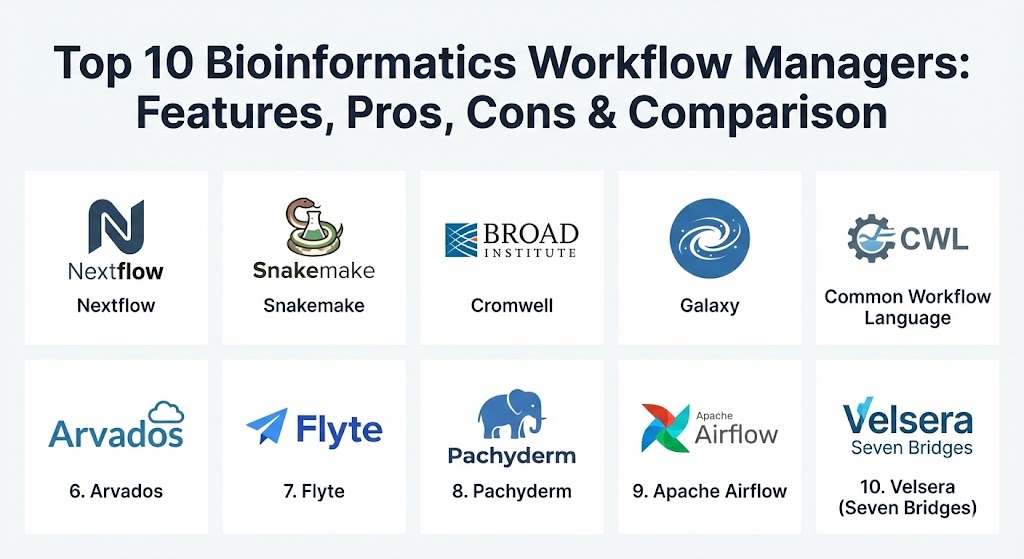
Top 10 Bioinformatics Workflow Managers
1 — Nextflow
Nextflow is widely considered the “gold standard” for modern bioinformatics. Based on the dataflow programming model, it allows users to write pipelines that are inherently parallel and highly portable across various execution environments.
- Key features:
- Dataflow-driven execution where tasks start as soon as their inputs are ready.
- Implicit parallelism that scales automatically based on available resources.
- Native support for Docker, Singularity, Podman, and Conda.
- Seamless integration with AWS Batch, Google Life Sciences, and Azure Batch.
- Support for all major HPC schedulers (Slurm, SGE, LSF, PBS).
- Direct integration with GitHub/Bitbucket for version-controlled pipeline sharing.
- Pros:
- The largest community-driven library of pre-built pipelines (nf-core).
- Unmatched portability; a pipeline written on a laptop can run on a 10,000-node cluster without code changes.
- Cons:
- Steep learning curve due to its Groovy-based Domain Specific Language (DSL2).
- Debugging complex dataflow logic can be challenging for beginners.
- Security & compliance: Supports SSO (via Seqera Platform), end-to-end encryption, and comprehensive audit logs. Frequently used in SOC 2 and HIPAA-compliant environments.
- Support & community: Massive open-source community; premium enterprise support available through Seqera Labs. Extensive documentation and video tutorials.
2 — Snakemake
Snakemake is the go-to tool for bioinformaticians who are already comfortable with Python. It uses a logic-based “rule” system that mirrors the classic GNU Make utility but is tailored for data science.
- Key features:
- Python-based syntax that is easy to read and extend.
- Automatic determination of task dependencies based on file names.
- Built-in support for generating interactive HTML reports.
- Automated software deployment via Conda or containers.
- Support for local, HPC, and cloud execution (Kubernetes, AWS).
- Fine-grained resource management (threads, memory, GPUs per rule).
- Pros:
- Extremely gentle learning curve for Python users.
- The “dry-run” feature allows users to visualize the execution plan before spending money on compute.
- Cons:
- Scaling to massive multi-cloud environments can be more complex than with Nextflow.
- Managing very large pipelines with hundreds of rules can lead to slower dependency resolution.
- Security & compliance: Relies on underlying infrastructure; supports standard encryption and audit trails. GDPR/HIPAA compliance depends on the deployment environment.
- Support & community: Strong academic community; documentation is thorough, and support is primarily through GitHub, Stack Overflow, and Discord.
3 — Cromwell (WDL)
Developed by the Broad Institute, Cromwell is an execution engine designed to run workflows written in WDL (Workflow Description Language). It is the backbone of major projects like the Human Cell Atlas.
- Key features:
- Designed specifically for large-scale genomic processing.
- Native support for WDL, a human-readable and developer-friendly language.
- Optimized for Google Cloud Platform (via the Terra platform) and AWS.
- Call caching feature that prevents re-running successful tasks after a failure.
- Highly configurable backend with support for local, HPC, and cloud.
- Pros:
- WDL is arguably the most readable workflow language available.
- Exceptional reliability for high-throughput, production-grade genomic centers.
- Cons:
- Cromwell itself can be resource-heavy to run as a server.
- Community support for non-cloud backends (like local Slurm) can be less polished than Nextflow.
- Security & compliance: Built with enterprise security in mind; supports SSO, audit logs, and is widely used in HIPAA-compliant clinical settings.
- Support & community: Supported by the Broad Institute; large community focus through the Terra.bio ecosystem and GitHub.
4 — Galaxy
Galaxy is a web-based platform that makes bioinformatics accessible to scientists who do not have programming experience. It provides a visual interface for building and running pipelines.
- Key features:
- Purely web-based GUI—no command line required.
- A vast “Tool Shed” with thousands of pre-wrapped bioinformatics tools.
- Integrated data visualization and history tracking for full reproducibility.
- Collaborative features to share histories and workflows with a single link.
- Interactive environments for Jupyter and RStudio within the platform.
- Pros:
- The best entry point for biologists and students.
- Completely free public servers (UseGalaxy.org) provide free compute for small/medium tasks.
- Cons:
- Lacks the flexibility of code-based managers for highly custom logic.
- Managing a private Galaxy instance requires significant system administration expertise.
- Security & compliance: Supports private deployments with SSO; audit logs available. Many instances are configured for GDPR/HIPAA compliance.
- Support & community: Excellent; vast library of tutorials via the Galaxy Training Network (GTN) and a global community of users and developers.
5 — Common Workflow Language (CWL) Engines
CWL is not a single tool but a specification. Several engines run CWL (like cwltool, Calrissian, or Arvados), making it the “interoperability” leader in the field.
- Key features:
- Vendor-neutral standard based on YAML/JSON.
- Strictly defined inputs and outputs for every tool.
- High portability—workflows are guaranteed to run on any CWL-compliant engine.
- Strong focus on metadata and provenance tracking.
- Support for execution on Kubernetes via Calrissian.
- Pros:
- Best-in-class for long-term data preservation and standard-compliant research.
- Preventing vendor lock-in by using a community-governed specification.
- Cons:
- Writing CWL by hand is verbose and tedious compared to DSLs like WDL or Nextflow.
- The ecosystem is fragmented across multiple different execution engines.
- Security & compliance: Varies by engine; Arvados and Seven Bridges (which use CWL) offer high-level enterprise security.
- Support & community: Strong support from government and international standards bodies; documentation is highly technical.
6 — Arvados
Arvados is an open-source platform specifically designed for managing terabytes to petabytes of genomic data. It combines a CWL workflow engine with a content-addressable storage system (Keep).
- Key features:
- Content-addressable storage ensures data integrity and prevents duplication.
- Federated multi-cluster workflows allow running tasks across different geographical sites.
- Full data lineage tracking from raw file to final report.
- Workbench web UI for managing projects and monitoring runs.
- Native integration with CWL for workflow definition.
- Pros:
- Built for massive scale—perfect for national-level biobanking projects.
- Exceptional at managing the “storage side” of bioinformatics, not just the compute.
- Cons:
- Significant complexity to set up and maintain a private cluster.
- Smaller community compared to Nextflow or Snakemake.
- Security & compliance: Strong focus on compliance; features encryption at rest, audit logs, and integration with LDAP/OpenID.
- Support & community: Commercial support available through Curii Corporation; active developer community on Gitter and GitHub.
7 — Flyte
Flyte is a Kubernetes-native workflow orchestrator created at Lyft. While it is a general-purpose tool, it has gained significant traction in bioinformatics and machine learning due to its strong typing and scalability.
- Key features:
- Kubernetes-native, allowing for massive scaling and fine-grained resource control.
- Strongly typed interfaces for every task, reducing runtime errors.
- Versioned workflows and tasks are “immutable” once registered.
- Built-in caching (memoization) to save time and cost on repetitive tasks.
- Rich web UI for monitoring and debugging complex Directed Acyclic Graphs (DAGs).
- Pros:
- Ideally suited for “Bioinformatics meets AI” workflows (e.g., AlphaFold).
- The “local-to-cloud” developer experience is highly polished.
- Cons:
- Requires a Kubernetes cluster, which may be overkill for many traditional labs.
- Bioinformatics-specific tool wrappers are not as abundant as in nf-core.
- Security & compliance: SOC 2 compliant in managed versions; integrates with K8s native security policies and IAM roles.
- Support & community: Rapidly growing; backed by Union.ai with active Slack and community meetings.
8 — Pachyderm
Pachyderm focuses on the “data lineage” aspect of bioinformatics. It treats data like code, using a Git-like versioning system for your files.
- Key features:
- Automated data versioning (commits) for all inputs and outputs.
- Data-driven triggering: pipelines run automatically when new data is added.
- Full provenance tracking (know exactly which version of data produced which result).
- Containerized execution on Kubernetes.
- Parallelism achieved by “sharding” data across multiple workers.
- Pros:
- The best tool for maintaining an “audit trail” of how a clinical result was reached.
- Handles massive datasets efficiently through incremental processing.
- Cons:
- Steep learning curve for those not familiar with Kubernetes and Git concepts.
- Can be more complex to troubleshoot than file-based managers like Snakemake.
- Security & compliance: Offers robust RBAC, audit logs, and enterprise security features; suitable for regulated industries.
- Support & community: Acquired by HPE; enterprise-level support and a dedicated community slack.
9 — Apache Airflow (with Bioinformatics Providers)
Airflow is the industry standard for general data engineering. While not bioinformatics-native, it is increasingly used by large companies to wrap biological pipelines into broader business logic.
- Key features:
- Extremely powerful scheduling (cron-like but much more advanced).
- Massive ecosystem of operators (Slack, Email, SQL, AWS, GCP).
- Programmatic workflow generation in pure Python.
- Extensive monitoring UI and historical logs.
- Task-retry logic and error-handling policies.
- Pros:
- Perfect for “productionizing” bioinformatics as part of a larger company data lake.
- Easier to find experienced engineers compared to specialized tools like Nextflow.
- Cons:
- Lacks native awareness of biological files (FASTA, BAM) and HPC schedulers.
- Can be “over-engineered” for simple research pipelines.
- Security & compliance: Enterprise-ready; supports SSO, RBAC, and secret management (Vault).
- Support & community: The largest community in the workflow space; virtually endless documentation and third-party plugins.
10 — Velsera (Seven Bridges Platform)
Velsera (formerly Seven Bridges) is a commercial, end-to-end ecosystem that provides a highly secure cloud platform for genomic analysis.
- Key features:
- Visual “Canvas” for drag-and-drop workflow building using CWL.
- Curated library of thousands of high-quality, optimized pipelines.
- Integrated multi-cloud compute (AWS, Azure, GCP).
- Advanced cost-tracking and budgetary controls for large teams.
- Native support for the GATK (Genome Analysis Toolkit) Best Practices.
- Pros:
- The most “hands-off” experience for large organizations—no infrastructure to manage.
- Unrivaled security and compliance certifications for clinical work.
- Cons:
- Premium pricing model based on compute and storage usage.
- Proprietary ecosystem can make it harder to export complex custom logic.
- Security & compliance: FedRAMP, SOC 2, HIPAA, GDPR, and ISO 27001 compliant.
- Support & community: Professional enterprise-grade support with dedicated scientific consultants.
Comparison Table
| Tool Name | Best For | Platform(s) Supported | Standout Feature | Rating (User Consensus) |
| Nextflow | Large-scale HPC/Cloud | Linux, Cloud, Mac | DSL2 & nf-core library | 4.8 / 5 |
| Snakemake | Python users / Academics | Linux, Mac, Cloud | Rule-based Python logic | 4.7 / 5 |
| Cromwell | GATK / Production Genomics | Cloud, HPC, Local | Human-readable WDL | 4.5 / 5 |
| Galaxy | Non-programmers / Students | Web UI, Local | No-code Interface | 4.6 / 5 |
| Arvados | Multi-petabyte Datasets | Federated Cloud/HPC | Content-Addressable Storage | 4.4 / 5 |
| CWL Engines | Interoperability/Standards | Multi-platform | Vendor-neutral Spec | 4.3 / 5 |
| Flyte | Bio + Machine Learning | Kubernetes | Strong Typing & K8s Native | 4.6 / 5 |
| Pachyderm | Data Versioning / Audits | Kubernetes | Git-like Data Lineage | 4.4 / 5 |
| Airflow | Enterprise Data Ops | Multi-platform | Massive Plugin Ecosystem | 4.5 / 5 |
| Velsera | Clinical / Managed Cloud | Managed SaaS | End-to-end Managed Platform | 4.7 / 5 |
Evaluation & Scoring of Bioinformatics Workflow Managers
The following rubric provides a framework for evaluating which tool best fits a specific organizational structure.
| Category | Weight | Evaluation Criteria |
| Core Features | 25% | Reproducibility, container support, parallelization, and error handling. |
| Ease of Use | 15% | Learning curve of the language, CLI quality, and GUI options. |
| Integrations | 15% | Support for AWS/Azure/GCP, Slurm/SGE, and GitHub/Bitbucket. |
| Security | 10% | Encryption, SSO, RBAC, and compliance with GDPR/HIPAA. |
| Reliability | 10% | Stability under load, error recovery, and call caching performance. |
| Support | 10% | Documentation quality and community/commercial responsiveness. |
| Price / Value | 15% | Total cost of implementation (TCO) vs. efficiency gains. |
Which Bioinformatics Workflow Manager Is Right for You?
The “right” choice depends heavily on your team’s existing skill set and the scale of your data.
- Solo Users & Students: If you are just starting, Galaxy is the best way to understand the concepts. If you can code, Snakemake is the most natural transition for Python users.
- SMBs & Growing Biotech: If you need to scale quickly without hiring five system admins, Nextflow is the industry standard with the best pre-built community support.
- Large Enterprises & Clinical Labs: Cromwell/WDL is a solid choice for standardized production pipelines. If you have a massive budget and need zero infrastructure management, Velsera (Seven Bridges) offers the most secure, managed experience.
- Feature Depth vs. Ease of Use: Nextflow and Snakemake offer the most power but require time to master. Galaxy offers ease of use but hit limits with highly complex, custom logic.
- Security Needs: If your primary concern is an audit trail for clinical diagnostics, Pachyderm or Arvados provide the best built-in data versioning and lineage tracking.
Frequently Asked Questions (FAQs)
1. Why shouldn’t I just use a shell script?
Shell scripts lack “checkpointing.” If a script fails at step 10 of 20, you often have to restart from step 1. Workflow managers allow you to “resume” from the point of failure, saving hours of compute.
2. What is the difference between Nextflow and Snakemake?
Nextflow is “push-based” (dataflow) and uses Groovy; it is optimized for massive parallelization and cloud. Snakemake is “pull-based” (file-dependency) and uses Python; it is often easier to learn and great for smaller to medium projects.
3. Is WDL better than Nextflow?
It depends. WDL (used with Cromwell) is often considered more readable. Nextflow is more powerful for complex, “streaming” data logic. Both are widely used in professional genomics.
4. Do these tools cost money?
Most (Nextflow, Snakemake, Cromwell, Galaxy) are open-source and free to use. You only pay for the underlying compute (e.g., AWS or your own servers). Managed platforms like Velsera have a subscription fee.
5. Do I need to know Kubernetes?
Not necessarily. While tools like Flyte and Pachyderm require it, Nextflow and Snakemake can run on simple servers, HPC clusters, or through managed cloud services like AWS Batch.
6. What is “Containerization” in bioinformatics?
It is the practice of bundling a tool (like BLAST or BWA) with all its dependencies into a single image. This ensures that the tool runs exactly the same way on any machine.
7. Can these tools handle single-cell RNA-seq data?
Yes. Both the Nextflow (nf-core) and Snakemake communities have world-class, pre-built pipelines specifically for single-cell and spatial transcriptomics.
8. How do these tools help with HIPAA compliance?
By providing audit logs, data encryption, and ensuring that PII (Personally Identifiable Information) is handled consistently according to a pre-defined, versioned workflow.
9. Can I run these on my Windows laptop?
Most are built for Linux/Unix. However, you can run them on Windows using WSL2 (Windows Subsystem for Linux), which is now the standard way to do bioinformatics on Windows.
10. What is a “DSL”?
DSL stands for Domain Specific Language. It is a mini-programming language optimized for a specific task—in this case, describing how data flows through a pipeline.
Conclusion
The selection of a Bioinformatics Workflow Manager is a strategic decision that will define your lab’s productivity for years to come. While Nextflow dominates the current landscape due to its massive community and cloud-native design, Snakemake remains the favorite for Python-centric research. For clinical and large-scale enterprise needs, tools like Cromwell or managed platforms like Velsera provide the necessary guardrails. Ultimately, the “best” tool is the one that your team can use effectively today, while providing the scalability to handle the data deluge of tomorrow.