Introduction
Asset Lifecycle Management (ALM) Tools are specialized software platforms designed to centralize and automate the tracking of an asset’s entire journey. Unlike basic inventory spreadsheets, ALM solutions provide deep visibility into the financial, contractual, and operational health of every item an organization owns. They ensure that assets are utilized at peak performance, maintenance is performed proactively to avoid downtime, and disposal is handled according to environmental and legal regulations.
The importance of these tools lies in their ability to reduce “asset leakage”—the hidden costs associated with lost equipment, underutilized software licenses, and emergency repairs. Real-world use cases range from a hospital tracking life-saving medical devices across multiple floors to a global tech firm managing thousands of employee laptops and cloud licenses. When choosing an ALM tool, organizations should look for automated discovery features, robust mobile accessibility, deep integration with existing IT and finance systems, and the ability to calculate depreciation in real-time.
Best for: IT departments, facility managers, and operations teams in medium to large enterprises, particularly in asset-heavy industries like manufacturing, healthcare, construction, and government.
Not ideal for: Solopreneurs or very small businesses with fewer than 50 assets, where the administrative overhead and cost of a dedicated ALM platform might outweigh the benefits compared to simple manual tracking.
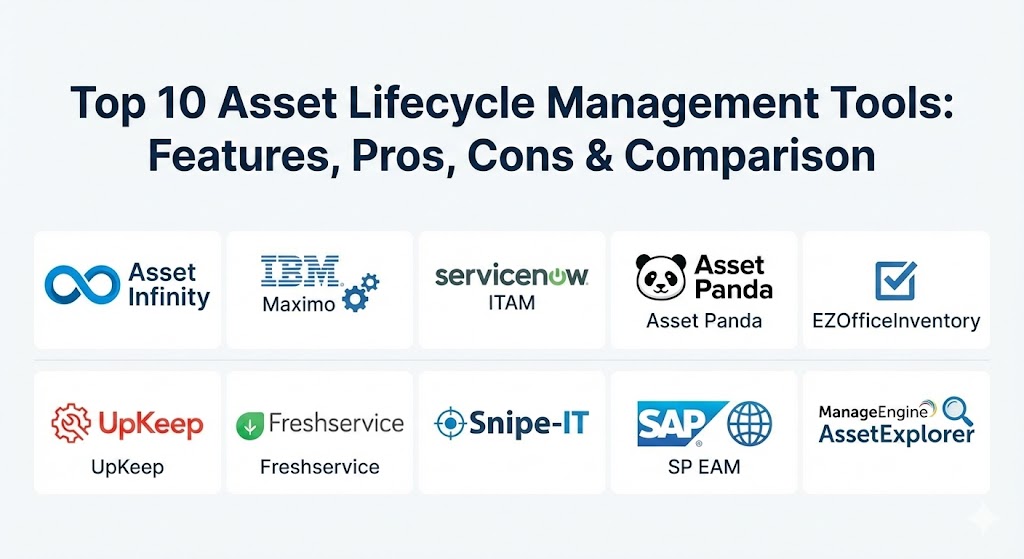
Top 10 Asset Lifecycle Management Tools
1 — Asset Infinity
Asset Infinity is a cloud-based asset management software designed for organizations that need a flexible, end-to-end solution for tracking physical and digital assets across various locations and industries.
- Key features:
- End-to-end lifecycle tracking from procurement to disposal.
- Support for QR code, Barcode, RFID, and GPS tracking.
- Automated maintenance scheduling with proactive alert systems.
- Comprehensive depreciation management with support for multiple methods.
- Custom report builder and visual dashboards for real-time insights.
- Asset check-in and check-out workflows to monitor custody.
- Integration with major ERPs and helpdesk solutions.
- Pros:
- Highly scalable, making it suitable for growing SMBs and large enterprises alike.
- The mobile application is exceptionally robust, allowing for field-based updates.
- Cons:
- The interface can feel overwhelming for beginners due to the high level of customization.
- Initial setup requires a disciplined approach to data entry to be effective.
- Security & compliance: ISO 27001 certified, SOC 2 Type II compliant, GDPR ready, and supports Single Sign-On (SSO).
- Support & community: Offers 24/7 customer support, a dedicated knowledge base, and guided onboarding sessions for enterprise clients.
2 — IBM Maximo
IBM Maximo is a powerhouse in the Enterprise Asset Management (EAM) world, leveraging AI and IoT to provide predictive maintenance and deep operational insights for asset-intensive industries.
- Key features:
- AI-powered predictive maintenance through IBM Watson.
- Remote asset monitoring using real-time IoT sensor data.
- Advanced inventory and supply chain management integration.
- Multi-site management for global infrastructure monitoring.
- Visual inspections powered by AI to detect physical defects.
- Integrated work order management and technician scheduling.
- Pros:
- Unmatched depth in predictive analytics, potentially saving millions in repair costs.
- Industry-standard for large-scale industrial operations (utilities, oil & gas).
- Cons:
- Extremely high total cost of ownership (TCO) including licensing and implementation.
- Requires significant IT resources and specialized training to manage effectively.
- Security & compliance: FedRAMP, HIPAA, ISO 27001, and SOC 2 compliant; includes military-grade encryption.
- Support & community: Global enterprise support network, extensive professional training certifications, and a massive user community.
3 — ServiceNow IT Asset Management (ITAM)
ServiceNow ITAM is part of the broader ServiceNow platform, focusing on unifying IT operations, software, and hardware management into a single, automated workflow.
- Key features:
- Automated asset discovery and inventory across hybrid cloud environments.
- Software Asset Management (SAM) with license reconciliation features.
- Automated procurement and contract management workflows.
- Hardware lifecycle management with mobile audit capabilities.
- Integration with the ServiceNow Configuration Management Database (CMDB).
- Financial management tools to track asset costs and depreciation.
- Pros:
- Seamlessly connects asset data with IT service management (ITSM) tickets.
- Exceptional for managing software compliance and avoiding audit penalties.
- Cons:
- Best suited only for organizations already using or committed to the ServiceNow ecosystem.
- Complex configuration can lead to long implementation timelines.
- Security & compliance: NIST, ISO 27001, SOC 1/2/3, and GDPR compliant; provides advanced audit logging.
- Support & community: Tiered support plans ranging from standard to dedicated technical account managers.
4 — Asset Panda
Asset Panda is known for its “configurability-first” approach, offering a mobile-centric platform that adapts to the specific terminologies and workflows of any industry.
- Key features:
- Fully customizable data fields and asset categories.
- Mobile barcode and QR scanning built directly into the app.
- Integrated check-in/out system for employee tool assignments.
- Robust maintenance tracking and service history logs.
- Role-based access controls for granular security.
- Cloud-based reporting with automated email scheduling.
- Pros:
- Extremely flexible—users can rename and rebuild the tool to fit their specific needs.
- Pricing is based on the number of assets, which is often more affordable than per-user models.
- Cons:
- Lacks some of the advanced AI/predictive features found in EAM giants.
- Reporting can be tricky to configure for very complex multi-layered data sets.
- Security & compliance: SOC 2 compliant, AES-256 bit encryption, SSO, and detailed audit trails.
- Support & community: High-quality phone and email support with an extensive online documentation library.
5 — EZOfficeInventory
EZOfficeInventory is a leading solution for equipment tracking, catering particularly well to sectors like healthcare, education, and construction that manage high volumes of physical gear.
- Key features:
- Real-time GPS tracking for mobile and field assets.
- Advanced reservation system for equipment booking.
- Preventive maintenance scheduling with automated reminders.
- Integration with Zendesk and Jira for service-linked asset tracking.
- Purchase order management and vendor tracking.
- Mobile app with support for offline data syncing.
- Pros:
- The reservation and checkout features are among the best for shared equipment pools.
- Low learning curve; teams can be up and running within days.
- Cons:
- Software asset management (SAM) features are more basic compared to IT-focused tools.
- Limited customization for the user interface compared to Asset Panda.
- Security & compliance: GDPR compliant, SSO integration, data encryption at rest and in transit.
- Support & community: Offers webinar-based training and a very responsive helpdesk.
6 — UpKeep
UpKeep is primarily a maintenance-first platform (CMMS) that excels at managing the operational and maintenance stages of the asset lifecycle for technicians in the field.
- Key features:
- Mobile-first work order management for on-the-go technicians.
- Asset health monitoring with integrated IoT sensor alerts.
- Preventive maintenance checklists and automated triggers.
- Inventory management for spare parts and MRO supplies.
- Built-in communication tools for maintenance teams.
- QR code scanning for instant access to asset history.
- Pros:
- Excellent adoption rates among frontline staff due to the intuitive mobile app.
- Simplifies the bridge between maintenance activities and long-term asset health.
- Cons:
- Less focus on the procurement and financial “planning” stages of the lifecycle.
- Reporting on depreciation is not as robust as finance-centered ALM tools.
- Security & compliance: SOC 2 Type II compliant, SSO, and secure cloud hosting.
- Support & community: 24/7 customer support and an active “Maintenance Community” for peer learning.
7 — Freshservice
Freshservice by Freshworks is a modern, cloud-native ITAM and ITSM platform that focuses on employee experience and rapid service delivery.
- Key features:
- Automated IT asset discovery through a lightweight probe.
- License management and SaaS spend optimization.
- Integrated service catalog for automated asset requests.
- Contract and warranty management with proactive renewal alerts.
- Mobile app for remote asset auditing and scanning.
- Visualized lifecycle history for every hardware and software asset.
- Pros:
- Very modern and “clean” UI that employees actually enjoy using.
- Rapid deployment—the cloud-based setup requires zero local infrastructure.
- Cons:
- Can become pricey for large teams with high numbers of agents.
- Not designed for managing heavy industrial or facility assets (e.g., HVAC, machinery).
- Security & compliance: HIPAA, GDPR, ISO 27001, and SOC 2 compliant; includes data masking features.
- Support & community: Strong online community, Freshworks Academy for training, and 24/5 support.
8 — Snipe-IT
Snipe-IT is the world’s most popular open-source asset management solution, offering transparency and control for organizations that prefer to manage their own infrastructure.
- Key features:
- Web-based interface for tracking hardware, software, and licenses.
- Robust API for custom integrations and automation.
- Built-in label generation and barcode support.
- Automated email alerts for expiring licenses and warranties.
- One-click checkout and check-in workflows.
- Self-hosted or cloud-hosted deployment options.
- Pros:
- The most cost-effective option, especially for the self-hosted version.
- High level of transparency and community-driven feature updates.
- Cons:
- Self-hosted version requires internal IT expertise for maintenance and security.
- Lacks the advanced predictive analytics and AI found in paid enterprise tools.
- Security & compliance: Varies based on hosting; cloud-hosted version offers standard encryption and SOC compliance.
- Support & community: Incredible community support on GitHub and specialized professional support for paid cloud tiers.
9 — SAP Enterprise Asset Management (EAM)
SAP EAM is designed for global corporations that need to integrate asset lifecycle data directly into their overarching Enterprise Resource Planning (ERP) system.
- Key features:
- Full integration with SAP S/4HANA for real-time financial tracking.
- Asset performance management with integrated predictive analytics.
- End-to-end maintenance and repair operations management.
- Compliance monitoring for industry-specific safety standards.
- Asset central foundation for multi-company collaboration.
- Comprehensive environmental and sustainability tracking for disposals.
- Pros:
- The absolute gold standard for financial integration and multi-national compliance.
- Handles the most complex asset structures and hierarchies imaginable.
- Cons:
- The implementation is notoriously long, expensive, and complex.
- The user interface can feel dated and rigid compared to modern SaaS platforms.
- Security & compliance: Tier-1 global compliance including ISO, GDPR, SOC, and FISMA.
- Support & community: Global 24/7 support, dedicated consulting partners, and extensive enterprise training.
10 — ManageEngine AssetExplorer
ManageEngine AssetExplorer is a specialized ITAM solution that provides deep visibility into an organization’s software and hardware footprint through advanced discovery.
- Key features:
- Multi-platform discovery (Windows, Linux, macOS, and SNMP devices).
- Software license management with compliance dashboards.
- Purchase order and contract management with workflow automation.
- Remote control and tool integration for troubleshooting.
- Detailed asset depreciation reports for finance teams.
- Lifecycle history tracking from request to decommissioning.
- Pros:
- Excellent value-for-money, especially for mid-market IT departments.
- Powerful discovery engine that finds even “hidden” or shadow IT devices.
- Cons:
- The UI feels more traditional and less “dynamic” than tools like Freshservice.
- Customization options are available but can be difficult to navigate.
- Security & compliance: SOC 2 compliant, GDPR ready, and supports encrypted communication.
- Support & community: Large user base with frequent updates and a very helpful technical support team.
Comparison Table
| Tool Name | Best For | Platform(s) Supported | Standout Feature | Rating (Gartner) |
| Asset Infinity | Multi-Site Tracking | Web, iOS, Android | Visual Inventory Mapping | 4.6 / 5 |
| IBM Maximo | Industrial Scale | Web, Mobile | AI-Driven Predictive Maintenance | 4.5 / 5 |
| ServiceNow ITAM | Enterprise IT | Web, SaaS | CMDB Integration | 4.7 / 5 |
| Asset Panda | Customization | iOS, Android, Web | No-Code Configurability | 4.4 / 5 |
| EZOfficeInventory | Equipment Management | Web, iOS, Android | Equipment Reservation System | 4.5 / 5 |
| UpKeep | Field Maintenance | Mobile-First (iOS, Android) | Maintenance-to-Asset Sync | 4.5 / 5 |
| Freshservice | Modern IT Teams | SaaS, Web | AI Service Desk Integration | 4.6 / 5 |
| Snipe-IT | Budget / Open Source | Self-Hosted, Web | Transparency & Customization | 4.5 / 5 |
| SAP EAM | Global ERP Users | Windows, Web, Mobile | Deep Financial Integration | 4.2 / 5 |
| ManageEngine | IT Discovery | Windows, Linux, Web | Powerful Network Scanning | 4.4 / 5 |
Evaluation & Scoring of Asset Lifecycle Management Tools
To ensure a fair comparison, we have evaluated these tools using a weighted rubric that reflects the priorities of a modern IT or operations leader.
| Category | Weight | Key Evaluation Metric |
| Core Features | 25% | Ability to track assets from planning to disposal; maintenance and financial tools. |
| Ease of Use | 15% | User interface design, mobile accessibility, and the learning curve for staff. |
| Integrations | 15% | How well it connects with ERP, ITSM, and financial systems (SAP, Oracle, Jira). |
| Security | 10% | Encryption standards, SOC 2/ISO compliance, and SSO support. |
| Reliability | 10% | Uptime history and the accuracy of automated discovery/reporting. |
| Support | 10% | Availability of human support and the depth of the documentation library. |
| Price / Value | 15% | Total cost of ownership versus the potential ROI in saved time and assets. |
Which Asset Lifecycle Management Tool Is Right for You?
Selecting the perfect ALM tool depends heavily on your industry and the sheer scale of your operations. Use the following guide to narrow your choices.
Solo Users vs SMB vs Mid-Market vs Enterprise
- Solo/Small Teams: If you are a small IT shop or a small construction crew, Snipe-IT (if you have the tech skills) or EZOfficeInventory (if you want something out-of-the-box) are the most efficient choices.
- Mid-Market: Growing companies with a mix of IT and physical assets will find Asset Infinity or Asset Panda to be the best balance of power and flexibility.
- Enterprise: Global corporations with massive financial reporting requirements should stick to SAP EAM or ServiceNow, as they offer the governance required by auditors.
Budget-Conscious vs Premium Solutions
If budget is the primary constraint, Snipe-IT is unbeatable for hardware. For those who see ALM as a strategic investment to reduce millions in downtime, the premium AI capabilities of IBM Maximo justify the higher entry price.
Feature Depth vs Ease of Use
If you need technicians in the field to actually use the tool, prioritize ease of use. UpKeep and Freshservice lead in this category. However, if you need 50 layers of data on a single tractor or server, you will need the feature depth of Asset Panda or IBM Maximo.
Integration and Scalability Needs
Ask yourself: “Does this need to talk to my accounting software?” If the answer is yes, ensure the tool has a robust API or native connectors for systems like Sage, NetSuite, or QuickBooks. ManageEngine and Asset Infinity excel at middle-tier integrations.
Frequently Asked Questions (FAQs)
1. What exactly is an asset’s “lifecycle”? It is the four-stage journey of an asset: Planning (identifying the need), Procurement (buying it), Operation/Maintenance (using and fixing it), and Disposal (retiring or recycling it).
2. How does ALM software save money? It prevents “ghost assets” (paying for things you no longer have), reduces emergency repair costs through preventive maintenance, and helps avoid duplicate purchases by showing what is already in stock.
3. Is ALM only for IT equipment? No. While many tools focus on IT (ITAM), true ALM or EAM tools can track everything from delivery trucks and hospital beds to office furniture and software licenses.
4. Can these tools help with environmental compliance? Yes. Many platforms have disposal workflows that ensure electronic waste is recycled through certified vendors, providing a digital paper trail for environmental audits.
5. What is the difference between CMMS and ALM? CMMS (Computerized Maintenance Management System) focuses almost exclusively on the “Maintenance” stage. ALM covers the entire journey, including the financial and procurement aspects before the maintenance even begins.
6. Do I need to tag every asset with a physical label? While not strictly required, using QR or RFID tags significantly increases the speed and accuracy of audits. Most tools, like Asset Infinity, provide built-in label generation.
7. Can ALM tools track cloud-based assets? Modern ITAM-focused tools like Freshservice and ServiceNow can track SaaS licenses and cloud infrastructure (AWS/Azure) as virtual assets within the same lifecycle framework.
8. What are the common mistakes when implementing ALM? The biggest mistake is “garbage in, garbage out.” If the initial data entry is incomplete or inaccurate, the automated reports and maintenance schedules will be useless.
9. How do these tools calculate depreciation? Most professional ALM tools allow you to choose a method (like Straight-Line or Double-Declining) and automatically calculate the asset’s book value every month based on its purchase price.
10. Is it possible to migrate data from Excel to these tools? Yes, almost all modern ALM solutions offer CSV or Excel import features to help you transition from spreadsheets to a structured database.
Conclusion
The “best” Asset Lifecycle Management tool is the one that your team will actually use. While the allure of AI and predictive analytics in tools like IBM Maximo is strong, a simpler tool like Asset Panda or EZOfficeInventory might provide a higher ROI if it results in 100% adoption by your field staff.
The core of a successful ALM strategy isn’t just the software—it’s the discipline of tracking every purchase, repair, and disposal. By choosing a tool that aligns with your specific industry needs and budget, you turn your assets from a cost center into a strategic advantage.