Introduction
An application server is a software framework that provides an environment where applications can run, regardless of what they are or what functions they perform. It sits in the “middle tier” of a three-tier architecture, positioned between the web server (the front end) and the database (the back end). Its primary job is to manage data integrity, provide security, handle session management, and ensure that complex business processes—like processing a credit card payment or generating a real-time analytics report—are executed reliably.
The importance of these tools lies in their ability to provide a standardized, reusable environment for developers. Instead of writing custom code for database pooling or multi-threading every time, developers leverage the built-in services of the application server. This accelerates development cycles and ensures enterprise-grade stability. Key real-world use cases include hosting large-scale ERP systems, banking portals, e-commerce engines, and high-concurrency microservices. When evaluating these tools, you should look for Jakarta EE (formerly Java EE) compliance, memory footprint, startup speed, scalability options, and cloud-native readiness.
Best for: Enterprise developers, DevOps engineers, and large-scale organizations in sectors like finance, healthcare, and telecommunications. It is essential for teams building complex, multi-layered applications that require robust transaction management and high availability.
Not ideal for: Simple, static websites or micro-startups with basic needs where a lightweight web server (like Nginx) or a Serverless function (like AWS Lambda) would be faster and more cost-effective.
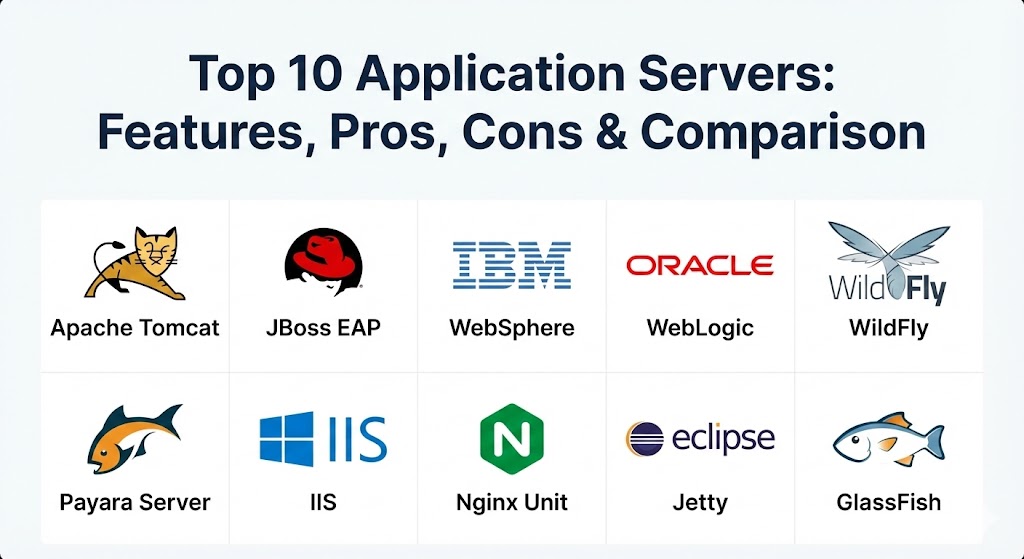
Top 10 Application Servers Tools
1 — Apache Tomcat
Apache Tomcat is the world’s most popular open-source web container. While technically a “web container” rather than a full-blown Java EE application server, it is the de facto standard for running Java-based web applications that don’t require the full complexity of an enterprise suite.
- Key features:
- Lightweight implementation of Jakarta Servlet and Jakarta Expression Language.
- Highly extensible through a modular architecture.
- Strong support for HTTP/2 and WebSocket protocols.
- Embedded mode for cloud-native and Spring Boot applications.
- Advanced clustering capabilities for session replication.
- Extensive management via JMX (Java Management Extensions).
- Integration with major IDEs like IntelliJ and Eclipse.
- Pros:
- Exceptional performance with a very small memory footprint compared to full EE servers.
- Massive community support means almost any bug or configuration issue is documented online.
- Cons:
- Lacks support for full Jakarta EE features like EJB or JMS out of the box (requires libraries).
- Configuration via XML files can feel cumbersome in a modern DevOps “Code-first” world.
- Security & compliance: Supports SSL/TLS, SSO via JAAS, and is regularly audited for CVE vulnerabilities. GDPR/HIPAA compliance depends on implementation.
- Support & community: Robust community-driven support via mailing lists; commercial support available through third-party vendors like VMware (Tanzu).
2 — Red Hat JBoss Enterprise Application Platform (EAP)
JBoss EAP is the enterprise-hardened version of the WildFly project. It is designed for high-performance, high-security environments and is a favorite among Fortune 500 companies for mission-critical Java applications.
- Key features:
- Full Jakarta EE certification with support for all enterprise APIs.
- Modular class-loading system that prevents library conflicts.
- Integration with Red Hat Insights for proactive health monitoring.
- Managed Domain mode for controlling multiple server instances from one point.
- Native support for OpenShift and Kubernetes orchestration.
- Automated patching and lifecycle management.
- Advanced clustering for high-availability deployments.
- Pros:
- Provides a perfect balance between “lightweight” and “feature-complete.”
- Excellent enterprise support and a long-term stability roadmap.
- Cons:
- Significant licensing costs for production environments.
- Complexity in managing the “Domain Mode” configuration for beginners.
- Security & compliance: FIPS 140-2, Common Criteria, SOC 2, and HIPAA compliant. Includes advanced RBAC and audit logging.
- Support & community: Industry-leading 24/7 global support from Red Hat; massive community via the upstream WildFly project.
3 — IBM WebSphere Application Server
IBM WebSphere is a titan of the enterprise world. It is built for massive scale and provides a deeply integrated ecosystem for managing thousands of applications across global data centers.
- Key features:
- Extreme scalability capable of handling millions of concurrent transactions.
- Advanced “Liberty” profile for lightweight, modular cloud deployments.
- Deep integration with IBM Cloud and AI (Watson) services.
- Intelligent management features that automatically rebalance workloads.
- Comprehensive support for legacy “monolith” and modern microservices.
- Integrated security proxy and load balancing.
- Strong support for MQ-based messaging and legacy system integration.
- Pros:
- Unmatched stability; often runs for years without requiring a reboot.
- The best choice for organizations with heavy legacy investments and IBM hardware.
- Cons:
- Very high cost of ownership (licensing and infrastructure).
- Steeper learning curve; often requires dedicated WebSphere administrators.
- Security & compliance: FIPS, SOC 2, GDPR, HIPAA, and ISO certified. Features hardware-accelerated encryption.
- Support & community: World-class enterprise support; professional services and a vast network of certified consultants.
4 — Oracle WebLogic Server
Oracle WebLogic is a cornerstone of the Oracle ecosystem. It is specifically optimized to run Oracle Database and Oracle Applications, making it the premier choice for organizations running the “Oracle stack.”
- Key features:
- Zero-downtime patching for high-availability environments.
- Advanced integration with Oracle Coherence for distributed data caching.
- Specialized drivers for high-performance Oracle Database connectivity.
- Native support for GraalVM to boost execution speed.
- Automated scale-out/scale-in capabilities via Kubernetes Operators.
- Multi-tenancy support within a single server instance.
- Rich diagnostic and troubleshooting tools (WLDF).
- Pros:
- Exceptional performance when paired with other Oracle products.
- Strongest high-availability features in the market (e.g., Active-Active clusters).
- Cons:
- Proprietary nature leads to significant vendor lock-in.
- Licensing can be prohibitively expensive for non-Oracle environments.
- Security & compliance: FIPS 140-2, HIPAA, GDPR, and FedRAMP compliant. Includes Oracle’s “Self-healing” security patches.
- Support & community: Direct support from Oracle Premier Support; active user groups and Oracle University certification.
5 — WildFly
WildFly is the open-source upstream project for JBoss EAP. It is known for its “bleeding edge” implementation of new Java standards and its exceptionally fast startup times.
- Key features:
- Rapid adoption of the latest Jakarta EE and MicroProfile specifications.
- Lightweight, pluggable architecture using the JBoss Modules system.
- Unified configuration file for all server subsystems.
- Very fast startup (often under 5 seconds) for development agility.
- Integrated management console and CLI.
- Support for HTTP/2 and specialized “Galleon” provisioning.
- Low memory overhead for a full-stack server.
- Pros:
- Completely free and open-source with most features of its paid enterprise sibling.
- Highly flexible; can be stripped down to act as a simple web container.
- Cons:
- Lacks the long-term maintenance and security patches of the Enterprise (EAP) version.
- Frequent releases mean you may need to upgrade often to get fixes.
- Security & compliance: Supports standard Java security; compliance is the responsibility of the implementer.
- Support & community: Extremely active community forums and GitHub participation; documentation is clear and developer-focused.
6 — Eclipse GlassFish
GlassFish is the open-source reference implementation for Java EE (now Jakarta EE). It is often the first server to implement new Java enterprise features, making it the perfect choice for testing and development.
- Key features:
- Native support for all Jakarta EE components.
- Simple, browser-based administrative console.
- Integration with NetBeans and other Eclipse Foundation tools.
- Support for high-availability clustering and load balancing.
- Modular architecture based on OSGi.
- Extensive support for RESTful services and WebSockets.
- Lightweight “Micro” version for containerized deployments.
- Pros:
- Serves as the standard against which all other Java servers are measured.
- Very easy to set up for students and researchers.
- Cons:
- Historically suffered from performance issues in very high-concurrency production.
- Smaller commercial ecosystem compared to IBM or Red Hat.
- Security & compliance: Varies/N/A.
- Support & community: Managed by the Eclipse Foundation; strong academic and developer community.
7 — Payara Server
Payara Server is a popular fork of GlassFish designed for production use. It addresses the stability and performance gaps of GlassFish while adding specialized cloud-native features.
- Key features:
- Payara Micro: A lightweight version for microservices and cloud deployments.
- Data Grid Integration: Uses Hazelcast for distributed caching and session management.
- Health Monitoring: Built-in tools for monitoring CPU, memory, and thread usage.
- Auto-scaling: Native cloud connectors for AWS, Azure, and Google Cloud.
- Jakarta EE & MicroProfile: Fully certified for both enterprise and microservice standards.
- Modern Admin Console: Much improved over the legacy GlassFish UI.
- Pros:
- A great middle-ground for teams that like GlassFish but need production-grade stability.
- Innovative feature releases focusing on modern DevOps trends.
- Cons:
- Paid enterprise support can be pricey for mid-sized teams.
- Documentation, while good, is not as vast as Tomcat or JBoss.
- Security & compliance: GDPR and SOC 2 ready; features integrated security auditing.
- Support & community: Strong community version; commercial “Enterprise” version offers 10 years of support.
8 — Microsoft Internet Information Services (IIS)
IIS is the dominant application server for the Windows and .NET ecosystem. While traditional “Application Servers” are often Java-centric, IIS is the powerhouse that runs ASP.NET, .NET Core, and even PHP on Windows.
- Key features:
- Deep integration with Windows Server and Active Directory.
- GUI-based management console that is very easy for Windows admins.
- Support for HTTP/3 and advanced compression.
- Request Filtering and URL Rewriting modules.
- Application Initialization for faster “cold start” app loading.
- Centralized certificate management.
- Native support for Microsoft SQL Server.
- Pros:
- The absolute best choice for teams building with C# and the .NET framework.
- Exceptionally easy to manage for existing Windows infrastructure teams.
- Cons:
- Strictly tied to the Windows operating system; no Linux support.
- Can be less efficient for non-.NET workloads (like Node.js) compared to Linux-native servers.
- Security & compliance: FIPS, HIPAA, GDPR, and ISO certified via Windows Server standards.
- Support & community: Comprehensive Microsoft support; endless documentation and local partners.
9 — Nginx Unit
Nginx Unit is a polyglot application server. It is a modern, lightweight, and high-performance server that can run applications written in multiple languages (Java, Python, Node.js, PHP, Go, Ruby) simultaneously.
- Key features:
- Dynamic configuration via a RESTful JSON API (no reloads required).
- Process isolation for high-security multi-tenant environments.
- Extremely low memory and CPU overhead.
- Integrated web server and application server in one.
- Support for WebAssembly (Wasm) runtime components.
- Native support for Kubernetes and Docker.
- Advanced TLS and certificate management.
- Pros:
- The most modern architecture in this list; perfect for “Infrastructure as Code.”
- Allows you to run different languages on the same server instance.
- Cons:
- Not a full Jakarta EE server; doesn’t provide built-in Java enterprise APIs (EJB, etc.).
- Relatively new compared to giants like Tomcat; smaller legacy community.
- Security & compliance: SOC 2 and GDPR compliant architecture; focuses on sandboxing processes.
- Support & community: Strong community via Nginx; commercial support available through F5.
10 — Eclipse Jetty
Jetty is a Java HTTP (Web) server and Java Servlet container. It is best known for its “embedded” nature, making it the preferred choice for applications that need to carry their own server within the executable (like Spring Boot).
- Key features:
- Optimized for low latency and high concurrency.
- Extremely small footprint; can run on IoT devices and Raspberry Pi.
- Highly customizable and “pluggable” architecture.
- Asynchronous I/O for better resource utilization.
- Deep integration with the Eclipse IDE and Maven build tool.
- Support for modern protocols like SPDY and HTTP/2.
- Excellent for cloud-native “Fat Jar” deployments.
- Pros:
- Incredibly efficient; often outperforms Tomcat in raw throughput tests.
- Very easy for developers to embed into their own code.
- Cons:
- Lacks a heavy-duty management GUI; configuration is primarily via code or property files.
- Not a full Jakarta EE server (focused on the web tier).
- Security & compliance: Varies/N/A.
- Support & community: Backed by the Eclipse Foundation; used by giants like Google (Hadoop) and LinkedIn.
Comparison Table
| Tool Name | Best For | Platform(s) Supported | Standout Feature | Rating (Gartner Peer) |
| Apache Tomcat | Lightweight Java Apps | Windows, Linux, Mac | Simplicity & Ubiquity | 4.6 / 5 |
| JBoss EAP | Enterprise Hardening | Linux, Windows, Mac | OpenShift Integration | 4.5 / 5 |
| IBM WebSphere | Global Scale / Legacy | Linux, AIX, Windows | Extreme Stability | 4.4 / 5 |
| Oracle WebLogic | Oracle Ecosystem | Windows, Linux, Solar | Zero-Downtime Patch | 4.4 / 5 |
| WildFly | Bleeding Edge Java | Windows, Linux, Mac | Rapid Dev Startup | 4.3 / 5 |
| Payara Server | Cloud-Native GlassFish | Windows, Linux, Mac | Integrated Data Grid | 4.5 / 5 |
| IIS | .NET / Windows Shops | Windows Server | Active Directory Sync | 4.4 / 5 |
| Nginx Unit | Polyglot / Microservices | Linux, FreeBSD | REST API Config | 4.5 / 5 |
| Eclipse Jetty | Embedded / IoT | Multi-platform | Tiny Footprint | 4.6 / 5 |
| GlassFish | Reference / Research | Windows, Linux, Mac | Java EE Standards | 4.1 / 5 |
Evaluation & Scoring of Application Servers
To choose the right tool, it helps to understand the trade-offs between “heavy” enterprise features and “lightweight” agility. The following rubric provides a weighted look at what makes an application server successful in 2026.
| Category | Weight | Evaluation Criteria |
| Core Features | 25% | Protocol support, Jakarta EE compliance, and clustering capabilities. |
| Ease of Use | 15% | Administrative interface, documentation quality, and learning curve. |
| Integrations | 15% | Compatibility with IDEs, CI/CD pipelines, and cloud platforms. |
| Security | 10% | SSL support, SSO, audit logging, and vulnerability patching speed. |
| Performance | 10% | Startup speed, memory footprint, and concurrency handling. |
| Support | 10% | Availability of enterprise SLAs and the vibrancy of the community. |
| Price / Value | 15% | TCO including licensing, hardware requirements, and admin costs. |
Which Application Servers Tool Is Right for You?
The “right” application server is rarely about which one has the most features; it’s about which one fits your existing technology stack and team skills.
- Solo Users vs SMB: If you are a solo developer or a small team, Apache Tomcat is the undisputed champion. It’s free, easy to find help for, and runs almost anywhere. If you are a Windows developer, IIS is your logical home.
- Budget-Conscious vs Premium: If budget is no object and stability is your only goal, IBM WebSphere or Oracle WebLogic provide a level of “peace of mind” that open-source tools cannot match. If you need enterprise features on a budget, Payara or JBoss EAP offer excellent value.
- Feature Depth vs Ease of Use: For those who need absolute control and every enterprise API, WildFly or Payara are excellent. For those who want something “invisible” that just runs their code, Jetty or Nginx Unit are the way to go.
- Integration and Scalability: If you are moving heavily into Kubernetes and Cloud, Nginx Unit or JBoss EAP (via OpenShift) offer the most modern orchestration integration.
- Security and Compliance: For strictly regulated industries like banking or government, the paid versions of WebSphere, WebLogic, or JBoss EAP are necessary because they provide the official security audits and long-term support required for compliance.
Frequently Asked Questions (FAQs)
1. What is the difference between a Web Server and an Application Server?
A web server (like Nginx) primarily delivers static content like HTML and images. An application server (like Tomcat or WebSphere) provides the business logic and runtime environment to generate dynamic content from code.
2. Can I run an Application Server in Docker?
Absolutely. In 2026, most application servers are “container-first.” Lightweight options like Tomcat, WildFly, and Nginx Unit are designed specifically to be packaged as Docker images.
3. Is Apache Tomcat actually an Application Server?
Purists call it a “Web Container” or “Servlet Container” because it doesn’t support the full Jakarta EE stack (like EJBs). However, in practical use, most developers treat it as a lightweight application server.
4. Why is Oracle WebLogic so expensive?
You aren’t just paying for the software; you’re paying for the specialized performance optimizations for Oracle databases, high-availability clustering, and 24/7 global support from Oracle.
5. Do I still need an Application Server if I use Spring Boot?
Spring Boot uses an “embedded” server (usually Tomcat or Jetty) inside your application. So while you aren’t installing a standalone server on your OS, you are still using one inside your app.
6. What is Jakarta EE?
It is the new name for Java EE (Enterprise Edition). It is the set of standards that governs how enterprise Java applications should behave, ensuring your code can move between different servers (like moving from JBoss to WebSphere).
7. Can one Application Server run multiple languages?
Most traditional servers only run Java. However, Nginx Unit is a polyglot server that can run Java, PHP, Python, and Node.js all at the same time in the same instance.
8. Is IIS better than Tomcat for Windows?
If you are running .NET code, IIS is significantly better. If you are running Java code on Windows, Tomcat is generally preferred because it is more portable across different operating systems.
9. How do I prevent “Server Bloat”?
Choose a modular server like WildFly or Open Liberty. These allow you to “turn off” the features you aren’t using, keeping the memory footprint and attack surface small.
10. Which server has the fastest startup?
In current benchmarks, Nginx Unit and Jetty are the fastest, followed closely by WildFly. Traditional servers like WebSphere can take several minutes to fully initialize.
Conclusion
The application server market in 2026 is a diverse landscape that caters to every possible business need. If you are looking for the absolute standard in simplicity and community support, Apache Tomcat remains the king. For those requiring the absolute pinnacle of enterprise stability and Oracle integration, WebLogic is the powerhouse. Meanwhile, modern teams looking for polyglot agility are increasingly turning to Nginx Unit.
Ultimately, the “best” application server is the one that empowers your developers rather than hindering them. Consider your language requirements, your cloud strategy, and your budget. Whether you choose the modular flexibility of Payara or the deep Windows integration of IIS, your application server is the foundation upon which your digital business is built.
