Introduction
Enterprise app distribution platforms are specialized software solutions that allow organizations to deploy, manage, and update internal or third-party applications across a fleet of devices without going through public gateways like the Apple App Store or Google Play. These platforms provide a private environment where IT administrators can curate a “Company Store,” enforce security policies, and ensure that only authorized personnel have access to sensitive business logic.
The importance of these tools has skyrocketed as remote work and “Bring Your Own Device” (BYOD) policies have become the standard. Without a centralized distribution platform, companies risk “version fragmentation,” where employees run outdated, vulnerable software, or worse, leak intellectual property through insecure sharing methods. Key real-world use cases include distributing bespoke sales tools to field agents, managing proprietary inventory software in warehouses, and pushing mandatory security patches to thousands of global workstations simultaneously. When evaluating these tools, organizations should look for cross-platform compatibility, “zero-touch” deployment capabilities, robust analytics, and seamless integration with existing identity providers (IdP).
Best for: IT departments in mid-to-large enterprises, DevOps teams managing internal beta testing, and highly regulated industries such as healthcare, finance, and government that require strict audit trails and data siloing.
Not ideal for: Small businesses that rely solely on off-the-shelf SaaS products (like Slack or Zoom) available on public stores, or independent developers who do not need to manage a fleet of managed devices or enforce corporate security policies.
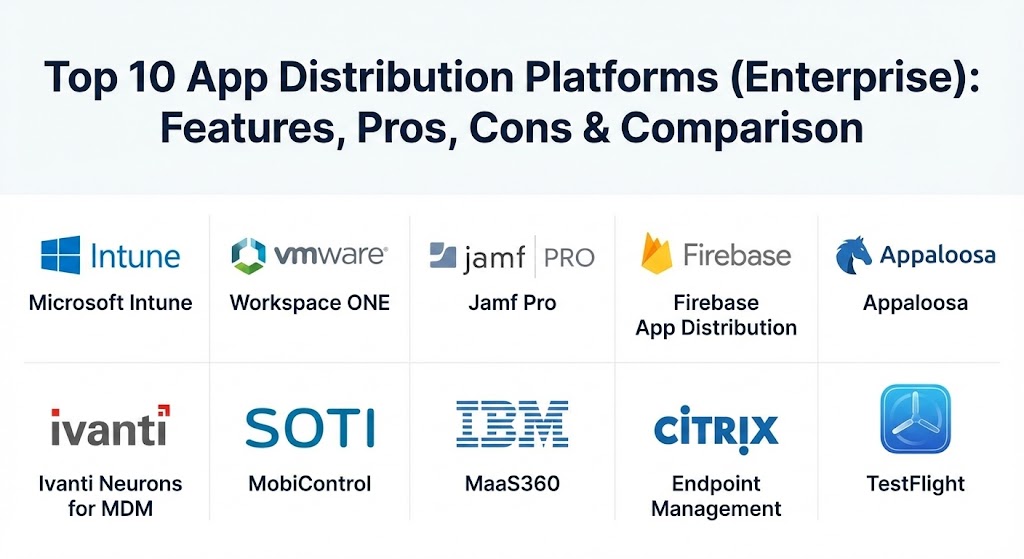
Top 10 App Distribution Platforms (Enterprise) Tools
1 — Microsoft Intune
As a cornerstone of the Microsoft 365 ecosystem, Intune has solidified its position in 2026 as the go-to Unified Endpoint Management (UEM) solution for Windows-centric environments, though its cross-platform capabilities for iOS and Android have seen massive improvements.
- Key features:
- Seamless integration with Microsoft Entra ID (formerly Azure AD) for identity-based deployment.
- Conditional Access policies that prevent app usage on non-compliant devices.
- “Wipe” capabilities to remove corporate apps from personal devices without affecting personal data.
- Support for Windows, macOS, iOS, Android, and Linux.
- Automated app updates and patch management through Windows Autopatch.
- Integration with Microsoft Defender for Endpoint for proactive threat detection.
- Deep MAM (Mobile Application Management) policies for data protection within apps.
- Pros:
- Unrivaled integration with the Microsoft 365 suite, reducing the need for third-party connectors.
- Highly scalable, capable of managing hundreds of thousands of devices globally.
- Cons:
- The administrative interface can be overwhelming for those not already familiar with the Azure/Microsoft portal.
- Policies can sometimes take a significant amount of time to “sync” to the end-user device.
- Security & compliance: SOC 1/2/3, ISO 27001, HIPAA, GDPR, FedRAMP, and FIPS 140-2.
- Support & community: World-class enterprise support; massive documentation library and a global community of Microsoft Certified Professionals.
2 — VMware Workspace ONE
Formerly known as AirWatch, Workspace ONE by Broadcom remains a top-tier choice for organizations requiring a truly platform-agnostic approach to app distribution and device management.
- Key features:
- Unified App Catalog that presents web, mobile, and Windows apps in one place.
- Intelligent Hub for employee self-service and communication.
- Automated “zero-touch” provisioning for new laptops and mobile devices.
- Per-app VPN capabilities to secure data in transit for specific enterprise apps.
- Advanced analytics (DEEM) to monitor app performance and user experience.
- Strong support for “Rugged” devices used in logistics and retail.
- Pros:
- Exceptionally flexible; it handles macOS and Android Enterprise as natively as it handles Windows.
- The user-facing “Hub” app provides an excellent employee experience for onboarding.
- Cons:
- Licensing can be expensive and complex following the Broadcom acquisition.
- Implementation often requires specialized consulting or high-level technical expertise.
- Security & compliance: ISO 27001, SOC 2, HIPAA, GDPR, and Common Criteria.
- Support & community: Robust enterprise support tiers; extensive partner network for managed services.
3 — Jamf Pro
If your enterprise is an “Apple Shop,” Jamf Pro is the undisputed gold standard. It focuses exclusively on the Apple ecosystem, providing deeper “day-zero” support for macOS, iOS, and tvOS than any other vendor.
- Key features:
- Apple Business Manager (ABM) integration for automated device enrollment.
- Self-Service portal tailored specifically for the Mac and iPhone aesthetic.
- Smart Groups that automatically deploy apps based on device attributes (e.g., “Department: Design”).
- Scripting and configuration profiles for granular macOS management.
- Patch management tracking for third-party Mac applications.
- Jamf Connect for seamless account syncing between Mac and cloud IdPs.
- Pros:
- Provides the “purest” Apple experience with zero-day support for every new OS release.
- Highly active community (Jamf Nation) where admins share scripts and solutions.
- Cons:
- Strictly limited to Apple devices; requires a separate solution for Windows or Android.
- Can be more expensive per seat than generalist UEM tools.
- Security & compliance: SOC 2, ISO 27001, GDPR, and HIPAA.
- Support & community: Exceptional support and the legendary “Jamf Nation” community with over 100,000 members.
4 — Firebase App Distribution
Owned by Google, Firebase is less of a device management tool and more of a developer-focused distribution platform. It is essential for teams in the “Beta” phase of app development.
- Key features:
- Centralized dashboard to manage cross-platform (iOS/Android) testers.
- Automated distribution via CI/CD tools like Jenkins or GitHub Actions.
- “Tester Groups” for phased rollouts of internal apps.
- Real-time crash reporting and performance monitoring via Crashlytics.
- No SDK requirement for basic app distribution.
- Integration with Google Analytics for app usage insights.
- Pros:
- Completely free for most distribution use cases, making it ideal for dev teams.
- Extremely fast and simple to set up for internal testing cycles.
- Cons:
- Not a full MDM/MAM solution; cannot “force” installs or manage device settings.
- Limited as a permanent “Company Store” for non-technical employees.
- Security & compliance: ISO 27001, SOC 1/2/3, and GDPR (via Google Cloud).
- Support & community: Excellent documentation and strong community support via Stack Overflow.
5 — Appaloosa
Appaloosa focuses on the “Private Enterprise Store” experience. It is designed for companies that want a lightweight, user-friendly way to distribute apps without the heavy footprint of full device management.
- Key features:
- Customizable private app store with company branding.
- Support for “BYOD” without requiring full device enrollment (MAM-only).
- Silent updates for Android Enterprise devices.
- App-level analytics (downloads, version adoption).
- Integration with Okta, Ping, and other SSO providers.
- Conditional access based on user groups.
- Pros:
- Much easier to deploy than a full UEM like Intune; focuses strictly on the app layer.
- Respects employee privacy on personal devices by only managing the specific work apps.
- Cons:
- Lacks deep device-level controls (e.g., camera disabling, hardware restrictions).
- Smaller ecosystem of third-party integrations compared to major cloud players.
- Security & compliance: GDPR compliant; SSO and encryption for all data at rest.
- Support & community: High-touch customer support with dedicated account managers for enterprise clients.
6 — Ivanti Neurons for MDM
Formerly MobileIron, Ivanti Neurons for MDM is a “security-first” platform that excels in complex, multi-OS environments where data loss prevention is the primary concern.
- Key features:
- AppTunnel for secure, per-app connectivity to behind-the-firewall resources.
- Automated remediation for “jailbroken” or compromised devices.
- Advanced delegated administration for global IT teams.
- Secure Content Collaboration for distributing sensitive documents along with apps.
- Integrated “Phishing and Threat Defense” at the app level.
- Zero-sign-on (ZSO) capabilities using the device as the identity.
- Pros:
- Excellent for highly regulated industries like defense or government.
- Very granular policy controls for data moving between managed and unmanaged apps.
- Cons:
- The administrative console has a steeper learning curve than competitors.
- Transitioning from the legacy MobileIron Core to Neurons can be a complex process.
- Security & compliance: FIPS 140-2, FedRAMP, SOC 2, and HIPAA.
- Support & community: Strong professional services; reliable global support for enterprise outages.
7 — SOTI MobiControl
SOTI is the industry leader for “Ruggedized” and industrial app distribution. If your enterprise relies on Zebra scanners, Honeywell devices, or specialized Linux-based tablets, SOTI is the primary choice.
- Key features:
- Remote Control technology that allows IT to “see” and “touch” remote device screens.
- SOTI XTreme Hub for high-speed app distribution to remote sites with limited bandwidth.
- Lockdown Mode (Kiosk Mode) to restrict devices to a single application.
- Support for Android, iOS, Windows, Linux, and specialized IoT OS.
- Scripting engine for custom device behaviors.
- Geofencing to deploy or disable apps based on physical location.
- Pros:
- Unmatched support for “non-standard” and industrial hardware.
- “Remote Control” feature is significantly more robust than competitors for troubleshooting.
- Cons:
- UI feels more “utility-focused” and less modern than Vercel or Jamf.
- Can be overkill for a standard office-based laptop fleet.
- Security & compliance: ISO 27001, SOC 2, and GDPR.
- Support & community: Specialized support for industrial hardware; strong training and certification programs.
8 — IBM Security MaaS360
MaaS360 distinguishes itself with “Watson” AI insights, helping IT managers identify vulnerabilities and deployment bottlenecks through natural language queries and predictive analytics.
- Key features:
- AI-driven Advisor that alerts admins to new OS vulnerabilities affecting their fleet.
- Secure Container for email, browser, and documents.
- Mobile Expense Management to track data usage by enterprise apps.
- Seamless integration with IBM’s broader security ecosystem (QRadar).
- Rapid deployment of public and private apps through a unified portal.
- Support for “Cognos” based advanced reporting.
- Pros:
- AI insights provide a “second pair of eyes” for small IT teams managing large fleets.
- Very strong for organizations that already utilize the IBM security stack.
- Cons:
- Pricing can be higher than mid-market competitors.
- Some users report the agent can be taxing on older mobile hardware.
- Security & compliance: FedRAMP, HIPAA, SOC 2, and GDPR.
- Support & community: Premier support via IBM’s global network; extensive technical webinars and labs.
9 — Citrix Endpoint Management
Citrix remains a powerhouse in the virtualization space, and its endpoint management solution is ideal for companies that mix native app distribution with virtualized desktop apps.
- Key features:
- Micro VPN for secure access to internal data without a device-wide VPN.
- Integration with Citrix Virtual Apps and Desktops for a unified workspace.
- “Worx” suite of productivity apps (Mail, Browser, Web) for secure work.
- Automated enrollment for macOS and Windows.
- Smart Control for contextual access (e.g., “disable download if on public Wi-Fi”).
- Pros:
- The best choice for organizations that are already “all-in” on Citrix virtualization.
- Excellent at handling the “hybrid” world of native mobile apps and hosted Windows apps.
- Cons:
- High complexity; requires a skilled Citrix administrator to maintain.
- Frequent corporate restructuring (Citrix/TIBCO/Cloud Software Group) has caused some roadmap uncertainty.
- Security & compliance: SOC 2, ISO 27001, HIPAA, and GDPR.
- Support & community: Extensive partner network; deep technical documentation and enterprise support.
10 — TestFlight (Enterprise)
While TestFlight is often seen as a consumer tool, Apple’s Enterprise version is a critical “last mile” distribution platform for iOS developers working on internal corporate applications.
- Key features:
- Native integration with Xcode and App Store Connect.
- Support for up to 10,000 internal testers.
- “Public Link” testing for easy onboarding of external consultants.
- Detailed feedback and screenshot collection from testers.
- Version history and easy “roll-back” capabilities.
- Automated expiry of beta builds to prevent unauthorized usage of old code.
- Pros:
- The most “native” experience for iOS users; no third-party agents required.
- Built-in by Apple, ensuring 100% compatibility with every iOS feature.
- Cons:
- Restricted to Apple hardware; no support for Android or Windows.
- Limited management of the device itself (no remote wipe or kiosk mode).
- Security & compliance: Apple Private Cloud standards; GDPR compliant.
- Support & community: Basic Apple Developer support; massive ecosystem of iOS developer forums.
Comparison Table
| Tool Name | Best For | Platform(s) Supported | Standout Feature | Rating (Gartner Peer Insights) |
| Microsoft Intune | Microsoft Ecosystem | Win, Mac, iOS, Android, Linux | Entra ID Integration | 4.6 / 5 |
| Workspace ONE | Multi-Platform UEM | Win, Mac, iOS, Android, Rugged | Unified App Hub | 4.5 / 5 |
| Jamf Pro | Apple-Only Fleet | macOS, iOS, tvOS | Smart Groups | 4.7 / 5 |
| Firebase Distribution | Beta Dev Testing | iOS, Android | CI/CD Integration | 4.5 / 5 |
| Appaloosa | Lightweight BYOD | iOS, Android | Private Branded Store | 4.4 / 5 |
| Ivanti Neurons | High Security / Gov | Win, Mac, iOS, Android | Zero-Sign-On (ZSO) | 4.3 / 5 |
| SOTI MobiControl | Ruggedized / IoT | Android, Linux, Win, iOS | Remote Screen Control | 4.6 / 5 |
| IBM MaaS360 | AI-Driven Insights | Win, Mac, iOS, Android | Watson AI Advisor | 4.4 / 5 |
| Citrix Endpoint | Virtualization Users | Win, Mac, iOS, Android | Micro VPN | 4.2 / 5 |
| TestFlight | iOS Beta Testing | iOS, iPadOS, tvOS | Native Apple Integration | N/A |
Evaluation & Scoring of App Distribution Platforms (Enterprise)
To determine the true value of an enterprise app distribution platform, it is important to weight different factors based on long-term operational impact. In 2026, integration and security take center stage.
| Category | Weight | Evaluation Criteria |
| Core Features | 25% | Ability to deploy, update, and retire apps across multiple operating systems. |
| Ease of Use | 15% | The intuitiveness of the admin console and the end-user “Store” experience. |
| Integrations | 15% | How well it talks to Identity Providers (Okta), CI/CD (GitHub), and MDM stacks. |
| Security & Compliance | 10% | Encryption standards, audit logging, and data containerization (MAM). |
| Performance | 10% | Speed of deployment and the “latency” between a push and a device install. |
| Support & Community | 10% | Availability of 24/7 support and active user forums for troubleshooting. |
| Price / Value | 15% | Total cost of ownership, including licensing and the “man-hours” to manage. |
Which App Distribution Platforms (Enterprise) Tool Is Right for You?
Selecting the right platform depends heavily on your current infrastructure and the “flavor” of your device fleet.
- Solo Developers & Small Teams: If you are a developer just looking to get an app to 50 testers, Firebase App Distribution or TestFlight are all you need. They are free, fast, and require zero infrastructure.
- Small to Medium Businesses (SMBs): If you find full MDM too complex, Appaloosa offers a “middle ground” where you can have a professional private app store without the headache of managing every aspect of the employee’s phone.
- Windows-First Mid-Market: If you already pay for Microsoft 365, Microsoft Intune is practically a “no-brainer.” It’s already integrated into your license and provides a unified view of your entire Windows and mobile fleet.
- Large Enterprises with Mixed Fleets: VMware Workspace ONE is the standard for complex, global deployments where Windows, Mac, and Android are used in equal measure. It provides the most “enterprise-ready” scalability.
- High-Security & Government: If your data is “Top Secret” or highly regulated, Ivanti Neurons or IBM MaaS360 provide the deep auditing and containerization necessary to pass stringent audits.
- Warehousing & Logistics: If your “devices” are more likely to be barcode scanners than iPhones, SOTI MobiControl is the only logical choice due to its specialized ruggedized device support.
Frequently Asked Questions (FAQs)
1. Is “App Distribution” the same as MDM?
Not exactly. Mobile Device Management (MDM) controls the whole device (passcodes, cameras). App Distribution (often called MAM) controls only the applications. Most enterprise tools today do both.
2. Can I distribute apps to employees’ personal phones?
Yes. Modern platforms use “MAM” (Mobile Application Management) to create a secure container for work apps on personal phones without letting the company see the employee’s personal photos or messages.
3. Do internal apps still need to be “signed” by Apple or Google?
Yes. You still need an Apple Enterprise Developer License or a Google Play Console account to sign your app binaries so they are recognized as “trusted” by the device hardware.
4. Can I “force” an app to install without user interaction?
Yes, on managed devices (MDM), IT can push a “silent install” where the app appears on the home screen without the user having to click “Install.”
5. How do updates work for internal apps?
When you upload a new version (e.g., v1.1) to the platform, the platform notifies the devices. Depending on settings, it can either prompt the user or update the app automatically in the background.
6. What happens to apps when an employee leaves the company?
Administrators can perform an “Enterprise Wipe.” This removes all corporate apps and data from the device while leaving the employee’s personal apps and settings completely untouched.
7. Can I distribute web apps (PWA) through these platforms?
Yes, most platforms allow you to push “Web Clips” or PWAs, which appear as icons on the user’s home screen but open in a secure corporate browser instance.
8. Is there a limit to how many apps I can distribute?
Technically, most platforms have no limit, but your storage costs might increase. Practically, enterprises usually maintain between 10 and 50 custom internal apps.
9. How do I manage beta versions and production versions?
Top-tier tools allow you to create “Groups.” You can deploy the Beta version to the “QA Group” and the Production version to the “All Employees Group” simultaneously.
10. Do these platforms require a constant internet connection?
The distribution requires a connection to download the app, but once the app is installed, it can run offline unless the app itself requires a server connection to function.
Conclusion
Choosing an enterprise app distribution platform in 2026 is no longer about just “moving a file” from point A to point B. It is about creating a secure, seamless, and compliant bridge between your developers and your workforce. Whether you prioritize the absolute control of Jamf Pro for Apple, the rugged reliability of SOTI, or the AI-assisted governance of MaaS360, the goal is clear: empower your employees with the tools they need while keeping your enterprise data locked tight. The “best” tool is the one that disappears into the background of a user’s workday while giving IT administrators total peace of mind.