Introduction
AI Video Generation Tools are sophisticated software platforms that leverage Large World Models (LWMs) and Diffusion Transformers to synthesize moving images, synchronized audio, and complex visual effects from simple text, image, or audio inputs. Unlike traditional video editors, which require a human to manually arrange and manipulate existing footage, these tools “dream” the content into existence, pixel by pixel, based on their training on millions of hours of visual data.
The importance of these tools in 2026 cannot be overstated. They solve the most significant bottleneck in modern business: the high cost and slow turnaround of video production. Key real-world use cases range from hyper-personalized marketing campaigns and automated corporate training modules to rapid pre-visualization for filmmakers and viral social media content creation. When choosing a tool in this category, users must evaluate temporal consistency (how well objects stay the same over time), physics accuracy, native audio integration, and director-level control (the ability to manipulate camera angles and specific object motions).
Best for:
These tools are game-changers for digital marketing agencies, social media influencers, learning and development (L&D) departments, and indie filmmakers. They are particularly effective for small-to-mid-sized businesses (SMBs) that need to produce high-volume content on a budget and large enterprises looking to localize training videos in hundreds of languages simultaneously.
Not ideal for:
AI video tools are currently not a complete replacement for high-end live-action cinematography where physical nuance and unrehearsed human emotion are the primary product. They are also less suitable for highly technical architectural or engineering visualizations that require 100% mathematical precision rather than visual “passability.” For projects requiring total pixel-level manual control over every frame, traditional CGI and VFX pipelines remain superior.
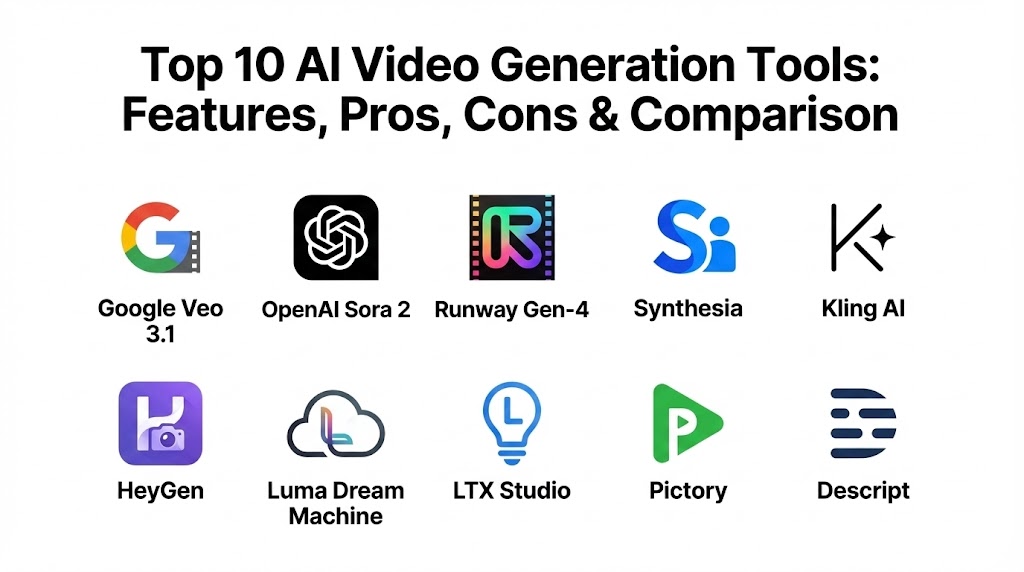
Top 10 AI Video Generation Tools
1 — Google Veo 3.1
Google Veo 3.1 represents the current pinnacle of cinematic realism. Integrated deeply into the Google AI ecosystem, it understands professional filmmaking terminology and produces clips with unmatched physical accuracy and synchronized audio.
- Key features:
- Cinematic Semantics: Understands complex camera shots like “dolly zooms” and “pan-and-tilt.”
- Hyper-Realistic Physics: Superior handling of fluid dynamics and fabric motion.
- Native Audio Sync: Generates high-fidelity sound effects and background scores tailored to the visuals.
- Gemini Integration: Use the Gemini interface to brainstorm scripts that flow directly into video production.
- Shorts Fast Mode: Optimized for producing vertical social content in under 60 seconds.
- Long-Form Narrative: Capable of maintaining character consistency over multi-scene sequences.
- Pros:
- The most realistic physics and lighting in the 2026 market.
- Seamlessly fits into the existing Google Workspace and YouTube ecosystem.
- Cons:
- Access is strictly tiered, with high-fidelity outputs locked behind premium plans.
- Very restrictive safety filters can sometimes stifle creative “horror” or “action” prompts.
- Security & compliance: SOC 2 Type II, GDPR, HIPAA, and ISO 27001 compliant; features built-in digital watermarking (SynthID) for provenance.
- Support & community: Enterprise-grade support for Google Cloud users and an extensive library of tutorials on YouTube and Google Developers.
2 — OpenAI Sora 2
Sora 2 remains the heavy hitter for creative storytelling. Since its official public rollout, it has defined the “frontier” of what AI can simulate, focusing on sustained narrative flow and intricate visual details that feel like a high-budget production.
- Key features:
- World Modeling: Simulates complex interactions between multiple characters and their environment.
- Extended Clip Duration: Generates continuous, coherent clips up to 60 seconds in length.
- Multi-Shot Generation: Can generate a sequence of shots while maintaining the same characters and setting.
- Prompt Adherence: Exceptional at following long, descriptive “director’s notes.”
- Image-to-Video Pro: High-fidelity animation of existing still images with customizable motion intensity.
- Pros:
- Unrivaled for creating “dreamlike” and imaginative content that follows a narrative.
- Simple, conversational interface that makes prompt engineering feel like natural dialogue.
- Cons:
- Computationally expensive, leading to longer wait times for high-res renders.
- Lacks the granular “manual” motion controls found in tools like Runway.
- Security & compliance: SOC 2 compliant; rigorous adversarial testing and detection classifiers to mitigate misinformation.
- Support & community: Integrated into ChatGPT Plus community forums and OpenAI’s specialized Red Teaming network.
3 — Runway Gen-4
Runway continues to be the “Professional Editor’s Choice.” It focuses on giving creators precise manual control over the AI’s output, making it the preferred tool for studios and agencies that need to “direct” the AI rather than just prompt it.
- Key features:
- Multi-Motion Brush: Paint over specific objects to tell the AI exactly how they should move.
- Director Mode: Granular control over camera speed, direction, and focal length.
- Advanced Style Reference: Upload a reference image to perfectly match the color grade and aesthetic.
- Lip Sync Pro: High-fidelity dialogue synchronization for any generated character.
- Alpha Channels: Generates video with transparent backgrounds for easy compositing in Premiere or After Effects.
- Pros:
- Offers the highest level of creative control and customizability.
- Integrates easily into professional post-production workflows.
- Cons:
- The UI can be intimidating for beginners who aren’t familiar with video editing concepts.
- Credit-based pricing can become very expensive for high-volume iteration.
- Security & compliance: SOC 2 compliant; enterprise plans offer private instances and custom data retention.
- Support & community: Strong presence on Discord and a professional academy with high-level masterclasses.
4 — Synthesia
Synthesia dominates the corporate and educational sector. It focuses on “Talking Head” videos, allowing users to create professional presentations and training content using a library of over 230 diverse AI avatars.
- Key features:
- Massive Avatar Library: 230+ multi-ethnic, professionally filmed avatars.
- Global Localization: Support for 140+ languages with perfect lip-syncing and accent control.
- Personal Avatars: Create a digital version of your own staff members using only a few minutes of footage.
- Script-to-Scene: Automatically generates a full presentation deck with visuals based on a written script.
- SCORM Export: Direct export for Learning Management Systems (LMS).
- Pros:
- The fastest and most reliable way to produce “talking head” content at scale.
- Exceptional consistency—every video looks professional and brand-aligned.
- Cons:
- Limited to “presentation style” videos; cannot generate cinematic action or landscapes.
- Avatars can occasionally feel “uncanny” if the script includes high emotional variance.
- Security & compliance: SOC 2, GDPR, and ISO 27001 compliant; features a rigorous content moderation policy to prevent deepfake misuse.
- Support & community: White-glove enterprise support and a massive “Synthesia Academy” for corporate teams.
5 — Kling AI (v2.6)
Kling AI has surged in 2026 as the most direct rival to Sora for pure cinematic realism. Developed with a focus on “Large-Scale Physical Simulation,” it excels at human movement and complex hand gestures that other models often fail to render correctly.
- Key features:
- Large-Scale Physics Simulation: Handles complex human movements, like eating or running, with high fidelity.
- High-Res Output: Supports 1080p 60fps generation as standard.
- Long Clips: Generates clips up to 10 minutes in length via an advanced concatenation engine.
- Storyboarding: Allows users to plan out a sequence of prompts before rendering.
- Visual Consistency: Maintains character and environment details across multiple renders.
- Pros:
- Currently offers some of the best human-centric motion in the AI space.
- Excellent price-to-performance ratio for mid-tier creators.
- Cons:
- The web interface can feel a bit cluttered and laggy during peak hours.
- Documentation is not as extensive for English-speaking users as its competitors.
- Security & compliance: Standard data encryption; GDPR compliance varies by regional server.
- Support & community: Large, active Discord community and frequent, fast-paced feature updates.
6 — HeyGen
HeyGen is the tool of choice for marketing teams that need a blend of talking avatars and creative scene assembly. It is particularly famous for its “Instant Avatar” technology which has set the industry standard for realism in 2026.
- Key features:
- Instant Avatar 3.0: Create a near-perfect digital twin from a smartphone recording.
- Video Translation: High-accuracy translation that matches the speaker’s original tone and lip-sync.
- Interactive Avatars: Real-time AI avatars that can respond to user input for websites.
- Branding Kits: Upload your logos, fonts, and colors to ensure every video is on-brand.
- Generative Outfits: Change the clothes of an avatar using a simple text prompt.
- Pros:
- User interface is incredibly clean and designed for fast productivity.
- The “Video Translate” feature is the most accurate in the industry.
- Cons:
- The cost per minute can be high for large-scale enterprise use.
- Some of the most advanced interactive features require custom pricing.
- Security & compliance: SOC 2 Type II compliant; uses advanced biometric verification to ensure only you can clone your own voice and face.
- Support & community: Fast email support, live chat, and a helpful user academy.
7 — Luma Dream Machine
Luma AI’s Dream Machine has carved out a niche as the “Speed King.” It focuses on rapid, high-energy visuals and excels at fast-paced camera movements that feel dynamic and modern.
- Key features:
- High-Motion Synthesis: Excels at “action” shots, fast camera pans, and drone-style sweeps.
- Iterative Instructions: Use natural language to “edit” a clip (e.g., “make the sun set faster”).
- Ray2 Model: Features a dedicated rendering engine for 4K lifelike visuals.
- Adobe Firefly Integration: Seamlessly pull in assets from the Adobe ecosystem.
- Reframe: Instantly change the aspect ratio of a generated clip without losing quality.
- Pros:
- One of the fastest rendering engines in the high-fidelity category.
- Excellent for “social-first” creators who need punchy, high-energy clips.
- Cons:
- Physics can occasionally break during extremely high-velocity movements.
- Lacks a robust built-in audio generation suite.
- Security & compliance: Standard web security; GDPR compliant.
- Support & community: Highly active on social platforms like X (Twitter) and a fast-growing Discord community.
8 — LTX Studio (by Lightricks)
LTX Studio is less a “generator” and more a “complete AI filmmaking studio.” It allows users to go from an initial idea to a full storyboard, character design, and final edited movie in one browser-based workflow.
- Key features:
- Holistic Filmmaking Pipeline: Covers ideation, storyboarding, character customization, and editing.
- Scene-by-Scene Control: Edit individual shots within a sequence without rerendering the whole video.
- Character Consistency: Lock in a character’s look so they stay identical across every scene.
- Camera Angle Control: Simple presets for “overhead,” “close-up,” and “wide” shots.
- Integrated Scripting: AI generates the script, which then populates the scenes automatically.
- Pros:
- The best tool for those looking to create structured, long-form narrative content.
- Browser-based for easy access without high-end local hardware.
- Cons:
- The initial setup and “generation” of a full movie can take 5–10 minutes.
- Requires a higher level of creative “vision” to get the most out of the platform.
- Security & compliance: Standard encryption protocols; GDPR compliant.
- Support & community: Private beta community and direct developer feedback loops.
9 — Pictory
Pictory is the ultimate automation tool for content marketers. It is designed to take existing text, blogs, or long videos and repurpose them into viral, branded short-form content.
- Key features:
- URL-to-Video: Paste a blog link, and Pictory summarizes it into a video with stock footage.
- AI Social Highlights: Automatically finds “viral” moments in long webinars or podcasts.
- Bulk Captioning: One-click, high-accuracy captions with customizable styles.
- Brand Kit Automation: Automatically applies your logo, intro, and outro to every video.
- Voiceover Sync: Pairs professional AI voices with your visual script perfectly.
- Pros:
- Massive time-saver for businesses that produce a lot of long-form written or video content.
- Huge stock media library (millions of clips) included in the subscription.
- Cons:
- Not a “creative generator”—it uses stock footage rather than dreaming up new pixels.
- The automated scene selection sometimes picks irrelevant visuals that require manual fixing.
- Security & compliance: Standard web encryption; GDPR compliant.
- Support & community: Extensive knowledge base and live chat support for all paid users.
10 — Descript (Underlord)
Descript has redefined video editing by making it as easy as editing a Word document. Its 2026 “Underlord” AI assistant handles all the heavy lifting, from B-roll selection to fixing spoken mistakes.
- Key features:
- Edit by Text: Delete a sentence in the transcript, and the corresponding video is instantly cut.
- Overdub: Correct a spoken mistake in a video by simply typing the new word; the AI clones your voice and fixes it.
- Eye Contact Correction: AI adjusts your eyes so you’re always looking at the camera.
- Studio Sound: Turns low-quality phone audio into professional studio-grade sound.
- Green Screen: One-click background removal for any video.
- Pros:
- The fastest way to edit talking-head videos, interviews, and podcasts.
- Radical “voice-cloning” features that save hours of re-recording time.
- Cons:
- Primarily an editing tool, not a “text-to-video” visual generator.
- The “voice cloning” feature can sometimes sound robotic if the recording is too short.
- Security & compliance: SOC 2 Type II compliant; robust privacy controls for voice data.
- Support & community: Massive user forum and “Descript 101” tutorials.
Comparison Table
| Tool Name | Best For | Platform Supported | Standout Feature | Rating (Gartner/TrueReview) |
| Google Veo 3.1 | Cinematic Realism | Web / API | Hyper-realistic Physics | 4.8 / 5.0 |
| OpenAI Sora 2 | Creative Storytelling | Web / App | Sustained Narrative Flow | 4.7 / 5.0 |
| Runway Gen-4 | Professional Editors | Web / iOS | Multi-Motion Brush | 4.8 / 5.0 |
| Synthesia | Corporate Training | Web | 230+ Multi-ethnic Avatars | 4.5 / 5.0 |
| Kling AI | Realistic Motion | Web / App | Human Movement Realism | 4.6 / 5.0 |
| HeyGen | Marketing/Avatars | Web / API | Instant Avatar 3.0 | 4.7 / 5.0 |
| Luma Dream Machine | High-Energy Clips | Web | High-Motion Synthesis | 4.5 / 5.0 |
| LTX Studio | Indie Filmmaking | Web | Full Storyboard Workflow | 4.7 / 5.0 |
| Pictory | Content Repurposing | Web | URL-to-Video Automation | 4.4 / 5.0 |
| Descript | Rapid Video Editing | Desktop (Mac/Win) | Edit Video by Editing Text | 4.7 / 5.0 |
Evaluation & Scoring of AI Video Generation Tools
To provide a neutral and scientific evaluation, we have used the following weighted scoring rubric tailored to the current 2026 performance standards.
| Category | Weight | Evaluation Rationale |
| Core Features | 25% | Visual fidelity, prompt adherence, and motion consistency. |
| Ease of Use | 15% | UI/UX design, learning curve, and quality of templates. |
| Integrations | 15% | API availability and compatibility with Adobe/Google ecosystems. |
| Security & Compliance | 10% | Enterprise-grade certifications (SOC 2, GDPR) and ethical filters. |
| Performance | 10% | Rendering speed and “hallucination” frequency (rendering errors). |
| Support & Community | 10% | Documentation quality, support response time, and user forums. |
| Price / Value | 15% | Credit flexibility and cost-per-minute vs. quality of output. |
Which AI Video Generation Tool Is Right for You?
Choosing the right tool is a strategic decision that depends on your technical skill level and your specific business objective.
Solo Users vs SMB vs Mid-Market vs Enterprise
- Solo Users: Look for Luma Dream Machine or Kling AI. These are designed for rapid, creative exploration with low entry barriers and affordable consumer tiers.
- SMBs: Pictory and Descript are the high-efficiency picks. They focus on repurposing and rapid editing, allowing a small marketing team to function like a full production house.
- Mid-Market: HeyGen and LTX Studio provide the balance of professional quality and scalable automation needed for growing brands.
- Enterprise: Google Veo 3.1, Synthesia, or Runway are the standard. They offer the SOC 2 compliance, API scalability, and “Brand Kit” controls required by global organizations.
Budget-Conscious vs Premium Solutions
- Budget-Conscious: Kling AI and the free tiers of Runway or Luma are the best starting points. Many tools now offer “daily free credits” to encourage experimentation.
- Premium: OpenAI Sora 2 Pro and Google AI Ultra are expensive ($200+ per month) but are essential for teams that cannot afford the “AI hallucinations” found in cheaper models.
Feature Depth vs Ease of Use
- High Depth/Low Ease: Runway and NVIDIA Metropolis (not listed, but related) offer absolute control but require a steep learning curve.
- Low Depth/High Ease: Synthesia and Pictory are “one-click” solutions. You provide the text, and they provide the video, with very little manual tweaking required.
Integration and Scalability Needs
If you need to generate 10,000 personalized videos for a CRM campaign, look at HeyGen’s API. If you need to integrate video into a professional film pipeline, Runway and Adobe Firefly are your best bets.
Frequently Asked Questions (FAQs)
1. Is AI-generated video indistinguishable from real life in 2026?
Almost. At 1080p resolution, high-end models like Veo 3.1 and Kling produce results that are indistinguishable to the casual observer. However, eagle-eyed editors can still spot minor “temporal drift” in complex backgrounds or reflections.
2. Do I own the copyright to the videos I generate?
Usually, yes. Most premium platforms (Runway, Sora, Synthesia) grant full commercial rights to paid subscribers. However, “pure” AI content cannot be copyrighted in some jurisdictions, so always add a “human touch” (editing or branding) to secure legal protection.
3. How long does it take to generate a 10-second clip?
In 2026, standard rendering takes 2 to 4 minutes. “Fast modes” (like Luma or Veo Shorts) can produce a clip in under 60 seconds, though sometimes at a slightly lower resolution.
4. Can these tools create deepfakes?
Technically, yes, but the top 10 listed tools have rigorous ethical guardrails. HeyGen and Synthesia, for example, require live biometric video verification before you can clone a human face or voice.
5. Do I need a powerful computer to run these?
No. Most AI video tools are cloud-based. The “heavy lifting” happens on the provider’s servers. You only need a modern web browser and a stable internet connection.
6. Can I use AI video for professional filmmaking?
Absolutely. Many indie filmmakers use LTX Studio for pre-visualization and Runway for specific background or atmospheric effects that would otherwise be too expensive to film or animate.
7. How much does AI video production cost compared to traditional?
A traditional corporate video typically costs $1,000–$5,000 per minute. Using AI, that cost drops to roughly $5–$50 per minute, representing a 90% reduction in production costs.
8. What is the biggest mistake beginners make?
“Vague Prompting.” Beginners often write simple prompts like “A cat in space.” Professionals write: “Cinematic close-up, 35mm lens, a ginger cat floating in zero-G inside a neon-lit cyberpunk cockpit, high motion, anamorphic lens flares.”
9. Are there any free AI video generators?
Most offer a “free trial” (like 125 credits on Runway or 3 minutes on Synthesia). However, watermark-free, high-resolution output almost always requires a paid subscription.
10. What is “Temporal Consistency”?
It is the holy grail of AI video. It refers to the AI’s ability to keep objects, colors, and characters identical from the first frame to the last. This is the primary difference between “top-tier” tools and free, experimental ones.
Conclusion
The evolution of AI Video Generation Tools in 2026 has fundamentally democratized the art of visual storytelling. We are no longer limited by our equipment or our budgets, but only by the clarity of our creative vision.
When choosing your platform, remember that the “best” tool is the one that aligns with your specific workflow. If you are a professional creator who demands control, Runway is your studio. If you are an enterprise looking for scale and consistency, Synthesia and HeyGen are your partners. The future of video isn’t being filmed—it’s being imagined.