Introduction
At their core, AI image generation tools are software platforms that utilize machine learning models trained on billions of image-text pairs to generate new, original visuals. They are no longer limited to just creating a static image; modern platforms in 2026 allow for inpainting (editing within an image), outpainting (expanding an image), and complex character consistency across multiple generations.
The importance of these tools lies in their ability to democratize design and accelerate the “speed to market” for visual content. Whether it is creating photorealistic product mockups, generating concept art for a film, or producing social media assets on the fly, these tools save thousands of hours in manual labor. When choosing a tool in this category, users must evaluate prompt adherence (how well the AI follows instructions), visual fidelity (resolution and realism), text rendering (the ability to write legible words), and workflow integration.
Best for: Professional graphic designers, marketing agencies, content creators, game developers, and social media managers who need high-volume, high-quality visual assets. It is particularly valuable for enterprises that require brand-consistent visuals or “commercially safe” AI outputs.
Not ideal for: Industries where absolute photographic “truth” is legally required (such as forensic documentation or certain types of hard-news photojournalism) where AI-generated content might be considered “deepfakes” or misinformation. It may also be overkill for users who only need basic photo editing like cropping or red-eye removal.
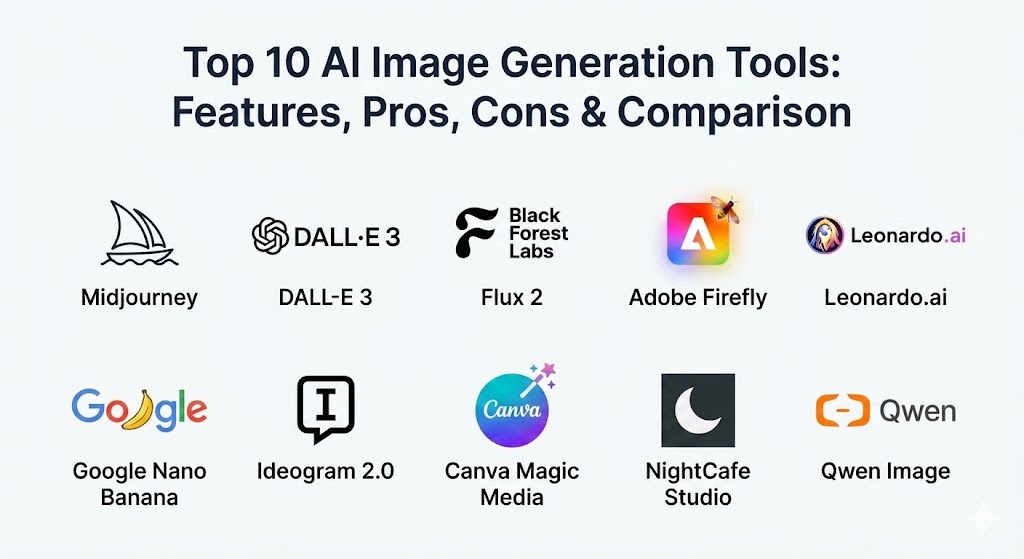
Top 10 AI Image Generation Tools
1 — Midjourney (v7)
Midjourney remains the industry’s artistic benchmark, known for its distinct “cinematic” aesthetic and unparalleled lighting effects. In 2026, with the release of version 7, it has moved fully into a sophisticated web-based interface, moving away from its Discord-only roots.
- Key features:
- Personalized Style Tuner: Allows users to create a unique “style profile” that the AI follows across all generations.
- v7 Cinematic Engine: Specialized in high-dynamic-range (HDR) lighting and hyper-realistic skin textures.
- Character & Style Reference (cref/sref): Sophisticated tools to maintain 99% character likeness across different scenes.
- In-Painting & Region Editor: Precise controls to change specific parts of an image without regenerating the whole.
- Zoom & Pan (Outpainting): Seamlessly extends the borders of an image in any direction.
- High-Resolution Upscaler: Native support for 4K and 8K outputs with sharp detail.
- Pros:
- Offers the highest “out-of-the-box” artistic quality in the market.
- The “SREF” catalog allows users to apply styles from a global community library.
- Cons:
- The high-end plans are relatively expensive for casual users.
- Content policies can sometimes be overly restrictive for avant-garde artists.
- Security & compliance: SSO available for Enterprise plans; “Stealth Mode” for private generations; GDPR compliant.
- Support & community: Extremely active community; extensive prompt-crafting tutorials; 24/7 support for Pro/Mega tiers.
2 — DALL-E 3 (via GPT-5)
OpenAI’s flagship image generator, now fully integrated into the GPT-5 ecosystem, is the king of prompt adherence. It understands complex, multi-sentence instructions better than any other tool, treating the prompt like a detailed creative brief.
- Key features:
- Natural Language Reasoning: Uses the reasoning power of GPT-5 to interpret nuanced, abstract prompts.
- Perfect Typography: Exceptional at rendering complex text, logos, and signage within images.
- Conversational Editing: Users can edit images by simply chatting with the AI (e.g., “Change her hat to red”).
- Ethical Guardrails: Advanced built-in safety to prevent the generation of public figures or copyrighted characters.
- API Multimodality: Developers can feed images back into the AI for recursive design loops.
- Pros:
- Easiest tool to use for beginners; no complex parameters or “cheat codes” required.
- Best-in-class spatial awareness (e.g., “put the cup behind the plate but in front of the window”).
- Cons:
- Images can sometimes look “too clean” or “digital” compared to Midjourney.
- Limited manual controls for power users (no sampling methods or seed controls).
- Security & compliance: SOC 2 Type II, GDPR, and HIPAA compliant. Enterprise data is not used for training.
- Support & community: Backed by OpenAI’s global support; massive user community sharing prompt strategies on social media.
3 — Flux 2 (by Black Forest Labs)
Flux 2 is the premier “open-weight” model of 2026, offering a level of photorealism that rivals Midjourney while providing the technical freedom of Stable Diffusion. It is designed for those who want professional results without being locked into a closed-source ecosystem.
- Key features:
- Open-Weights Architecture: Can be run locally on powerful hardware (RTX 5090+) for total privacy.
- Physics-Aware Lighting: Superior rendering of glass, water, and reflective surfaces.
- LoRA Support: Allows users to “plug in” small, specialized models for specific faces or artistic styles.
- ControlNet Integration: Use poses, depth maps, or sketches as a strict guide for the AI.
- Fast vs. Pro Variants: Offers different model sizes for speed versus maximum quality.
- Pros:
- No subscription needed if running locally; unlimited free generations.
- Incredible human anatomy rendering (perfect hands and eyes in 99% of cases).
- Cons:
- Requires a very high-end GPU for local use; cloud hosting adds costs.
- Steeper learning curve to master advanced configuration settings.
- Security & compliance: Completely private if self-hosted. Varies by cloud provider if using API.
- Support & community: Massive open-source community on GitHub and CivitAI; community-driven documentation.
4 — Adobe Firefly (v4)
Adobe Firefly is the “safe” choice for corporate environments. Trained exclusively on Adobe Stock images and public domain content, it offers full commercial indemnification, making it the standard for marketing departments.
- Key features:
- Generative Fill (Photoshop): The industry standard for adding/removing objects from photos.
- Generative Expand: Extends a photo’s background using AI while matching lighting and focus.
- Text Effects: Applies complex textures and materials to 3D text in Illustrator.
- Vector Recolor: Instantly changes the color scheme of a vector graphic using a text prompt.
- Commercial Safety Guarantee: No risk of copyright infringement for enterprise users.
- Pros:
- Seamlessly integrated into the tools professional designers already use daily.
- The most reliable “workflow” tool; it’s an assistant, not just a generator.
- Cons:
- Output is often more “conservative” and less creative than Midjourney.
- Requires an Adobe Creative Cloud subscription for the best features.
- Security & compliance: SOC 2, GDPR, ISO 27001. Built-in “Content Credentials” to track AI origins.
- Support & community: Full Adobe enterprise support; vast library of video tutorials; global user forums.
5 — Leonardo.ai (Phoenix)
Leonardo has evolved from a Stable Diffusion wrapper into a powerhouse standalone platform. Its new “Phoenix” model offers incredible prompt fidelity and a suite of “creative power tools” that give artists more control than almost any other cloud platform.
- Key features:
- Realtime Canvas: Allows you to sketch a rough shape while the AI generates a finished image in real time.
- Universal Upscaler: Enhances low-res images (even from other AI) into high-definition masterpieces.
- Motion Video: Can turn any generated static image into a high-quality 4-second video clip.
- Custom Model Training: Users can upload 15-20 photos to train the AI on their own face or brand style.
- Prompt Magic v4: An AI assistant that “beautifies” short prompts into detailed creative descriptions.
- Pros:
- The best “all-in-one” platform for power users who want a web-based experience.
- Generous daily free tokens allow for significant experimentation at no cost.
- Cons:
- The interface can be overwhelming for a complete beginner due to the number of sliders.
- Certain models can produce a “tacky” or over-processed look if not tuned carefully.
- Security & compliance: GDPR compliant; private generations available for paid tiers.
- Support & community: Very strong Discord presence; excellent built-in “community feed” for inspiration.
6 — Google Nano Banana (Gemini 3 Flash Image)
“Nano Banana” is the internal codename for Google’s lightning-fast Gemini 3 image model. It focuses on two things: incredible speed and photorealistic texture rendering, particularly for product photography.
- Key features:
- Sub-3 Second Generation: Optimized for high-speed cloud inference.
- Product Photography Mode: Specialized in handling metallic, glass, and liquid textures.
- Google Workspace Integration: Generate images directly inside Google Slides or Docs.
- Inpainting Excellence: Allows for natural language edits like “make the background sunset-colored.”
- Identity Preservation: Excels at keeping a human face consistent across many different poses.
- Pros:
- Integrated into the Google ecosystem that billions of people already use.
- The best tool for marketers who need to churn out hundreds of product variations.
- Cons:
- Creative “flair” can feel a bit flat compared to Midjourney’s artistic style.
- Limited advanced artistic controls for professional digital artists.
- Security & compliance: Enterprise-grade security via Google Cloud (Vertex AI); HIPAA and GDPR compliant.
- Support & community: Backed by Google’s vast support network; integrated into Google Cloud’s documentation.
7 — Ideogram 2.0
Ideogram became famous for its ability to render text, and in 2026, version 2.0 remains the typography leader. It is the go-to tool for graphic designers creating posters, T-shirts, and social media quotes.
- Key features:
- Typography Precision: Can handle paragraphs of legible text without spelling errors.
- Aspect Ratio Flexibility: Supports any custom resolution or ratio for print-ready designs.
- Brand Color Palettes: Users can specify hex codes to ensure images match a brand’s identity.
- Vector-Style Outputs: Optimized for creating flat illustrations that look like manual vector art.
- Negative Prompting: Sophisticated engine to exclude unwanted elements from the frame.
- Pros:
- Unbeatable for anything involving graphic design, posters, or branding.
- Very high success rate on the first try, saving credits/tokens.
- Cons:
- Not as strong for hyper-photorealistic human portraits as Flux or Midjourney.
- Free plan has very long wait times during peak hours.
- Security & compliance: SSO for teams; GDPR compliant.
- Support & community: Fast-growing community; active presence on X (Twitter) for sharing prompts.
8 — Canva Magic Media
Canva’s integrated AI tool is designed for the “non-designer.” It allows anyone to generate a visual and immediately place it into a flyer, presentation, or Instagram post without leaving the browser.
- Key features:
- Template Integration: Generated images are automatically sized and themed to your current design.
- Magic Edit: Brush over an area and describe what should replace it (e.g., “Change flowers to roses”).
- Multiple AI Engines: Allows users to choose between various underlying models (DALL-E, Google, Canva Pro).
- Brand Kit Sync: Automatically applies your brand colors and fonts to AI-generated text.
- Style Filters: One-click presets for “Anime,” “Retro,” “Watercolor,” etc.
- Pros:
- The most frictionless tool for small business owners and marketing assistants.
- Affordable; included in the standard Canva Pro subscription.
- Cons:
- The actual image quality is slightly behind the “specialists” like Midjourney.
- Limited control over advanced parameters like lighting, camera lens, or seeds.
- Security & compliance: SOC 2 Type II, ISO 27001, GDPR, and HIPAA compliant.
- Support & community: Huge global community; “Canva University” offers thousands of tutorials.
9 — NightCafe Studio
NightCafe is the ultimate “community-first” platform. It acts as a portal to multiple different AI models (Stable Diffusion, DALL-E, etc.) while hosting daily challenges that help users improve their skills.
- Key features:
- Multi-Model Access: Switch between SDXL, DALL-E 3, and Flux from one interface.
- Daily Creative Challenges: Gamified prompting where the community votes for winners.
- Bulk Generation: Create up to 100 images at once for rapid iteration.
- Community Collaboration: Users can remix other people’s prompts and settings easily.
- Vibrant Credit System: Many ways to earn free generation credits every day.
- Pros:
- The best place to learn “Prompt Engineering” through community interaction.
- Highly accessible; works perfectly on mobile browsers.
- Cons:
- The interface can feel a bit cluttered or “social media-esque” for serious pros.
- Because it uses third-party models, you aren’t getting a “unique” model engine.
- Security & compliance: GDPR compliant; encrypted storage for private tiers.
- Support & community: One of the largest and friendliest Discord communities in the AI space.
10 — Qwen Image (Alibaba)
Qwen Image has emerged as the multilingual powerhouse of 2026. Developed by Alibaba, it is the best tool for users who need to prompt in languages other than English or who require a “Global” aesthetic.
- Key features:
- Multilingual Prompting: Native, high-fidelity support for Mandarin, Arabic, Spanish, and 20+ other languages.
- Pixel-Perfect Semantic Fidelity: If you ask it to change a logo on a shirt, it changes only the logo.
- Architecture & Landscape Focus: Specialized in high-detail architectural rendering and nature shots.
- Bilingual Text Rendering: Can accurately render text in multiple scripts (e.g., Latin and Kanji) in one image.
- Open Weights Availability: Like Flux, it offers an open version for developers to fine-tune.
- Pros:
- The superior choice for international marketing and global brand assets.
- Exceptional realism in skin tones and cultural nuances that Western models often miss.
- Cons:
- Cloud access can be slower for users outside of the Asia-Pacific region.
- English-language documentation is not as extensive as its competitors.
- Security & compliance: ISO 27001, GDPR compliant. Strong focus on data residency options.
- Support & community: Large developer following in Asia; documentation primarily on GitHub and Alibaba Cloud.
Comparison Table
| Tool Name | Best For | Platform(s) | Standout Feature | Rating (Gartner/TrueReview) |
| Midjourney | Artistic Excellence | Web / Discord | SREF Style Catalog | 4.8 / 5 |
| DALL-E 3 | Logical Prompting | ChatGPT / API | Conversational Editing | 4.5 / 5 |
| Flux 2 | Customization / Privacy | Local / Cloud | Open-Weights Fidelity | 4.7 / 5 |
| Adobe Firefly | Commercial / Design | Photoshop / Web | Generative Fill | 4.6 / 5 |
| Leonardo.ai | Creative Power Users | Web / App | Realtime Canvas | 4.7 / 5 |
| Google Nano | Speed / Marketing | Google Workspace | Sub-3s Generation | 4.4 / 5 |
| Ideogram 2.0 | Typography / Logos | Web | 100% Accurate Text | 4.6 / 5 |
| Canva Magic | Non-Designers | Web / App | Template Integration | 4.3 / 5 |
| NightCafe | Learning / Community | Web / Mobile | Daily Challenges | 4.5 / 5 |
| Qwen Image | Multilingual Needs | Cloud / Open | Bilingual Text Gen | 4.4 / 5 |
Evaluation & Scoring of AI Image Generation Tools
To provide an objective ranking, we have evaluated these tools against a weighted scoring rubric that represents the diverse needs of modern users.
| Category | Weight | Evaluation Criteria |
| Core Features | 25% | Quality of anatomy, lighting, textures, and prompt adherence. |
| Ease of Use | 15% | Intuitiveness of UI, prompt suggestions, and learning curve. |
| Integrations | 15% | Availability of APIs, plugins for PS/Illustrator, and cloud connectors. |
| Security & Compliance | 10% | Enterprise-grade encryption, GDPR, commercial safety, and audit logs. |
| Performance | 10% | Average generation speed and high-resolution upscaling quality. |
| Support & Community | 10% | Documentation quality, community forums, and response times. |
| Price / Value | 15% | Cost-per-image versus the “utility” provided for professionals. |
Which AI Image Generation Tool Is Right for You?
The “best” tool doesn’t exist in a vacuum—it depends on your specific goals, hardware, and budget.
- Solo Users & Hobbyists: If you are just starting, NightCafe Studio or Canva Magic Media are perfect. They offer daily free credits and a very gentle learning curve. If you want the “prettiest” pictures for social media, Midjourney is worth the $10/month investment.
- Small to Medium Businesses (SMBs): Leonardo.ai or Ideogram 2.0 are the winners here. Leonardo gives you a full studio suite (upscaling, editing) without needing Photoshop, while Ideogram is essential if your business needs to create T-shirt designs, social quotes, or posters.
- Enterprise & Marketing Teams: Adobe Firefly and Google Nano Banana are the standard. They provide the commercial safety and speed needed for large-scale campaigns. If you have a dedicated data team, Flux 2 allows you to host your own model for absolute brand consistency.
- Developers & Technical Artists: Flux 2 and Stable Diffusion (via various portals) are the clear choices. The ability to use “ControlNet” to force a specific pose or to use “LoRAs” to train the AI on a specific product is unmatched in any closed-source tool.
- High-Volume Creators: If you need to generate hundreds of images a day for testing or variations, the Google Nano Banana API is the fastest and most cost-effective.
Frequently Asked Questions (FAQs)
1. Who owns the copyright of AI-generated images?
As of 2026, copyright law varies by country. In the US, the Copyright Office generally holds that purely AI-generated work cannot be copyrighted by a human, but significant human “creative input” (like extensive editing or specific ControlNet poses) may qualify. Most platforms like Midjourney and Adobe grant you full commercial usage rights in their terms of service.
2. Can AI image generators handle text now?
Yes. While 2023-2024 models struggled with “gibberish” text, 2026 tools like Ideogram 2.0 and DALL-E 3 are nearly perfect at rendering long sentences, complex logos, and stylized typography.
3. Are these tools safe for commercial use?
Adobe Firefly is the only one that offers full commercial indemnification because it’s trained only on licensed content. Midjourney and Leonardo are widely used commercially, but you must ensure your prompts don’t accidentally replicate a specific artist’s protected style or a copyrighted character.
4. What is “Prompt Adherence”?
Prompt adherence refers to how strictly the AI follows every detail of your prompt. DALL-E 3 is currently the highest in this category, while Midjourney sometimes “hallucinates” more artistic details that you didn’t specifically ask for.
5. Do I need a powerful computer?
For 90% of these tools (Midjourney, DALL-E, Leonardo), no. They run in the cloud. You only need a powerful computer (with a dedicated NVIDIA GPU) if you plan to run Flux 2 or Stable Diffusion locally on your own machine.
6. What are “Negative Prompts”?
Negative prompts are instructions on what not to include. For example, typing “–no blur, low quality, extra fingers” helps the AI avoid common mistakes. Tools like Leonardo and Midjourney have dedicated fields for this.
7. How do I get consistent characters across different images?
The best way is using Midjourney’s –cref parameter or Leonardo’s Character Reference tool. You provide a reference image of the person, and the AI maintains their facial structure across new scenes.
8. Is my data used to train the AI?
For free tiers, often yes. For Enterprise/Business tiers (like OpenAI Enterprise or Adobe Firefly for Teams), your data is typically cordoned off and never used to train the public model. Always check the “Privacy” settings in your account.
9. Can AI generate realistic human hands yet?
Yes. By 2026, “the finger problem” has been largely solved in flagship models like Flux 2 and Midjourney v7. They now correctly render five fingers, proper knuckles, and anatomically correct poses in almost all generations.
10. What is “Inpainting”?
Inpainting is a feature that lets you “paint over” a mistake or a missing object in an image and ask the AI to fill that specific spot with something else. It is a critical tool for professional editing.
Conclusion
Choosing an AI image generation tool in 2026 is no longer about finding the only one that works; it’s about finding the one that speaks your creative language. For raw artistic “vibes,” Midjourney is still the king. For precision and typography, Ideogram is unmatched. For the corporate world, Adobe Firefly provides the necessary legal and workflow safety. As these models move toward “Real-Time” generation and seamless video integration, the “best” tool will increasingly be the one that stays out of your way and lets your ideas flow directly onto the canvas.