Introduction
An AI Agent Platform is a specialized environment designed to build, deploy, and manage AI entities that can perform autonomous actions. Unlike traditional automation (which follows rigid “If-Then” logic), AI agents use Large Language Models (LLMs) as their “brain” to determine the best path to reach a goal. They can browse the web, interact with APIs, manage databases, and even collaborate with other agents to solve complex business problems.
The importance of these platforms lies in their ability to bridge the gap between “knowing” and “doing.” In a real-world scenario, an AI agent doesn’t just tell you that your inventory is low; it calculates the optimal reorder quantity, finds the best vendor price, and drafts the purchase order for your approval. Use cases are exploding across industries: from Autonomous SDRs in sales that qualify leads 24/7, to Supply Chain Agents that proactively reroute shipments based on weather anomalies.
When choosing an AI agent platform, you must look beyond just “chat quality.” Key evaluation criteria include Multi-Agent Orchestration (can agents talk to each other?), Action Layers (how easily can they connect to your tools?), State Management (do they remember past context accurately?), and Governance (can you set “Human-in-the-Loop” guardrails for high-risk actions?).
Best for:
- Enterprise IT & Ops Teams: Looking to automate cross-departmental workflows at scale.
- Software Developers: Needing high-control frameworks to build custom agentic features into existing apps.
- SaaS Founders: Wanting to add autonomous “teammates” to their product offerings.
- SMBs: Looking for no-code ways to eliminate repetitive administrative burdens.
Not ideal for:
- Basic Task Seekers: If you only need a summary of a PDF or a quick email draft, a standard LLM chat interface is more efficient.
- Static Automation: For simple, unchanging tasks (like moving a row from Google Sheets to a database), traditional tools like standard Zapier “Zaps” or Cron jobs remain cheaper and more reliable.
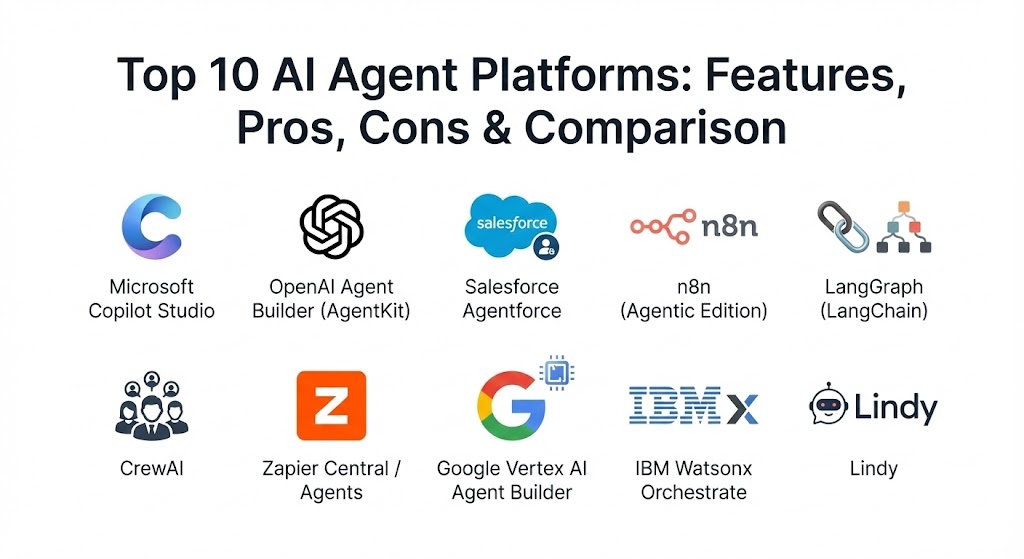
Top 10 AI Agent Platforms
1 — Microsoft Copilot Studio
Microsoft Copilot Studio has evolved into the definitive enterprise platform for building agents that live where people work. It is specifically designed for organizations heavily invested in the Microsoft 365 and Azure ecosystems.
- Key features:
- Native M365 Integration: Agents can seamlessly access data from Outlook, Teams, SharePoint, and Dynamics 365.
- Generative Answers: Uses high-speed indexing to ground agent responses in your specific corporate knowledge base.
- Low-Code Designer: A visual “drag-and-drop” interface that allows business analysts to build complex logic flows.
- Agentic Plugins: Built-in connectors for over 1,200 third-party apps, allowing agents to take action outside the Microsoft wall.
- Azure AI Integration: For developers, it allows “hooking in” custom models and complex Python scripts via Azure.
- Dynamic Chaining: The platform can automatically select the right tool or topic based on user intent without pre-defined paths.
- Pros:
- Unrivaled security and governance for enterprises that already trust Microsoft.
- One-click deployment to Microsoft Teams, websites, and mobile apps.
- Cons:
- Can feel restrictive if your company uses a “best-of-breed” stack outside of Microsoft.
- Pricing is often tied to expensive enterprise licenses that small teams might find prohibitive.
- Security & compliance: SOC 1/2/3, ISO 27001, HIPAA, GDPR, and FedRAMP compliant. Features robust Data Loss Prevention (DLP) and row-level security.
- Support & community: World-class enterprise support; massive community of certified Power Platform developers and extensive documentation.
2 — OpenAI Agent Builder (AgentKit)
Launched as the successor to the original “Assistants API,” OpenAI’s AgentKit (and its visual Builder) is the gold standard for developers who want the most capable “brain” for their agents. It focuses on high performance and ease of deployment.
- Key features:
- Model Context Protocol (MCP) Support: A standardized way for agents to connect to local and remote data sources instantly.
- Managed Vector Store: Automatically handles file chunking, embedding, and retrieval for RAG-based (Retrieval-Augmented Generation) agents.
- Code Interpreter: A sandboxed Python environment where agents can write and run code to analyze data or generate charts.
- Stateful Threads: Persistent memory that allows agents to pick up a conversation exactly where it left off, even days later.
- Function Calling 2.0: Highly reliable tool-calling that guarantees JSON outputs for system integration.
- Pros:
- Access to the absolute latest GPT models with minimal latency.
- Extremely developer-friendly with robust SDKs for Python and Node.js.
- Cons:
- Strictly tied to OpenAI’s model ecosystem (no support for Anthropic or Llama models).
- Scaling costs can be unpredictable due to token-based pricing on high-volume agentic loops.
- Security & compliance: SOC 2 Type II; GDPR and CCPA compliant. Enterprise plans offer “zero-data-retention” options for training.
- Support & community: The largest community of AI developers globally; excellent documentation and rapid feature iteration.
3 — Salesforce Agentforce
Salesforce has rebranded its entire AI strategy around “Agentforce,” positioning the AI agent as a CRM super-user. It is designed for sales, service, and marketing teams who need agents grounded in deep customer data.
- Key features:
- Atlas Reasoning Engine: A cognitive core that allows the agent to plan and refine its actions before executing them.
- Data Cloud Grounding: Agents access “harmonized” data from every touchpoint in the Salesforce ecosystem.
- Pre-built Industry Agents: Out-of-the-box agents for healthcare, retail, and financial services.
- Low-Code Configuration: Admins can “prompt” an agent into existence using natural language within the Salesforce UI.
- Omni-channel Deployment: Agents work across WhatsApp, SMS, Facebook Messenger, and Slack.
- Pros:
- The best choice for customer-facing agents that need accurate, real-time CRM data.
- Deeply “context-aware” regarding customer churn risk, lifetime value, and past support history.
- Cons:
- Requires a significant investment in the Salesforce “Data Cloud” to unlock its true potential.
- Implementation can be complex, often requiring specialized Salesforce consultants.
- Security & compliance: “Einstein Trust Layer” provides PII masking, toxicity scoring, and full audit logs. HIPAA and GDPR compliant.
- Support & community: Extensive Trailhead training modules; premium support via “Signature” success plans.
4 — n8n (Agentic Edition)
n8n is the favorite for technical teams that prioritize flexibility and data sovereignty. It is an open-source, “fair-code” platform that allows you to self-host your agents, keeping all your data on your own servers.
- Key features:
- Self-Hosting: Can be deployed via Docker on your own cloud or on-premise infrastructure.
- Advanced Logic Nodes: Unlike Zapier, n8n allows for complex loops, error handling, and conditional branching in a visual canvas.
- AI Toolbox: Specialized nodes for vector stores, memory management, and prompt chaining.
- Extensive Connector Library: Thousands of pre-built integrations, plus the ability to write custom JavaScript or Python.
- Event-Driven Triggers: Run agents based on database changes, webhooks, or scheduled intervals.
- Pros:
- Total control over your data and infrastructure; no “token tax” on the platform side.
- The most flexible platform for building custom, highly-engineered agent workflows.
- Cons:
- Requires more technical knowledge (hosting, API management) than SaaS-only platforms.
- The user interface is functional but lacks the “polish” of enterprise tools like Salesforce.
- Security & compliance: Varies by hosting method. n8n Cloud is SOC 2 compliant; self-hosted versions allow for air-gapped security.
- Support & community: Incredible community-built templates; active forum with direct developer engagement.
5 — LangGraph (LangChain)
LangGraph is the “Expert” choice for developers building highly complex, stateful multi-agent systems. It moves away from simple linear chains toward “cycles,” allowing agents to backtrack and retry until a goal is met.
- Key features:
- Cyclic Graphs: Allows for iterative reasoning where an agent can “critique” its own work and correct errors.
- Granular State Management: Fine-grained control over what an agent remembers and how it passes data to other agents.
- Multi-Agent Collaboration: A “Supervisor” architecture that can delegate tasks to specialized sub-agents.
- Checkpointing: The ability to “pause” an agent, save its state, and resume it later (even on a different server).
- Human-in-the-Loop Hooks: Built-in support for agents to wait for human approval before taking high-stakes actions.
- Pros:
- The highest degree of control over agent logic and decision-making.
- Framework-agnostic—use it with OpenAI, Anthropic, Google Gemini, or local models like Llama 3.
- Cons:
- High learning curve; requires professional-level Python or TypeScript coding skills.
- As a framework, you are responsible for building the “UI” and “Hosting” layers yourself.
- Security & compliance: Varies / N/A (It is a library; security depends on your implementation).
- Support & community: The de-facto standard for AI engineering; massive GitHub community and professional support via LangChain Cloud.
6 — CrewAI
CrewAI is an open-source framework designed for orchestrating “crews” of agents. It is particularly effective for teams that want to replicate human departmental structures (e.g., a “Marketing Crew” with a Researcher, a Writer, and an Editor).
- Key features:
- Role-Based Design: You define agents with specific backstories, goals, and expertise.
- Task Delegation: The platform handles the complex logic of which agent should do what and in what order.
- Hierarchical & Sequential Processes: Supports both top-down management and “pass-the-baton” workflows.
- Tool-Agnostic: Agents can use any Python-based tool, from web scrapers to custom API clients.
- LangChain Compatible: Built on top of LangChain, allowing for easy integration of existing AI tools.
- Pros:
- The most intuitive way to think about and build multi-agent systems.
- Lightweight and modular, making it great for rapid prototyping of complex “team” workflows.
- Cons:
- Primarily code-based; lacks a mature visual builder for non-technical users.
- Can sometimes struggle with “infinite loops” if agent goals are not defined with extreme precision.
- Security & compliance: Varies / N/A (Depends on the underlying LLM provider and hosting).
- Support & community: Fast-growing community; excellent “Quick Start” documentation and active YouTube tutorial ecosystem.
7 — Zapier Central / Agents
Zapier Central is the “No-Code” champion of 2026. It allows anyone to build agents that interact with over 8,000 apps without writing a single line of code.
- Key features:
- 8,000+ App Connectors: Access to the world’s largest library of pre-built integrations.
- Vibe Coding: Build agents just by describing what they should do in plain English.
- Persistent Data Storage: Agents can store and retrieve data in “Zapier Tables,” acting as a lightweight CRM or database.
- Chrome Extension: Trigger agents directly from your browser on any website.
- Trigger-Based Initiation: Agents can start work based on an email arriving, a Slack message, or a calendar event.
- Pros:
- The absolute fastest way for a non-technical person to build and deploy a working agent.
- “Enterprise-ready” security that most small startups can’t build on their own.
- Cons:
- The reasoning logic is less “tunable” than developer-first platforms.
- Can become very expensive as you scale the number of tasks an agent performs daily.
- Security & compliance: SOC 2 Type II; GDPR and HIPAA compliant. Offers centralized admin controls for enterprise teams.
- Support & community: Extensive self-service help docs; “Zapier Experts” ecosystem for hire; 24/7 chat support.
8 — Google Vertex AI Agent Builder
Vertex AI Agent Builder is Google’s powerhouse for building high-scale, multimodal agents. It is the platform of choice for teams needing to process massive amounts of data or leverage the Gemini 1.5 Pro model’s million-token context.
- Key features:
- Gemini 1.5 Pro Support: Build agents that can “read” thousands of documents or hours of video in a single prompt.
- Grounding with Google Search: Agents can use the world’s most powerful search engine to verify facts in real-time.
- Multi-Modal Agents: Agents that can “see” images and “hear” audio natively without separate processing steps.
- Extension Hub: Managed connectors for Google Cloud services (BigQuery, Cloud Storage) and third-party APIs.
- Managed Governance: Built-in tools for monitoring agent bias, accuracy, and safety.
- Pros:
- The most scalable platform for agents that require processing “massive context” (e.g., analyzing an entire legal archive).
- Top-tier integration for companies already using Google Cloud (GCP).
- Cons:
- The GCP interface is designed for cloud engineers and can be daunting for casual developers.
- Primarily optimized for the Gemini model family, with less emphasis on third-party models.
- Security & compliance: FedRAMP, HIPAA, SOC 2, and ISO compliant. Features “VPC Service Controls” for deep network isolation.
- Support & community: Enterprise-grade support; deep technical documentation; global network of GCP partners.
9 — IBM Watsonx Orchestrate
IBM Watsonx Orchestrate is built for the most regulated industries on earth. It focuses on “Business Process Automation” where every agent action must be auditable, compliant, and transparent.
- Key features:
- Skill-Based Architecture: Instead of generic prompts, agents are given a “library of skills” (API actions) they are authorized to perform.
- Natural Language Task Execution: Business users can “tell” the system to perform a complex HR or Finance process.
- Rigorous Governance: Built-in tools for model drift, bias detection, and comprehensive audit trails.
- Enterprise Integration: Deep support for legacy ERP and mainframe systems via IBM’s integration layer.
- Watsonx.governance: A dedicated module for ensuring all agent actions comply with the EU AI Act and other global laws.
- Pros:
- The “safest” choice for banking, government, and healthcare.
- Excels at automating highly structured, mission-critical business processes.
- Cons:
- Lacks the “creative flexibility” of newer, more experimental agent frameworks.
- Implementation usually requires a dedicated IBM project team or specialized partner.
- Security & compliance: Best-in-class security. Fully compliant with EU AI Act, HIPAA, GDPR, and SOC 2. Supports on-prem and private cloud.
- Support & community: White-glove enterprise support; academic-level documentation; IBM Expert Labs for consulting.
10 — Lindy
Lindy is the “Personal Assistant” of the AI agent world. It is designed for founders and small teams who want an autonomous “coworker” to handle their inbox, schedule, and internal research.
- Key features:
- Lindy Academy: A visual “training” environment where you show the agent how to do a task once, and it learns.
- Shared Inboxes: Agents can sit inside a team email or Slack channel and act on messages autonomously.
- Meeting Assistant: Lindy can join meetings, take notes, and then execute the action items (e.g., “Follow up with John and send the contract”).
- Vibe Coding Interface: Describe your workflow, and Lindy builds the agentic logic behind the scenes.
- Template Library: Hundreds of pre-made Lindies for sales, recruiting, and project management.
- Pros:
- The most “human-like” experience; it feels like hiring an assistant rather than configuring software.
- Excellent for cross-app coordination without needing a “Developer” title.
- Cons:
- Less suitable for building “embedded” AI features into your own software products.
- As a specialized platform, it has a smaller ecosystem of third-party plugins than Zapier or Microsoft.
- Security & compliance: SOC 2 and GDPR compliant. Focuses on secure, user-authorized API access.
- Support & community: Responsive chat support; active Slack community for power users.
Comparison Table
| Tool Name | Best For | Platform(s) Supported | Standout Feature | Rating (2026 Grid) |
| MS Copilot Studio | Large Enterprises | M365, Web, Teams | Native M365 Data Access | 4.8 / 5.0 |
| OpenAI AgentKit | Performance & Speed | API, Cloud, Web | Code Interpreter Sandbox | 4.7 / 5.0 |
| Salesforce Agentforce | CRM-Centric Teams | Salesforce, Slack | Atlas Reasoning Engine | 4.6 / 5.0 |
| n8n | Open-Source & Privacy | Self-hosted, Docker | Infinite Custom Logic | 4.7 / 5.0 |
| LangGraph | Advanced AI Eng. | Python, TypeScript | Cyclic Reasoning Graphs | 4.9 / 5.0 |
| CrewAI | Role-Based Teams | Python | Team Orchestration | 4.5 / 5.0 |
| Zapier Central | No-Code Users | SaaS, Browser | 8,000+ App Connections | 4.4 / 5.0 |
| Vertex AI Builder | Google Cloud Scale | GCP | 1M+ Token Context | 4.6 / 5.0 |
| Watsonx Orchestrate | Regulated Industries | IBM Cloud, On-Prem | Governance & Compliance | 4.5 / 5.0 |
| Lindy | SMB Personal Asst. | Web, Email, Slack | Visual Task Training | 4.6 / 5.0 |
Evaluation & Scoring of AI Agent Platforms
The following scoring represents a weighted average based on a standard enterprise procurement rubric.
| Criteria | Weight | Copilot Studio | OpenAI AgentKit | n8n | Lindy |
| Core Features | 25% | 10 / 10 | 10 / 10 | 9 / 10 | 8 / 10 |
| Ease of Use | 15% | 8 / 10 | 7 / 10 | 6 / 10 | 10 / 10 |
| Integrations | 15% | 10 / 10 | 8 / 10 | 10 / 10 | 9 / 10 |
| Security & Compliance | 10% | 10 / 10 | 8 / 10 | 7 / 10 | 8 / 10 |
| Performance | 10% | 9 / 10 | 10 / 10 | 9 / 10 | 8 / 10 |
| Community & Support | 10% | 10 / 10 | 10 / 10 | 9 / 10 | 8 / 10 |
| Price / Value | 15% | 7 / 10 | 8 / 10 | 10 / 10 | 9 / 10 |
| TOTAL SCORE | 100% | 8.85 | 8.60 | 8.25 | 8.55 |
Which AI Agent Platform Tool Is Right for You?
By Organizational Type
- Solo Users & Founders: Lindy or Zapier Central are your winners. You need speed and immediate results without hiring a developer.
- SMBs (10–100 employees): n8n or CrewAI. You have a bit of technical skill and need to automate complex workflows without the “Enterprise Tax” of Salesforce or IBM.
- Mid-Market: Salesforce Agentforce or Google Vertex AI. You need a balance of specialized CRM data and massive scalability.
- Large Enterprise: Microsoft Copilot Studio or IBM Watsonx Orchestrate. Security, compliance, and “one-stop-shop” integration are your top priorities.
By Budget
- Budget-Conscious: n8n (Self-hosted) and CrewAI (Open-source) have the lowest starting costs. You pay for the underlying LLM tokens but not the platform seat.
- Premium / High ROI: Salesforce and IBM require significant investment but deliver massive returns by automating entire multi-million dollar business processes.
By Technical Skill
- Non-Technical: Lindy or Zapier Central. If you can write an email, you can build an agent.
- Low-Code Analyst: Microsoft Copilot Studio. If you’re comfortable with Excel or simple automation, you’ll thrive here.
- Developer / Engineer: LangGraph or OpenAI AgentKit. You want APIs, SDKs, and the ability to control every “thought” the agent has.
Frequently Asked Questions (FAQs)
1. What is the biggest difference between an AI Agent and an AI Chatbot?
A chatbot answers you. An agent acts for you. While a chatbot can explain a company policy, an agent can check your vacation balance, ask your manager for approval, and update the payroll system autonomously.
2. Is it safe to give an AI agent access to my company’s APIs?
Yes, if you use an enterprise-grade platform. Modern platforms use Model Context Protocol (MCP) and strict OAuth permissions to ensure agents only access the specific data they need. Always implement “Human-in-the-Loop” for sensitive actions.
3. Do AI agents “hallucinate” actions?
They can. This is why “Reasoning Engines” (like Salesforce’s Atlas or LangGraph’s cyclic graphs) are important. They allow the agent to double-check its plan before executing a task, significantly reducing errors.
4. How much do AI agent platforms cost?
Pricing models vary wildly. Some are per-user (Microsoft), some are per-task (Zapier), and others are per-token (OpenAI). Expect to pay anywhere from $20/month for basic solo tools to $10,000+/month for enterprise deployments.
5. Can AI agents work together?
Yes. This is called Multi-Agent Orchestration. Platforms like CrewAI and LangGraph are built specifically for this, allowing a “manager agent” to coordinate “worker agents” for complex projects.
6. Do I need a high-end computer to run these agents?
No. 99% of these platforms are cloud-based. The AI “thinking” happens on remote servers. You only need a modern web browser to manage them.
7. Can an AI agent replace my customer support team?
No, but it can handle 70–80% of routine inquiries. Agents are best used to resolve “standard” issues, freeing up human staff to handle high-emotion or high-complexity cases.
8. What is “Human-in-the-Loop” (HITL)?
HITL is a governance feature where the agent pauses and asks for human permission before taking a critical action, such as sending a payment, deleting data, or publishing a public post.
9. How long does it take to build an AI agent?
On a no-code platform like Lindy, you can have a basic agent running in 15 minutes. A complex, enterprise-integrated agent on LangGraph can take 4–8 weeks of development.
10. What is the “EU AI Act” and does it affect agents?
The EU AI Act is a major regulation taking effect in 2026. It requires organizations to be transparent about AI use and to implement strict risk management for “high-risk” agents (like those used in hiring or banking).
Conclusion
The shift to AI agents represents the most significant change in business productivity since the introduction of the internet. In 2026, the question is no longer “Will AI help me?” but “How many agents do I have working for me?”
Whether you choose the enterprise stability of Microsoft, the developer precision of LangGraph, or the no-code simplicity of Zapier, the key is to start small. Identify a single, repetitive workflow, build an agent to handle it, and scale from there. The most successful organizations won’t just be the ones with the best AI—they will be the ones that best orchestrate their new digital workforce.