Introduction
Ad blocking tools are specialized software applications, browser extensions, or network-level configurations designed to prevent advertisements from loading or appearing on websites and within applications. They work by intercepting requests to known ad-serving domains or by hiding elements on a webpage that match specific “filter list” criteria. Beyond simply removing visual clutter, these tools play a critical role in enhancing device performance, reducing data consumption, and significantly improving digital security by blocking “malvertising”—malicious code disguised as legitimate advertisements.
In the current technological climate, particularly following the widespread transition to Manifest V3 in Chromium-based browsers, choosing the right tool is no longer just about clicking “Install.” Users must evaluate tools based on their filtering efficiency, impact on system resources (CPU and RAM), customizability, and whether they operate at the browser level or the network level. Real-world use cases range from parents wanting a cleaner YouTube experience for their children to enterprise security teams looking to reduce the attack surface of their corporate network.
Best for: Privacy-conscious individuals, heavy media consumers, users on metered data connections, and IT administrators looking to improve network security and speed across multiple devices.
Not ideal for: Digital marketers or advertisers who need to see how their own campaigns are rendering, or users who want to support their favorite creators specifically through ad revenue and are willing to trade privacy for that access.
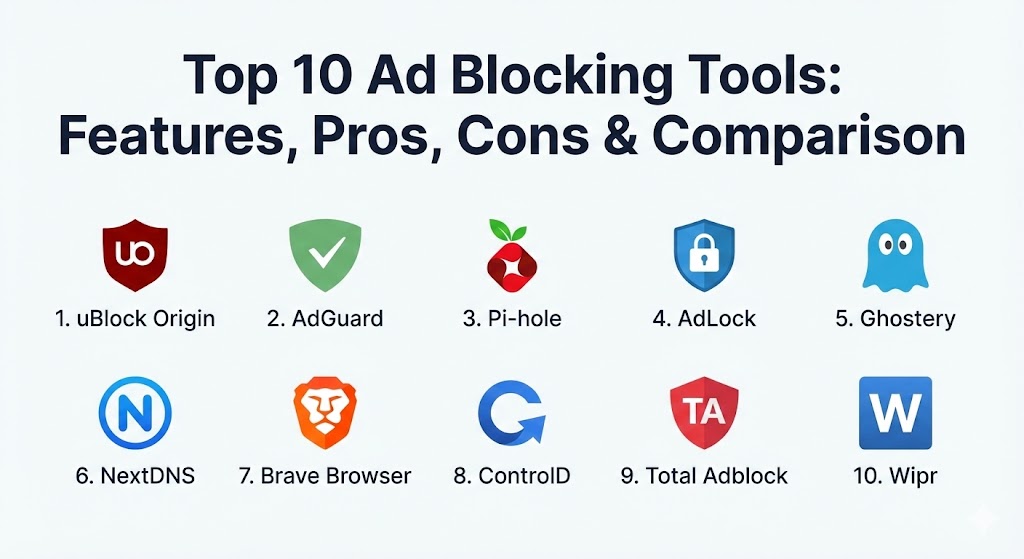
Top 10 Ad Blocking Tools
1 — uBlock Origin
uBlock Origin (uBO) remains the gold standard in the ad-blocking world. It is a wide-spectrum content blocker that is famously “easy on the CPU and memory.” Unlike many other blockers, uBO is open-source and does not participate in “Acceptable Ads” programs, meaning it blocks everything by default.
- Key features:
- Efficient resource usage compared to other popular blockers.
- Extensive pre-loaded filter lists (EasyList, Peter Lowe’s, etc.).
- “Element zapper” and “Element picker” for manual ad removal.
- Advanced “Dynamic Filtering” for power users to control scripts and frames.
- Ability to block large media elements to save bandwidth.
- Per-site switches to easily toggle blocking on or off.
- Open-source transparency and community-driven development.
- Pros:
- The most effective blocker for technical users who want total control.
- Minimal impact on system performance, even on older hardware.
- Cons:
- The advanced settings can be intimidating for casual users.
- Performance on Chrome has changed due to Manifest V3 (requires the “Lite” version for some features).
- Security & compliance: Highly secure due to open-source auditing; does not track user data; GDPR compliant.
- Support & community: Exceptional community support via GitHub and Reddit; extensive documentation for advanced configuration.
2 — AdGuard
AdGuard is a versatile suite of tools that offers everything from browser extensions to system-wide applications for Windows, Mac, Android, and iOS. It is particularly known for its ability to block ads inside other apps, not just the browser.
- Key features:
- System-wide ad blocking (not limited to the browser).
- Stealth Mode to protect privacy by removing tracking parameters from URLs.
- Parental control features to block adult content.
- DNS filtering capabilities for network-level protection.
- Cosmetic filtering that leaves no “white space” where ads used to be.
- Specialized filters for annoying elements like cookie notices and social widgets.
- Browsing Security module to block phishing and malware sites.
- Pros:
- Capable of blocking ads in games and apps on Android and iOS.
- Offers a “Lifetime” license option, which is a rare and valued feature.
- Cons:
- The full system-wide version is a paid product (though extensions are free).
- Can occasionally cause “breakage” on complex sites that requires manual whitelisting.
- Security & compliance: SOC 2 (Varies by product), GDPR compliant, uses end-to-end encryption for its DNS services.
- Support & community: Professional 24/7 customer support for paid users; active forum and detailed knowledge base.
3 — Pi-hole
Pi-hole is a different breed of blocker. It is a network-wide “DNS sinkhole” that you typically install on a Raspberry Pi or a home server. It protects every device on your network—including Smart TVs and IoT devices—without requiring any software on the devices themselves.
- Key features:
- Network-level blocking; no client-side software needed.
- Blocks ads in non-browser environments (Smart TVs, mobile apps).
- Web-based dashboard to view statistics and manage lists.
- DHCP server integration to manage the whole network’s IP addresses.
- Ability to “Blacklist” or “Whitelist” domains across the entire home.
- Dramatic reduction in network traffic by preventing ads from ever downloading.
- Pros:
- The most comprehensive way to block ads on devices where you can’t install extensions.
- Absolute privacy—no data ever leaves your local network for the blocking process.
- Cons:
- Requires hardware (like a Raspberry Pi) and some technical knowledge to set up.
- If the server goes down, the entire network loses internet access until fixed.
- Security & compliance: Open-source; runs locally; no external audit logs or tracking; N/A for traditional enterprise compliance.
- Support & community: Vibrant community of enthusiasts; extensive documentation; active Discourse forum for troubleshooting.
4 — AdLock
AdLock is a robust, system-wide ad blocker that focuses on being a “set it and forget it” solution. It is particularly effective at bypassing anti-adblock scripts that many news sites and streaming services use.
- Key features:
- Blocks ads in Skype, YouTube, Twitch, and various games.
- Built-in firewall to control which apps can access the internet.
- Protection against malicious links and phishing attempts.
- Battery-saving mode for mobile devices by reducing data usage.
- No “Acceptable Ads” policy—blocks everything by default.
- High-speed filtering engine that doesn’t slow down the connection.
- Pros:
- Excellent at handling aggressive video ads on streaming platforms.
- Very user-friendly interface that requires zero configuration.
- Cons:
- Not free (requires a subscription for full system-wide features).
- The Android version must be sideloaded as it violates Google Play Store policies against blocking ads in other apps.
- Security & compliance: HTTPS filtering; GDPR compliant; standard encryption for account data.
- Support & community: Direct email support and a comprehensive FAQ section on their website.
5 — Ghostery
Ghostery started as a tracker blocker but has evolved into a comprehensive privacy suite. It is unique because it visualizes the “invisible” trackers on a page, showing you exactly who is trying to follow you.
- Key features:
- Advanced tracker blocking that identifies and stops scripts from harvesting data.
- “Smart Blocking” that automatically optimizes page performance.
- Detailed “Tracker Preview” that breaks down what each company is doing.
- Built-in private search engine for anonymous browsing.
- “Never-Consent” feature that automatically handles cookie pop-ups.
- Performance analytics to show how much faster pages load.
- Pros:
- Highly educational—users learn about the ad-tech ecosystem while using it.
- Very sleek and modern UI that is easy to navigate.
- Cons:
- Its ad-blocking capabilities are sometimes secondary to its tracking protection.
- Some advanced privacy features are locked behind a “Contributor” tier.
- Security & compliance: GDPR compliant; transparent privacy policy; code is open-source.
- Support & community: Strong educational resources; active community on social media and GitHub.
6 — NextDNS
NextDNS is often described as “Pi-hole in the cloud.” It provides network-level blocking via DNS but doesn’t require you to buy any hardware. You simply change the DNS settings on your router or device.
- Key features:
- Cloud-based DNS filtering with over 60,000 domains in its database.
- Native support for DNS-over-HTTPS (DoH) and DNS-over-TLS (DoT).
- Parental controls to block specific apps (like TikTok or Roblox) at specific times.
- Analytics and logs to see which devices are making which requests.
- Protection against CNAME cloaking (a common way to bypass blockers).
- One-click “Privacy” setups based on popular filter lists.
- Pros:
- Provides the benefits of Pi-hole with the ease of a simple setting change.
- Works on mobile networks (5G/LTE) just as well as on home Wi-Fi.
- Cons:
- Free tier has a limit on the number of DNS queries per month.
- Requires trusting a third party with your DNS query logs (though they are very transparent).
- Security & compliance: ISO 27001 (Ready), GDPR, HIPAA (Compliant features), and SOC 2.
- Support & community: Active community forum and very responsive developer team; documentation is highly technical.
7 — Brave Browser (Shields)
While Brave is a browser, its “Brave Shields” feature is one of the most powerful ad blockers integrated directly into the core of a web engine. By blocking ads at the engine level, it is often faster than extension-based blockers.
- Key features:
- Native ad and tracker blocking without the need for extensions.
- Automatic HTTPS upgrading for all websites.
- Fingerprinting protection to prevent cross-site tracking.
- “Brave Rewards” for users who choose to see privacy-respecting ads.
- Integrated Tor connectivity for advanced private browsing.
- Native blocking of “scripts” on a per-site basis.
- Pros:
- The fastest out-of-the-box experience; no setup required.
- Syncs your ad-blocking settings across all your devices via a secure sync chain.
- Cons:
- Requires switching your entire browser, which might not suit everyone.
- Controversy over its “Rewards” program and how it handles creator payouts.
- Security & compliance: Built on Chromium; GDPR compliant; audited security features; open-source.
- Support & community: Large “Brave Community” forum; extensive documentation; very active social presence.
8 — ControlD
ControlD is a modern, high-customization DNS service created by the team behind Windscribe VPN. It is designed for power users who want to “remap” their internet—blocking ads on some devices while spoofing locations on others.
- Key features:
- Block over 15 categories of content (Ads, Trackers, Social, Porn, etc.).
- “Scheduling” to block distracting sites during work hours.
- Custom “Rules” to redirect traffic for specific domains.
- Device-level management with easy-to-use “Profiles.”
- Deep protection against malware and IoT-specific threats.
- No software required; works via DNS settings.
- Pros:
- Incredible flexibility—you can block ads on your TV while keeping them on your PC.
- Very fast globally thanks to a large anycast network.
- Cons:
- The most powerful features are paid only.
- The dashboard can be overwhelming due to the sheer number of toggles.
- Security & compliance: GDPR compliant; strict no-logging policy for paid users.
- Support & community: Excellent documentation and a direct line to the developers via the Windscribe/ControlD community.
9 — Total Adblock
Total Adblock is a premium consumer-focused blocker that focuses on simplicity and integration with antivirus suites. It is ideal for users who want a “commercial-grade” product that handles all technical aspects automatically.
- Key features:
- High-efficiency blocking of video ads and pop-ups.
- “Quiet Mode” to stop browser notifications from websites.
- Integrated “Safe Search” to filter out malicious results.
- Mobile apps for both iOS and Android.
- Clears browser history and cookies automatically if configured.
- 24/7 monitoring for new ad domains.
- Pros:
- Very easy to install for non-technical users.
- Part of a larger security bundle for those who want one-stop protection.
- Cons:
- Constant prompts to upgrade to the premium version in the free tier.
- Not as effective at “custom” filtering as uBlock Origin.
- Security & compliance: SOC 2, ISO 27001 (via parent company), GDPR compliant.
- Support & community: Dedicated 24/7 customer support via chat and email.
10 — Wipr
Wipr is the “Apple-way” of ad blocking. It is designed specifically for Safari on macOS and iOS, using the native Content Blocking API to ensure that your browser remains fast and private without the app ever seeing your browsing history.
- Key features:
- Native Safari integration for maximum speed.
- Blocks ads, trackers, cryptocurrency miners, and EU cookie notices.
- “Set it and forget it”—no settings to configure.
- Regular, automatic updates to its filter lists.
- Tiny memory and CPU footprint.
- Respects privacy—Wipr cannot see what pages you visit.
- Pros:
- The best experience for users who stay strictly within the Apple ecosystem.
- Very inexpensive one-time purchase with no subscriptions.
- Cons:
- No customization whatsoever—you can’t manually block specific elements.
- Limited to Safari; won’t block ads in Chrome or Firefox.
- Security & compliance: Uses Apple’s restrictive Content Blocker API; GDPR compliant; no user data collected.
- Support & community: Minimalist support via the developer’s website and App Store reviews.
Comparison Table
| Tool Name | Best For | Platform(s) Supported | Standout Feature | Rating (Gartner/TrueReview) |
| uBlock Origin | Power Users | Browser Ext (Full/Lite) | Best Resource Efficiency | 4.9 / 5 |
| AdGuard | System-Wide Use | Win, Mac, Android, iOS | Blocks Ads in Other Apps | 4.7 / 5 |
| Pi-hole | Home Network | Raspberry Pi, Linux | Network-Level (DNS) | 4.8 / 5 |
| AdLock | Video Streaming | Win, Mac, Android, iOS | Bypass Anti-Adblock | 4.5 / 5 |
| Ghostery | Tracker Blocking | Browser Ext, Mobile | Tracker Visualization | 4.4 / 5 |
| NextDNS | Mobile/Cloud DNS | All (DNS-based) | Cloud-Based Network Block | 4.7 / 5 |
| Brave Browser | Speed / Out-of-Box | All (Browser-based) | Native Engine Blocking | 4.6 / 5 |
| ControlD | Customization | All (DNS-based) | Scheduled Blocking Rules | 4.6 / 5 |
| Total Adblock | Casual Users | Browser Ext, Mobile | Integrated Security Bundle | 4.3 / 5 |
| Wipr | Apple/Safari Users | macOS, iOS | Native Safari Performance | 4.8 / 5 |
Evaluation & Scoring of Ad Blocking Tools
To help you choose the right solution, we have evaluated these tools using a weighted scoring rubric based on the needs of modern users.
| Category | Weight | Evaluation Criteria |
| Core Features | 25% | Efficacy in blocking ads, video-ad skipping, and tracker prevention. |
| Ease of Use | 15% | Installation process, UI clarity, and “set and forget” capability. |
| Integrations | 15% | Cross-platform sync, browser support, and API availability. |
| Security & Compliance | 10% | Privacy policy, encryption, and protection against malvertising. |
| Performance | 10% | Impact on page load times, CPU usage, and RAM consumption. |
| Support & Community | 10% | Availability of documentation, forums, and customer support. |
| Price / Value | 15% | Free vs. Paid value and transparency of business model. |
Which Ad Blocking Tool Is Right for You?
Solo Users vs. SMB vs. Mid-Market vs. Enterprise
For solo users, browser extensions like uBlock Origin or Wipr are typically sufficient. They are free or cheap and easy to manage.
For SMBs, a managed DNS solution like NextDNS or ControlD is superior, as it allows the business to protect all office devices without individual installations.
Mid-market and Enterprise organizations should focus on tools that offer SOC 2 compliance and administrative dashboards, such as AdGuard for Business or NextDNS Enterprise, to ensure that ad blocking doesn’t break mission-critical web applications while still providing security.
Budget-Conscious vs. Premium Solutions
If your budget is zero, uBlock Origin and Brave are the undisputed winners. They offer professional-grade blocking for free. If you are willing to pay for a “cleaner” experience that works in apps and on TVs, the AdGuard lifetime license or NextDNS subscription offers the best long-term value.
Feature Depth vs. Ease of Use
If you want to “micromanage” every script, uBlock Origin is your tool. If you want the app to handle everything so you never have to see a setting again, Wipr or Total Adblock are the better choices.
Integration and Scalability
If you have a home with 20+ devices (Smart TVs, bulbs, phones), Pi-hole or NextDNS is the only way to scale your ad blocking effectively. Managing 20 individual browser extensions is an administrative nightmare.
Frequently Asked Questions (FAQs)
1. Does using an ad blocker make my internet faster?
Yes. Most advertisements are heavy files that require significant bandwidth and CPU power to load. By preventing these files from ever downloading, ad blockers can improve page load speeds by 20% to 50%, especially on mobile devices.
2. What is Manifest V3, and why does it matter for ad blocking?
Manifest V3 is a change in how Google Chrome extensions work. It limits the “webRequest” API that many blockers used. While it makes browsers more secure, it has forced many blockers to release “Lite” versions that are slightly less powerful but more efficient.
3. Can an ad blocker stop ads inside the YouTube app?
On a computer, yes. On mobile, it is harder. Extensions cannot block ads inside the official YouTube app. You must either use a system-wide blocker like AdGuard, a DNS-based blocker, or use a third-party browser like Brave.
4. Are ad blockers legal?
Yes. In most jurisdictions, including the US and EU, courts have ruled that users have the right to control what their own hardware downloads and displays. However, some websites may “ad-block block” you by refusing access if a blocker is detected.
5. Do ad blockers track my browsing history?
Reputable, open-source blockers like uBlock Origin do not. However, some “free” blockers have been caught in the past selling user data. Always check the privacy policy and stick to well-known tools.
6. Can ad blockers stop “Malvertising”?
Yes. One of the biggest security benefits of these tools is that they block domains known for serving malicious ads that can infect your computer even if you don’t click on anything (drive-by downloads).
7. Why do some websites break when I use an ad blocker?
Some websites integrate their functional code (like login buttons) with their tracking scripts. When the blocker stops the tracker, it accidentally breaks the button. Most tools allow you to “whitelist” a site with one click to fix this.
8. Is a DNS-level blocker better than a browser extension?
It depends. DNS blockers (like Pi-hole) are great for blocking ads in apps and on TVs, but they cannot do “cosmetic filtering” to remove the blank white boxes where ads used to be. For the cleanest look, use both.
9. Will an ad blocker save my mobile data?
Significantly. Advertisements and tracking scripts can account for up to 40% of the data used when browsing the mobile web. Blocking them is an excellent way to stay under your data cap.
10. What is an “Acceptable Ads” program?
Some blockers (like Adblock Plus) allow certain “non-intrusive” ads to show through if the advertiser pays a fee. Tools like uBlock Origin and AdLock explicitly refuse to participate in these programs to ensure 100% blocking.
Conclusion
The “best” ad blocker in 2026 is the one that fits into your existing ecosystem without causing frustration. If you are an Apple enthusiast, Wipr offers a seamless experience. If you are a technical tinkerer, uBlock Origin or Pi-hole provides unparalleled control.
However, the most important takeaway is that ad blocking is no longer just about annoyance—it is a vital component of cyber hygiene. By choosing a tool that prioritizes transparency and performance, you aren’t just cleaning up your screen; you are protecting your privacy and reclaiming your focus in an increasingly noisy digital world.