Introduction
GitOps is an operational framework that takes DevOps best practices—such as version control, collaboration, and CI/CD—and applies them to infrastructure automation. At its core, GitOps ensures that the live state of your system (typically a Kubernetes cluster) matches the desired state declared in your Git repository. If someone manually changes a configuration in the cluster, a GitOps tool will detect this “drift” and automatically revert it to match the code in Git.
The importance of GitOps tools lies in their ability to provide a clear audit trail, simplify disaster recovery, and enable “one-click” environment replication. Key real-world use cases include managing multi-cluster deployments across different cloud providers, enforcing security policies as code, and automating the rollback of failed deployments without human intervention. When choosing a tool, users should evaluate its drift detection capabilities, multi-tenancy support, UI/UX quality, and native integration with existing CI/CD pipelines.
Best for: Platform engineers, SREs, and DevOps teams working in Kubernetes-native environments. It is ideal for medium-to-large enterprises that need to scale their delivery pipelines while maintaining strict compliance and security standards.
Not ideal for: Organizations with legacy monolithic applications that aren’t containerized, or very small teams managing a single server where a simple shell script or manual SSH access is still sufficient and less overhead.
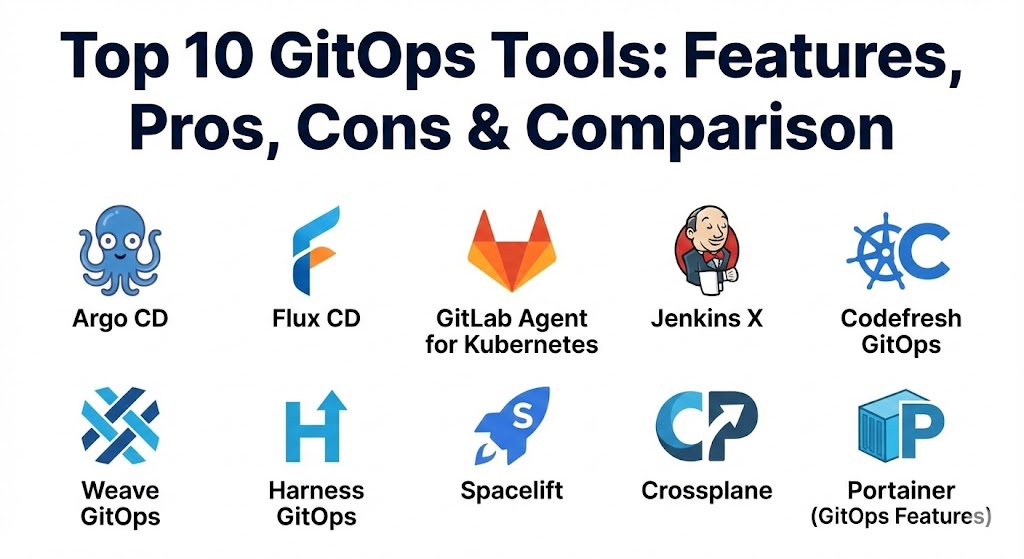
Top 10 GitOps Tools
1 — Argo CD
Argo CD is widely considered the industry leader in the GitOps space. It is a declarative, GitOps-based continuous delivery tool designed specifically for Kubernetes. It provides a powerful web interface that allows developers to visualize the health and status of their applications in real-time.
- Key features:
- Automated synchronization of application state to the desired state in Git.
- Real-time visualization of Kubernetes resources and their relationships.
- Support for multiple config management tools like Helm, Kustomize, and Jsonnet.
- Multi-cluster management from a single, centralized control plane.
- Fine-grained Role-Based Access Control (RBAC) and SSO integration.
- Automated or manual sync policies with customizable health checks.
- Robust API and CLI for integration into existing automation.
- Pros:
- The best-in-class UI makes troubleshooting and status monitoring incredibly easy.
- Extremely active community and wide industry adoption ensure longevity and support.
- Cons:
- Initial setup and configuration of complex RBAC policies can be daunting.
- High resource consumption compared to more lightweight, controller-based tools.
- Security & compliance: Supports SSO (OIDC, SAML, LDAP), RBAC, audit logs, and is widely used in SOC 2 and HIPAA compliant environments.
- Support & community: Extensive documentation, a massive Slack community (CNCF), and enterprise-grade support available through vendors like Akuity and Codefresh.
2 — Flux CD
Flux CD (often referred to simply as Flux) is the other major player in the CNCF GitOps landscape. Unlike Argo, which provides a rich UI, Flux follows a more modular, “Lego-like” philosophy, operating as a set of Kubernetes controllers that focus on simplicity and automation.
- Key features:
- Modular architecture (GitOps Toolkit) allows users to pick and choose components.
- Native support for Helm Controller to manage Helm releases via GitOps.
- Automated container image updates (Flux can watch a registry and commit changes back to Git).
- Integration with Flagger for progressive delivery (Canary, Blue/Green rollouts).
- Multi-tenancy support via the “source” and “kustomize” controllers.
- Support for OCI repositories as a source of truth.
- Extensive alert and notification system for Slack, Discord, and MS Teams.
- Pros:
- Very lightweight and stays “out of the way,” adhering closely to the Kubernetes philosophy.
- The automatic image update feature is a major time-saver for fast-moving dev teams.
- Cons:
- Lacks a native, feature-rich web UI (though third-party dashboards like Weave GitOps exist).
- The CLI-first approach can have a steeper learning curve for non-technical stakeholders.
- Security & compliance: Strong focus on security with native support for SOPS and Bitnami Sealed Secrets for secret management.
- Support & community: Highly active CNCF project with excellent documentation and a dedicated Slack channel.
3 — GitLab Agent for Kubernetes
GitLab has integrated GitOps directly into its “all-in-one” DevSecOps platform. The GitLab Agent for Kubernetes provides a secure, pull-based connection between GitLab and your clusters, eliminating the need to open firewall ports for traditional push-based CI.
- Key features:
- Pull-based GitOps synchronization directly within the GitLab UI.
- Integrated security scanning for Kubernetes manifests.
- Network policy management to enforce zero-trust security.
- Support for CI/CD Tunnel, allowing GitLab CI jobs to interact with the cluster securely.
- Inventory tracking to see exactly what is running in each environment.
- Integrated monitoring of cluster health and resource usage.
- Pros:
- Seamless experience for teams already using GitLab for source control and CI.
- Reduces “tool sprawl” by keeping GitOps, security, and CI in one dashboard.
- Cons:
- Feature set is not as deep as standalone tools like Argo CD for multi-cloud scenarios.
- Advanced GitOps features are often locked behind the premium/ultimate tiers.
- Security & compliance: SOC 2, HIPAA, and GDPR compliant; uses GitLab’s robust RBAC and security scanning.
- Support & community: Professional enterprise support and a large global community of GitLab users.
4 — Jenkins X
Jenkins X is a reimagining of the classic Jenkins for the cloud-native world. It isn’t just a GitOps tool; it’s a complete automated CI/CD platform built on top of Kubernetes, Tekton, and Helm.
- Key features:
- Automated creation of preview environments for every Pull Request.
- Opinionated GitOps workflows out-of-the-box.
- Built-in ChatOps for controlling deployments via GitHub/GitLab comments.
- Native integration with Tekton for serverless pipeline execution.
- Automatic environment management (Dev, Staging, Production) using Git.
- Pros:
- Ideal for teams that want a fully managed, “opinionated” path to Kubernetes delivery.
- Preview environments significantly improve developer experience and QA speed.
- Cons:
- Extremely complex architecture that can be difficult to troubleshoot when things go wrong.
- Not suitable for teams that want a “light” GitOps layer on top of their own custom tools.
- Security & compliance: Relies on Kubernetes RBAC and integrates with vault for secret management.
- Support & community: Open-source community support; however, the project has seen slower growth compared to Argo/Flux recently.
5 — Codefresh GitOps
Codefresh provides an enterprise-ready version of Argo CD. It adds a unified management layer that allows organizations to scale Argo across hundreds of clusters while providing the visibility that large enterprises require.
- Key features:
- Unified “Control Plane” to manage multiple Argo CD instances.
- Advanced analytics and reporting on deployment frequency and lead time.
- Integrated CI/CD pipelines designed specifically for GitOps.
- Drag-and-drop workflow builder for complex deployment logic.
- Enterprise-grade SSO and audit logging.
- Pros:
- Solves the “Argo at scale” problem by centralizing management and visibility.
- Excellent balance of a powerful UI with deep automation capabilities.
- Cons:
- Can be expensive for smaller teams that only need basic Argo CD features.
- Proprietary layers on top of open-source components may lead to minor vendor lock-in.
- Security & compliance: SOC 2 Type II, GDPR, and HIPAA compliant with high-level security guardrails.
- Support & community: 24/7 enterprise support and a wealth of educational resources through Codefresh Academy.
6 — Weave GitOps
Weave GitOps is the commercial offering from Weaveworks (the creators of the GitOps term). It provides an enterprise wrapper around Flux CD, adding the much-needed UI and governance features that the open-source version lacks.
- Key features:
- Intuitive web UI for monitoring Flux-managed applications.
- “GitOps Run” for local development and testing of GitOps flows.
- Enterprise-grade policy enforcement using Open Policy Agent (OPA).
- Multi-cluster “Fleet” management.
- Automated drift detection and remediation dashboards.
- Pros:
- The perfect bridge for teams that love Flux’s architecture but need an enterprise UI.
- Strong emphasis on “Policy as Code” for regulated industries.
- Cons:
- The future of the commercial entity has seen recent shifts; users should evaluate long-term roadmap stability.
- Some features feel redundant if you already have a mature OPA implementation.
- Security & compliance: OPA integration, SSO support, and SOC 2 alignment.
- Support & community: Backed by the team that literally wrote the book on GitOps.
7 — Harness GitOps
Harness is an AI-driven CI/CD platform that includes a robust GitOps module. It is designed for enterprises that want to combine GitOps with advanced features like automated rollbacks and cloud cost optimization.
- Key features:
- AI-powered “Continuous Verification” to automatically roll back failed syncs.
- Integrated GitOps and traditional CD in a single platform.
- Fine-grained governance and approval gates.
- Cloud cost visibility for every deployment.
- Managed Argo CD as a service.
- Pros:
- The “Continuous Verification” feature is a game-changer for reducing production downtime.
- Very strong support for non-Kubernetes GitOps (via Terraform and Pulumi integrations).
- Cons:
- Pricing is on the higher end, aimed squarely at large enterprises.
- The platform can feel heavy if you only need a simple sync controller.
- Security & compliance: ISO 27001, SOC 2, HIPAA, and GDPR compliant; robust secrets management.
- Support & community: Premium 24/7 enterprise support and dedicated customer success managers.
8 — Spacelift
While many GitOps tools focus on Kubernetes, Spacelift is a specialized GitOps platform for Infrastructure as Code (IaC). It supports Terraform, CloudFormation, Pulumi, and Ansible, bringing GitOps principles to your entire cloud stack.
- Key features:
- Sophisticated policy engine powered by Rego (OPA).
- Support for “Stacks” to manage interdependent infrastructure components.
- Drift detection for cloud resources (not just Kubernetes).
- Automated planning and apply workflows triggered by Git commits.
- Private worker pools for secure execution within your own VPC.
- Pros:
- The best tool for organizations that want to apply GitOps to their AWS/Azure/GCP infra, not just apps.
- The OPA-based policy engine is incredibly flexible for enforcing security guardrails.
- Cons:
- Not a primary tool for application-level Kubernetes delivery (like Argo).
- Learning Rego for policies adds an extra layer of complexity.
- Security & compliance: SOC 2, GDPR, and robust SSO integration.
- Support & community: Excellent documentation and responsive support team.
9 — Crossplane
Crossplane isn’t a traditional “delivery” tool; it’s a framework for building your own Control Plane. It allows you to manage cloud services (like RDS or S3) using Kubernetes CRDs, making it a powerful ally for GitOps workflows.
- Key features:
- Manage any cloud resource using standard Kubernetes YAML.
- Compose “claims” to offer self-service infrastructure to developers.
- Native integration with Argo CD and Flux.
- Extensible through “Providers” for AWS, GCP, Azure, and more.
- Pros:
- Truly unifies app and infra management into a single Kubernetes-native API.
- Enables a “Platform Engineering” approach where infra is just another K8s object.
- Cons:
- Very steep learning curve; requires a deep understanding of Kubernetes internals.
- Managing the state of external cloud resources via K8s can be complex at scale.
- Security & compliance: Inherits Kubernetes RBAC; supports secrets encryption.
- Support & community: Growing CNCF community with strong backing from Upbound.
10 — Portainer (GitOps Features)
Portainer is best known as a GUI for Docker and Kubernetes management, but its newer “GitOps” features make it a strong contender for edge computing and smaller teams that need a simpler approach.
- Key features:
- Simple web-based “GitOps” toggle to sync manifests from Git.
- Support for both Docker Swarm and Kubernetes.
- Easy-to-use interface for managing containers and volumes.
- Automated redeployment on Git webhook triggers.
- Pros:
- The most accessible tool on this list for teams not deep in the “YAML-fest.”
- Excellent for managing edge devices or simple development clusters.
- Cons:
- Lacks the advanced drift detection and reconciliation logic of Argo or Flux.
- Not designed for massive, multi-cluster enterprise orchestration.
- Security & compliance: SSO support, internal RBAC, and SSL termination.
- Support & community: Active community and professional support available for Business Edition.
Comparison Table
| Tool Name | Best For | Platform(s) Supported | Standout Feature | Rating (Gartner/TrueReview) |
| Argo CD | Enterprise K8s | Kubernetes | Powerful Web UI & Visualization | 4.8 / 5 |
| Flux CD | Modular/Lean Ops | Kubernetes | Automated Image Updates | 4.6 / 5 |
| GitLab Agent | GitLab Users | Kubernetes | Integrated DevSecOps Platform | 4.5 / 5 |
| Jenkins X | Automated CI/CD | Kubernetes | Automated Preview Environments | 4.2 / 5 |
| Codefresh | Scaling Argo CD | Kubernetes/Cloud | Unified Argo Management Plane | 4.7 / 5 |
| Weave GitOps | Flux-based Enterprise | Kubernetes | OPA-based Policy Enforcement | 4.4 / 5 |
| Harness | AI-driven Delivery | Hybrid/Multi-cloud | AI Continuous Verification | 4.6 / 5 |
| Spacelift | Infrastructure (IaC) | Multi-cloud IaC | OPA-powered Governance | 4.8 / 5 |
| Crossplane | Platform Engineering | Multi-cloud API | Cloud Infra via K8s APIs | 4.5 / 5 |
| Portainer | Edge/SMB Teams | K8s / Docker | Simple GUI-based GitOps | 4.3 / 5 |
Evaluation & Scoring of GitOps Tools
Selecting the right tool requires weighing different operational priorities. For an enterprise, security and multi-tenancy are non-negotiable, whereas a startup might prioritize ease of use and price.
| Category | Weight | Evaluation Criteria |
| Core Features | 25% | Drift detection, auto-reconciliation, multi-cluster support, and Helm/Kustomize compatibility. |
| Ease of Use | 15% | Quality of the UI, CLI intuitiveness, and complexity of the initial setup. |
| Integrations | 15% | Connectivity with Git providers, CI tools, and cloud platforms. |
| Security | 10% | RBAC granularity, SSO support, and secret management integrations. |
| Performance | 10% | Speed of reconciliation and resource footprint on the cluster. |
| Support | 10% | Community activity, documentation depth, and vendor support availability. |
| Price / Value | 15% | Open-source vs. commercial licensing costs vs. operational time saved. |
Which GitOps Tool Is Right for You?
The “right” tool depends on where you are in your Kubernetes journey and what problem you are trying to solve.
- Solo Users & SMBs: If you are just starting out and need something simple, Portainer or NextDNS (Wait, wrong category—NextDNS is for filtering!)—rather, Portainer or Flux CD are your best bets. They are lightweight and don’t require a dedicated team to manage.
- Mid-Market Companies: If you have multiple developers and need a visual way to see what’s happening, Argo CD is the industry standard. It provides the visibility that stops “mystery outages.”
- Enterprise & Regulated Industries: You need guardrails. Spacelift is essential for your infrastructure, while Codefresh or Harness provide the management and audit layers required for SOC 2 and HIPAA compliance.
- GitLab/GitHub Shops: If you want to keep your developers in a single interface, use the native GitLab Agent or GitHub Actions with an Argo/Flux runner. This reduces context switching.
- Budget vs. Premium: Open-source Argo and Flux are free and powerful, but the “hidden cost” is the engineering time spent managing them. If your team is stretched thin, paying for Codefresh or Harness often pays for itself in reduced downtime and faster onboarding.
Frequently Asked Questions (FAQs)
1. Is GitOps only for Kubernetes? While GitOps started with Kubernetes, it has expanded. Tools like Spacelift and Terraform Cloud apply GitOps principles to cloud infrastructure (VMs, databases), while some tools can even manage serverless functions.
2. How is GitOps different from traditional CI/CD? CI (Continuous Integration) builds and tests code. Traditional CD “pushes” code to a server. GitOps “pulls” configuration, meaning the tool inside the environment watches Git and updates itself, which is more secure and detects drift.
3. Does GitOps replace Jenkins? Not necessarily. You still need a CI tool (like Jenkins or GitHub Actions) to build your container images and run tests. GitOps takes over at the deployment stage.
4. What is “Drift Detection”? Drift occurs when someone manually changes a setting in the cluster (e.g., changing a replica count via CLI). GitOps tools detect that the cluster no longer matches Git and automatically fix it.
5. Can GitOps manage secrets like passwords? Yes, but you shouldn’t put raw passwords in Git. Tools like Flux and Argo integrate with external secret managers (HashiCorp Vault, AWS Secret Manager) or use encrypted Git secrets (SOPS, Sealed Secrets).
6. Is Argo CD better than Flux CD? Neither is “better.” Argo has a superior UI and is great for visualization. Flux is more modular and “Kubernetes-native,” making it a favorite for teams that prefer CLI and automated image updates.
7. Can I use GitOps for multi-cloud deployments? Yes. In fact, GitOps is one of the best ways to manage multi-cloud because it ensures the same configuration is applied consistently across AWS, Azure, and GCP clusters.
8. What is a “Pull-based” deployment? In a pull-based model, an agent sits inside your cluster and pulls updates from Git. This is more secure than “push-based,” where your CI system needs administrative access to your cluster from the outside.
9. How do I roll back a deployment in GitOps? To roll back, you simply revert the commit in your Git repository. The GitOps tool will see the “new” (previous) state in Git and automatically update the cluster to match.
10. What are the common mistakes when starting with GitOps? The biggest mistake is not having a clear “Branching Strategy” or putting too many environments in a single repository, which can lead to “merge hell” and accidental production changes.
Conclusion
The shift toward GitOps is more than just a trend; it is a fundamental maturation of how we deliver software. By treating our infrastructure as code and using Git as our source of truth, we gain a level of transparency and reliability that was previously impossible. Whether you choose the visual power of Argo CD, the modularity of Flux, or the enterprise governance of Codefresh, the key is to start small, automate consistently, and let Git be your guide.
GitOps has turned into the best way to handle infrastructure by treating it just like code—if it’s not in Git, it’s not in production. The contrast between Argo CD’s amazing visual dashboard and Flux CD’s lightweight, modular approach shows how specific these tools have become for different team needs. This guide is a solid resource for anyone looking to eliminate “configuration drift” and make their deployments a lot more predictable.