Introduction
Infrastructure as Code is the practice of managing and provisioning computing infrastructure through code instead of manual processes. By treating your infrastructure just like your application code—version-controlled, tested, and automated—you eliminate the “snowflake” server problem, where unique configurations are impossible to replicate. In 2026, IaC has evolved beyond simple provisioning; it now encompasses policy-as-code, automated drift detection, and self-healing environments.
The importance of IaC lies in its ability to provide consistency, speed, and cost-efficiency. Without it, scaling a global application would take weeks of manual effort; with it, a single developer can deploy an entire environment across three continents in minutes. Key real-world use cases include spinning up identical development, staging, and production environments, managing complex Kubernetes clusters, and orchestrating disaster recovery failovers. When evaluating IaC tools, you should look for specific criteria: multi-cloud support, state management capabilities, the learning curve of the DSL (Domain Specific Language), and the robustness of the provider ecosystem.
Best for: DevOps engineers, Site Reliability Engineers (SREs), and platform teams in organizations ranging from mid-sized startups to global enterprises. It is essential for any business operating in the cloud or maintaining high-availability requirements across multiple regions.
Not ideal for: Small businesses with a single, static server or teams that rarely change their underlying infrastructure. For very simple setups, the overhead of learning and maintaining an IaC codebase may outweigh the benefits of automation.
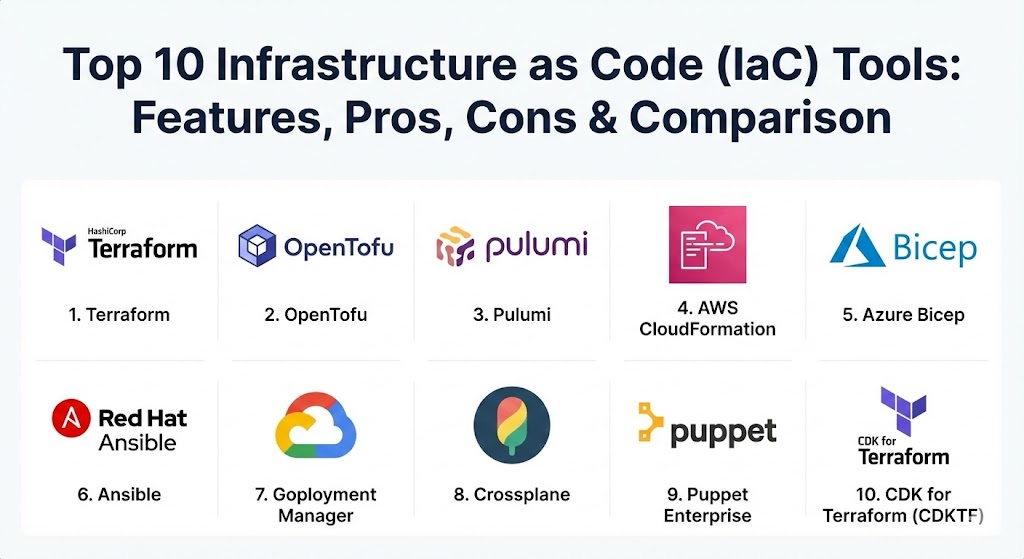
Top 10 Infrastructure as Code (IaC) Tools
1 — Terraform (HashiCorp)
Terraform remains the industry titan in 2026. Developed by HashiCorp, it is a declarative tool that allows users to define infrastructure using the HashiCorp Configuration Language (HCL). Its primary strength is its massive provider ecosystem, allowing it to manage almost any service with an API.
- Key features:
- Declarative HCL Syntax: Describe what you want, and Terraform figures out how to build it.
- State Management: Maintains a state file to track the current configuration of your infrastructure.
- Multi-Cloud Support: One tool to rule them all—AWS, Azure, GCP, and 100+ others.
- Terraform Plan: Previews changes before they are applied to avoid catastrophic errors.
- Modular Design: Encourages reusable code blocks through a comprehensive Registry.
- Drift Detection: Identifies when manual changes have been made outside of the code.
- Pros:
- The most mature ecosystem with the largest library of pre-built modules in the world.
- Excellent visibility into resource dependencies through its internal graph engine.
- Cons:
- State management can become complex in large teams (requires remote backends like Terraform Cloud).
- HCL, while readable, is yet another language for developers to learn.
- Security & compliance: Supports SSO (Single Sign-On), role-based access control (RBAC), and integrates with HashiCorp Vault for secrets management. SOC 2 and GDPR compliant.
- Support & community: Boasts the largest community in the IaC space. Professional enterprise support is available through Terraform Cloud/Enterprise, with extensive documentation and a massive pool of certified professionals.
2 — OpenTofu
OpenTofu is the open-source, community-driven fork of Terraform that emerged after HashiCorp changed its license to the Business Source License (BSL). Managed by the Linux Foundation, it maintains compatibility with the Terraform ecosystem while remaining strictly open-source.
- Key features:
- Drop-in Compatibility: Designed to be a seamless replacement for Terraform versions up to 1.5.x.
- Community-Led Governance: Decisions are made by a steering committee, not a single corporation.
- State Encryption: Provides native, easy-to-configure encryption for sensitive state files.
- Enhanced Module Loading: Improved performance for projects with large numbers of modules.
- Provider Registry: An independent, open registry for all community providers.
- Pros:
- No licensing fees or restrictions for commercial use; 100% open source.
- Rapid innovation cycles driven by a diverse group of contributors from major tech firms.
- Cons:
- Still establishing its own brand identity compared to the long-standing “Terraform” name.
- Enterprise-grade support is provided by third-party vendors rather than a single primary developer.
- Security & compliance: Inherits all major security features of the Terraform codebase; adds native state encryption. Complies with SOC 2 standards through its supporting vendors.
- Support & community: Extremely active community under the Linux Foundation banner. Support is available through specialized partners like Spacelift or Env0.
3 — Pulumi
Pulumi revolutionized the space by allowing developers to use general-purpose programming languages like Python, TypeScript, Go, and C# to define their infrastructure. It is designed for “DevOps” where the “Dev” part is heavily emphasized.
- Key features:
- Language Flexibility: No need to learn HCL; use the tools and IDEs you already know.
- Cloud-Native SDKs: Deep support for Kubernetes, serverless, and cloud providers.
- Pulumi Service: A SaaS backend that manages state, secrets, and deployment history.
- Strong Typing: Use your language’s compiler to catch errors before deployment.
- Policy as Code: “CrossGuard” allows you to write compliance rules in your chosen language.
- Pros:
- Incredible flexibility—use loops, conditionals, and standard libraries within your IaC.
- Seamless integration for developers who want to manage infrastructure within their existing application code repositories.
- Cons:
- The freedom to use any code can lead to overly complex, unreadable “spaghetti” infrastructure logic.
- Smaller community compared to Terraform, meaning fewer pre-built modules are available.
- Security & compliance: Includes secret encryption by default, audit logs, and SOC 2 Type II compliance. Integrates with all major OIDC providers.
- Support & community: Growing rapidly; provides excellent documentation and a very helpful Slack community. Premium enterprise support is available for large-scale deployments.
4 — AWS CloudFormation
For organizations that are “all-in” on Amazon Web Services, CloudFormation is the native, reliable choice. It uses JSON or YAML templates to model and provision AWS resources in a safe, repeatable manner.
- Key features:
- Native AWS Integration: Zero-day support for virtually every new AWS feature.
- Stack Sets: Deploy resources across multiple AWS accounts and regions simultaneously.
- Drift Detection: Built-in tool to identify if resources have been manually modified.
- Rollback Triggers: Automatically reverts to a previous stable state if a deployment fails.
- Change Sets: Preview exactly how a stack update will impact your running resources.
- Pros:
- No state file to manage manually; AWS handles all state in the backend for you.
- Included for free (you only pay for the AWS resources you create).
- Cons:
- Locked strictly to AWS; you cannot manage Azure or on-prem resources with it.
- YAML/JSON templates can become incredibly verbose and hard to read for complex stacks.
- Security & compliance: Deeply integrated with AWS IAM, CloudTrail, and Config. Complies with HIPAA, FedRAMP, and PCI DSS.
- Support & community: Massive documentation library; support is covered under your existing AWS Support plan.
5 — Azure Bicep
Azure Bicep is the next-generation declarative language for Microsoft Azure. It acts as a transparent abstraction layer over Azure Resource Manager (ARM) templates, making them much easier to write and maintain.
- Key features:
- Concise Syntax: Significantly less verbose than standard ARM JSON templates.
- Modularization: Easily break down complex deployments into reusable Bicep files.
- IntelliSense Support: Excellent VS Code extension with validation and snippets.
- No State File: Like CloudFormation, Azure handles the state automatically in the background.
- Direct ARM Integration: Compiles into ARM templates, ensuring full compatibility with Azure APIs.
- Pros:
- The best experience for Azure-only environments with immediate support for all Azure services.
- Significantly faster to write and debug than legacy ARM templates.
- Cons:
- Limited to the Azure ecosystem.
- Less flexible than “Infrastructure as Software” tools like Pulumi.
- Security & compliance: Integrated with Azure Policy and Microsoft Entra ID (formerly Azure AD). Meets ISO, SOC, and GDPR requirements.
- Support & community: Excellent documentation from Microsoft; growing community of Azure-focused engineers.
6 — Ansible (Red Hat)
While traditionally known for configuration management, Ansible is widely used for infrastructure provisioning. It is agentless and uses simple YAML “Playbooks” to automate IT tasks.
- Key features:
- Agentless Architecture: Connects via SSH or WinRM; no software is required on target nodes.
- Idempotency: Ensures that the system reaches the desired state without repeating tasks.
- Extensive Module Library: Supports cloud provisioning, networking, and OS-level config.
- Ansible Tower/AAP: Enterprise-grade dashboard for managing automation at scale.
- Human-Readable YAML: Extremely low barrier to entry for sysadmins.
- Pros:
- Incredible for hybrid environments where you need to manage both cloud APIs and old-school servers.
- Multi-purpose tool that handles both “provisioning” and “ongoing configuration.”
- Cons:
- Not as specialized for cloud state management as Terraform or Pulumi.
- Can become slow when managing thousands of nodes simultaneously.
- Security & compliance: Ansible Vault for encrypting secrets; integrates with enterprise SSO via Ansible Automation Platform.
- Support & community: One of the most active communities in IT; enterprise support is provided by Red Hat.
7 — Google Cloud Deployment Manager
Google’s native IaC service allows users to specify all the resources needed for an application in a declarative format using YAML, Python, or Jinja2.
- Key features:
- GCP Native: Optimized specifically for Google Cloud Platform’s unique resource types.
- Template Reusability: Use Python and Jinja2 to create dynamic, data-driven templates.
- Parallel Deployment: Provisions resources simultaneously to speed up environment setup.
- Preview Mode: Validate your configuration before actually creating any resources.
- Pros:
- Deeply integrated with Google Cloud Console and CLI tools.
- No extra cost; billed only for the GCP resources consumed.
- Cons:
- Has seen less community excitement recently compared to Terraform or Crossplane.
- Documentation for complex Python templates can be sparse.
- Security & compliance: Managed through Google Cloud IAM; adheres to Google’s rigorous security standards (SOC 2, ISO, HIPAA).
- Support & community: Supported via standard Google Cloud support plans.
8 — Crossplane
Crossplane is the “Kubernetes-native” IaC tool. It extends your Kubernetes cluster to act as a universal control plane for all your cloud resources, turning everything into a K8s Custom Resource (CRD).
- Key features:
- GitOps Integration: Works perfectly with tools like ArgoCD and Flux.
- Composite Resources: Allow platform teams to offer simplified “building blocks” to developers.
- Continuous Reconciliation: Constantly checks for drift and automatically fixes it.
- No External State File: Uses the Kubernetes etcd as the source of truth.
- Pros:
- The ultimate tool for teams that are already living in a Kubernetes-first world.
- True “self-healing” infrastructure that corrects manual changes in real-time.
- Cons:
- Requires a running Kubernetes cluster, which is significant overhead if you don’t need K8s.
- Steep learning curve for those not familiar with Kubernetes manifests.
- Security & compliance: Leverages Kubernetes RBAC and service accounts; SOC 2 and GDPR compliant.
- Support & community: High-growth CNCF project with a vibrant community. Enterprise support available through Upbound.
9 — Puppet Enterprise
Puppet is a veteran in the field, using a declarative language to manage infrastructure at massive scale. It is particularly strong in environments that require strict compliance and long-term stability.
- Key features:
- Model-Driven Approach: Define the “desired state” of your systems.
- Puppet Forge: A massive library of pre-built modules for almost every OS and service.
- Compliance Reporting: Out-of-the-box dashboards for security audits.
- Continuous Enforcement: Automatically corrects drift every 30 minutes.
- Pros:
- Unrivaled for managing thousands of Linux and Windows servers consistently.
- The “reporting” and “auditing” capabilities are among the best for large enterprises.
- Cons:
- Ruby-based DSL can be difficult for non-developers to master.
- Heavy “master/agent” architecture can be complex to maintain.
- Security & compliance: FIPS 140-2, SOC 2, and HIPAA ready. Strong secret management via Hiera.
- Support & community: Very mature community and excellent professional support from Perforce.
10 — CDK for Terraform (CDKTF)
CDKTF bridges the gap between HashiCorp’s HCL and Pulumi’s “code-first” approach. It allows you to use languages like Python and TypeScript but outputs standard Terraform files.
- Key features:
- Language Choice: Write in your favorite language but stay within the Terraform ecosystem.
- Terraform Ecosystem Access: Use any of the 2,000+ providers available on the Terraform Registry.
- Familiar Tooling: Use your existing unit testing and IDE debugging tools.
- Automatic Synthesis: Converts your code into HCL JSON for deployment.
- Pros:
- Best of both worlds—the flexibility of Pulumi with the reliability of Terraform’s providers.
- Excellent for teams migrating from HCL to a more programmable approach.
- Cons:
- Adds an extra layer of complexity and potential bugs during the “synthesis” phase.
- Still feels like a “wrapper” rather than a native language-first tool.
- Security & compliance: Same as Terraform; inherits all HCL-level security features.
- Support & community: Supported by HashiCorp; growing community among software developers.
Comparison Table
| Tool Name | Best For | Platform(s) Supported | Standout Feature | Rating (Gartner) |
| Terraform | Multi-Cloud | All Clouds, On-Prem | Largest Provider Library | 4.6 / 5 |
| OpenTofu | Open-Source Purists | All Clouds, On-Prem | Community Governance | N/A |
| Pulumi | Developers | All Clouds, K8s | Standard Coding Languages | 4.7 / 5 |
| CloudFormation | AWS-Only Shops | Amazon Web Services | Zero-Day Feature Support | 4.4 / 5 |
| Azure Bicep | Azure-Only Shops | Microsoft Azure | Seamless Integration | N/A |
| Ansible | Hybrid Config | Cloud, Linux, Windows | Agentless & Simple | 4.5 / 5 |
| Crossplane | Kubernetes Teams | Multi-Cloud via K8s | Continuous Reconciliation | 4.8 / 5 |
| Puppet | Large Scale Config | Linux, Windows, Cloud | Compliance Reporting | 4.4 / 5 |
| CDKTF | Developer IaC | All Clouds (via TF) | TF Power + Python/TS | 4.5 / 5 |
| GCP Deploy Mgr | GCP-Only Shops | Google Cloud | Native GCP Optimization | N/A |
Evaluation & Scoring of IaC Tools
The following rubric shows how we weighted and evaluated each tool to determine its position in the market.
| Criteria | Weight | Evaluation Basis |
| Core Features | 25% | Provisioning capabilities, state management, and DSL power. |
| Ease of Use | 15% | Learning curve, syntax readability, and IDE support. |
| Integrations | 15% | Provider ecosystem and compatibility with CI/CD pipelines. |
| Security | 10% | Secret management, RBAC, and policy-as-code features. |
| Reliability | 10% | Maturity of the codebase and stability of the deployments. |
| Support | 10% | Documentation quality and community/professional support. |
| Price / Value | 15% | Licensing costs and potential reduction in manual labor hours. |
Which Infrastructure as Code (IaC) Tool Is Right for You?
Selecting the right tool depends heavily on your existing technical stack and the skill set of your team.
- Solo Users & Small Teams: Start with Terraform or OpenTofu. They are the industry standard for a reason: they are easy to start with, and you will find an answer to almost any question on the web.
- Cloud-Specific Strategy: If your company is 100% committed to one provider (e.g., AWS or Azure), use CloudFormation or Bicep. You avoid the headache of managing external state files, and you get new cloud features the moment they are released.
- Developer-Led Organizations: If your infrastructure is mostly managed by software developers who hate YAML and HCL, Pulumi is the clear winner. The ability to use Python or TypeScript makes infrastructure feel like a first-class citizen in the dev lifecycle.
- Kubernetes-First Shops: If you are already running everything in K8s and want a “GitOps” workflow, Crossplane is the future. It treats cloud resources as just another Kubernetes manifest.
- Legacy & Enterprise Infrastructure: If you have to manage 5,000 legacy Windows servers alongside your cloud, Ansible or Puppet are necessary to handle the OS-level configuration that pure provisioning tools often ignore.
Frequently Asked Questions (FAQs)
1. What is the difference between declarative and imperative IaC? Declarative (Terraform, CloudFormation) defines the desired state (what you want), and the tool makes it happen. Imperative (scripts) defines the steps to get there. Declarative is generally preferred for its simplicity and reliability.
2. Why is “state” important in IaC? State is the tool’s memory of your infrastructure. It tracks which resources have been created so it knows what needs to be changed, added, or deleted when you update your code.
3. Is Terraform still the best choice in 2026? Yes, but it faces stiff competition. For general-purpose multi-cloud use, it remains the leader, but OpenTofu is quickly gaining ground among those who prefer open-source governance.
4. Can I use multiple IaC tools together? Often, yes. Many teams use Terraform to provision the cloud resources (VPCs, databases) and then use Ansible to configure the software running on those resources.
5. Is Pulumi more expensive than Terraform? It depends. Both have free tiers for small projects. Pulumi’s enterprise pricing is comparable to Terraform Cloud, but your costs will scale based on the number of “managed resources.”
6. Do I need to be a programmer to use IaC? Not necessarily. YAML-based tools like CloudFormation and Ansible are very accessible. However, as infrastructure becomes more complex, basic coding logic (loops, variables) becomes essential.
7. What is “Drift Detection”? Drift occurs when someone manually changes a cloud resource in the console. Drift detection alerts you that your actual infrastructure no longer matches your code, allowing you to fix it.
8. Is IaC secure for managing passwords? Only if used correctly. You should never “hardcode” passwords in IaC files. Instead, use integrations with secrets managers like HashiCorp Vault, AWS Secrets Manager, or Azure Key Vault.
9. How does GitOps relate to IaC? GitOps is a methodology where Git is the “source of truth.” When you push IaC code to a Git repository, an automated tool (like ArgoCD or Terraform Cloud) automatically deploys the changes.
10. What is the most common mistake with IaC? The most common mistake is manual intervention. Once you adopt IaC, you must stop making changes in the Cloud Console, or your code and your infrastructure will become out of sync.
Conclusion
Infrastructure as Code is no longer a luxury; it is a fundamental requirement for any modern business. Choosing the right tool isn’t about finding a “winner,” but about finding the right fit for your team’s culture and your company’s cloud strategy. Whether you choose the massive ecosystem of Terraform, the developer-first flexibility of Pulumi, or the Kubernetes-native power of Crossplane, the goal remains the same: a stable, repeatable, and automated foundation for your digital future.