Introduction
Cloud Spend Governance Tools, often referred to under the umbrella of FinOps (Financial Operations), are platforms that enable organizations to monitor, allocate, and optimize their cloud expenditures. These tools act as a bridge between engineering, finance, and operations teams, translating technical usage into business-aligned financial metrics. By implementing these tools, companies can ensure that every dollar spent in the cloud is driving tangible business value.
The importance of these tools lies in their ability to solve “shadow IT” and “cloud sprawl.” Key real-world use cases include automated rightsizing (adjusting CPU/RAM to actual needs), identifying unattached storage volumes, managing reserved instance commitments, and creating granular “showback” or “chargeback” reports for different departments. When evaluating a tool, users should look for multi-cloud support, AI-driven anomaly detection, real-time alerting, and automated remediation capabilities that go beyond simple “view-only” dashboards.
Best for: Finance managers, DevOps engineers, and Cloud Architects in mid-to-large enterprises managing multi-cloud (AWS, Azure, GCP) or Kubernetes environments. They are essential for any organization where cloud spend exceeds $10k per month and involves multiple teams.
Not ideal for: Small startups with a single cloud account and predictable monthly spend under $1,000. For these users, native free tools like AWS Cost Explorer or Azure Cost Management are usually more than sufficient.
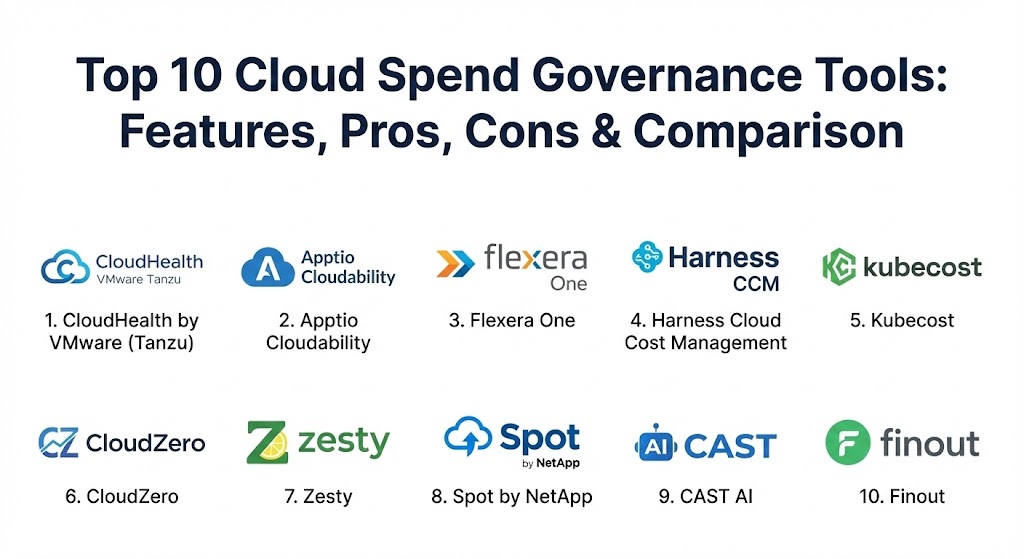
Top 10 Cloud Spend Governance Tools
1 — CloudHealth by VMware (Tanzu)
CloudHealth is a pioneer in the cloud financial management space, now part of the VMware Tanzu suite. It is designed for large-scale enterprises requiring deep governance and policy-driven automation across hybrid and multi-cloud environments.
- Key features:
- Unified cost visibility across AWS, Azure, Google Cloud, and Oracle Cloud.
- Policy-driven governance to automate actions like stopping idle VMs.
- Deep business-context mapping through “Perspectives” (cost by team/project).
- Integration with VMware’s private cloud for a total hybrid view.
- Advanced RI (Reserved Instance) and Savings Plan management.
- Security and compliance risk monitoring alongside cost data.
- Pros:
- Extremely powerful for complex organizations with strict compliance needs.
- Excellent reporting capabilities for executive-level summaries.
- Cons:
- The user interface can feel clunky and dated compared to modern rivals.
- High price point and complex setup may alienate smaller organizations.
- Security & compliance: SOC 2 Type II, ISO 27001, GDPR, and HIPAA compliant. Includes SSO and granular RBAC.
- Support & community: Enterprise-grade support; extensive documentation and a massive global user base within the VMware ecosystem.
2 — Apptio Cloudability (by IBM)
Recently acquired by IBM, Cloudability is a data-driven FinOps platform that focuses on “Unit Economics.” It is designed to help organizations understand the actual cost of their products and features by correlating spend with business KPIs.
- Key features:
- “The MegaBill” – a unified ingestion layer for multi-cloud and SaaS spend.
- AI-powered virtual tagging to fix inconsistent resource labeling.
- Sophisticated anomaly detection to catch cost spikes in real-time.
- Carbon footprint and sustainability metrics reporting.
- Advanced forecasting based on machine learning models.
- Native Kubernetes cost visibility down to the container level.
- Pros:
- Superior data normalization; handles messy tags better than almost any tool.
- Strong alignment with the FinOps Foundation standards.
- Cons:
- Can be overly complex for teams just looking for basic visibility.
- Onboarding requires significant manual effort for business mapping.
- Security & compliance: SOC 2, HIPAA, GDPR, and FedRAMP authorized.
- Support & community: Dedicated customer success managers (CSMs) for enterprise tiers; very active in the FinOps community.
3 — Flexera One (Cloud Cost Optimization)
Flexera One is a comprehensive IT asset management platform that includes a top-tier cloud cost optimization module. It is a “Leader” in the Gartner Magic Quadrant for Cloud Financial Management.
- Key features:
- Hybrid visibility (Cloud, SaaS, and on-premises software licensing).
- 90+ out-of-the-box automated optimization policies.
- Cloud marketplace purchase tracking.
- Rightsizing recommendations for compute, storage, and databases.
- Strong IT Asset Management (ITAM) integration for license portability.
- Multi-cloud governance guardrails to prevent budget overruns.
- Pros:
- Best-in-class for managing cloud spend alongside expensive software licenses (Oracle, Microsoft).
- High level of automation for decommissioning “zombie” resources.
- Cons:
- Feature-heavy, which can lead to a steep learning curve for new users.
- Some modules feel siloed from the core cloud cost dashboard.
- Security & compliance: SOC 1/2/3, ISO 27001, and GDPR compliant.
- Support & community: Extensive training certifications; strong enterprise support with 24/7 availability.
4 — Harness Cloud Cost Management
Harness takes a “developer-first” approach to cloud spend. It integrates cost management directly into the CI/CD pipeline, allowing engineers to see the financial impact of their code deployments instantly.
- Key features:
- “Cloud AutoStopping” – automatically shuts down idle non-production resources.
- Deep Kubernetes visibility (Namespaces, Clusters, Labels).
- Cost-aware deployment pipelines to prevent “expensive” code from going live.
- Anomaly detection with direct root-cause analysis (linking to specific code changes).
- Unified visibility for AWS, Azure, and GCP.
- Pros:
- The only tool that effectively puts cost data into the hands of developers during dev cycles.
- AutoStopping can save up to 70% on non-production cloud costs with zero manual work.
- Cons:
- Pricing can be high for organizations not already using the Harness CI/CD platform.
- Governance features are less “finance-centric” than Apptio or CloudHealth.
- Security & compliance: SOC 2 Type II, ISO 27001, and HIPAA compliant.
- Support & community: Rapidly growing community; excellent documentation and responsive technical support.
5 — Kubecost
For organizations that are heavily invested in Kubernetes and containers, Kubecost is the industry standard. It provides real-time cost monitoring and capacity management specifically for K8s clusters.
- Key features:
- Real-time cost allocation by Namespace, Deployment, Service, and Label.
- Support for on-premises K8s clusters alongside EKS, AKS, and GKE.
- Open-source core (Opencost) for transparency and customization.
- Automated “abandoned resource” detection within clusters.
- Chargeback and showback reporting for shared infrastructure.
- Pros:
- Unmatched granularity for containerized workloads.
- The open-source version allows for an easy, no-risk starting point.
- Cons:
- Narrow focus; not designed to manage non-K8s cloud services (like S3 or RDS) as effectively.
- Requires a certain level of Kubernetes expertise to configure correctly.
- Security & compliance: Varies (Open source vs Enterprise); Enterprise supports SSO and RBAC.
- Support & community: Large open-source community; paid enterprise support available with SLAs.
6 — CloudZero
CloudZero is a “Cloud Cost Intelligence” platform that moves away from static tagging and focuses on “Unit Cost.” It uses a sophisticated telemetry-driven approach to link cloud spend to business outcomes.
- Key features:
- Telemetry-driven cost attribution (no perfect tagging required).
- Automated anomaly alerts sent directly to Slack or Microsoft Teams.
- Cost-per-customer and cost-per-feature reporting.
- Support for AWS, Azure, GCP, Snowflake, and Datadog.
- High-level executive dashboards and granular engineering views.
- Pros:
- Modern, intuitive interface that engineers actually enjoy using.
- Fast time-to-value; can provide insights in hours rather than weeks.
- Cons:
- Lacks some of the deep “policy-driven” automated remediation found in Tanzu/Flexera.
- Pricing scales with the volume of data ingested, which can get expensive.
- Security & compliance: SOC 2 Type II compliant; data is encrypted in transit and at rest.
- Support & community: High marks for customer support; offers “FinOps Account Managers” for premium tiers.
7 — Zesty
Zesty is unique in that it focuses on automated resource optimization rather than just monitoring. It uses AI to dynamically adjust compute and storage resources in real-time to maximize savings.
- Key features:
- “Commitment Manager” for automated management of AWS Savings Plans and RIs.
- “Zesty Disk” – automatically scales block storage (EBS) up and down without downtime.
- AI-driven rightsizing for EC2 instances.
- Predictive scaling based on historical workload patterns.
- Minimal dashboard setup; focus is on “set-and-forget” automation.
- Pros:
- Truly hands-free; the automation handles the complex buying/selling of commitments.
- Significant reduction in manual “toil” for DevOps teams.
- Cons:
- Limited multi-cloud support compared to Apptio or Tanzu.
- Users must be comfortable giving an AI tool “write” access to their infrastructure.
- Security & compliance: SOC 2, ISO 27001, and HIPAA. SSO supported.
- Support & community: Proactive support team; focused more on managed services than a broad community forum.
8 — Spot by NetApp
Spot is a specialist platform designed to run production-grade workloads on “Spot Instances” (excess cloud capacity) to save up to 90% on compute costs.
- Key features:
- “Eco” – automated management of Reserved Instances and Savings Plans.
- “Ocean” – serverless Kubernetes experience that automates cluster scaling.
- “Elastigroup” – runs web apps on Spot instances with guaranteed availability.
- Continuous optimization engine for AWS, Azure, and GCP.
- Deep visibility into “waste” across compute and storage tiers.
- Pros:
- Best tool for safely utilizing the cheapest cloud capacity (Spot instances).
- Excellent for high-scale, dynamic Kubernetes environments.
- Cons:
- Primary focus is on compute; less comprehensive for SaaS or database-specific spend.
- The UI can be complex for those unfamiliar with Spot capacity mechanics.
- Security & compliance: SOC 2 Type II and GDPR compliant.
- Support & community: Solid enterprise support; integration with the broader NetApp portfolio.
9 — CAST AI
CAST AI is an all-in-one Kubernetes automation platform that cuts cloud bills by optimizing cluster configurations automatically.
- Key features:
- Automated cluster rightsizing and bin-packing.
- Multi-cloud Kubernetes management from a single console.
- “Security Report” – identifies vulnerabilities and misconfigurations.
- Real-time cost forecasting and anomaly detection.
- Automated Spot instance management with instant fallback to on-demand.
- Pros:
- Can reduce Kubernetes bills by 50-70% within days of implementation.
- Simple “read-only” phase for monitoring before turning on automation.
- Cons:
- Strictly focused on Kubernetes (EKS, AKS, GKE).
- Not suitable for organizations with traditional monolithic or VM-based architectures.
- Security & compliance: SOC 2 Type II, ISO 27001, and GDPR.
- Support & community: Very responsive Slack-based community; 24/7 enterprise support options.
10 — Finout
Finout is a modern, SaaS-first “MegaBill” platform that unifies all your infrastructure costs—including cloud, Kubernetes, and third-party SaaS like Snowflake and Datadog—into one view.
- Key features:
- The “MegaBill” – unifies disparate invoices into a single dashboard.
- “Virtual Tagging” – allows for business mapping without modifying cloud tags.
- Support for AWS, Azure, GCP, Kubernetes, Snowflake, Datadog, and OpenAI.
- Granular unit cost analysis (Cost per Customer, Cost per Transaction).
- No-code dashboard builder for engineering and finance teams.
- Pros:
- Exceptionally fast setup; doesn’t require “cleaning up” tags before use.
- The best tool for seeing “Total COGS” (Cost of Goods Sold) including third-party SaaS.
- Cons:
- A newer player in the market; some enterprise governance features are still maturing.
- Focused more on visibility and allocation than active automated remediation.
- Security & compliance: SOC 2 Type II compliant.
- Support & community: Excellent onboarding experience; highly rated customer success team.
Comparison Table
| Tool Name | Best For | Platform(s) Supported | Standout Feature | Rating (Gartner / TrueReview) |
| CloudHealth | Enterprise Governance | AWS, Azure, GCP, OCI | Multi-Cloud Policy Automation | 4.5 / 5 |
| Cloudability | Unit Economics | AWS, Azure, GCP, SaaS | AI Virtual Tagging | 4.4 / 5 |
| Flexera One | IT Asset Mgmt (ITAM) | Hybrid, Multi-Cloud | License Optimization | 4.6 / 5 |
| Harness CCM | Developer Adoption | AWS, Azure, GCP, K8s | AutoStopping (Idle Resources) | 4.7 / 5 |
| Kubecost | Kubernetes Specialists | K8s (Any Cloud/On-Prem) | Pod-Level Granularity | 4.8 / 5 |
| CloudZero | Cost Intelligence | AWS, Azure, Snowflake | Telemetry-Driven Attribution | 4.6 / 5 |
| Zesty | Automated Savings | AWS, Azure | Hands-free Commitment Mgmt | 4.5 / 5 |
| Spot by NetApp | Spot Instance Usage | AWS, Azure, GCP | Guaranteed Spot Availability | 4.4 / 5 |
| CAST AI | K8s Automation | EKS, AKS, GKE | Automated Bin-Packing | 4.7 / 5 |
| Finout | Modern SaaS / COGS | AWS, Azure, SaaS, K8s | The “MegaBill” Unified Layer | 4.8 / 5 |
Evaluation & Scoring of Cloud Spend Governance Tools
To help you decide, we have evaluated these tools based on a weighted scoring rubric that prioritizes the most critical aspects of cloud financial management in 2026.
| Category | Weight | Evaluation Criteria |
| Core Features | 25% | Multi-cloud support, RI/SP management, and granularity of visibility. |
| Ease of Use | 15% | Intuitiveness of UI and speed of initial setup/onboarding. |
| Integrations | 15% | Native support for K8s, Snowflake, Datadog, and other SaaS. |
| Security | 10% | SSO, RBAC, and SOC 2/ISO certifications. |
| Performance | 10% | Data ingestion speed and dashboard responsiveness. |
| Support | 10% | Documentation quality and accessibility of technical experts. |
| Price / Value | 15% | ROI potential and transparency of the pricing model. |
Which Cloud Spend Governance Tool Is Right for You?
Selecting a tool requires a deep look at your current infrastructure and who will be using the platform daily.
- Solo Users vs. SMBs: If you are a small team, stick to the free native tools (AWS Cost Explorer) or try the open-source version of Kubecost. Don’t pay for enterprise features you won’t have the time to configure.
- Mid-Market Companies: Focus on “Time to Value.” Tools like CloudZero and Finout are excellent because they don’t require you to spend months fixing your cloud tags before you see useful data.
- Large Enterprises: You likely need the robust governance and policy engines of CloudHealth (Tanzu) or Flexera One. These tools handle the complex organizational hierarchy and audit trails that large firms require.
- Developer-Led Cultures: If you want your engineering team to take ownership of costs, Harness CCM or CAST AI are the best choices, as they integrate cost directly into the technical workflows engineers already use.
- Budget-Conscious / High ROI: If your goal is strictly “maximum savings for minimum effort,” Zesty or Spot by NetApp are top picks because they automate the difficult math of commitment management and spot instance bidding.
Frequently Asked Questions (FAQs)
1. What is the difference between FinOps and Cloud Spend Governance? FinOps is the cultural practice and framework, while Cloud Spend Governance Tools are the software solutions that enable that practice through visibility, automation, and reporting.
2. Why can’t I just use the free tools provided by AWS or Azure? Native tools are great for single-cloud setups. However, they lack “multi-cloud” visibility, don’t handle shared Kubernetes costs well, and rarely provide business-aligned “unit cost” metrics (like cost per customer).
3. Will these tools automatically delete my resources? Only if you tell them to. Most tools have a “view-only” mode. Advanced tools like Zesty or Harness have automation features that can be toggled on to proactively manage resources based on your rules.
4. How do these tools handle “tagging”? Tagging is the traditional way to allocate costs. Modern tools like Finout and CloudZero use “Virtual Tagging” or telemetry logic to allocate costs even if your resources aren’t tagged correctly in the cloud console.
5. Are these tools worth the cost? Most organizations see a 15–30% reduction in their cloud bill within the first six months. If your cloud spend is significant, the tool typically pays for itself many times over.
6. Do they support private cloud or on-premises? CloudHealth (Tanzu) and Flexera One have strong support for hybrid environments. Most others focus primarily on public cloud (AWS, Azure, GCP) and Kubernetes.
7. Can these tools help with SaaS costs like Snowflake or Datadog? Yes, several modern platforms like Finout, Apptio, and CloudZero now ingest billing data from major SaaS providers to give you a true “Total COGS” view.
8. Is my data safe with these platforms? These tools typically require “read-only” access to your cloud billing files (CUR) and metadata. Top-tier tools are SOC 2 compliant and do not have access to the actual sensitive data inside your databases or VMs.
9. What is “Unit Economics” in cloud management? It is the practice of measuring cloud spend against a business unit—for example, “how much did cloud infrastructure cost for every single user login?” This helps determine product profitability.
10. How long does implementation take? Visibility can usually be achieved in 24–48 hours. However, setting up complex governance policies, business mappings, and automated remediation can take 4–8 weeks for large enterprises.
Conclusion
Cloud spend is no longer just an IT problem; it is a fundamental business metric. The “best” Cloud Spend Governance Tool is the one that bridges the gap between your engineering speed and your finance department’s budget. Whether you choose the automation of Zesty, the container-depth of Kubecost, or the enterprise governance of CloudHealth, the key is to start with visibility. You cannot optimize what you cannot see.