Introduction
FinOps Chargeback is the practice of allocating cloud and IT costs back to the specific business units, departments, or projects that generated them. Unlike “showback,” which simply reports costs for awareness, “chargeback” involves the actual recovery of costs from the consumer’s budget. This process is vital for maintaining fiscal discipline in a cloud-first world, ensuring that cloud investments directly align with business value.
Key real-world use cases include SaaS companies needing to calculate the “cost per customer,” enterprises managing shared Kubernetes clusters across dozens of product teams, and IT organizations looking to incentivize efficient resource usage through financial accountability. When evaluating tools in this category, users must look for high-fidelity cost allocation (especially for shared resources and Kubernetes), support for multi-cloud environments, seamless integration with finance systems like SAP or Oracle, and robust automation for “virtual tagging” to fix missing metadata.
Best for: Large-scale enterprises with complex, distributed teams; SaaS providers seeking to understand unit economics; and Finance/FinOps teams in highly regulated industries (finance, healthcare) that require strict budget adherence.
Not ideal for: Early-stage startups with a single development team; organizations with a consolidated, fixed-price IT budget; or small businesses with a cloud spend under $5,000 per month where the overhead of managing a tool exceeds the potential savings.
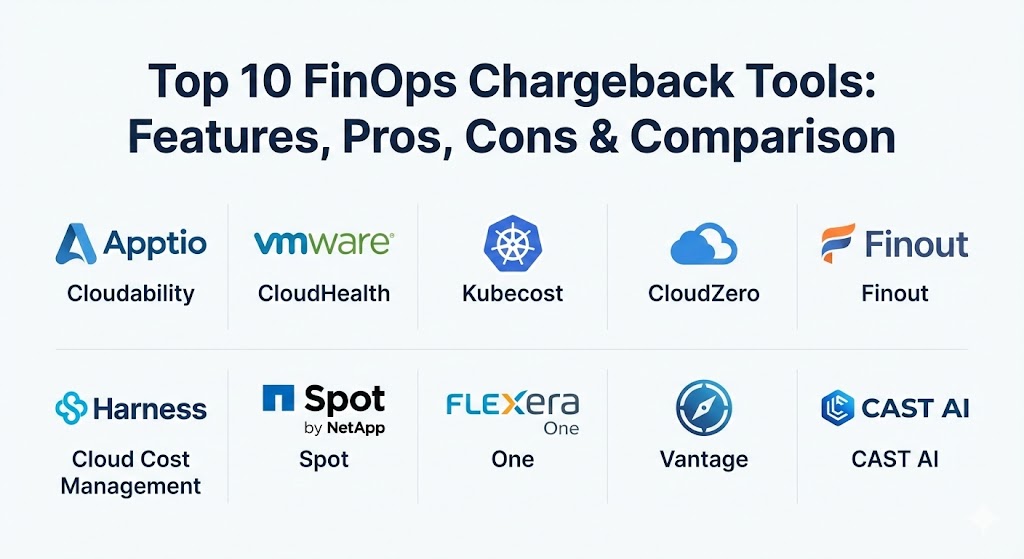
Top 10 FinOps Chargeback Tools
1 — Apptio Cloudability (by IBM)
Apptio Cloudability is widely considered the “gold standard” for enterprise FinOps. Now part of IBM, it offers a mature, high-scale platform designed to handle the massive data ingestion requirements of Global 2000 companies.
- Key features:
- Advanced “Mapping” engine for multi-cloud cost allocation.
- Deep support for shared cost redistribution (e.g., support fees, network egress).
- Right-sizing and architectural optimization recommendations.
- Automated anomaly detection with custom alert thresholds.
- Forecast modeling based on historical trends and business metrics.
- Native integration with Apptio TBM (Technology Business Management) suite.
- Pros:
- Excellent for complex finance-to-cloud reconciliation processes.
- Superior reporting capabilities that appeal to CFO-level stakeholders.
- Cons:
- The interface can be overwhelming for engineers who just want quick insights.
- Premium pricing reflects its enterprise-grade status.
- Security & compliance: SOC 2 Type II, ISO 27001, HIPAA, GDPR, and FedRAMP authorized. Supports SSO and granular RBAC.
- Support & community: Extensive documentation, a dedicated customer success manager for enterprise tiers, and a large global user community through the FinOps Foundation.
2 — VMware CloudHealth
CloudHealth by VMware (now Broadcom) is a powerhouse in the governance and policy space. It is designed for organizations that need to maintain strict guardrails across multi-cloud and hybrid environments.
- Key features:
- “Perspective” capability for organizing costs by business unit or project.
- Automated policy engine for budget enforcement and resource management.
- Integration with vSphere for a unified hybrid cloud view.
- Extensive Kubernetes cost visibility and allocation features.
- Detailed inventory tracking and security posture visibility.
- Multi-cloud commitment management for RIs and Savings Plans.
- Pros:
- Robust governance features that can automatically “take action” when budgets are exceeded.
- Excellent visibility into the cost of “zombie” resources and unattached storage.
- Cons:
- Broadcom’s recent changes have created some uncertainty regarding licensing and future support tiers.
- Implementation can be complex, requiring significant initial tagging configuration.
- Security & compliance: SOC 2, HIPAA, GDPR, and CCPA compliant. Supports AES-256 encryption for data at rest.
- Support & community: Professional onboarding services available; extensive technical knowledge base and formal training certifications.
3 — Kubecost
As organizations move toward containerization, the “black box” of Kubernetes spending becomes a major hurdle. Kubecost is the industry leader for mapping container-level usage to real-world costs.
- Key features:
- Real-time cost allocation by Namespace, Label, Service, and Deployment.
- Unified view of Kubernetes costs and out-of-cluster cloud costs.
- Automated “Savings Recommendations” for rightsizing nodes and pods.
- Cost-efficient governance alerts via Slack or Email.
- Open-source core (OpenCost) for transparency and community trust.
- Advanced support for shared resource allocation (e.g., idle resources, system overhead).
- Pros:
- The most granular tool available for Kubernetes; provides sub-penny accuracy.
- Developer-friendly; integrates well into existing Grafana/Prometheus stacks.
- Cons:
- Primarily focused on Kubernetes; may need to be paired with other tools for a total cloud view.
- The UI is highly technical and might not resonate with non-technical finance teams.
- Security & compliance: SOC 2 Type II, GDPR, and supports deployment within an air-gapped environment.
- Support & community: Very active Slack community and GitHub presence; enterprise-grade support is available for the “Business” tier.
4 — CloudZero
CloudZero takes an “intelligence” approach to FinOps, focusing on connecting cloud costs to business outcomes (Unit Economics). It is designed to bridge the gap between engineering and finance without the need for perfect tagging.
- Key features:
- “CostFormation” engine that organizes costs without relying solely on tags.
- Automated anomaly detection with context-rich alerts for engineers.
- Unit cost tracking (e.g., cost per customer, cost per transaction).
- Shared cost allocation rules for multi-tenant architectures.
- Integration with AWS, Azure, GCP, Snowflake, and MongoDB Atlas.
- Executive-level dashboards focused on gross margin and COGS.
- Pros:
- Excellent at handling the “un-taggable”—it can allocate costs based on usage patterns.
- High adoption rate among engineers because of its “DevOps-native” feel.
- Cons:
- High emphasis on unit economics may be overkill for companies with simpler allocation needs.
- Pricing is generally a percentage of cloud spend, which can scale quickly.
- Security & compliance: SOC 2 Type II, HIPAA, and GDPR compliant. Includes detailed audit logs for all configuration changes.
- Support & community: Highly praised customer success team; provides regular “FinOps Reviews” for enterprise clients.
5 — Finout
Finout is a modern, unified FinOps platform that treats every line item in your cloud bill (including SaaS) as a manageable unit. It is known for its “MegaBill” feature that consolidates multiple providers.
- Key features:
- “MegaBill” consolidates AWS, Azure, GCP, Datadog, Snowflake, and more.
- Virtual Tagging allows for retroactive cost allocation without modifying cloud resources.
- Automated shared cost distribution based on custom business logic.
- Widget-based dashboard builder for custom reporting.
- Anomaly detection with root-cause analysis for faster remediation.
- Budget tracking with proactive Slack notifications.
- Pros:
- Fantastic for companies with significant 3rd-party SaaS spend alongside cloud.
- No-code setup for “Virtual Tagging” saves hundreds of hours of manual work.
- Cons:
- A newer player in the market; some deep enterprise features are still being refined.
- Dashboard performance can lag slightly when processing extremely high-cardinality data.
- Security & compliance: SOC 2 Type II, GDPR, and data encryption in transit and at rest.
- Support & community: Responsive live chat support; growing community of modern FinOps practitioners.
6 — Harness Cloud Cost Management (CCM)
Harness CCM is unique because it integrates cloud cost management directly into the CI/CD pipeline. It empowers engineers to see the financial impact of their code changes before they even hit production.
- Key features:
- “Cloud Cost Perspectives” for logical cost grouping.
- Integration with Harness CD/GitOps for automated cost remediation.
- Kubernetes cost visibility with pod-level granularity.
- “Autostopping” for non-production environments to eliminate idle waste.
- Anomaly detection with “Workload” context.
- Collaborative budgeting tools for engineering leads.
- Pros:
- The best choice for organizations that want to “Shift Left” on cost management.
- “Autostopping” feature can provide a massive ROI by automatically shutting down idle dev/test labs.
- Cons:
- Most effective if you are already using the Harness platform for CI/CD.
- Reporting for finance personas is not as deep as specialized platforms like Apptio.
- Security & compliance: SOC 2, ISO 27001, and supports RBAC for multi-team access control.
- Support & community: Solid enterprise support; documentation is modern and well-maintained.
7 — Spot by NetApp
Spot is primarily known for its automation and optimization of “Spot Instances,” but its FinOps suite (Eco and Cloud Analyzer) provides powerful chargeback capabilities focused on automated savings.
- Key features:
- Automated lifecycle management of Reserved Instances and Savings Plans.
- Detailed cost allocation for heterogeneous cloud clusters.
- Optimization recommendations for right-sizing and storage consolidation.
- Integrated “Eco” dashboard for tracking global savings across providers.
- Visibility into Kubernetes cost per namespace and workload.
- Policy-driven resource management.
- Pros:
- Exceptional at maximizing commitment discounts (RIs/SPs) automatically.
- Great “set it and forget it” approach to cost optimization.
- Cons:
- Chargeback features are often secondary to the optimization automation features.
- The UI can be complex due to the variety of products within the “Spot” portfolio.
- Security & compliance: SOC 2 Type II, GDPR, and HIPAA compliant. Enterprise-grade SSO support.
- Support & community: Strong 24/7 technical support; extensive webinars and whitepapers for best practices.
8 — Flexera One
Flexera One is a comprehensive IT Management platform that bridges the gap between Cloud FinOps and traditional IT Asset Management (ITAM). It is ideal for organizations with large software licensing costs (Oracle, Microsoft, IBM).
- Key features:
- Holistic view of cloud spend and on-premises software license costs.
- Automated policies for governance and spend control.
- Integration with SaaS management tools to track “Shadow IT” costs.
- Bill ingest for AWS, Azure, GCP, and Alibaba Cloud.
- Advanced analytics for “BYOL” (Bring Your Own License) optimization.
- Enterprise-grade chargeback reporting with audit-ready exports.
- Pros:
- Only tool that truly solves the “Software License + Cloud Cost” puzzle.
- Very strong for “traditional” enterprises transitioning into the cloud.
- Cons:
- The platform is massive and can have a significant implementation timeframe.
- May feel “too heavy” for cloud-native startups.
- Security & compliance: ISO 27001, SOC 2, GDPR, and HIPAA. Highly granular permissions system.
- Support & community: Dedicated account teams for enterprise clients; formal user group conferences.
9 — Vantage
Vantage is a developer-centric FinOps platform designed to be easy to use and quick to set up. It focuses on transparency and providing “human-readable” cost reports.
- Key features:
- Automated “Cost Reports” that are easy to share across teams.
- Integration with 20+ services including AWS, Datadog, Snowflake, and Fastly.
- “Autopilot” for automated RI/Savings Plan management.
- Anomaly detection with “Team” notification routing.
- Budgeting with forecasting and variance alerts.
- Kubernetes cost visibility through an agentless integration.
- Pros:
- One of the fastest “time-to-value” tools—you can have dashboards in minutes.
- Modern, clean UI that developers actually enjoy using.
- Cons:
- Chargeback reporting for highly complex multi-entity finance structures is not as deep as Apptio.
- Less focus on “traditional IT” costs or complex hybrid deployments.
- Security & compliance: SOC 2 Type II, GDPR, and HIPAA compliant.
- Support & community: Very responsive Slack-based support and high-quality public documentation.
10 — CAST AI
CAST AI is an automated Kubernetes FinOps platform. While its primary differentiator is “automatic” optimization (autoscaling and rightsizing pods), its chargeback capabilities are essential for cluster tenants.
- Key features:
- Automatic conversion of cloud nodes to the most cost-effective types.
- Granular cost reporting by Namespace and Cluster.
- “Savings Report” that shows potential vs actual spend.
- Integrated security audit features to ensure optimization doesn’t break compliance.
- Multi-cloud cluster management (EKS, GKE, AKS).
- Automated shared cost allocation for cluster-wide services.
- Pros:
- It doesn’t just “show” you the bill; it actively reduces it by managing the infrastructure.
- Extremely high ROI for teams running large, dynamic Kubernetes environments.
- Cons:
- Focused strictly on Kubernetes; not a general-purpose cloud bill manager.
- Requires higher trust levels as it actively modifies production infrastructure.
- Security & compliance: SOC 2 Type II, ISO 27001, and HIPAA compliant.
- Support & community: Excellent documentation and responsive technical engineering support.
Comparison Table
| Tool Name | Best For | Platform(s) Supported | Standout Feature | Rating (Gartner/TrueReview) |
| Apptio Cloudability | Enterprise FinOps | AWS, Azure, GCP, OCI | Finance-grade chargeback | 4.4 / 5 |
| VMware CloudHealth | Governance & Policy | Multi-Cloud, Hybrid | Policy-driven automation | 4.3 / 5 |
| Kubecost | Kubernetes Teams | Any K8s (Cloud/Edge) | Pod-level precision | 4.7 / 5 |
| CloudZero | Unit Economics | AWS, Snowflake, GCP | Tagless cost formation | 4.8 / 5 |
| Finout | Consolidating SaaS | Multi-Cloud + SaaS | “MegaBill” Consolidation | 4.6 / 5 |
| Harness CCM | DevOps/CI-CD | AWS, Azure, GCP, K8s | “Autostopping” for waste | 4.5 / 5 |
| Spot by NetApp | Savings Automation | Multi-Cloud, K8s | Automated RI management | 4.4 / 5 |
| Flexera One | ITAM + FinOps | Multi-Cloud, On-Prem | License optimization | 4.2 / 5 |
| Vantage | Ease of Use | 20+ Cloud/SaaS Prov. | Human-readable reports | 4.7 / 5 |
| CAST AI | K8s Automation | EKS, GKE, AKS | Automated node rightsizing | 4.8 / 5 |
Evaluation & Scoring of FinOps Chargeback Tools
To select the right tool, it is important to understand the weight of each component relative to your organization’s goals.
| Criteria | Weight | Evaluation Focus |
| Core Features | 25% | Ability to allocate shared costs, support for K8s, and virtual tagging. |
| Ease of Use | 15% | The learning curve for both engineers (Dev) and analysts (Finance). |
| Integrations | 15% | Compatibility with BI tools, ERP systems, and niche cloud services. |
| Security & Compliance | 10% | Data sovereignty, encryption, and enterprise SSO/RBAC support. |
| Performance | 10% | Speed of data processing and accuracy of real-time insights. |
| Support & Community | 10% | Quality of documentation and availability of expert assistance. |
| Price / Value | 15% | ROI measured by hours saved in allocation and waste reduced. |
Which FinOps Chargeback Tool Is Right for You?
Selecting the right tool depends on your organization’s maturity level and infrastructure profile.
- Solo Users vs SMB: If you are a small team, look at native tools (AWS Cost Explorer) or a tool like Vantage. They are low-friction and offer immediate visibility without a 3-month setup period.
- Mid-Market: At this stage, you likely have shared clusters. Finout or Kubecost are excellent here because they handle shared costs and SaaS expenses better than native cloud tools.
- Enterprise: For massive global operations, Apptio Cloudability or Flexera One are the strongest contenders. They provide the auditability and complex mapping that a global CFO requires.
- Budget-Conscious: If you can’t afford a premium tool, start with Kubecost (Open Source) or Vantage (Free Tier). They provide enough baseline data to start a “Showback” program.
- Infrastructure Profile: If you are 90% Kubernetes, go with CAST AI or Kubecost. If you have heavy software licensing costs (Microsoft/Oracle), Flexera One is the logical choice.
Frequently Asked Questions (FAQs)
1. What is the difference between Showback and Chargeback? Showback is about transparency; it shows teams what they spent to encourage better behavior. Chargeback is about recovery; it actually deducts that amount from their department’s budget.
2. Why do I need a 3rd-party tool if AWS/Azure has a billing portal? Native tools are great for single clouds but fail at multi-cloud consolidation, shared cost redistribution, and Kubernetes pod-level granularity.
3. Do these tools require me to tag every resource? While tagging is a best practice, modern tools like CloudZero and Finout use “Virtual Tagging” and AI to allocate costs based on usage patterns even when tags are missing.
4. How does Kubernetes chargeback work? The tool installs a small agent (like Prometheus) to monitor CPU and Memory usage per pod, then maps that usage to the price of the underlying cloud nodes to determine a precise cost.
5. Can these tools automate the actual money transfer? No. They generate the data and reports that are then fed into your company’s ERP system (like SAP or Oracle) to handle the internal accounting.
6. Will these tools slow down my cloud performance? No. Most tools query the cloud billing APIs and metadata (out-of-band), meaning they have zero impact on your production application’s performance.
7. How much do FinOps chargeback tools typically cost? Pricing is usually based on a percentage of your monthly cloud spend (often 1-3%) or a flat fee based on the number of resources or accounts managed.
8. Is ROI immediate with these tools? Visibility is immediate. ROI usually follows within 30-90 days as teams identify “waste” (idle resources) and optimize their commitment strategies (RIs/Savings Plans).
9. Can they track the cost of shared resources like S3 buckets or Network Egress? Yes. High-end tools allow you to create “pro-rata” or usage-based rules to split shared costs (like a $10,000 Support Fee) across ten different departments.
10. What is a “FinOps Practitioner”? This is a professional who sits between Finance, Engineering, and Business to manage these tools and ensure the organization is getting the most value from its cloud spend.
Conclusion
FinOps chargeback is no longer a “nice-to-have” for mature IT organizations—it is the foundation of a sustainable cloud strategy. Whether you choose the deep financial rigor of Apptio Cloudability, the Kubernetes precision of Kubecost, or the “tagless” intelligence of CloudZero, the goal is the same: accountability. The right tool will not only save you money but will also foster a culture where every engineer understands the financial impact of their architecture.