Introduction
Data Center Infrastructure Management (DCIM) is a category of software solutions that bridge the gap between IT operations and facilities management. It provides a “single pane of glass” view into the physical and logical layers of the data center. By integrating information from power distribution units (PDUs), computer room air conditioners (CRACs), servers, and network switches, DCIM software allows administrators to monitor energy consumption, optimize cooling, and plan capacity with surgical precision.
The importance of DCIM lies in its ability to prevent unplanned downtime while simultaneously driving down operational costs. Real-world use cases range from “what-if” scenario modeling for server refreshes to real-time thermal mapping that prevents equipment from overheating. When evaluating DCIM tools, users should look for multi-vendor compatibility, automated asset discovery, advanced predictive analytics (AI/ML), and seamless integration with existing IT Service Management (ITSM) platforms. A robust DCIM strategy ensures that every watt of power and every square inch of floor space is accounted for and utilized effectively.
Best for: Data center managers, facilities engineers, and IT directors at large enterprises, colocation providers, and hyperscale environments. It is also essential for organizations in industries like finance, healthcare, and telecommunications where high availability and energy efficiency are top priorities.
Not ideal for: Small businesses with only a few server racks or organizations that have moved 100% of their operations to the public cloud. For these entities, basic server monitoring tools or cloud management consoles are often more than sufficient and significantly less expensive.
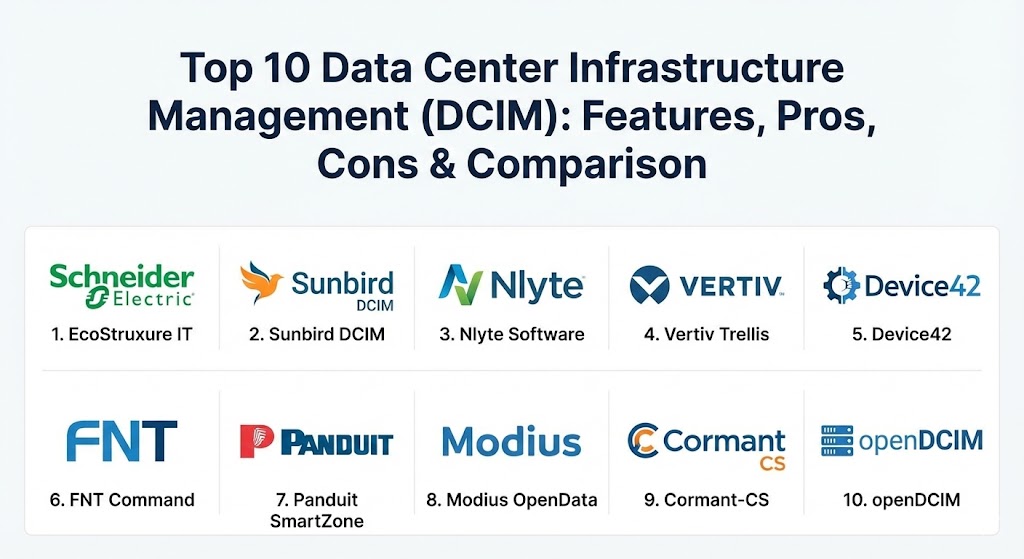
Top 10 Data Center Infrastructure Management (DCIM) Tools
1 — Schneider Electric EcoStruxure IT
Schneider Electric is a global leader in energy management, and its EcoStruxure IT platform (formerly StruxureWare) is widely regarded as the gold standard for enterprise-grade DCIM. It offers a comprehensive, cloud-based architecture designed for hybrid environments.
- Key features:
- Real-time monitoring of power, cooling, and environmental sensors across global sites.
- AI-driven “EcoStruxure IT Advisor” for predictive failure analytics and proactive maintenance.
- High-definition 3D visualization of floor plans and rack elevations.
- Integrated “What-If” analysis for capacity planning and impact simulation.
- Automated reporting for PUE (Power Usage Effectiveness) and sustainability metrics.
- Mobile app access for remote monitoring and instant alarm notifications.
- Pros:
- Unmatched depth in power and cooling analytics due to Schneider’s hardware pedigree.
- Excellent scalability, making it suitable for managing thousands of racks across multiple regions.
- Cons:
- The platform can be overwhelming for smaller teams due to its vast array of modules.
- Pricing is on the higher end of the spectrum, reflecting its enterprise positioning.
- Security & compliance: SOC 2 Type II, ISO 27001, GDPR, and HIPAA compliant. Includes multi-factor authentication (MFA) and granular role-based access control (RBAC).
- Support & community: Extensive global support network, 24/7 technical assistance, and a massive library of documentation and training certifications.
2 — Sunbird DCIM
Sunbird is a pioneer of “Second-Generation DCIM,” focusing heavily on ease of use, fast deployment, and high-quality data visualization. It is often praised for having one of the most modern and intuitive user interfaces in the industry.
- Key features:
- Unified management of both dcTrack (Asset Management) and Power IQ (Monitoring).
- Zero-configuration analytics with pre-built dashboards for power and capacity.
- Automated workflow management for moves, adds, and changes (MACs).
- Massive library of over 30,000 smart model definitions for easy asset tracking.
- Bi-directional integrations with ServiceNow, Jira, and BMC Helix.
- Advanced thermal heat maps and 3D floor plan visualizations.
- Pros:
- Known for a very short “time-to-value,” with rapid implementation compared to legacy rivals.
- The bi-directional ITSM integration significantly reduces manual data entry.
- Cons:
- While robust, the cooling analytics are slightly less deep than Schneider’s dedicated facility tools.
- Some advanced features require the full suite, which can increase the total cost.
- Security & compliance: FIPS 140-2, SSO, audit logs, and compliant with major privacy regulations.
- Support & community: Strong emphasis on customer success with a dedicated “Sunbird University” and active user community forums.
3 — Nlyte Software
Nlyte Software (now part of Carrier) is a veteran in the DCIM space, known for its powerful automation capabilities and deep integration into the ITIL (Information Technology Infrastructure Library) framework.
- Key features:
- Advanced asset lifecycle management from procurement to decommissioning.
- Intelligent capacity planning that optimizes space, power, and cooling.
- Automated workflow engine to ensure compliance with internal processes.
- Energy optimizer module for tracking and reducing carbon footprints.
- Integration with building management systems (BMS) and virtualization layers (VMware).
- Machine learning-driven analytics for predicting equipment health.
- Pros:
- Exceptional at managing complex workflows and ensuring rigorous process compliance.
- Strong “software-first” approach that integrates well with non-proprietary hardware.
- Cons:
- The user interface, while functional, can feel a bit more traditional than newer cloud-native competitors.
- Deployment can be complex and typically requires professional service engagement for larger sites.
- Security & compliance: SOC 2, ISO 27001, and HIPAA compliant. Includes end-to-end encryption for data in transit.
- Support & community: Reliable enterprise-grade support with global coverage and a well-established partner ecosystem.
4 — Vertiv Trellis
Vertiv Trellis is a high-performance DCIM platform developed by Vertiv, a company with deep expertise in mission-critical infrastructure. It is designed to provide real-time visibility and control over large-scale power and cooling systems.
- Key features:
- Real-time infrastructure monitoring with sub-second data polling.
- Detailed power chain mapping from the utility feed down to the server inlet.
- Thermal management tools that optimize airflow and cooling efficiency.
- Predictive analytics for identifying potential “hot spots” before they occur.
- Multi-site management through a centralized, web-based dashboard.
- Inventory and rack management with visual floor plan layouts.
- Pros:
- Best-in-class for managing Vertiv hardware (Geist PDUs, Liebert cooling) while remaining vendor-neutral.
- High level of granular control over physical infrastructure parameters.
- Cons:
- The platform can be resource-intensive for the hosting servers.
- The learning curve for the advanced analytics modules is relatively steep.
- Security & compliance: GDPR, HIPAA, and ISO standards. Supports secure LDAP and SSO.
- Support & community: Backed by Vertiv’s global service network, offering on-site support and advanced training.
5 — Device42
Device42 offers a unique blend of IT Asset Management (ITAM), CMDB, and DCIM. It is particularly strong in automatic discovery and dependency mapping, making it a favorite for modern DevOps and hybrid IT teams.
- Key features:
- Agentless auto-discovery of all hardware, software, and services on the network.
- Automated application dependency mapping (ADM) for better disaster recovery planning.
- Visual rack elevations and 2D/3D data center room layouts.
- Integrated IP Address Management (IPAM) and SSL certificate tracking.
- Power monitoring and environmental tracking via SNMP/Modbus.
- Extensive REST APIs for custom automation and reporting.
- Pros:
- The “all-in-one” nature of the tool eliminates the need for separate CMDB and IPAM solutions.
- Fast and effective auto-discovery saves hundreds of hours of manual auditing.
- Cons:
- Less focus on deep “facility” mechanics (like CRAC set-points) compared to Schneider or Vertiv.
- The high density of information in the UI can be overwhelming for casual users.
- Security & compliance: SOC 2, HIPAA, and GDPR. Features strong audit trails and RBAC.
- Support & community: Very active online community, comprehensive documentation, and responsive ticketing system.
6 — FNT Command
FNT Command is a German-engineered DCIM and cable management solution that excels in documentation and data modeling. it is often chosen for its ability to manage the entire “End-to-End” service chain.
- Key features:
- Comprehensive data modeling for IT, telecommunications, and facility infrastructure.
- Industry-leading cable and connectivity management (fiber, copper, and patch paths).
- Integrated workflow management for planning and executing infrastructure changes.
- 3D visualization of racks and buildings with spatial capacity tracking.
- Component library with over 70,000 predefined infrastructure objects.
- Integration with OSS/BSS systems for service providers.
- Pros:
- Exceptional at documenting complex network cabling and connectivity—a weak spot for many DCIMs.
- Highly structured data model that ensures consistency across massive environments.
- Cons:
- The interface and logic are geared toward power users and can be complex for beginners.
- Setup requires a disciplined approach to data entry to realize the full value.
- Security & compliance: ISO 27001, GDPR, and German data security standards.
- Support & community: High-quality enterprise support and a structured certification program for administrators.
7 — Panduit SmartZone
Panduit SmartZone is an infrastructure management solution that focuses on bridging the physical and logical layers, particularly for organizations using Panduit’s extensive cabling and cabinet systems.
- Key features:
- Real-time monitoring of power, environment, and physical security.
- Asset tracking with automated discovery and connectivity visualization.
- Energy efficiency dashboards with PUE and carbon footprint reporting.
- Capacity management for space, power, and cooling at the rack level.
- Automated alerting for threshold violations and hardware alerts.
- Integration with intelligent PDUs and environmental sensors.
- Pros:
- Very strong for organizations that already utilize Panduit physical infrastructure.
- Clear and actionable dashboards that focus on operational efficiency.
- Cons:
- Smaller third-party ecosystem compared to giants like Schneider or Sunbird.
- Predictive AI features are not as advanced as some cloud-native competitors.
- Security & compliance: Varies / Standard enterprise security (SSO, Encryption).
- Support & community: Professional design and implementation services are available globally.
8 — Modius OpenData
Modius OpenData is an “open” DCIM platform that specializes in real-time data collection from a vast array of heterogeneous devices and building systems.
- Key features:
- Vendor-neutral data collection via SNMP, Modbus, BACnet, and LonWorks.
- Real-time performance dashboards with custom KPI tracking.
- Advanced alarming and notification engine with escalation logic.
- Historical data analysis for trend identification and capacity forecasting.
- Integration with BMS, EPMS, and IT management tools.
- Scalable architecture that supports distributed edge locations.
- Pros:
- Outstanding for environments with a mix of old legacy hardware and new smart devices.
- Highly customizable dashboards that can be tailored to specific user roles.
- Cons:
- Requires a higher level of technical knowledge to configure custom data collectors.
- Visualizations are functional but less “polished” than Sunbird or Device42.
- Security & compliance: AES-256 encryption, audit logs, and SOC 2 readiness.
- Support & community: Dedicated technical support team and detailed implementation guides.
9 — Cormant-CS
Cormant-CS is a flexible and highly configurable DCIM solution that emphasizes portability and “on-the-go” management via mobile devices.
- Key features:
- Holistic view of IT, facility, and network infrastructure in a single database.
- Native mobile apps for iOS and Android with barcode/RFID scanning.
- Automated data discovery and integration with third-party monitoring.
- Powerful report writer for custom compliance and capacity audits.
- Historical “Time-Travel” feature to review previous states of the data center.
- Scalable from a single room to global multi-site deployments.
- Pros:
- One of the best tools for field engineers due to its superior mobile and scanning capabilities.
- Highly flexible licensing that doesn’t penalize for “modules” you don’t use.
- Cons:
- The web interface is efficient but visually less modern than some SaaS rivals.
- Initial configuration can take time due to the high level of customization available.
- Security & compliance: GDPR, HIPAA, and ISO 27001 support. Features robust RBAC.
- Support & community: Excellent customer satisfaction scores; known for personalized and responsive support.
10 — openDCIM
openDCIM is the premier open-source alternative in the DCIM market. It is a community-driven tool designed for IT professionals who want control and flexibility without the high price tag of enterprise software.
- Key features:
- Basic asset tracking and rack elevation visualizations.
- Power usage tracking and capacity management.
- Data center mapping and floor plan creation.
- Customizable reporting and data export.
- Support for multi-tenant environments.
- Open codebase that allows for custom module development.
- Pros:
- Completely free to use, making it ideal for budget-constrained labs or universities.
- Transparent codebase that can be modified to fit specific, niche requirements.
- Cons:
- Lacks the advanced AI, automated discovery, and sub-second monitoring of paid tools.
- No formal enterprise support; users must rely on community forums and internal expertise.
- Security & compliance: N/A / Depends on the hosting environment’s security configuration.
- Support & community: Driven by a passionate community of contributors and a public mailing list.
Comparison Table
| Tool Name | Best For | Platform(s) Supported | Standout Feature | Rating (Gartner/G2) |
| Schneider EcoStruxure | Global Enterprises | Cloud & On-Prem | AI-Driven Failure Prediction | 4.6 / 5 |
| Sunbird DCIM | User Experience | Web-Based | 30k+ Asset Smart Models | 4.7 / 5 |
| Nlyte Software | Process Automation | On-Prem & SaaS | ITIL Workflow Integration | 4.4 / 5 |
| Vertiv Trellis | Mission-Critical Power | Web-Based | Sub-Second Power Polling | 4.3 / 5 |
| Device42 | Auto-Discovery / Hybrid | SaaS & Virtual App | App Dependency Mapping | 4.7 / 5 |
| FNT Command | Cabling & Connectivity | Web-Based | 70k+ Object Component Library | 4.3 / 5 |
| Panduit SmartZone | Integrated Cabling | Web-Based | Energy Optimization Focus | 4.4 / 5 |
| Modius OpenData | Multi-Vendor Sites | Web-Based | Open Protocol Support | 4.5 / 5 |
| Cormant-CS | Field Operations | Mobile & Web | Barcode / RFID Integration | 4.6 / 5 |
| openDCIM | Budget Labs / OSS | Self-Hosted | Open Source / Free | N/A |
Evaluation & Scoring of DCIM Tools
To help you choose the right tool, we have scored these solutions based on a weighted rubric that reflects the priorities of modern data center operators.
| Category | Weight | Evaluation Criteria |
| Core Features | 25% | Capacity planning, 3D visualization, asset tracking, and power/cooling monitoring. |
| Ease of Use | 15% | Intuitiveness of UI, mobile accessibility, and dashboard customization. |
| Integrations | 15% | Compatibility with ITSM (ServiceNow), BMS, and public cloud platforms. |
| Security & Compliance | 10% | Encryption standards, SOC 2/ISO certifications, and robust audit trails. |
| Performance | 10% | Scalability, sub-second polling, and system reliability under heavy loads. |
| Support & Community | 10% | Documentation quality, global 24/7 help, and active user forums. |
| Price / Value | 15% | Total cost of ownership (TCO) vs. the operational efficiency and uptime gains. |
Which DCIM Tool Is Right for You?
Choosing a DCIM tool is a strategic decision that depends heavily on your current infrastructure and future growth plans.
- Solo Users / Labs: If you are running a home lab or a small university research room, openDCIM is the way to go. It is free and teaches you the fundamentals of asset tracking without a financial commitment.
- SMEs & Mid-Market: For organizations with 50-200 racks, Sunbird DCIM or Device42 are excellent choices. They offer fast deployment and high usability, meaning you don’t need a dedicated “DCIM Administrator” to manage the software.
- Large Enterprises & Global Operations: If you manage a distributed network of data centers, Schneider Electric EcoStruxure IT or Nlyte provide the governance and AI-driven insights needed to manage risk at scale.
- Budget-Conscious vs. Premium: If budget is the primary driver, Device42 offers significant “bang for your buck” by including IPAM and CMDB. If performance and uptime are the only metrics that matter, Vertiv Trellis or Schneider are worth the premium price.
- Connectivity-Heavy Environments: If you are a colocation provider or a telecom giant with complex fiber and copper paths, FNT Command is unparalleled in its cabling documentation capabilities.
- Hybrid & Edge Environments: For those managing “Micro Data Centers” or edge locations, look for cloud-native solutions like EcoStruxure IT Expert that allow you to monitor remote sites without installing local servers.
Frequently Asked Questions (FAQs)
1. What is the difference between DCIM and a CMDB? A Configuration Management Database (CMDB) focuses on the “logical” relationships between services and apps, while DCIM focuses on the “physical” assets like racks, power, and cooling. Many companies integrate both for a complete view.
2. Does DCIM software actually reduce energy costs? Yes. By providing visibility into stranded capacity and over-cooled racks, DCIM allows you to raise ambient temperatures safely and shut down orphaned servers, often reducing energy bills by 10-25%.
3. Is DCIM hard to implement? “Legacy” DCIM was notoriously difficult. However, “Second-Generation” DCIM (G2) tools like Sunbird or Device42 utilize auto-discovery and cloud architectures to make implementation significantly faster—often weeks instead of months.
4. Can I manage cloud resources with DCIM? While DCIM is primarily for physical infrastructure, many modern tools (like Device42 or EcoStruxure) now include cloud discovery modules to give you a “Hybrid IT” view of your assets.
5. Why should I use DCIM instead of Excel? Excel is a static document and is often out of date the moment it’s saved. DCIM is dynamic, real-time, and provides visual and analytical insights (like power chains and heat maps) that spreadsheets simply cannot.
6. What is “Stranded Capacity”? Stranded capacity occurs when you have space in a rack but not enough power or cooling to support another server. DCIM identifies these imbalances so you can reclaim and use that space effectively.
7. Does DCIM help with compliance? Absolutely. Tools like Nlyte and Schneider provide detailed audit logs and reports required for SOC 2, HIPAA, and PCI DSS compliance, proving that equipment is secure and properly maintained.
8. Can DCIM prevent downtime? By monitoring power loads and cooling health in real-time, DCIM can alert you to a potential failure (like a failing UPS battery or a cooling leak) before it results in a system crash.
9. What is PUE and does DCIM calculate it? Power Usage Effectiveness (PUE) is the ratio of total facility power to IT equipment power. Nearly all enterprise DCIM tools calculate PUE automatically and track it over time.
10. Do I need to buy specific hardware for DCIM to work? No. While some vendors offer their own hardware, most DCIM tools are “vendor-neutral” and can collect data from any device that supports standard protocols like SNMP, Modbus, or BACnet.
Conclusion
The evolution of Data Center Infrastructure Management from simple rack diagrams to AI-powered predictive platforms has transformed how we manage the physical layer of IT. Choosing the right DCIM tool is no longer just about inventory; it is about building a resilient, energy-efficient, and scalable foundation for your business. Whether you prioritize the ease of use of Sunbird, the automation of Nlyte, or the global scale of Schneider Electric, the key is to move away from reactive “firefighting” and toward a proactive, data-driven operational model.