Introduction
Design Systems Management tools are specialized platforms that host, document, and synchronize the visual language and reusable components of a digital product. Unlike a simple design file, a true DSM tool manages everything from design tokens (the smallest variables like colors and spacing) to complex UI components and the documentation that explains how to use them. These tools act as a central library that developers, designers, and product managers all access to ensure that what is designed in a tool like Figma is exactly what ends up in the final codebase.
The importance of these tools lies in their ability to automate the “handover” process and enforce governance. Instead of manual redlining, DSM tools provide living documentation that updates in real-time. Key real-world use cases include managing multi-brand systems (where one set of components powers several sub-brands), automating design-to-code pipelines, and maintaining accessibility standards at scale. When evaluating tools in this category, users should look for strong Figma/Sketch integration, support for design tokens, robust documentation capabilities, and the ability to host live code components (like React or Vue stories).
Best for: Product design teams in mid-to-large organizations, front-end developers, brand managers, and enterprises managing multiple digital products across web and mobile platforms.
Not ideal for: Small projects with a single designer and one developer where a basic UI kit suffices, or companies that do not use modular component-based architectures in their development.
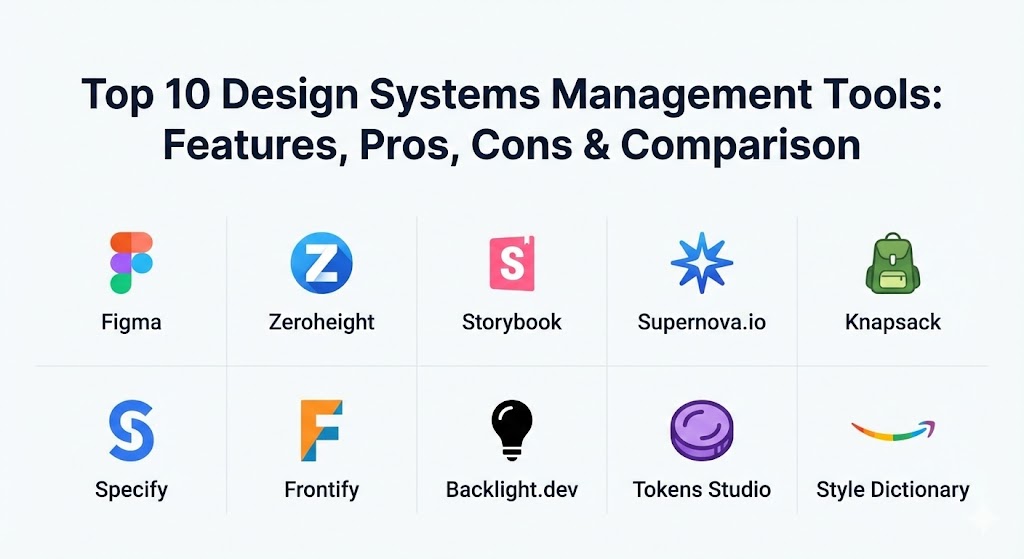
Top 10 Design Systems Management Tools
1 — Figma (Native Design System Features)
While Figma is primarily a design tool, its native design system capabilities—such as Libraries, Variables, and Dev Mode—make it the starting point for almost every modern design system. It is designed for teams that want to keep their “source of truth” as close to the canvas as possible.
- Key features:
- Variables & Tokens: Native support for color, number, string, and boolean variables to manage tokens.
- Team Libraries: Instant publishing and syncing of components across unlimited files.
- Dev Mode: A dedicated space for developers to inspect designs and translate them into code.
- Auto Layout & Multi-edit: Advanced layout engines that mirror flexbox and CSS principles.
- Branching & Merging: Version control for design systems, allowing for safe iterations.
- Component Properties: Reduces component sprawl by allowing multiple variations in one master component.
- Pros:
- No extra cost if you are already using Figma Enterprise or Professional.
- Unmatched real-time collaboration that keeps designers in sync without exports.
- Cons:
- Documentation is limited compared to dedicated portals; it is hard for non-designers to “read” the system.
- Does not host live code components natively—it only links to them.
- Security & compliance: SOC 2 Type II, SOC 3, ISO 27001, GDPR compliant, and SSO/SAML support.
- Support & community: Massive global community with thousands of free templates, plugins, and extensive official documentation.
2 — Zeroheight
Zeroheight is widely considered the industry standard for design system documentation. It is a “documentation-first” platform that allows teams to create beautiful, living styleguides that pull data directly from design tools and code repositories.
- Key features:
- Figma & Sketch Sync: Automatically pulls in components, styles, and assets from design files.
- Live Code Snippets: Embed React, Vue, Angular, or HTML components directly next to design specs.
- Design Tokens Integration: Centralized management of design tokens synced with tools like Tokens Studio.
- Custom Branding: Ability to style the documentation portal to match the company’s brand identity.
- Analytics: Track who is using the design system and which components are most popular.
- Feedback Loops: Built-in commenting for stakeholders to suggest changes to guidelines.
- Pros:
- Extremely user-friendly; marketing and brand teams can contribute without touching code.
- Offers one of the most visually appealing and professional documentation outputs.
- Cons:
- Performance can occasionally lag when syncing extremely large Figma libraries.
- Advanced features like multiple styleguides for sub-brands are gated behind high enterprise tiers.
- Security & compliance: SOC 2 Type II, GDPR, and SSO support.
- Support & community: Excellent onboarding support for enterprise clients and a helpful technical knowledge base.
3 — Storybook
Storybook is a developer-centric tool for building UI components and pages in isolation. While it isn’t a “design” tool, it is an essential management tool for the code-side of any design system.
- Key features:
- Component Isolation: Build and test components without the noise of the main application.
- Add-ons Ecosystem: Hundreds of plugins for accessibility testing, viewport resizing, and more.
- Interaction Testing: Automated workflows to verify component behavior and state.
- Documentation (DocsPage): Automatically generates documentation from component metadata and comments.
- Multi-Framework Support: Compatible with React, Vue, Angular, Svelte, and even HTML/CSS.
- Figma Plugin: View Figma designs directly inside the Storybook environment.
- Pros:
- The gold standard for developers; it drastically speeds up the component development lifecycle.
- Open-source and free, making it highly customizable for any engineering stack.
- Cons:
- Can be intimidating for pure designers; it requires front-end development knowledge to set up.
- Documentation styling is functional rather than “branded” or marketing-friendly.
- Security & compliance: Varies (Depends on self-hosting or using Chromatic for cloud-hosting; Chromatic is SOC 2 compliant).
- Support & community: One of the largest open-source communities in the world; virtually any issue has a documented solution on GitHub or Discord.
4 — Supernova.io
Supernova is a powerful end-to-end design system platform that focuses on automation. It aims to manage the entire lifecycle from design tokens in Figma to production-ready code in GitHub.
- Key features:
- Automated Data Pipelines: Automatically transforms Figma styles into code for multiple platforms (iOS, Android, Web).
- Documentation Editor: A Notion-like editor for creating comprehensive guidelines.
- Design Tokens Manager: Robust management of token aliases, themes (Dark/Light), and modes.
- Multi-Brand Support: Manage shared components across different brands with distinct themes.
- Code Exporters: Fully customizable exporters that push code directly to your repositories.
- Live Component Rendering: Embed Storybook or other code sources seamlessly.
- Pros:
- Unmatched for automation; it significantly reduces manual work when updating design tokens.
- Excellent for multi-platform teams that need to stay in sync across different tech stacks.
- Cons:
- The sheer amount of configuration options can lead to a steep initial learning curve.
- Setup requires a close collaboration between a designer and a developer to get the pipelines right.
- Security & compliance: SOC 2 Type II, GDPR, and SSO/SAML integration.
- Support & community: Dedicated Slack community and very responsive technical support for enterprise customers.
5 — Knapsack
Knapsack is an enterprise-grade design system platform that emphasizes a “code-first” approach, ensuring that the components used in the documentation are the exact same ones used in the live product.
- Key features:
- Unified Component View: Displays the “source of truth” as live code, not just static images.
- Git-Based Workflow: All changes go through a version-controlled process, aligning design with engineering.
- Prototyping with Live Code: Allows designers to build prototypes using actual production components.
- Multi-Brand Management: Sophisticated handling of sub-brands and different themes at scale.
- Native Figma Sync: Keeps design assets in line with the code implementation.
- Flexible Documentation: Supports Markdown and custom blocks for rich guideline creation.
- Pros:
- Exceptional for organizations that want to eliminate “parity” issues between design and code.
- Highly scalable for massive enterprise ecosystems with hundreds of contributors.
- Cons:
- High barrier to entry in terms of cost; clearly targeted at large enterprise budgets.
- Requires a high level of technical maturity to implement effectively.
- Security & compliance: SOC 2, HIPAA, GDPR, and enterprise-grade SSO.
- Support & community: High-touch white-glove service for enterprise onboarding and architecture planning.
6 — Specify
Specify acts as a “Design Data Platform.” It is less about documentation and more about the “plumbing” of a design system—collecting, storing, and distributing design tokens and assets.
- Key features:
- Token Synchronization: Collects tokens from Figma and distributes them to GitHub, GitLab, or Bitbucket.
- Transformation Engine: Automatically converts design data into any format (JSON, CSS, Swift, etc.).
- Asset Optimization: Automatically optimizes icons and images during the distribution process.
- Continuous Integration: Every change in Figma can trigger a Pull Request in your codebase.
- Multi-Source Support: Pull design data from multiple files and even multiple design tools.
- Pros:
- Solves the specific, painful problem of manual token updates once and for all.
- Works silently in the background of your existing workflow without requiring a new UI.
- Cons:
- Does not provide a documentation portal; you will still need Zeroheight or similar for guidelines.
- Requires developer involvement to set up the initial transformation rules and destination repositories.
- Security & compliance: GDPR compliant, SSO available for enterprise.
- Support & community: Strong documentation and a growing community of design systems engineers.
7 — Frontify
Frontify is a comprehensive brand management platform. While it includes design system features, it is designed to manage the entire brand ecosystem, including digital assets, print guidelines, and marketing templates.
- Key features:
- Brand Portal: A high-end, public-facing or private site for all brand identity guidelines.
- Digital Asset Management (DAM): Advanced storage and tagging for images, videos, and fonts.
- UI Pattern Library: A dedicated space for documenting UI components and code.
- Creative Collaboration: Tools for reviewing and approving marketing materials.
- Figma Plugin: Link your Figma designs directly to your brand guidelines.
- Pros:
- Perfect for global brands that need to manage more than just UI (e.g., brand voice, photography).
- Extremely polished and professional look that is ready for executive-level presentation.
- Cons:
- Can be significantly more expensive than tools focused purely on UI design systems.
- The engineering-side features (code integration) are not as deep as tools like Knapsack or Storybook.
- Security & compliance: ISO 27001, SOC 2 Type II, GDPR, and SSO support.
- Support & community: Offers specialized training, dedicated account managers, and global enterprise support.
8 — Backlight.dev
Backlight is a code-side design system platform that provides a collaborative workspace where designers and developers can build component libraries together in the cloud.
- Key features:
- In-Browser IDE: A full-featured code editor that runs in the browser, specifically for components.
- Visual Reviews: Integrated tools for designers to review code changes visually.
- Tokens Studio Integration: Deep support for importing tokens directly into your component code.
- Instant Previews: Real-time rendering of components across multiple frameworks.
- Documentation Support: Uses MDX (Markdown + JSX) to write documentation right next to the code.
- Pros:
- Bridges the gap between designers who want to see code and developers who want to stay in their flow.
- No setup required; everything is pre-configured and ready to go in the cloud.
- Cons:
- Might feel redundant for teams that already have a highly optimized local development environment.
- Requires team members to be comfortable working in a browser-based coding environment.
- Security & compliance: SOC 2, GDPR, and secure Git integration.
- Support & community: Very active on Discord with a focus on cutting-edge design system trends.
9 — Tokens Studio (formerly Figma Tokens)
While technically a plugin, Tokens Studio is so fundamental to modern design systems management that it behaves like a tool in its own right. It provides the advanced token management features that Figma is still developing.
- Key features:
- Multi-File Token Sync: Sync tokens across multiple Figma files via GitHub, GitLab, or URL.
- Advanced Token Logic: Support for token math, aliases, and complex shadow/typography tokens.
- Theming Engine: Switch between different brands, themes, and modes with a single click.
- Documentation Export: Export tokens as JSON to be used by Style Dictionary and other tools.
- Conflict Resolution: Sophisticated tools to manage token updates and overrides.
- Pros:
- Essential for any team that wants to implement a truly tokenized, scalable system in Figma.
- Allows for much more complex logic than Figma’s native “Variables.”
- Cons:
- Adds an extra layer of complexity to the Figma UI.
- As Figma builds out native features, some of Tokens Studio’s functionality may eventually overlap.
- Security & compliance: Varies (Local to Figma / Private Git storage).
- Support & community: One of the most passionate communities in the design world; highly active Slack and YouTube tutorials.
10 — Style Dictionary (by Amazon)
Style Dictionary is an open-source build system that allows you to define styles once in a way for any platform or language to consume. It is the “backend” for many of the world’s largest design systems.
- Key features:
- Universal Format: Define styles in JSON or JS and export to CSS, SCSS, Android XML, iOS Swift, etc.
- Custom Transforms: Highly customizable logic to transform values (e.g., converting hex to RGB).
- Template Support: Use Handlebars or other templating engines to generate code files.
- Cross-Platform Delivery: The only way to truly manage a single design source for Web, iOS, and Android.
- Automated Build Process: Easily integrates into Jenkins, GitHub Actions, or any CI/CD pipeline.
- Pros:
- Completely free and incredibly powerful; there is no limit to what it can transform.
- Ensures 100% parity between different platforms by using the exact same source data.
- Cons:
- Purely a command-line/code tool; zero visual interface for designers.
- Requires a developer to maintain the transformation logic and build scripts.
- Security & compliance: Open-source (Self-hosted security).
- Support & community: Extensive documentation and widely used by big tech companies like Amazon and Adobe.
Comparison Table
| Tool Name | Best For | Platform(s) Supported | Standout Feature | Rating (Gartner/TrueReview) |
| Figma (Native) | All-in-one design workflows | Web, Desktop | Real-time Multiplayer | 4.8 / 5 |
| Zeroheight | Documentation & Guidelines | Web, Figma, Sketch | Living Styleguides | 4.7 / 5 |
| Storybook | Dev-centric Component Building | React, Vue, Angular | Isolated Sandbox | 4.9 / 5 |
| Supernova.io | Automation & Multi-platform | Web, Figma, iOS, Android | Automated Code Pipelines | 4.6 / 5 |
| Knapsack | Enterprise Code-to-Design | Web, React, Figma | Live-Code Prototyping | 4.5 / 5 |
| Specify | Token Distribution | Figma, GitHub, GitLab | Design Data Plumbing | N/A |
| Frontify | Holistic Brand Management | Web, Figma, DAM | Brand Portal | 4.4 / 5 |
| Backlight.dev | Collaborative Coding | Browser-based IDE | Visual Code Reviews | 4.3 / 5 |
| Tokens Studio | Advanced Token Logic | Figma Plugin | JSON Token Syncing | N/A |
| Style Dictionary | Multi-platform Engineering | CLI, JS, JSON | Universal Code Transform | N/A |
Evaluation & Scoring of Design Systems Management Tools
To determine which tool offers the best return on investment, we use a weighted scoring rubric that prioritizes long-term scalability and team adoption.
| Category | Weight | Evaluation Criteria |
| Core Features | 25% | Token management, component libraries, and documentation depth. |
| Ease of Use | 15% | Intuitiveness for both designers (visual) and developers (technical). |
| Integrations | 15% | Strength of connection with Figma, Sketch, GitHub, and Storybook. |
| Security | 10% | SSO, SOC 2 compliance, and data encryption standards. |
| Performance | 10% | Load times for large libraries and reliability of sync processes. |
| Support | 10% | Quality of documentation and responsiveness of customer care. |
| Price / Value | 15% | Licensing costs relative to the time saved in manual handover. |
Which Design Systems Management Tool Is Right for You?
Selecting the right tool depends heavily on your team’s technical maturity and your organization’s specific goals.
- Solo Users & Freelancers: If you are working alone or in a tiny team, Figma’s native features are almost always enough. Adding a third-party tool like Zeroheight may introduce unnecessary overhead and cost. Stick to building a robust local library and using Figma’s Dev Mode for your own reference.
- Small to Medium Businesses (SMBs): For teams that are starting to feel the pain of inconsistent documentation, the combination of Figma + Zeroheight is the “sweet spot.” It provides professional-grade documentation with very little technical setup, allowing your team to focus on design rather than infrastructure.
- Mid-Market & Scaling Startups: If you have multiple developers and are building across web and mobile, look into Supernova.io or Specify. These tools will help you automate the movement of tokens so you don’t waste hours manually updating hex codes in multiple codebases.
- Enterprise Organizations: Large corporations with multiple brands should consider Frontify (if brand identity is the priority) or Knapsack (if technical parity and live-code components are the priority). These tools offer the governance and security controls required at scale.
- Engineering-First Teams: If your design system is driven primarily by the dev team, Storybook combined with Style Dictionary is a powerhouse. It is free, open-source, and allows for infinite customization, provided you have the engineering resources to maintain it.
Frequently Asked Questions (FAQs)
1. What is the difference between a UI Kit and a Design System?
A UI Kit is a collection of static visual assets (buttons, icons). A Design System includes the UI Kit but also adds the code components, brand guidelines, design tokens, and the “rules” of how they should be used together.
2. Why do I need a DSM tool if I already use Figma?
Figma is great for designing, but it is not a great place for documenting or managing code. A DSM tool provides a place for non-designers to read guidelines and for developers to interact with live code, which Figma cannot do natively.
3. Do these tools support mobile apps (iOS and Android)?
Yes, tools like Supernova.io and Style Dictionary are specifically designed to export design tokens into formats like Swift and XML, ensuring your mobile apps match your web products perfectly.
4. What are design tokens?
Design tokens are the “atoms” of your design system—variables that store values like color hex codes, spacing increments, or font sizes. They allow you to change a value in one place and have it update across every platform.
5. How much do these tools typically cost?
Pricing is broad. Open-source tools (Storybook, Style Dictionary) are free. Mid-market documentation tools (Zeroheight) start around $500–$1,000/year. Enterprise platforms (Frontify, Knapsack) can cost tens of thousands of dollars annually.
6. Can I use multiple tools together?
Yes, most professional teams “stack” their tools. A common stack is Figma (for design), Tokens Studio (for tokens), Storybook (for code), and Zeroheight (to document everything).
7. How do DSM tools help with accessibility?
Many DSM tools allow you to document accessibility requirements (like contrast ratios or screen reader behavior) alongside the components. Some, like Storybook, have plugins that automatically test components for accessibility violations.
8. What is “Design-to-Code” automation?
This is the process where a change made in a design tool (like updating a primary color) automatically triggers an update in the codebase via a tool like Specify or Supernova, eliminating manual coding.
9. Is it hard to migrate from one tool to another?
It can be. The documentation (text and images) is usually easy to move, but complex automated pipelines and token structures often require a significant “re-wiring” if you switch platforms.
10. Do I need a developer to set up a design system management tool?
For basic documentation (Zeroheight), no. However, for any tool that involves syncing tokens to code or hosting live components (Knapsack, Supernova), developer involvement is essential for a successful setup.
Conclusion
Building a design system is an investment in your company’s future velocity. While it may feel like a large undertaking today, the alternative—endless design debt and manual handovers—is far more costly in the long run. The “best” tool in 2026 isn’t the one with the most features; it’s the one that your team will actually use. Whether you choose the all-in-one simplicity of Figma, the documentation prowess of Zeroheight, or the technical power of Style Dictionary, ensure that your choice aligns with your team’s workflow and technical capabilities. Consistency starts with a single source of truth—choose yours wisely.