Introduction
UX Research Tools are specialized software platforms designed to facilitate the collection, organization, and analysis of user feedback and behavioral data. These tools bridge the gap between a design concept and its real-world execution by providing a structured environment for usability testing, interview hosting, and data synthesis. Whether it is an unmoderated test where a user records their screen while completing tasks or a heatmapping tool that shows where users are clicking most, these solutions provide the “why” behind user behavior.
The importance of these tools lies in their ability to reduce “rework” costs. Fixing a usability flaw during the prototyping phase is significantly cheaper than refactoring code after a full launch. Furthermore, they democratize research, allowing non-specialists like product owners or developers to run quick tests and stay aligned with user needs. Key evaluation criteria for these tools include the quality of the participant panel, the depth of analytical features (like AI-driven sentiment analysis), integration with design tools like Figma, and the robustness of security protocols for handling sensitive user data.
Best for: UX designers, dedicated research teams, and product managers at startups, mid-market companies, and global enterprises. They are essential for industries where user retention and high conversion rates are critical, such as e-commerce, fintech, and SaaS.
Not ideal for: Purely backend-focused development teams or companies producing internal command-line tools where visual user interface interaction is non-existent. It may also be overkill for very small personal projects where direct, informal feedback from a handful of friends is sufficient.
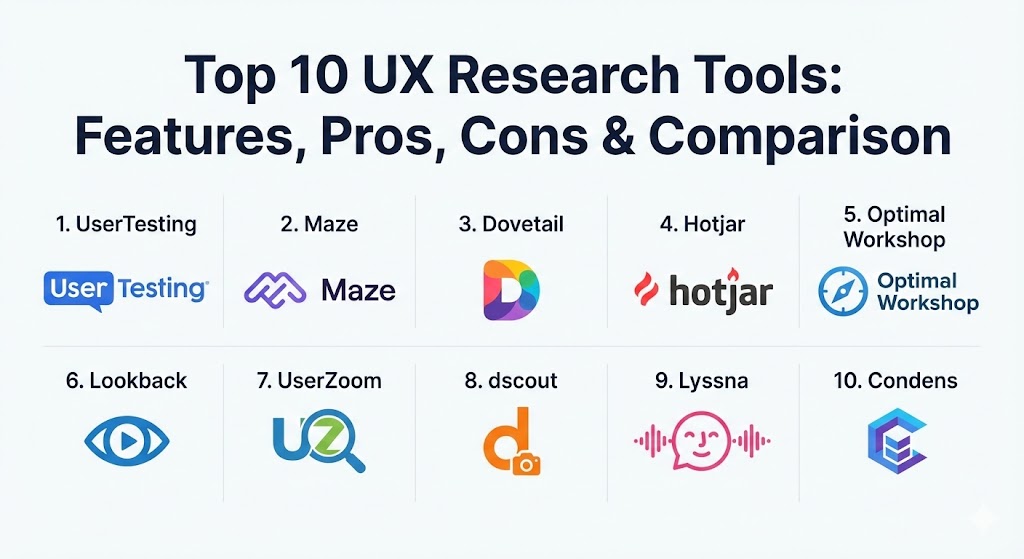
Top 10 UX Research Tools
1 — UserTesting
UserTesting is a veteran in the research space, widely considered the gold standard for rapid, video-based human feedback. It provides access to a massive global panel of participants who record their screens and voices while interacting with your digital or physical products.
- Key features:
- Live Conversations: One-on-one moderated interviews with real-time feedback.
- Unmoderated Testing: Rapid task-based tests that provide video recordings within hours.
- Highlight Reels: AI-powered tools to clip and share the most impactful user moments.
- Advanced Targeting: Granular demographic and behavioral filters for finding niche participants.
- Mobile App Testing: Dedicated flows for testing iOS and Android native applications.
- Sentiment Analysis: Automated detection of user emotions (frustration, joy, confusion).
- Pros:
- The recruitment speed is unmatched; you can often get results in less than two hours.
- High-quality video and audio recordings that make a compelling case to stakeholders.
- Cons:
- It is one of the most expensive tools on the market, often requiring a significant annual contract.
- The sheer volume of video data can be overwhelming without a dedicated researcher to analyze it.
- Security & compliance: SOC 2 Type II, GDPR, HIPAA, and ISO 27001 compliant. Supports SSO and data encryption at rest/transit.
- Support & community: Enterprise-grade support with dedicated success managers; vast library of “UserTesting University” training resources.
2 — Maze
Maze has revolutionized the research process for design-heavy teams by specializing in unmoderated testing of prototypes. It transforms static designs into interactive “missions” that provide quantitative metrics on user success and path analysis.
- Key features:
- Prototype Testing: Seamless integrations with Figma, Adobe XD, and Sketch.
- Mission-Based Tasks: Quantitative tracking of success rates, misclicks, and duration.
- AI-Generated Reports: Automatic creation of visual slide decks for every study.
- Card Sorting & Tree Testing: Dedicated tools for testing information architecture.
- In-Product Prompts: Recruit actual users directly from your live website or app.
- Open Analytics: Freedom for users to explore a prototype while you track their flow.
- Pros:
- Incredibly fast setup; you can go from a Figma link to a live test in minutes.
- The automated reporting is beautiful and ready for executive presentations.
- Cons:
- Limited capability for deep qualitative “moderated” interviews.
- Heavy prototypes can sometimes lag within the Maze browser interface.
- Security & compliance: SOC 2 Type II, GDPR, and data residency options in the US and EU.
- Support & community: Excellent self-service documentation and an active “Maze Community” for networking and learning.
3 — Dovetail
Dovetail is less about collecting data and more about analyzing it. It serves as a research repository and analysis engine that helps teams turn hundreds of hours of interviews and notes into a searchable database of insights.
- Key features:
- Transcription Engine: Automated, high-accuracy transcription for video and audio files.
- Canvas Workspace: A visual board for clustering notes and identifying themes.
- Insight Repository: A centralized library where stakeholders can search for “what we know about X.”
- Video Tagging: Click a tag in a transcript to instantly jump to that moment in the video.
- Sentiment Tagging: Categorize feedback as positive, negative, or neutral at scale.
- Collaboration Tools: Tag team members and discuss findings directly on the data.
- Pros:
- Solves the problem of “lost research” by making every past study searchable.
- Drastically reduces the time required for manual qualitative coding.
- Cons:
- It requires a disciplined team to maintain tags and organization.
- Not a tool for recruiting users or hosting unmoderated tests.
- Security & compliance: SOC 2 Type II, ISO 27001, and GDPR compliant. Includes PII redaction features.
- Support & community: Growing community of “Dovetailers”; strong focus on product-led growth with frequent feature updates.
4 — Hotjar
Hotjar provides a visual way to understand user behavior on live websites through passive observation tools. It is the go-to solution for identifying where users get stuck or “rage click” in real-world scenarios.
- Key features:
- Heatmaps: Visual representations of where users click, move, and scroll.
- Session Recordings: Real-time video replays of actual visitors navigating your site.
- Feedback Widgets: On-page “love/hate” buttons and quick polls.
- Conversion Funnels: Identify exactly which step of the checkout or signup process loses users.
- AI Summary: Automated summaries of hours of recordings to spot major trends.
- Dashboard Integration: Sync with Google Analytics to combine quantitative and qualitative data.
- Pros:
- Easy to install with a single script tag; provides immediate value.
- Great for seeing how “unfiltered” users behave without the pressure of a formal test.
- Cons:
- Can potentially impact site performance if not configured correctly.
- Does not allow for moderated interaction or questioning of the users.
- Security & compliance: GDPR, CCPA, and PCI DSS compliant. Automatically suppresses PII in recordings.
- Support & community: Comprehensive help center and a very generous “free-forever” tier for small projects.
5 — Optimal Workshop
Optimal Workshop is the gold standard for “Information Architecture” (IA) research. It focuses on how people categorize information and how they navigate through a site’s structure.
- Key features:
- OptimalSort (Card Sorting): Find out how users group your content categories.
- Treejack (Tree Testing): Evaluate if users can find what they need in your menu structure.
- Chalkmark (First-Click Testing): See where users click first when given a specific task.
- Questions (Surveys): Specialized UX surveys to gather qualitative context.
- Reframer (Qualitative Analysis): A tool for taking notes and tagging themes during live interviews.
- AI Analysis: Automated dendrograms and similarity matrices for IA data.
- Pros:
- Unrivaled depth in statistical analysis for navigation and information structure.
- Very easy for participants to use on both mobile and desktop.
- Cons:
- The user interface for the admin side can feel a bit clinical and dated.
- Pricing has recently increased, making it less accessible for sporadic users.
- Security & compliance: ISO 27001, GDPR compliant, and data encryption at rest.
- Support & community: High-touch support with expert researchers available for consultation.
6 — Lookback
Lookback specializes in “live” research, providing a professional-grade platform for moderated user interviews and remote observation rooms.
- Key features:
- Live Moderated Interviews: High-quality video calls with screen and face sharing.
- Observation Rooms: Allow stakeholders to watch interviews live without being visible to the user.
- Time-Stamped Notes: Admins can take notes that are instantly synced to the video timeline.
- Self-Test (Unmoderated): Simple links for users to record themselves on their own time.
- Participant Chat: Real-time text interaction during moderated sessions.
- Cloud-Based Storage: Instant availability of recordings after the session ends.
- Pros:
- The “Observation Room” is the best in the industry for team collaboration.
- Works flawlessly on mobile devices, making it great for app testing.
- Cons:
- Does not provide a built-in participant panel; you must recruit your own users.
- Requires a very stable internet connection for high-quality moderated calls.
- Security & compliance: GDPR compliant and uses enterprise-level encryption for all recordings.
- Support & community: Responsive email support and a focus on clean, focused documentation.
7 — UserZoom (by UserTesting)
UserZoom is an enterprise-grade platform designed for high-confidence, large-scale quantitative and qualitative research. It is often used for global benchmarking and tracking UX metrics over time.
- Key features:
- QXscore: A proprietary metric that combines usability and attitude data into a single score.
- Mixed-Methods Research: Run surveys, usability tests, and interviews in one study.
- Enterprise Recruitment: Access to niche panels with guaranteed high-quality respondents.
- Automated Benchmarking: Compare your UX performance against competitors.
- Click Testing & Heatmaps: Integrate visual behavior data into traditional studies.
- Global Reach: Support for research in over 100 countries and multiple languages.
- Pros:
- The most sophisticated tool for statistical significance and executive-level reporting.
- Ideal for tracking the ROI of UX improvements year-over-year.
- Cons:
- Steep learning curve; usually requires a full-time UX researcher to operate effectively.
- Very high cost, often beyond the reach of mid-market companies.
- Security & compliance: ISO 27001, SOC 2 Type II, HIPAA, and GDPR compliant.
- Support & community: Premium, high-touch enterprise support and professional service offerings.
8 — dscout
dscout is the leader in “Diary Studies” and remote ethnography. It is designed to capture user behavior in the “real world” over days, weeks, or months.
- Key features:
- Diary Studies (Diary): Participants (scouts) document their lives via video/photo prompts.
- Express: Rapid, unmoderated video feedback for quick questions.
- Live: High-quality remote interviewing platform.
- The “Scout” Panel: A highly engaged community of participants ready for long-term studies.
- Media Management: Easy tools for sorting through thousands of videos and photos.
- Interactive Transcripts: Searchable text linked directly to video clips.
- Pros:
- Best-in-class for understanding long-term habits and “context of use.”
- The quality of the participant panel is exceptionally high and vetted.
- Cons:
- Analyzing diary studies is time-intensive due to the volume of qualitative media.
- Pricing is on the higher end, aimed at larger research operations.
- Security & compliance: SOC 2 Type II and GDPR compliant.
- Support & community: “People Nerds” community provides excellent resources and thought leadership.
9 — Lyssna (formerly UsabilityHub)
Lyssna focuses on “First Impressions” and quick design validation. It is the perfect tool for getting rapid, quantitative feedback on specific design elements.
- Key features:
- 5-Second Test: Measure what users remember after seeing a design for five seconds.
- First-Click Test: Verify that call-to-action buttons are obvious and intuitive.
- Preference Test: Ask users to choose between two or more design variations.
- Surveys: Traditional research surveys with a focus on UX questions.
- Participant Panel: Built-in panel for rapid recruitment at a per-test cost.
- Navigation Test: Simple tracking of how users click through a series of screens.
- Pros:
- Extremely affordable; you can pay per participant without a massive subscription.
- The fastest way to settle “internal debates” about button colors or layouts.
- Cons:
- Lacks the depth for complex, multi-step usability testing or interviews.
- Analytics are fairly basic compared to Maze or UserTesting.
- Security & compliance: GDPR compliant; supports standard encryption.
- Support & community: Extensive help docs and a self-service model that is very easy to navigate.
10 — Condens
Condens is a rising star in the “Research Repository” space, focusing on speed and simplicity for teams that want to centralize their qualitative findings.
- Key features:
- Smart Transcription: Fast, multi-language transcription with speaker identification.
- Evidence Clips: Easily create video snippets to prove your points to stakeholders.
- Stakeholder Repository: A “read-only” portal for non-researchers to view findings.
- AI-Assisted Tagging: Automatically suggests tags based on the content of your notes.
- Whiteboard Integration: Drag research highlights directly into Miro or FigJam.
- Data Anonymization: One-click tools to redact faces or names for privacy.
- Pros:
- One of the most intuitive interfaces; almost no learning curve.
- The pricing is much more accessible for small teams than Dovetail.
- Cons:
- Lacks some of the complex “Global Search” features found in higher-end repositories.
- Integration ecosystem is still growing compared to older competitors.
- Security & compliance: GDPR compliant, SOC 2 Type II, and EU-based hosting options.
- Support & community: Very responsive, personal support and a clear product roadmap.
Comparison Table
| Tool Name | Best For | Platform(s) Supported | Standout Feature | Rating (Gartner/TrueReview) |
| UserTesting | Rapid Video Feedback | Web, iOS, Android | Massive On-Demand Panel | 4.6 / 5 |
| Maze | Prototype Testing | Web (Figma, XD, etc.) | Automated Design Reports | 4.5 / 5 |
| Dovetail | Research Repository | Web, Desktop | Video-to-Transcript Tagging | 4.4 / 5 |
| Hotjar | Behavior Analytics | Live Website | Heatmaps & Recordings | 4.3 / 5 |
| Optimal Workshop | Information Architecture | Web | Tree Testing & Card Sorting | 4.4 / 5 |
| Lookback | Live Interviews | Web, iOS, Android | Hidden Observation Rooms | 4.1 / 5 |
| UserZoom | UX Benchmarking | Web, Mobile | QXscore Metric | 4.3 / 5 |
| dscout | Contextual Research | iOS, Android, Web | Remote Diary Studies | 4.7 / 5 |
| Lyssna | First Impressions | Web | 5-Second Design Tests | 4.2 / 5 |
| Condens | Qual Analysis | Web, Desktop | Fast Transcription/Clipping | 4.8 / 5 |
Evaluation & Scoring of UX Research Tools
To help you choose the right platform, we evaluated these tools against a weighted scoring rubric based on current 2026 industry standards.
| Criteria | Weight | Evaluation Focus |
| Core Features | 25% | Depth of testing methods (moderated vs unmoderated) and participant quality. |
| Ease of Use | 15% | The learning curve for researchers and the friction for test participants. |
| Integrations | 15% | Native connections to Figma, Jira, Slack, Miro, and Zoom. |
| Security | 10% | GDPR/SOC 2 status and the ability to redact PII automatically. |
| Performance | 10% | Stability of video recordings and speed of participant recruitment. |
| Support | 10% | Availability of success managers and the quality of documentation. |
| Price / Value | 15% | ROI for team size and frequency of research compared to licensing costs. |
Which UX Research Tool Is Right for You?
The “best” tool doesn’t exist; only the best tool for your specific organizational maturity and goals.
- Solo Users & Freelancers: If you are a team of one, focus on Maze for design validation and Lyssna for quick feedback. They are affordable and don’t require a massive time investment to set up.
- Small to Medium Businesses (SMBs): You likely need a “Swiss Army Knife.” Condens is excellent for organizing your growing interview library, while Hotjar provides high-value insights on your live site with minimal effort.
- Mid-Market & Growth Startups: At this stage, you need higher quality data. dscout offers incredible depth into user lifestyles, and UserTesting (on a per-test basis) can provide the fast “gut checks” needed for rapid iteration.
- Large Enterprises: Security and scalability are your priorities. UserZoom and UserTesting offer the governance and large-scale panels required for global products. Dovetail is essential here to prevent research silos across different departments.
- Budget-Conscious vs. Premium: If budget is tight, start with Hotjar’s free tier and Lyssna. If you have a dedicated budget to “get it right the first time,” invest in the UserTesting ecosystem.
- Feature Depth vs. Ease of Use: Optimal Workshop is deep but clinical. Maze is incredibly easy but focused mostly on the design layer. Balance your need for statistical “truth” against your team’s bandwidth to learn a new tool.
Frequently Asked Questions (FAQs)
1. Is it better to use a tool with its own participant panel or recruit my own?
Using a built-in panel (like UserTesting) is much faster and great for general feedback. Recruiting your own users is better for niche B2B products where you need specific domain experts who understand your industry.
2. Can I use these tools for mobile app testing?
Yes. Most modern platforms like Lookback, dscout, and UserTesting have dedicated mobile recorders that capture the user’s screen, face, and touch interactions on smartphones.
3. How many users do I need to test to get meaningful results?
For qualitative usability testing, the industry standard is often 5 to 8 users. This is typically enough to uncover 80% of major usability issues. Quantitative tests (like card sorting) usually require 30 to 50+ users for statistical significance.
4. What is the difference between moderated and unmoderated research?
Moderated research involves a live researcher talking to the user (like a Zoom call). Unmoderated research is self-guided, where the user follows instructions and records themselves on their own time.
5. How do AI features currently help in UX research?
AI is primarily used for transcription, sentiment analysis (detecting frustration in voice), and “insight synthesis”—summarizing hours of video or pages of notes into key bullet points.
6. Is GDPR compliance important for these tools?
Absolutely. UX research involves capturing human faces, voices, and personal opinions. You must ensure your tool has robust data processing agreements (DPA) and proper encryption to stay compliant.
7. Can I integrate UX research tools with Figma?
Most unmoderated tools like Maze, Useberry, and Lyssna have direct plugins or link-sharing capabilities with Figma, allowing you to test interactive prototypes without exporting images.
8. What is a “Research Repository”?
It is a central database (like Dovetail or Condens) where all research findings are stored. This prevents “research amnesia,” where a team runs a study that was already conducted by someone else a year ago.
9. Are these tools suitable for accessibility testing?
Some are better than others. Maze and UserTesting can be used to test with users who use screen readers, but you must specifically recruit for those segments and ensure the testing interface itself is accessible.
10. How do I prove the ROI of these tools to my boss?
Focus on “Rework Reduction.” Calculate the cost of a developer’s time to fix a feature after it’s launched versus the cost of a UX research tool that identifies the flaw during the design phase.
Conclusion
Choosing a UX research tool in 2026 is no longer about finding a way to record a screen—any basic software can do that. It is about finding a platform that fits your team’s workflow, secures your users’ data, and provides the analytical depth to drive meaningful product changes. The leaders in the space, like UserTesting and Maze, continue to set the pace with AI integration and design-tool synergy, but specialized tools like dscout and Optimal Workshop remain essential for specific methodologies.
Ultimately, the “best” tool is the one that your team will actually use. Start with a clear research question, evaluate your budget, and choose a solution that helps you stop guessing and start knowing.