Introduction
A push notification platform is a specialized software service that enables businesses to send real-time, clickable messages directly to a user’s mobile device or web browser. Unlike email, which can sit unread in an inbox, push notifications appear instantly on the home screen or desktop, boasting significantly higher click-through rates. These platforms act as the bridge between your application and the complex delivery gateways managed by Apple (APNs) and Google (FCM).
The importance of these tools lies in their ability to drive user retention and conversion. Whether it’s a flash sale alert, a breaking news update, or a personalized “abandoned cart” reminder, push notifications keep your brand top-of-mind. In 2026, the key evaluation criteria have shifted toward hyper-personalization—the ability to send the right message at the exact moment a user is most likely to engage—supported by robust security and seamless multi-channel orchestration.
Best for: Product managers, growth marketers, and developers at SaaS companies, eCommerce brands, and mobile-first startups who need to automate lifecycle messaging and improve user retention through data-driven triggers.
Not ideal for: Purely informational websites with very low traffic or local businesses that do not have a mobile app or a high-frequency engagement strategy, as the cost and complexity of premium platforms may outweigh the return on investment.
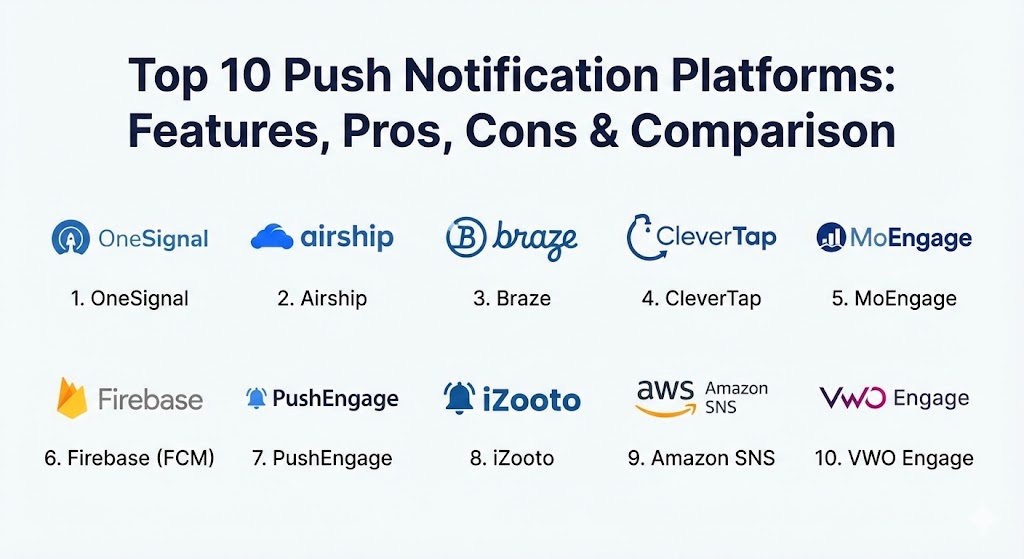
Top 10 Push Notification Platforms
1 — OneSignal
OneSignal remains one of the most widely used platforms globally due to its “developer-first” mentality and exceptionally fast setup process. It serves everyone from tiny startups to massive enterprises like Uber and Adobe, offering a balanced mix of ease of use and powerful automation.
- Key features:
- Unified delivery for mobile push, web push, email, and SMS.
- Intelligent Delivery timing based on individual user activity windows.
- Robust A/B testing for messages, images, and delivery times.
- No-code segment builder for targeting specific user cohorts.
- Real-time analytics with “confirmed delivery” tracking.
- Automated drip campaigns and journey orchestration.
- Pros:
- The most generous free tier in the industry, supporting unlimited mobile subscribers.
- Extremely well-documented SDKs that make integration a matter of minutes, not days.
- Cons:
- Advanced features like Journeys and Outcomes are locked behind higher-priced tiers.
- Customer support response times can be slower for users on the free plan.
- Security & compliance: SOC 2 Type II, GDPR, HIPAA, and CCPA compliant. Includes SSO and audit logs for enterprise accounts.
- Support & community: Extensive documentation library, a massive developer community, and 24/7 technical support for professional/enterprise tiers.
2 — Airship
Airship is an enterprise-grade customer engagement platform that focuses on “Customer Value Optimization.” It is designed for large brands that need to coordinate complex messaging strategies across global audiences with high precision.
- Key features:
- Predictive AI that identifies churn risks and optimal engagement times.
- Journey AI for orchestrating multi-channel user paths.
- Support for “Live Activities” and “Dynamic Island” notifications on iOS.
- Rich media support (images, videos, and interactive buttons).
- Deep-linking capabilities to drive users to specific app pages.
- Advanced experimentation and feature flag management.
- Pros:
- Built for massive scale; reliable delivery for millions of simultaneous messages.
- Superior reporting that connects notification engagement directly to business revenue.
- Cons:
- Very high cost of entry; typically priced for large enterprise budgets.
- Steeper learning curve compared to lightweight web-push tools.
- Security & compliance: ISO 27001, SOC 2, GDPR, and HIPAA compliant. Enterprise-grade encryption and data residency options.
- Support & community: Dedicated account managers, professional onboarding services, and 24/7 global enterprise support.
3 — Braze
Braze is often cited as the leader in lifecycle marketing. It treats push notifications as one piece of a larger conversation, allowing marketers to build highly personalized “canvases” that respond to user behavior in real-time.
- Key features:
- Braze Canvas: A visual workflow builder for complex user journeys.
- Real-time behavioral triggers (e.g., “send push 10 minutes after app close”).
- Sophisticated personalization using Liquid logic (dynamic content).
- Multi-channel integration including Content Cards and In-App Messages.
- Predictive Suite for likelihood-to-purchase and churn modeling.
- Robust data streaming to external warehouses like Snowflake.
- Pros:
- The personalization engine is unmatched; it allows for truly “hand-crafted” feeling alerts.
- Excellent UI that empowers marketers to work independently of developers once integrated.
- Cons:
- Implementation is complex and usually requires a dedicated technical resource.
- Pricing is opaque and can escalate quickly with high monthly active user (MAU) counts.
- Security & compliance: SOC 2, HIPAA, GDPR, and ISO 27001. Advanced data privacy controls and SSO support.
- Support & community: “Braze Academy” training platform, active user community, and tiered enterprise support.
4 — CleverTap
CleverTap distinguishes itself by combining push notifications with deep behavioral analytics. It is particularly strong in the “mobile-first” sectors like FinTech, Food Delivery, and Gaming, where understanding the why behind a click is vital.
- Key features:
- Integrated mobile analytics and cohort analysis.
- AI-driven “CleverAI” for message optimization and sentiment analysis.
- Automated lifecycle segments (New, Active, At-Risk, Lapsed).
- Support for omnichannel messaging (Push, SMS, WhatsApp, Email).
- Real-time campaign performance tracking and ROI attribution.
- Geofencing and location-based push triggers.
- Pros:
- Provides a 360-degree view of the user without needing a separate analytics tool.
- The automated segmentation saves teams hundreds of hours in manual data sorting.
- Cons:
- The interface can be overwhelming due to the sheer amount of data presented.
- Documentation for advanced custom event tracking could be more detailed.
- Security & compliance: SOC 2, GDPR, and HIPAA compliant. Data encryption at rest and in transit.
- Support & community: Dedicated customer success managers for higher tiers and a comprehensive help center.
5 — MoEngage
MoEngage is an AI-powered customer engagement platform that excels in “proactive” messaging. It uses a proprietary AI engine, Sherpa, to automatically pick the best performing message, channel, and time for every individual user.
- Key features:
- Sherpa AI for automated A/B testing and delivery optimization.
- Full-funnel analytics to track user movement from push to conversion.
- Push Amplification to bypass device-level delivery failures in certain regions.
- Visual journey orchestration for multi-stage campaigns.
- Native support for web, mobile, and wearable device notifications.
- Behavioral and predictive segmentation.
- Pros:
- “Push Amplification” is a game-changer for reaching users on battery-optimized Android devices.
- The platform is highly intuitive for non-technical marketing teams.
- Cons:
- Reporting can occasionally lag during extremely high-volume event spikes.
- Some integrations with legacy CRM systems require custom development.
- Security & compliance: SOC 2 Type II, ISO 27001, GDPR, and HIPAA compliant.
- Support & community: Strong presence in Asia and Europe with localized 24/7 support and extensive onboarding guides.
6 — Firebase Cloud Messaging (FCM)
FCM is the successor to Google Cloud Messaging (GCM) and serves as the foundational “plumbing” for most push notifications on the planet. It is a free, cross-platform messaging solution that is essential for developers who want to build their own custom logic.
- Key features:
- Reliable delivery for iOS, Android, and Web.
- Topic-based messaging for broad “blast” notifications.
- Device-level targeting using registration tokens.
- Integration with Google Analytics for Firebase.
- Support for “data messages” that can trigger background app tasks.
- Scalable for millions of users with no message limits.
- Pros:
- Completely free to use, regardless of volume or subscriber count.
- The most reliable “low-level” delivery system available for Android.
- Cons:
- Lacks a marketing-friendly UI; everything must be built or managed via code/API.
- No built-in automation, journeys, or advanced A/B testing out of the box.
- Security & compliance: Google Cloud security standards, GDPR compliant, and FIPS 140-2 support.
- Support & community: Massive Google developer documentation, Stack Overflow support, and community tutorials.
7 — PushEngage
PushEngage is a leading web-push notification platform that focuses heavily on eCommerce and content publishers. It is designed to be easy to implement on websites (WordPress, Shopify, etc.) to drive return traffic and sales.
- Key features:
- Automated cart abandonment and browse abandonment triggers.
- “Inventory Alerts” and “Price Drop” notification triggers.
- Smart Opt-in triggers (based on scroll depth or time on page).
- Dynamic segmentation based on user clicks and behaviors.
- Support for multiple domains and subdomains from one account.
- RSS-to-Push: Automatically notify users when a new blog post is live.
- Pros:
- The absolute best tool for Shopify and WordPress users; integrates in seconds.
- Strong focus on “revenue-driving” triggers specifically for online stores.
- Cons:
- Limited mobile app support compared to OneSignal or Airship.
- The free plan is quite restrictive (up to 500 subscribers).
- Security & compliance: GDPR and CCPA compliant. Standard data encryption protocols.
- Support & community: Great customer support, especially for eCommerce-specific troubleshooting.
8 — iZooto
iZooto is a specialized push notification platform built for news publishers and media houses. It focuses on helping publishers own their audience and monetize their traffic through highly relevant content alerts.
- Key features:
- Newsroom-friendly workflows for rapid story alerts.
- Multi-lingual push notification support.
- “Audience Monetization” features to generate revenue from notifications.
- Personalized content recommendations based on reading history.
- Integration with newsroom CMS systems.
- Recovery of “Ghost Subscribers” (users who have cleared their cache).
- Pros:
- Tailor-made for the media industry; understands the need for speed in breaking news.
- Unique monetization options that can turn push notifications into a revenue stream.
- Cons:
- Not ideal for SaaS or transactional apps that aren’t content-heavy.
- Analytics focus more on traffic/clicks than deep app-behavioral funnel metrics.
- Security & compliance: GDPR compliant and ISO certified.
- Support & community: Strong focus on publisher success with dedicated account strategies.
9 — Amazon SNS (Simple Notification Service)
Amazon SNS is a highly technical, “pay-as-you-go” managed service for developers. It is a part of the AWS ecosystem and is designed for high-throughput, low-latency messaging across mobile and server-to-server channels.
- Key features:
- Topic-based pub/sub messaging model.
- Support for mobile push, SMS, and email.
- Message filtering and fan-out to other AWS services (Lambda, SQS).
- Global delivery infrastructure with high durability.
- Direct publishing to specific device tokens.
- Pay-only-for-what-you-use pricing model.
- Pros:
- Incredibly cheap for massive scale; perfect for transactional alerts.
- Seamlessly integrates with the rest of the AWS stack for backend developers.
- Cons:
- No marketing UI; requires developers to build a custom dashboard for non-technical users.
- Lacks marketing features like A/B testing or visual journey builders.
- Security & compliance: AWS standard security (IAM, KMS), HIPAA, SOC 1/2/3, and GDPR.
- Support & community: AWS Premium Support plans and a massive global developer ecosystem.
10 — VWO Engage (formerly PushCrew)
VWO Engage is a powerful web-push notification platform that is part of the larger VWO (Visual Website Optimizer) conversion suite. It emphasizes conversion optimization and behavioral targeting for desktop and mobile web.
- Key features:
- Behavioral triggers (clicks, scroll, time-on-site).
- Advanced A/B testing integrated with VWO’s broader testing suite.
- Personalized “Hello” bars and exit-intent push triggers.
- Multi-user access and permissions for large marketing teams.
- High-quality reporting on conversion goals and revenue.
- Intelligent scheduling based on user timezones.
- Pros:
- Excellent for teams that already use VWO for website testing.
- The focus on “conversion” makes it a favorite for data-driven growth teams.
- Cons:
- Mobile app notification features are less mature than their web-push counterparts.
- Pricing can be high for large subscriber lists.
- Security & compliance: SOC 2, ISO 27001, and GDPR compliant.
- Support & community: 24/7 enterprise-grade support and a library of conversion optimization resources.
Comparison Table
| Tool Name | Best For | Platform(s) Supported | Standout Feature | Rating (Gartner/Peer) |
| OneSignal | Startups & Scale-ups | Mobile, Web, Email, SMS | Easy Setup / Generous Free Tier | 4.6 / 5 |
| Airship | Large Enterprises | Mobile, Web, Wearables | Predictive AI / High Volume | 4.4 / 5 |
| Braze | Lifecycle Marketing | Mobile, Web, In-App | Braze Canvas Journey Builder | 4.7 / 5 |
| CleverTap | Mobile Analytics | Mobile, Web, WhatsApp | Behavioral Analytics Integration | 4.5 / 5 |
| MoEngage | Proactive AI Marketing | Mobile, Web, SMS | Sherpa AI Optimization | 4.6 / 5 |
| Firebase (FCM) | Developers / Free Scale | Android, iOS, Web | 100% Free / Native Android | 4.3 / 5 |
| PushEngage | eCommerce / WP | Web, Mobile | Cart Abandonment Automation | 4.4 / 5 |
| iZooto | Publishers / News | Web, Mobile | Audience Monetization | 4.2 / 5 |
| Amazon SNS | Transactional / AWS | Mobile, SMS, Email | Pay-As-You-Go / AWS Stack | 4.5 / 5 |
| VWO Engage | Conversion Teams | Web, Mobile | Integrated Conversion Testing | 4.3 / 5 |
Evaluation & Scoring of Push Notification Platforms
To choose the right platform, we evaluate these tools based on seven critical factors. The weightings below reflect the needs of a modern digital business that values both marketing agility and technical stability.
| Category | Weight | Evaluation Logic |
| Core Features | 25% | Includes A/B testing, segmentation, automation, and channel breadth. |
| Ease of Use | 15% | Intuitiveness of the UI for marketers and ease of SDK integration for devs. |
| Integrations | 15% | How well the platform connects to CRMs, CDPs, and analytics stacks. |
| Security & Compliance | 10% | Adherence to global privacy laws (GDPR) and enterprise security (SOC 2). |
| Performance | 10% | Delivery speed (latency) and reliability at scale (throughput). |
| Support & Community | 10% | Quality of documentation, response times, and ecosystem of experts. |
| Price / Value | 15% | Transparency of pricing and ROI for the features provided. |
Which Push Notification Platform Is Right for You?
The “best” platform depends entirely on your business model, technical resources, and budget. Use this guide to narrow down your choices:
- Solo Users & Small Startups: If you have zero budget and just need to get started, OneSignal is the undisputed winner. Its free tier is unmatched, and you can outgrow it significantly before needing to pay. If you are a developer building a custom app with no marketing team, Firebase (FCM) is the most logical “plumbing” choice.
- eCommerce & Retailers: If your goal is to recover lost sales, PushEngage or OneSignal provide the most straightforward “abandoned cart” automations. If you have a larger mobile-app-focused retail brand, CleverTap or Braze are the premium choices for creating a personalized shopping experience.
- Content Publishers & Media: If you are a news site or blog, iZooto or PushEngage offer the best RSS-to-push features. iZooto is particularly valuable if you are looking to monetize your notification traffic directly.
- Mid-Market & High-Growth SaaS: If you are a B2B or B2C SaaS company with a dedicated marketing team, MoEngage or OneSignal Professional offer the right balance of automation depth and usability without the extreme enterprise price tag of Airship.
- Global Enterprises: For companies with millions of users and high security requirements, Airship and Braze are the standard. They provide the predictive AI and global delivery safeguards needed to ensure your messaging strategy never fails.
- Purely Transactional Needs: If you only need to send alerts like “Order Shipped” or “Your Driver is Outside” and don’t care about marketing UI, Amazon SNS is the most cost-effective solution.
Frequently Asked Questions (FAQs)
1. Are push notifications better than email marketing?
They serve different purposes. Push notifications have higher open rates (often 3-10x higher) and are better for urgent, short messages. Email is superior for long-form content and archival information. In 2026, the best strategies use both in a coordinated “omnichannel” approach.
2. Can I send push notifications without a mobile app?
Yes. “Web Push” notifications allow you to send alerts to users’ browsers (Chrome, Safari, Firefox) on both desktop and Android devices, even if you only have a website. Note that web push on iOS currently requires users to “Add to Home Screen” first.
3. Is it possible to personalize push notifications with a user’s name?
Absolutely. Most modern platforms (OneSignal, Braze, etc.) allow you to use “tags” or “data fields” to dynamically insert a user’s name, their last purchased item, or even their local weather into the notification text.
4. Will sending too many push notifications cause users to uninstall my app?
Yes. “Notification fatigue” is real. The best practice is to use “frequency capping” (limiting notifications per user) and ensuring every message is highly relevant. Personalized, triggered messages are 4x more likely to be clicked than generic blasts.
5. How does a platform handle different timezones?
Premium platforms like Airship and MoEngage offer “Timezone Delivery,” which ensures a user receives a “Good Morning” message at 9:00 AM their time, regardless of where your server is located.
6. Do push notifications work when the user’s phone is offline?
No. Notifications require an active internet connection (Wi-Fi or Data) to be delivered. However, platforms will “queue” the message for a certain period (TTL – Time to Live) so the user receives it as soon as they come back online.
7. Are push notifications GDPR compliant?
They can be, provided you follow the rules. Users must “opt-in” (give explicit consent) to receive notifications. Most platforms include features to help you manage consent and delete user data upon request to remain compliant.
8. What is a “Rich Push” notification?
A rich push is a notification that includes more than just text. It can contain images, GIFs, videos, audio, and interactive buttons (like “Buy Now” or “Remind Me Later”). Rich notifications typically see a 25-30% higher engagement rate.
9. Why do some notifications fail to deliver on Android?
Many Android manufacturers (like Xiaomi or Huawei) use aggressive battery-saving features that kill background processes, blocking notifications. Tools like MoEngage use “Push Amplification” technology to bypass these restrictions and ensure delivery.
10. How much do these platforms cost at scale?
While many have free tiers, enterprise-grade pricing for 1 million Monthly Active Users can range from $1,000 to over $5,000 per month depending on the depth of AI features and the volume of messages sent.
Conclusion
The push notification landscape of 2026 is no longer about who can send the most messages, but who can send the most meaningful ones. As AI continues to refine how we predict user intent, the tools we use must be able to keep pace. When selecting your platform, prioritize the one that integrates seamlessly with your existing data and empowers your marketing team to experiment without constant developer intervention. Whether you choose the simplicity of OneSignal or the enterprise power of Braze, remember that the “best” tool is the one that builds trust with your users, not the one that invades their screen.